Introduction
Change order management is the critical process of documenting, reviewing, and approving modifications to a project’s original scope, cost, or timeline. In high-stakes industries like construction, infrastructure, and engineering, an unmanaged change is a direct threat to profitability. Modern change order management tools serve as a “financial shield,” transforming what used to be a chaotic exchange of emails and paper forms into a structured, digital workflow. By centralizing communication and linking potential changes directly to the project budget and schedule, these platforms ensure that every “extra” is accounted for, approved by the right stakeholders, and billed accurately.
The complexity of global supply chains and labor markets has made real-time change tracking non-negotiable. Organizations no longer have the luxury of waiting until the end of a project to reconcile costs. Instead, they require “live” visibility into Potential Change Orders (PCOs) to forecast risk before it manifests as a loss. These tools bridge the gap between the field teams—who first identify unforeseen conditions—and the office teams—who must justify the financial impact to the project owner. Effective management here doesn’t just save money; it preserves the professional relationship between contractors and clients by providing a transparent, undisputed audit trail of every decision made during the build.
Best for: General contractors, specialty subcontractors, owners, and developers who need to protect project margins and maintain clear financial records.
Not ideal for: Simple service calls with fixed pricing or micro-projects where a basic verbal agreement and a single invoice suffice without formal scope adjustments.
Key Trends in Change Order Management Tools
The most significant trend is the integration of “Live Cost Tracking,” where change orders are no longer isolated documents but dynamic data points that update the entire project’s financial health in real-time. We are also seeing the rise of “Predictive Risk Analysis,” with AI-driven tools that flag potential changes based on RFI patterns or historical data from similar projects. Mobile-first workflows have become the standard, allowing field superintendents to capture photos of unforeseen site conditions and initiate a change request before leaving the spot.
Digital signature integration (such as DocuSign) has eliminated the days-long delay of physically chasing down owners for approvals, while “Claimable Variations” features now allow contractors to bill for pending changes in jurisdictions where law permits. Additionally, there is a growing trend toward “Closed-Loop Documentation,” where a change order is automatically linked to the specific RFI, drawing version, and schedule task that triggered it, creating a foolproof narrative for dispute resolution.
How We Selected These Tools
Our evaluation process focused on the “Field-to-Office” connectivity, prioritizing tools that allow seamless data flow from the jobsite to the accounting department. We looked for platforms that provide robust “Change Event” logs, which allow teams to track the evolution of a potential cost before it becomes a formal Change Order. A critical factor was the depth of financial integration; we selected tools that either include full ERP capabilities or offer deep, two-way syncing with industry-standard accounting software like QuickBooks, Sage, or Vista.
We also assessed the user interface (UI) for both field and office users, as high adoption rates in the field are essential for accurate data collection. Security and auditability were heavily weighted, ensuring that every modification to a change order is timestamped and attributed to a specific user. Finally, we considered the scalability of the tools, ensuring our list includes options for residential remodelers, mid-market commercial contractors, and enterprise-level infrastructure firms.
1. Procore
Procore is widely regarded as the industry standard for cloud-based construction management. Its Change Order tool is part of its robust Financial Management suite, designed to provide total visibility into a project’s financial health from inception to closeout.
Key Features
The platform features a “Next Gen List View” that offers high-performance filtering and searching for large volumes of change data. It includes “Claimable Variations,” allowing contractors to include pending-billable changes on invoices. The system features a “Signature Required” column integrated with DocuSign for rapid approvals. It offers a seamless link between RFIs, drawings, and “Change Events” to track the root cause of every scope shift. Additionally, it provides automated “Prime and Commitment” change order workflows that update the budget and contracts simultaneously.
Pros
It offers the most comprehensive financial ecosystem for mid-to-large contractors. The mobile app is exceptionally strong, allowing for real-time change initiation from the field.
Cons
The pricing is enterprise-level and can be prohibitive for smaller firms. The sheer depth of features requires a dedicated admin for optimal setup.
Platforms and Deployment
Web-based SaaS with top-tier iOS and Android applications.
Security and Compliance
Industry-leading security with SOC 2 Type II and ISO 27001 certifications.
Integrations and Ecosystem
Extensive App Marketplace with 400+ integrations, including Sage, Viewpoint, and QuickBooks.
Support and Community
Offers “Procore Certification” and a massive user community for peer-to-peer learning.
2. Autodesk Construction Cloud (Build)
Autodesk Construction Cloud (formerly BIM 360) excels in connecting the design phase to the construction phase, making it the premier choice for design-build teams.
Key Features
The platform features “Design-to-Cost” linkage, where changes in BIM models can automatically trigger potential change orders. It includes a “Cost Management” module that centralizes all PCOs and CORs (Change Order Requests) in one dashboard. The system offers “Closed-Loop Workflows” that connect RFIs directly to cost impacts. It features robust “Markup Tools” on mobile drawings to document site-driven changes visually. It also provides advanced “Forecast Reporting” that accounts for both approved and pending changes.
Pros
Unrivaled integration with Revit and other design tools for precise scope definition. It provides a very “clean” and modernized interface for project executives.
Cons
The cost management features are often an add-on to the base platform. Transitioning from legacy Autodesk products can involve a learning curve.
Platforms and Deployment
Cloud-native SaaS with integrated mobile field tools.
Security and Compliance
Enterprise-grade security with GDPR compliance and robust audit logs.
Integrations and Ecosystem
Deeply integrated with the entire Autodesk suite and various third-party ERPs.
Support and Community
Extensive documentation and global enterprise support teams.
3. Buildertrend
Buildertrend is the leading choice for residential builders and remodelers, focusing on streamlining the relationship between the contractor and the homeowner.
Key Features
The platform features a “Client Portal” where homeowners can review and digitally sign change orders on their phones. It includes an “Automated Invoicing” toggle that generates a bill as soon as a change is approved. The system offers “Budget Linkage,” where every change order instantly updates the estimated vs. actual costs. It features mobile-first “Photo Attachments” to document why a change is necessary. It also provides “Related Items” tracking, linking a change order to a specific schedule delay.
Pros
Extremely user-friendly for both the builder and the client. It excels at managing the frequent, smaller scope changes common in residential construction.
Cons
It lacks the advanced “conjoint” or “prime contract” complexity needed for massive commercial projects. Reporting is less customizable than enterprise systems.
Platforms and Deployment
Web-based SaaS and highly-rated mobile app.
Security and Compliance
Standard encryption and secure client data hosting suitable for residential sectors.
Integrations and Ecosystem
Strong two-way sync with QuickBooks and Xero.
Support and Community
Provides dedicated “Success Coaches” for new users and extensive video tutorials.
4. Oracle Primavera Cloud
Oracle Primavera Cloud is an enterprise powerhouse designed for “mega-projects” and infrastructure programs where change control governance is paramount.
Key Features
The platform features “Advanced Change Control” with multi-level approval hierarchies. It includes “Scenario Modeling” to predict how a change will impact the critical path of the schedule. The system offers “Contract and Claims Management” to mitigate the risk of litigation. It features a robust “Potential Change Order” (PCO) log that captures every whisper of a scope shift. Additionally, it provides “Cross-Project Analytics” for owners managing a massive portfolio of work.
Pros
Unmatched in its ability to handle complex, high-risk projects. Its scheduling and cost integration is the most rigorous in the industry.
Cons
The interface can feel “industrial” and less intuitive than newer SaaS tools. It generally requires professional implementation services.
Platforms and Deployment
Enterprise cloud platform.
Security and Compliance
Highest-tier security, including FedRAMP and various global government standards.
Integrations and Ecosystem
Natively integrates with Oracle’s broader ERP and financial ecosystem.
Support and Community
Backed by Oracle’s global enterprise support network and professional services.
5. Fieldwire (by Hilti)
Fieldwire is a mobile-first coordination platform that excels in the “field” aspect of change management, recently adding robust financial tools.
Key Features
The platform features a unique “Link Tasks to COs” capability, allowing field teams to attribute man-hours directly to a change. It includes “Change Order Presets” for automated markup calculations (e.g., overhead and profit). The system offers “Custom Forms” for site-specific change request documentation. It features “BIM Navigation” on mobile, helping field teams identify trade conflicts that lead to changes. It also provides an “Overdue Filter” for pending RFIs and Change Orders.
Pros
Known for being the most “field-friendly” tool on the market. It bridges the gap between simple task management and formal project management.
Cons
The financial suite is newer and may not be as deep as Procore or Oracle. It is best suited for “on-the-ground” execution rather than long-term financial planning.
Platforms and Deployment
Cloud-native with high-performance offline mobile capabilities.
Security and Compliance
Standard SOC 2 compliance and robust user-permissioning.
Integrations and Ecosystem
Strong integrations with Microsoft Project and various document storage providers.
Support and Community
Provides an extensive knowledge base and responsive technical support.
6. CMiC
CMiC is a “Single Database” ERP system, meaning there is no sync required between the project management side and the accounting side.
Key Features
The platform features “Embedded Analytics” that track change order trends across the entire company. It includes “Automated Workflow Notifications” that ping stakeholders until a change is signed. The system offers “Risk Assessment” tools that flag changes likely to cause budget overruns. It features “Contract Administration” that handles both prime and sub-contracts within the same workflow. It also provides “Field-to-Office” data integrity with no duplication of entries.
Pros
Eliminates “data silos” entirely; there is only one version of the truth. It is exceptionally strong for financial reporting and auditing.
Cons
The system is highly complex and typically requires a significant upfront investment in training. The UI can feel dated compared to lighter SaaS tools.
Platforms and Deployment
Available as both Cloud SaaS and on-premise deployment.
Security and Compliance
High-level enterprise security with full auditability for every transaction.
Integrations and Ecosystem
Open API for custom integrations, though its “all-in-one” nature reduces the need for them.
Support and Community
Host of the annual “CONNECT” customer conference and offers extensive training programs.
7. PlanGrid (Autodesk)
While now part of Autodesk, PlanGrid remains a favorite for teams that want “Drawing-Centric” change management.
Key Features
The platform features “Automatic Sheet Versioning,” where change orders and addenda are digitally “leafed-in” to the current set. It includes “OCR (Optical Character Recognition)” that reads title blocks to organize changes. The system offers “Mobile Task Markup” for capturing field changes on the blueprints. It features “PlanGrid Insights” for identifying risk patterns across projects. Additionally, it provides a “Sheet Slip-in” history to view any past version of a plan.
Pros
Incredible ease of use for field foremen and superintendents. It makes finding the “reason” for a change visually obvious on the plans.
Cons
As it merges further into the Autodesk Construction Cloud, some standalone features may shift. It lacks the deep “Accounting ERP” side found in CMiC or Procore.
Platforms and Deployment
Web and highly optimized mobile apps for field use.
Security and Compliance
Standard cloud security with robust version control and audit trails.
Integrations and Ecosystem
Integrates with Revit, Navisworks, and various cloud storage like Box or Dropbox.
Support and Community
Strong online support and a very active user base in the field.
8. CoConstruct
CoConstruct is a specialized tool for custom home builders and remodelers, focusing on the “Selections” and “Change Order” lifecycle.
Key Features
The platform features “Signature Capture” directly on mobile devices for quick client sign-off. It includes “Selection Linkage,” where a change in a fixture or finish automatically generates a change order. The system offers “Communication Logs” that track every client comment regarding a scope change. It features “Finger Drawing” on photos to point out exactly what is changing. It also provides “Automatic Budget Updates” that push to QuickBooks or Xero.
Pros
Specifically tuned to the “design-to-build” workflow of custom homes. It eliminates the “he-said-she-said” disputes with clients.
Cons
Not designed for commercial or multi-family construction. The mobile app has faced some performance critiques compared to Buildertrend.
Platforms and Deployment
Web-based SaaS and mobile app.
Security and Compliance
Secure data encryption and role-based permissions for clients and subs.
Integrations and Ecosystem
Excellent integration with QuickBooks Desktop and Online.
Support and Community
Strong customer support and a library of “Best Practice” guides for residential builders.
9. Knowify
Knowify is a dedicated platform for subcontractors and trade contractors who need to manage their change orders against tight labor and material budgets.
Key Features
The platform features “Service-to-Contract” workflows for managing both small service changes and large projects. It includes “Real-Time Job Costing” that accounts for labor hours spent on change orders. The system offers “Professional Bid Proposals” for change requests that can be signed digitally. It features “Direct Invoicing” of change orders within the platform. Additionally, it provides “Subcontractor Specific” markups and pricing templates.
Pros
Exceptional value for trade-specific contractors (HVAC, Electrical, Plumbing). It bridges the gap between “estimating” and “project management” perfectly.
Cons
Lacks the “General Contractor” features like RFI-to-Submittal workflows. It is focused more on the “financial” change than the “design” change.
Platforms and Deployment
Web-based SaaS and mobile app.
Security and Compliance
Standard encryption and secure AWS hosting.
Integrations and Ecosystem
Widely considered the best QuickBooks integration for contractors.
Support and Community
Offers proactive onboarding support and a helpful technical help desk.
10. Jobber
Jobber is a specialized tool for residential service providers and small-scale contractors who need “Lite” change order management.
Key Features
The platform features “Quote Revisions,” allowing you to quickly modify an original estimate into a change order. It includes “Mobile Signature Collection” for immediate on-site approval. The system offers “Automated Client Notifications” via SMS and email. It features “Work Order Templates” that can be customized for additive or deductive changes. It also provides “Payment Collection” as soon as the changed work is marked complete.
Pros
The fastest and easiest tool to use for high-volume, small-scope changes. It keeps the “business” side of changes moving at the speed of the service.
Cons
Not suitable for formal commercial construction management. It does not track “Change Events” or “RFIs” in a traditional sense.
Platforms and Deployment
Mobile-first SaaS.
Security and Compliance
Secure payment processing and client data protection.
Integrations and Ecosystem
Integrates with QuickBooks Online, Mailchimp, and Zapier.
Support and Community
Excellent mobile help center and responsive customer support.
Comparison Table
| Tool Name | Best For | Platform(s) Supported | Deployment | Standout Feature | Public Rating |
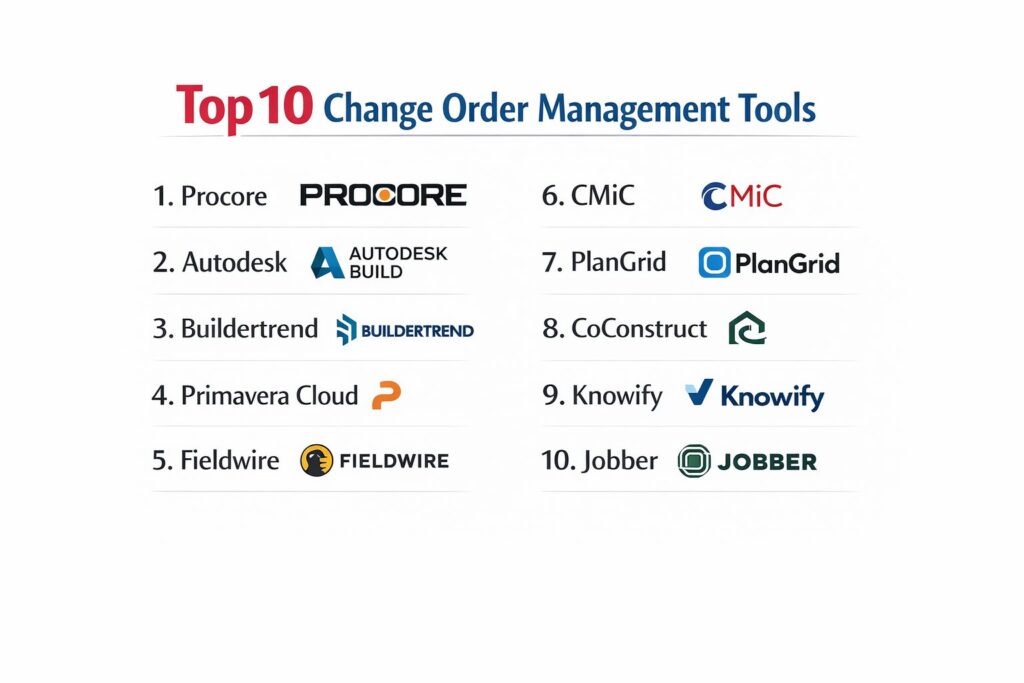
| 1. Procore | Mid-Large Commercial | Web, iOS, Android | Cloud SaaS | Claimable Variations | 4.8/5 |
| 2. Autodesk Build | Design-Build Teams | Web, iOS, Android | Cloud SaaS | Design-to-Cost Link | 4.7/5 |
| 3. Buildertrend | Residential Builders | Web, iOS, Android | Cloud SaaS | Client Approval Portal | 4.7/5 |
| 4. Primavera Cloud | Mega-Projects | Web-Based | Ent. Cloud | Scenario Modeling | 4.5/5 |
| 5. Fieldwire | Field Coordination | Web, iOS, Android | Cloud SaaS | Link Tasks to COs | 4.6/5 |
| 6. CMiC | Enterprise ERP | Web, Desktop | Hybrid | Single Database ERP | 4.4/5 |
| 7. PlanGrid | Drawing-Centric | Web, iOS, Android | Cloud SaaS | Automatic Sheet Leafing | 4.8/5 |
| 8. CoConstruct | Custom Remodelers | Web, iOS, Android | Cloud SaaS | Selection Linkage | 4.5/5 |
| 9. Knowify | Subcontractors | Web, iOS, Android | Cloud SaaS | QuickBooks Integration | 4.6/5 |
| 10. Jobber | Home Services | Web, iOS, Android | Cloud SaaS | SMS Change Approvals | 4.7/5 |
Evaluation & Scoring of Change Order Management Tools
The scoring below is a comparative model intended to help shortlisting. Each criterion is scored from 1–10, then a weighted total from 0–10 is calculated using the weights listed. These are analyst estimates based on typical fit and common workflow requirements, not public ratings.
Weights:
- Core features – 25%
- Ease of use – 15%
- Integrations & ecosystem – 15%
- Security & compliance – 10%
- Performance & reliability – 10%
- Support & community – 10%
- Price / value – 15%
| Tool Name | Core (25%) | Ease (15%) | Integrations (15%) | Security (10%) | Performance (10%) | Support (10%) | Value (15%) | Weighted Total |
| 1. Procore | 10 | 7 | 10 | 10 | 9 | 10 | 6 | 8.85 |
| 2. Autodesk Build | 9 | 8 | 9 | 9 | 9 | 9 | 7 | 8.55 |
| 3. Buildertrend | 8 | 10 | 9 | 8 | 9 | 9 | 9 | 8.80 |
| 4. Primavera Cloud | 10 | 4 | 7 | 10 | 8 | 8 | 6 | 7.70 |
| 5. Fieldwire | 8 | 9 | 8 | 9 | 9 | 9 | 8 | 8.45 |
| 6. CMiC | 10 | 5 | 6 | 10 | 8 | 8 | 7 | 7.80 |
| 7. PlanGrid | 7 | 10 | 8 | 9 | 10 | 9 | 8 | 8.55 |
| 8. CoConstruct | 8 | 8 | 8 | 8 | 8 | 9 | 8 | 8.05 |
| 9. Knowify | 8 | 9 | 10 | 8 | 9 | 8 | 9 | 8.70 |
| 10. Jobber | 6 | 10 | 8 | 8 | 9 | 8 | 10 | 8.00 |
How to interpret the scores:
- Use the weighted total to shortlist candidates, then validate with a pilot.
- A lower score can mean specialization, not weakness.
- Security and compliance scores reflect controllability and governance fit, because certifications are often not publicly stated.
- Actual outcomes vary with assembly size, team skills, templates, and process maturity.
Which Change Order Management Tool Is Right for You?
Solo / Freelancer
If you are running a small construction or home service firm, your time is your most valuable asset. You need a tool like Jobber or Buildertrend that handles the “paperwork” for you. Prioritize ease of use and mobile approvals so you can get client sign-offs while still on the jobsite, ensuring that you never perform unpaid work.
SMB
For small builders and remodelers, CoConstruct or Buildertrend offer the best balance of client communication and financial tracking. These tools are designed to manage the “emotional” side of residential changes, providing clear documentation that helps homeowners understand why a shift in selections has led to a shift in cost.
Mid-Market Commercial
As you scale into commercial work, the rigor of your change management must increase. Procore or Autodesk Build are the industry leaders here, providing the “Change Event” logs and RFI-linkage required to satisfy professional project owners and architects. These tools ensure that your profit margins are protected across multiple simultaneous projects.
Enterprise / Infrastructure
For massive infrastructure projects with hundreds of subcontractors, Oracle Primavera Cloud or CMiC are essential. These tools offer the “Governance” and “Auditability” required for government and large-scale industrial work. They focus on claims mitigation and multi-level approval hierarchies that a simpler SaaS tool cannot handle.
Budget vs Premium
If budget is a primary concern, look for “niche” tools like Knowify (for subs) or Fieldwire (for field teams) which offer focused change management at a lower price point than the enterprise suites. Premium tools like Procore provide a massive ecosystem, but you must ensure your project volume justifies the high annual subscription cost.
Feature Depth vs Ease of Use
If your team is tech-savvy and includes dedicated financial controllers, the depth of CMiC or Procore is a major asset. However, if your superintendents are resistant to technology, a simpler, drawing-centric tool like PlanGrid will yield better results because the data will actually be entered by the field teams.
Integrations & Scalability
Never select a change order tool that doesn’t talk to your accounting software. The “manual entry” of change orders into your ledger is where errors occur. Ensure your chosen tool has a proven, two-way sync with QuickBooks, Sage, or Vista to maintain financial integrity.
Security & Compliance Needs
In the commercial sector, your change order log is your primary defense in a legal dispute. Select a tool with “Immutable Audit Trails,” where every change to a document is recorded and cannot be deleted. This provides the transparency needed to resolve disputes quickly and professionally.
Frequently Asked Questions (FAQs)
1. What is the difference between a PCO and a CO?
A PCO (Potential Change Order) is a “heads up” that a change might occur, often identified in the field. A CO (Change Order) is the formal, legally binding document that officially modifies the contract after all parties have agreed to the scope and cost.
2. Can I bill for a change order before it is signed?
Technically, no, unless your contract includes a “Construction Change Directive” or you are in a jurisdiction that allows “Claimable Variations.” It is always best practice to get a signature before performing the work to ensure you get paid.
3. How do these tools help with dispute resolution?
They provide a “Time-Stamped Audit Trail.” Every photo of a site condition, every RFI, and every version of the change order is saved. If a client disputes a cost at the end of the job, you can present a clear timeline of how and why the change was approved.
4. Do these tools integrate with my accounting software?
The best tools (Procore, Buildertrend, Knowify) have built-in “connectors” for QuickBooks, Sage, and Xero. This allows an approved change order to automatically update your project budget and create a new line item in your accounting system.
5. Why should I use software instead of a Word template?
Software links the change order to the rest of the project. A Word template is a “siloed” document that doesn’t update your budget, doesn’t alert your accountant, and doesn’t notify your field team that the scope has changed.
6. What is a “Deductive” change order?
A deductive change order is used when a portion of the original scope is removed from the project. This results in a reduction of the total contract price and must be documented just as carefully as an “Additive” change.
7. Can field teams initiate change orders?
Yes, most mobile construction apps allow superintendents to create a “Change Event” or “PCO” from the field. This then alerts the project manager in the office to review the costs and send a formal request to the owner.
8. Is a digital signature as legal as a wet signature?
In most jurisdictions, yes. Tools that integrate with services like DocuSign or provide their own encrypted signature capture meet the legal requirements of the Electronic Signatures in Global and National Commerce (ESIGN) Act.
9. How do I track the “Reason” for a change?
Most platforms include “Reason Codes” (e.g., Unforeseen Condition, Owner Request, Design Error). Tracking these codes across all projects allows a company to see if they are losing money due to internal errors or external factors.
10. Do these tools work offline?
Field-focused tools like Fieldwire and PlanGrid have robust offline modes. You can capture photos and notes in a basement or remote site, and the data will automatically sync once you return to an area with Wi-Fi or cellular service.
Conclusion
Change is an inherent reality of every construction and engineering project, but it does not have to be a source of financial loss. The adoption of a dedicated change order management tool transforms a reactive process into a strategic advantage, providing the transparency and rigor needed to protect project margins. By connecting the field’s observations to the office’s financial controls, these platforms ensure that every scope adjustment is documented, approved, and accounted for. In 2026, the competitive edge belongs to the firms that can manage “the unexpected” with the same precision they apply to their original plans.