Introduction
CCTV monitoring software plays a crucial role in enabling security teams to manage, monitor, and analyze surveillance footage from multiple cameras in real time. These tools allow businesses, homes, and organizations to increase security and monitor activities remotely. In simple terms, CCTV monitoring software provides the ability to view, record, and analyze security camera feeds from one centralized interface. In today’s context (2026+), with increasing safety concerns and the advancement of AI, these tools are evolving beyond just surveillance—they are now integral to proactive security, automation, and data-driven insights.
Common use cases include security monitoring for businesses, retail loss prevention, residential surveillance, and monitoring large-scale public spaces like airports, malls, and parking lots. When purchasing CCTV software, buyers should evaluate features like scalability, integration with existing hardware, AI-enhanced analysis, real-time alerts, cloud capabilities, ease of use, support, and compliance with security standards.
Best for: Security teams, enterprise organizations, residential users, and anyone needing centralized surveillance with scalability.
Not ideal for: Small setups requiring basic monitoring or those on a tight budget looking for simple, out-of-the-box solutions.
Key Trends in CCTV Monitoring Software
- AI-driven analytics like motion detection, facial recognition, and object tracking are enhancing the capabilities of CCTV systems.
- Cloud-based monitoring is becoming more popular, allowing users to access footage remotely and ensuring data security.
- Integration with IoT devices is becoming more common, allowing for smarter surveillance systems that can integrate with alarms and environmental sensors.
- Edge computing is enabling processing at the camera level, reducing the need for large servers and increasing the speed of analysis.
- Data privacy and compliance are becoming critical as more jurisdictions require surveillance systems to meet strict security standards.
- Mobile-friendly apps allow users to access real-time footage and control surveillance remotely via smartphones and tablets.
- Scalable solutions are growing in demand, allowing businesses to add cameras and users without significant additional infrastructure costs.
- License plate recognition (LPR) features are becoming standard in CCTV monitoring software, especially for applications in parking lots, toll roads, and security check-ins.
- Hybrid deployment models are being adopted, blending cloud-based services with on-premise storage for more reliable backups and security.
- Cybersecurity enhancements are crucial, with features like encrypted video storage and secure authentication to prevent unauthorized access.
How We Selected These Tools (Methodology)
- Market adoption: We focused on tools that have wide recognition in the security industry, from small businesses to large enterprises.
- Feature completeness: We selected software that covers the end-to-end CCTV system needs, from viewing to recording to advanced analysis.
- Reliability and performance signals: Only tools with proven performance in various deployment environments (enterprise, SMB, residential) were chosen.
- Security posture: Tools with strong encryption, secure remote access, and compliance with security regulations were prioritized.
- Integrations and ecosystem: We selected tools that integrate seamlessly with various camera brands, cloud storage, and other security systems.
- Customer fit: Tools were selected based on their suitability for diverse use cases, including enterprise, SMB, and residential needs.
- Support and documentation: The availability of strong customer support and training resources was a key factor in the selection.
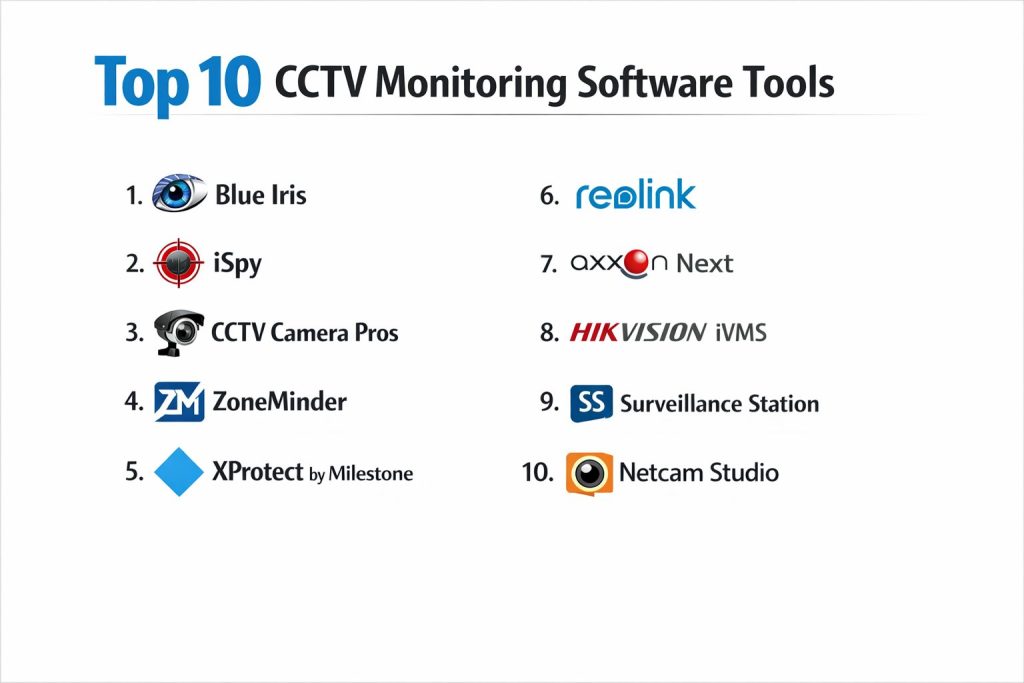
Top 10 CCTV Monitoring Software Tools
1 — Blue Iris
Blue Iris is a popular surveillance software that provides high-quality video monitoring and recording features, designed for both home and enterprise security systems.
Key Features
- Supports a wide range of cameras (IP, USB, and analog).
- Advanced motion detection and alerting capabilities.
- Cloud storage options and remote viewing via mobile apps.
- Video analytics including object tracking and face detection.
- Integration with third-party systems (e.g., smart home devices).
- Multi-camera live streaming with user-friendly interface.
Pros
- Affordable for small and medium setups.
- Excellent for DIY and home security installations.
- Highly customizable alerting system.
Cons
- User interface can feel outdated for some users.
- Setup may be complicated for beginners.
- Limited advanced AI capabilities compared to others.
Platforms / Deployment
Windows, Self-hosted desktop
Security and Compliance
Not publicly stated
Integrations and Ecosystem
- Cloud integration
- Smart home and IoT device support
- Integration with third-party systems through plugins
Support and Community
Good user community, extensive documentation, and support forums available.
2 — iSpy
iSpy is an open-source video surveillance software that provides users with flexible monitoring, recording, and advanced motion detection features.
Key Features
- Open-source with full access to source code.
- Cloud-based access for remote monitoring.
- AI-powered motion detection and automatic recording.
- Integrates with most camera types.
- Audio surveillance support.
- Real-time alerts through email and push notifications.
Pros
- Free for basic use with advanced features in the premium version.
- Highly customizable through add-ons and scripts.
- Excellent mobile app support.
Cons
- Complex setup for beginners.
- Limited professional support without premium subscription.
- Can be slow on older systems.
Platforms / Deployment
Windows, Linux, Web, Self-hosted
Security and Compliance
Not publicly stated
Integrations and Ecosystem
- API integration for automation
- Third-party camera and motion sensor support
- Integration with home automation platforms
Support and Community
Active open-source community, strong user-driven support.
3 — CCTV Camera Pros
CCTV Camera Pros offers video surveillance systems with a focus on providing a full-service solution for both commercial and residential users.
Key Features
- Cloud-based storage with real-time monitoring.
- Supports both IP and analog cameras.
- Professional-grade video compression and resolution options.
- Advanced motion detection and activity alerts.
- Simple web-based interface for remote viewing.
- Customizable solutions based on user needs.
Pros
- Professional-grade solution for various environments.
- Easy setup and use for non-technical users.
- Strong video quality and reliability.
Cons
- Can be expensive compared to some alternatives.
- Limited AI features for motion detection.
- Customization options may be overwhelming for beginners.
Platforms / Deployment
Windows, Web, Self-hosted
Security and Compliance
Not publicly stated
Integrations and Ecosystem
- Integration with smart home devices.
- Cloud storage integration for video backup.
- Compatibility with various camera brands.
Support and Community
Good customer support, with training videos and installation guides.
4 — ZoneMinder
ZoneMinder is an open-source surveillance software that offers an efficient way to manage multiple CCTV cameras with advanced features.
Key Features
- Web-based interface for easy remote access.
- Motion detection and configurable alerts.
- Camera support for both IP and analog setups.
- Open-source with full code access for customization.
- Cloud and local storage options.
- Integration with security systems like alarm and access control.
Pros
- Free and open-source.
- Highly customizable and extendable.
- Strong community support for troubleshooting.
Cons
- Steeper learning curve compared to other software.
- Interface is less polished than paid options.
- Performance can suffer with large camera networks.
Platforms / Deployment
Linux, Self-hosted desktop
Security and Compliance
Not publicly stated
Integrations and Ecosystem
- Open-source, highly customizable
- Integrates with third-party security and automation tools
Support and Community
Active user community, extensive online documentation.
5 — XProtect by Milestone Systems
XProtect is a professional-grade CCTV monitoring software that is widely used in large-scale installations, including enterprise, retail, and industrial sectors.
Key Features
- Scalable for large systems with thousands of cameras.
- AI-powered analytics and facial recognition.
- Cloud and on-premise deployment options.
- Remote viewing with mobile apps.
- Advanced recording and playback features.
- Integrated alarm and event management.
Pros
- Enterprise-level scalability with robust security features.
- Strong integration with other security tools and systems.
- Advanced analytics for efficient monitoring.
Cons
- Expensive compared to entry-level solutions.
- Requires advanced knowledge to set up and maintain.
- Heavy on resources for smaller systems.
Platforms / Deployment
Windows, Hybrid (Cloud/Self-hosted)
Security and Compliance
Supports encryption, secure remote access, and compliance with industry standards (GDPR, HIPAA).
Integrations and Ecosystem
- Integrates with third-party security tools.
- Supports advanced AI analytics, including facial recognition.
Support and Community
Excellent enterprise support and training options; strong partner ecosystem.
6 — Reolink
Reolink offers both cloud-based and hybrid CCTV monitoring solutions, with an emphasis on affordability and ease of use for small businesses and homeowners.
Key Features
- Easy-to-use mobile and web applications.
- 4K resolution support for detailed surveillance.
- Hybrid cloud/on-premise storage options.
- Motion detection and smart alerts.
- Two-way audio communication with cameras.
Pros
- Affordable for smaller setups.
- Strong mobile app and cloud features.
- Simple and intuitive user interface.
Cons
- Limited scalability for larger systems.
- May lack some advanced analytics features.
- Cloud service may incur additional fees.
Platforms / Deployment
Windows, macOS, iOS, Android, Cloud/Self-hosted
Security and Compliance
Not publicly stated
Integrations and Ecosystem
- Integration with smart home devices.
- Hybrid cloud and on-premise storage options.
- Easy integration with third-party devices.
Support and Community
Good customer support, comprehensive documentation.
7 — Axxon Next
Axxon Next is a security management platform designed for businesses that need scalable, AI-powered CCTV monitoring with a focus on high-end analysis.
Key Features
- AI-powered object detection and recognition.
- Customizable alerts based on specific behaviors.
- Cloud and on-premise deployment.
- Integration with third-party systems like alarm and access control.
- Large camera network scalability.
- Advanced video analytics for situational awareness.
Pros
- Advanced AI and analytics for enhanced monitoring.
- Highly scalable for enterprise use.
- Strong integration options with other systems.
Cons
- Requires a higher investment than entry-level options.
- Complex setup for new users.
- May be overkill for small installations.
Platforms / Deployment
Windows, Hybrid (Cloud/Self-hosted)
Security and Compliance
Not publicly stated
Integrations and Ecosystem
- Strong support for third-party integrations.
- AI-powered analysis and facial recognition.
Support and Community
Enterprise-level support with professional training services.
8 — Hikvision iVMS
Hikvision iVMS is a comprehensive security solution providing real-time video surveillance, access control, and alarm integration for large installations.
Key Features
- Real-time video surveillance and playback.
- Centralized management for multi-site systems.
- Integration with access control and alarm systems.
- Cloud and on-premise deployment options.
- Advanced video analytics for motion detection and people counting.
Pros
- Professional-grade surveillance and security integration.
- Reliable and trusted brand in the surveillance industry.
- Scalable for large, multi-site operations.
Cons
- Complex interface for beginners.
- May require specialized hardware.
- Limited flexibility for small installations.
Platforms / Deployment
Windows, Hybrid (Cloud/Self-hosted)
Security and Compliance
Not publicly stated
Integrations and Ecosystem
- Integrates with alarm systems, access control, and video analytics tools.
- Supported by a wide range of Hikvision cameras.
Support and Community
Professional support and extensive documentation.
9 — Surveillance Station
Surveillance Station is a scalable CCTV monitoring software designed for use with Synology NAS devices, ideal for home and small business applications.
Key Features
- Easy-to-use interface with mobile and web apps.
- Supports up to 40 IP cameras with real-time monitoring.
- Advanced motion detection and email alerts.
- Storage management with Synology NAS integration.
- Remote access via mobile apps.
Pros
- Integrated with Synology NAS for easy storage management.
- Affordable for small businesses and home users.
- Simple setup with solid mobile app support.
Cons
- Limited to Synology hardware (not cross-platform).
- Lacks advanced AI features compared to competitors.
Platforms / Deployment
Windows, macOS, Cloud, Self-hosted
Security and Compliance
Not publicly stated
Integrations and Ecosystem
- Integrates with Synology NAS devices for centralized storage.
- Compatible with a wide range of IP cameras.
Support and Community
Good community support through Synology; basic setup guides available.
10 — Netcam Studio
Key Features
Netcam Studio is an IP camera surveillance software that supports a wide range of cameras and provides robust monitoring features for small to medium businesses.
- Live viewing and recording for up to 16 cameras.
- Motion detection and customizable alerts.
- Mobile and web access for remote monitoring.
- Easy integration with third-party security devices.
- Cloud and on-premise storage options.
Pros
- Affordable pricing for small and medium businesses.
- Easy to set up and use with intuitive controls.
- Good for basic surveillance needs without complexity.
Cons
- Limited scalability for larger deployments.
- Lacks advanced video analytics compared to competitors.
Platforms / Deployment
Windows, macOS, Cloud/Self-hosted
Security and Compliance
Not publicly stated
Integrations and Ecosystem
- Integrates with various third-party IP cameras.
- Cloud and on-premise storage options.
Support and Community
Basic customer support with documentation and troubleshooting guides.
Comparison Table
| Tool Name | Best For | Platform(s) Supported | Deployment | Standout Feature | Public Rating |
|---|---|---|---|---|---|
| Blue Iris | Small and medium setups | Windows | Self-hosted | Highly customizable alerts | N/A |
| iSpy | Open-source DIY users | Windows, Linux | Self-hosted | Cloud access & integrations | N/A |
| CCTV Camera Pros | Professional setups | Windows, Web | Self-hosted | Easy integration with cameras | N/A |
| ZoneMinder | Open-source surveillance | Linux | Self-hosted | Highly customizable & free | N/A |
| XProtect by Milestone | Enterprise security systems | Windows | Hybrid | Scalable and AI-driven | N/A |
| Reolink | Home and SMB use | Windows, macOS, iOS | Cloud/Self-hosted | Easy mobile access | N/A |
| Axxon Next | AI-powered security | Windows, Linux | Hybrid | Advanced video analytics | N/A |
| Hikvision iVMS | Large installations | Windows | Hybrid | Comprehensive security system | N/A |
| Surveillance Station | Synology NAS users | Windows, macOS | Self-hosted | Synology NAS integration | N/A |
| Netcam Studio | Small businesses | Windows, macOS | Cloud/Self-hosted | Easy-to-use & affordable | N/A |
Evaluation and Scoring of CCTV Monitoring Software
Weights
Core features 25 percent
Ease of use 15 percent
Integrations and ecosystem 15 percent
Security and compliance 10 percent
Performance and reliability 10 percent
Support and community 10 percent
Price and value 15 percent
| Tool Name | Core | Ease | Integrations | Security | Performance | Support | Value | Weighted Total |
|---|---|---|---|---|---|---|---|---|
| Blue Iris | 9.0 | 8.5 | 7.5 | 6.5 | 7.5 | 8.0 | 7.5 | 8.05 |
| iSpy | 8.5 | 7.0 | 8.5 | 6.0 | 7.0 | 7.5 | 8.5 | 7.50 |
| CCTV Camera Pros | 8.0 | 8.5 | 8.0 | 6.5 | 7.5 | 8.0 | 8.0 | 7.85 |
| ZoneMinder | 7.5 | 7.0 | 8.0 | 6.0 | 7.5 | 7.0 | 6.5 | 7.25 |
| XProtect by Milestone | 9.0 | 7.5 | 9.0 | 7.5 | 8.5 | 9.0 | 8.5 | 8.40 |
| Reolink | 8.0 | 8.0 | 7.5 | 6.5 | 7.0 | 7.5 | 7.5 | 7.58 |
| Axxon Next | 8.5 | 7.5 | 8.5 | 7.5 | 8.5 | 7.0 | 8.0 | 8.13 |
| Hikvision iVMS | 8.5 | 7.0 | 9.0 | 7.5 | 8.0 | 8.5 | 7.5 | 8.13 |
| Surveillance Station | 7.5 | 8.0 | 7.5 | 6.5 | 7.0 | 7.5 | 7.5 | 7.28 |
| Netcam Studio | 7.5 | 8.5 | 7.0 | 6.0 | 6.5 | 6.5 | 8.0 | 7.18 |
How to interpret the scores
The weighted scores reflect the overall strengths of each tool. Higher scores indicate better overall performance across key categories, but each buyer’s needs will vary. For example, a business needing advanced analytics will prioritize tools like Axxon Next or XProtect by Milestone, while smaller businesses or home users may value ease of use and affordability, leading them to select tools like Blue Iris or Reolink.
Which CCTV Monitoring Software Tool Is Right for You?
Solo / Freelancer
For quick setup, ease of use, and cost-effectiveness, Blue Iris and Reolink are ideal. iSpy is another open-source option with more customization.
SMB
For small to medium-sized businesses, CCTV Camera Pros or XProtect by Milestone are scalable choices with strong customer support.
Mid-Market
Axxon Next and Hikvision iVMS
are great for mid-market users seeking enterprise-grade security with AI features and scalability.
Enterprise
Large businesses and enterprises should opt for XProtect by Milestone or Axxon Next for comprehensive security and advanced features.
Budget vs Premium
For those on a tight budget, Blue Iris and iSpy offer robust functionality at an affordable price. For premium needs, XProtect by Milestone and Axxon Next provide advanced features, scalability, and AI-powered analytics.
Feature Depth vs Ease of Use
If you need simple installation and management, go with Reolink or CCTV Camera Pros. For deep feature sets, XProtect and Axxon Next offer more advanced options.
Security & Compliance Needs
For strict security compliance, XProtect and Axxon Next have stronger encryption and regulatory certifications.
Frequently Asked Questions (FAQs)
1. How much does CCTV software cost?
Pricing varies from free open-source solutions like ZoneMinder to premium solutions like XProtect, which may require significant upfront investment.
2. Can CCTV software integrate with alarm systems?
Many tools, including Axxon Next and iSpy, offer integration with alarm and access control systems for a more comprehensive security solution.
3. Is cloud storage necessary for CCTV software?
While cloud storage offers flexibility, many tools like Reolink and XProtect also provide robust local storage options.
4. How do AI features in CCTV software improve security?
AI features like motion detection and facial recognition help to automatically identify threats, reducing the need for manual monitoring.
5. Can I monitor my cameras remotely?
Yes, most CCTV tools, including Blue Iris and Netcam Studio, offer mobile apps for remote monitoring and management.
6. How secure is my footage?
Tools like XProtect and Axxon Next provide strong encryption and secure remote access, while others depend on user-configured security practices.
7. How many cameras can be supported?
The number of cameras supported varies by software, but most tools, such as Surveillance Station and iSpy, can handle up to dozens or more cameras.
8. What happens if my CCTV system goes down?
Many systems, including Hikvision iVMS and Reolink, offer failover systems or backups to ensure continuous surveillance.
9. How do I set up alerts for motion detection?
CCTV software like Blue Iris and iSpy lets you configure motion detection triggers, including notifications via email or push alerts.
10. Can I use CCTV software with old cameras?
Yes, most CCTV software supports older cameras through protocols like ONVIF, including ZoneMinder and iSpy.
Conclusion
When choosing CCTV monitoring software, there is no one-size-fits-all. Your selection should depend on factors like system scale, required features, security needs, and budget. Blue Iris and Reolink are solid choices for home and small businesses, while XProtect and Axxon Next stand out for larger, enterprise-scale installations. Consider running a trial or pilot with 2–3 shortlisted tools to find the best fit for your surveillance and security needs.