Introduction
Computer-Assisted Translation (CAT) tools represent the pinnacle of linguistic engineering, designed to bridge the gap between human expertise and computational speed. Unlike automated machine translation, CAT software provides a structured environment where professional linguists can manage “Translation Memories” (TM) and “Term Bases” (TB) to ensure that every phrase translated remains consistent across massive projects. For the modern enterprise, these tools are no longer optional. They are the essential infrastructure required to maintain brand voice while operating across dozens of global markets simultaneously.
The necessity of a robust CAT ecosystem stems from the sheer volume and velocity of content in the digital age. Without these systems, large-scale localization becomes a fragmented, manual process prone to terminology drift and escalating costs. Modern CAT platforms integrate advanced quality assurance (QA) algorithms, real-time collaboration features, and sophisticated project management dashboards. When evaluating a tool for professional use, one must assess its ability to handle complex file structures, its security protocols for sensitive data, and the scalability of its cloud or on-premise architecture.
Best for: Professional translation agencies, multi-national corporations, software localization teams, and freelance linguists who require precision and efficiency in high-volume environments.
Not ideal for: Casual users seeking a quick dictionary or one-off basic text translations. These tools are high-precision instruments that require a professional understanding of translation workflows.
Key Trends in CAT Tools
The integration of Generative AI and Large Language Models (LLMs) is currently the most significant trend, shifting the role of the translator toward high-level post-editing. Real-time collaboration is moving away from desktop-only installations toward hybrid cloud environments that allow project managers and linguists to work in sync. We are also seeing a rise in “Continuous Localization,” where CAT tools connect directly to developer repositories like GitHub to translate software updates automatically.
Data security has become a non-negotiable standard, with many tools now offering SOC 2 Type 2 compliance and military-grade encryption to protect intellectual property. Adaptive machine translation engines are becoming more common, learning from a translator’s specific style in real-time. Finally, there is a push toward “In-Context Preview” technology, allowing linguists to see exactly how their translation will look on a live website or within a mobile app layout while they work.
How We Selected These Tools
Our selection process focused on tools that demonstrate industrial reliability and a strong commitment to security and innovation. We prioritized platforms that support a wide range of industry-standard file formats, ensuring that users aren’t locked into proprietary ecosystems. Market longevity was also considered, as tools with established user bases typically offer more robust community resources and a wider pool of trained professionals.
Performance was evaluated based on the tool’s ability to process massive translation memories without significant latency. We also scrutinized the quality of built-in QA features, such as consistency checks and tag handling. Integration capabilities—specifically how well a tool fits into modern CI/CD pipelines—were weighted heavily for enterprise use cases. Lastly, the balance between a professional feature set and an intuitive user experience guided the final ranking.
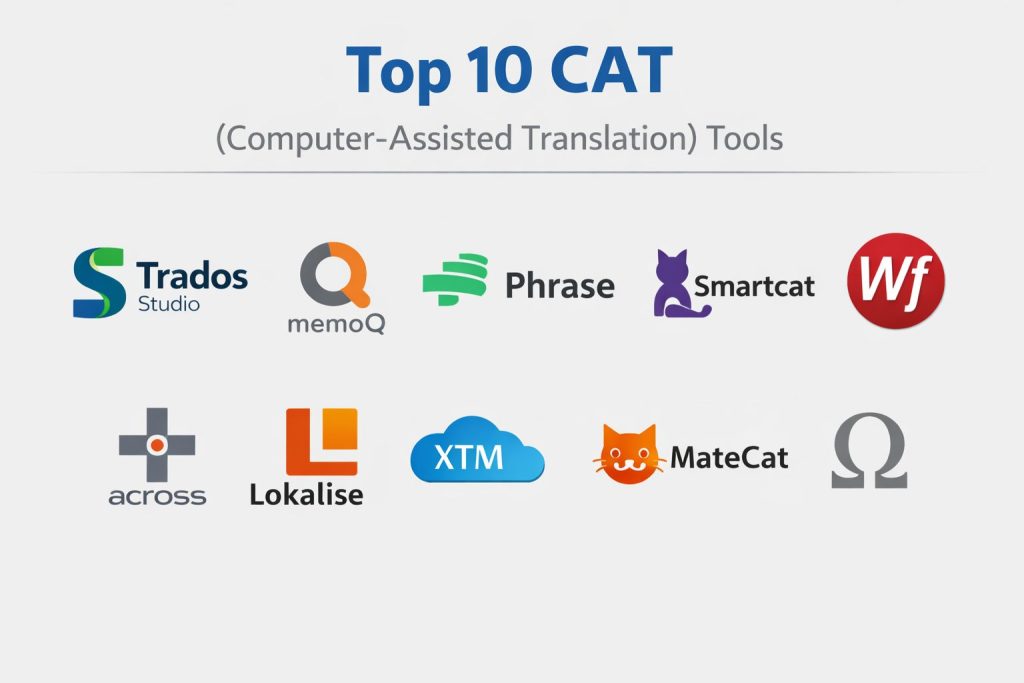
1. Trados Studio
Trados Studio remains the dominant force in the translation industry, known for its unparalleled depth and massive feature set. It is the platform of choice for the world’s largest language service providers (LSPs) due to its ability to handle virtually any file type and its robust desktop performance.
Key Features
The software offers the most advanced translation memory management in the market, capable of handling millions of segments. It features a sophisticated “UpLIFT” technology that automatically suggests fragments from existing TMs to speed up work. Its terminology management system is the industry benchmark for accuracy and consistency. The tool also includes a massive app store for third-party plugins and specialized QA modules.
Pros
It is the undisputed industry standard, meaning most agencies require proficiency in this tool. It offers the most comprehensive set of technical features for complex projects.
Cons
The software is expensive and has a very steep learning curve for new users. It is also known for being resource-intensive, requiring high-performance hardware.
Platforms and Deployment
Windows (Desktop) with cloud-based synchronization options.
Security and Compliance
ISO 27001 certified and GDPR compliant, with robust enterprise-grade encryption.
Integrations and Ecosystem
Features a massive marketplace with hundreds of specialized apps and connectors for various CMS and development tools.
Support and Community
Offers extensive certification programs and has the largest community of professional users globally.
2. memoQ
memoQ is widely praised for its artistically logical workflow and powerful collaboration features. It bridges the gap between the technical complexity of Trados and the user-friendly nature of modern cloud tools, making it a favorite for mid-to-large agencies.
Key Features
The “LiveDocs” feature allows users to use bilingual documents as reference material without needing to fully import them into a TM. It includes a unique “Muses” tool that predicts the next words based on previously translated content. The platform supports a “vendor-lending” license model, allowing agencies to share licenses with their freelancers. It also features a highly customizable automated QA system.
Pros
It offers an excellent balance between power and ease of use. The tool is highly stable and handles large projects with minimal lag.
Cons
The cost is significant for independent freelancers. Some users find the server management aspect complex to set up.
Platforms and Deployment
Windows (Desktop), with Server and Cloud-based deployment models.
Security and Compliance
Achieved SOC 2 Type 2 compliance and holds ISO 27001 certification.
Integrations and Ecosystem
Strong integration with major project management systems and content repositories via API.
Support and Community
Known for excellent direct customer support and a dedicated user base in Europe and North America.
3. Phrase (formerly Memsource)
Phrase has revolutionized the market with its cloud-native approach and focus on automation. It is particularly strong for companies that need to manage high volumes of content with lean teams.
Key Features
The platform features an AI-driven “Translation Quality Estimation” that scores machine translation results before a human even sees them. It offers a clean, browser-based editor that requires zero installation. Its “Orchestrator” allows for the creation of complex, automated workflows without any coding. It also includes a specialized software localization suite for developers.
Pros
Extremely fast and lightweight, making it accessible from any device. The automation features significantly reduce project management overhead.
Cons
Advanced AI features and higher automation tiers are locked behind expensive enterprise plans. The document editing environment is less “deep” than desktop alternatives.
Platforms and Deployment
Cloud-based (SaaS), with a lightweight desktop editor option.
Security and Compliance
ISO 27001, SOC 2 Type II, and HIPAA compliant.
Integrations and Ecosystem
Superior connectors for modern tech stacks, including GitHub, Figma, and AWS.
Support and Community
Provides extensive documentation and a specialized academy for user training.
4. Smartcat
Smartcat is a unique, all-in-one ecosystem that combines a CAT tool with a marketplace and a payment automation system. It is designed to remove the administrative friction of scaling a translation team.
Key Features
The tool offers a “free-seat” model, allowing unlimited collaborators on a single project without additional costs. It includes an integrated marketplace where companies can hire and pay vetted linguists directly. Its automated payment system handles global transfers and tax compliance in multiple currencies. The editor supports real-time co-authoring, similar to Google Docs.
Pros
The lack of per-user licensing fees makes it the most cost-effective solution for growing teams. It drastically simplifies the payment process for freelancers.
Cons
The translation editor lacks some of the hyper-advanced filtering and technical tools found in Trados or memoQ. Marketplace quality can be inconsistent.
Platforms and Deployment
Cloud-native (SaaS).
Security and Compliance
Uses Tier IV data centers and is GDPR compliant with SSO support.
Integrations and Ecosystem
Strong links to content management systems like WordPress and Drupal.
Support and Community
Provides 24/7 technical support and a thriving community of both clients and linguists.
5. Wordfast Pro
Wordfast Pro is the leading choice for translators who need a high-end commercial tool that is not limited to the Windows operating system. It is known for its speed and its “What You See Is What You Get” (WYSIWYG) approach.
Key Features
It is the only major commercial tool that runs natively on Mac and Linux. It features a live preview mode that shows the target document’s layout in real-time. The software allows for “file chaining,” where multiple small files are treated as one large document for consistency. It also includes a powerful segment filtering system based on regular expressions.
Pros
Very fast performance even on modest hardware. It follows a one-time purchase model rather than a recurring subscription.
Cons
The user interface can feel dated compared to newer cloud platforms. It lacks some of the broader project management features of its competitors.
Platforms and Deployment
Windows, macOS, and Linux (Desktop).
Security and Compliance
Standard encryption and secure file handling protocols.
Integrations and Ecosystem
Directly imports Trados and memoQ packages, making it highly compatible with other agency workflows.
Support and Community
Offers a loyal community and responsive direct support for licensed users.
6. Across Language Server
Across is highly regarded for its focus on data sovereignty and structured governance. It is particularly popular in the DACH region (Germany, Austria, Switzerland) among manufacturing and engineering firms.
Key Features
The platform uses a centralized “crossTank” for translation memory that ensures no data ever leaves the secure environment. It features a “crossTerm” database for highly precise terminology control. Its workflow management system is extremely rigid and structured, which is ideal for regulated industries. It also provides a dedicated dashboard for project managers to track progress at a granular level.
Pros
Offers the highest level of control over the translation process and data security. Excellent for maintaining technical consistency in massive documentation sets.
Cons
The interface is often described as non-intuitive and clunky. Its rigid structure can be a hindrance to agile, fast-moving software teams.
Platforms and Deployment
Windows (Server/Client) and Cloud options.
Security and Compliance
Top-tier security features designed for military and industrial standards.
Integrations and Ecosystem
Strong interfaces for ERP and PIM systems common in industrial manufacturing.
Support and Community
Strong corporate support and training, with a specialized user base in Europe.
7. Lokalise
Lokalise is a modern localization platform designed specifically for product teams, developers, and designers. It excels at localizing apps, games, and web-based software.
Key Features
It offers seamless integration with design tools like Figma and Adobe XD, allowing for “in-context” translation during the design phase. It supports over-the-air (OTA) updates for mobile apps, bypassing the need for app store re-submissions. The platform features an API-first architecture, making it easy to automate within a developer’s workflow. It also includes a robust system for managing screenshots and visual context.
Pros
Best-in-class UI and user experience. It bridges the gap between designers and translators better than any other tool.
Cons
It is not well-suited for long-form document translation or legal work. The pricing scales quickly as the number of keys or users increases.
Platforms and Deployment
Cloud-based (SaaS).
Security and Compliance
SOC 2 Type II certified with role-based access control.
Integrations and Ecosystem
Dozens of integrations with dev tools like GitHub, Bitbucket, and Jira.
Support and Community
Highly responsive 24/7 chat support and extensive video documentation.
8. XTM Cloud
XTM Cloud is an enterprise-grade translation management system that emphasizes scalability and AI-powered workflow orchestration. It is designed to be the central hub for global enterprise localization.
Key Features
The platform utilizes AI to automate the assignment of tasks to the best-suited linguists. It features a sophisticated “In-Context” editor that supports almost all file formats, including PDF. Its workflow engine can manage thousands of concurrent projects with automated status tracking. It also provides deep analytics on cost savings and translator performance.
Pros
Highly scalable for massive global organizations. The cloud architecture is exceptionally stable under heavy loads.
Cons
The setup and onboarding process can be complex and time-consuming. It is an enterprise-level investment that may be out of reach for small teams.
Platforms and Deployment
Cloud-based (SaaS).
Security and Compliance
ISO 27001 and SOC 2 Type II compliant with military-grade encryption.
Integrations and Ecosystem
Extensive API and over 50 out-of-the-box connectors for major corporate software.
Support and Community
Professional enterprise onboarding and dedicated account management for large clients.
9. MateCat
MateCat is a browser-based, open-source CAT tool that has gained popularity for being completely free to use while offering professional-grade features. It is ideal for those who need a no-cost entry point into professional translation.
Key Features
The platform includes an “Adaptive Machine Translation” engine that learns from your corrections in real-time. It provides access to a massive public translation memory called “MyMemory.” The tool allows for the easy splitting of large jobs among multiple translators to meet tight deadlines. It requires no installation and supports common file formats like Word, Excel, and PDF.
Pros
It is completely free with no restrictions on the number of users or projects. The interface is clean and extremely easy to learn.
Cons
Privacy can be a concern if users accidentally use public TM settings for sensitive documents. It lacks advanced project management and terminology features.
Platforms and Deployment
Cloud-based (SaaS).
Security and Compliance
Offers private TM options, but lacks formal enterprise certifications like SOC 2.
Integrations and Ecosystem
Connects with ModernMT for high-quality, adaptive machine translation.
Support and Community
Community-driven support with a focus on collaborative improvement.
10. OmegaT
OmegaT is the premier open-source desktop CAT tool, maintained by a dedicated community of developers and linguists. It is a powerful, lightweight alternative for those who prefer an offline, non-subscription environment.
Key Features
The software is highly customizable through scripts and plugins. It supports over 30 different file formats and allows for the simultaneous use of multiple translation memories. It features a unique project structure that makes it easy to backup and version-control projects using systems like Git. The tool is lightweight and runs smoothly on older hardware.
Pros
Completely free and open-source, providing ultimate control over your data. It has a very loyal and helpful global community.
Cons
The user interface is very basic and lacks the visual polish of commercial software. There is no built-in cloud collaboration or project management suite.
Platforms and Deployment
Windows, macOS, and Linux (Desktop).
Security and Compliance
Security is as high as your local machine’s security, as all data is stored locally.
Integrations and Ecosystem
Supports standard TMX and TBX files, making it compatible with all major industry tools.
Support and Community
Extensive user-written documentation and active mailing lists for troubleshooting.
Comparison Table
| Tool Name | Best For | Platform(s) Supported | Deployment | Standout Feature | Public Rating |
| 1. Trados Studio | Enterprise/Agencies | Windows | Hybrid | AppStore Ecosystem | 4.5/5 |
| 2. memoQ | Mid-size Agencies | Win, Server, Cloud | Hybrid | LiveDocs References | 4.6/5 |
| 3. Phrase | Automation/Software | Cloud (SaaS) | Cloud | Phrase Orchestrator | 4.7/5 |
| 4. Smartcat | Distributed Teams | Cloud (SaaS) | Cloud | Free-seat Model | 4.4/5 |
| 5. Wordfast Pro | Mac/Linux Users | Win, Mac, Linux | Local | WYSIWYG Preview | 4.2/5 |
| 6. Across Server | Regulated Industry | Windows | Local/Cloud | Centralized crossTank | 4.0/5 |
| 7. Lokalise | Product/Dev Teams | Cloud (SaaS) | Cloud | Over-the-Air Updates | 4.8/5 |
| 8. XTM Cloud | Global Enterprise | Cloud (SaaS) | Cloud | AI Assignment Engine | 4.3/5 |
| 9. MateCat | Fast/Free Projects | Cloud (SaaS) | Cloud | Adaptive MT Learning | 4.1/5 |
| 10. OmegaT | Open-source/Privacy | Win, Mac, Linux | Local | Scriptable Workflows | 4.0/5 |
Evaluation & Scoring of CAT Tools
The scoring below is a comparative model intended to help shortlisting. Each criterion is scored from 1–10, then a weighted total from 0–10 is calculated using the weights listed. These are analyst estimates based on typical fit and common workflow requirements, not public ratings.
Weights:
- Core features – 25%
- Ease of use – 15%
- Integrations & ecosystem – 15%
- Security & compliance – 10%
- Performance & reliability – 10%
- Support & community – 10%
- Price / value – 15%
| Tool Name | Core (25%) | Ease (15%) | Integrations (15%) | Security (10%) | Performance (10%) | Support (10%) | Value (15%) | Weighted Total |
| 1. Trados Studio | 10 | 4 | 10 | 9 | 8 | 10 | 6 | 8.35 |
| 2. memoQ | 9 | 7 | 9 | 9 | 9 | 9 | 7 | 8.35 |
| 3. Phrase | 9 | 9 | 10 | 9 | 9 | 8 | 7 | 8.65 |
| 4. Smartcat | 7 | 10 | 8 | 8 | 8 | 8 | 10 | 8.30 |
| 5. Wordfast Pro | 7 | 8 | 7 | 7 | 10 | 7 | 9 | 7.80 |
| 6. Across Server | 9 | 3 | 7 | 10 | 7 | 8 | 6 | 7.15 |
| 7. Lokalise | 8 | 10 | 10 | 9 | 9 | 9 | 7 | 8.80 |
| 8. XTM Cloud | 9 | 6 | 10 | 10 | 9 | 9 | 6 | 8.35 |
| 9. MateCat | 6 | 10 | 7 | 6 | 8 | 6 | 10 | 7.60 |
| 10. OmegaT | 7 | 5 | 7 | 10 | 9 | 7 | 10 | 7.75 |
How to interpret the scores:
- Use the weighted total to shortlist candidates, then validate with a pilot.
- A lower score can mean specialization, not weakness.
- Security and compliance scores reflect controllability and governance fit, because certifications are often not publicly stated.
- Actual outcomes vary with assembly size, team skills, templates, and process maturity.
Which CAT Tool Is Right for You?
Solo / Freelancer
For individuals, the decision often comes down to budget and client requirements. If you work primarily with large agencies, Trados or memoQ may be necessary. However, for those who want to maximize profit margins, tools like Wordfast Pro or the open-source OmegaT offer professional capabilities without monthly fees.
SMB
Small agencies should look for tools that minimize administrative time. Smartcat and Phrase are excellent here because they handle a lot of the project management and payment overhead automatically, allowing a small team to perform like a much larger organization.
Mid-Market
In this segment, the focus is on workflow efficiency and integration. memoQ and Phrase offer the best balance, providing high-level automation and deep integration with other business software while remaining relatively easy to manage without a massive IT department.
Enterprise
For global brands, security and central governance are the priorities. XTM Cloud and Across Language Server provide the structured environments and security certifications necessary for handling sensitive corporate data and massive, decentralized teams.
Budget vs Premium
If budget is the primary concern, MateCat and OmegaT provide professional-grade translation environments for free. Premium tools like Trados or Lokalise justify their cost through advanced automation, visual context tools, and enterprise-grade security that smaller tools lack.
Feature Depth vs Ease of Use
Trados and Houdini offer the most depth but are the hardest to learn. On the other end, Lokalise and Smartcat prioritize a modern, intuitive user interface that allows new team members to become productive in a matter of hours.
Integrations & Scalability
For technology companies, a CAT tool must act as a bridge between the content creators and the translation team. Lokalise and Phrase lead the market in this regard, offering the most robust APIs and CI/CD connectors.
Security & Compliance Needs
Companies in the medical, legal, or financial sectors should prioritize tools like Across or memoQ, which offer specialized security certifications and on-premise deployment options to ensure full control over their linguistic assets.
Frequently Asked Questions (FAQs)
1. What is the difference between a CAT tool and Machine Translation?
A CAT tool is an environment that supports a human translator with memory and terminology tools, whereas Machine Translation (like Google Translate) uses AI to translate text automatically. Most modern CAT tools integrate MT to assist the human translator.
2. What is a Translation Memory (TM)?
A Translation Memory is a database that stores every sentence you have ever translated. When you encounter a similar sentence in a future project, the CAT tool suggests the previous translation, ensuring consistency and saving time.
3. Do I need to buy a CAT tool to work for an agency?
Many large agencies require specific tools like Trados. However, many modern agencies use cloud-based platforms and will provide you with a free login to work on their specific projects.
4. Can CAT tools handle PDF files?
Most modern CAT tools can import PDFs, but the results vary based on the document’s complexity. For the best results, it is always recommended to use the original source file (like a Word or InDesign document).
5. Is my data safe in a cloud-based CAT tool?
Professional cloud tools use enterprise-grade encryption and comply with global standards like GDPR and SOC 2. However, always check the privacy settings to ensure your translation memory is private and not shared with a public pool.
6. What is a Term Base (TB)?
A Term Base is a specialized glossary that contains approved translations for specific brand names, technical terms, or industry jargon. It ensures that critical terms are always translated the same way.
7. Can I use these tools for website translation?
Yes, many CAT tools have specialized connectors for CMS platforms like WordPress or Drupal, and some even offer “proxy” technology to translate websites without touching the backend code.
8. What is “In-Context Preview”?
This is a feature that allows the translator to see the document or webpage in its final layout while they are translating. This helps ensure that the translated text fits the available space and makes sense in its visual context.
9. Do CAT tools support Right-to-Left (RTL) languages?
Yes, all professional CAT tools have robust support for RTL languages like Arabic and Hebrew, including the necessary adjustments for punctuation and layout direction.
10. How often should I update my CAT software?
For cloud-based tools, updates are automatic. For desktop software, it is best to stay within one version of the current release to ensure compatibility with your clients’ files and to benefit from the latest security patches.
Conclusion
The landscape of professional translation has been fundamentally transformed by these ten platforms, each carving out a niche based on specific operational needs. Whether your priority is the architectural precision of an enterprise server or the agile velocity of a cloud-native localization platform, the right choice will depend on your long-term scalability and the technical demands of your content. By centralizing linguistic assets and leveraging automated quality assurance, these tools do more than just speed up a process—they protect the integrity of a brand’s message across every cultural boundary. As artificial intelligence continues to integrate deeper into these workflows, the mastery of a sophisticated CAT environment remains the most critical skill for any professional linguist or global organization.