Introduction
Case notes and investigation tools are specialized software ecosystems designed to capture, organize, and analyze complex data for legal, corporate, and law enforcement professionals. In the current digital landscape, these tools have evolved from simple text repositories into advanced investigative platforms capable of correlating disparate data points, managing evidence chains, and ensuring procedural integrity. By providing a centralized workspace for investigators, these platforms facilitate the transition from raw data—such as interviews, field notes, and digital footprints—into structured, actionable intelligence. This technology is essential for maintaining the “thread of truth” in multi-layered investigations where information decay and human error can compromise outcomes.
The strategic necessity of these tools is driven by the increasing volume of digital evidence and the stringent requirements for regulatory and legal compliance. Modern investigative units and corporate risk teams use these platforms to manage internal audits, fraud detection, and background vetting. When selecting a platform, professionals must evaluate the system’s ability to handle unstructured data, its support for secure collaboration, and the robustness of its audit logs. A superior investigation tool does more than just store notes; it provides the infrastructure to visualize timelines, map relationships between entities, and ensure that every piece of information is authenticated and time-stamped for future scrutiny in a court of law or a boardroom.
Best for: Private investigators, law enforcement agencies, corporate compliance officers, legal teams, and fraud analysts who require a high-security environment for managing sensitive, evidence-based data.
Not ideal for: General-purpose task management or personal journaling. If the goal is simple to-do lists without the need for chain-of-custody tracking or legal-grade security, standard productivity apps are more cost-effective.
Key Trends in Case Notes & Investigation Tools
The move toward automated data ingestion is a major shift, with platforms now offering features that automatically pull and index information from emails, public records, and social media feeds to build a preliminary case file. There is an increasing focus on relationship mapping and link analysis, where AI-driven engines visualize connections between people, locations, and financial transactions that might not be obvious through manual review. Security has moved toward “zero-trust” architectures, ensuring that sensitive case data is encrypted at rest and in transit with granular access controls that track every interaction.
Another significant trend is the integration of mobile-first field reporting, allowing investigators to upload voice memos, photos, and geo-tagged notes directly from the scene into the master case file in real-time. Transcription services powered by machine learning are now standard, converting hours of interview footage into searchable text with high accuracy. Furthermore, there is a growing demand for “cross-border” compliance features, helping international firms manage investigations while adhering to differing data privacy laws like GDPR and CCPA across multiple jurisdictions.
How We Selected These Tools
The selection of these platforms was based on a rigorous evaluation of their technical reliability and specialized feature sets tailored for investigative rigor. We prioritized tools that offer a defensible chain of custody, ensuring that notes and evidence cannot be altered without a permanent, logged record. Market adoption within regulated industries was a primary signal, as platforms used by government and legal sectors tend to have higher standards for stability and security. We also assessed the flexibility of the data structures, favoring tools that allow for custom fields and templates.
Technical performance was measured by the speed of the search engines and the ability to process large volumes of multimedia evidence without latency. Security was a non-negotiable criterion; we focused on platforms that provide multi-factor authentication, end-to-end encryption, and robust user-permission hierarchies. Finally, we looked for platforms that offer clear visualization tools—such as interactive timelines and link charts—which are critical for presenting complex investigative findings to stakeholders or legal authorities.
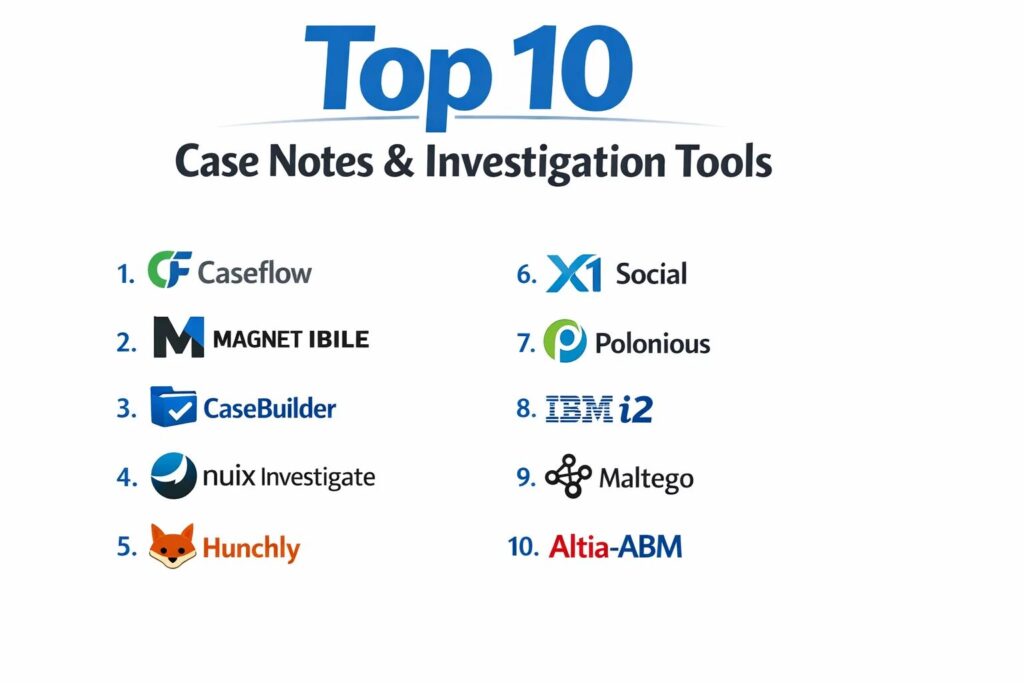
1. Caseflow
Caseflow is a comprehensive platform designed for legal and corporate investigators who need to manage high volumes of documentation while maintaining strict procedural compliance. It excels at unifying administrative tasks with deep investigative research, offering a streamlined interface that helps teams move from initial intake to final report generation.
Key Features
The platform features a highly customizable workflow engine that guides investigators through standard operating procedures. It includes an integrated document management system with version control and optical character recognition for scanning physical evidence. The tool provides a built-in time-tracking and billing module for private firms. It features a robust reporting suite that can generate professional-grade case summaries with a single click. Additionally, it offers automated task reminders to ensure that no investigative leads or filing deadlines are missed.
Pros
The interface is intuitive, reducing the training time for new team members. It offers excellent balance between administrative case management and technical investigation features.
Cons
The mobile experience is less robust than some field-specific competitors. The cost can be high for solo investigators due to its enterprise-focused pricing tiers.
Platforms and Deployment
Web-based platform with cloud deployment.
Security and Compliance
Supports SSO, MFA, and is compliant with SOC 2 standards. It provides comprehensive audit trails for every user action.
Integrations and Ecosystem
Integrates with major legal research databases and common office productivity suites for seamless document drafting.
Support and Community
Offers dedicated account management and a professional help desk with experience in legal and investigative workflows.
2. Magnet IBILE
Magnet IBILE (formerly Magnet Review) is a powerhouse in digital forensics and investigation, specifically built to help non-technical investigators review and analyze digital evidence. It simplifies the complex data recovered from smartphones and computers into a searchable, easy-to-navigate interface.
Key Features
The tool allows for the simultaneous review of data from multiple digital sources, including cloud backups and social media. It features an advanced filtering system that allows investigators to sort data by date, keyword, or file type across the entire case. It provides a visual map view for geo-tagged data points. The software includes an AI-driven image recognition tool that can automatically categorize photos (e.g., weapons, drugs, or currency). It also features a secure “review mode” for external stakeholders to view specific evidence without altering the master file.
Pros
It is the gold standard for making complex digital forensic data understandable for non-experts. The search speed across massive datasets is exceptionally fast.
Cons
It is highly specialized for digital evidence and may lack the broader “office” management features of general case tools. The technical hardware requirements for local processing are high.
Platforms and Deployment
Web-based review platform with local processing options.
Security and Compliance
Features military-grade encryption and deep forensic integrity checks to ensure evidence remains admissible in court.
Integrations and Ecosystem
Deeply integrated with the broader Magnet Forensics suite and other industry-standard forensic imaging tools.
Support and Community
Provides world-class technical support and a specialized training academy for digital investigators.
3. CaseBuilder
CaseBuilder is a secure, cloud-native platform designed for law enforcement and corporate security teams to collaborate on active investigations. It focuses heavily on the “storytelling” aspect of an investigation, helping users connect the dots through visual timelines and relationship charts.
Key Features
The platform includes a specialized “Link Analysis” tool that automatically visualizes connections between entities like people, vehicles, and addresses. It features a secure evidence locker for digital files with a verified chain of custody. The system allows for real-time collaboration between multiple agencies or departments. It provides a “Public Portal” feature for securely receiving tips from the public. Additionally, it features a mobile app specifically for field officers to capture and upload evidence instantly.
Pros
The visual relationship mapping is a major asset for complex, multi-subject cases. It is highly effective for inter-agency collaboration.
Cons
Some users may find the setup of custom entity types to be time-consuming. The notification system can become overwhelming in high-activity cases.
Platforms and Deployment
Cloud-hosted (SaaS) with mobile support for iOS and Android.
Security and Compliance
CJIS compliant for law enforcement data and uses FIPS-validated encryption.
Integrations and Ecosystem
Integrates with various records management systems (RMS) and public records databases.
Support and Community
Offers 24/7 technical support and a dedicated community for law enforcement professionals.
4. Nuix Investigate
Nuix Investigate is an enterprise-grade platform known for its ability to process and analyze massive amounts of unstructured data. It is often used in high-stakes regulatory investigations and large-scale corporate litigations where millions of documents must be parsed quickly.
Key Features
The platform utilizes a powerful processing engine that can index virtually any file type, including deleted data. It features a “web-based collaborative” interface that allows hundreds of reviewers to work on a case simultaneously. It includes advanced text analytics to identify patterns in communication. The system provides a powerful “social graph” to map interactions between individuals across emails and chat logs. It also features a “Workstation” mode for deep-dive technical analysis by forensic experts.
Pros
Unrivaled speed and power for searching through terabytes of data. It is the preferred tool for massive corporate fraud and “big data” investigations.
Cons
The software is highly complex and typically requires a dedicated technical administrator. The pricing is squarely in the enterprise category.
Platforms and Deployment
On-premise, cloud, or hybrid deployment options.
Security and Compliance
Meets the highest global standards for data security and is frequently used in government-level sensitive investigations.
Integrations and Ecosystem
Offers a robust API and integrates with eDiscovery and forensic imaging platforms.
Support and Community
Provides extensive professional services, technical support, and a global certification program.
5. Hunchly
Hunchly is a specialized tool for online investigators and OSINT (Open Source Intelligence) professionals. It acts as an automated “web capture” system that records every page an investigator visits, ensuring that temporary online data is preserved for the case file.
Key Features
The tool automatically captures and time-stamps every webpage visited during an investigation, creating a searchable offline archive. It includes a “Selector” feature that alerts the investigator if a specific keyword or email appears on a new page. It allows for the easy organization of screenshots and notes within the browser. The system provides a “Case Export” function that creates a clean, professional report of all online activity. It also tracks the “history” of the investigation to prove exactly how information was discovered.
Pros
It solves the problem of “disappearing” web content by creating a permanent record of live online data. It is an essential tool for social media and dark web investigations.
Cons
It is a browser-based capture tool and does not provide the full “management” features of a traditional case platform. It requires a local installation.
Platforms and Deployment
Desktop application (Windows, macOS, Linux) with browser extensions.
Security and Compliance
Data is stored locally on the investigator’s machine, providing full control over sensitive information.
Integrations and Ecosystem
Integrates well with other OSINT tools and can export data into broader case management systems.
Support and Community
Offers great technical support and is highly regarded within the global OSINT community.
6. X1 Social Discovery
X1 Social Discovery is the industry standard for investigators who need to capture and analyze data from social media, websites, and webmail. It focuses on the legal defensibility of the data collected, ensuring it can be used in court as authenticated evidence.
Key Features
The platform can capture entire social media accounts, including metadata and links, in a single automated process. It features a “Near-Duplicate” detection tool to filter out repetitive web content. It provides a visual timeline of social media posts across multiple platforms. The system allows for the keyword searching of thousands of posts simultaneously. It also includes an automated web-crawling feature that can capture linked content multiple levels deep.
Pros
It provides highly defensible evidence by capturing the underlying metadata that a simple screenshot would miss. It is very effective at managing the “noise” of social media data.
Cons
The interface can be technical and less “modern” than some SaaS alternatives. It is focused specifically on web/social data rather than general case notes.
Platforms and Deployment
Local desktop installation.
Security and Compliance
Uses MD5 hashing to ensure the integrity of every captured item for legal authentication.
Integrations and Ecosystem
Exports to standard eDiscovery formats (load files) for use in legal review platforms.
Support and Community
Offers professional training and dedicated support for legal and forensic users.
7. Polonious
Polonious is a highly flexible case management system designed specifically for investigation workflows in insurance, banking, and government. It focuses on the administrative and process-driven side of an investigation, ensuring that cases are handled efficiently and ethically.
Key Features
The platform features a “Rules Engine” that automates the assignment of cases based on investigator workload or expertise. It provides a centralized hub for all interview notes, surveillance videos, and photos. It features a secure portal for external parties (like insurance adjusters) to submit information. The system includes detailed budgeting and resource management tools. Additionally, it offers powerful analytics to track investigation success rates and identify systemic fraud patterns.
Pros
It is exceptionally good at managing the “business” of investigations, from cost tracking to KPI reporting. It is highly configurable to fit specific industry regulations.
Cons
The investigation “analysis” tools (like link charts) are not as advanced as those in forensics-focused software. The UI is professional but functional rather than artistic.
Platforms and Deployment
Cloud-hosted or on-premise deployment.
Security and Compliance
ISO 27001 certified and provides a fully immutable audit log of all case interactions.
Integrations and Ecosystem
Integrates with core banking and insurance systems via a robust API.
Support and Community
Provides localized support teams and has a strong presence in the global fraud-prevention community.
8. IBM i2 Analyst’s Notebook
IBM i2 is one of the most established tools for high-level intelligence analysis. It is primarily used by national security, military, and major crime units to visualize complex relationships and “follow the money” in organized crime or terrorism investigations.
Key Features
The platform is the pioneer of “Link Analysis,” providing world-class tools for mapping networks of people and organizations. It features advanced “Social Network Analysis” (SNA) to identify key players in a criminal network. It provides powerful temporal analysis to visualize the sequence of events over years. The system allows for the ingestion of vast quantities of data from telephone records, financial statements, and intelligence reports. It also features a “Find Path” tool to discover hidden connections between two seemingly unrelated entities.
Pros
It is the most powerful tool in the world for visualizing complex criminal networks. Its analytical capabilities are the industry standard for intelligence work.
Cons
It has a very high learning curve and typically requires specialized training. The software is expensive and often requires a dedicated server infrastructure.
Platforms and Deployment
Local desktop installation with enterprise server components.
Security and Compliance
Meets the highest government and defense security standards globally.
Integrations and Ecosystem
Part of a massive IBM ecosystem and integrates with national intelligence databases.
Support and Community
Provides global enterprise support and is the center of a massive community of intelligence analysts.
9. Maltego
Maltego is a specialized tool for open-source intelligence and link analysis, widely used for cyber-investigations and digital footprinting. it excels at automating the discovery of information from the internet and visualizing it in a graph format.
Key Features
The platform uses “Transforms”—automated scripts that query different data sources (like DNS records, social media, and dark web lists). It features a real-time graph visualization engine. The system allows investigators to “pivot” from one piece of data (like an IP address) to discover related data (like a person’s name). It provides a collaborative “shared graph” for team-based investigations. It also includes an extensive “Transform Hub” where users can add data sources from third-party intelligence providers.
Pros
It is incredibly fast at automating the “collection” phase of an online investigation. The visual graphs are perfect for identifying the structure of online organizations or botnets.
Cons
The pricing can become complex as many high-quality data sources require separate subscriptions. It can be overwhelming for users who are not comfortable with technical data types.
Platforms and Deployment
Desktop application for Windows, macOS, and Linux.
Security and Compliance
Standard encryption for data in transit; data storage is managed locally by the user.
Integrations and Ecosystem
Offers hundreds of integrations with cybersecurity and threat intelligence platforms.
Support and Community
Has a vibrant community of “threat hunters” and provides extensive online training.
10. Altia-ABM
Altia-ABM is a specialized tool designed specifically for financial investigators and those managing complex “proceeds of crime” cases. It focuses on the meticulous tracking of money, assets, and the formal note-taking required for financial prosecutions.
Key Features
The platform features a specialized “Financial Analysis” tool for parsing thousands of bank statements into a unified format. It includes a digital “Policy File” for recording every decision made during an investigation for legal review. The system provides tools for calculating the “benefit” from criminal activity for asset forfeiture. It features a structured “Digital Note-taking” system that complies with formal investigative standards. Additionally, it offers powerful visualization for money-laundering “loops” and transaction flows.
Pros
It is the best tool for financial investigators who need to turn thousands of spreadsheet lines into a clear story for a jury. It is highly respected in the UK and Commonwealth legal systems.
Cons
It is very specialized for financial crime and may be less useful for general “field” investigations. The interface is highly structured and leaves less room for “free-form” notes.
Platforms and Deployment
On-premise or secure cloud deployment.
Security and Compliance
Meets strict government standards for financial data security and investigative integrity.
Integrations and Ecosystem
Integrates with various financial institutions’ data formats and government reporting systems.
Support and Community
Provides expert support from former financial investigators and forensic accountants.
Comparison Table
| Tool Name | Best For | Platform(s) Supported | Deployment | Standout Feature | Public Rating |
| 1. Caseflow | Corporate/Legal | Web | Cloud | SOP Workflow Engine | 4.6/5 |
| 2. Magnet IBILE | Digital Reviews | Web | Cloud/Local | AI Image Recognition | 4.8/5 |
| 3. CaseBuilder | Law Enforcement | Web, iOS, Android | Cloud | Public Tip Portal | 4.5/5 |
| 4. Nuix Investigate | Big Data/Fraud | Web, Desktop | Hybrid | Massive Data Indexing | 4.7/5 |
| 5. Hunchly | OSINT/Web Review | Windows, Mac, Linux | Local | Automated Web Capture | 4.9/5 |
| 6. X1 Social Discovery | Social Media Evidence | Windows | Local | Legal Meta-data Capture | 4.4/5 |
| 7. Polonious | Insurance/Workflow | Web | Cloud/Local | Rules-based Assignment | 4.3/5 |
| 8. IBM i2 | Intelligence Analysis | Windows | Local | Advanced Link Mapping | 4.8/5 |
| 9. Maltego | Cyber Investigation | Win, Mac, Linux | Local | Automated Transforms | 4.7/5 |
| 10. Altia-ABM | Financial Crime | Web, Desktop | Hybrid | Bank Statement Parsing | 4.5/5 |
Evaluation & Scoring of Investigation Tools
The scoring below is a comparative model intended to help shortlisting. Each criterion is scored from 1–10, then a weighted total from 0–10 is calculated using the weights listed. These are analyst estimates based on typical fit and common workflow requirements, not public ratings.
Weights:
- Core features – 25%
- Ease of use – 15%
- Integrations & ecosystem – 15%
- Security & compliance – 10%
- Performance & reliability – 10%
- Support & community – 10%
- Price / value – 15%
| Tool Name | Core (25%) | Ease (15%) | Integrations (15%) | Security (10%) | Performance (10%) | Support (10%) | Value (15%) | Weighted Total |
| 1. Caseflow | 9 | 9 | 8 | 9 | 8 | 9 | 8 | 8.65 |
| 2. Magnet IBILE | 10 | 9 | 9 | 9 | 10 | 10 | 7 | 9.15 |
| 3. CaseBuilder | 9 | 8 | 7 | 10 | 8 | 9 | 8 | 8.45 |
| 4. Nuix Investigate | 10 | 4 | 9 | 10 | 10 | 9 | 6 | 8.05 |
| 5. Hunchly | 8 | 10 | 6 | 7 | 9 | 10 | 10 | 8.35 |
| 6. X1 Social | 8 | 6 | 7 | 9 | 8 | 8 | 7 | 7.35 |
| 7. Polonious | 8 | 8 | 9 | 9 | 8 | 8 | 8 | 8.20 |
| 8. IBM i2 | 10 | 3 | 8 | 10 | 7 | 9 | 6 | 7.55 |
| 9. Maltego | 9 | 6 | 10 | 8 | 9 | 8 | 8 | 8.35 |
| 10. Altia-ABM | 9 | 7 | 7 | 10 | 8 | 9 | 8 | 8.30 |
How to interpret the scores:
- Use the weighted total to shortlist candidates, then validate with a pilot.
- A lower score can mean specialization, not weakness.
- Security and compliance scores reflect controllability and governance fit, because certifications are often not publicly stated.
- Actual outcomes vary with assembly size, team skills, templates, and process maturity.
Which Investigation Tool Is Right for You?
Solo / Freelancer
For an independent private investigator, a combination of Hunchly for online research and Caseflow for administrative management offers the best balance of technical power and ease of use. These tools allow a solo operator to produce professional-grade reports that match the quality of larger firms.
SMB
Small to medium-sized investigative firms should prioritize CaseBuilder. Its collaborative features allow a small team to stay synchronized on active cases without the massive infrastructure costs associated with high-end enterprise platforms like Nuix.
Mid-Market
Organizations in the mid-market, such as regional insurance companies or mid-sized legal firms, will benefit from Polonious. Its ability to automate workflows and manage external adjusters or contractors provides the operational efficiency needed to handle growing case volumes.
Enterprise
For major corporations or national agencies, Nuix Investigate is the primary choice. Its ability to process millions of documents and support hundreds of simultaneous reviewers is essential for the “big data” challenges faced at this level.
Budget vs Premium
If the budget is limited, focusing on a specialized tool like Hunchly (for web work) or Blender (for forensic visualization) can provide high value. Premium tools like IBM i2 are expensive but provide unique analytical depth that cannot be replicated by cheaper alternatives.
Feature Depth vs Ease of Use
Magnet IBILE is the clear winner for those who need deep forensic power without the technical complexity. Conversely, IBM i2 offers the greatest analytical depth but requires a dedicated specialist to operate it effectively.
Integrations & Scalability
Maltego stands out for its ability to integrate with hundreds of different data sources, making it a highly scalable choice for digital investigators whose needs change with every new case.
Security & Compliance Needs
For any investigation involving government data or legal evidence, Nuix, Magnet, and CaseBuilder offer the highest levels of verified security compliance, ensuring that findings remain admissible and protected.
Frequently Asked Questions (FAQs)
1. What is the difference between case management and forensic analysis?
Case management focuses on the administrative side—tracking tasks, notes, and workflows. Forensic analysis focuses on the technical side—extracting and interpreting data from digital devices or web sources to find hidden evidence.
2. Can these tools recover deleted messages?
Specialized forensic tools like those from Magnet or Nuix can often recover deleted data from mobile phones or computer hard drives, provided the data has not been overwritten by new information.
3. Do I need a specific certification to use these tools?
While anyone can buy and use most of these platforms, many (like IBM i2 or Nuix) offer certifications that are highly regarded in court, proving the investigator has been formally trained on the software.
4. How is the “Chain of Custody” managed digitally?
Digital chain of custody is managed through hashing (MD5 or SHA) and audit logs. The software creates a “digital fingerprint” of every file; if even a single pixel or character is changed, the fingerprint will no longer match, alerting investigators to tampering.
5. Are these tools cloud-based or local?
Investigation tools are available in both formats. Cloud-based tools (Caseflow, CaseBuilder) are better for collaboration, while local tools (Hunchly, X1) are often preferred for the highest levels of data privacy and control.
6. Can these tools search the “Dark Web”?
Tools like Maltego and Hunchly are frequently used for dark web investigations. They allow investigators to safely navigate and capture data from onion sites while maintaining an anonymous and secure profile.
7. How do investigation tools handle massive video files?
Modern tools use “proxy” files or AI indexing to manage large video data. They can transcribe the audio into searchable text and use object recognition to find specific things (like a blue car) within hours of footage.
8. Can I use these tools for internal HR investigations?
Yes, Caseflow and Polonious are frequently used by HR and compliance departments to manage sensitive internal reports, ensuring that the investigation follows company policy and remains confidential.
9. What is “Link Analysis” in an investigation?
Link analysis is the process of visualizing the connections between different entities. For example, it might show that a suspect in one case shares a phone number with a witness in another, revealing a hidden relationship.
10. Do these platforms help with final report writing?
Most of these tools include reporting modules that automatically compile all your notes, photos, and evidence into a formatted document. This ensures that the final report is professional, accurate, and ready for legal submission.
Conclusion
The selection of a case notes and investigation tool is a critical decision that directly impacts the integrity and success of your investigative work. As we navigate an era of unprecedented data complexity, the ability to centralize unstructured information into a secure, searchable, and legally defensible environment is no longer a luxury—it is a baseline requirement. Whether you are a solo practitioner leveraging the automated capture of Hunchly or a large agency utilizing the deep relationship mapping of IBM i2, the right tool should function as a force multiplier for your expertise. By prioritizing data integrity, cross-platform integration, and secure collaboration, investigators can ensure that their findings are not only accurate but also robust enough to withstand the most intense legal and regulatory scrutiny. Success in modern investigation depends on the seamless marriage of human intuition and the structured power of these advanced digital platforms.