Introduction
Cartography and map design have moved far beyond the era of static physical prints, evolving into a sophisticated discipline where data science meets graphic artistry. In the current landscape, map design tools are essential for translating massive spatial datasets into intuitive visual stories that drive urban planning, environmental conservation, and global logistics. Modern cartography software enables creators to handle complex coordinate systems, perform spatial analysis, and apply advanced aesthetic styling to geographic features. Whether it is a high-fidelity 3D city model or a clean, interactive web map for a mobile application, the right toolset acts as a bridge between raw geographic coordinates and human-readable insights.
As the demand for location intelligence grows across every industry, the distinction between professional Geographic Information Systems (GIS) and graphic-centric design tools has blurred. Today’s top-tier cartography platforms integrate cloud-native collaboration, real-time data streaming, and automated styling engines. For organizations managing geographic data, these tools are not just for drawing boundaries; they are vital infrastructure for visualizing risk, identifying opportunities, and communicating complex regional dynamics to stakeholders. Selecting the appropriate software requires a deep understanding of the intended output—be it a print-ready topographic map, a dynamic web interface, or a tactical offline map for field operations.
Best for: GIS professionals, urban planners, environmental scientists, and graphic designers who need to create precise, data-driven, and visually compelling geographic representations.
Not ideal for: Basic graphic design projects that do not involve geographic coordinates, or simple non-spatial data visualizations like standard bar charts or 2D infographics without a map component.
Key Trends in Cartography & Map Design
The most significant trend in modern map design is the shift toward “cloud-native” cartography, where entire map stacks—from raw data storage to final rendering—exist in a distributed cloud environment. This allows for massive datasets, such as global building footprints or high-resolution satellite imagery, to be styled and shared in real-time without the need for heavy local hardware. We are also seeing the integration of Generative AI within mapping workflows, where natural language prompts can be used to generate complex spatial queries or automatically apply cartographic styles based on historical design patterns.
Interactive 3D visualization has also become a standard requirement rather than a luxury. With the rise of “Digital Twins,” map design tools now support high-fidelity 3D tiles that include photorealistic textures and elevation data, allowing users to fly through urban landscapes with 10-cm accuracy. Furthermore, there is a renewed focus on “ethical cartography,” with tools providing more options for data anonymization and the responsible representation of sensitive borders and territories. Open-source interoperability is also at an all-time high, with the industry moving toward universal formats like OGC 3D Tiles and GeoJSON to ensure that maps designed in one environment can be seamlessly utilized in another.
How We Selected These Tools
Our selection process for the top cartography tools focused on the balance between geographic precision and design flexibility. We prioritized software that supports a wide array of industry-standard file formats and coordinate systems, ensuring that users can work with data from diverse sources without losing spatial accuracy. A primary criterion was the “styling engine” capability—evaluating how much control a user has over typography, symbology, and layer blending to create a professional aesthetic. We looked for tools that serve different niches, from the rigors of academic research and government-grade GIS to the fast-paced world of web development and creative map design.
We also considered the “data-to-design” pipeline, favoring tools that allow for a seamless transition from raw spatial analysis to a finalized visual product. Security and compliance were non-negotiable for the enterprise-level selections, with a preference for platforms that offer SOC 2 certification or integration with enterprise identity management. Additionally, we evaluated the community support and documentation available for each tool, as the complexity of cartography often requires a robust ecosystem of plugins and peer knowledge. Finally, we assessed the scalability of each platform, ensuring that they can handle everything from a single local map to global, high-traffic web mapping applications.
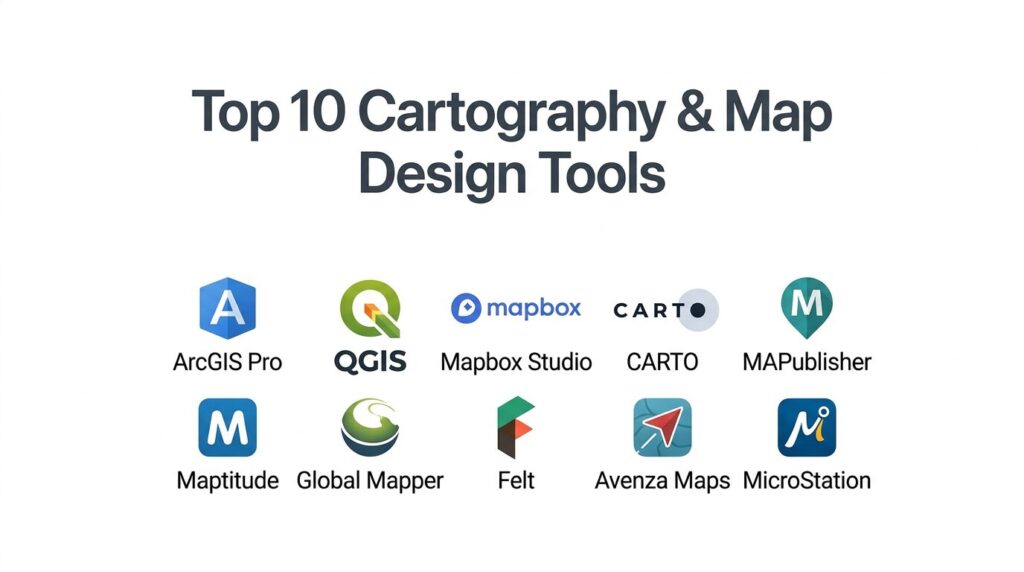
1. Esri ArcGIS Pro
ArcGIS Pro is the industry standard for professional GIS and cartographic design, offering an exhaustive suite of tools for 2D and 3D mapping. It is the premier choice for government agencies, environmental organizations, and large enterprises that require a robust, scientifically rigorous mapping environment.
Key Features
The platform features “Advanced Symbology,” allowing users to create complex, multi-layered vector symbols based on data attributes. It includes a powerful “3D Scene” environment that supports global and local elevation data for realistic terrain rendering. The system offers “Layout Management” for creating multi-page map series and high-resolution print products. It features “GeoAI” tools that automate feature extraction from satellite imagery, such as identifying building footprints or land cover changes. Additionally, it integrates seamlessly with ArcGIS Online for cloud-based sharing and collaboration across large teams.
Pros
It offers the most comprehensive set of spatial analysis and cartographic tools in the world. The platform provides unmatched integration with enterprise data sources and cloud infrastructure.
Cons
The software is resource-intensive and requires a high-end workstation for optimal performance. The licensing model is expensive and can be complex for smaller organizations to navigate.
Platforms and Deployment
Windows desktop application with deep cloud integration via ArcGIS Online.
Security and Compliance
Industry leader with FedRAMP, ISO 27001, and SOC 2 Type II certifications.
Integrations and Ecosystem
Extensive ecosystem with Python (ArcPy) scripting, Adobe Creative Cloud integration, and thousands of specialized extensions.
Support and Community
Offers the “Esri Academy,” global user conferences, and a massive professional community for troubleshooting and sharing.
2. QGIS (Quantum GIS)
QGIS is the leading open-source desktop GIS, known for its incredible flexibility and the vast array of community-developed plugins. it is the go-to tool for researchers, educators, and organizations looking for a professional-grade mapping solution without the burden of licensing fees.
Key Features
The platform features “Plugin Manager,” which provides access to hundreds of tools for everything from terrain analysis to automated map styling. It includes a robust “Print Layout” engine that allows for precise control over map elements like legends, scale bars, and north arrows. The system offers “Processing Toolbox,” which integrates algorithms from other open-source projects like GRASS and GDAL. It features “Map Themes,” enabling users to quickly switch between different visual styles for the same dataset. It also supports almost every spatial file format imaginable, from Shapefiles to PostGIS databases.
Pros
The software is completely free and open-source, with no recurring subscription costs. It is highly customizable and runs effectively on Windows, macOS, and Linux.
Cons
The interface can be cluttered and overwhelming for new users due to the sheer number of options. Some community plugins may lack the stability or documentation of commercial features.
Platforms and Deployment
Cross-platform desktop application (Windows, macOS, Linux).
Security and Compliance
Does not have a centralized SOC 2 certification, but offers robust automated security scanning for its official plugin repository.
Integrations and Ecosystem
Deep integration with Python, R, and PostGIS, with a global community that constantly develops new features.
Support and Community
Supported by a massive global user base, extensive online documentation, and community-led forums and mailing lists.
3. Mapbox Studio
Mapbox Studio is a web-based design suite focused on creating high-performance, interactive maps for websites and mobile applications. It is the preferred tool for developers and UI/UX designers who want complete control over the “look and feel” of their digital maps.
Key Features
The platform features “Visual Style Editor,” a browser-based interface for styling vector tiles in real-time. It includes “Mapbox Tiling Service,” which processes large datasets into fast-loading global map tiles. The system offers “Camera Animation” tools for creating cinematic “fly-through” experiences on the web. It features “3D Terrain and Buildings,” allowing for the addition of depth and shadows to urban and natural landscapes. Additionally, it provides a massive “Global Data” set, including satellite imagery, traffic, and points of interest that are updated in real-time.
Pros
Provides the highest level of visual customization for web and mobile maps. The rendering performance is world-class, ensuring smooth interaction even with complex datasets.
Cons
It is primarily a visualization tool rather than a deep spatial analysis platform. The pay-as-you-go pricing can become unpredictable for very high-traffic applications.
Platforms and Deployment
Web-based design studio with SDKs for JavaScript, iOS, and Android.
Security and Compliance
SOC 2 Type II and SOC 3 compliant, with all APIs served over HTTPS and TLS 1.2+.
Integrations and Ecosystem
Integrates with modern web frameworks and is used by major brands like Snapchat, The Weather Channel, and Foursquare.
Support and Community
Offers comprehensive developer documentation, specialized support plans, and a large community of web cartographers.
4. CARTO
CARTO is a cloud-native spatial intelligence platform that bridges the gap between spatial data science and map design. It is designed for businesses that need to analyze location data in their own data warehouses and visualize the results on a large scale.
Key Features
The platform features “CARTO Builder,” a web interface for creating interactive maps without writing code. It includes “Workflows,” a low-code tool for building automated spatial analysis pipelines. The system offers “Data Observatory,” which provides access to thousands of curated public and premium datasets for enrichment. It features a “Cloud Native” architecture that runs queries directly in BigQuery, Snowflake, or Databricks. It also includes “AI Agents” that can help users perform complex spatial joins and clustering using natural language.
Pros
Eliminates the need to move data out of your data warehouse, ensuring better security and performance. The “low-code” approach makes spatial analysis accessible to business analysts.
Cons
The focus is on “Data Science” mapping, meaning it has fewer tools for traditional print cartography. It requires a modern cloud data warehouse to unlock its full potential.
Platforms and Deployment
Cloud-SaaS platform with self-hosting options for enterprise VPC environments.
Security and Compliance
SOC 2 Type II certified, GDPR ready, and supports Single Sign-On (SSO) for enterprise governance.
Integrations and Ecosystem
Direct connectors for BigQuery, Snowflake, Redshift, and Databricks, along with a powerful CLI for automation.
Support and Community
Provides expert professional services, a detailed “Academy,” and high-touch account management for enterprise clients.
5. Adobe Illustrator + MAPublisher
The combination of Adobe Illustrator and the MAPublisher plugin is the gold standard for high-end graphic cartography. It allows designers to use professional illustration tools while maintaining the geographic integrity of the spatial data.
Key Features
The platform features “MAP Themes,” which allow users to style map features based on their underlying data attributes automatically. It includes “MAPublisher LabelPro,” a sophisticated engine for automated and intelligent label placement that avoids overlaps. The system offers “Georeferenced Data Import” for over 50 GIS formats while keeping attributes intact. It features “Coordinate System Management,” enabling users to reproject maps directly within the Illustrator environment. It also provides “Geospatial PDF Export,” creating maps that can be used for navigation on mobile devices.
Pros
Combines the world’s best graphic design tools with precise geographic control. It is the best solution for creating beautiful, print-ready maps for books, magazines, and tourism.
Cons
Requires a subscription to both Adobe Creative Cloud and MAPublisher, making it a significant financial investment. It is not suitable for creating interactive web map tiles.
Platforms and Deployment
Desktop plugin for Adobe Illustrator (Windows and macOS).
Security and Compliance
Inherits the security of the host Adobe environment and adheres to standard enterprise software practices.
Integrations and Ecosystem
Fully integrated into the Adobe Creative Cloud workflow and works seamlessly with Avenza Maps for mobile delivery.
Support and Community
Offers extensive tutorials, a dedicated help center, and specialized training for graphic cartographers.
6. Maptitude
Maptitude is a powerful, all-in-one geographic information system designed specifically for business mapping and location intelligence. It is the leading choice for sales territory management, site selection, and logistics planning.
Key Features
The platform features “Territory Manager,” which uses demographic data and travel times to balance sales or service areas. It includes a massive “Geographic Data Library” that comes bundled with the software, including streets, ZIP codes, and census data. The system offers “Routing and Optimization” tools for planning efficient delivery paths. It features “Thematic Mapping” wizards that make it easy to create choropleth and heat maps from Excel data. Additionally, it provides a “Web Mapping” option for sharing interactive results with stakeholders.
Pros
Provides an incredible amount of high-quality data out-of-the-box, saving users thousands in data acquisition costs. It is highly optimized for business-focused spatial analysis.
Cons
The desktop interface can feel a bit dated compared to modern cloud-native platforms. It is more focused on business logic than high-end artistic cartography.
Platforms and Deployment
Windows desktop application with an online companion for map sharing.
Security and Compliance
Complies with standard data privacy regulations and offers secure online publishing controls.
Integrations and Ecosystem
Strong integration with Microsoft Office, allowing for direct mapping of Excel spreadsheets and CSV files.
Support and Community
Known for its high-quality technical support, training webinars, and detailed user documentation.
7. Global Mapper
Global Mapper is a versatile GIS tool known for its ability to handle a massive variety of spatial data types, including lidar, terrain models, and 3D point clouds. It is highly valued by surveyors, engineers, and natural resource managers.
Key Features
The platform features “Lidar Module,” which offers automated point cloud classification and feature extraction. It includes “Terrain Analysis” tools for generating contours, viewsheds, and watershed models. The system offers “3D Viewer” for recording fly-through videos and visualizing 2D data as immersive 3D scenes. It features “Batch Processing,” allowing users to reproject and convert thousands of files simultaneously. It also includes “Image Rectification” tools for aligning unreferenced images or old paper maps with real-world coordinates.
Pros
It is often called the “Swiss Army Knife” of GIS for its ability to open almost any file format. It offers advanced terrain and lidar tools at a much lower price point than competitors.
Cons
The interface is functional but lacks the sleek design aesthetic of modern web-based tools. It can be a “jack of all trades” that isn’t as specialized in high-end cartographic styling.
Platforms and Deployment
Windows desktop application with a mobile companion app for field data collection.
Security and Compliance
Maintains industry-standard security for desktop data processing and is fully GDPR compliant.
Integrations and Ecosystem
Offers a specialized SDK for developers and integrates with a wide range of surveying and engineering software.
Support and Community
Provides a robust “GEOTalks” podcast, webinars, and a dedicated user forum for technical assistance.
8. Felt
Felt is a modern, cloud-native mapping tool designed for rapid collaboration and effortless map creation. It is the choice for teams that need to work together on a map in real-time, much like they would on a shared document or design board.
Key Features
The platform features “Upload Anything,” a drag-and-drop system that automatically processes and styles almost any spatial file. It includes “Collaborative Editing,” allowing multiple users to draw, comment, and move data on a map simultaneously. The system offers “Style Library,” a curated set of symbols and icons designed specifically for modern cartography. It features a “QGIS Plugin” that lets professional users push their desktop analysis directly to a web map. It also provides “Private by Default” sharing settings with granular access controls.
Pros
The most user-friendly and collaborative mapping tool on the market today. It significantly reduces the technical barrier to creating professional-looking web maps.
Cons
It currently lacks some of the deeper statistical and spatial analysis features found in desktop GIS. It is primarily focused on web-based output rather than high-resolution print.
Platforms and Deployment
Cloud-SaaS platform accessible via any modern web browser.
Security and Compliance
SOC 2 Type II certified and GDPR compliant, with data hosted securely on AWS.
Integrations and Ecosystem
Direct integrations with Power BI, Tableau, and Slack, with a robust API for developer use.
Support and Community
Offers a vibrant community, a rich library of blog-based tutorials, and direct support for enterprise teams.
9. Avenza Maps
Avenza Maps is a specialized mobile mapping platform designed for offline use in remote environments. It is the essential tool for wildland firefighters, foresters, and outdoor enthusiasts who need reliable navigation without a cellular signal.
Key Features
The platform features “Map Store,” a massive marketplace where users can purchase or download thousands of georeferenced maps. It includes “Offline GPS Tracking,” which shows your precise location on a digital map even in “airplane mode.” The system offers “Attribute Collection,” allowing field workers to drop points and attach photos or data with custom schemas. It features “Microsoft Intune Integration” for secure enterprise mobile device management. Additionally, it supports “Geofencing” to alert users when they enter or leave a specific work area.
Pros
The industry leader for secure, offline mobile mapping. The “Map Store” provides instant access to professional topographic and tactical maps that are hard to find elsewhere.
Cons
It is a mobile-first viewing and data collection tool, not a full-scale map design or analysis suite. Creating the maps requires other software like MAPublisher.
Platforms and Deployment
Mobile application for iOS and Android, with an enterprise-ready Intune version.
Security and Compliance
Complies with enterprise MAM (Mobile Application Management) policies and offers secure document access.
Integrations and Ecosystem
Works seamlessly with MAPublisher and other professional GIS tools via standard file exports (KML, Shapefile).
Support and Community
Provides extensive field-use documentation, user conferences, and support for governmental and nonprofit organizations.
10. Bentley MicroStation
MicroStation is an enterprise-grade CAD and 3D modeling platform that has evolved to include powerful geospatial capabilities. It is the standard for infrastructure professionals who need to design bridges, roads, and utilities in a real-world geographic context.
Key Features
The platform features “3D Geospatial Context,” which allows users to stream Google Photorealistic 3D Tiles directly into their design workspace. It includes “Python Assistant,” an AI tool that helps automate complex design and mapping workflows using natural language. The system offers “Geographic Coordinate System (GCS) Dialog” for aligning infrastructure models with the Earth’s surface. It features “Cesium World Terrain” integration for high-resolution global elevation data. It also provides “Visibility States” for managing multiple design options within a single geographic model.
Pros
Offers unparalleled precision for infrastructure projects that require absolute geographic accuracy. The integration of 3D tiles and CAD makes it a leader in the “Digital Twin” space.
Cons
It is a highly specialized engineering tool with a steep learning curve and high cost. It is not suitable for traditional 2D thematic or demographic mapping.
Platforms and Deployment
Windows desktop application with deep connectivity to the Bentley Infrastructure Cloud.
Security and Compliance
Maintains high-level infrastructure security standards and offers modern governance controls via the Bentley cloud.
Integrations and Ecosystem
Integrates with Bentley’s broader suite of engineering software and supports open 3D Tiles standards for broad interoperability.
Support and Community
Backed by Bentley’s global professional services, extensive training modules, and a dedicated community of infrastructure experts.
Comparison Table
| Tool Name | Best For | Platform(s) Supported | Deployment | Standout Feature | Public Rating |
| 1. ArcGIS Pro | Enterprise GIS | Windows, Cloud | Desktop / Cloud | GeoAI Feature Extraction | 4.8/5 |
| 2. QGIS | Open-Source Analysis | Windows, Mac, Linux | Desktop | Community Plugin Library | 4.7/5 |
| 3. Mapbox Studio | Web / Mobile Maps | Web-Based | Cloud SaaS | Visual Style Editor | 4.7/5 |
| 4. CARTO | Spatial Data Science | Web-Based | Cloud SaaS | Cloud-Native Analytics | 4.6/5 |
| 5. MAPublisher | Graphic Cartography | Windows, Mac | Illustrator Plugin | MAP Themes Styling | 4.8/5 |
| 6. Maptitude | Business Intelligence | Windows, Web | Desktop / SaaS | Territory Manager | 4.6/5 |
| 7. Global Mapper | Lidar / Terrain | Windows, Mobile | Desktop | Swiss Army GIS Suite | 4.5/5 |
| 8. Felt | Collaborative Design | Web-Based | Cloud SaaS | Real-time Collaboration | 4.8/5 |
| 9. Avenza Maps | Mobile Offline Maps | iOS, Android | Mobile App | Map Store Marketplace | 4.6/5 |
| 10. MicroStation | Infrastructure CAD | Windows, Cloud | Desktop / Cloud | 3D Geospatial Context | 4.5/5 |
Evaluation & Scoring of Cartography & Map Design Tools
The scoring below is a comparative model intended to help shortlisting. Each criterion is scored from 1–10, then a weighted total from 0–10 is calculated using the weights listed. These are analyst estimates based on typical fit and common workflow requirements, not public ratings.
Weights:
- Core features – 25%
- Ease of use – 15%
- Integrations & ecosystem – 15%
- Security & compliance – 10%
- Performance & reliability – 10%
- Support & community – 10%
- Price / value – 15%
| Tool Name | Core (25%) | Ease (15%) | Integrations (15%) | Security (10%) | Performance (10%) | Support (10%) | Value (15%) | Weighted Total |
| 1. ArcGIS Pro | 10 | 4 | 10 | 10 | 9 | 10 | 6 | 8.50 |
| 2. QGIS | 9 | 5 | 10 | 7 | 8 | 9 | 10 | 8.45 |
| 3. Mapbox Studio | 8 | 9 | 9 | 9 | 10 | 8 | 8 | 8.65 |
| 4. CARTO | 8 | 8 | 10 | 9 | 9 | 9 | 7 | 8.50 |
| 5. MAPublisher | 9 | 7 | 8 | 8 | 9 | 9 | 7 | 8.25 |
| 6. Maptitude | 8 | 8 | 8 | 8 | 8 | 9 | 9 | 8.20 |
| 7. Global Mapper | 9 | 6 | 7 | 8 | 9 | 8 | 9 | 8.00 |
| 8. Felt | 7 | 10 | 9 | 9 | 9 | 9 | 8 | 8.45 |
| 9. Avenza Maps | 7 | 9 | 7 | 9 | 9 | 8 | 9 | 8.05 |
| 10. MicroStation | 9 | 4 | 8 | 9 | 9 | 8 | 6 | 7.70 |
How to interpret the scores:
- Use the weighted total to shortlist candidates, then validate with a pilot.
- A lower score can mean specialization, not weakness.
- Security and compliance scores reflect controllability and governance fit, because certifications are often not publicly stated.
- Actual outcomes vary with assembly size, team skills, templates, and process maturity.
Which Cartography Tool Is Right for You?
Solo / Freelancer
For freelance cartographers or independent researchers, the priority is flexibility and low overhead. If you already work within the Adobe ecosystem, adding a map-focused plugin is a natural extension that offers professional results with a familiar interface. Alternatively, open-source solutions provide a full-scale GIS workbench without recurring costs, allowing you to invest your budget in high-quality spatial datasets instead of software licenses.
SMB
Teams with a focused mandate, such as environmental monitoring or local advocacy, should prioritize ease of collaboration and data sharing. A cloud-native platform that allows multiple people to edit the same map simultaneously will significantly reduce the time spent on version control. Look for tools that offer simple “one-click” publishing to ensure your research reaches its intended audience as quickly as possible.
Mid-Market Business
Companies focused on market expansion or territory management should look for tools that emphasize business logic over artistic flair. A platform with built-in demographic data and routing algorithms will provide immediate ROI by optimizing sales routes and identifying high-potential locations. The goal is “Location Intelligence”—using the map as a dashboard for decision-making rather than just a visual aid.
Large Enterprise / Government
For organizations managing critical infrastructure or national data, security, governance, and technical depth are the primary concerns. You need a platform that integrates with your enterprise identity management and provides a rigorous development lifecycle for spatial applications. The ability to perform automated analysis at a global scale—such as monitoring assets via satellite or managing thousands of field workers—requires a unified, enterprise-grade mapping ecosystem.
Web & App Developers
If the goal is to embed custom, interactive maps into a digital product, the focus shifts to API flexibility and rendering performance. You need a tool that provides fine-grained control over vector styles and supports high-frequency data updates. The ideal choice is a platform that offers robust SDKs and a pay-as-you-go model that scales with your user base.
Field & Remote Operations
For teams working in “disconnected” environments, the ability to store and use maps offline is a safety and operational requirement. Your tool must support precise GPS tracking on high-resolution topographic or tactical maps without any reliance on a data connection. Look for platforms that have been hardened for enterprise mobile management to ensure that sensitive field data remains protected.
Budget vs Premium
Budget-conscious users will find incredible value in the open-source world, where the only cost is the time invested in learning the interface. Premium tools, however, often pay for themselves through automated workflows, bundled high-quality datasets, and professional technical support that can save weeks of troubleshooting on complex projects.
Artistic vs Technical Focus
Always choose the tool that matches your primary output. If you are producing a beautiful map for a coffee table book or an infographic, prioritize graphic control and typography tools. If you are calculating the flood risk for a new housing development, prioritize geometric precision, terrain modeling, and spatial analysis capabilities.
Frequently Asked Questions (FAQs)
1. What is the difference between a Shapefile and a GeoJSON?
A Shapefile is a legacy vector data format developed by Esri that consists of multiple files; it is the industry standard for desktop GIS. GeoJSON is a modern, lightweight format based on JavaScript Object Notation that is primarily used for web mapping and sharing data between applications.
2. Can I make a map from an Excel spreadsheet?
Yes, most modern cartography tools have a “Join” or “Import” function that can take addresses or latitude/longitude coordinates from an Excel file and turn them into points on a map. This is a core feature for business mapping and demographic analysis.
3. What is a “coordinate system” and why does it matter?
A coordinate system is a mathematical model used to represent the curved surface of the Earth on a flat map. Using the wrong system can cause your data to appear in the wrong location or look distorted, so it is essential to ensure all your data layers use the same “projection.”
4. What is Lidar data?
Lidar stands for “Light Detection and Ranging.” It is a remote sensing method that uses laser pulses to measure distances to the Earth, resulting in high-resolution 3D “point clouds” that can be used to create highly accurate elevation models and urban simulations.
5. How do I publish my map to the web?
Web publishing can be done through “Cloud SaaS” platforms that host the map for you and provide a shareable link, or by using “Map Tile” services that allow you to embed an interactive map directly into your own website using a small amount of code.
6. Is cartography software compatible with 3D printers?
Yes, several professional GIS tools allow you to export terrain models or cityscapes as STL or OBJ files, which are the standard formats used for 3D printing physical topographic models or architectural site plans.
7. What are “vector tiles”?
Vector tiles are a method of delivering map data over the web that allows the browser to render the styles locally. This results in much faster performance, smoother zooming, and the ability to change the map’s appearance (like shifting to “dark mode”) without reloading the data.
8. Can I use satellite imagery for free?
Many platforms include access to low-to-medium resolution satellite imagery for free (like Landsat or Sentinel). However, high-resolution imagery (where you can see individual cars or trees clearly) usually requires a paid subscription or a per-project purchase.
9. What is “thematic mapping”?
Thematic mapping is a type of map that focuses on a specific theme or subject area, such as population density, average income, or election results. It uses colors or symbols (like a “Heat Map”) to represent variations in the data across a geographic area.
10. Do I need a powerful computer for map design?
For web-based tools and basic 2D mapping, a standard modern laptop is usually sufficient. However, for 3D modeling, lidar processing, and large-scale spatial analysis, a workstation with a powerful GPU and significant RAM is highly recommended to avoid performance bottlenecks.
Conclusion
Selecting the right cartography and map design tool is a strategic decision that fundamentally determines how effectively an organization can interpret and communicate spatial information. As we move further into a data-driven future, the ability to visualize complex geographic relationships with both scientific precision and aesthetic clarity has become a critical skill across industries. Whether you are navigating a remote wilderness, planning a “smart city,” or building a global logistics network, the software you choose acts as the lens through which you view the world. By investing in tools that prioritize interoperability, performance, and user-centric design, mapmakers can transform raw data into a powerful engine for discovery and strategic growth.