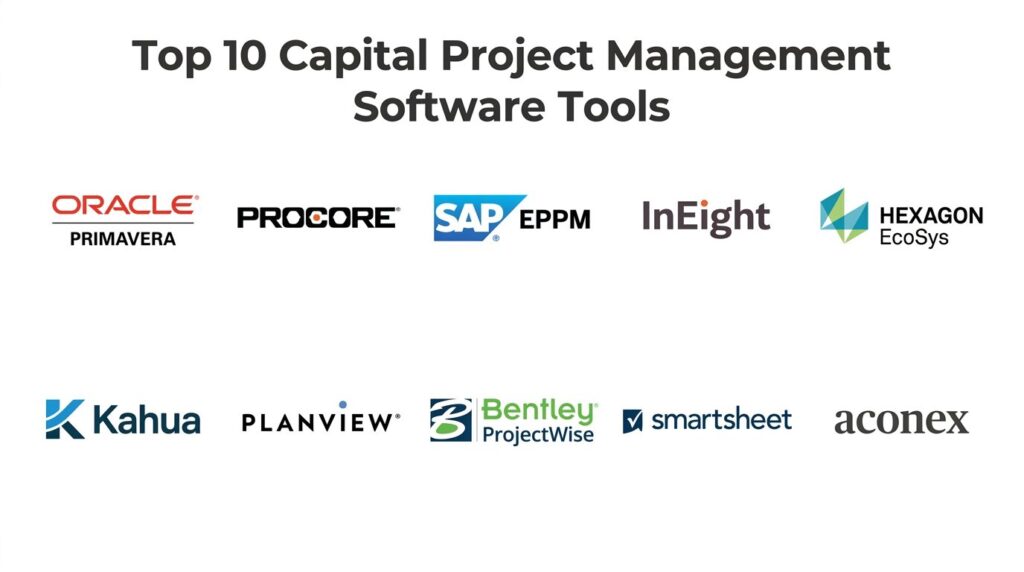
Introduction
Capital Project Management (CPM) software is the strategic backbone for organizations executing large-scale, high-stakes infrastructure, construction, and engineering initiatives. Unlike general project management tools that focus on task completion, CPM platforms are engineered to handle the massive financial complexity, multi-year timelines, and rigorous regulatory requirements inherent in capital expenditures. These systems serve as a “single source of truth,” integrating disparate workflows—from initial capital budgeting and procurement to field execution and asset handoff. By providing real-time visibility into cost performance and schedule health, these platforms allow stakeholders to mitigate risks before they escalate into multi-million dollar overruns.
The mandate for capital project owners has shifted toward “predictive delivery.” The volatility of global supply chains and the increasing pressure for sustainable, ESG-compliant infrastructure have made traditional spreadsheet-based tracking obsolete. Organizations now require platforms that can ingest massive datasets from the field and translate them into actionable forecasts. A successful CPM implementation does more than just track data; it institutionalizes best practices across the project lifecycle, ensuring that every dollar of capital is deployed with maximum efficiency and transparency.
Best for: Project owners, real estate developers, government agencies, and industrial enterprises managing large-scale physical assets and infrastructure portfolios.
Not ideal for: Small teams looking for basic task management, software development groups using pure Agile methodologies, or creative agencies that do not manage significant physical assets or multi-million dollar budgets.
Key Trends in Capital Project Management Software
The most significant trend is the mainstreaming of Agentic AI within capital workflows. These AI agents no longer just flag errors; they autonomously run “what-if” simulations across thousands of schedule variables to suggest the most risk-averse path forward. We are also seeing the total integration of Building Information Modeling (BIM) with financial data, creating “5D” environments where a change in a structural design automatically updates the projected cash flow and procurement schedule. This convergence ensures that the physical reality of a project is never disconnected from its financial constraints.
Another dominant trend is the rise of Sustainability and Carbon Tracking modules. As global regulations tighten, CPM platforms now include native tools to calculate the carbon footprint of materials and labor in real-time, allowing owners to report on environmental impact as easily as they report on budget. Furthermore, Digital Twin technology has moved beyond the “handover” phase; it is now used during construction to compare “as-built” progress against “as-designed” models using drone and 3D scanning data. This “reality capture” integration reduces disputes and ensures that quality standards are met at every milestone.
How We Selected These Tools
Our evaluation process focused on platforms that provide a comprehensive “Owner-Centric” perspective. We prioritized tools that excel in Financial Governance, looking for robust features in capital budgeting, contract management, and earned value analysis. Because capital projects often involve dozens of external contractors, the ability to facilitate secure, audit-ready collaboration was a critical weighting factor. We also assessed the depth of each platform’s Scheduling Engine, favoring those that can handle thousands of activities while maintaining a clear critical path.
Scalability and enterprise-grade security were non-negotiable criteria. We selected platforms that offer SOC 2 Type II compliance and the ability to manage portfolios spanning multiple continents and currencies. We scrutinized the AI and Predictive Analytics capabilities of each tool, evaluating whether their machine learning models provide genuine foresight or merely basic automation. Finally, we considered the Ecosystem Integration, looking for seamless connectivity with major ERP systems like SAP and Oracle, as capital projects must ultimately reconcile with the organization’s broader financial records.
1. Oracle Primavera (P6 & Cloud)
Oracle Primavera remains the undisputed titan of high-complexity capital scheduling and portfolio management. It is the gold standard for large-scale energy, aerospace, and infrastructure projects where missing a deadline by a single day can result in catastrophic financial penalties.
Key Features
The platform features the industry’s most powerful Critical Path Method (CPM) scheduling engine, capable of managing up to 100,000 activities. It includes a robust “Risk Analysis” module that uses Monte Carlo simulations to predict the probability of meeting deadlines and budgets. The system offers “Resource Management” tools that allow for sophisticated leveling across an entire global portfolio. It features a centralized “Document Management” hub with deep version control and audit trails. Additionally, the “Oracle Primavera Cloud” version provides real-time collaborative lean scheduling and mobile field data collection.
Pros
It offers unparalleled depth for complex, multi-dependency schedules that other tools cannot handle. The reporting capabilities are highly standardized and recognized by auditors and government agencies worldwide.
Cons
The interface is notoriously complex and typically requires specialized training or dedicated schedulers. The cost and implementation time are among the highest in the market.
Platforms and Deployment
Available as both an on-premise application (P6 Professional) and a modern cloud-based SaaS (Oracle Primavera Cloud).
Security and Compliance
Highest enterprise standards, including FedRAMP, SOC 2, and ISO 27001.
Integrations and Ecosystem
Native integration with the broader Oracle ecosystem, including Oracle Fusion ERP and Unifier for contract management.
Support and Community
Extensive global network of certified consultants and a massive community of professional project schedulers.
2. Procore
Procore is a leading construction management platform that has successfully expanded into the “Owner” market, offering a seamless bridge between field operations and executive financial oversight. It is celebrated for its highly intuitive user interface and mobile-first approach.
Key Features
The platform features a specialized “Owners Suite” designed for managing capital budgets, contracts, and change orders. It includes “Financial Management” tools that provide real-time visibility into the “budget vs. actual” status across all projects. The system offers a “Quality and Safety” module for field inspections and compliance tracking. It features “BIM Viewing” capabilities that allow field teams to access 3D models directly on their mobile devices. It also includes an “App Marketplace” with hundreds of third-party integrations for specialized needs like drone mapping or labor tracking.
Pros
Exceptional ease of use ensures high adoption rates among both office staff and field contractors. The platform is highly collaborative, making it easy to bring external partners into the workflow.
Cons
While strong in construction execution, its advanced scheduling features are not as deep as Primavera. Costs can scale quickly as project volume increases.
Platforms and Deployment
Cloud-native SaaS with industry-leading mobile apps for iOS and Android.
Security and Compliance
SOC 2 Type II compliant with robust data encryption and user permission controls.
Integrations and Ecosystem
Boasts the largest integration ecosystem in construction, connecting with Sage, Viewpoint, and QuickBooks.
Support and Community
Offers the “Procore Community” and “Procore University” for extensive self-paced training and certification.
3. SAP Enterprise Portfolio and Project Management (EPPM)
SAP EPPM is the premier choice for organizations that view capital projects as an extension of their broader enterprise resource planning. It provides the tightest possible link between project execution and corporate finance.
Key Features
The platform features “Project System (PS)” integration, which connects every project activity directly to the general ledger and procurement system. It includes “Portfolio Management” tools that help executives prioritize capital investments based on strategic alignment and ROI. The system offers “Resource and Capacity Planning” to manage internal labor across both operational and project work. It features automated “Revenue and Cost Recognition” for complex accounting standards. Additionally, it provides “Commercial Project Management” for managing external-facing projects with sophisticated billing.
Pros
Provides a “single source of truth” for financial data, eliminating the need for reconciliation between project and finance teams. It is built for the extreme scale of global Fortune 500 enterprises.
Cons
Implementation is a major enterprise undertaking that often requires significant consulting resources. The user interface can feel rigid compared to modern cloud-native platforms.
Platforms and Deployment
Available on-premise, in the cloud (S/4HANA Cloud), or as a hybrid deployment.
Security and Compliance
Meets all global enterprise security standards, including GDPR, HIPAA, and specialized government requirements.
Integrations and Ecosystem
Deeply embedded in the SAP S/4HANA ecosystem, making it the natural choice for existing SAP customers.
Support and Community
Supported by a global network of SAP partners and a comprehensive enterprise support structure.
4. InEight
InEight provides a specialized CPM platform that focuses on “Integrated Project Lead” (IPL), combining cost, schedule, and scope into a unified predictive model. It is particularly strong in heavy civil and industrial infrastructure projects.
Key Features
The platform features “InEight Model,” which integrates BIM data directly into the estimating and scheduling process. It includes “InEight Control” for sophisticated budget management and real-time earned value tracking. The system offers “InEight Schedule,” an AI-assisted scheduling tool that uses historical data to suggest realistic activity durations. It features a “Contract Management” module that digitizes the entire lifecycle from RFP to closeout. It also provides “Field Execution” tools for capturing daily reports, labor hours, and equipment usage directly from the site.
Pros
The AI-driven scheduling assistant significantly reduces “optimism bias” in project planning. It provides a very high level of detail for heavy industrial and infrastructure-specific workflows.
Cons
The platform’s depth can be overwhelming for simpler vertical construction projects. It requires a committed implementation phase to fully realize the benefits of the integrated model.
Platforms and Deployment
Cloud-based SaaS with offline-capable mobile applications.
Security and Compliance
SOC 2 compliant with advanced data residency options for global clients.
Integrations and Ecosystem
Offers robust APIs and native connectors for SAP, Oracle, and Microsoft Dynamics.
Support and Community
Provides dedicated “Customer Success” teams and specialized implementation consulting.
5. Hexagon EcoSys
Hexagon EcoSys is a specialized “Project Controls” platform that focuses on the financial management and performance measurement of capital portfolios. It is used extensively in the oil and gas, power, and mining sectors.
Key Features
The platform features “Capital Planning,” which allows organizations to manage the entire investment lifecycle from long-range planning to project execution. It includes “Project Controls” for managing complex budgets, changes, and forecasts across a portfolio. The system offers “Contract Management” for tracking commitments and progress payments to third parties. It features a powerful “Business Intelligence” engine with hundreds of out-of-the-box reports for cost and schedule performance. Additionally, it provides specialized “Workforce Planning” for managing large labor fleets in remote locations.
Pros
Extremely flexible and configurable; it can be tailored to match even the most unique corporate project control processes. It excels in “Earned Value Management” (EVM) for government-standard reporting.
Cons
The high degree of flexibility means that initial setup can be complex and time-consuming. It is a specialized tool that requires a baseline understanding of project control theory.
Platforms and Deployment
Web-based SaaS and on-premise deployment options.
Security and Compliance
Enterprise-grade security with support for high-compliance environments.
Integrations and Ecosystem
Integrates deeply with Primavera P6 for scheduling and major ERPs for financial data.
Support and Community
Offers global professional services and a structured training program for project control professionals.
6. Kahua
Kahua is a modern, highly flexible “Project Management Information System” (PMIS) that differentiates itself through a unique platform-as-a-service (PaaS) model, allowing owners to build custom applications on top of the core system.
Key Features
The platform features an “Owner-Specific Suite” with workflows for capital planning, design review, and construction management. It includes a “Document Management” system with automated workflows for RFIs, submittals, and transmittals. The system offers “Financial Management” for tracking funding sources, budgets, and change orders. It features a “Communications” hub that centralizes all project correspondence in an audit-ready format. Additionally, its “Kahua Platform” allows organizations to develop and deploy their own custom apps to meet specific business needs.
Pros
Unparalleled flexibility; users can easily modify workflows and fields without needing extensive coding. It offers a clean, modern user experience that is easy to navigate for all stakeholders.
Cons
As a newer player, its ecosystem of pre-built integrations is smaller than Procore or SAP. The “customization” potential can lead to fragmentation if not governed properly.
Platforms and Deployment
Cloud-native SaaS with a consistent experience across desktop and mobile devices.
Security and Compliance
Meets major security standards and is commonly used in regulated government and healthcare environments.
Integrations and Ecosystem
Growing marketplace of apps and connectors for ERP and design software.
Support and Community
Known for a high-touch customer service model and an active user group.
7. Planview (Enterprise One)
Planview is a leader in Strategic Portfolio Management (SPM) and is ideal for organizations where capital projects must be balanced against IT and operational portfolios. It focuses on the “front-end” of the capital lifecycle.
Key Features
The platform features “Investment Prioritization,” which uses data-driven scoring to rank potential capital projects. It includes “Financial Planning” for managing multi-year capital budgets and “What-If” scenario analysis. The system offers “Resource Management” to identify bottlenecks in specialized engineering and project management staff. It features “Program Management” for grouping related projects into a single strategic initiative. It also provides “Agile and Waterfall” support, making it suitable for hybrid projects that involve both physical construction and technology.
Pros
Excellent at the “top-down” view, helping executives make better decisions about where to spend capital. It bridges the gap between the PMO and the finance department effectively.
Cons
It is less focused on the “boots-on-the-ground” construction execution (like RFI/submittal tracking) compared to Procore or Kahua. It can feel like a “management” tool rather than an “execution” tool.
Platforms and Deployment
Cloud-based SaaS.
Security and Compliance
SOC 2 Type II and GDPR compliant with enterprise-grade data protection.
Integrations and Ecosystem
Strong integrations with Jira, Azure DevOps, and major enterprise financial systems.
Support and Community
Offers “Planview Academy” and a dedicated community for strategic portfolio managers.
8. Bentley ProjectWise
Bentley ProjectWise is a specialized “Engineering Work-in-Progress” platform. It is the essential tool for large-scale infrastructure projects where the management of complex design data and CAD models is the primary driver of success.
Key Features
The platform features “Engineering Document Management,” specifically designed for CAD, BIM, and geospatial data. It includes “Worksharing” capabilities that allow global engineering teams to collaborate on the same models in real-time. The system offers “Design Review” workflows with automated versioning and markup tools. It features “Digital Twin” integration via Bentley iTwin, allowing owners to monitor physical assets throughout construction. Additionally, it provides “Compliance and Audit” tracking for every change made to a technical drawing.
Pros
The absolute best for managing technical engineering data and preventing design errors. It is deeply integrated into the workflows of the world’s largest civil engineering firms.
Cons
It is a technical tool designed for engineers; it lacks the broad “business” project management features (like capital budgeting) found in other platforms. It is often used in conjunction with another CPM tool.
Platforms and Deployment
Hybrid cloud and on-premise deployment with specialized desktop clients for power users.
Security and Compliance
High-level security for proprietary engineering data and critical infrastructure records.
Integrations and Ecosystem
Seamless integration with Bentley’s design software and Autodesk products.
Support and Community
Backed by Bentley’s extensive technical support and a global user community.
9. Smartsheet (for Capital Projects)
Smartsheet has moved beyond its origins as a collaborative spreadsheet to become a powerful “No-Code” project management platform. For mid-sized capital projects, it offers a balance of structure and extreme flexibility.
Key Features
The platform features “Control Center,” which allows for the automated provisioning of new project sites with standardized templates and schedules. It includes “Dynamic View” for sharing specific slices of data with external contractors without giving them full sheet access. The system offers “Portfolio Dashboards” that aggregate status, budget, and risk data in real-time. It features “Automated Workflows” for approvals, reminders, and data movement. Additionally, its “Resource Management” tool (formerly 10,000ft) provides a clear view of team availability.
Pros
Lowest barrier to entry; anyone comfortable with Excel can quickly become a power user. It is highly cost-effective for organizations that don’t need the heavy overhead of Primavera or SAP.
Cons
It lacks a native, “hard-coded” CPM scheduling engine, which can make managing thousands of strict dependencies difficult. It requires manual effort to build out construction-specific workflows like RFIs.
Platforms and Deployment
Cloud-native SaaS with excellent mobile and tablet apps.
Security and Compliance
Offers “Smartsheet Gov” for high-security government projects and is HIPAA/GDPR compliant.
Integrations and Ecosystem
Extensive integrations via Zapier and native connectors for Microsoft, Google, and Salesforce.
Support and Community
Very active online community and a wealth of free training resources and templates.
10. Aconex (Oracle)
Aconex, now part of the Oracle Construction and Engineering suite, is a document and process management platform designed for the world’s largest, most complex joint-venture projects. Its philosophy is built on “Neutrality”—ensuring every party has control over their own data.
Key Features
The platform features a “Neutral Data Environment,” which prevents any one organization from deleting or altering another organization’s records. It includes “Document and Model Management” with a permanent, uneditable audit trail of every transmittal. The system offers “Workflow Automation” for managing RFI and submittal cycles across hundreds of different companies. It features “Field Productivity” tools for inspections and issue tracking. Additionally, it provides “Project-Wide Search” that can find any document or correspondence across the entire project history in seconds.
Pros
The most legally defensible platform for resolving disputes in large-scale infrastructure projects. It is built to handle the massive volume of data generated by thousands of users on a single mega-project.
Cons
The interface is focused on formal processes and can feel less “agile” for quick, day-to-day task tracking. It is a premium tool designed for high-risk, multi-party environments.
Platforms and Deployment
Cloud-based SaaS.
Security and Compliance
Meets the world’s most stringent security requirements, including ISO 27001 and specialized regional certifications.
Integrations and Ecosystem
Integrates with Primavera P6 and Oracle Primavera Cloud for a complete scheduling and document solution.
Support and Community
Offers 24/7 global support and specialized implementation services for mega-projects.
Comparison Table
| Tool Name | Best For | Platform(s) Supported | Deployment | Standout Feature | Public Rating |
| 1. Oracle Primavera | Mega-Project Scheduling | Web, Desktop, Mobile | Hybrid | 100k+ Activity CPM | 4.8/5 |
| 2. Procore | Field-to-Office Bridge | Web, iOS, Android | Cloud SaaS | Industry-Leading UI | 4.7/5 |
| 3. SAP EPPM | Financial ERP Integration | Web, Desktop | Hybrid | Native G/L Integration | 4.5/5 |
| 4. InEight | Heavy Civil Infrastructure | Web, Mobile | Cloud SaaS | AI-Assisted Scheduling | 4.6/5 |
| 5. Hexagon EcoSys | Project Cost Controls | Web-Based | Hybrid | Flexible EVM Engines | 4.6/5 |
| 6. Kahua | Custom PMIS Needs | Web, Mobile | Cloud SaaS | PaaS Custom App Builder | 4.7/5 |
| 7. Planview | Strategic Prioritization | Web-Based | Cloud SaaS | Capital Investment Scoring | 4.5/5 |
| 8. Bentley ProjectWise | Engineering WIP Data | Web, Desktop | Hybrid | CAD/BIM Data Security | 4.6/5 |
| 9. Smartsheet | Mid-Market Flex | Web, iOS, Android | Cloud SaaS | No-Code Automation | 4.7/5 |
| 10. Aconex | Dispute-Proof Audit | Web-Based | Cloud SaaS | Data Neutrality Model | 4.5/5 |
Evaluation & Scoring of Capital Project Management Software
The scoring below is a comparative model intended to help shortlisting. Each criterion is scored from 1–10, then a weighted total from 0–10 is calculated using the weights listed. These are analyst estimates based on typical fit and common workflow requirements, not public ratings.
Weights:
- Core features – 25%
- Ease of use – 15%
- Integrations & ecosystem – 15%
- Security & compliance – 10%
- Performance & reliability – 10%
- Support & community – 10%
- Price / value – 15%
| Tool Name | Core (25%) | Ease (15%) | Integrations (15%) | Security (10%) | Performance (10%) | Support (10%) | Value (15%) | Weighted Total |
| 1. Oracle Primavera | 10 | 3 | 9 | 10 | 10 | 9 | 6 | 8.20 |
| 2. Procore | 8 | 10 | 10 | 9 | 9 | 9 | 7 | 8.70 |
| 3. SAP EPPM | 10 | 4 | 10 | 10 | 9 | 8 | 6 | 8.20 |
| 4. InEight | 9 | 7 | 8 | 9 | 9 | 8 | 8 | 8.30 |
| 5. Hexagon EcoSys | 9 | 6 | 8 | 9 | 9 | 8 | 8 | 8.15 |
| 6. Kahua | 8 | 9 | 8 | 9 | 9 | 9 | 8 | 8.50 |
| 7. Planview | 7 | 8 | 8 | 9 | 8 | 8 | 8 | 7.85 |
| 8. Bentley ProjectWise | 9 | 5 | 8 | 10 | 9 | 8 | 7 | 8.10 |
| 9. Smartsheet | 6 | 10 | 9 | 9 | 9 | 9 | 10 | 8.50 |
| 10. Aconex | 9 | 6 | 8 | 10 | 9 | 9 | 6 | 8.15 |
How to interpret the scores:
- Use the weighted total to shortlist candidates, then validate with a pilot.
- A lower score can mean specialization, not weakness.
- Security and compliance scores reflect controllability and governance fit, because certifications are often not publicly stated.
- Actual outcomes vary with assembly size, team skills, templates, and process maturity.
Which Capital Project Management Software Tool Is Right for You?
Solo / Freelancer
For independent developers or small real estate founders, the complexity of an enterprise system is often more of a burden than a benefit. Your primary need is budget tracking and document organization that doesn’t require a full-time IT administrator. Look for “No-Code” platforms or light construction tools that allow you to pay as you grow. The goal is to move out of Excel and into a system that provides professional-looking reports for your investors and lenders.
SMB
Organizations managing community facilities or small-scale infrastructure should prioritize ease of use and affordability. You likely don’t have a dedicated “Project Controls” department, so you need a tool that guides you through the process. Focus on platforms with strong community templates and pre-built workflows for capital budgeting and grant reporting. This ensures that you maintain high levels of transparency and accountability without the high overhead of a premium enterprise suite.
Mid-Market
Mid-sized firms executing 5–20 active projects should focus on standardized “repeatability.” At this stage, you need to institutionalize your best practices to ensure that every project follows the same quality and financial standards. Look for platforms that offer “Control Centers” or template-driven setups. This allows a small management team to oversee a growing portfolio without manually checking every spreadsheet. The priority is a balance between field ease-of-use and office-level financial control.
Enterprise
For global enterprises, the platform is a strategic infrastructure in itself. You require a system that can handle thousands of users, multi-currency accounting, and deep integration with your corporate ERP. The priority is “Data Governance”—ensuring that the insights reaching the C-suite are accurate and auditable. You should favor platforms that offer the most advanced predictive analytics and AI-driven risk modeling to protect your massive capital investments from market volatility.
Budget vs Premium
Budget-conscious teams should opt for generalist tools that have been “templated” for capital work; while they require more initial setup, the long-term license savings are significant. Premium tools, on the other hand, provide the “Scientific Rigor” required for high-risk projects. If the cost of a 5% budget overrun exceeds the cost of the software by a factor of 100, the premium investment in a tool like Primavera or InEight is a logical financial decision.
Feature Depth vs Ease of Use
If your workforce is primarily composed of engineering and project management veterans, they will appreciate the depth of a complex system. However, if your projects rely on a rotating cast of subcontractors with varying levels of tech literacy, an intuitive “mobile-first” platform is critical. A powerful tool that no one uses correctly is a liability; sometimes, a simpler tool with 100% adoption provides better data than a complex tool with only 20% adoption.
Integrations & Scalability
Your CPM software must be part of your “Digital Thread.” It should pull financial data from your ERP, push progress data to your BI tools, and sync design data with your CAD environment. Before selecting a tool, map out your data flow. A platform with a robust, open API will always be more valuable in the long run than a closed system, as it allows you to adapt to new technologies like drone scanning or IoT sensors.
Security & Compliance Needs
Capital projects often involve sensitive public infrastructure data or proprietary industrial processes. Ensure the platform you choose meets the specific data residency and security certifications of your region and industry. For government work, FedRAMP compliance is often a threshold requirement. For international work, look for platforms that can handle the specific privacy requirements of the GDPR while maintaining a unified global database.
Frequently Asked Questions (FAQs)
1. What is the difference between CPM software and construction software?
CPM software focuses on the “Owner’s” perspective, prioritizing capital budgeting, portfolio health, and long-term asset value. Construction software is often more “Contractor-focused,” prioritizing daily field logs, labor management, and trade-specific task completion.
2. Can these tools help with ESG and sustainability reporting?
Yes, leading platforms in 2026 now include native carbon tracking and ESG compliance modules. They allow you to track the “embodied carbon” of materials and ensure that subcontractors are meeting labor and safety standards required for sustainable financing.
3. Do I need to be an engineer to use these platforms?
While some tools (like Bentley ProjectWise) are highly technical, most modern CPM platforms are designed for business users, project managers, and financial analysts. They use intuitive dashboards to translate technical data into business insights.
4. How does AI improve capital project management?
AI is used for “Predictive Forecasting,” identifying schedule risks and potential cost overruns before they happen. It can also automate routine tasks like data entry from field photos or the initial drafting of complex project schedules based on historical performance.
5. Is on-premise or cloud better for capital projects?
Cloud is now the standard for its ability to facilitate real-time collaboration with external partners. However, on-premise remains an option for highly sensitive government or defense projects where total data sovereignty is a legal requirement.
6. What is “Earned Value Management” (EVM)?
EVM is a technique that combines measurements of scope, schedule, and cost to provide a holistic view of project performance. Most enterprise CPM tools have built-in EVM engines to calculate whether a project is truly “ahead” or “behind” beyond just looking at the bank balance.
7. Can these tools manage multiple currencies?
Yes, enterprise-grade platforms like SAP and Primavera are designed for global portfolios and can handle real-time currency conversion and localized tax requirements across different project jurisdictions.
8. How long does a typical implementation take?
For mid-market tools like Smartsheet or Procore, you can be up and running in weeks. For enterprise-wide systems like SAP or Primavera, a full implementation involving process mapping and integration can take 6 to 18 months.
9. Why is “Data Neutrality” important in joint ventures?
In large projects with multiple owners and contractors, data neutrality ensures that no one can “erase” the record of a mistake or a change. Platforms like Aconex are built so that every party owns and controls their own digital records.
10. What is a “Project Management Information System” (PMIS)?
A PMIS is a type of CPM software that focuses on the systematic collection and distribution of project information. It acts as the central hub where all project participants interact, ensuring that everyone is working from the latest set of drawings and budgets.
Conclusion
Navigating the complexities of capital investments requires a shift from traditional oversight to an integrated, data-driven methodology. The Top 10 Capital Project Management platforms identified here represent the peak of digital maturity, offering the tools necessary to bridge the gap between high-level strategic vision and on-site reality. Whether your organization is focused on the extreme scheduling precision of a mega-project or the agile financial tracking of a mid-sized portfolio, the right platform acts as a force multiplier for your management team. Ultimately, the goal of CPM software is to provide the transparency and foresight required to turn capital risks into enduring physical assets that serve the organization and the public for decades to come.