Introduction
CAPA Management Tools help organizations manage corrective and preventive actions in a structured, auditable way. In simple terms, these tools help you log an issue, investigate the root cause, plan fixes, assign owners, track deadlines, verify effectiveness, and prevent the same problem from happening again. CAPA becomes critical when quality issues impact customers, patient safety, compliance, cost, or brand trust. It also matters because many teams now operate across multiple sites, suppliers, and digital systems, so CAPA needs to be consistent, measurable, and easy to audit.
Real-world use cases include resolving recurring production defects, handling customer complaints, closing audit findings, improving supplier quality, and reducing deviations in regulated environments. When evaluating a CAPA tool, buyers should check workflow flexibility, root cause analysis support, audit trails, role-based access, reporting dashboards, integrations with QMS and ERP, usability for frontline teams, mobile capability, scalability across sites, and implementation effort.
Best for: quality teams, compliance teams, operations leaders, manufacturing and healthcare organizations, and regulated industries needing repeatable CAPA workflows.
Not ideal for: very small teams with rare issues where a lightweight tracker is enough, or organizations that do not need audits, approvals, or formal effectiveness checks.
Key Trends in CAPA Management Tools
- Stronger focus on closed-loop quality where CAPA connects to deviations, complaints, audits, and change control
- More demand for guided root cause analysis with structured templates and consistent investigation steps
- Increased use of automated routing, reminders, escalations, and deadline governance to reduce overdue CAPAs
- Higher expectations for audit-ready reporting, dashboards, and clear evidence of effectiveness checks
- Growth of supplier collaboration workflows for shared investigations and corrective actions across vendors
- Wider adoption of configurable workflows to match different sites, products, and regulatory requirements
- More integration pressure to connect CAPA with ERP, MES, CRM, and document control to reduce manual work
- Expanding need for role-based access, secure approvals, and tamper-evident audit trails across the lifecycle
How We Selected These Tools (Methodology)
- Chosen for credibility and adoption in quality and regulated environments
- Selected to represent both enterprise-grade and mid-market quality systems
- Evaluated for depth of CAPA workflow, investigation structure, and effectiveness validation
- Considered usability for quality teams and frontline users who must execute actions on time
- Looked for evidence management, audit trail strength, and approval governance capabilities
- Prioritized tools that fit larger QMS ecosystems and support cross-module workflows
- Considered scalability across multiple sites, business units, and global compliance needs
- Balanced feature depth with practical implementation and day-to-day operational fit
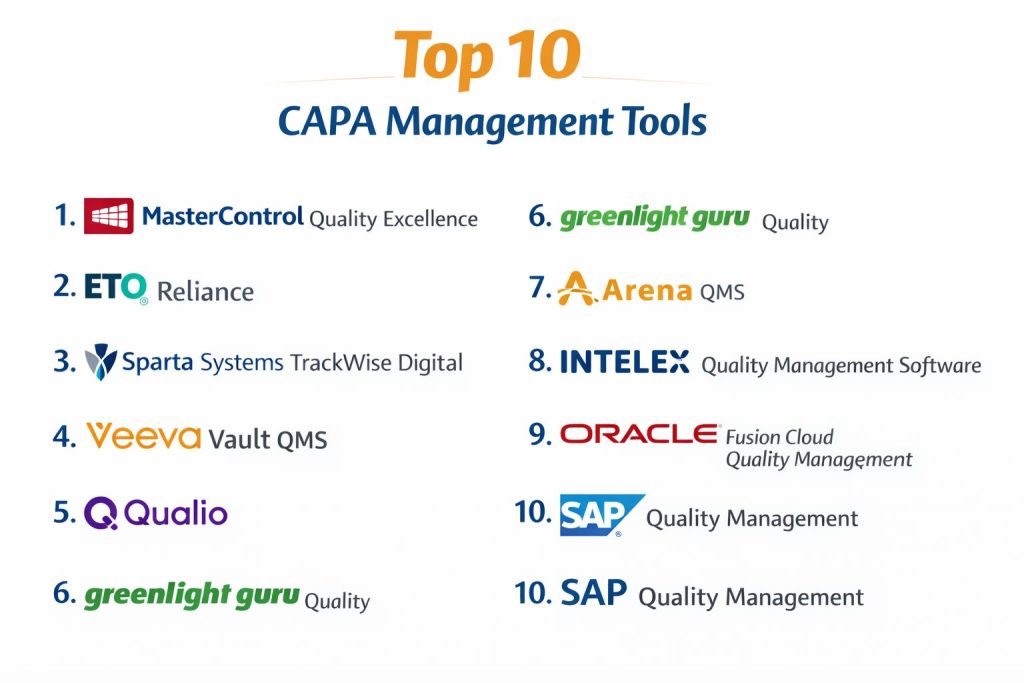
Top 10 CAPA Management Tools
1 — MasterControl Quality Excellence
A strong platform for organizations that need structured CAPA workflows, formal approvals, and evidence-ready reporting inside a broader quality system.
Key Features
- Configurable CAPA workflows with approvals and role controls
- Root cause tools and investigation templates
- Automated routing, reminders, and escalations
- Effectiveness checks and closure governance
- Reporting dashboards and audit-ready records
Pros
- Strong for regulated teams needing consistent CAPA governance
- Good fit when CAPA must connect to other quality processes
Cons
- Configuration and rollout can take time
- May feel heavy for small teams with simple needs
Platforms / Deployment
Cloud, Hybrid varies by setup
Security and Compliance
Not publicly stated
Integrations and Ecosystem
Designed to fit broader quality ecosystems and support cross-process linkage.
- Common QMS workflow connections
- Configuration options for process alignment
- Integration approaches vary by deployment model
Support and Community
Enterprise-focused support and onboarding; details vary by plan.
2 — ETQ Reliance
A configurable quality platform that supports CAPA as part of a connected quality process network, often used across manufacturing and regulated environments.
Key Features
- Configurable CAPA workflows and approval paths
- Investigation support and structured root cause capture
- Escalations and due-date governance
- Audit trail and evidence attachment management
- Analytics and dashboards for trend visibility
Pros
- Strong flexibility for different site and process needs
- Good for organizations standardizing quality processes
Cons
- Requires governance to avoid workflow sprawl
- Implementation effort depends on configuration depth
Platforms / Deployment
Cloud, Hybrid varies by setup
Security and Compliance
Not publicly stated
Integrations and Ecosystem
Built for connectivity across quality processes and operational systems.
- Supports cross-module linkage in quality workflows
- Integration patterns depend on customer environment
- Works best with standardized data definitions
Support and Community
Vendor support and training options; varies by plan.
3 — Sparta Systems TrackWise Digital
An enterprise-grade quality platform commonly used in regulated industries where CAPA requires strong controls, traceability, and formal documentation.
Key Features
- Structured CAPA lifecycle management with approvals
- Root cause and investigation support with controlled steps
- Audit trail and signature governance
- Effectiveness verification and closure controls
- Reporting for compliance and operational tracking
Pros
- Strong governance and traceability for regulated environments
- Suitable for large organizations with formal quality programs
Cons
- Can be complex for teams wanting lightweight workflows
- Configuration and change management can be significant
Platforms / Deployment
Cloud, Hybrid varies by setup
Security and Compliance
Not publicly stated
Integrations and Ecosystem
Often used as a core quality system with CAPA connected to audits, deviations, and change workflows.
- Cross-process linkage within quality modules
- Integration approaches vary by customer landscape
- Works best with disciplined quality governance
Support and Community
Enterprise support model; documentation and onboarding vary.
4 — Veeva Vault QMS
A quality system approach often used where controlled documentation, traceability, and regulated operations are central, with CAPA integrated into broader quality workflows.
Key Features
- Structured CAPA workflows with approvals and traceability
- Document-centric governance for evidence and records
- Workflow routing and due-date control
- Effectiveness checks and closure validation
- Dashboards and reporting for oversight
Pros
- Strong fit when documentation control is a major driver
- Good for regulated teams needing consistent workflows
Cons
- May be less ideal for non-regulated teams needing simplicity
- Setup depends heavily on process design choices
Platforms / Deployment
Cloud
Security and Compliance
Not publicly stated
Integrations and Ecosystem
Works best when CAPA is part of an integrated quality and documentation environment.
- Strong process linkage across quality records
- Integration patterns depend on enterprise systems
- Benefits from standardized taxonomy and workflows
Support and Community
Professional support and training; details vary by plan.
5 — Qualio
A quality platform often chosen by growing teams that need CAPA structure without an overly heavy system, especially in regulated or quality-focused operations.
Key Features
- CAPA workflows with ownership, tasks, and due dates
- Root cause capture with structured fields and templates
- Evidence attachment and audit trail basics
- Reporting views for CAPA status and trends
- Workflow consistency for fast-growing teams
Pros
- Often easier for teams to adopt and run daily
- Good balance of structure and usability
Cons
- Deep enterprise customization may be limited
- Advanced integrations may require extra effort
Platforms / Deployment
Cloud
Security and Compliance
Not publicly stated
Integrations and Ecosystem
Designed to support core quality workflows and practical operations.
- Integrations vary by customer needs
- Works well with consistent process definitions
- Best when CAPA workflows are standardized
Support and Community
Support and onboarding vary by plan; usability is a common strength.
6 — Greenlight Guru Quality
A quality platform commonly used in product-focused and regulated teams where CAPA needs to connect to design controls and quality processes.
Key Features
- CAPA workflows with structured steps and approvals
- Root cause and investigation capture
- Task assignments with due-date control
- Evidence management and record traceability
- Reporting for quality leadership oversight
Pros
- Strong alignment to product-focused quality programs
- Good for teams that need clear traceability
Cons
- May be more specialized to certain domains
- Customization depth varies by plan
Platforms / Deployment
Cloud
Security and Compliance
Not publicly stated
Integrations and Ecosystem
Often used with broader quality workflows and structured records.
- Supports linking CAPA to related quality records
- Integration depends on environment and needs
- Works best with consistent quality governance
Support and Community
Vendor support and training resources; details vary by plan.
7 — Arena QMS
A platform often selected by teams that need controlled quality processes and CAPA traceability, especially when product lifecycle alignment matters.
Key Features
- CAPA workflows with approvals and traceability
- Investigation steps and root cause capture
- Task tracking and action verification
- Record linkage for audit readiness
- Reporting and visibility across CAPA stages
Pros
- Good for teams needing structured, traceable CAPA
- Useful when cross-team collaboration is frequent
Cons
- Deep enterprise controls may require careful setup
- Integration and scale depend on governance maturity
Platforms / Deployment
Cloud
Security and Compliance
Not publicly stated
Integrations and Ecosystem
Works well when CAPA is part of an integrated quality and product workflow environment.
- Record linking supports closed-loop quality
- Integrations vary by customer stack
- Best results with standardized workflows
Support and Community
Support and documentation vary by plan.
8 — Intelex Quality Management Software
A configurable quality system often used for operational quality and compliance programs where CAPA must scale across sites and business units.
Key Features
- Configurable CAPA workflow routing and approvals
- Root cause analysis support and investigation templates
- Task assignment, escalation, and due-date governance
- Dashboards and reporting for leadership oversight
- Audit trail and evidence management
Pros
- Good scalability for multi-site programs
- Configurability supports varied operational needs
Cons
- Configuration requires strong process governance
- Rollout success depends on adoption and training
Platforms / Deployment
Cloud, Hybrid varies by setup
Security and Compliance
Not publicly stated
Integrations and Ecosystem
Designed to support enterprise compliance and quality programs with configurable connections.
- Integration patterns vary by organization
- Works best with standardized data definitions
- Supports cross-process quality visibility
Support and Community
Vendor support model; onboarding varies by plan.
9 — Oracle Fusion Cloud Quality Management
A quality approach that fits organizations already using a broader enterprise suite, where CAPA connects to production, supply chain, and enterprise governance.
Key Features
- CAPA workflows aligned to enterprise processes
- Corrective action tracking with accountability
- Quality event linkage depending on setup
- Reporting for operational oversight
- Governance patterns aligned to enterprise environments
Pros
- Strong fit when CAPA must connect to enterprise operations
- Useful for organizations standardizing on one ecosystem
Cons
- Not always ideal for teams wanting a standalone CAPA tool
- Setup and integration planning can be heavy
Platforms / Deployment
Cloud
Security and Compliance
Not publicly stated
Integrations and Ecosystem
Often benefits from being part of a broader enterprise environment.
- Strong ecosystem alignment for enterprise users
- Integration is typically an advantage within the suite
- Best when process governance is consistent across teams
Support and Community
Enterprise support model; details vary by contract.
10 — SAP Quality Management
OA quality capability often used in SAP-centric organizations where CAPA processes must align with manufacturing, supply chain, and enterprise controls.
Key Features
- CAPA tracking aligned with enterprise quality workflows
- Action management and closure governance
- Audit-ready recordkeeping patterns
- Reporting within enterprise operations context
- Cross-functional alignment across operations and quality
Pros
- Strong fit for SAP-standardized enterprises
- Good alignment with manufacturing and operations workflows
Cons
- May feel complex for teams wanting quick standalone CAPA
- Configuration and process alignment require planning
Platforms / Deployment
Cloud, Hybrid varies by setup
Security and Compliance
Not publicly stated
Integrations and Ecosystem
Best suited for organizations running SAP-centered operations and governance.
- Works well inside SAP-aligned process architecture
- Cross-process linkage can support closed-loop quality
- Integration advantages depend on the broader environment
Support and Community
Strong enterprise ecosystem; support depends on plan and implementation partner.
Comparison Table
| Tool Name | Best For | Platform(s) Supported | Deployment | Standout Feature | Public Rating |
|---|---|---|---|---|---|
| MasterControl Quality Excellence | Regulated CAPA governance | Varies | Cloud, Hybrid varies | Structured closed-loop CAPA | N/A |
| ETQ Reliance | Configurable multi-site CAPA | Varies | Cloud, Hybrid varies | Flexible workflows | N/A |
| Sparta Systems TrackWise Digital | Enterprise regulated CAPA | Varies | Cloud, Hybrid varies | Strong traceability controls | N/A |
| Veeva Vault QMS | Document-driven quality workflows | Varies | Cloud | Strong controlled records | N/A |
| Qualio | Growing teams needing usability | Varies | Cloud | Practical adoption | N/A |
| Greenlight Guru Quality | Product-focused quality programs | Varies | Cloud | Traceability-oriented workflows | N/A |
| Arena QMS | Structured CAPA with collaboration | Varies | Cloud | Linked quality records | N/A |
| Intelex Quality Management Software | Multi-site quality programs | Varies | Cloud, Hybrid varies | Configurable governance | N/A |
| Oracle Fusion Cloud Quality Management | Enterprise suite alignment | Varies | Cloud | Ecosystem-connected quality | N/A |
| SAP Quality Management | SAP-centric quality operations | Varies | Cloud, Hybrid varies | Enterprise process alignment | N/A |
Evaluation and Scoring of CAPA Management Tools
Weights
Core features 25 percent
Ease of use 15 percent
Integrations and ecosystem 15 percent
Security and compliance 10 percent
Performance and reliability 10 percent
Support and community 10 percent
Price and value 15 percent
| Tool Name | Core | Ease | Integrations | Security | Performance | Support | Value | Weighted Total |
|---|---|---|---|---|---|---|---|---|
| MasterControl Quality Excellence | 9.0 | 7.0 | 8.5 | 6.5 | 8.5 | 8.0 | 6.5 | 7.88 |
| ETQ Reliance | 8.5 | 7.5 | 8.0 | 6.5 | 8.0 | 7.5 | 7.0 | 7.75 |
| Sparta Systems TrackWise Digital | 9.0 | 6.5 | 8.0 | 6.5 | 8.5 | 7.5 | 6.0 | 7.53 |
| Veeva Vault QMS | 8.5 | 7.0 | 8.0 | 6.5 | 8.0 | 7.5 | 6.5 | 7.48 |
| Qualio | 7.5 | 8.5 | 7.0 | 6.0 | 7.5 | 7.0 | 8.0 | 7.55 |
| Greenlight Guru Quality | 8.0 | 8.0 | 7.0 | 6.0 | 7.5 | 7.0 | 7.0 | 7.43 |
| Arena QMS | 8.0 | 7.5 | 7.5 | 6.0 | 7.5 | 7.0 | 7.0 | 7.40 |
| Intelex Quality Management Software | 8.0 | 7.5 | 7.5 | 6.0 | 7.5 | 7.5 | 7.0 | 7.48 |
| Oracle Fusion Cloud Quality Management | 8.0 | 6.5 | 9.0 | 6.5 | 8.0 | 7.0 | 6.5 | 7.55 |
| SAP Quality Management | 8.0 | 6.5 | 9.0 | 6.5 | 8.0 | 7.0 | 6.5 | 7.55 |
How to interpret the scores
These scores are comparative and meant for shortlisting, not declaring a single winner. Core reflects CAPA workflow depth and governance strength. Ease reflects day-to-day usability for both quality teams and action owners. Integrations reflects how well the tool can connect to your broader quality and operational systems. Security is marked conservatively when public details are unclear, so validate in vendor discussions. Use the totals to shortlist, then run a pilot with your real CAPA scenarios.
Which CAPA Management Tool Is Right for You
Solo or Freelancer
CAPA tools are usually not built for solo work, but if you are a consultant supporting a client, choose what aligns with their existing ecosystem. If the client is small and needs quick adoption, Qualio can be easier for daily use.
SMB
SMBs often need usability, fast deployment, and strong basics. Qualio and Greenlight Guru Quality can fit well when teams want structure without heavy complexity. Arena QMS can work for product-driven SMBs needing traceable records.
Mid-Market
Mid-market teams usually need stronger governance, reporting, and multi-team workflows. ETQ Reliance and Intelex Quality Management Software can be a good fit when configurability and scalability matter. If your processes are documentation-centric, Veeva Vault QMS may align well.
Enterprise
Enterprises often prioritize formal governance, audit evidence, cross-site rollouts, and deep ecosystem alignment. MasterControl Quality Excellence and Sparta Systems TrackWise Digital can fit well for regulated governance-heavy programs. Oracle Fusion Cloud Quality Management and SAP Quality Management are strong when enterprise suite integration is the priority.
Budget vs Premium
Budget-focused teams should aim for tools that reduce implementation friction and training time, because services cost can exceed license cost. Premium choices often deliver stronger governance and enterprise-grade workflow control, but need process maturity to succeed.
Feature Depth vs Ease of Use
If you need strict approvals, evidence control, and robust audit readiness, enterprise tools often score higher on depth. If you need action owners to complete tasks quickly, ease and adoption become more important than advanced configuration.
Integrations and Scalability
If your CAPA must connect to supplier quality, audits, deviations, and enterprise systems, prioritize integration strength. Suite-aligned tools often reduce integration effort but can increase complexity. Standalone platforms may be faster to adopt but need integration planning.
Security and Compliance Needs
For strict environments, require strong access control, audit trails, approval governance, and clear evidence handling. When public security details are unclear, treat them as not publicly stated and validate via vendor review and internal security assessment.
Frequently Asked Questions
1. What is CAPA and why does it matter
CAPA stands for corrective and preventive action. It matters because it helps you fix issues at the root cause and prevent repeat problems, which reduces risk, cost, and audit exposure.
2. What is the difference between corrective and preventive action
Corrective action fixes a problem that already happened. Preventive action reduces the chance of a future problem by addressing weaknesses before failures occur.
3. What should a strong CAPA workflow include
A strong workflow includes intake, triage, investigation, root cause analysis, action planning, approvals, implementation, effectiveness verification, and formal closure with an audit trail.
4. How do teams fail with CAPA tools most often
Common failures include weak root cause discipline, overdue actions without escalation, poor evidence attachment, unclear ownership, and closing CAPAs without effectiveness verification.
5. How long does implementation usually take
It varies based on configuration depth, integrations, and training needs. Some teams go live quickly with a standard workflow, while others take longer to align governance across sites.
6. Do CAPA tools support audits and inspections
Most tools support audit readiness through records, approvals, and evidence attachments. The real difference is how strong the audit trail is and how easy it is to retrieve proof fast.
7. How should we measure CAPA effectiveness
Use repeat-issue rates, defect recurrence, complaint recurrence, audit repeat findings, and process KPIs. Effectiveness checks should confirm the root cause was addressed, not just the symptom.
8. Can CAPA link to complaints, deviations, and change control
Yes, many quality platforms support closed-loop links across these processes. The maturity of linking depends on how the system is configured and how disciplined the team is.
9. What integrations matter most for CAPA
Common priorities include QMS modules, document control, ERP, MES, CRM, supplier systems, and analytics tools. Choose integrations based on where issues originate and where actions are executed.
10. How do we choose between a suite tool and a standalone tool
Choose suite tools when you need end-to-end governance across multiple quality processes and want unified data. Choose standalone when speed, usability, and focused CAPA execution matter most.
Conclusion
CAPA Management Tools help you move from reactive firefighting to disciplined, repeatable improvement. The right choice depends on how regulated your environment is, how many sites you operate, and how tightly CAPA must connect to audits, deviations, complaints, supplier issues, and change control. Enterprise platforms such as MasterControl Quality Excellence and Sparta Systems TrackWise Digital often work best when governance, approvals, and audit evidence are strict. ETQ Reliance and Intelex Quality Management Software are strong choices when configurable workflows and multi-site scaling matter. Qualio, Greenlight Guru Quality, and Arena QMS can fit well when usability and adoption speed are key. The best next step is to shortlist two or three tools, map your CAPA workflow, run a small pilot using real cases, and validate reporting, access controls, and day-to-day usability.