Introduction
Calendar software has evolved from a simple digital datebook into the central nervous system of modern productivity and time management. These platforms do more than just store appointments; they act as intelligent assistants that balance professional obligations with personal well-being through advanced automation. The shift toward hybrid work and global collaboration has made calendar interoperability a high-stakes requirement for organizations. From a strategic perspective, choosing the right calendar suite impacts meeting density, employee burnout rates, and the overall efficiency of cross-departmental coordination.
As we navigate a landscape defined by “asynchronous-first” communication, the best calendar tools are those that don’t just fill gaps in your day but actively protect your focus time. The integration of generative AI now allows these tools to suggest optimal meeting times based on historical habits, automate the rescheduling of conflicts, and provide pre-meeting briefs. Evaluating these tools requires looking beyond the interface to understand their underlying data security, cross-platform reliability, and ability to serve as a unified source of truth for your time.
- Best for: Remote teams, executive assistants, high-growth startups, and individuals juggling complex multi-account schedules.
- Not ideal for: Users who only require a static offline planner or teams without a need for collaborative scheduling.
Key Trends in Calendar Software
- AI-Powered Focus Protection: Automated detection of “fragmented time” to bundle meetings and preserve long blocks for deep work.
- Predictive Scheduling: AI models that learn your biological peak hours to suggest high-energy tasks during your most productive windows.
- Multi-Account Aggregation: The ability to see work, personal, and side-project calendars in a single “privacy-first” unified view.
- Smart Meeting Briefs: Automatic attachment of relevant documents, previous meeting notes, and attendee bios to every calendar invite.
- Time-Zone Intelligence: Dynamic adjustment of scheduling links that account for “working hour” preferences across global regions.
- Biometric Syncing: Integration with health data to suggest breaks or light scheduling during periods of high stress or poor sleep.
How We Selected These Tools
- Scheduling Automation: We prioritized tools that eliminate the back-and-forth of email by offering native booking links.
- Cross-Platform Velocity: Analysis of how quickly the software syncs across desktop, mobile, and web interfaces.
- Enterprise Security: Assessment of data encryption, GDPR compliance, and administrative controls for large organizations.
- User Experience (UX): Preference for clean, intuitive designs that minimize “calendar fatigue” and cognitive load.
- Ecosystem Connectivity: Evaluation of native integrations with video conferencing, task managers, and CRM systems.
- Reliability: Selection of platforms with proven uptime and robust handling of recurring event logic.
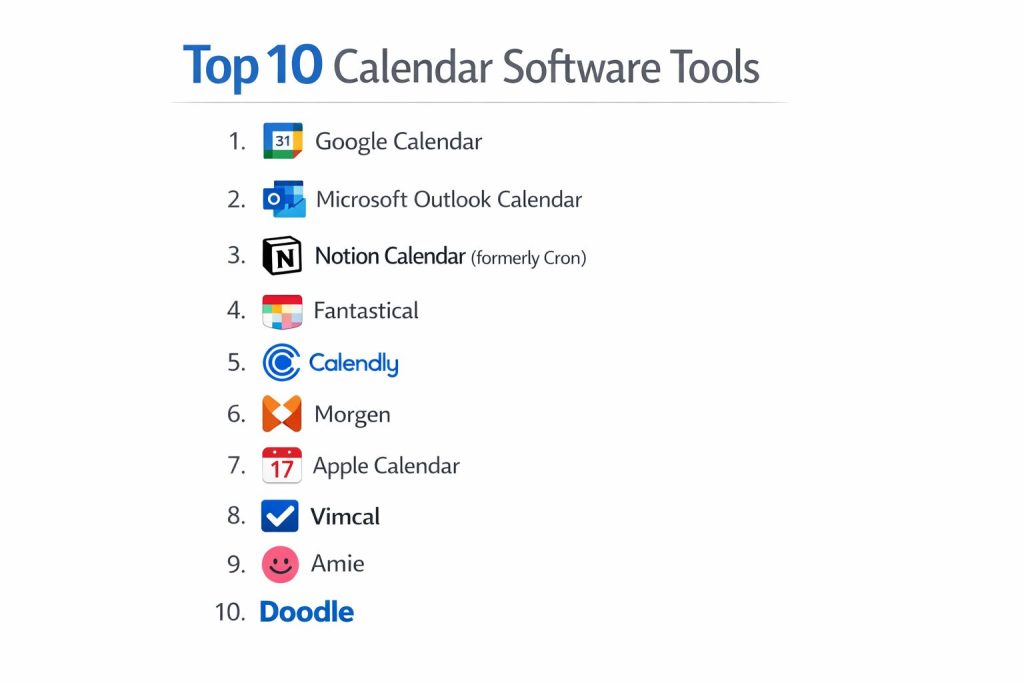
Top 10 Calendar Software Tools
1. Google Calendar
The most widely used cloud calendar, offering seamless integration with the Google Workspace ecosystem.
Key Features
- Appointment Slots: native scheduling pages that allow external guests to book time.
- Find a Time: Intelligent overlay of teammate schedules to find the first available slot.
- Integrated Tasks: View and check off Google Tasks directly within the time-grid.
- Working Location: Displays where you are working from (Home/Office) to teammates.
- Gmail Auto-Events: Automatically adds flights, hotel bookings, and restaurant reservations from email.
Pros
- Entirely free for personal use with a highly intuitive web interface.
- The “de facto” standard for integrations with third-party productivity apps.
Cons
- Mobile app can feel cluttered when managing more than five sub-calendars.
- Limited advanced “natural language” input compared to specialized competitors.
Platforms / Deployment
- Web / Android / iOS
- Cloud
Security & Compliance
- Google Cloud Security, MFA, and enterprise-grade encryption.
Integrations & Ecosystem
Directly tied to Google Meet, Drive, and Gmail; supported by almost every SaaS tool via API.
Support & Community
Extensive help documentation and a massive global user base for community troubleshooting.
2. Microsoft Outlook Calendar
The enterprise powerhouse designed for organizations that rely on the Microsoft 365 stack.
Key Features
- Scheduling Assistant: Detailed view of attendee availability and conference room status.
- Shared Calendars: Robust permission levels for viewing and editing departmental schedules.
- Teams Integration: One-click conversion of any appointment into a virtual Teams meeting.
- Cortana Briefing: Daily emails summarizing your upcoming schedule and pending tasks.
- Time-to-Leave Notifications: Alerts based on real-time traffic data for physical appointments.
Pros
- Superior management of complex recurring meetings in large corporate environments.
- Deeply integrated with email and contact management in a single application.
Cons
- The interface can be overwhelming for users who prefer a minimalist design.
- Search functionality within the calendar can sometimes be sluggish.
Platforms / Deployment
- Windows / macOS / Android / iOS / Web
- Hybrid
Security & Compliance
- Microsoft Purview, Advanced Threat Protection, and HIPAA/GDPR compliance.
Integrations & Ecosystem
Native to the Microsoft 365 environment; works seamlessly with LinkedIn and Azure.
Support & Community
Dedicated enterprise support contracts and global IT professional forums.
3. Notion Calendar (formerly Cron)
A modern, design-forward calendar that blends high-speed scheduling with Notion’s database power.
Key Features
- Notion Integration: Link calendar events directly to Notion pages and database items.
- Unified View: Cleanly overlays multiple Google and Microsoft accounts into one grid.
- Built-in Scheduler: Command-K shortcuts to create and share availability links instantly.
- Time Zone Overlays: Drag-and-drop interface to see how times align across different cities.
- Keyboard-First Interface: Optimized for power users who want to navigate without a mouse.
Pros
- One of the fastest and most aesthetically pleasing user interfaces in the category.
- Completely free for individuals, even with advanced scheduling features.
Cons
- Currently lacks a dedicated Android app (iOS and Desktop only).
- Does not yet support Apple iCloud calendar accounts.
Platforms / Deployment
- macOS / Windows / iOS / Web
- Desktop-First
Security & Compliance
- Standard OAuth authentication and SOC2 compliance.
Integrations & Ecosystem
Deepest integration is with Notion; also supports Zoom, Google Meet, and Slack.
Support & Community
Rapidly growing community of productivity enthusiasts and direct developer feedback loops.
4. Fantastical
The premier choice for users who value high-end design and natural language event creation.
Key Features
- Natural Language Input: Type “Lunch with Sarah at 1pm at Joe’s” to create a complete event.
- Calendar Sets: Instantly toggle between “Work” and “Home” views with a single click.
- Detailed Weather Forecasts: 10-day weather integration directly inside the day view.
- Meeting Proposals: Send multiple time options to guests and let them vote on a winner.
- Interesting Calendars: Subscribe to sports schedules, TV shows, and moon phases natively.
Pros
- Beautifully designed widgets for iOS and macOS that are highly functional.
- Excellent handling of “To-Do” items alongside calendar events.
Cons
- The subscription price is high for a calendar application.
- Some features are redundant if you already use a separate task manager.
Platforms / Deployment
- macOS / iOS / iPadOS / watchOS / Windows
- Local/Sync
Security & Compliance
- Privacy-focused; data is synced via existing calendar providers (Google/iCloud).
Integrations & Ecosystem
Supports over 30 conference services including Webex, Zoom, and Microsoft Teams.
Support & Community
Responsive help desk and a long-standing reputation for software quality.
5. Calendly
While often categorized as a “scheduler,” its 2026 version acts as a full-featured calendar for professionals.
Key Features
- Routing Forms: Qualify guests before they are allowed to book time on your calendar.
- Round Robin Scheduling: Automatically distributes meetings across a team fairly.
- Workflow Automation: Sends automated SMS reminders and post-meeting thank you notes.
- Polls: Allows groups to vote on a meeting time without needing an account.
- Mobile Browser Extension: Access your booking links directly from any text field on mobile.
Pros
- The gold standard for external scheduling; extremely reliable for client-facing roles.
- Dramatically reduces administrative overhead for sales and recruitment teams.
Cons
- The calendar “view” is less robust than dedicated apps like Outlook or Google.
- Higher tiers can become expensive for large teams.
Platforms / Deployment
- Web / Android / iOS / Browser Extensions
- Cloud
Security & Compliance
- SOC3, ISO 27001, and SAML/SSO support for enterprise plans.
Integrations & Ecosystem
Massive integration library including Salesforce, HubSpot, and PayPal for paid bookings.
Support & Community
Strong corporate support and an extensive library of “how-to” content for business workflows.
6. Morgen
An AI-driven calendar and task manager that excels at “time-blocking” your entire day.
Key Features
- Unified Multi-Account Sync: Supports Google, Outlook, iCloud, and even CalDAV/CardDAV.
- AI Scheduler: Automatically finds the best time for tasks based on your energy levels.
- Drag-and-Drop Tasks: Move items from your to-do list directly onto the calendar grid.
- Openings: A built-in scheduling link feature that rivals dedicated tools like Calendly.
- Command Bar: Fast global search and event creation through a single keyboard shortcut.
Pros
- Works across all major operating systems, including Linux.
- Provides a very cohesive experience for combining tasks and appointments.
Cons
- The mobile app is currently less feature-rich than the desktop version.
- AI features require a paid subscription to unlock full potential.
Platforms / Deployment
- Windows / macOS / Linux / Android / iOS
- Desktop-First
Security & Compliance
- Local-first data processing for enhanced privacy.
Integrations & Ecosystem
Integrates with Notion, Todoist, ClickUp, and various video conferencing tools.
Support & Community
Active Discord community and direct developer support for technical queries.
7. Apple Calendar
The default choice for users deeply embedded in the Apple hardware ecosystem.
Key Features
- Siri Integration: High-quality voice-to-event creation across all Apple devices.
- Travel Time: Automated alerts that tell you exactly when to leave based on traffic.
- iCloud Sharing: Seamless “Family Sharing” for coordinating household schedules.
- Maps Integration: One-tap navigation to the location of your next appointment.
- Simple Interface: Minimalist design that focuses on clarity and speed.
Pros
- Completely free with no ads or upsells for any Apple device user.
- Extremely energy-efficient and fast on macOS and iOS.
Cons
- Lacks advanced professional features like scheduling links or AI time-blocking.
- Very difficult to use if you need to collaborate with non-Apple users.
Platforms / Deployment
- macOS / iOS / iPadOS / watchOS / Web
- Local/Cloud
Security & Compliance
- Apple’s end-to-end encryption for iCloud data.
Integrations & Ecosystem
Perfectly integrated with Apple Reminders, Maps, and Contacts.
Support & Community
Available through Apple Retail stores and the massive Apple Support network.
8. Vimcal
Marketed as “the world’s fastest calendar,” designed specifically for high-frequency schedulers.
Key Features
- Slot Picker: Visually highlight free slots and copy them as text or a link in seconds.
- Time Zone Converter: A dedicated mode for quickly checking “What time is it in London?”
- Social Dossiers: Automatically pulls social media profiles of people you are meeting with.
- Launch Center: A central hub to join meetings, see today’s goals, and check habits.
- Vimcal EA: A specialized version designed for Executive Assistants managing multiple bosses.
Pros
- Optimized for speed; almost every action can be done via keyboard shortcuts.
- Excellent for founders, recruiters, and investors who live in back-to-back meetings.
Cons
- The interface can feel “busy” and over-engineered for a casual user.
- No free version available beyond the initial trial.
Platforms / Deployment
- Windows / macOS / iOS / Web
- Desktop-First
Security & Compliance
- Enterprise-ready with standard encryption protocols.
Integrations & Ecosystem
Strong focus on video conferencing and “social” data integrations.
Support & Community
High-touch support for power users and frequent product updates based on feedback.
9. Amie
A “joyful” calendar that treats your time like a social feed, blending work, tasks, and life.
Key Features
- Music Integration: See what you were listening to on Spotify during specific work blocks.
- Team Presence: See who is online, what they are working on, and when they are free.
- Social Profiles: Built-in “contacts” view that shows your history with every person.
- Checklist View: A sidebar that treats tasks with the same visual weight as events.
- Shared Availability: A playful and visual way to send booking links to friends or colleagues.
Pros
- The most unique and “fun” design in the 3D space of calendar apps.
- Excellent for younger professionals who want a less “corporate” feel.
Cons
- Still in active development; some advanced enterprise features may be missing.
- Limited platform support (currently iOS and macOS only).
Platforms / Deployment
- macOS / iOS / Web
- Cloud
Security & Compliance
- standard security; focuses more on the consumer/prosumer experience.
Integrations & Ecosystem
Unique integrations with lifestyle apps like Spotify and health data.
Support & Community
Very active on social media with a design-obsessed community.
10. Doodle
The specialized choice for group scheduling and large-scale consensus building.
Key Features
- Group Polls: Allow 10+ people to vote on a time without needing to see each other’s calendars.
- Booking Pages: Simple personal links for 1-on-1 meetings.
- Hidden Polls: Ensure participants can’t see each other’s responses for privacy.
- Deadline & Reminders: Automatically nudges people who haven’t voted yet.
- Custom Branding: Professional look and feel for client-facing polls.
Pros
- Unbeatable for organizing events with people outside of your organization.
- Prevents the “email chain of death” when trying to find a time for a dinner or board meeting.
Cons
- Not a great “daily driver” for managing your own personal schedule.
- The free version is heavily ad-supported.
Platforms / Deployment
- Web / Android / iOS
- Cloud
Security & Compliance
- GDPR compliant and ISO 27001 certified.
Integrations & Ecosystem
Integrates with all major calendar providers to ensure polls reflect your real availability.
Support & Community
Reliable customer support for paying users and a simple, self-serve help center.
Comparison Table
| Tool Name | Best For | Platform(s) Supported | Deployment | Standout Feature | Public Rating |
| 1. Google Calendar | Teams & Workspace | Win, Mac, iOS, Android | Cloud | Gmail Auto-Events | N/A |
| 2. Outlook Calendar | Enterprise / M365 | Win, Mac, iOS, Android | Hybrid | Scheduling Assistant | N/A |
| 3. Notion Calendar | Notion Power Users | Win, Mac, iOS | Desktop | Database Sync | N/A |
| 4. Fantastical | Design / Apple Users | Win, Mac, iOS | Local | Natural Language | N/A |
| 5. Calendly | Sales / External | Web, iOS, Android | Cloud | Routing Forms | N/A |
| 6. Morgen | Time-Blocking | Win, Mac, Lin, iOS, Android | Desktop | AI Task Integration | N/A |
| 7. Apple Calendar | Personal / Apple | Mac, iOS, watchOS | Local | Siri / Ecosystem | N/A |
| 8. Vimcal | Speed / Power Users | Win, Mac, iOS | Desktop | Time Zone Converter | N/A |
| 9. Amie | Social / Lifestyle | Mac, iOS | Cloud | Spotify Integration | N/A |
| 10. Doodle | Group Coordination | Web, iOS, Android | Cloud | Group Voting Polls | N/A |
Evaluation & Scoring of Calendar Software
The scoring below is a comparative model intended to help shortlisting. Each criterion is scored from 1–10, then a weighted total from 0–10 is calculated using the weights listed. These are analyst estimates based on typical fit and common workflow requirements, not public ratings.
Weights:
- Core features – 25%
- Ease of use – 15%
- Integrations & ecosystem – 15%
- Security & compliance – 10%
- Performance & reliability – 10%
- Support & community – 10%
- Price / value – 15%
| Tool Name | Core (25%) | Ease (15%) | Integrations (15%) | Security (10%) | Performance (10%) | Support (10%) | Value (15%) | Total |
| 1. Google Cal | 10 | 9 | 10 | 9 | 9 | 8 | 10 | 9.40 |
| 2. Outlook | 10 | 6 | 10 | 10 | 8 | 10 | 8 | 8.80 |
| 3. Notion Cal | 8 | 9 | 7 | 7 | 10 | 7 | 10 | 8.30 |
| 4. Fantastical | 9 | 10 | 8 | 8 | 9 | 8 | 6 | 8.15 |
| 5. Calendly | 7 | 9 | 10 | 9 | 9 | 9 | 7 | 8.35 |
| 6. Morgen | 9 | 8 | 8 | 7 | 9 | 8 | 8 | 8.25 |
| 7. Apple Cal | 6 | 10 | 5 | 9 | 10 | 9 | 10 | 8.05 |
| 8. Vimcal | 8 | 6 | 7 | 7 | 10 | 8 | 6 | 7.45 |
| 9. Amie | 7 | 8 | 6 | 6 | 9 | 7 | 8 | 7.15 |
| 10. Doodle | 6 | 8 | 7 | 8 | 8 | 7 | 7 | 6.90 |
How to interpret the scores:
- Use the weighted total to shortlist candidates, then validate with a pilot.
- A lower score can mean specialization, not weakness.
- Security and compliance scores reflect controllability and governance fit, because certifications are often not publicly stated.
- Actual outcomes vary with assembly size, team skills, templates, and process maturity.
Which Calendar Software Tool Is Right for You?
Solo / Freelancer
If you are working solo, Google Calendar paired with Calendly (Free tier) is the most efficient setup. Alternatively, Notion Calendar offers a more modern, integrated experience for free.
SMB
For small and growing teams, Google Workspace provides the best balance of collaboration and cost. If your team is design-focused, Morgen offers excellent cross-platform task and calendar management.
Mid-Market
At this stage, Microsoft Outlook or Google Calendar are necessary for hiring and standardization. Adding Calendly for the sales team and Vimcal for the executive team provides the specialized speed needed for growth.
Enterprise
Large-scale organizations must prioritize Microsoft Outlook. The security features, administrative controls, and resource (room) management are unparalleled for managing thousands of employees across global regions.
Frequently Asked Questions
1. Can I sync multiple Google and Outlook accounts?
Yes, tools like Notion Calendar, Morgen, and Fantastical are specifically designed to aggregate different providers into one view.
2. Is my calendar data private?
Most professional tools encrypt data in transit and at rest, but always check the privacy policy regarding “AI training” on your meeting metadata.
3. Do scheduling links replace personal interaction?
No, they are meant to replace the “Are you free at 2pm?” email exchange, allowing the actual interaction to be more focused.
4. Can these tools work offline?
Desktop apps like Outlook, Apple Calendar, and Morgen have robust offline modes, while web-based tools like Calendly require an internet connection.
5. What is “time-blocking”?
Time-blocking is the practice of scheduling specific tasks as appointments on your calendar to ensure you have dedicated time to finish them.
6. Do I need a high-end computer for these apps?
No, calendar apps are generally lightweight, though web versions can consume significant RAM if you have dozens of tabs open.
7. Can I share my calendar with someone outside my company?
Yes, but for security, it is often better to share a “busy/free” view rather than full event details.
8. How do AI calendars help with burnout?
They can be set to automatically reject meetings once you hit a certain daily threshold or suggest “decompression” breaks between calls.
9. Is there a way to see my tasks and calendar together?
Yes, Morgen, Notion Calendar, and Google Calendar all have native features to display to-do lists on your schedule.
10. What is a “CalDAV” account?
CalDAV is an open standard for calendar syncing used by many private or smaller email providers; Morgen and Apple Calendar support it well.
Conclusion
Selecting the right calendar software is a pivotal choice that dictates how you and your team interact with your most finite resource: time. The transition from static planners to intelligent, AI-assisted hubs has made it possible to reclaim hours of lost productivity. Whether you require the enterprise-grade stability of Microsoft Outlook or the high-speed, keyboard-centric interface of Vimcal, the objective remains the same: reducing administrative friction. By aligning your software choice with your specific workflow—be it external client scheduling or internal deep-work protection—you create a sustainable environment for long-term focus. I recommend testing a unified tool like Notion Calendar or Morgen to see if aggregating your existing accounts improves your daily clarity.
This list of calendar software is super helpful for finding the best tool to stay organized.