Introduction
CAD/CAM (Computer-Aided Design and Computer-Aided Manufacturing) software is the critical bridge between digital imagination and physical production. While CAD allows engineers to create precise 2D or 3D models of a part, CAM translates those digital models into detailed instructions—known as G-code—that drive CNC (Computer Numerical Control) machines, lathes, and mills. In modern manufacturing, these two distinct disciplines are increasingly integrated into single “unified” platforms to ensure data continuity and reduce errors.
In the current industrial landscape, CAD/CAM software has evolved beyond simple toolpath generation. It now serves as a high-fidelity simulation environment where manufacturers can “dry run” a machining process to detect potential tool collisions or material waste before a single piece of metal is cut. This integration is essential for high-precision industries like aerospace, automotive, and medical device manufacturing, where even a microscopic deviation can lead to catastrophic failure or significant financial loss.
Real-World Use Cases
- High-Speed Milling: Creating complex automotive engine components with optimized toolpaths that reduce machine wear and cycle time.
- Mold & Die Design: Using integrated CAD/CAM to design intricate injection molds and immediately generate the machining strategies to produce them.
- Prototyping & Iteration: Rapidly updating a design in CAD and having the CAM toolpaths automatically update to reflect the changes, enabling agile hardware development.
- Medical Implants: Producing patient-specific orthopedic implants using 5-axis machining driven by high-fidelity CAM simulations.
Mandatory Evaluation Criteria
- End-to-End Integration: The seamlessness of the transition from the design environment to the manufacturing workspace.
- Toolpath Optimization: The efficiency of the algorithms used to calculate cutting paths and minimize “air-cutting” time.
- Simulation & Collision Detection: The ability to accurately simulate the machine, fixtures, and tools to prevent physical crashes.
- Post-Processor Library: The availability of high-quality “translators” that format code for specific CNC machine brands (e.g., Haas, Fanuc, Mazak).
- Multi-Axis Support: Capability to handle advanced 3-axis, 4-axis, and 5-axis machining operations.
- Automated Feature Recognition (AFR): The software’s ability to automatically identify holes, pockets, and slots to suggest machining strategies.
Best for: Manufacturing engineers, CNC programmers, machine shop owners, and product designers who need to go from a digital concept to a physical part with high precision.
Not ideal for: Pure graphic designers or architects who only need visual models and do not intend to manufacture physical parts via CNC machining.
Key Trends in CAD/CAM Manufacturing Software
- AI-Powered Machining Strategies: Modern tools now use machine learning to analyze geometry and automatically recommend the fastest, most material-efficient toolpaths based on historical data.
- Cloud-Native Collaboration: Real-time version control and data sharing allow design teams in one country to collaborate with manufacturing floors in another without file translation errors.
- Digital Twin Synchronization: The software can now connect directly to live CNC machines, allowing the virtual model to mirror the real-time status and wear of physical tools.
- Hybrid Manufacturing Workflows: Integration of both additive (3D printing) and subtractive (CNC) processes within a single software environment for complex, part-in-part builds.
- GPU-Accelerated Simulation: Leveraging high-end graphics cards to provide instant, photorealistic simulations of the material removal process.
- Edge Computing Integration: Direct communication between the CAD/CAM platform and shop-floor sensors to adjust toolpaths mid-process based on material hardness or temperature.
- Subscription & Modular Licensing: A shift away from massive upfront costs toward flexible, monthly models that allow shops to add specialized modules (like 5-axis or Nesting) only when needed.
How We Selected These Tools (Methodology)
To determine the top 10 CAD/CAM solutions, we utilized a comprehensive evaluation framework focused on industrial reliability and technical innovation:
- Feature Integration: Priority was given to “All-in-One” platforms that minimize data loss between design and manufacturing.
- Market Share & Reliability: We selected tools with proven track records in high-stakes industries like aerospace and defense.
- Post-Processor Availability: We evaluated the depth of the vendor’s library for various CNC controller types.
- Hardware Interoperability: Compatibility with a wide range of industrial machine tools, from desktop mills to multi-million dollar 5-axis centers.
- Security & IP Protection: Screening for enterprise-grade data handling, especially for cloud-based or hybrid deployments.
- User Ecosystem: Ensuring there is a robust community and training network available for new users.
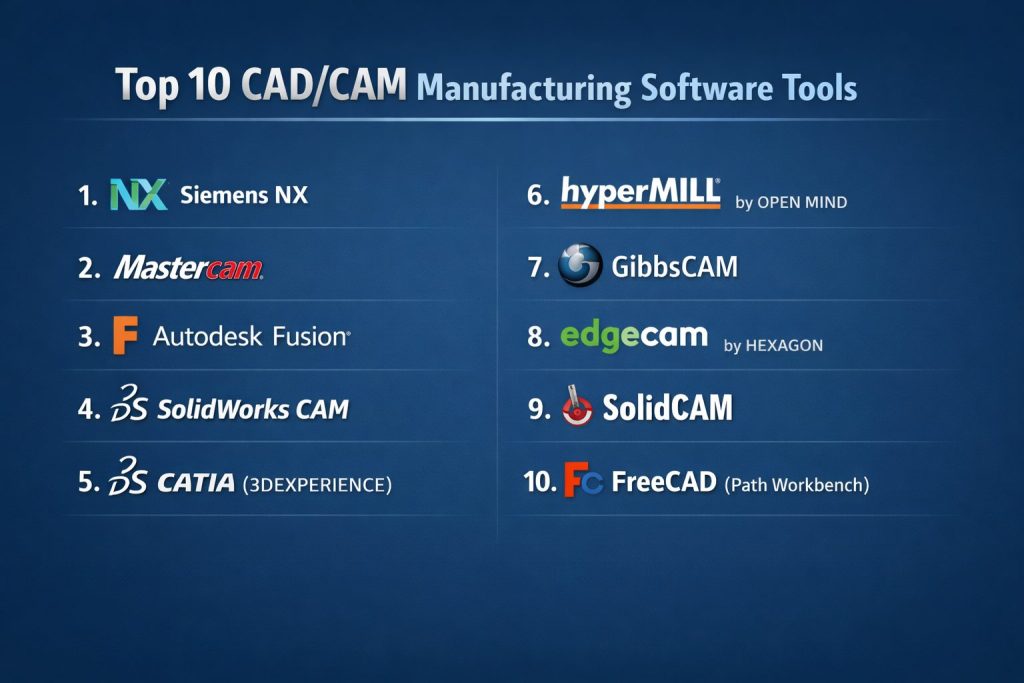
Top 10 CAD/CAM Manufacturing Software Tools
#1 — Siemens NX
A high-end, enterprise-grade solution that offers a completely unified environment for advanced design, simulation, and complex multi-axis manufacturing.
Key Features
- Integrated CAD, CAM, and CAE (Engineering) on a single data model.
- Advanced 5-axis machining and high-speed cutting strategies.
- Digital twin capabilities for full machine tool simulation.
- Knowledge-based machining (KBM) to automate repetitive programming.
- Feature-based machining that automatically identifies holes and pockets.
- Additive manufacturing and robotic programming modules.
Pros
- Unmatched power for handling massive assemblies and complex geometries.
- Eliminated data translation errors between design and manufacturing teams.
Cons
- Very steep learning curve; requires significant professional training.
- High cost of ownership, typically reserved for large enterprises.
Platforms / Deployment
- Windows / Linux
- Cloud / Self-hosted / Hybrid
Security & Compliance
- SSO/SAML, MFA, and ISO 27001 compliance.
- ITAR-ready cloud environments for defense contractors.
Integrations & Ecosystem
Siemens NX is the backbone of many “Digital Factories” and integrates natively with PLM (Product Lifecycle Management) tools.
- Teamcenter (PLM)
- MindSphere (IoT)
- SAP ERP
Support & Community
Extensive global support network with dedicated technical account managers and a vast library of professional documentation.
#2 — Mastercam
The world’s most widely used CAM-focused software, known for its powerful toolpath generation and massive post-processor library.
Key Features
- Dynamic Motion technology for faster cutting and longer tool life.
- Comprehensive milling, turning, and wire EDM support.
- Advanced multi-axis and mill-turn capabilities.
- Massive library of verified post-processors for almost any CNC machine.
- Strong CAD import capabilities for nearly all file types.
- Specialized modules for woodworking (Mastercam Router) and artistic relief.
Pros
- The gold standard for CNC programming; easiest to find experienced programmers.
- Exceptional technical support through a global reseller network.
Cons
- CAD features are functional but not as robust as dedicated design tools like SolidWorks.
- Maintenance and update fees can be significant.
Platforms / Deployment
- Windows
- Self-hosted
Security & Compliance
- Standard file-based security and hardware dongles/online licensing.
- Compliance: Varies / N/A.
Integrations & Ecosystem
Mastercam often acts as the manufacturing specialist alongside other design platforms.
- Mastercam for SolidWorks (Add-in)
- Vericut (Simulation)
- Tool management systems (TDM)
Support & Community
The largest community in the CAM world, with endless forums, YouTube tutorials, and local training centers.
#3 — Autodesk Fusion
A cloud-based platform that has disrupted the industry by making high-end CAD/CAM/CAE accessible to startups and large firms alike.
Key Features
- Unified workspace for 3D modeling, electronics, and CNC programming.
- Cloud-based collaboration with built-in version control.
- AI-driven generative design to optimize part weight and strength.
- Integrated 2.5, 3, 4, and 5-axis milling and turning.
- Automated toolpath updates whenever the CAD model changes.
- Simulation of waterjet, laser, and plasma cutting.
Pros
- Extremely cost-effective compared to traditional enterprise software.
- Seamless collaboration; files are updated in real-time across the team.
Cons
- Cloud-dependency can be a hurdle for high-security, offline facilities.
- Can struggle with performance on extremely large, multi-thousand-part assemblies.
Platforms / Deployment
- Windows / macOS / Web / iOS / Android
- Cloud-based
Security & Compliance
- SOC 2 Type II, SSO/SAML, and MFA.
- AES-256 data encryption for cloud storage.
Integrations & Ecosystem
As part of the Autodesk portfolio, it connects deeply with the wider construction and design world.
- Autodesk Construction Cloud
- Eagle (Electronics)
- Microsoft Power BI
Support & Community
One of the fastest-growing communities with a wealth of free learning resources and active user forums.
#4 — SolidWorks CAM
An integrated CAM solution powered by CAMWorks that brings “knowledge-based machining” directly into the SolidWorks design environment.
Key Features
- Tightly coupled CAD/CAM integration; no file translation required.
- Automatic Feature Recognition (AFR) to identify manufacturable features.
- Rules-based machining to standardize shop-floor practices.
- Tolerance-based machining (TBM) to adjust toolpaths based on MBD data.
- Full associativity; toolpaths update instantly when design changes.
- Support for 2.5-axis and 3-axis milling.
Pros
- Minimizes the learning curve for existing SolidWorks users.
- High automation reduces the time spent on repetitive programming tasks.
Cons
- Advanced 4 and 5-axis features usually require a paid upgrade to “SolidWorks CAM Professional.”
- Only available on Windows.
Platforms / Deployment
- Windows
- Self-hosted / Hybrid
Security & Compliance
- Standard Windows security and SolidWorks PDM (Product Data Management) controls.
- Compliance: Varies / N/A.
Integrations & Ecosystem
Lives entirely within the Dassault Systèmes ecosystem but connects to many third-party apps.
- SolidWorks PDM
- DelmiaWorks (ERP/MES)
- 3DEXPERIENCE Platform
Support & Community
Massive user base with specialized resellers providing local technical support and certification.
#5 — CATIA (3DEXPERIENCE)
The “heavyweight” of the aerospace and automotive world, designed for high-end surface modeling and full lifecycle manufacturing.
Key Features
- World-class complex surface and solid modeling.
- High-end 5-axis machining and robotic cell simulation.
- Integrated PLM for managing global supply chain manufacturing.
- Virtual twin technology for entire production lines.
- Support for composite manufacturing and aerospace-specific workflows.
- Advanced toolpath simulation with collision detection.
Pros
- The most powerful tool for ultra-complex parts (e.g., turbine blades, aircraft wings).
- Incredible scalability for organizations with thousands of engineers.
Cons
- Prohibitively expensive for small machine shops.
- Extremely complex interface that requires a dedicated BIM/PLM manager.
Platforms / Deployment
- Windows / Web
- Cloud / Self-hosted / Hybrid
Security & Compliance
- ISO 27001, SOC 2, and high-level government security clearances.
- Extensive audit logging and intellectual property (IP) protection.
Integrations & Ecosystem
Deeply integrated into the 3DEXPERIENCE platform.
- ENOVIA (PLM)
- SIMULIA (Analysis)
- DELMIA (Manufacturing Ops)
Support & Community
Enterprise-level support with on-site consulting and specialized training programs for OEMs.
#6 — HyperMill (by OPEN MIND)
A high-performance CAM specialist known for having some of the best 5-axis machining strategies in the industry.
Key Features
- Renowned 5-axis “Automated Feature Recognition” and hole-drilling.
- High-speed cutting (HSC) and high-performance cutting (HPC) modes.
- Collision avoidance that automatically tilts the tool away from obstacles.
- Specialized modules for impellers, blisks, and tire molds.
- Virtual Machine simulation that uses actual post-processed G-code.
- Integrated CAD for manufacturing (HyperCAD-S).
Pros
- Best-in-class toolpaths for extremely complex 5-axis parts.
- Reliable “clash-free” automation that gives programmers high confidence.
Cons
- Higher price point than general-purpose CAM software.
- Specialized focus means it’s less of an “all-around” design tool.
Platforms / Deployment
- Windows
- Self-hosted
Security & Compliance
- Encrypted file management and standard licensing protocols.
- Compliance: Not publicly stated.
Integrations & Ecosystem
Works both as a standalone product and as an integrated solution for other CAD tools.
- SolidWorks (Add-in)
- Autodesk Inventor (Add-in)
- Vericut
Support & Community
Highly technical support from engineers who specialize in multi-axis machining.
#7 — GibbsCAM
A flexible, easy-to-use CAM solution designed to handle complex multi-task machining (MTM) and Swiss-style turning.
Key Features
- One-screen interface designed for fast navigation.
- Excellent support for Mill-Turn and multi-tasking machines.
- Swiss-style machining support for high-volume small parts.
- Dynamic 3D simulation of the machine and the cutting process.
- Extensive post-processor library for complex machine configurations.
- VoluMill integration for high-speed material removal.
Pros
- Very intuitive for shop-floor programmers; shorter learning curve.
- Exceptional at managing complex machines with multiple turrets and spindles.
Cons
- CAD modeling capabilities are limited compared to Revit or NX.
- The interface can feel dated to those used to modern cloud apps.
Platforms / Deployment
- Windows
- Self-hosted
Security & Compliance
- Standard security; local vaulting.
- Compliance: Not publicly stated.
Integrations & Ecosystem
Designed to be the “engine” for a shop’s CNC fleet.
- Adveon Tool Library
- ThreadBase
- SolidWorks / Edgecam connectivity
Support & Community
Reseller-led support with a focus on practical, shop-floor problem solving.
#8 — Edgecam (by Hexagon)
A market-leading CAM solution for production machining, offering advanced automation and “Waveform” high-speed milling.
Key Features
- Waveform Roughing for high-speed material removal and tool longevity.
- Intelligent toolpath generation based on part geometry.
- Full integration with CAD models from all major sources.
- Specialized modules for turning, milling, and wire EDM.
- Strategy Manager to capture and reuse best practices.
- Integration with Hexagon’s metrology and inspection tools.
Pros
- Excellent at reducing cycle times through optimized toolpaths.
- Strong “Designer” module specifically for CAD-to-CAM prep.
Cons
- Part of a large corporate portfolio; can feel less personal.
- Requires a fairly robust PC to run complex simulations smoothly.
Platforms / Deployment
- Windows
- Self-hosted / Hybrid
Security & Compliance
- Enterprise security through Hexagon’s platform.
- Compliance: Varies / N/A.
Integrations & Ecosystem
Being part of Hexagon means it connects the digital model to physical inspection.
- PC-DMIS (Inspection)
- NCSIMUL (G-code Verification)
- WorkPLAN (ERP)
Support & Community
Global support network with extensive online training through the Hexagon portal.
#9 — SolidCAM
The “best-in-class” CAM add-on for SolidWorks, featuring the revolutionary “iMachining” technology.
Key Features
- iMachining: Patented technology that automatically calculates optimal feed/speeds.
- Fully integrated within SolidWorks; no external file management.
- Support for all CNC technologies (Milling, Turning, Mill-Turn, Swiss).
- Specialized 5-axis Sim-axis machining for complex parts.
- Advanced hole-recognition and automation.
- Real-time toolpath simulation with full machine visualization.
Pros
- iMachining can save up to 70% in machining time.
- Eliminates the need for users to manually calculate complex cutting parameters.
Cons
- Only works inside SolidWorks or Inventor; not a standalone design tool.
- iMachining requires a premium license.
Platforms / Deployment
- Windows
- Self-hosted
Security & Compliance
- Standard enterprise security.
- Compliance: Not publicly stated.
Integrations & Ecosystem
Tightest possible integration with the world’s most popular CAD tool.
- SolidWorks
- Autodesk Inventor
- Tool management systems
Support & Community
Very active global community with a focus on “high-speed” manufacturing expertise.
#10 — FreeCAD (Path Workbench)
The leading open-source 3D CAD/CAM modeler, providing a free alternative for hobbyists, students, and small makers.
Key Features
- Parametric 3D modeling with a dedicated “Path” workbench for CAM.
- Support for 2D and 3D CNC milling toolpaths.
- Open-source Python-based architecture for custom automation.
- G-code simulation and verification.
- Growing library of post-processors for hobbyist and pro-sumer machines.
- Community-developed plugins for specialized manufacturing.
Pros
- Completely free and open-source; no subscription fees.
- Highly customizable for developers and power users.
Cons
- Steeper learning curve due to a less polished user interface.
- Lacks advanced 5-axis and high-end industrial automation found in paid tools.
Platforms / Deployment
- Windows / macOS / Linux
- Self-hosted (Offline)
Security & Compliance
- Completely local; user has full control over data.
- Compliance: N/A.
Integrations & Ecosystem
Extensible via a large repository of community-made workbenches.
- KiCad (for PCBs)
- OpenSCAD
- Blender (via plugins)
Support & Community
Entirely community-driven; excellent forums and a massive wiki, but no “official” 24/7 technical support.
Comparison Table (Top 10)
| Tool Name | Best For | Platform(s) Supported | Deployment | Standout Feature | Public Rating |
| Siemens NX | High-End Enterprise | Win / Linux | Hybrid | Full Digital Twin Sync | 4.8 / 5 |
| Mastercam | Dedicated Machine Shops | Windows | Self-hosted | Dynamic Motion Technology | 4.5 / 5 |
| Autodesk Fusion | SMBs / Startups | Win / Mac / Web | Cloud | Generative Design / Collab | 4.4 / 5 |
| SolidWorks CAM | SolidWorks Designers | Windows | Hybrid | Tolerance-Based Machining | N/A |
| CATIA | Aero / Auto OEMs | Win / Web | Hybrid | Complex Surface Detailing | 4.5 / 5 |
| HyperMill | Complex 5-Axis | Windows | Self-hosted | 5-Axis Collision Avoidance | N/A |
| GibbsCAM | Mill-Turn / Swiss | Windows | Self-hosted | Multi-Task Machining (MTM) | N/A |
| Edgecam | Production Machining | Windows | Self-hosted | Waveform Roughing Strategy | N/A |
| SolidCAM | High-Speed Milling | Windows | Self-hosted | iMachining feeds/speeds | N/A |
| FreeCAD | Makers / Education | Win / Mac / Linux | Self-hosted | Open-source / Python-based | N/A |
Evaluation & Scoring of CAD/CAM Manufacturing Software
| Tool Name | Core (25%) | Ease (15%) | Integrations (15%) | Security (10%) | Performance (10%) | Support (10%) | Value (15%) | Weighted Total |
| Siemens NX | 10 | 6 | 10 | 10 | 10 | 9 | 6 | 8.60 |
| Mastercam | 9 | 8 | 9 | 8 | 9 | 10 | 8 | 8.70 |
| Autodesk Fusion | 8 | 10 | 9 | 9 | 8 | 9 | 10 | 8.85 |
| SolidWorks CAM | 8 | 8 | 10 | 8 | 8 | 9 | 8 | 8.40 |
| CATIA | 10 | 5 | 10 | 10 | 10 | 9 | 5 | 8.20 |
| HyperMill | 10 | 7 | 8 | 8 | 10 | 8 | 7 | 8.30 |
| GibbsCAM | 8 | 9 | 8 | 8 | 9 | 8 | 8 | 8.25 |
| Edgecam | 8 | 8 | 8 | 8 | 9 | 8 | 8 | 8.10 |
| SolidCAM | 9 | 8 | 10 | 8 | 9 | 8 | 8 | 8.55 |
| FreeCAD | 6 | 5 | 6 | 10 | 7 | 7 | 10 | 6.75 |
Interpretation
- Weighted Total: Represents the software’s ability to handle modern manufacturing demands (AI, speed, collaboration).
- Core (25%): Measures toolpath intelligence and CAD robustness.
- Ease (15%): Tools like Fusion 360 and GibbsCAM score higher for being user-friendly, while enterprise tools (NX, CATIA) are lower due to complexity.
Which CAD/CAM Manufacturing Software Tool Is Right for You?
Solo / Freelancer
For the individual maker or freelance engineer, Autodesk Fusion is the clear winner due to its affordable entry point and all-in-one cloud functionality. If budget is zero, FreeCAD is the only credible open-source path.
SMB (Small-to-Medium Business)
Most machine shops will thrive with Mastercam due to the sheer abundance of trained talent and verified post-processors. If your shop already uses SolidWorks for design, SolidCAM (with iMachining) or SolidWorks CAM provide the smoothest workflow.
Mid-Market
Companies with complex multi-axis needs should look at HyperMill or GibbsCAM. These tools excel at the highly technical “middle ground” where 5-axis and Mill-Turn operations are the daily norm.
Enterprise
For OEMs in aerospace, defense, or automotive, Siemens NX or CATIA are mandatory. They offer the global scalability, security, and “Digital Twin” integration that smaller tools simply cannot match.
Budget vs Premium
- Budget: Autodesk Fusion and BricsCAD (with CAM plugins) offer high power at lower price points.
- Premium: Siemens NX and CATIA are multi-year investments that require dedicated IT and engineering teams.
Frequently Asked Questions (FAQs)
What is G-code?
G-code is the alphanumeric language used to tell a CNC machine how to move. CAM software translates your 3D design into this code so the machine understands coordinates, speeds, and tool changes.
Can I run CAD/CAM on a Mac?
Autodesk Fusion is the only major professional CAD/CAM tool with native macOS support. Most others (Mastercam, NX, SolidWorks) require Windows.
What is a “Post-Processor”?
A post-processor is a translator that takes the universal toolpath data from the CAM software and formats it into the specific G-code required by a specific machine controller (like a Haas vs. a Brother).
Do I need a special mouse for CAD/CAM?
While not mandatory, most professionals use a “3D Mouse” (like a 3Dconnexion SpaceMouse) to navigate 3D space with one hand while using a standard mouse with the other.
What is 5-axis machining?
Standard machining is 3-axis (X, Y, Z). 5-axis adds two rotational axes (A and B), allowing the cutting tool to approach a part from any direction, which is essential for complex shapes like turbine blades.
Is cloud-based CAD/CAM secure?
Yes, for most commercial uses. Modern platforms like Fusion use AES-256 encryption. However, for high-security defense work, many firms still prefer “On-premise” or “Air-gapped” installations.
What is iMachining?
iMachining is a proprietary technology from SolidCAM that automatically optimizes the cutting depth and speed based on material hardness and tool geometry, significantly reducing cycle times.
Can CAD/CAM software detect if my tool will crash?
Yes. Professional tools include “Collision Detection” and “Machine Simulation,” which visually show the entire machine moving to ensure the tool doesn’t hit a clamp or the machine table.
How long does it take to learn CAM?
Basic 2D milling can be learned in a few days. Professional 5-axis programming or complex MTM (Mill-Turn) usually takes months or even years of experience on the shop floor to master.
What is generative design?
Generative design is an AI feature (pioneered by Autodesk) where the software “evolves” a part’s shape based on strength requirements and weight constraints, often resulting in organic, alien-looking shapes.
Conclusion
The right CAD/CAM software is no longer just a luxury—it is the operational heart of a modern machine shop. While Autodesk Fusion leads in accessibility and collaboration, Siemens NX and Mastercam remain the industrial benchmarks for power and reliability.