Introduction
BYOD management tools help organizations securely manage employee-owned phones, tablets, and laptops used for work. The goal is simple: protect company data without taking full control of the user’s personal device. Modern platforms do this using policy-based controls, work profiles/containers, conditional access, app management, encryption enforcement, and remote actions for only corporate data.
This matters now because hybrid work is normal, mobile access is business-critical, and security teams need stronger controls against phishing, data leakage, and unmanaged apps. At the same time, employees expect privacy, minimal intrusion, and frictionless access to work apps. The right BYOD tool balances security and user trust.
Real-world use cases:
- Secure access to email, chat, and documents on personal devices
- Corporate app deployment and updates without touching personal apps
- Protecting business data in shared devices and roaming workforces
- Enforcing compliance rules before allowing access to sensitive systems
- Remote wipe of only work data when an employee leaves
What buyers should evaluate:
- BYOD-first controls (work profile, app-level controls, selective wipe)
- Enrollment options and user experience (simple and low friction)
- App management depth (managed apps, updates, per-app VPN, restrictions)
- Identity and access integration (conditional access, SSO patterns)
- Security posture (encryption, compliance checks, jailbreak/root detection)
- Multi-OS support (Android, iOS, macOS, Windows) and roadmap stability
- Policy flexibility and exceptions handling for real-world teams
- Reporting, audit trails, and admin visibility
- Support model and ease of troubleshooting at scale
- Total cost including add-ons, licensing tiers, and admin workload
Mandatory guidance
Best for: IT teams, security teams, HR/operations leaders, and companies from SMB to enterprise that allow personal devices for work and need strong data protection without harming employee privacy.
Not ideal for: organizations that do not allow personal devices at all, teams with fully corporate-owned fleets where COPE/COBO policies dominate, or very small teams that can manage access using basic identity-only controls without device policies.
Key Trends in BYOD Management Tools
- Strong shift toward privacy-first BYOD using work profiles, app containers, and selective controls instead of full-device control.
- More reliance on conditional access and zero-trust checks before granting access to apps and data.
- Growing focus on mobile threat defense integration for phishing, malicious apps, and risky network detection.
- Increased demand for app-level controls (copy/paste restrictions, managed open-in, per-app VPN) to reduce data leakage.
- More cross-platform expectations: consistent policy behavior across Android, iOS, Windows, and macOS.
- Higher need for automated compliance and remediation to reduce manual IT tickets.
- Rising usage of device posture signals to drive access decisions (encryption, OS version, risk level).
- More adoption of self-service enrollment and guided onboarding to improve rollout speed.
- Increased attention to audit logs and reporting for security teams and regulated environments.
- More interest in unified endpoint management to reduce tool sprawl and consolidate policies.
How We Selected These Tools
- Selected tools with broad adoption for BYOD and endpoint management across multiple industries.
- Prioritized platforms that support strong BYOD patterns like work profiles/containers and selective wipe.
- Considered multi-OS coverage and maturity for mobile + laptop management.
- Evaluated policy depth, compliance enforcement, and real-world admin usability.
- Considered ecosystem strength: identity integrations, app ecosystems, and security add-ons.
- Included options suitable for different segments: SMB, mid-market, and enterprise.
- Favored tools with strong support/community signals and established enterprise deployments.
- Avoided claiming certifications or ratings unless clearly known; used “Not publicly stated” or “N/A” when uncertain.
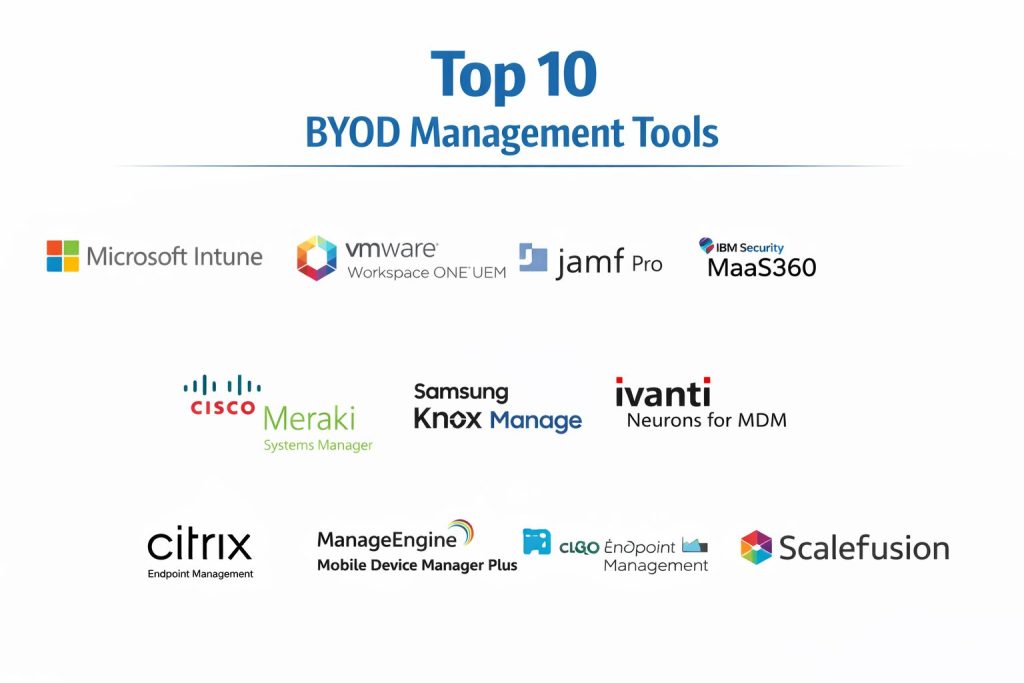
Top 10 BYOD Management Tools
1 — Microsoft Intune
Microsoft Intune is a widely used endpoint management platform for BYOD and corporate devices. It’s especially strong when your organization already uses Microsoft identity and productivity tools and wants policy-driven access control.
Key Features
- BYOD-friendly app and device management with selective controls
- Conditional access patterns to gate access based on compliance
- Managed app policies to protect corporate data inside apps
- Cross-platform management for major operating systems
- Policy enforcement for encryption, OS versions, and device health checks
- Integration-friendly administration for identity and endpoint workflows
- Reporting and audit capabilities for compliance tracking
Pros
- Strong fit for organizations already using Microsoft ecosystem tools
- Flexible policy approach for balancing security and user experience
- Scales well for large fleets with standardized controls
Cons
- Policy design can feel complex for new teams
- Some advanced use cases require careful planning and testing
- Admin experience depends heavily on how well policies are structured
Platforms / Deployment
Windows / macOS / iOS / Android
Cloud
Security & Compliance
Not publicly stated
Integrations & Ecosystem
Often used with identity, productivity, and security tooling in a unified workflow.
- Identity and access policies (workflow dependent)
- Endpoint security integrations (workflow dependent)
- App management ecosystems (workflow dependent)
- Automation and reporting (workflow dependent)
- Common enterprise integrations via APIs (workflow dependent)
Support & Community
Strong documentation and large enterprise user base. Support experience varies by plan and internal admin maturity.
2 — VMware Workspace ONE UEM
VMware Workspace ONE UEM is an enterprise-grade UEM platform designed for managing BYOD and corporate devices with unified policies. It’s commonly chosen by organizations that want deep endpoint controls and flexible deployment patterns.
Key Features
- Strong BYOD management with work/personal separation patterns
- Unified endpoint coverage across mobile and desktop platforms
- Advanced compliance policies and automated remediation workflows
- App and content management controls for corporate data protection
- Device posture checks and policy-driven enforcement
- Automation features to reduce manual admin overhead
- Robust reporting and operational visibility
Pros
- Mature UEM feature set suitable for complex environments
- Strong policy depth and flexible configuration options
- Works well for organizations with mixed OS environments
Cons
- Admin complexity can be high without strong standards
- Implementation success depends on rollout planning
- Licensing and add-ons can increase total cost
Platforms / Deployment
Windows / macOS / iOS / Android
Cloud / Hybrid
Security & Compliance
Not publicly stated
Integrations & Ecosystem
Commonly integrated with identity providers, VDI/workspace stacks, and security tools.
- Identity integrations (workflow dependent)
- App delivery and catalog patterns (workflow dependent)
- Security add-ons and posture signals (workflow dependent)
- Automation and APIs (workflow dependent)
- Enterprise workflow integrations (workflow dependent)
Support & Community
Strong enterprise adoption and training ecosystem. Support quality depends on support tier and partner involvement.
3 — Jamf Pro
Jamf Pro specializes in Apple device management and is widely used for managing macOS and iOS fleets. It is a strong option for BYOD programs where Apple devices are common and admin simplicity matters.
Key Features
- Apple-focused device management for macOS and iOS
- Policy enforcement for configurations and corporate controls
- App deployment and update workflows for Apple ecosystems
- Device compliance reporting and visibility
- BYOD-friendly patterns depending on program design
- Automation capabilities to reduce repetitive tasks
- Strong Apple administration tooling and device insights
Pros
- Excellent for Apple-heavy environments and teams
- Strong operational workflows and admin usability
- Mature ecosystem of Apple-focused resources and training
Cons
- Not ideal if you need equal depth across all operating systems
- Some organizations still need additional tools for non-Apple fleets
- Advanced security use cases may require extra integrations
Platforms / Deployment
macOS / iOS
Cloud / Self-hosted
Security & Compliance
Not publicly stated
Integrations & Ecosystem
Integrates well with Apple workflows, identity systems, and security tooling depending on setup.
- Apple ecosystem app delivery patterns (workflow dependent)
- Identity integrations (workflow dependent)
- Compliance reporting workflows (workflow dependent)
- Automation and scripting support (workflow dependent)
- Security add-ons (workflow dependent)
Support & Community
Strong Apple admin community and training. Support varies by plan; documentation is generally strong.
4 — IBM Security MaaS360
IBM Security MaaS360 is a UEM platform designed for device management, app control, and security policy enforcement. It is commonly used by organizations needing unified management plus security-minded controls.
Key Features
- BYOD management with policy-driven controls and selective actions
- App management and content protection workflows
- Compliance enforcement and device posture checks
- Multi-OS support for mobile and desktop management
- Admin visibility for inventory, policy status, and risk signals
- Automation features for policy and remediation tasks
- Reporting features for governance and audit needs
Pros
- Solid balance of UEM and security-oriented features
- Suitable for organizations that need unified oversight
- Works across mixed fleets in many environments
Cons
- Admin workflows can feel complex without standardization
- Feature depth varies by platform and configuration
- Some advanced requirements may need add-ons or integrations
Platforms / Deployment
Windows / macOS / iOS / Android
Cloud
Security & Compliance
Not publicly stated
Integrations & Ecosystem
Often used with security and identity systems to strengthen access control and policy enforcement.
- Identity integrations (workflow dependent)
- Security posture signals (workflow dependent)
- App and content ecosystems (workflow dependent)
- APIs and automation options (workflow dependent)
- Reporting integrations (workflow dependent)
Support & Community
Established enterprise presence with documentation and partner support. Community size varies by region.
5 — Ivanti Neurons for MDM
Ivanti Neurons for MDM offers unified device management with automation and visibility features. It is typically used by organizations that want device controls plus operational workflows to reduce IT overhead.
Key Features
- BYOD enrollment and policy controls across major device types
- Compliance rules and automated remediation workflows
- App distribution and configuration management options
- Device inventory and lifecycle visibility
- Security posture checks and policy enforcement patterns
- Admin automation designed to reduce manual tickets
- Reporting and monitoring for endpoint operational health
Pros
- Strong operational focus for reducing endpoint management effort
- Useful for organizations needing unified policies across fleets
- Good fit for teams building standardized IT workflows
Cons
- Implementation success depends on careful rollout design
- Some deep platform capabilities may require configuration tuning
- Total cost can vary depending on modules and needs
Platforms / Deployment
Windows / macOS / iOS / Android
Cloud
Security & Compliance
Not publicly stated
Integrations & Ecosystem
Works with common IT operations and endpoint ecosystems depending on setup.
- Identity integrations (workflow dependent)
- ITSM and service workflows (workflow dependent)
- Security add-ons (workflow dependent)
- APIs and automation tooling (workflow dependent)
- Reporting exports (workflow dependent)
Support & Community
Support options vary by tier; documentation is available. Community footprint depends on the broader Ivanti user base.
6 — Cisco Meraki Systems Manager
Cisco Meraki Systems Manager provides cloud-based mobile device management designed for simplified administration. It is often used by teams that want fast deployment and straightforward controls.
Key Features
- Cloud-based endpoint management with simplified admin workflows
- BYOD enrollment and policy enforcement options
- App distribution and device configuration management
- Inventory visibility and device monitoring capabilities
- Remote actions and policy updates from a centralized console
- Suitable for distributed teams with many locations
- Practical reporting for fleet status and compliance checks
Pros
- Simple cloud-first management experience for many teams
- Useful for distributed organizations needing quick rollout
- Fits well in environments already using Meraki ecosystem
Cons
- May not match the deepest enterprise UEM feature sets in all areas
- Advanced customization can be limited depending on use case
- Feature coverage can vary by device platform
Platforms / Deployment
Windows / macOS / iOS / Android
Cloud
Security & Compliance
Not publicly stated
Integrations & Ecosystem
Often adopted where teams already use Meraki networking and want aligned endpoint workflows.
- Meraki ecosystem alignment (workflow dependent)
- Identity patterns (workflow dependent)
- App distribution workflows (workflow dependent)
- APIs and automation (workflow dependent)
- Reporting integrations (workflow dependent)
Support & Community
Well-known admin community and documentation. Support depends on subscription/support arrangement.
7 — Samsung Knox Manage
Samsung Knox Manage is built for managing mobile devices with strong capabilities in Samsung Android environments. It is particularly relevant when Samsung devices are common and Android management depth is important.
Key Features
- Strong Android device management features for Samsung ecosystems
- Policy enforcement for device configurations and security settings
- App control workflows for corporate applications
- Device visibility and inventory management capabilities
- Support for work/personal separation patterns (program dependent)
- Remote actions and compliance enforcement
- Operational controls designed for mobile fleets
Pros
- Strong fit for Samsung-heavy Android BYOD or fleet environments
- Good control depth for Android-specific requirements
- Useful for teams needing consistent Android policy enforcement
Cons
- Best value when Samsung devices are a major part of the fleet
- Mixed-OS organizations may still need additional tooling
- Some features depend on device models and program setup
Platforms / Deployment
Android
Cloud
Security & Compliance
Not publicly stated
Integrations & Ecosystem
Fits into Android-centric management ecosystems and can complement broader UEM strategies.
- Android app and policy workflows (workflow dependent)
- Identity patterns (workflow dependent)
- Reporting exports (workflow dependent)
- APIs and admin automation (workflow dependent)
- Integration into broader endpoint strategies (workflow dependent)
Support & Community
Strong ecosystem in Samsung enterprise mobility spaces. Support depends on agreement and deployment scope.
8 — Citrix Endpoint Management
Citrix Endpoint Management focuses on secure access, app delivery, and device controls—often used where secure workspace and application delivery models are central to BYOD strategy.
Key Features
- BYOD controls focused on secure app and data access patterns
- App and content management workflows to protect corporate data
- Policy enforcement and compliance-based access controls
- Integration patterns for secure workspace environments
- Supports mixed device types depending on deployment design
- Reporting and monitoring for compliance and inventory
- Useful for organizations prioritizing app-centric security models
Pros
- Strong fit when secure app delivery and workspace controls matter
- Useful for organizations balancing BYOD privacy and security
- Works well in app-centric environments and controlled access setups
Cons
- Best outcomes require careful policy design and rollout planning
- Some teams may prefer broader UEM platforms for device-first control
- Feature depth can vary based on platform and setup
Platforms / Deployment
Windows / macOS / iOS / Android
Cloud / Hybrid
Security & Compliance
Not publicly stated
Integrations & Ecosystem
Often integrated with workspace, app delivery, and identity patterns to secure BYOD access.
- Workspace and app delivery workflows (workflow dependent)
- Identity integrations (workflow dependent)
- App protection patterns (workflow dependent)
- APIs and automation (workflow dependent)
- Reporting exports (workflow dependent)
Support & Community
Established enterprise ecosystem and documentation. Support quality depends on tier and partner ecosystem.
9 — ManageEngine Mobile Device Manager Plus
ManageEngine Mobile Device Manager Plus is commonly used by SMB and mid-market teams for device management, app control, and compliance policies. It’s often selected for pragmatic features and approachable administration.
Key Features
- BYOD enrollment and policy enforcement options
- App management and distribution workflows
- Security policies for device compliance and restrictions
- Inventory visibility and device reporting
- Remote actions for corporate data protection
- Admin console designed for practical day-to-day operations
- Works across major mobile and desktop platforms depending on needs
Pros
- Practical feature set that fits many SMB and mid-market needs
- Often easier to adopt than highly complex enterprise stacks
- Strong for IT teams that want consistent endpoint visibility
Cons
- Deep enterprise features may be more limited for complex global orgs
- Some advanced requirements need careful configuration or add-ons
- Support experience can vary by plan and region
Platforms / Deployment
Windows / macOS / iOS / Android
Cloud / Self-hosted
Security & Compliance
Not publicly stated
Integrations & Ecosystem
Commonly used with IT operations tooling and endpoint workflows in mid-sized environments.
- Identity patterns (workflow dependent)
- IT operations integrations (workflow dependent)
- APIs and automation options (workflow dependent)
- Reporting exports (workflow dependent)
- App distribution workflows (workflow dependent)
Support & Community
Good documentation and a large SMB/mid-market user base. Support tiers vary by plan.
10 — Scalefusion
Scalefusion focuses on device management and policy enforcement with a strong emphasis on ease of use. It’s often chosen by organizations that want quick deployment, clean admin workflows, and practical BYOD controls.
Key Features
- BYOD policy controls and device configuration management
- App distribution and restrictions for corporate usage patterns
- Compliance enforcement and device monitoring visibility
- Remote actions and policy updates from a centralized console
- Multi-OS coverage for common device types (feature depth varies)
- Admin experience built for faster rollout and day-to-day control
- Reporting features for fleet tracking and compliance visibility
Pros
- Fast rollout and easier administration for many teams
- Strong for organizations that want practical controls without heavy complexity
- Useful for distributed teams and multi-location operations
Cons
- Some enterprise-grade niche requirements may need evaluation
- Feature depth can vary by platform and OS constraints
- Advanced integrations may require additional planning
Platforms / Deployment
Windows / macOS / iOS / Android
Cloud
Security & Compliance
Not publicly stated
Integrations & Ecosystem
Typically integrates into standard IT workflows and can support automation patterns depending on needs.
- Identity patterns (workflow dependent)
- App management workflows (workflow dependent)
- APIs and automation (workflow dependent)
- Reporting exports (workflow dependent)
- Common endpoint workflow integrations (workflow dependent)
Support & Community
Growing community and practical documentation. Support quality depends on plan and onboarding needs.
Comparison Table
| Tool Name | Best For | Platform(s) Supported | Deployment | Standout Feature | Public Rating |
|---|---|---|---|---|---|
| Microsoft Intune | Microsoft-centric BYOD and unified endpoint policies | Windows / macOS / iOS / Android | Cloud | Conditional access-driven compliance | N/A |
| VMware Workspace ONE UEM | Enterprise UEM across mixed OS fleets | Windows / macOS / iOS / Android | Cloud / Hybrid | Deep policy and remediation workflows | N/A |
| Jamf Pro | Apple-focused BYOD and fleet management | macOS / iOS | Cloud / Self-hosted | Apple administration depth | N/A |
| IBM Security MaaS360 | UEM plus security-minded management | Windows / macOS / iOS / Android | Cloud | Unified control with security posture focus | N/A |
| Ivanti Neurons for MDM | Operational automation for endpoint management | Windows / macOS / iOS / Android | Cloud | Automation to reduce IT overhead | N/A |
| Cisco Meraki Systems Manager | Simple cloud-first device management | Windows / macOS / iOS / Android | Cloud | Fast rollout and simplified admin | N/A |
| Samsung Knox Manage | Samsung Android management depth | Android | Cloud | Android control depth in Samsung ecosystems | N/A |
| Citrix Endpoint Management | Secure app-centric BYOD access models | Windows / macOS / iOS / Android | Cloud / Hybrid | Workspace-style secure app access | N/A |
| ManageEngine Mobile Device Manager Plus | Practical BYOD for SMB and mid-market | Windows / macOS / iOS / Android | Cloud / Self-hosted | Balanced features with simpler admin | N/A |
| Scalefusion | Fast adoption and easy device policy control | Windows / macOS / iOS / Android | Cloud | Ease of use and quick deployment | N/A |
Evaluation & Scoring of BYOD Management Tools
Weights:
- Core features – 25%
- Ease of use – 15%
- Integrations & ecosystem – 15%
- Security & compliance – 10%
- Performance & reliability – 10%
- Support & community – 10%
- Price / value – 15%
| Tool Name | Core (25%) | Ease (15%) | Integrations (15%) | Security (10%) | Performance (10%) | Support (10%) | Value (15%) | Weighted Total (0–10) |
|---|---|---|---|---|---|---|---|---|
| Microsoft Intune | 9.0 | 7.5 | 9.0 | 7.0 | 8.0 | 8.0 | 8.0 | 8.33 |
| VMware Workspace ONE UEM | 9.0 | 7.0 | 8.5 | 7.0 | 8.5 | 7.5 | 7.0 | 8.03 |
| Jamf Pro | 8.5 | 8.5 | 7.5 | 7.0 | 8.0 | 8.0 | 7.0 | 7.90 |
| IBM Security MaaS360 | 8.0 | 7.5 | 7.5 | 7.0 | 7.5 | 7.0 | 7.5 | 7.58 |
| Ivanti Neurons for MDM | 8.0 | 7.0 | 7.5 | 7.0 | 7.5 | 7.0 | 7.0 | 7.45 |
| Cisco Meraki Systems Manager | 7.5 | 8.0 | 7.0 | 6.5 | 7.5 | 7.0 | 7.5 | 7.40 |
| Samsung Knox Manage | 7.5 | 7.5 | 6.5 | 6.5 | 7.5 | 6.5 | 7.5 | 7.15 |
| Citrix Endpoint Management | 7.5 | 7.0 | 7.5 | 7.0 | 7.5 | 7.0 | 6.5 | 7.18 |
| ManageEngine Mobile Device Manager Plus | 7.5 | 7.5 | 7.0 | 6.5 | 7.0 | 7.0 | 8.0 | 7.38 |
| Scalefusion | 7.0 | 8.5 | 6.5 | 6.5 | 7.0 | 6.5 | 8.0 | 7.18 |
How to interpret the scores:
- The weighted total helps shortlist tools based on typical strengths across teams.
- If your top priority is security posture, focus on compliance workflows and access gating rather than the total alone.
- For SMBs, ease and value often matter more than maximum policy depth.
- For enterprises, integrations and core features usually drive the best long-term outcomes.
- Close scores are a signal to run a pilot with real devices, real policies, and real support expectations.
Which BYOD Management Tool Is Right for You?
Solo / Freelancer
Most individuals do not need a full BYOD tool unless they are managing multiple devices for a small team. If you do need controls, choose a simple platform that supports guided enrollment and clear app policies, and avoid tools that require heavy policy design.
SMB
- Microsoft Intune works well when you already use Microsoft identity and want clear compliance-gated access.
- ManageEngine Mobile Device Manager Plus and Scalefusion are practical when you want faster rollout and simpler daily operations.
- Cisco Meraki Systems Manager can be a good fit for distributed offices that want cloud-first management with less complexity.
Mid-Market
- VMware Workspace ONE UEM is strong when you need deeper policies and mixed-OS consistency.
- IBM Security MaaS360 is useful when you want unified management with a security-focused approach.
- Ivanti Neurons for MDM fits teams that want more operational automation to reduce ticket volume.
Enterprise
- Microsoft Intune is often chosen for large fleets when identity-driven access and standardized policies are central.
- VMware Workspace ONE UEM works well for complex environments needing unified controls and broader policy flexibility.
- Citrix Endpoint Management is valuable when secure app access and workspace-based delivery models drive the BYOD strategy.
Budget vs Premium
- Budget-focused teams often prioritize ease, predictable licensing, and fast onboarding, which points to tools like Scalefusion or ManageEngine Mobile Device Manager Plus.
- Premium choices often deliver deeper policy controls and better fit for large-scale governance, which may point to Microsoft Intune or VMware Workspace ONE UEM.
- Always evaluate the cost of add-ons, support tiers, and admin effort, not just the base price.
Feature Depth vs Ease of Use
- If you need deep controls, remediation, and complex policies, consider Microsoft Intune or VMware Workspace ONE UEM.
- If you need faster deployment and simpler daily workflows, consider Cisco Meraki Systems Manager, Scalefusion, or ManageEngine Mobile Device Manager Plus.
- If you are Apple-heavy, Jamf Pro can reduce friction and improve outcomes through platform specialization.
Integrations & Scalability
- Microsoft Intune typically fits well where identity-driven access, conditional access patterns, and standardized controls matter.
- VMware Workspace ONE UEM can be strong where complex endpoint environments and large-scale policy governance are required.
- Citrix Endpoint Management is often considered when app-level security and controlled workspace delivery are central.
Security & Compliance Needs
Most endpoint tools provide common controls like encryption enforcement and compliance rules, but published compliance claims vary. Focus on what you can validate in a pilot:
- Device compliance checks tied to access gating
- Work/personal separation and selective wipe behavior
- Audit logs and admin action tracking
- Encryption enforcement and minimum OS levels
- Root/jailbreak detection behavior and response workflows
Frequently Asked Questions
What is BYOD management, and why do companies need it?
BYOD management lets employees use personal devices for work while keeping business data protected. It reduces the risk of data leakage, helps enforce security policies, and gives IT a controlled way to remove only work data when needed.
How is BYOD management different from full device control?
BYOD programs typically avoid full control of personal devices and instead focus on work profiles, managed apps, and selective policies. The goal is to protect corporate data while respecting employee privacy and personal usage.
What is selective wipe and why is it important?
Selective wipe removes only corporate apps, profiles, and data from a personal device. It is important for offboarding and incident response because it protects company information without deleting personal photos, messages, or apps.
How does conditional access help in BYOD security?
Conditional access checks device compliance before allowing access to corporate apps or data. If a device is out of policy, access can be blocked until the device meets requirements like encryption, OS version, or device health checks.
What are common mistakes when rolling out BYOD tools?
Common mistakes include forcing overly strict policies, making enrollment too hard, not explaining privacy boundaries, and skipping pilot testing. A phased rollout with clear communication usually reduces user pushback and support tickets.
Do BYOD tools work equally well on Android and iOS?
Most support both, but capabilities can vary based on OS limitations and vendor approach. Always validate key needs like work profile behavior, app restrictions, and selective wipe in a pilot across real device models.
How can organizations protect privacy in BYOD programs?
Use work profiles or app-level protection rather than full device monitoring. Communicate clearly what IT can and cannot see, limit controls to corporate apps/data, and use selective wipe rather than full device wipe where possible.
What should I test during a BYOD pilot?
Test enrollment experience, app deployment, policy enforcement, compliance gating, and selective wipe. Also test reporting, audit logs, and helpdesk workflows to ensure the tool reduces friction rather than creating more tickets.
How do BYOD tools handle employees leaving the company?
Most tools allow selective wipe of corporate data and removal of work profiles. A clean offboarding checklist ensures access is removed, corporate apps are removed, and the device is no longer trusted for corporate login.
Can BYOD management reduce helpdesk workload?
Yes, when set up well. Automated compliance, self-service enrollment, consistent policies, and clear reporting can reduce repetitive tickets. Poorly designed policies can do the opposite, so simplicity and pilot testing matter.
Conclusion
BYOD management is about building trust while reducing risk. The best tools protect corporate data using work profiles, managed apps, compliance checks, and selective wipe, without turning personal devices into fully controlled corporate assets. When selecting a platform, focus on policy clarity, user onboarding experience, and how well the tool supports real-world exceptions. Run a pilot with different device types, test conditional access and selective wipe, and confirm reporting and support workflows. If your organization is identity-driven, Microsoft Intune can be a strong anchor. If you need deeper UEM control across mixed fleets, VMware Workspace ONE UEM may fit better. In all cases, good policies matter more than fancy features.