Introduction
Business plan software helps founders, managers, and teams create structured business plans with clear goals, market details, financial forecasts, and investor-ready formatting. It matters because planning is no longer a one-time document exercise. Instead, teams need faster iteration, stronger financial modeling, easier collaboration, and plans that can be updated as strategy changes. Common use cases include startup fundraising, internal budgeting and annual planning, new product launch planning, loan applications, and expansion planning for new regions. When evaluating a tool, focus on template quality, financial forecasting depth, ease of collaboration, export formats, guidance and education built into the product, integrations with accounting tools, scenario planning, data security controls, customization flexibility, and overall value for money.
Best for: founders, startup teams, SMB owners, consultants, finance managers, incubators, and corporate innovation teams that need clear plans and forecasts.
Not ideal for: teams that only need a simple one-page concept note, or those already using advanced spreadsheets and internal finance systems for modeling and planning.
Key Trends in Business Plan Software
- More guided planning flows that help non-finance users avoid common mistakes
- Stronger financial forecasting with scenario planning and sensitivity analysis
- Easier collaboration with comments, version history, and role-based access patterns
- Cleaner export options for lenders, investors, and internal leadership reviews
- Increased focus on pitch and plan alignment so numbers match the story
- Template libraries expanding to cover more industries and business models
- Better support for recurring planning updates rather than one-time documents
- Greater demand for integrations with accounting and bookkeeping platforms
- More emphasis on dashboards and plan tracking after the plan is created
- Pricing moving toward subscription tiers with premium guidance and support
How We Selected These Tools (Methodology)
- Selected tools with strong adoption among startups, SMBs, and finance advisors
- Prioritized practical plan-building workflows with clear structure and exports
- Considered financial forecasting depth and scenario planning capabilities
- Looked at ease of use for non-finance founders and small teams
- Evaluated collaboration features and workflow support for multi-person planning
- Considered template quality across common industries and business models
- Included a balanced mix of investor-focused and lender-focused tools
- Considered support quality signals and community strength where relevant
- Rated tools comparatively using consistent scoring criteria
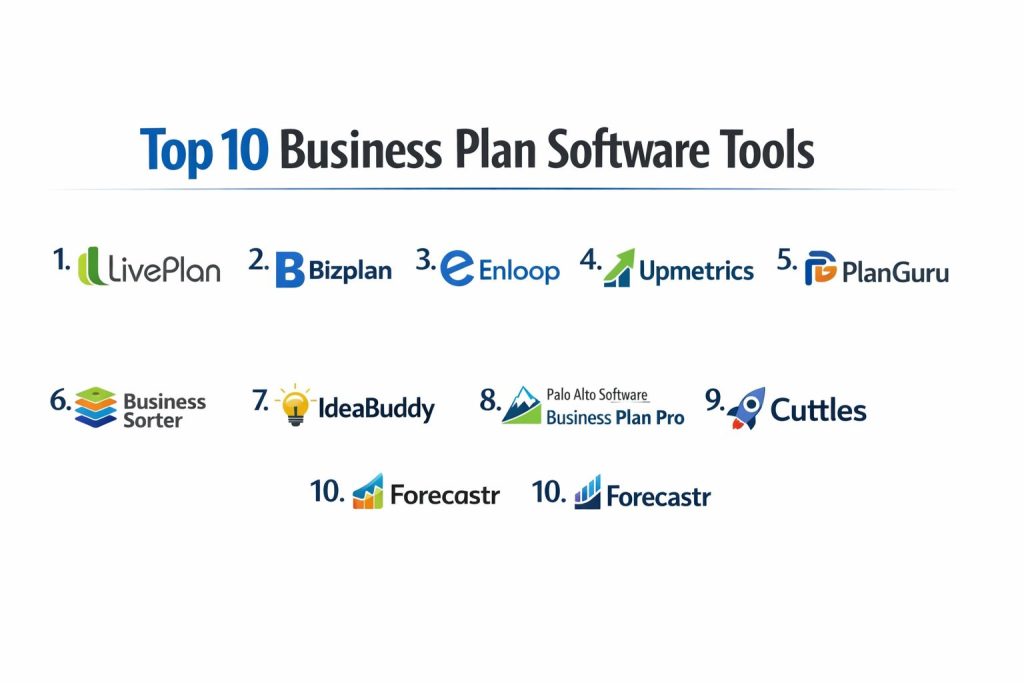
Top 10 Business Plan Software Tools
1) LivePlan
A guided business planning tool designed for entrepreneurs and SMBs who want structured plans and reliable forecasts. Often used for lender-ready plans and internal planning.
Key Features
- Step-by-step plan builder with structured sections
- Financial forecasting with common business drivers
- Plan performance tracking style features (workflow dependent)
- Templates designed for common business types
- Collaboration support for teams and advisors
- Export formats suitable for sharing with stakeholders
- Helpful guidance to reduce planning errors
Pros
- Strong guided workflow that helps beginners stay organized
- Practical forecasting designed for small business needs
Cons
- May feel limiting for highly custom financial modeling
- Subscription cost can add up for very small teams
Platforms / Deployment
- Web
- Cloud
Security & Compliance
- SSO/SAML, MFA, encryption, audit logs, RBAC: Not publicly stated
- SOC 2, ISO 27001, GDPR, HIPAA: Not publicly stated
Integrations & Ecosystem
LivePlan is commonly used alongside bookkeeping and reporting workflows, with exports that fit investor and lender sharing needs.
- Accounting integrations: Varies / N/A
- Export formats: Varies / N/A
- Advisor collaboration workflows
- Template ecosystem for business plan structures
Support & Community
Generally known for guided onboarding and support resources. Specific support tiers vary by plan.
2) Bizplan
A business planning tool focused on helping founders build investor-friendly plans with structured modules and collaboration options. Often used by startups preparing pitch-ready documentation.
Key Features
- Modular plan builder with structured sections
- Collaboration features for co-founders and contributors
- Financial forecasting tools for startup planning
- Pitch and plan alignment workflow (setup dependent)
- Export options for sharing with investors
- Templates that fit common startup needs
- Progress-style planning flow to keep teams on track
Pros
- Founder-friendly approach for building coherent plans
- Collaboration support helps teams write together
Cons
- Financial depth may not satisfy advanced finance teams
- Some templates may require customization to fit niche industries
Platforms / Deployment
- Web
- Cloud
Security & Compliance
- SSO/SAML, MFA, encryption, audit logs, RBAC: Not publicly stated
- SOC 2, ISO 27001, GDPR, HIPAA: Not publicly stated
Integrations & Ecosystem
Bizplan generally focuses on planning workflow and exports rather than deep third-party tool connections.
- Export and sharing tools
- Startup planning templates
- Collaboration features for team planning
- Integration coverage: Varies / Not publicly stated
Support & Community
Documentation and onboarding resources are available; community size varies compared to larger SMB tools.
3) Enloop
A business plan builder known for simplifying plan writing and offering automated support around plan structure and forecasting. Often used by small businesses and first-time founders.
Key Features
- Structured business plan builder workflow
- Forecasting and financial tables generation (workflow dependent)
- Industry-focused templates and examples
- Automation that helps speed up plan completion
- Export options for common sharing needs
- Multi-language support in some cases (varies)
- Helpful prompts to improve plan completeness
Pros
- Quick for creating a first complete draft
- Useful for founders who need structure and speed
Cons
- Advanced customization can feel limited
- Deep scenario planning may be weaker than finance-first tools
Platforms / Deployment
- Web
- Cloud
Security & Compliance
- SSO/SAML, MFA, encryption, audit logs, RBAC: Not publicly stated
- SOC 2, ISO 27001, GDPR, HIPAA: Not publicly stated
Integrations & Ecosystem
Enloop is typically used as a standalone plan builder with standard exports.
- Export options: Varies / N/A
- Templates for industry planning
- Collaboration: Varies / N/A
- Integrations: Varies / Not publicly stated
Support & Community
Support is typically product-based with help content; community signals vary by region and segment.
4) Upmetrics
A modern business planning platform built to help startups and SMBs create plans faster with guided writing and forecasting. Often used for investor-ready planning drafts.
Key Features
- Guided planning flow with structured sections
- Financial forecasting and plan tables (workflow dependent)
- Collaboration and commenting workflows
- Templates for many business models
- Export formats for sharing and printing
- Version history style workflow (varies)
- Support for plan updates over time
Pros
- Smooth workflow for teams that want fast plan creation
- Good balance of guidance and flexibility for many users
Cons
- Advanced finance teams may still prefer custom spreadsheets
- Template quality can vary by industry
Platforms / Deployment
- Web
- Cloud
Security & Compliance
- SSO/SAML, MFA, encryption, audit logs, RBAC: Not publicly stated
- SOC 2, ISO 27001, GDPR, HIPAA: Not publicly stated
Integrations & Ecosystem
Upmetrics focuses on plan creation and export, with collaboration features that fit small teams and advisors.
- Export formats: Varies / N/A
- Collaboration and sharing workflows
- Template ecosystem
- Integrations: Varies / Not publicly stated
Support & Community
Commonly positioned as beginner-friendly. Support tiers and response times vary by plan.
5) PlanGuru
A planning and forecasting tool often used by finance teams and advisors who want budgeting, forecasting, and scenario planning beyond simple business plan writing.
Key Features
- Budgeting and forecasting workflows for financial planning
- Scenario planning and sensitivity analysis style capabilities
- Financial reporting outputs (workflow dependent)
- Support for multi-year forecasting
- Good fit for advisor-led planning engagements
- Model structure suited for finance-first teams
- Export and reporting patterns for stakeholders
Pros
- Strong financial forecasting compared to many plan-writing tools
- Useful for teams that need budgeting and plan tracking
Cons
- Learning curve can be higher for non-finance founders
- Plan narrative writing may feel less guided than plan-first products
Platforms / Deployment
- Windows (others: Not publicly stated)
- Self-hosted (or Varies / N/A depending on licensing)
Security & Compliance
- SSO/SAML, MFA, encryption, audit logs, RBAC: Not publicly stated
- SOC 2, ISO 27001, GDPR, HIPAA: Not publicly stated
Integrations & Ecosystem
PlanGuru is often used alongside accounting workflows, focusing on financial models and exports.
- Accounting integration: Varies / N/A
- Export and reporting formats
- Advisor workflows
- Integration coverage: Varies / Not publicly stated
Support & Community
Commonly used by finance professionals; support resources exist but vary by plan and onboarding approach.
6) Business Sorter
A planning tool focused on strategic planning, priorities, and clear execution mapping. Helpful for teams that want a practical plan tied to actions, not just a document.
Key Features
- Strategic planning framework for organizing priorities
- Goal and action mapping for execution tracking
- Templates and planning guidance for business direction
- Collaboration workflows for leadership teams
- Visual planning structures for clarity
- Plan review and update patterns over time
- Useful for internal planning discussions
Pros
- Great for turning planning into clear actions and accountability
- Helps leadership teams align without heavy finance complexity
Cons
- Financial forecasting depth may be limited for investor-style plans
- Less suited if you need a lender-ready formal plan format
Platforms / Deployment
- Web (others: Not publicly stated)
- Cloud
Security & Compliance
- SSO/SAML, MFA, encryption, audit logs, RBAC: Not publicly stated
- SOC 2, ISO 27001, GDPR, HIPAA: Not publicly stated
Integrations & Ecosystem
Business Sorter typically focuses on internal strategy workflows rather than deep tool integrations.
- Collaboration and sharing features
- Strategy templates
- Export patterns: Varies / N/A
- Integrations: Varies / Not publicly stated
Support & Community
Support resources are available; community is smaller than mainstream startup plan tools.
7) IdeaBuddy
A business planning tool designed to guide early-stage founders from idea validation to plan creation. Good for first-time founders who want step-by-step help.
Key Features
- Idea validation style workflows and prompts
- Guided business planning sections
- Basic forecasting and financial tables (workflow dependent)
- Templates for common startup planning
- Collaboration options for co-founders
- Exports for sharing and review
- Planning guidance that reduces blank-page risk
Pros
- Friendly for beginners and early-stage planning
- Helps structure thinking from idea to plan
Cons
- May not satisfy advanced finance teams or complex budgeting needs
- Less ideal for established enterprises with strict planning templates
Platforms / Deployment
- Web
- Cloud
Security & Compliance
- SSO/SAML, MFA, encryption, audit logs, RBAC: Not publicly stated
- SOC 2, ISO 27001, GDPR, HIPAA: Not publicly stated
Integrations & Ecosystem
IdeaBuddy focuses on guided planning rather than extensive third-party integrations.
- Export options: Varies / N/A
- Founder guidance and templates
- Collaboration features
- Integrations: Varies / Not publicly stated
Support & Community
Support content is usually beginner-friendly. Community and advisor ecosystem vary by region.
8) Palo Alto Software Business Plan Pro
A business plan builder known for structured templates and guidance aimed at producing formal business plans. Often used by small businesses looking for lender-friendly outputs.
Key Features
- Business plan templates and structured sections
- Guided writing prompts and examples
- Financial tables and forecasting helpers (workflow dependent)
- Export formats for printing and sharing
- Strong fit for formal plan document creation
- Works well for traditional business plan structures
- Useful for loan and lender planning workflows
Pros
- Strong templates for formal plan writing
- Useful for traditional small business planning needs
Cons
- May feel rigid for startups needing modern flexible plan formats
- Forecasting depth may be limited compared to finance-first tools
Platforms / Deployment
- Windows / macOS (varies)
- Self-hosted (or Varies / N/A depending on licensing)
Security & Compliance
- SSO/SAML, MFA, encryption, audit logs, RBAC: Not publicly stated
- SOC 2, ISO 27001, GDPR, HIPAA: Not publicly stated
Integrations & Ecosystem
This tool is typically used for plan creation and export rather than deep integrations.
- Export and print workflows
- Plan templates and examples
- Financial helper tools
- Integrations: Varies / Not publicly stated
Support & Community
Support is generally documentation-driven with product help resources; specifics vary by plan.
9) Cuttles
A business planning platform designed for startups that need structured planning and clean investor-ready outputs. Often used for early-stage planning and fundraising preparation.
Key Features
- Startup plan templates and guided workflow
- Financial forecast building for startup models (workflow dependent)
- Pitch and plan alignment style planning support
- Collaboration options for co-founders and teams
- Export tools for investor sharing
- Planning structure that encourages clarity and completeness
- Workflow designed to reduce planning time
Pros
- Suitable for startups creating investor-ready documentation
- Encourages clear structure and focus in the plan
Cons
- Advanced custom forecasting may be limited
- Template fit can vary by startup type
Platforms / Deployment
- Web
- Cloud
Security & Compliance
- SSO/SAML, MFA, encryption, audit logs, RBAC: Not publicly stated
- SOC 2, ISO 27001, GDPR, HIPAA: Not publicly stated
Integrations & Ecosystem
Cuttles typically emphasizes plan creation, forecasting, and export rather than deep integrations.
- Export workflows for investors
- Collaboration and sharing
- Templates for startup planning
- Integrations: Varies / Not publicly stated
Support & Community
Support is product-based with resources for startup users; community size is smaller than major SMB tools.
10) Forecastr
A forecasting-first planning tool aimed at startups and growing companies that need stronger financial modeling and scenario planning for fundraising and strategy updates.
Key Features
- Startup-focused financial forecasting and model building
- Scenario planning for multiple growth assumptions
- Metrics tracking style planning support (workflow dependent)
- Collaboration for founders and finance contributors
- Useful for investor conversations and fundraising planning
- Helps connect assumptions to outcomes clearly
- Reporting and export patterns for stakeholder review
Pros
- Strong for teams that need more forecasting depth
- Helpful for fundraising discussions where assumptions must be clear
Cons
- May be heavier than needed for very small businesses
- Narrative plan writing may require extra effort outside the tool
Platforms / Deployment
- Web
- Cloud
Security & Compliance
- SSO/SAML, MFA, encryption, audit logs, RBAC: Not publicly stated
- SOC 2, ISO 27001, GDPR, HIPAA: Not publicly stated
Integrations & Ecosystem
Forecastr commonly fits into finance workflows and can be used alongside accounting and reporting processes.
- Export and reporting: Varies / N/A
- Finance collaboration workflows
- Integration coverage: Varies / Not publicly stated
- Data import patterns: Varies / N/A
Support & Community
Support is oriented toward startup finance workflows; onboarding and help resources vary by plan.
Comparison Table (Top 10)
| Tool Name | Best For | Platform(s) Supported | Deployment (Cloud/Self-hosted/Hybrid) | Standout Feature | Public Rating |
|---|---|---|---|---|---|
| LivePlan | Guided SMB business planning | Web | Cloud | Step-by-step plan builder | N/A |
| Bizplan | Startup investor-ready plans | Web | Cloud | Modular plan workflow | N/A |
| Enloop | Fast business plan drafting | Web | Cloud | Automated plan structure support | N/A |
| Upmetrics | Guided plan writing with collaboration | Web | Cloud | Templates plus collaboration | N/A |
| PlanGuru | Finance-first forecasting and budgeting | Windows | Self-hosted | Scenario planning strength | N/A |
| Business Sorter | Strategy planning tied to execution | Web (Not publicly stated) | Cloud | Action and priority mapping | N/A |
| IdeaBuddy | Early-stage idea-to-plan guidance | Web | Cloud | Step-by-step founder guidance | N/A |
| Palo Alto Software Business Plan Pro | Formal plan templates for SMBs | Windows, macOS (varies) | Self-hosted | Traditional plan templates | N/A |
| Cuttles | Startup planning and clean exports | Web | Cloud | Startup plan structure | N/A |
| Forecastr | Startup forecasting and scenarios | Web | Cloud | Forecasting depth for fundraising | N/A |
Evaluation & Scoring of Business Plan Software
Weights: Core features 25%, Ease 15%, Integrations 15%, Security 10%, Performance 10%, Support 10%, Value 15%.
| Tool Name | Core (25%) | Ease (15%) | Integrations (15%) | Security (10%) | Performance (10%) | Support (10%) | Value (15%) | Weighted Total (0–10) |
|---|---|---|---|---|---|---|---|---|
| LivePlan | 8.5 | 8.5 | 7.5 | 6.0 | 8.0 | 8.0 | 7.5 | 7.88 |
| Bizplan | 7.5 | 8.0 | 6.5 | 6.0 | 7.5 | 7.0 | 7.0 | 7.15 |
| Enloop | 7.0 | 8.0 | 6.0 | 5.5 | 7.5 | 6.5 | 7.5 | 6.98 |
| Upmetrics | 7.5 | 8.5 | 6.5 | 6.0 | 7.5 | 7.0 | 7.5 | 7.28 |
| PlanGuru | 8.5 | 6.5 | 7.0 | 6.0 | 7.5 | 7.0 | 6.5 | 7.25 |
| Business Sorter | 7.0 | 8.0 | 5.5 | 5.5 | 7.0 | 6.5 | 7.0 | 6.70 |
| IdeaBuddy | 7.0 | 8.5 | 5.5 | 5.5 | 7.0 | 6.5 | 7.5 | 6.93 |
| Palo Alto Software Business Plan Pro | 7.5 | 7.0 | 5.5 | 5.5 | 7.0 | 6.5 | 6.5 | 6.75 |
| Cuttles | 7.5 | 8.0 | 6.0 | 6.0 | 7.5 | 6.5 | 7.0 | 7.03 |
| Forecastr | 8.0 | 7.0 | 6.5 | 6.0 | 7.5 | 7.0 | 6.5 | 7.10 |
How to interpret the scores:
- The weighted totals compare tools within this list, not across the entire market.
- A higher score means broader strength across common planning needs, not automatic best fit.
- If your priority is investor-readiness, focus on core features and exports.
- If your priority is internal execution, focus on collaboration, ease, and workflow discipline.
- Always run a small pilot using your real assumptions and financial structure.
Which Business Plan Software Tool Is Right for You?
Solo / Freelancer
If you are a solo founder or consultant, LivePlan and Upmetrics are practical because they guide you through the plan without heavy finance setup. IdeaBuddy can also work well when you are still shaping the idea and need prompts to avoid missing key sections. If you already know your business model and want more finance detail, Forecastr may be worth considering, but it can be heavier than necessary for very early stage work.
SMB
For small businesses that need a formal plan for lenders or internal budgeting, LivePlan and Palo Alto Software Business Plan Pro can be strong options depending on whether you prefer web-based workflow or desktop-style planning. Enloop is helpful when speed matters and you want a fast first draft. Business Sorter can be useful when leadership teams want strategy and execution mapping more than a classic investor narrative.
Mid-Market
Mid-market teams often need a repeatable annual planning cycle and clearer scenario planning. PlanGuru can be useful if finance leadership wants budgeting and forecasting depth. Upmetrics and LivePlan can still work when multiple stakeholders need a simple shared structure, but you should validate if the forecasting depth matches your reporting needs.
Enterprise
Enterprises typically have internal finance systems, so business plan software is often used for innovation teams, new business units, or structured proposal workflows. In those cases, tools that support collaboration and consistent plan templates matter most. Business Sorter can help with strategy alignment, while Forecastr can help teams present assumption-driven forecasts during internal review cycles.
Budget vs Premium
If budget is tight, choose a tool that reduces time waste and rework. A slightly higher subscription can still be worth it if it helps you complete a plan faster and avoid mistakes. If budget is flexible, prioritize forecasting quality, export consistency, and collaboration features that reduce coordination effort across contributors.
Feature Depth vs Ease of Use
If your team is non-finance heavy, ease of use wins because a plan that actually gets completed is better than a perfect model that stalls. If your business depends on careful assumptions and multiple scenarios, choose forecasting depth even if the learning curve is higher, and document your assumptions clearly.
Integrations & Scalability
If you need ongoing plan updates, ensure the tool supports importing or aligning data with your bookkeeping process. If integrations are unclear, treat them as unknown and test the workflow early. Scalability often comes from how well the tool supports multiple versions, scenarios, and contributors.
Security & Compliance Needs
If your plan includes sensitive pricing, payroll assumptions, or internal strategy, prioritize access control, permission management, and clear sharing controls. Where security details are not publicly stated, use internal governance and careful document sharing to reduce risk.
Frequently Asked Questions (FAQs)
1. Which business plan software is best for fundraising plans?
Bizplan, Upmetrics, Cuttles, and Forecastr are often aligned with startup-style investor planning. The best choice depends on how much forecasting depth you need and how formal your narrative must be.
2. Which tool is best for loan or lender plans?
LivePlan and Palo Alto Software Business Plan Pro are commonly used for formal plan structures. Choose based on whether you want guided web workflow or a more traditional document-driven approach.
3. Do these tools replace spreadsheets for financial modeling?
For many small businesses, yes, they can reduce spreadsheet complexity. For advanced modeling, many teams still use spreadsheets alongside the tool for custom scenarios and deep analysis.
4. How long does it take to create a complete business plan?
It depends on how clear your idea is and how much data you already have. Most teams move faster when they start with templates and fill gaps through research and assumption tracking.
5. What is the biggest mistake people make in financial forecasts?
Overestimating revenue and underestimating costs, especially staffing, marketing, and operational overhead. A good forecast shows assumptions clearly and includes conservative scenarios.
6. Can I collaborate with my co-founder or advisor inside these tools?
Most modern platforms support collaboration, but the depth varies. If collaboration is critical, test commenting, permissions, and version handling early.
7. How should I choose between plan-writing and forecasting-first tools?
If you need a structured narrative document quickly, pick a plan-writing tool. If your biggest need is financial accuracy and scenario planning, pick a forecasting-first tool and build the narrative around the model.
8. Can I update the plan later as my business changes?
Most tools allow updates, but the ease of updating differs. Choose a tool that supports versioning and makes it easy to adjust assumptions without breaking the whole plan.
9. What should I check before exporting the plan to investors or lenders?
Ensure the story and numbers match, assumptions are consistent, and the plan reads clearly. Also confirm the export format looks professional and is easy to share.
10. What should I pilot before paying for a long subscription?
Create one complete mini-plan with a basic forecast, export it, and share it internally. Validate that collaboration, edits, and scenario changes work smoothly.
Conclusion
Business plan software is most valuable when it helps you turn ideas into a clear narrative and believable numbers without getting stuck in endless revisions. The right choice depends on your goal: investor pitching, lender documentation, internal strategy, or scenario-based forecasting. LivePlan and Upmetrics are strong for guided planning that keeps teams moving. Bizplan, Cuttles, and Forecastr are useful when startup fundraising and assumption-driven forecasting matter. PlanGuru suits teams that want budgeting and deeper forecast discipline. Before committing, shortlist two or three tools, build a small plan using your real assumptions, test collaboration and exports, and verify that updates and scenario changes stay simple. That pilot will save you time, money, and planning confusion later.