Introduction
Browser-based Single Sign-On (SSO) portals represent the frontline of modern identity and access management (IAM). As organizations migrate toward cloud-first architectures, these portals serve as a centralized gateway that allows users to access an entire suite of applications with a single set of credentials. By leveraging industry-standard protocols such as SAML 2.0, OIDC, and OAuth, these systems eliminate the “password fatigue” associated with managing dozens of disparate logins. For the modern enterprise, an SSO portal is not merely a convenience tool; it is a critical security layer that reduces the attack surface by centralizing authentication and providing a unified point for enforcing multi-factor authentication and conditional access policies.
In the current landscape of remote and hybrid work, the browser has become the primary workspace for the majority of global employees. This shift necessitates a portal that is not only secure but also highly performant and intuitive. A robust SSO solution must manage complex identity lifecycles—from automated onboarding to instantaneous offboarding—ensuring that access is granted only to the right individuals at the right time. When evaluating these platforms, decision-makers must consider the breadth of their pre-integrated application catalogs, the granularity of their policy engines, the reliability of their global infrastructure, and the seamlessness of the user experience across various browser environments and devices.
Best for: IT managers, security operations teams, and enterprise organizations seeking to streamline user access, enhance security through centralized identity control, and simplify the administrative burden of managing cloud applications.
Not ideal for: Very small teams with only one or two shared applications, or organizations operating entirely in “air-gapped” offline environments where browser-based cloud authentication is not technically feasible.
Key Trends in Browser-based SSO Portals
The transition toward “Zero Trust” architecture has transformed SSO portals from simple entry points into dynamic policy enforcement hubs. We are seeing a move away from static passwords toward “Passwordless” authentication, where portals utilize biometrics, hardware keys, or mobile-based push notifications to verify identity. AI and machine learning are now being integrated to perform real-time risk scoring, allowing the portal to step up authentication requirements if a login attempt appears anomalous based on location, device health, or behavioral patterns. This ensures that security is tight without being unnecessarily intrusive for legitimate users.
Another dominant trend is the rise of “Identity Orchestration,” where SSO portals act as a fabric that connects disparate identity silos across multi-cloud environments. There is a heightened focus on “Self-Service” capabilities, allowing users to manage their own password resets and profile updates, which significantly reduces the volume of IT helpdesk tickets. We are also seeing the integration of “Privacy-Preserving” attributes, where portals can verify a user’s eligibility for an application without sharing unnecessary personal data. Furthermore, deep integration with browser-level security features is becoming standard to protect against session hijacking and sophisticated phishing attacks.
How We Selected These Tools
Our selection process involved a comprehensive assessment of market leadership and technical reliability within the identity and access management sector. We prioritized portals that have demonstrated high availability and low latency on a global scale, ensuring that the authentication process does not become a bottleneck for productivity. A major criterion was the “Integration Density,” evaluating the number of out-of-the-box connectors available for popular SaaS and on-premise applications. We looked for platforms that provide a balance between powerful administrative controls and a frictionless end-user dashboard.
Security posture was the most critical factor; we selected tools that offer robust support for modern multi-factor authentication (MFA) standards and sophisticated conditional access rules. We scrutinized the platforms’ ability to handle complex organizational hierarchies and their support for automated user provisioning through protocols like SCIM. Scalability was also a major factor, ensuring the tools can support organizations ranging from mid-market firms to global conglomerates with hundreds of thousands of identities. Finally, we assessed the quality of documentation and the strength of the professional community, which are vital for successful deployment and long-term maintenance.
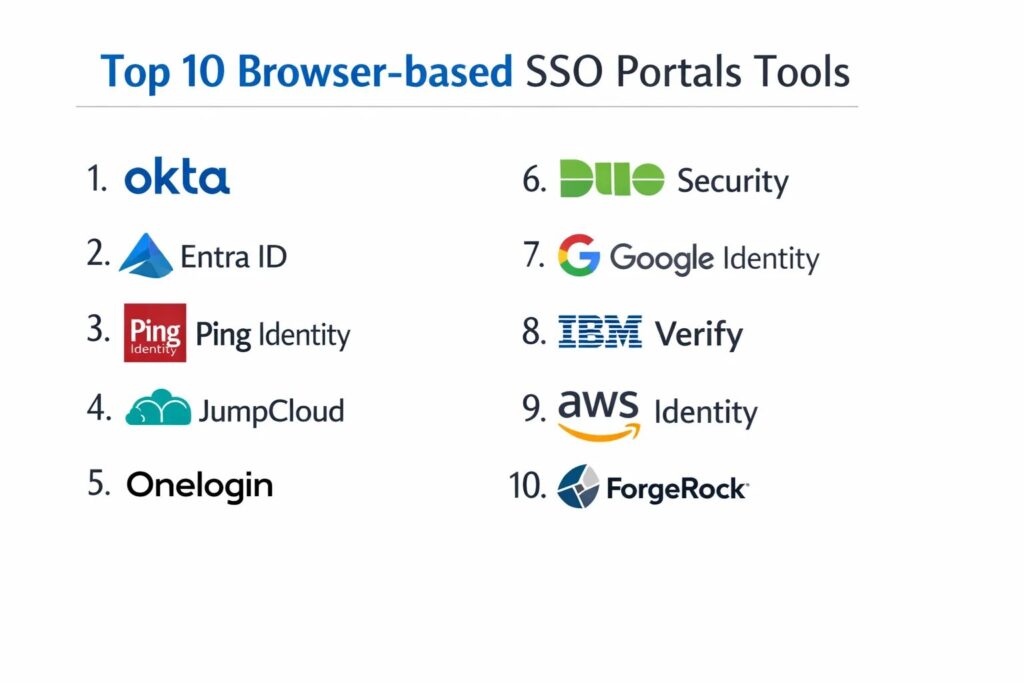
1. Okta Workforce Identity Cloud
Okta is widely recognized as the market leader in independent identity management, providing a cloud-native SSO portal that is both powerful and incredibly flexible. It is designed to act as a neutral identity layer that connects any user to any technology, regardless of the underlying cloud provider.
Key Features
The platform features an extensive integration network with over 7,000 pre-built connectors for popular applications. It includes “Okta FastPass,” a passwordless authentication experience that works across all major browsers and operating systems. The system offers a sophisticated “Policy Engine” for setting granular conditional access rules based on device context and network location. It features automated user provisioning and deprovisioning to ensure security throughout the employee lifecycle. The portal itself is highly customizable, allowing organizations to brand the experience and organize applications into logical groups for users.
Pros
The vendor-neutral approach ensures that it integrates seamlessly with almost any software stack. It is renowned for its high reliability and world-class security documentation.
Cons
The pricing can be complex and expensive as organizations add more modules and users. Some advanced features require a high level of technical expertise to configure correctly.
Platforms and Deployment
Web-based (SaaS) with native mobile apps for iOS and Android.
Security and Compliance
Industry-leading security including SOC 2 Type II, ISO 27001, FedRAMP, and HIPAA compliance.
Integrations and Ecosystem
Offers the most comprehensive integration marketplace in the identity sector, supporting SAML, OIDC, and SCIM.
Support and Community
Provides a massive “Okta Community” portal, extensive video training, and tiered professional support.
2. Microsoft Entra ID (Formerly Azure AD)
Microsoft Entra ID is the cornerstone of the Microsoft 365 ecosystem, providing a deeply integrated SSO experience for organizations heavily invested in the Windows and Azure environments. It is a powerful tool for bridging on-premise Active Directory with modern cloud applications.
Key Features
The platform features “Conditional Access” policies that use machine learning to evaluate the risk of every sign-in attempt. It includes “My Apps,” a centralized browser portal where users can access all their authorized cloud and on-premise applications. The system offers “Identity Protection” to flag and block compromised credentials automatically. It features seamless integration with Windows Hello and Microsoft Authenticator for passwordless logins. It also provides “External Identities” management, allowing for secure collaboration with partners and guests using their own credentials.
Pros
It offers exceptional value for organizations already using Microsoft 365 and Azure. The integration with the Windows operating system provides a truly native SSO experience.
Cons
The administrative interface can be overwhelming due to the sheer number of features and settings. It is primarily optimized for the Microsoft ecosystem, which may feel restrictive for some multi-cloud strategies.
Platforms and Deployment
Cloud-native (SaaS) with deep integration into Windows and mobile platforms.
Security and Compliance
Meets rigorous global standards including GDPR, SOC 1/2/3, and specialized government certifications.
Integrations and Ecosystem
Integrates natively with the entire Microsoft stack and thousands of third-party SaaS apps via the Azure Marketplace.
Support and Community
Backed by Microsoft’s massive global support network and extensive technical documentation.
3. Ping Identity (PingOne)
Ping Identity focuses on the needs of large, complex enterprises that require hybrid deployment options and highly customizable identity workflows. It is particularly strong in environments that need to manage both modern cloud apps and legacy on-premise systems.
Key Features
The platform features “PingOne DaVinci,” a visual orchestration tool that allows administrators to design complex login flows using a drag-and-drop interface. It includes a robust “Directory” service that can synchronize data across multiple disparate identity sources. The system offers advanced MFA options including hardware tokens and mobile biometrics. It features a “Universal Directory” that provides a single source of truth for all user attributes. It also provides specialized tools for managing customer identities alongside workforce identities.
Pros
Offers unparalleled flexibility for hybrid environments that are not ready to move entirely to the cloud. The orchestration tools allow for highly unique and secure user journeys.
Cons
The platform has a high degree of complexity and typically requires specialized training for administrators. It is generally positioned at a premium price point.
Platforms and Deployment
Available as a cloud service (PingOne), software-defined (self-hosted), or a hybrid of both.
Security and Compliance
Maintains top-tier certifications including SOC 2, ISO 27001, and is FIPS 140-2 compliant for encryption.
Integrations and Ecosystem
Strong support for all major enterprise standards and deep integrations with legacy infrastructure like IBM and Oracle.
Support and Community
Provides professional services, a dedicated support portal, and a wealth of technical whitepapers.
4. JumpCloud
JumpCloud is an “Open Directory” platform that combines SSO with device management, making it an ideal choice for small to mid-sized organizations that want to manage users and their laptops from a single console.
Key Features
The platform features a “Cloud Directory” that replaces traditional on-premise servers. It includes a browser-based “User Portal” where employees can access their apps and manage their own security settings. The system offers “Conditional Access” based on the state of the user’s device, ensuring that only managed, secure laptops can access sensitive data. It features integrated RADIUS and LDAP services to secure Wi-Fi and legacy servers. It also provides automated “Provisioning” for popular apps like Slack, Google Workspace, and GitHub.
Pros
It provides an excellent “all-in-one” value for organizations that need both SSO and MDM (Mobile Device Management). The interface is modern, clean, and very easy for small teams to manage.
Cons
It may lack some of the deep, specialized identity features found in enterprise-only tools like Ping or Okta. The app integration catalog is large but not as vast as the market leaders.
Platforms and Deployment
Cloud-native (SaaS) with agents for Windows, macOS, and Linux.
Security and Compliance
SOC 2 Type II compliant and provides robust audit logs for meeting regulatory requirements.
Integrations and Ecosystem
Features a wide range of SAML and OIDC integrations and a powerful API for custom connections.
Support and Community
Known for having a very responsive support team and a detailed “Knowledge Base” for self-service help.
5. OneLogin (By One Identity)
OneLogin is known for its speed of deployment and its user-friendly interface, offering a robust SSO portal that is particularly effective for fast-growing companies that need to scale their security quickly.
Key Features
The platform features “SmartFactor Authentication,” which uses machine learning to adjust MFA requirements based on the risk profile of each login. It includes a “Portal” that allows users to search for and launch apps instantly from their browser. The system offers “Vigilance AI” to detect and respond to suspicious account activity in real-time. It features a high-performance “Active Directory Connector” for rapid synchronization. It also provides specialized “Desktop SSO” that allows users to sign into the portal automatically when they log into their computer.
Pros
The platform is exceptionally fast to set up, often allowing organizations to go live with their core apps in a single day. The user portal is among the most intuitive for employees.
Cons
The product has undergone several ownership changes, which some users feel has slowed the pace of innovation. The administrative interface is functional but lacks some modern aesthetic refinements.
Platforms and Deployment
Cloud-based (SaaS).
Security and Compliance
Maintains SOC 2 and ISO 27001 certifications and offers specialized features for GDPR compliance.
Integrations and Ecosystem
Offers a large catalog of pre-integrated apps and strong support for various MFA hardware vendors.
Support and Community
Provides a dedicated support portal, community forums, and a professional services team for large deployments.
6. Duo Security (By Cisco)
Duo is world-renowned for its “MFA-first” approach to security. While it started as a second-factor tool, it has evolved into a complete browser-based SSO portal that focuses on verifying the “Trust” of both the user and the device.
Key Features
The platform features “Duo Central,” a clean, customizable SSO portal for all cloud and on-premise applications. It includes “Device Trust” analysis, which checks for up-to-date software and enabled security features before allowing access. The system offers “Passwordless” authentication using the Duo Mobile app and biometrics. It features granular “Access Policies” that can be applied to specific groups or individual applications. It also provides a “Unified Dashboard” that gives IT visibility into every device accessing the network.
Pros
The Duo Mobile app is widely considered the best in the industry for user experience. It is incredibly effective at implementing a Zero Trust strategy without frustrating users.
Cons
The SSO portal functionality is excellent but can feel like an “add-on” to their primary MFA product. It may require other Cisco products for a full network security experience.
Platforms and Deployment
Cloud-based (SaaS) with a very popular mobile app for authentication.
Security and Compliance
Adheres to rigorous security standards including SOC 2, HIPAA, and is FedRAMP authorized.
Integrations and Ecosystem
Integrates with almost any application via SAML, OIDC, or its proprietary “Duo Network Gateway” for on-premise apps.
Support and Community
Backed by Cisco’s global support infrastructure and has a very active user community.
7. Google Workspace Identity
For organizations that “live” in Google Workspace, the built-in identity services provide a seamless SSO portal that leverages Google’s world-class security infrastructure and familiar interface.
Key Features
The platform features “Google Search” integration, allowing users to find their cloud apps directly from the browser’s omnibox. It includes “Context-Aware Access” to enforce granular security rules based on IP address and device security posture. The system offers “Titan Security Key” support for the highest level of phishing protection. It features automated “User Provisioning” for hundreds of popular third-party SaaS applications. It also provides integrated “Mobile Management” to secure data on personal and corporate mobile devices.
Pros
It is often “included” with Google Workspace, providing high value for existing customers. The reliability is unparalleled, backed by Google’s global edge network.
Cons
The SSO functionality is primarily optimized for Google’s own services. Managing non-Google identities within the system can be less intuitive than in dedicated IAM platforms.
Platforms and Deployment
Cloud-native (SaaS) and deeply integrated into the Chrome browser.
Security and Compliance
Maintains a massive list of global certifications including SOC 1/2/3, ISO 27001, and HIPAA.
Integrations and Ecosystem
Strongest in the Google Cloud and SaaS world, but also supports SAML and OIDC for wider compatibility.
Support and Community
Comprehensive online help centers and community forums, with professional support included in Workspace tiers.
8. IBM Security Verify
IBM Security Verify is a modern, AI-powered identity platform designed for the complex needs of the global enterprise. It combines workforce SSO with consumer identity management in a single, scalable cloud architecture.
Key Features
The platform features “Identity Analytics” that uses AI to detect anomalies and provide a “Risk Score” for every user. It includes a “Launchpad” portal that can be customized for different user populations (employees, contractors, or customers). The system offers “Adaptive MFA” that only prompts for secondary verification when the risk score exceeds a certain threshold. It features integrated “Governance” tools for tracking who has access to what and why. It also provides specialized “Developer Tools” for embedding identity into custom applications.
Pros
The AI-driven risk analysis is among the most sophisticated on the market. It is built to handle the extreme scale required by the world’s largest financial and governmental institutions.
Cons
The administrative interface reflects its enterprise complexity and can be difficult for smaller teams to navigate. Implementation often requires a significant amount of professional services.
Platforms and Deployment
Available as a cloud service (SaaS) or as part of a hybrid cloud deployment.
Security and Compliance
Meets the world’s most stringent security standards and is regularly audited for global regulatory compliance.
Integrations and Ecosystem
Deeply integrated with the IBM security portfolio and supports all major open identity standards.
Support and Community
Backed by IBM’s global support network and specialized “Redbooks” for technical implementation.
9. AWS IAM Identity Center
AWS IAM Identity Center (formerly AWS SSO) is the primary gateway for managing access to multiple AWS accounts and business applications. It is essential for teams operating extensively within the Amazon Web Services ecosystem.
Key Features
The platform features “Multi-Account Access,” allowing users to sign into one portal and choose which AWS account they need to work in. It includes an “SSO Portal” for common business apps like Salesforce, Box, and Microsoft 365. The system offers “Attribute-Based Access Control” (ABAC) for creating dynamic permissions based on user tags. It features seamless synchronization with Microsoft Active Directory or other external identity providers. It also provides central “Audit Logging” through AWS CloudTrail for all login activity.
Pros
It is the most efficient way to manage developer access to a complex AWS multi-account environment. It is provided at no additional cost to AWS customers for managing account access.
Cons
The browser portal is functional but lacks the “employee dashboard” refinements found in Okta or OneLogin. Its primary focus is on technical AWS access rather than a general-purpose employee app store.
Platforms and Deployment
Cloud-native (SaaS) within the AWS management console.
Security and Compliance
Benefit from the overall AWS security certifications including SOC, ISO, and PCI DSS.
Integrations and Ecosystem
Excellent for AWS services and supports standard SAML 2.0 integrations for third-party SaaS.
Support and Community
Backed by AWS Support and a massive ecosystem of cloud architects and consultants.
10. ForgeRock (Now Part of Ping Identity)
ForgeRock is a high-performance identity platform known for its “Identity Relationship Management” approach, which treats every user, device, and service as part of a connected graph. It is a favorite for large-scale digital transformation projects.
Key Features
The platform features “Intelligent Access Trees,” which allow administrators to draw complex authentication journeys using a flowchart interface. It includes a “User Self-Service” portal that gives employees total control over their profile and privacy settings. The system offers “High-Scale” performance capable of handling millions of authentication requests per second. It features a “Unified Directory” that can ingest data from any source. It also provides specialized “IoT” identity features for managing connected devices.
Pros
The “Tree” based approach to login flows is incredibly powerful for creating secure, branded experiences. It is one of the most flexible platforms for developers who want to customize every aspect of the identity journey.
Cons
As it is now being merged with Ping Identity, there is some uncertainty regarding the long-term roadmap. It is a complex system that requires significant expertise to maintain.
Platforms and Deployment
Available as a cloud service, self-hosted, or hybrid.
Security and Compliance
SOC 2 compliant and designed to meet the privacy requirements of GDPR and CCPA.
Integrations and Ecosystem
Strongest in complex, custom environments and supports all major open standards for identity.
Support and Community
Offers professional certifications and a dedicated knowledge base for developers and architects.
Comparison Table
| Tool Name | Best For | Platform(s) Supported | Deployment | Standout Feature | Public Rating |
| 1. Okta | Independent / Enterprise | Web, iOS, Android | Cloud-Native | Workforce Identity Cloud | 4.7/5 |
| 2. Entra ID | Microsoft Ecosystem | Web, Windows, Mobile | Cloud SaaS | Conditional Access | 4.6/5 |
| 3. Ping Identity | Hybrid Enterprise | Web, Mobile | Hybrid | DaVinci Orchestration | 4.5/5 |
| 4. JumpCloud | SMB / Device + SSO | Web, Win, Mac, Linux | Cloud SaaS | Integrated MDM | 4.6/5 |
| 5. OneLogin | Speed of Deployment | Web-Based | Cloud SaaS | SmartFactor Auth | 4.4/5 |
| 6. Duo Security | Zero Trust / MFA Focus | Web, Mobile | Cloud SaaS | Device Trust Analysis | 4.8/5 |
| 7. Google Identity | Google Workspace Orgs | Web, Chrome, Mobile | Cloud SaaS | Context-Aware Access | 4.5/5 |
| 8. IBM Verify | AI / High-Scale | Web, Mobile | Cloud / Hybrid | AI-Driven Risk Scoring | 4.3/5 |
| 9. AWS Identity | AWS Account Management | Web-Based | Cloud SaaS | Multi-Account Access | 4.4/5 |
| 10. ForgeRock | Custom / High-Scale | Web, Mobile | Hybrid | Intelligent Access Trees | 4.2/5 |
Evaluation & Scoring of Browser-based SSO Portals
The scoring below is a comparative model intended to help shortlisting. Each criterion is scored from 1–10, then a weighted total from 0–10 is calculated using the weights listed. These are analyst estimates based on typical fit and common workflow requirements, not public ratings.
Weights:
- Core features – 25%
- Ease of use – 15%
- Integrations & ecosystem – 15%
- Security & compliance – 10%
- Performance & reliability – 10%
- Support & community – 10%
- Price / value – 15%
| Tool Name | Core (25%) | Ease (15%) | Integrations (15%) | Security (10%) | Performance (10%) | Support (10%) | Value (15%) | Weighted Total |
| 1. Okta | 10 | 8 | 10 | 9 | 10 | 9 | 7 | 9.05 |
| 2. Entra ID | 9 | 7 | 10 | 10 | 9 | 8 | 9 | 8.85 |
| 3. Ping Identity | 10 | 5 | 9 | 10 | 9 | 8 | 6 | 8.15 |
| 4. JumpCloud | 7 | 9 | 7 | 8 | 8 | 9 | 10 | 7.95 |
| 5. OneLogin | 8 | 9 | 8 | 8 | 9 | 7 | 8 | 8.15 |
| 6. Duo Security | 9 | 10 | 8 | 10 | 9 | 9 | 8 | 9.10 |
| 7. Google Identity | 8 | 9 | 7 | 9 | 10 | 7 | 9 | 8.40 |
| 8. IBM Verify | 9 | 5 | 8 | 10 | 9 | 8 | 7 | 8.05 |
| 9. AWS Identity | 7 | 7 | 7 | 9 | 10 | 8 | 9 | 7.90 |
| 10. ForgeRock | 9 | 4 | 9 | 9 | 10 | 7 | 6 | 7.75 |
How to interpret the scores:
- Use the weighted total to shortlist candidates, then validate with a pilot.
- A lower score can mean specialization, not weakness.
- Security and compliance scores reflect controllability and governance fit, because certifications are often not publicly stated.
- Actual outcomes vary with assembly size, team skills, templates, and process maturity.
Which Browser-based SSO Portal Tool Is Right for You?
Solo /Freelancer
For very small teams or solo founders, the goal is to get professional security without the professional overhead. You should look for tools that are included in your existing productivity suite (like Google Workspace or Microsoft 365) or free-tier cloud options. A simple app-launcher browser extension is often enough to keep your early-stage operations organized and secure.
SMB
Organizations with limited technical resources should prioritize a “set-and-forget” experience. A platform that combines identity management with device management can be a huge time-saver, allowing one person to handle all IT tasks. Look for vendors that offer special pricing for the social impact sector and provide an intuitive dashboard that non-technical staff can navigate.
Mid-Market
Fast-growing companies need to bridge the gap between simple app-launching and true identity governance. You should look for a platform that can grow with you, offering automated onboarding features and strong support for a multi-cloud strategy. A tool that provides “Passwordless” options can also improve employee satisfaction by reducing login friction.
Enterprise
Large organizations require a tool that can handle the extreme complexity of hybrid environments and global regulations. Your priority should be a sophisticated “Policy Engine” and the ability to orchestrate custom login flows. Security certifications and high-scale performance are non-negotiable at this level to ensure both safety and productivity.
Budget vs Premium
If budget is the primary concern, integrated options from your cloud provider are usually the best choice. However, premium, independent platforms often justify their cost through deeper integrations and more sophisticated security features like AI-driven risk analysis and advanced identity orchestration that can prevent costly data breaches.
Feature Depth vs Ease of Use
Highly flexible platforms allow you to build almost anything, but they require a team of specialists to maintain. If you have a small IT team, a platform with a cleaner interface and “out-of-the-box” settings is often more valuable than a system with infinite but complex configuration options.
Integrations & Scalability
Your SSO portal is the center of your technical ecosystem. It must be able to connect to every application you use today and anything you might adopt tomorrow. Choosing a platform with a vast integration marketplace and a strong commitment to open identity standards is vital for long-term scalability.
Security & Compliance Needs
If you operate in a regulated industry like finance or healthcare, your SSO portal is a legal necessity. Ensure that your chosen provider holds the specific certifications required for your region and industry. The ability to enforce phishing-resistant MFA and generate detailed audit logs for compliance is a top-tier requirement.
Frequently Asked Questions (FAQs)
1. What is the difference between SAML and OIDC?
SAML (Security Assertion Markup Language) is an older, XML-based standard primarily used for enterprise SSO. OIDC (OpenID Connect) is a modern, JSON-based layer on top of OAuth 2.0 that is increasingly popular for both web and mobile applications due to its simplicity.
2. Can an SSO portal protect me from all phishing attacks?
While SSO reduces the number of passwords to phish, it is not a silver bullet. Using phishing-resistant MFA, such as hardware security keys (FIDO2/WebAuthn) within your SSO portal, is the most effective way to block these types of attacks.
3. What happens if the SSO portal goes down?
Modern cloud-based SSO providers have high availability (99.99% or higher) and use global edge networks to ensure uptime. Many also offer “offline” or backup authentication methods to ensure that users can still access critical apps in the event of a service disruption.
4. Is it difficult to migrate from Active Directory to a cloud SSO portal?
Most professional platforms offer “Connectors” that synchronize your existing Active Directory data to the cloud. This allows for a gradual migration where you can keep your on-premise servers as the source of truth while benefiting from cloud-based application access.
5. How does automated provisioning work?
Automated provisioning uses the SCIM (System for Cross-domain Identity Management) protocol to send user data from your SSO portal to other applications. When you add a user to the portal, it automatically creates their account in Slack, Box, and other integrated apps.
6. Can I use an SSO portal for external partners?
Yes, most enterprise portals have “B2B” or “Guest Access” features. This allows you to grant limited access to your applications for external partners using their own existing credentials, ensuring you don’t have to manage their passwords.
7. Why do I need an SSO portal if my browser saves passwords?
Browser-saved passwords are tied to an individual’s profile and do not offer centralized management, audit logs, or conditional access policies. An SSO portal provides the enterprise-grade control and security visibility that a simple browser manager lacks.
8. What is “Passwordless” authentication in an SSO portal?
Passwordless authentication allows users to sign in using biometrics (like a fingerprint or face scan), a secure link sent to their email, or a mobile push notification. It is both more secure and more convenient than traditional password-based logins.
9. Do SSO portals support legacy on-premise applications?
Many platforms offer “Network Gateways” or specialized agents that can be installed on your local servers. These bridge the gap between modern cloud authentication and older applications that don’t natively support SAML or OIDC.
10. How much does a typical SSO portal cost?
Pricing is usually based on a “Per User, Per Month” model. Some providers offer a basic tier for free or as part of a bundle, while premium enterprise features can range from a few dollars to over ten dollars per user depending on the complexity of the requirements.
Conclusion
In the modern digital workplace, the browser-based SSO portal has become the indispensable nexus of security and user productivity. It is the fundamental bridge that allows organizations to transition to the cloud while maintaining a centralized, robust security posture. By consolidating authentication and enforcing rigorous identity standards, these portals protect against the most common cyber threats while simultaneously improving the daily work experience for employees. Choosing the right portal is a strategic investment in an organization’s long-term technical health, ensuring that access remains both effortless for users and uncompromisingly secure for the enterprise.