Introduction
Single Sign-On (SSO) portals have transitioned from a luxury for large-scale enterprises to a fundamental architectural requirement for modern digital operations. In a technical landscape defined by SaaS proliferation and distributed workforces, the browser-based SSO portal serves as the primary gateway for identity-driven security. These portals centralize authentication by allowing a user to log in once via a secure web interface and subsequently gain access to a vast ecosystem of cloud and on-premise applications without re-authenticating. By utilizing industry-standard protocols—primarily SAML 2.0, OpenID Connect (OIDC), and OAuth 2.0—these systems facilitate the secure exchange of identity assertions between a central Identity Provider (IdP) and various Service Providers (SPs).
The strategic implementation of an SSO portal addresses two critical challenges: user friction and credential sprawl. From a security perspective, centralizing authentication allows for the enforcement of uniform security policies, such as phishing-resistant multi-factor authentication (MFA) and conditional access, across all corporate assets. Administratively, it streamlines the identity lifecycle, enabling automated provisioning and instant revocation of access, which is vital for maintaining a “Zero Trust” posture. As we navigate an era where identity is the new perimeter, the SSO portal is no longer just a “dashboard of links”—it is a sophisticated policy engine that evaluates device health, geographic risk, and behavioral signals in real-time before granting entry to sensitive data.
Best for: Organizations managing diverse SaaS portfolios, remote-first teams requiring secure access, and IT departments looking to eliminate password fatigue while centralizing audit logs.
Not ideal for: Isolated environments with no external cloud connectivity or very small teams with fewer than five applications, where the administrative overhead of configuring identity federation might outweigh the initial benefits.
Key Trends in Browser-based SSO Portals
The move toward “Passwordless” authentication is the most significant trend shaping SSO portals in the current cycle. By leveraging FIDO2 and WebAuthn standards, modern portals are replacing traditional passwords with biometric identifiers and hardware security keys, effectively neutralizing the risk of credential-based phishing. This shift not only hardens the security posture but also significantly improves the user experience by removing the cognitive load of password management. Furthermore, the integration of AI-driven risk scoring allows portals to dynamically adjust authentication requirements based on anomalous behavior, such as a login attempt from an unrecognized IP address or a non-compliant device.
Another major development is the evolution of the “Identity Fabric,” where SSO portals are becoming more interoperable across different cloud ecosystems. Rather than being locked into a single vendor, organizations are adopting portals that can act as “Identity Brokers,” federating identities across multiple directories like Active Directory, Google Workspace, and HRIS systems simultaneously. Additionally, there is an increasing focus on “Just-in-Time” (JIT) provisioning and “Zero Standing Privileges,” where the SSO portal grants access only for the duration of a specific task, further reducing the attack surface by ensuring accounts do not remain active longer than necessary.
How We Selected These Tools
Our selection process for the top SSO portals focused on technical resilience, protocol support, and the maturity of the integration ecosystem. We prioritized platforms that demonstrate high availability and low latency, as the SSO portal is a single point of failure; if the portal is down, the entire workforce is locked out. We also evaluated the depth of the “App Catalog”—the pre-built connectors that allow for “one-click” integrations with popular SaaS tools—as this significantly reduces the time-to-value for IT teams.
Beyond basic connectivity, we looked for advanced security features such as “Device Posture Assessment,” which checks if a browser is updated or if disk encryption is active before allowing a login. We also considered the developer experience, specifically the quality of APIs and SDKs for integrating custom-built internal applications into the SSO flow. Finally, we assessed the reporting and compliance capabilities, ensuring each platform provides the detailed audit trails and “tamper-proof” logs required for SOC2, HIPAA, and GDPR audits.
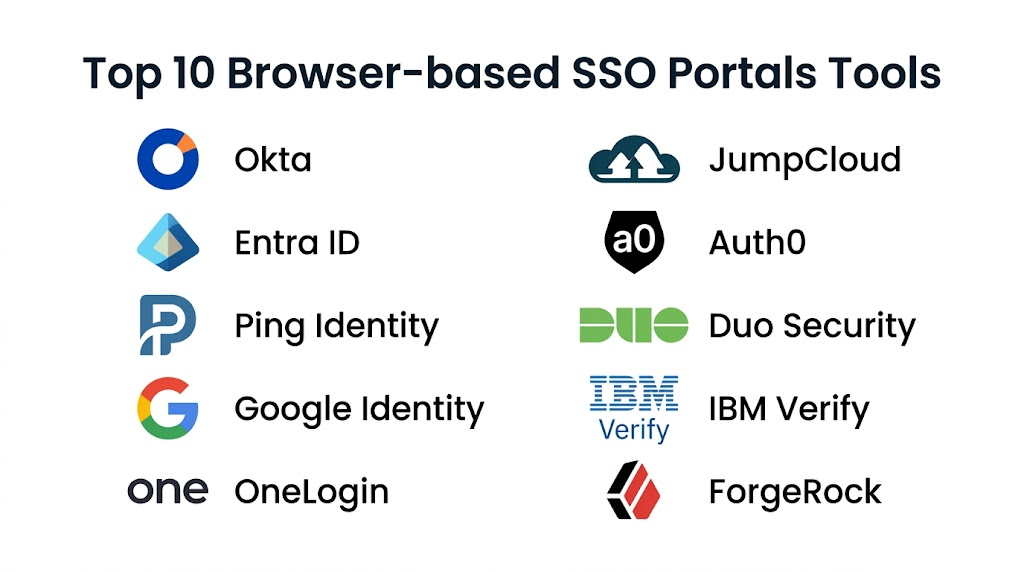
1. Okta Workforce Identity
Okta remains the gold standard for independent, cloud-native identity management. Its browser-based portal is renowned for its ease of use and a massive integration network of over 7,000 pre-built connectors. It is built to serve as a universal directory that can aggregate identities from virtually any source, providing a seamless “launchpad” experience for employees.
Key Features
The platform features a highly customizable end-user dashboard where applications can be organized by category. It includes “Adaptive MFA,” which uses machine learning to challenge users only when risk signals are high. Its “Lifecycle Management” tool automates the creation and deletion of accounts in external apps based on directory changes. The portal supports advanced branding, allowing companies to maintain a consistent look and feel for their internal tools. Additionally, it offers “Workflows,” a low-code automation engine for complex identity tasks like multi-step approvals or specialized onboarding sequences.
Pros
The most extensive application catalog in the industry ensures nearly any SaaS tool can be connected in minutes. The platform offers unmatched reliability and a very mature set of security features.
Cons
The pricing can be significantly higher than competitors, especially as advanced features are added. The platform’s sheer depth can lead to configuration complexity for smaller IT teams.
Platforms and Deployment
Cloud-based SaaS with a browser portal and native mobile apps for “Okta Verify.”
Security and Compliance
FedRAMP authorized, SOC2 Type II, and HIPAA compliant. Supports phishing-resistant FIDO2/WebAuthn factors.
Integrations and Ecosystem
Integrates with thousands of apps via the Okta Integration Network (OIN) and provides robust APIs for custom development.
Support and Community
Offers 24/7 technical support, a massive knowledge base, and an active community of identity professionals.
2. Microsoft Entra ID (formerly Azure AD)
Microsoft Entra ID is the default choice for organizations deeply embedded in the Microsoft 365 and Azure ecosystems. It provides a powerful, unified portal that handles everything from basic SSO to complex conditional access policies. Its deep integration with the Windows operating system and Office suite makes it a highly efficient “invisible” identity layer for many users.
Key Features
The portal’s standout feature is “Conditional Access,” which allows admins to create granular rules such as “allow access only from managed devices in specific regions.” It features “Privileged Identity Management” (PIM) for time-bound access to sensitive admin roles. It supports “Hybrid Identity,” allowing organizations to sync their on-premise Active Directory with the cloud seamlessly. The portal also includes “Identity Protection,” which uses Microsoft’s global threat intelligence to detect leaked credentials. It offers a “My Apps” portal that serves as a central hub for all assigned business applications.
Pros
Extremely cost-effective for organizations already paying for Microsoft 365 licenses. The security integration with the rest of the Microsoft security stack (Defender, Intune) is unparalleled.
Cons
The administrative interface can be overwhelming due to the massive number of settings. It is less intuitive for organizations that primarily use non-Microsoft stacks like Google Workspace.
Platforms and Deployment
Cloud-based, though it supports hybrid deployments with on-premise components.
Security and Compliance
Top-tier compliance including ISO 27001, HIPAA, and extensive global regulatory certifications.
Integrations and Ecosystem
Excellent support for all Microsoft products and thousands of third-party SaaS apps via the Entra gallery.
Support and Community
Backed by Microsoft’s global support infrastructure and a vast network of certified partners.
3. Ping Identity
Ping Identity is built for the “Large Enterprise” with complex, heterogeneous environments. It excels in “Identity Orchestration,” allowing companies to design intricate login journeys that span across multiple cloud providers and legacy on-premise data centers.
Key Features
The platform features “PingOne DaVinci,” a visual orchestration tool for designing user flows with a drag-and-drop interface. It provides robust support for “Zero Trust” architectures through continuous session evaluation. The portal can act as an identity broker, connecting multiple disparate directories into a single high-performance login point. It offers specialized modules for API security and risk-based fraud detection. The system is designed to handle extremely high-volume environments, making it a favorite for Fortune 100 companies and large-scale customer-facing portals.
Pros
Unrivaled flexibility for complex, multi-cloud, and hybrid environments. The visual orchestration builder makes complex logic easier to manage and audit.
Cons
The platform often requires more specialized expertise to deploy and maintain. The cost and complexity may be overkill for straightforward SaaS-only organizations.
Platforms and Deployment
Available as a cloud service (PingOne), software-defined (PingFederate), or a hybrid of both.
Security and Compliance
Meets the highest enterprise security standards, including FIPS 140-2 and SOC2 compliance.
Integrations and Ecosystem
Strong focus on standards-based integration and high-performance API security.
Support and Community
Provides dedicated enterprise support and professional services for complex migrations.
4. Google Cloud Identity
Google Cloud Identity provides a streamlined SSO portal that is natively integrated with Google Workspace. It is an excellent choice for businesses that want a simple, secure way to manage access to both Google services and a curated list of third-party SaaS applications.
Key Features
The portal offers “Context-Aware Access,” which is Google’s version of conditional access based on the “BeyondCorp” security model. It features integrated “Mobile Management,” allowing admins to enforce security policies on employee phones directly from the identity console. The user experience is unified with the standard Google login screen, which most users already know how to use. It supports “Security Keys” (Titan keys) for high-assurance environments. The platform also provides basic automated provisioning for common apps like Slack, Salesforce, and Zendesk.
Pros
Extremely easy to set up for existing Google Workspace users. The “BeyondCorp” approach provides robust security without the need for traditional VPNs.
Cons
The third-party app catalog is significantly smaller than Okta’s or Microsoft’s. It lacks the deep “Identity Governance” features required by highly regulated industries.
Platforms and Deployment
Cloud-only service managed through the Google Admin Console.
Security and Compliance
Leverages Google’s world-class security infrastructure; compliant with GDPR, SOC2, and ISO 27017.
Integrations and Ecosystem
Deeply integrated with the Google Cloud Platform (GCP) and a selection of the most popular business SaaS apps.
Support and Community
Standard Google Cloud support tiers and an extensive library of technical documentation.
5. OneLogin
OneLogin positions itself as a fast, agile alternative to the larger identity giants. It focuses on providing a high-performance portal that is easy to deploy, making it a favorite for mid-market companies that need enterprise-grade security without the administrative burden.
Key Features
The platform features “SmartFactor Authentication,” which uses contextual data to dynamically adjust MFA requirements. It includes a “Vigilance AI” engine that monitors for suspicious login patterns across the entire user base. The portal offers “One-Click Access” for both web and desktop applications. It provides a robust “Sandbox” environment, allowing IT teams to test configuration changes before pushing them to production. The platform also features a high-speed “Active Directory Connector” that enables real-time synchronization without the lag seen in some other tools.
Pros
Very fast time-to-implementation compared to more complex enterprise suites. The user interface for both admins and end-users is clean and modern.
Cons
The integration catalog, while large, may lack some of the more obscure “legacy” connectors found in Ping or Okta. Support for extremely complex, multi-forest AD environments is less robust.
Platforms and Deployment
Cloud-based SaaS with high availability across multiple geographic regions.
Security and Compliance
SOC2 Type II compliant and provides strong encryption for all stored identity data.
Integrations and Ecosystem
Strong support for major SaaS platforms and a well-documented API for custom integrations.
Support and Community
Known for responsive customer support and a straightforward onboarding process.
6. JumpCloud
JumpCloud is unique because it combines an SSO portal with a full “Cloud Directory” and “Device Management” (MDM). This makes it an ideal “all-in-one” platform for small to medium businesses that want to manage their users’ identities and their laptops from a single console.
Key Features
The portal serves as an “Open Directory,” allowing it to manage Windows, macOS, and Linux devices alongside SaaS applications. It includes “Cloud RADIUS” and “Cloud LDAP” services, enabling SSO for Wi-Fi and legacy servers. The system provides “Environment-wide MFA,” allowing you to require a second factor for everything from the laptop login to the SSH session. It features a “User Portal” where employees can manage their own passwords and see their assigned apps. The platform also includes a “Commands” feature for pushing scripts to remote machines directly from the portal.
Pros
The “Identity + Device” combination is extremely powerful for remote-first startups. It eliminates the need for a separate on-premise Active Directory server.
Cons
While it covers many areas, it may not have the extreme depth in “Identity Governance” found in specialized enterprise tools. The SSO catalog is growing but still smaller than the market leaders.
Platforms and Deployment
Cloud-native platform with lightweight agents for cross-OS device management.
Security and Compliance
SOC2 compliant and supports “Conditional Access” policies based on device trust.
Integrations and Ecosystem
Strong focus on modern web standards (SAML, OIDC) and deep integration with HRIS platforms.
Support and Community
Very active community and a wealth of “how-to” guides tailored for IT generalists.
7. Auth0 (by Okta)
Auth0 is the “Developer-First” identity platform. While it is now part of Okta, it remains a separate product focused on providing highly customizable login experiences for companies building their own applications for customers or employees.
Key Features
The platform is famous for its “Actions” (formerly Rules/Hooks), which allow developers to write custom JavaScript that executes during the login flow. It provides a “Universal Login” page that is highly brandable and handles all the complexities of secure authentication out of the box. It supports “Social Login” (Google, GitHub, Apple) and “Enterprise Federation” (SAML, LDAP) with just a few clicks. The portal includes “Anomaly Detection” to prevent brute-force and credential-stuffing attacks. It also offers “User Management” dashboards that allow non-technical staff to manage user accounts and permissions.
Pros
The most flexible platform for developers; if you can code it, Auth0 can do it. Excellent documentation and a “low-friction” setup process for new projects.
Cons
The pricing can scale rapidly based on “Monthly Active Users” (MAU), making it potentially expensive for high-traffic public apps. It requires developer resources to fully utilize its potential.
Platforms and Deployment
Available as a public cloud service, private cloud, or managed on-premise.
Security and Compliance
Highly secure with support for “Breached Password Detection” and extensive compliance certifications.
Integrations and Ecosystem
Unmatched flexibility for custom app integration through its SDKs for nearly every programming language.
Support and Community
One of the best developer communities in the tech world with extensive forums and tutorials.
8. Duo Security (Cisco Duo)
Duo, owned by Cisco, started as an MFA specialist but has evolved into a robust “Zero Trust” SSO portal. It is widely praised for its “User-Centric” design, making security feel easy rather than burdensome for the average employee.
Key Features
The portal provides “Duo Central,” a single launchpad for all protected applications. Its “Device Health” check is its strongest feature, allowing it to block devices with outdated browsers or disabled firewalls during the SSO process. It features “Duo Passwordless,” allowing users to log in using the Duo Mobile app’s biometrics. The platform offers “Trusted Endpoints,” which uses certificates to ensure only corporate-issued devices can access sensitive apps. It also provides a “Network Gateway” that allows for SSO access to on-premise web apps without a VPN.
Pros
The most user-friendly MFA and SSO experience on the market. The visibility into device health is exceptionally detailed and easy to act upon.
Cons
The SSO application catalog is not as large as Okta’s. It is often used as a “security layer” on top of another directory rather than as a standalone primary directory.
Platforms and Deployment
Cloud-delivered service with an easy-to-manage administrative dashboard.
Security and Compliance
FedRAMP authorized and SOC2 compliant. Strong focus on “Zero Trust” principles.
Integrations and Ecosystem
Integrates deeply with Cisco networking gear and most major enterprise SaaS and VPN solutions.
Support and Community
Excellent customer support and very high satisfaction ratings from IT administrators.
9. IBM Security Verify
IBM Security Verify is an enterprise-grade “Identity-as-a-Service” (IDaaS) platform that leverages AI to provide deep insights into user behavior and potential threats. It is designed for large-scale organizations that require a sophisticated, risk-aware SSO portal.
Key Features
The platform features “AI-Driven Risk Scoring,” which analyzes hundreds of variables to detect unusual login patterns. It provides a unified “Launchpad” for both cloud and legacy applications. It includes “Identity Governance” modules for automated access reviews and certifications. The portal supports “Adaptive Access” policies that can step up authentication based on the sensitivity of the application. It also features “Privacy and Consent Management,” which is critical for meeting global data protection regulations like GDPR.
Pros
The AI integration provides a level of threat detection that is hard to match. It is an excellent choice for highly regulated industries like finance and healthcare.
Cons
The interface can feel more “corporate” and less agile than modern cloud-first competitors. Setup and integration can be more time-consuming for non-IBM environments.
Platforms and Deployment
Cloud-native delivery with options for hybrid integration.
Security and Compliance
Meets the most stringent global security and privacy standards.
Integrations and Ecosystem
Strongest integration is with other IBM security products and large-scale enterprise ERP systems.
Support and Community
Backed by IBM’s extensive global support and security research teams.
10. ForgeRock (by Ping Identity)
ForgeRock is a high-performance identity platform designed for the most demanding “Customer Identity” (CIAM) and workforce use cases. It is known for its “Identity Trees,” which allow for visual design of extremely complex authentication and authorization flows.
Key Features
The platform’s standout is its “Intelligent Access” engine, which uses a graphical interface to build decision trees for any authentication scenario. It features “Identity Orchestration” that can pull data from multiple silos in real-time. The portal provides a highly scalable “User Store” capable of handling hundreds of millions of identities. It supports “Fine-grained Authorization,” allowing you to control not just who logs in, but what specific actions they can take inside an app. It also offers “Autonomous Identity,” an AI tool that predicts which access rights are excessive or risky.
Pros
The absolute best choice for “limitless” scale and customization. The visual tree-based logic is more powerful than almost any other policy engine.
Cons
Requires a high level of technical expertise to implement and manage effectively. Now part of the same company as Ping, there may be some future product consolidation.
Platforms and Deployment
Can be deployed in any cloud, on-premise, or as a fully managed SaaS (ForgeRock Identity Cloud).
Security and Compliance
Highly certified for enterprise and government use cases.
Integrations and Ecosystem
Excellent for modern API-driven architectures and complex legacy integrations.
Support and Community
Provides high-touch enterprise support and a professional training academy for developers.
Comparison Table
| Tool Name | Best For | Platform(s) Supported | Deployment | Standout Feature | Public Rating |
| 1. Okta | Broad SaaS Ecosystem | Web, iOS, Android | Cloud | 7,000+ App Connectors | 4.7/5 |
| 2. Entra ID | Microsoft Shops | Web, Hybrid | Cloud | Conditional Access | 4.6/5 |
| 3. Ping Identity | Hybrid Enterprises | Web, API, Hybrid | Any | Visual Orchestration | 4.5/5 |
| 4. Google Identity | Workspace Users | Web, Mobile | Cloud | BeyondCorp Security | 4.4/5 |
| 5. OneLogin | Mid-Market Agility | Web, API | Cloud | Vigilance AI | 4.3/5 |
| 6. JumpCloud | SMB / Remote-first | Web, Agent-based | Cloud | Identity + Device MDM | 4.6/5 |
| 7. Auth0 | Custom App Devs | Web, API, Mobile | Any | JavaScript “Actions” | 4.5/5 |
| 8. Duo Security | Ease of Use | Web, Mobile App | Cloud | Device Health Checks | 4.8/5 |
| 9. IBM Verify | AI-driven Security | Web, Hybrid | Cloud | Behavioral Risk Scoring | 4.2/5 |
| 10. ForgeRock | Extreme Scale | Web, API, Cloud | Any | Intelligent Access Trees | 4.4/5 |
Evaluation & Scoring of Browser-based SSO Portals
The scoring below is a comparative model intended to help shortlisting. Each criterion is scored from 1–10, then a weighted total from 0–10 is calculated using the weights listed. These are analyst estimates based on typical fit and common workflow requirements, not public ratings.
Weights:
- Core features – 25%
- Ease of use – 15%
- Integrations & ecosystem – 15%
- Security & compliance – 10%
- Performance & reliability – 10%
- Support & community – 10%
- Price / value – 15%
| Tool Name | Core (25%) | Ease (15%) | Integrations (15%) | Security (10%) | Performance (10%) | Support (10%) | Value (15%) | Weighted Total |
| 1. Okta | 10 | 9 | 10 | 9 | 9 | 10 | 7 | 9.05 |
| 2. Entra ID | 9 | 8 | 9 | 10 | 10 | 9 | 10 | 9.15 |
| 3. Ping Identity | 10 | 6 | 9 | 10 | 10 | 8 | 7 | 8.55 |
| 4. Google Identity | 7 | 10 | 6 | 9 | 10 | 8 | 9 | 8.25 |
| 5. OneLogin | 8 | 9 | 8 | 8 | 9 | 8 | 9 | 8.40 |
| 6. JumpCloud | 9 | 9 | 7 | 8 | 8 | 9 | 10 | 8.65 |
| 7. Auth0 | 8 | 7 | 10 | 9 | 9 | 8 | 8 | 8.35 |
| 8. Duo Security | 8 | 10 | 8 | 9 | 9 | 9 | 8 | 8.70 |
| 9. IBM Verify | 9 | 6 | 7 | 10 | 9 | 9 | 7 | 8.10 |
| 10. ForgeRock | 10 | 5 | 8 | 10 | 10 | 8 | 6 | 8.25 |
How to interpret the scores:
- Use the weighted total to shortlist candidates, then validate with a pilot.
- A lower score can mean specialization, not weakness.
- Security and compliance scores reflect controllability and governance fit, because certifications are often not publicly stated.
- Actual outcomes vary with assembly size, team skills, templates, and process maturity.
Which Browser-based SSO Portal Is Right for You?
Solo / Freelancer
For individuals or very small teams, the “Free” tiers of Google Cloud Identity or JumpCloud (which is free for the first 10 users) provide more than enough power to secure a handful of business apps without any initial investment.
SMB
Small to medium businesses should look closely at JumpCloud or OneLogin. JumpCloud is particularly valuable if you also need to manage employee laptops, while OneLogin offers a very fast and painless setup for standard SaaS needs.
Mid-Market
Organizations in the mid-market range often find the best balance of features and cost with Okta or Duo. Duo is excellent if your primary concern is user-friendly MFA and device security, whereas Okta is better if you have a massive variety of apps to manage.
Enterprise
Large enterprises with complex regulatory requirements and legacy systems should consider Microsoft Entra ID (if on 365), Ping Identity, or IBM Security Verify. These platforms offer the depth in “Identity Governance” and “Hybrid Support” that larger organizations demand.
Budget vs Premium
If your primary goal is to add secure login to an application you are building, Auth0 is the undisputed leader. Its SDKs and customizable flows save months of development time compared to building an authentication system from scratch.
Feature Depth vs Ease of Use
Organizations moving toward a strict “Zero Trust” model will benefit most from Duo Security or Microsoft Entra ID. Both platforms place a heavy emphasis on “Device Health” and “Conditional Access,” ensuring that the identity is only one part of the security equation.
Budget-Conscious
Microsoft Entra ID is often the “budget” winner because it is included in many M365 bundles. Similarly, if your organization is standardized on Google, the included Cloud Identity features can save you from paying for a separate SSO vendor.
Scale & Customization
When you have millions of users or need to design truly unique login journeys, ForgeRock is the powerhouse. Its tree-based logic and massive scalability make it the tool of choice for the world’s largest consumer-facing portals.
Frequently Asked Questions (FAQs)
1. What is the difference between SSO and a Password Manager?
A password manager stores and fills in your existing passwords for you. SSO replaces those passwords entirely by using secure tokens (SAML/OIDC) to prove your identity to an app, which is much more secure than sharing a password.
2. Is a browser-based SSO portal a single point of failure?
Yes. If your SSO provider goes down, users cannot log in to their apps. This is why the top providers (Okta, Microsoft, Google) have extreme redundancy and 99.99%+ uptime guarantees. Many also offer “offline” backup modes.
3. Does SSO work with old “legacy” apps that don’t support SAML?
Most modern SSO portals offer “Secure Web Authentication” (SWA) or “Password Vaulting,” where the portal securely stores and injects the credentials into old apps that only support a traditional username and password login.
4. Is MFA mandatory with an SSO portal?
Technically no, but practically yes. Since the SSO portal is the “master key” to all your apps, it must be protected with strong, multi-factor authentication. Most portals won’t even let you set them up without an MFA policy.
5. How long does it take to implement an SSO portal?
A basic setup for a small team with 5–10 apps can take just a few hours. A full enterprise rollout with thousands of users, custom apps, and complex security policies can take several months of planning and testing.
6. What are SAML and OIDC?
SAML (Security Assertion Markup Language) is an older, XML-based standard popular for business apps. OIDC (OpenID Connect) is a newer, JSON-based standard that is more developer-friendly and commonly used for modern web and mobile apps.
7. Can I use my phone’s biometrics to log in to my SSO portal?
Yes, most modern portals support “WebAuthn,” which allows you to use your phone’s FaceID or Fingerprint (via a mobile app like Okta Verify or Duo) to log in to your computer’s browser without typing a password.
8. Will SSO slow down my application’s performance?
The initial login might take an extra second as it redirects to the portal, but once authenticated, there is no performance hit. In fact, it often feels faster because you aren’t spending time finding and typing passwords.
9. Can I customize the look of the SSO portal?
Most enterprise-grade portals allow for full “White-Labeling,” where you can add your company logo, custom colors, and even use your own custom URL (e.g., https://www.google.com/search?q=login.yourcompany.com).
10. What happens if a user’s account is compromised in the SSO portal?
Because the portal is centralized, an admin can “kill” all active sessions and disable the account in one click. This instantly locks the attacker out of every app connected to the SSO, which is much faster than changing passwords in 20 different apps.
Conclusion
The implementation of a browser-based SSO portal is a transformative step for any organization’s security posture and operational efficiency. As we manage an increasingly complex digital identity landscape, the ability to centralize access control while providing a frictionless experience for users has become a competitive advantage. Selecting the right platform requires a deep understanding of your current infrastructure—whether you are cloud-native, hybrid, or building custom applications. The tools highlighted here represent the pinnacle of identity management, offering everything from simple “plug-and-play” dashboards to sophisticated AI-driven orchestration engines. By moving away from decentralized passwords and toward a unified, identity-centric approach, you are not just simplifying logins; you are building a resilient foundation for a Zero Trust future. The right SSO portal is the one that invisible to your users but provides absolute clarity and control to your security team.