Introduction
A brand asset portal is a specialized digital ecosystem designed to centralize, manage, and distribute the visual and strategic elements that define a corporate identity. Unlike standard cloud storage, these portals act as a single source of truth, ensuring that every internal stakeholder, external agency, and partner has immediate access to the most current, approved versions of logos, fonts, templates, and guidelines. In a high-velocity market, the ability to maintain brand integrity across global channels is not just a creative preference but a critical operational requirement. These platforms eliminate the friction of manual asset requests and the risks associated with the use of outdated or unauthorized materials, which can lead to legal complications or brand dilution.
The necessity of a robust portal stems from the increasing complexity of omnichannel marketing and the rise of decentralized workforces. Organizations now require tools that do more than just store files; they need systems that enforce governance through granular permissions and automated workflows. By integrating these portals into the broader technology stack, companies can synchronize their creative output with real-time marketing campaigns, ensuring a seamless customer experience. For enterprise leaders, the value of a brand asset portal lies in its ability to scale brand consistency without increasing the administrative burden on creative teams. Evaluating these tools requires a focus on metadata sophistication, the intuitiveness of the user interface, and the strength of the underlying security protocols that protect proprietary intellectual property.
Best for: Global marketing departments, large-scale creative agencies, franchise networks, and enterprise-level organizations requiring strict adherence to brand guidelines across diverse geographical regions.
Not ideal for: Small teams with limited digital assets, one-off project collaborations, or individuals who only require basic file-sharing capabilities without the need for brand governance or version control.
Key Trends in Brand Asset Portals
The integration of artificial intelligence is fundamentally changing how assets are discovered and managed, with automated tagging and smart search becoming standard features. This reduces the time spent on manual data entry and allows users to find specific visuals based on color, composition, or even the emotional sentiment conveyed. Another major shift is toward “living” brand guidelines, where documentation is no longer a static PDF but a dynamic, interactive web experience that updates in real-time as assets are modified. This ensures that every user is always looking at the most relevant instructions for asset application.
Real-time collaboration and in-platform editing are also gaining momentum, allowing non-designers to customize pre-approved templates for localized marketing without breaking brand rules. This democratization of content creation is supported by headless architecture, which enables the seamless delivery of assets directly into websites, social media platforms, and mobile applications through automated application programming interfaces. Furthermore, there is a heightened focus on sustainability and digital ethics, with platforms offering tools to track the carbon footprint of digital storage and ensuring that all assets comply with global accessibility and privacy regulations.
How We Selected These Tools
The selection process for these top brand asset portals involved a rigorous assessment of technical reliability, scalability, and market adoption. We prioritized platforms that demonstrate a commitment to enterprise-grade security and have a proven history of supporting large, complex organizations. A key criterion was the depth of the integration ecosystem, as a portal’s effectiveness is often measured by how well it connects with existing creative suites, project management tools, and customer relationship management systems. We also evaluated the sophistication of the metadata and taxonomy structures, which are essential for managing massive libraries of content.
User experience played a decisive role in our rankings, as a portal’s value is directly tied to its adoption rate across an organization. We looked for intuitive interfaces that cater to both technical and non-technical users, ensuring that assets are easily accessible without extensive training. Performance metrics, such as upload/download speeds and global content delivery network reliability, were also scrutinized. Finally, we considered the developer’s roadmap and their investment in emerging technologies like AI and machine learning to ensure that these tools remain relevant in an evolving digital landscape.
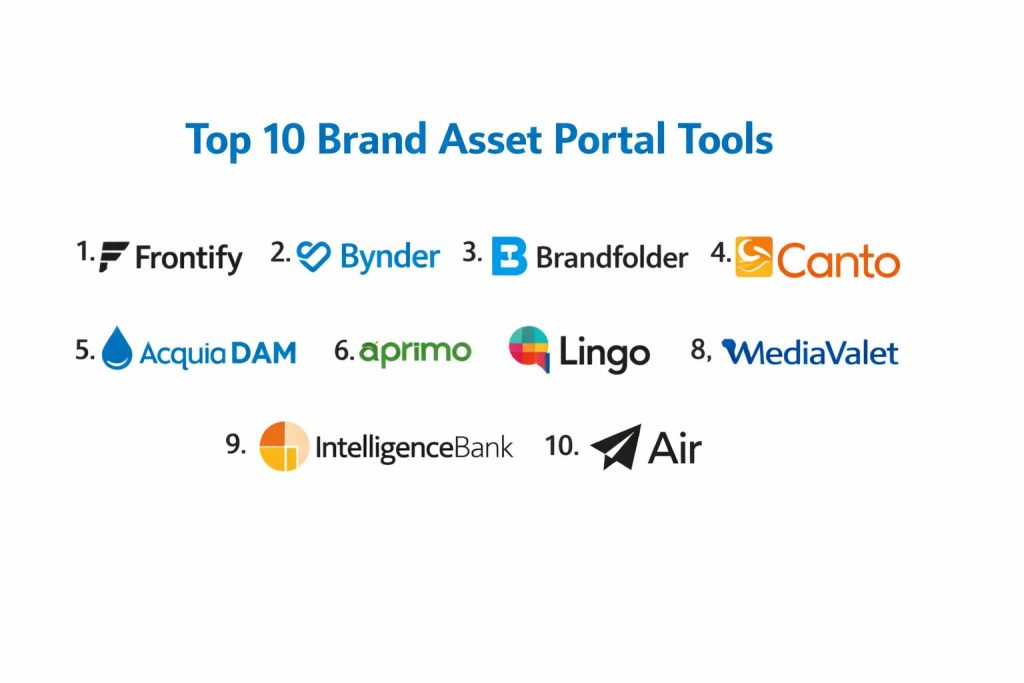
1. Frontify
Frontify is a comprehensive brand management platform that bridges the gap between digital asset management and interactive brand guidelines. It is designed to be a holistic “home for your brand,” providing a space where creative teams can collaborate on assets while simultaneously documenting the rules for their use.
Key Features
The platform features dynamic brand guidelines that stay synchronized with the asset library, ensuring that rules and files are always aligned. It includes a robust digital asset management system with AI-powered tagging and version control. Users can take advantage of a template system that allows non-designers to create on-brand content based on pre-defined layouts. The software also offers a dedicated workspace for creative collaboration and feedback, alongside a desktop app for quick access to assets within design tools.
Pros
The integration of live guidelines and asset storage creates a very cohesive experience for brand managers. Its user interface is exceptionally clean and modern, facilitating high adoption rates across organizations.
Cons
The extensive feature set can lead to a higher price point compared to standalone storage solutions. Some users may find the initial setup of complex brand manuals to be time-consuming.
Platforms and Deployment
Web-based SaaS with dedicated desktop applications for Windows and macOS.
Security and Compliance
It offers enterprise-grade security including single sign-on, SOC 2 Type II compliance, and GDPR-adherent data handling.
Integrations and Ecosystem
Deep connections with Adobe Creative Cloud, Sketch, Figma, and major project management tools like Slack and Trello.
Support and Community
Provides extensive documentation, a dedicated success manager for enterprise clients, and a global community of brand professionals.
2. Bynder
Bynder is a market leader in the digital asset management space, specifically optimized for high-volume content production and global brand governance. It focuses on streamlining the entire content lifecycle, from initial creation and approval to distribution and analysis.
Key Features
Its central feature is a highly scalable asset library with advanced filtering and metadata capabilities. The platform includes a creative workflow module that manages the review and approval process through automated paths. It offers a brand store functionality that allows internal and external users to “order” or download approved assets easily. The system also features sophisticated video brand studio tools for scaling video content production and an analytics dashboard to track how assets are being utilized globally.
Pros
Bynder is highly effective for global organizations that need to manage assets across multiple languages and regions. Its automated workflow tools significantly reduce the time spent on manual approvals.
Cons
The platform’s complexity may be overwhelming for smaller teams that do not require such extensive governance. Pricing is generally at the premium end of the market.
Platforms and Deployment
Cloud-native SaaS accessible via any modern web browser.
Security and Compliance
Holds multiple ISO certifications and provides robust data encryption both at rest and in transit.
Integrations and Ecosystem
Offers a vast integration marketplace including CMS, PIM, and social media management platforms.
Support and Community
Offers 24/7 technical support, a comprehensive knowledge base, and regular webinars for user education.
3. Brandfolder
Brandfolder is a digital asset management solution prized for its speed, simplicity, and powerful AI features. It is designed to handle a wide variety of file types, including 8K video, 3D models, and complex document formats, making it a favorite for modern creative teams.
Key Features
The software utilizes a proprietary AI engine called Brand Intelligence to automate tagging and suggest relevant assets to users. It features a unique “Collection” system that allows for the organization of assets by project or campaign without duplicating files. The platform includes built-in video editing and conversion tools, allowing users to trim and reformat assets on the fly. It also offers a guest upload feature for secure asset collection from external contributors and detailed usage analytics for every file.
Pros
The interface is widely regarded as one of the most intuitive in the industry, requiring very little user training. Its search functionality is exceptionally fast, even with massive datasets.
Cons
While powerful, the customization of the interface branding is somewhat more limited than bespoke portal builders. Advanced reporting features often require higher-tier subscriptions.
Platforms and Deployment
Web-based SaaS with mobile optimization for asset browsing on the go.
Security and Compliance
Features SOC 2 compliance, advanced permissioning, and secure sharing links with expiration dates.
Integrations and Ecosystem
Seamlessly integrates with the Smartsheet ecosystem, as well as Google Workspace, Microsoft 365, and Adobe tools.
Support and Community
Provides dedicated account management and a robust online help center with video tutorials.
4. Canto
Canto is a widely used digital asset management platform that strikes a balance between professional-grade features and ease of use. It is particularly popular among mid-market companies and non-profits that need a centralized, secure location for their visual storytelling assets.
Key Features
The platform offers a visual-first interface that emphasizes thumbnails and previews for quick identification of files. It includes a “Portal” feature that allows users to create unlimited, customized sub-sites for different stakeholders. AI-driven smart tags and facial recognition help in organizing large photography libraries. The software also features a “Workroom” for internal collaboration and a Chrome extension that allows users to drag assets directly into web-based applications.
Pros
The ability to create unlimited, branded portals at no extra cost provides great value for companies managing multiple brands or clients. The onboarding process is generally faster than larger enterprise systems.
Cons
The workflow automation features are not as deep as those found in specialized project management-focused tools. Large video files can sometimes experience slower processing times.
Platforms and Deployment
Web-based SaaS with an iOS application for mobile asset management.
Security and Compliance
Includes Amazon Web Services (AWS) backed security, single sign-on integration, and watermarking for sensitive assets.
Integrations and Ecosystem
Connects with a wide range of marketing tools, including Mailchimp, WordPress, and various social media platforms.
Support and Community
Strong customer support ratings with an active user forum and regular feature updates based on community feedback.
5. Acquia DAM (Widen)
Acquia DAM, formerly known as Widen, is an enterprise-scale content management solution that excels in connecting digital assets with product information. It is a preferred choice for manufacturing and retail organizations that need to manage a vast array of product-related media.
Key Features
The system combines digital asset management with product information management (PIM), allowing users to link technical specs directly to visual assets. It features a powerful workflow engine for managing complex creative projects across multiple departments. The platform includes a dynamic media transformation tool that automatically resizes and reformats images for different web applications. It also provides advanced governance tools for managing digital rights and expiration dates for licensed content.
Pros
The unification of DAM and PIM is a major advantage for companies with complex product catalogs. The platform is highly customizable to fit very specific industrial workflows.
Cons
The sheer scale of the system can lead to a steeper learning curve for new administrators. Implementation typically requires more professional services involvement than simpler tools.
Platforms and Deployment
Cloud-based SaaS designed for high-availability enterprise environments.
Security and Compliance
Meets rigorous enterprise security standards, including SOC 2 and detailed audit logging for compliance tracking.
Integrations and Ecosystem
Part of the broader Acquia Open Digital Experience Platform, offering deep integration with Drupal and other enterprise CMS solutions.
Support and Community
Extensive enterprise support, including training workshops and a dedicated customer success program.
6. Aprimo
Aprimo is a comprehensive marketing operations platform that includes a high-end digital asset management system. It is designed for large enterprises that want to manage not just their assets, but also their marketing budgets, plans, and performance in one place.
Key Features
The platform utilizes AI to manage content at a modular level, allowing for the rapid assembly of personalized marketing materials. It includes sophisticated financial management tools for tracking the cost of content production. The DAM component features advanced metadata management and a global content delivery network for fast distribution. It also offers a dedicated “Brand Hub” for centralizing guidelines and approved assets, alongside tools for managing complex, multi-stage approval processes.
Pros
It provides a truly holistic view of marketing operations, making it easier to calculate the return on investment for creative assets. The AI capabilities for modular content are industry-leading.
Cons
It is one of the more complex systems on the market and may be “over-engineered” for companies only looking for an asset portal. The cost reflects its position as a full marketing suite.
Platforms and Deployment
Enterprise cloud SaaS with multi-region deployment options.
Security and Compliance
Offers the highest levels of data security and is compliant with a wide range of international standards, including HIPAA and GDPR.
Integrations and Ecosystem
Deeply integrated with Salesforce, Microsoft Dynamics, and other major enterprise resource planning systems.
Support and Community
Provides 24/7 global support and a robust network of implementation partners.
7. Lingo
Lingo is a design-centric asset management tool that focuses on creating a “visual language” for brands. It is built to bridge the gap between design systems and traditional asset libraries, making it a favorite for UX/UI and product design teams.
Key Features
The software allows users to build an interactive canvas where assets are displayed alongside their usage context and guidelines. It features a desktop app that allows designers to drag and drop assets directly into tools like Sketch or Figma. The system supports a wide range of file types, including code snippets and design components. It includes a version history feature that tracks every change made to a brand kit and a simplified sharing system for both public and private access.
Pros
The visual organization of the platform is superior for maintaining design systems. It is much more lightweight and faster to deploy than traditional enterprise DAMs.
Cons
It lacks the advanced workflow and financial management features found in larger marketing operations suites. It is less suited for managing massive video libraries or complex product data.
Platforms and Deployment
Web-based SaaS with a dedicated macOS application.
Security and Compliance
Provides secure link sharing and basic role-based access control suitable for design firms and startups.
Integrations and Ecosystem
Strongest integration is with the design ecosystem, including Figma, Sketch, and Adobe XD.
Support and Community
Direct customer support and an active community of design professionals and brand consultants.
8. MediaValet
MediaValet is a cloud-native digital asset management platform built entirely on the Microsoft Azure infrastructure. It is known for its ability to handle massive file sizes and its deep integration with the Microsoft enterprise ecosystem.
Key Features
The platform leverages AI for automated object recognition, color detection, and text extraction from images and videos. It features a unique “Creative Spaces” tool that allows teams to work on local files while automatically syncing changes to the cloud. The software includes a centralized library with advanced search and discovery tools. It also offers a robust system for managing user permissions and a mobile-friendly portal for asset access from any device.
Pros
Its foundation on Microsoft Azure ensures exceptional reliability and global performance for large file transfers. The system is highly scalable, supporting unlimited users and storage categories.
Cons
The interface, while functional, may feel less “design-forward” than some of its modern competitors. Some advanced AI features require additional configuration.
Platforms and Deployment
Microsoft Azure-based SaaS with support for hybrid cloud environments.
Security and Compliance
Benefits from Azure’s industry-leading security, including SOC 2, HIPAA compliance, and data encryption.
Integrations and Ecosystem
Offers the deepest integration with Microsoft 365, SharePoint, and Azure AD, alongside Adobe and Salesforce.
Support and Community
Provides unlimited training and support for all users, backed by a global network of technical specialists.
9. IntelligenceBank
IntelligenceBank is a brand and marketing operations platform that specializes in compliance and risk management. It is designed for companies in highly regulated industries, such as finance and healthcare, where brand accuracy is a legal requirement.
Key Features
The software includes a “BrandHub” that combines asset management with automated compliance checks and legal approval workflows. It features a creative template tool with built-in “brand guardrails” to prevent unauthorized modifications. The platform offers a dedicated module for managing digital rights and usage licenses. It also includes an automated “audit trail” that tracks every interaction with a brand asset for regulatory reporting purposes.
Pros
It is the best choice for organizations that face significant legal consequences for off-brand or non-compliant marketing. The compliance-first approach to workflows is unique in the market.
Cons
The focus on compliance can sometimes make the interface feel more rigid than more creatively focused platforms. The setup process for legal workflows can be complex.
Platforms and Deployment
Web-based SaaS with local data residency options for various regions.
Security and Compliance
Highly secure platform with features specifically designed for the strict requirements of financial and medical sectors.
Integrations and Ecosystem
Integrates with major marketing and sales platforms, as well as specialized compliance and legal tools.
Support and Community
Expert-led support with a focus on marketing operations and regulatory compliance.
10. Air
Air is a modern, flexible asset management tool designed for the “creator economy” and fast-growing startups. It positions itself as a smarter alternative to generic cloud storage, focusing on visual organization and rapid team collaboration.
Key Features
The platform uses a board-based visual organization system that feels more like a creative workspace than a file directory. It features automated AI tagging and a powerful search engine that recognizes content within images. The software includes built-in commenting and version control for creative feedback. It offers a “Public Boards” feature that allows users to share collections of assets instantly via a link. The interface is optimized for high-speed browsing of large image and video libraries.
Pros
The setup is nearly instantaneous, making it ideal for teams that need to organize their assets quickly. It offers a very generous free tier for small teams and early-stage projects.
Cons
It lacks the deep enterprise governance and complex metadata structures required by massive global organizations. It does not include native brand guideline documentation tools.
Platforms and Deployment
Web-based SaaS with a mobile application for iOS and Android.
Security and Compliance
Provides standard secure cloud storage with role-based permissions and encrypted data transfer.
Integrations and Ecosystem
Integrates well with popular creator tools like Slack, Dropbox, and various social media platforms.
Support and Community
Direct support and a growing community of creative entrepreneurs and small business owners.
Comparison Table
| Tool Name | Best For | Platform(s) Supported | Deployment | Standout Feature | Public Rating |
| 1. Frontify | Holistic Brand Home | Web, Win, Mac | SaaS | Dynamic Guidelines | 4.8/5 |
| 2. Bynder | Global Governance | Web | SaaS | Creative Workflow | 4.6/5 |
| 3. Brandfolder | Speed & AI Search | Web | SaaS | Brand Intelligence | 4.7/5 |
| 4. Canto | Unlimited Portals | Web, iOS | SaaS | User-Friendly Portals | 4.5/5 |
| 5. Acquia DAM | Retail & Product | Web | SaaS | DAM + PIM Linkage | 4.4/5 |
| 6. Aprimo | Enterprise Marketing | Web | SaaS | Modular Content AI | 4.3/5 |
| 7. Lingo | Design Systems | Web, Mac | SaaS | Interactive Canvas | 4.6/5 |
| 8. MediaValet | Large File Assets | Web, Mobile | SaaS | Azure Infrastructure | 4.5/5 |
| 9. IntelligenceBank | Compliance/Risk | Web | SaaS | Legal Approval Flow | 4.7/5 |
| 10. Air | Creative Startups | Web, Mobile | SaaS | Visual Board Layout | 4.4/5 |
Evaluation & Scoring of Brand Asset Portals
The scoring below is a comparative model intended to help shortlisting. Each criterion is scored from 1–10, then a weighted total from 0–10 is calculated using the weights listed. These are analyst estimates based on typical fit and common workflow requirements, not public ratings.
Weights:
- Core features – 25%
- Ease of use – 15%
- Integrations & ecosystem – 15%
- Security & compliance – 10%
- Performance & reliability – 10%
- Support & community – 10%
- Price / value – 15%
| Tool Name | Core (25%) | Ease (15%) | Integrations (15%) | Security (10%) | Performance (10%) | Support (10%) | Value (15%) | Weighted Total |
| 1. Frontify | 10 | 9 | 9 | 9 | 8 | 9 | 8 | 9.05 |
| 2. Bynder | 10 | 7 | 10 | 10 | 9 | 9 | 6 | 8.80 |
| 3. Brandfolder | 9 | 10 | 9 | 9 | 10 | 9 | 8 | 9.10 |
| 4. Canto | 8 | 10 | 8 | 8 | 8 | 9 | 10 | 8.75 |
| 5. Acquia DAM | 9 | 6 | 9 | 10 | 8 | 9 | 7 | 8.25 |
| 6. Aprimo | 10 | 4 | 10 | 10 | 9 | 9 | 5 | 8.15 |
| 7. Lingo | 7 | 9 | 8 | 7 | 9 | 8 | 9 | 8.00 |
| 8. MediaValet | 9 | 8 | 9 | 10 | 10 | 10 | 8 | 9.15 |
| 9. IntelligenceBank | 9 | 7 | 8 | 10 | 8 | 9 | 8 | 8.45 |
| 10. Air | 7 | 10 | 7 | 7 | 9 | 8 | 10 | 8.20 |
How to interpret the scores:
- Use the weighted total to shortlist candidates, then validate with a pilot.
- A lower score can mean specialization, not weakness.
- Security and compliance scores reflect controllability and governance fit, because certifications are often not publicly stated.
- Actual outcomes vary with assembly size, team skills, templates, and process maturity
Which Brand Asset Portal Is Right for You?
Solo / Freelancer
For individuals managing multiple client identities, a visual-first tool that offers easy sharing and a low barrier to entry is essential. The focus should be on rapid organization and the ability to present work professionally without complex technical setup.
SMB
Small and medium businesses should prioritize ease of use and the ability to create customized portals for different departments or agencies. A tool that provides high value through pre-built templates and automated tagging will save significant time for small marketing teams.
Mid-Market
Organizations at this level need to focus on scalability and integration. A platform that can grow with the company’s increasing asset library and connect seamlessly with established creative and social media tools is the most effective choice.
Enterprise
Large enterprises require robust governance, multi-region support, and high-level security certifications. The ability to manage complex workflows and large datasets while maintaining strict compliance across a global workforce is the primary requirement.
Budget vs Premium
Budget-conscious teams will find excellent value in platforms that offer core asset management features at a transparent, scalable price. Premium solutions, while significantly more expensive, offer the deep customization and professional services needed for bespoke brand environments.
Feature Depth vs Ease of Use
The trade-off between depth and ease is critical. If your team is non-technical, a simple, visual portal is better. If your organization requires intricate data management and complex approval paths, the investment in a more sophisticated but harder-to-learn system is justified.
Integrations & Scalability
A portal’s long-term utility depends on its ability to evolve within your tech stack. Look for platforms with open APIs and a strong track record of adding new integrations, ensuring that your brand assets can be delivered wherever they are needed.
Security & Compliance Needs
For companies in regulated industries, security and auditability are non-negotiable. In these cases, the choice should be driven by the platform’s ability to enforce legal guardrails and provide detailed tracking of asset usage and permissions.
Frequently Asked Questions (FAQs)
1. What is the difference between a brand portal and a regular DAM?
While a Digital Asset Management (DAM) system focuses on the storage and organization of files, a brand portal specifically emphasizes brand governance, guidelines, and the standardized application of assets across an organization.
2. Can brand portals handle large video files?
Most modern enterprise-grade portals are built on cloud infrastructures that support massive video files, offering specialized tools for trimming, reformatting, and generating previews without downloading the original high-resolution file.
3. Do these tools help with SEO?
Yes, several portals offer “public” sharing options and integrations with content delivery networks that can serve images and videos directly to your website, often with optimized metadata and fast load times that benefit search engine rankings.
4. How do permissions work in these portals?
Permissions are typically role-based, allowing administrators to control exactly what different groups of users can see, download, or edit. This can be segmented by department, region, or specific project.
5. Is AI tagging actually accurate?
AI tagging has become highly sophisticated, accurately identifying objects, colors, and text within assets. However, for industry-specific terminology, most systems allow for a combination of automated tags and custom metadata.
6. Can I use a brand portal for internal training?
Many organizations use the guideline features of these portals to host “Brand Academies” or training modules, ensuring that new employees understand the history, values, and visual rules of the company identity.
7. How do these tools manage version control?
When a new version of an asset is uploaded, these systems typically replace the old one while archiving the previous version in a history log. This ensures that everyone uses the latest file without losing the ability to revert if necessary.
8. Do these platforms support 3D assets?
Many of the leading enterprise portals now support the visualization and management of 3D models and augmented reality assets, providing a centralized hub for all modern media types.
9. Can external agencies use these portals?
Yes, most portals are designed to facilitate collaboration with external partners, offering guest access or specialized sub-portals where agencies can upload new work or download approved materials.
10. What happens if I want to switch to a different portal?
Most professional platforms offer bulk export tools and support open metadata standards, making it possible to migrate your library to a different system, though the process usually requires careful planning to preserve taxonomy.
Conclusion
Implementing a professional brand asset portal is a transformative step toward operational excellence and long-term brand equity. In an environment where the speed of content consumption is constantly increasing, the ability to centralize visual authority ensures that your organization remains consistent, compliant, and recognizable. The right choice among these top platforms depends on your specific balance of creative freedom and corporate governance. By prioritizing interoperability and user adoption, you can create a digital home for your brand that empowers every stakeholder to become a successful brand ambassador. As digital ecosystems become more integrated, these portals will continue to serve as the critical bridge between creative vision and market execution.