Introduction
Backup and recovery tools protect your business from data loss by creating safe copies of systems, files, databases, and applications, then restoring them when something goes wrong. In simple words, they help you recover quickly after accidental deletion, hardware failure, ransomware, cloud outages, or human mistakes. Today, backup is not just “copy files to another drive.” It is a full resilience plan that includes fast recovery, immutable storage, ransomware detection, and clear recovery testing.
Real-world use cases:
- Restoring a server or virtual machine after a crash
- Recovering Microsoft 365 or Google Workspace data after deletion
- Rolling back ransomware-encrypted files using clean restore points
- Protecting cloud workloads and containers for business continuity
- Meeting audit needs with long-term retention and recovery proof
What buyers should evaluate before choosing:
- Coverage: VMs, databases, endpoints, SaaS, Kubernetes, cloud workloads
- Recovery speed: RTO/RPO targets and restore performance
- Storage options: disk, object storage, cloud tiers, tape (if needed)
- Ransomware resilience: immutability, air-gap options, anomaly detection
- Policy management: retention rules, lifecycle, and automation
- Scalability: growth without re-architecting every year
- Monitoring and reporting: alerts, dashboards, compliance reports
- Interoperability: hypervisors, cloud providers, and common apps
- Security controls: encryption, access controls, audit logs
- Total cost: licensing, storage, egress, infrastructure, administration time
Mandatory guidance
Best for: IT teams, MSPs, security teams, and organizations of any size that need reliable restores, ransomware resilience, compliance-friendly retention, and predictable operations across on-prem and cloud.
Not ideal for: people who only need simple personal file backups, tiny teams with no infrastructure and no compliance needs, or businesses that will not maintain backup hygiene (testing, monitoring, and retention discipline).
Key Trends in Backup & Recovery Tools
- More focus on ransomware-ready backup: immutable backups, protected admin access, and isolated recovery options.
- Growth of backup for SaaS workloads as email and collaboration data becomes mission-critical.
- Wider adoption of object storage and cloud tiers for long-term retention and cost control.
- Increasing demand for fast recovery: instant restores, granular recovery, and recovery orchestration.
- Stronger push for backup validation: automated restore testing and proof of recoverability.
- Consolidation of backup + security features such as anomaly detection and broader cyber resilience playbooks.
- Better policy automation for retention, lifecycle rules, and workload coverage at scale.
- More support for hybrid environments: on-prem + multi-cloud + edge systems.
- Higher expectations for role-based access and auditability to reduce insider risk.
- More interest in recovery workflows that reduce downtime during incident response.
How We Selected These Tools
- Included tools with strong adoption across enterprise, mid-market, and MSP environments.
- Chosen for breadth: virtual, physical, cloud, and application-aware backup coverage.
- Considered recovery maturity: restore flexibility, speed, and operational simplicity.
- Looked for strong ecosystem fit: storage options, platform integrations, and deployment flexibility.
- Evaluated practical resilience patterns: immutability options, admin protection, and recovery workflows.
- Balanced the list between traditional enterprise platforms and modern cloud-first options.
- Considered support models and community strength for implementation and long-term operations.
- Avoided claiming compliance badges or public ratings unless clearly known; used “Not publicly stated” or “N/A” where uncertain.
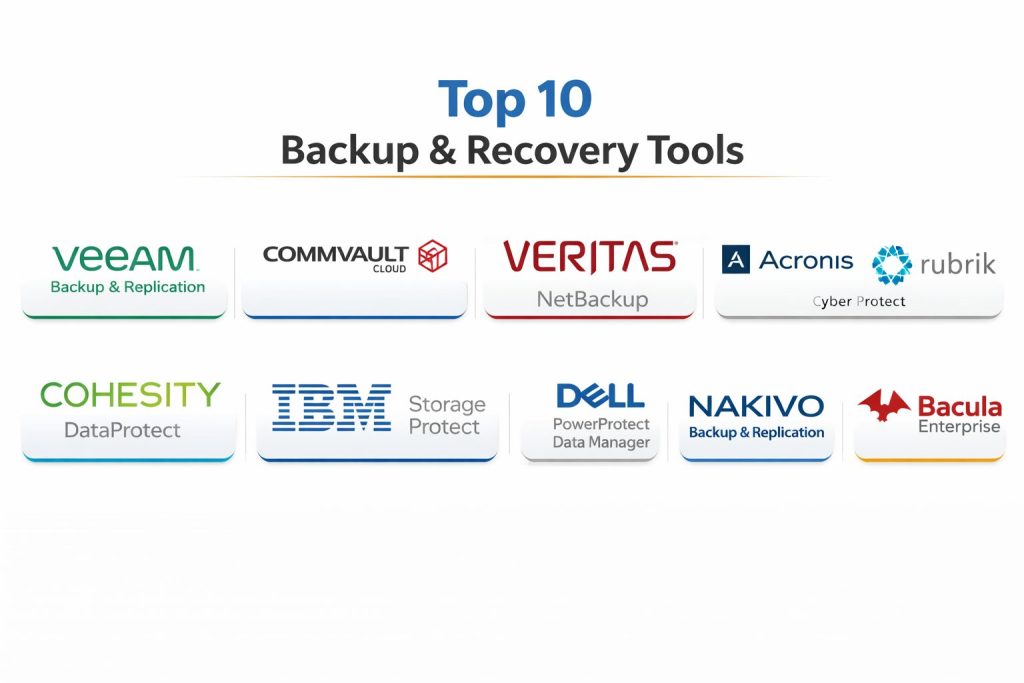
Top 10 Backup & Recovery Tools
1 — Veeam Backup & Replication
Veeam Backup & Replication is widely used for virtual and hybrid backup, especially for VMware and Hyper-V environments, with strong recovery options and flexible storage targets. It is commonly chosen by mid-market and enterprise teams that want reliable restores and clear administration.
Key Features
- Image-based backup for virtual environments with flexible recovery options
- Recovery workflows designed for fast restores and minimal downtime
- Broad storage target support including disk and object storage (workflow dependent)
- Policy-driven backups and scheduling for operational consistency
- Monitoring and reporting capabilities for backup health and compliance evidence
- Encryption support and access control patterns (feature availability varies)
- Works well in hybrid designs with on-prem and cloud storage tiers
Pros
- Strong recovery experience for common virtualization workloads
- Mature operational workflows and broad ecosystem adoption
- Flexible storage strategy options to manage cost and retention
Cons
- Complexity increases as environments scale without strong policy discipline
- Some advanced use cases may require additional components or planning
- Licensing and storage planning can become tricky in large mixed estates
Platforms / Deployment
Windows
Self-hosted / Hybrid (varies by architecture)
Security & Compliance
Varies / Not publicly stated
Integrations & Ecosystem
Often used alongside VMware/Hyper-V tooling, storage platforms, and monitoring stacks.
- VMware and Hyper-V support (environment dependent)
- Object storage targets (provider dependent)
- Backup repositories and storage integration (varies)
- Reporting integrations and alerting workflows (varies)
- APIs and automation patterns (workflow dependent)
Support & Community
Strong community and a large ecosystem of administrators and partners. Support tiers vary by licensing.
2 — Commvault Cloud
Commvault Cloud is an enterprise-grade platform designed for large-scale data protection across hybrid environments. It is commonly selected where policy control, broad workload coverage, and long-term retention governance are priorities.
Key Features
- Centralized policy management for enterprise-scale environments
- Broad workload coverage including virtual, physical, and cloud use cases (varies)
- Flexible retention and lifecycle management for compliance-driven needs
- Advanced reporting and operational visibility for audits and governance
- Supports multi-target storage approaches (workflow dependent)
- Automation features for scheduling and protection consistency
- Designed to fit complex enterprises with diverse infrastructure
Pros
- Strong governance and policy control at large scale
- Broad workload support that can reduce tool sprawl
- Mature reporting and operational management capabilities
Cons
- Can be heavy for small teams without dedicated administrators
- Deployment and tuning can take time in complex environments
- Cost and licensing may be higher for smaller deployments
Platforms / Deployment
Windows / Linux (varies by components)
Cloud / Self-hosted / Hybrid (varies)
Security & Compliance
Varies / Not publicly stated
Integrations & Ecosystem
Commonly integrated into enterprise environments with many workload types and storage backends.
- Cloud workload support (provider dependent)
- Enterprise storage targets (varies)
- Automation and scripting options (workflow dependent)
- Reporting exports and monitoring integrations (varies)
- Application-aware backup patterns (use case dependent)
Support & Community
Strong enterprise support network and partner ecosystem. Community exists but is more enterprise-admin oriented.
3 — Veritas NetBackup
Veritas NetBackup is a long-established enterprise backup platform used for broad workload coverage, large data volumes, and complex retention requirements. It is often used in large organizations with long-term backup governance needs.
Key Features
- Enterprise-scale backup management and policy control
- Wide platform coverage across data center and hybrid environments (varies)
- Retention and archival workflows for long-term governance needs
- Strong scheduling and automation patterns for large estates
- Reporting and operational visibility for compliance support
- Flexible storage target strategies (workflow dependent)
- Designed for centralized management across many backup domains
Pros
- Proven platform for large enterprises and complex environments
- Mature policy and retention control for governance-heavy needs
- Broad coverage reduces need for multiple point solutions
Cons
- Implementation and daily operations can be complex without expertise
- May feel heavyweight for SMB needs
- Cost and operational overhead can be significant at scale
Platforms / Deployment
Windows / Linux (varies by architecture)
Self-hosted / Hybrid (varies)
Security & Compliance
Varies / Not publicly stated
Integrations & Ecosystem
Often integrated with enterprise storage systems and multi-platform infrastructure.
- Virtualization integrations (environment dependent)
- Storage backends and media servers (architecture dependent)
- Automation and scripting (workflow dependent)
- Monitoring and reporting pipelines (varies)
- Application-aware patterns (use case dependent)
Support & Community
Strong enterprise support and established admin base. Documentation is extensive; operations often benefit from experienced staff.
4 — Acronis Cyber Protect
Acronis Cyber Protect combines backup and recovery with security-focused features in a single platform. It is often chosen by SMBs and MSPs that want simplified operations and stronger protection against modern threats.
Key Features
- Backup and recovery workflows for endpoints and servers (use case dependent)
- Integrated protection features aligned to cyber resilience goals (varies)
- Central management for policy-driven protection across devices
- Restore options designed for faster operational recovery
- Multi-tenant patterns for service providers (plan dependent)
- Storage target flexibility (workflow dependent)
- Useful for smaller IT teams needing an all-in-one approach
Pros
- Consolidated approach can reduce tool sprawl for small teams
- Good fit for MSP-style operations and device-heavy environments
- Simplified administration compared to larger enterprise platforms
Cons
- Some enterprise-scale scenarios may need more specialized tooling
- Feature depth varies by edition and licensing
- Larger environments may require careful scaling and governance
Platforms / Deployment
Windows / macOS / Linux (varies)
Cloud / Self-hosted / Hybrid (varies)
Security & Compliance
Varies / Not publicly stated
Integrations & Ecosystem
Often used in SMB/MSP contexts with endpoint management and common infrastructure tools.
- Device and workload coverage varies by plan
- Storage and cloud targets (provider dependent)
- APIs and automation options (workflow dependent)
- Alerting and monitoring workflows (varies)
- MSP ecosystem tooling (varies)
Support & Community
Good MSP-oriented community and partner network. Support tiers vary by subscription.
5 — Rubrik
Rubrik is known for modern data protection with a focus on simplified operations and cyber resilience patterns. It is commonly selected by mid-market and enterprise teams looking for streamlined management and strong recovery workflows.
Key Features
- Policy-based data protection and lifecycle automation
- Strong recovery workflows designed for operational speed
- Designed for simplified administration across protected workloads
- Supports hybrid environments and cloud integration patterns (varies)
- Reporting and visibility features for operational governance
- Ransomware resilience patterns (feature availability varies)
- Scales for organizations protecting large data volumes
Pros
- Simplified operational model compared to many legacy designs
- Strong fit for teams prioritizing recovery and resilience
- Policy-driven approach improves consistency across workloads
Cons
- Cost can be higher than some traditional approaches
- Workload coverage varies by environment and licensing
- Best results require clean policy design and governance discipline
Platforms / Deployment
Varies / N/A
Cloud / Self-hosted / Hybrid (varies)
Security & Compliance
Varies / Not publicly stated
Integrations & Ecosystem
Commonly integrated into modern infrastructure stacks with hybrid and cloud patterns.
- Virtualization and cloud support (environment dependent)
- Storage and target options (architecture dependent)
- Automation and APIs (workflow dependent)
- Reporting and monitoring integrations (varies)
- Identity and access integration patterns (varies)
Support & Community
Strong enterprise support experience. Community and partner ecosystem is active, especially in mid-market and enterprise segments.
6 — Cohesity DataProtect
Cohesity DataProtect is built for modern enterprise data protection with an emphasis on scale, simplified management, and broad workload coverage. It’s typically used by organizations that want to consolidate protection under a single operational model.
Key Features
- Centralized backup management for large environments
- Designed for scale with policy-driven workflows
- Supports a wide range of workloads (environment dependent)
- Flexible storage and retention patterns for governance needs
- Reporting and monitoring features for operational visibility
- Cyber resilience features and recovery workflows (varies)
- Helps reduce fragmentation across backup tools in large estates
Pros
- Strong consolidation benefits for organizations with tool sprawl
- Policy management improves consistency and reduces errors
- Built for growth and enterprise-scale operations
Cons
- Implementation planning is important for best results
- Some advanced scenarios depend on architecture choices
- Licensing and platform decisions can impact long-term cost
Platforms / Deployment
Varies / N/A
Cloud / Self-hosted / Hybrid (varies)
Security & Compliance
Varies / Not publicly stated
Integrations & Ecosystem
Often used in enterprise stacks where integration with virtualization, storage, and cloud is key.
- Virtualization and cloud coverage (environment dependent)
- Storage target strategies (architecture dependent)
- Automation and APIs (workflow dependent)
- Monitoring and alerting integrations (varies)
- Identity integration patterns (varies)
Support & Community
Enterprise-oriented support and partner ecosystem. Documentation and onboarding are typically structured for larger teams.
7 — IBM Storage Protect
IBM Storage Protect is a long-running enterprise backup solution used in environments where structured retention, policy control, and governance are important. It is often seen in larger organizations with established IT operations.
Key Features
- Centralized backup policies and retention management
- Designed for structured enterprise governance needs
- Supports various storage strategies including long-term retention (varies)
- Reporting and operational controls for audits and compliance workflows
- Scalable architecture for large environments (architecture dependent)
- Works within traditional enterprise operational practices
- Useful for organizations with established IBM-centric stacks
Pros
- Strong governance and structured retention patterns
- Mature operational model for enterprise environments
- Works well in traditional IT operations setups
Cons
- Can be complex to manage without experienced administrators
- May feel less modern for teams wanting simplified workflows
- Implementation planning can be heavy in diverse environments
Platforms / Deployment
Windows / Linux (varies)
Self-hosted / Hybrid (varies)
Security & Compliance
Varies / Not publicly stated
Integrations & Ecosystem
Often integrated in enterprise environments with structured storage and governance requirements.
- Storage backend integrations (varies)
- Workload coverage depends on environment and architecture
- Automation options (workflow dependent)
- Monitoring/reporting exports (varies)
- Enterprise operations tooling (varies)
Support & Community
Enterprise support availability is strong. Community presence is smaller than some mainstream tools but documentation is mature.
8 — Dell PowerProtect Data Manager
Dell PowerProtect Data Manager is designed for enterprise data protection with a focus on modern workloads and integrated recovery workflows. It is often used where Dell infrastructure is part of the environment and centralized management is needed.
Key Features
- Centralized data protection policies for enterprise operations
- Support for modern workloads depending on architecture (varies)
- Recovery workflows designed to reduce downtime
- Integration patterns with enterprise storage and infrastructure (varies)
- Reporting and monitoring for visibility and governance
- Supports hybrid designs depending on deployment approach
- Built for environments with large data volumes and retention needs
Pros
- Strong fit for enterprise environments needing centralized control
- Works well where Dell ecosystem and infrastructure are present
- Designed for scale and structured operations
Cons
- Best fit depends on environment and architecture choices
- Implementation can require careful planning and expertise
- Feature availability may vary by configuration and licensing
Platforms / Deployment
Varies / N/A
Self-hosted / Hybrid (varies)
Security & Compliance
Varies / Not publicly stated
Integrations & Ecosystem
Often used with enterprise infrastructure and storage strategies aligned to data center operations.
- Infrastructure integration patterns (environment dependent)
- Storage and retention strategies (architecture dependent)
- Automation and APIs (workflow dependent)
- Monitoring and reporting exports (varies)
- Workload coverage depends on deployment model
Support & Community
Strong enterprise support through vendor channels. Community resources vary by region and customer base.
9 — Nakivo Backup & Replication
Nakivo Backup & Replication is often chosen by SMBs and mid-market teams that want virtualization backup, practical management, and predictable operations without enterprise-level complexity.
Key Features
- Backup and recovery for virtualization environments (use case dependent)
- Restore workflows designed for operational speed and simplicity
- Policy-driven scheduling and retention workflows
- Storage target flexibility depending on architecture
- Monitoring dashboards and alerting for backup health
- Practical deployment options for smaller teams
- Useful for teams wanting simpler day-to-day operations
Pros
- Friendly operational model for small to mid-sized IT teams
- Good balance of features and manageability
- Often cost-effective compared to heavier enterprise platforms
Cons
- Very large enterprises may need deeper governance tooling
- Workload coverage can vary depending on environment
- Advanced integrations may require careful planning
Platforms / Deployment
Windows / Linux (varies)
Self-hosted / Hybrid (varies)
Security & Compliance
Varies / Not publicly stated
Integrations & Ecosystem
Often used in virtualization-focused environments with practical storage targets and monitoring needs.
- Virtualization integrations (environment dependent)
- Storage targets (provider dependent)
- Automation options (workflow dependent)
- Alerting and monitoring integrations (varies)
- Common SMB infrastructure compatibility (varies)
Support & Community
Good documentation and SMB-friendly support experience. Community size is moderate compared to the largest enterprise tools.
10 — Bacula Enterprise
Bacula Enterprise is often used in environments that want strong control over backup architecture and long-term retention, including some complex or specialized infrastructure setups. It is generally suited for teams comfortable with structured administration.
Key Features
- Designed for flexible backup architecture and policy control
- Supports complex environments depending on configuration
- Retention and archival patterns for long-term data protection needs
- Works well where customization and control are priorities
- Supports scalable designs with careful planning
- Useful for organizations wanting strong governance control
- Can fit specialized workloads depending on setup
Pros
- Strong control and flexibility for teams with structured administration
- Can support specialized and complex environments when well designed
- Useful for long retention and governance-heavy scenarios
Cons
- Requires skilled administration and careful operational discipline
- Onboarding may be slower for teams wanting plug-and-play simplicity
- Feature depth depends on configuration and environment choices
Platforms / Deployment
Windows / Linux (varies)
Self-hosted / Hybrid (varies)
Security & Compliance
Varies / Not publicly stated
Integrations & Ecosystem
Often used in environments where customization and architecture control matter.
- Workload support depends on configuration
- Storage targets and media strategies (architecture dependent)
- Automation and scripting (workflow dependent)
- Monitoring integration (varies)
- Fits specialized infrastructure setups (varies)
Support & Community
Enterprise support is available; community presence depends on region. Best outcomes come with experienced admins and clear runbooks.
Comparison Table
| Tool Name | Best For | Platform(s) Supported | Deployment | Standout Feature | Public Rating |
|---|---|---|---|---|---|
| Veeam Backup & Replication | Virtual and hybrid backup with strong recovery | Windows | Self-hosted / Hybrid | Mature restore workflows for virtual workloads | N/A |
| Commvault Cloud | Enterprise-scale policy and retention governance | Windows / Linux (varies) | Cloud / Self-hosted / Hybrid | Centralized policy and lifecycle control | N/A |
| Veritas NetBackup | Large enterprises with broad workload coverage | Windows / Linux (varies) | Self-hosted / Hybrid | Proven platform for large estates | N/A |
| Acronis Cyber Protect | SMB and MSP backup with cyber-focused features | Windows / macOS / Linux (varies) | Cloud / Self-hosted / Hybrid | Backup plus cyber resilience approach | N/A |
| Rubrik | Simplified operations with resilience focus | Varies / N/A | Cloud / Self-hosted / Hybrid | Policy-driven protection with streamlined admin | N/A |
| Cohesity DataProtect | Consolidation for enterprise data protection | Varies / N/A | Cloud / Self-hosted / Hybrid | Scale-friendly centralized protection | N/A |
| IBM Storage Protect | Governance-heavy enterprise retention workflows | Windows / Linux (varies) | Self-hosted / Hybrid | Structured retention and policy control | N/A |
| Dell PowerProtect Data Manager | Enterprise protection aligned to data center operations | Varies / N/A | Self-hosted / Hybrid | Centralized enterprise recovery workflows | N/A |
| Nakivo Backup & Replication | SMB virtualization backup with simpler operations | Windows / Linux (varies) | Self-hosted / Hybrid | Practical management for mid-market | N/A |
| Bacula Enterprise | Customizable architecture for controlled environments | Windows / Linux (varies) | Self-hosted / Hybrid | Flexible backup architecture control | N/A |
Evaluation & Scoring of Backup & Recovery Tools
Weights:
- Core features – 25%
- Ease of use – 15%
- Integrations & ecosystem – 15%
- Security & compliance – 10%
- Performance & reliability – 10%
- Support & community – 10%
- Price / value – 15%
| Tool Name | Core (25%) | Ease (15%) | Integrations (15%) | Security (10%) | Performance (10%) | Support (10%) | Value (15%) | Weighted Total (0–10) |
|---|---|---|---|---|---|---|---|---|
| Veeam Backup & Replication | 9.0 | 8.0 | 8.5 | 6.5 | 8.5 | 8.5 | 7.5 | 8.26 |
| Commvault Cloud | 9.2 | 7.0 | 8.8 | 6.5 | 8.5 | 8.0 | 6.8 | 8.07 |
| Veritas NetBackup | 9.0 | 6.8 | 8.5 | 6.5 | 8.3 | 7.8 | 6.5 | 7.88 |
| Acronis Cyber Protect | 8.2 | 8.2 | 7.8 | 6.5 | 7.8 | 7.8 | 7.8 | 7.88 |
| Rubrik | 8.8 | 8.0 | 8.0 | 6.5 | 8.2 | 8.0 | 6.8 | 7.96 |
| Cohesity DataProtect | 8.8 | 7.5 | 8.2 | 6.5 | 8.2 | 7.8 | 6.8 | 7.90 |
| IBM Storage Protect | 8.0 | 6.5 | 7.5 | 6.5 | 7.8 | 7.5 | 7.0 | 7.35 |
| Dell PowerProtect Data Manager | 8.3 | 7.2 | 7.8 | 6.5 | 8.0 | 7.5 | 6.8 | 7.62 |
| Nakivo Backup & Replication | 7.8 | 8.3 | 7.5 | 6.5 | 7.8 | 7.2 | 8.2 | 7.78 |
| Bacula Enterprise | 7.8 | 6.2 | 7.0 | 6.5 | 7.5 | 7.0 | 7.5 | 7.23 |
How to use the scores:
- If your top priority is enterprise policy control, focus on “Core” plus “Integrations.”
- If you are a small team, “Ease” and “Value” often matter more than maximum feature depth.
- If ransomware resilience is critical, treat “Security” and “Recovery testing” as must-haves in your pilot.
- Close totals mean you should run a short proof-of-restore test instead of debating checklists.
Which Backup & Recovery Tool Is Right for You?
Solo / Freelancer
- Most individuals do not need enterprise platforms. If you only need simple file protection, a lightweight consumer backup approach may be enough.
- If you manage client devices as a freelancer, a simpler SMB-friendly tool is usually more practical than a complex enterprise suite.
- Choose tools only when you can commit to monitoring backups and actually testing restores.
SMB
- Veeam Backup & Replication is a strong pick for SMBs with virtualization and clear recovery needs.
- Nakivo Backup & Replication can be a practical choice if you want simpler operations and good value.
- Acronis Cyber Protect can fit well when you want backup plus cyber-focused capabilities in one platform.
Mid-Market
- Veeam Backup & Replication often works well as environments grow, especially with hybrid storage strategies.
- Rubrik and Cohesity DataProtect can be strong if you want simplified policy-driven operations and modern consolidation.
- If governance is heavy and workloads are diverse, Commvault Cloud can be a strong central platform.
Enterprise
- Commvault Cloud and Veritas NetBackup are common for broad enterprise coverage and structured retention.
- Rubrik and Cohesity DataProtect often appeal when teams want simpler operations and resilience-first workflows.
- Enterprises should add strict admin controls, recovery drills, and clear incident runbooks, because tooling alone is not enough.
Budget vs Premium
- For budget-sensitive teams, tools that reduce operational overhead and license sprawl often win in practice.
- Premium platforms can pay off when you need complex retention, many workloads, and strong operational governance.
- Always measure cost as “licenses + storage + time,” because admin time is a hidden budget line.
Feature Depth vs Ease of Use
- Enterprise suites offer deep control but demand stronger administration and planning.
- Simplified platforms reduce daily friction but may require architectural alignment to your environment.
- The “best” tool is the one that makes restores fast and predictable under stress.
Integrations & Scalability
- If you have many workloads (VMs, databases, cloud apps), prioritize tools that integrate well with your ecosystem.
- If your environment changes frequently, pick a platform that supports automation and policy templates.
- Scalability matters most when your retention and storage volume grow every month.
Security & Compliance Needs
- Do not assume a backup tool automatically makes you ransomware-safe. You need immutability options, protected admin accounts, and isolated recovery planning.
- Treat recovery testing as a security control, not an optional activity.
- For compliance needs, prioritize clear retention policies, audit-friendly reporting, and controlled access to restores.
Frequently Asked Questions
What is the difference between backup and disaster recovery?
Backup is about keeping recoverable copies of data. Disaster recovery is a broader plan that includes recovery order, failover steps, testing, and restoring business services with acceptable downtime and data loss.
How often should backups run for modern systems?
It depends on your RPO target. Many teams run frequent backups for critical systems and less frequent schedules for low-risk data, then verify through restore tests rather than relying on schedules alone.
What are common causes of failed restores?
The most common causes are missing application consistency, corrupted backup chains, permissions issues, and not testing restores. A backup that cannot restore quickly is not a reliable backup.
How do immutable backups help against ransomware?
Immutable backups prevent modification or deletion of backup data for a defined period. This reduces the risk that ransomware or a compromised admin account can wipe recovery points.
Should we back up SaaS apps like email and collaboration tools?
Yes for many organizations, because deletions, sync errors, and account compromise can cause data loss. SaaS vendors may not cover every recovery scenario you need, especially for long retention or granular recovery.
How do we prove our backups actually work?
You prove it by running regular recovery drills and automated restore validation. Track recovery time, data integrity, and whether you can restore both files and full systems under realistic constraints.
What is the best storage target for long retention?
Object storage is commonly used for long retention because it can scale and reduce cost, but the best target depends on restore speed, budget, and compliance needs. Many teams use a tiered approach.
How do we reduce backup costs without increasing risk?
Use policy-driven retention, remove unnecessary duplication, tier older backups to cheaper storage, and avoid keeping everything forever. Costs drop most when you clean up what you back up and how long you keep it.
What should we check during a backup tool pilot?
Test real restores: full VM restore, file-level restore, and application-aware restore if needed. Validate admin security controls, monitoring alerts, and how quickly your team can recover during a simulated incident.
How do we avoid backup becoming a “set and forget” system?
Assign ownership, review reports weekly, test restores regularly, and treat backup hygiene like patching. A small routine prevents silent failures and ensures recovery is predictable when you need it most.
Conclusion
Backup and recovery tools are not just insurance—they are a daily operational capability that decides how fast you can recover from mistakes, outages, and ransomware. The best platform depends on what you protect, how quickly you must restore, and how much governance you need. If you run virtual environments and want proven recovery workflows, choose a tool that makes restores fast and administration predictable. If your environment is large and diverse, prioritize policy control, reporting, and scalability. Most importantly, make restore testing non-negotiable: run regular recovery drills, protect admin access, and validate immutability and retention rules. A backup strategy succeeds only when recovery is simple, repeatable, and verified.