Introduction
B2B customer portals represent a specialized evolution of the traditional client interface, designed to facilitate complex, high-volume commercial relationships through a secure, self-service digital environment. Unlike B2C platforms that focus on impulse transactions, B2B portals are engineered to handle multi-layered account hierarchies, bulk ordering, contract-specific pricing, and long-term project collaboration. These systems act as a 24/7 digital gateway, providing corporate clients with direct access to order history, inventory status, technical documentation, and financial records. For modern industrial and service-based organizations, the implementation of a robust portal is no longer a luxury but a fundamental requirement for operational efficiency and customer retention.
The necessity for sophisticated B2B portals is driven by the modern professional buyer’s preference for autonomy and instant information access. Manual processes involving fragmented email chains and telephone inquiries create friction that can impede scalability and lead to data inaccuracies. A high-performing portal centralizes the entire post-purchase lifecycle, allowing for automated reordering, real-time shipment tracking, and streamlined ticket management. When evaluating these platforms, organizations must prioritize the strength of the integration with their existing ERP systems, the flexibility of the user permission framework, the security of sensitive commercial data, and the overall quality of the mobile experience for field-based procurement officers.
Best for: Manufacturing companies, wholesale distributors, professional service firms, and software vendors that manage complex, recurring client relationships and high-volume transactions.
Not ideal for: Simple retail operations with one-off customers, small businesses with very few clients that can be managed manually, or organizations that do not require account-based pricing or documented workflows.
Key Trends in B2B Customer Portals
The integration of Artificial Intelligence has transformed the portal experience from a static repository into a predictive engine capable of suggesting replenishment orders based on historical consumption patterns. We are seeing a significant move toward “headless” portal architectures, which decouple the front-end user interface from the back-end data, allowing for highly customized and lightning-fast experiences across various devices. Real-time data synchronization with Enterprise Resource Planning (ERP) systems is now a baseline expectation, ensuring that clients see accurate stock levels and personalized contract pricing at all times.
Collaborative features are also surging, with modern portals now offering shared workspaces where clients and vendors can co-edit project timelines or technical specifications. There is a heightened focus on B2B-specific payment flexibility, with platforms now supporting automated clearing house (ACH) transfers, trade credit management, and split-payment configurations natively within the interface. Security has also moved to a “zero-trust” model, utilizing multi-factor authentication and granular role-based access to ensure that sensitive corporate data is only accessible to authorized personnel. Furthermore, the “consumerization” of the B2B interface is making these tools as intuitive as modern e-commerce sites, reducing the need for extensive user training.
How We Selected These Tools
Our selection process involved an exhaustive assessment of functional depth and enterprise reliability specifically within the business-to-business sector. We prioritized platforms that have demonstrated the ability to handle the complex data structures typical of large-scale commercial operations, such as multi-tiered organizations and thousands of unique SKUs. A key criterion was the “integration velocity,” evaluating how effectively each portal connects with standard back-office systems like SAP, Oracle, and Microsoft Dynamics. We looked for a balance between out-of-the-box functionality and the ability to customize the interface to match a brand’s specific identity and workflow requirements.
Scalability was also a critical factor; we selected tools that can support a handful of high-value partners as easily as they can support tens of thousands of smaller accounts. Security protocols were scrutinized to ensure they align with international standards such as SOC 2 and GDPR, which are non-negotiable for protecting proprietary commercial information. Finally, we assessed the total cost of ownership, including the complexity of the initial setup and the ongoing maintenance requirements, to ensure that the list provides viable options for various stages of organizational maturity.
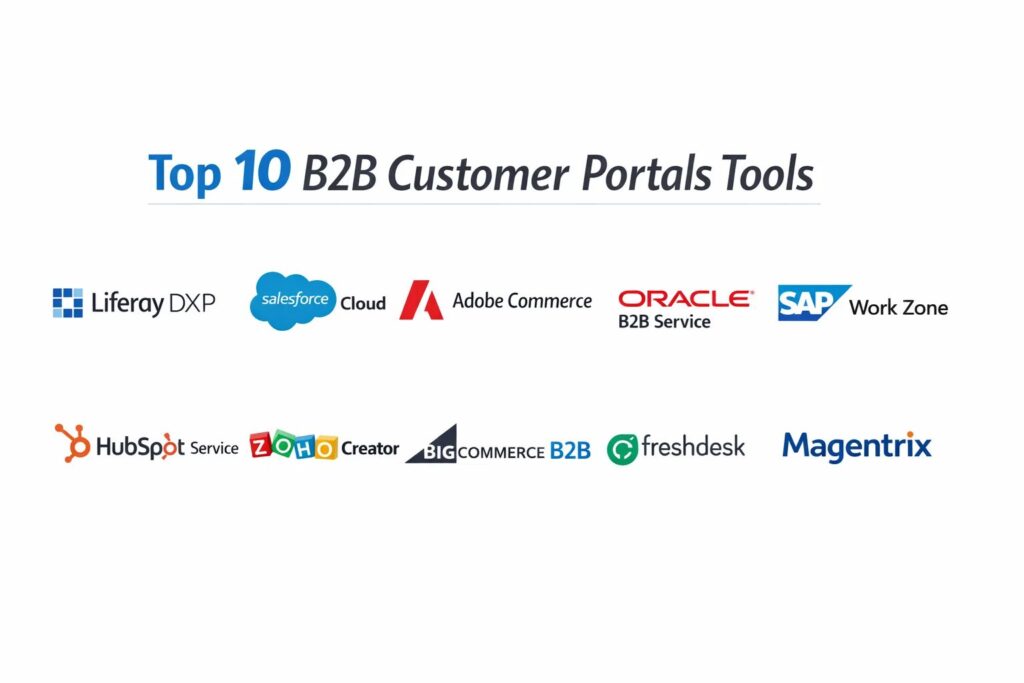
1. Liferay DXP
Liferay DXP is an enterprise-level digital experience platform that excels in creating highly personalized, complex B2B customer portals. It is designed for organizations that need to aggregate data from multiple legacy systems into a single, cohesive user interface for their clients.
Key Features
The platform features a robust “Segment” engine that allows for the delivery of specific content and tools based on the user’s role or company. It includes an advanced document management system with version control and secure sharing capabilities. The “Forms” module enables the creation of complex workflows for service requests and onboarding. Its headless architecture supports the delivery of portal features to web, mobile, and even IoT devices. It also provides a comprehensive set of identity management tools for secure, single sign-on access across the enterprise.
Pros
It offers unparalleled flexibility for creating custom workflows and highly branded experiences. The platform is built on open standards, making it highly extensible for technical teams.
Cons
The complexity of the platform often requires a specialized development team for initial implementation. The licensing costs are significant and targeted at the enterprise market.
Platforms and Deployment
Web-based (SaaS), On-premise, and Hybrid cloud options available.
Security and Compliance
Supports SOC 2, HIPAA, and GDPR compliance with advanced encryption and role-based access controls.
Integrations and Ecosystem
Offers a wide range of connectors for major ERP, CRM, and legacy database systems through an open API.
Support and Community
Provides dedicated enterprise support, a global partner network, and extensive documentation via its “Learn” portal.
2. Salesforce Experience Cloud
Salesforce Experience Cloud is a leading portal solution that leverages the power of the Salesforce CRM to create deeply integrated customer experiences. it is the standard for organizations already utilizing the Salesforce ecosystem for their sales and service operations.
Key Features
The platform features “Lightning Bolt” templates that allow for the rapid deployment of industry-specific portals. It includes “Einstein AI” for personalized product recommendations and automated case routing. The system offers a seamless connection to Salesforce Service Cloud for integrated ticketing and support. It features a robust community engine that allows customers to interact with each other and share solutions. Users can also access real-time dashboards that pull data directly from their CRM account records.
Pros
The native integration with the Salesforce CRM provides a true 360-degree view of the customer. It is highly scalable and can be updated quickly using low-code tools.
Cons
Costs can escalate quickly as you add more users or advanced features. The platform is best suited for organizations already committed to the Salesforce infrastructure.
Platforms and Deployment
Cloud-native (SaaS) with responsive web and mobile app capabilities.
Security and Compliance
Adheres to the highest security standards including ISO 27001, SOC 2, and global data privacy regulations.
Integrations and Ecosystem
Access to the massive AppExchange marketplace for thousands of third-party integrations.
Support and Community
Offers the “Trailhead” learning platform and a vast global network of certified consultants.
3. Adobe Commerce (Magento)
Adobe Commerce is a powerful B2B e-commerce platform that includes sophisticated customer portal capabilities. It is designed for companies where the primary portal function is centered around complex purchasing and order management.
Key Features
The platform features a dedicated “B2B Module” that supports company accounts with multiple users and permission levels. It includes a “Quick Order” tool that allows buyers to enter SKUs or upload CSV files for bulk purchasing. The system offers custom catalogs and price lists that are specific to individual corporate contracts. It features a robust quote management system for negotiating prices directly within the portal. It also provides advanced inventory tracking across multiple warehouse locations.
Pros
The platform is exceptionally powerful for high-volume, complex B2B commerce transactions. It offers extensive customization options for the front-end shopping experience.
Cons
It requires significant technical expertise to maintain and customize effectively. The total cost of ownership can be high due to hosting and development needs.
Platforms and Deployment
Cloud-hosted (SaaS) or Self-hosted options available.
Security and Compliance
PCI DSS compliant for payments and maintains rigorous data security standards in its cloud environment.
Integrations and Ecosystem
Huge marketplace of extensions and a robust API for connecting to ERP and PIM systems.
Support and Community
Offers professional support for cloud customers and a massive global developer community.
4. Oracle B2B Service
Oracle B2B Service is an enterprise-grade solution that focuses on the service and support aspects of the B2B relationship. It is part of the broader Oracle Advertising and Customer Experience (CX) suite.
Key Features
The platform features a “Knowledge Management” system that provides clients with intelligent, context-aware self-service articles. It includes a collaborative “Service Center” where clients can track the progress of complex technical issues. The system offers integrated digital messaging across chat, email, and social channels. It features a robust “SLA Management” tool to ensure service commitments are met for every account. It also provides advanced analytics to identify common friction points in the customer journey.
Pros
The platform is built to handle the rigorous demands of large-scale global service operations. It integrates seamlessly with Oracle’s extensive back-office and ERP solutions.
Cons
The user interface can feel more formal and less modern than some of the newer SaaS entrants. Implementation timelines are typically longer due to the system’s depth.
Platforms and Deployment
Cloud-native (SaaS).
Security and Compliance
Meets stringent global security requirements including SOC 2, HIPAA, and regional data residency laws.
Integrations and Ecosystem
Deeply integrated with the Oracle ecosystem and provides a comprehensive API for third-party tools.
Support and Community
Provides world-class enterprise support and access to the Oracle University training program.
5. SAP Build Work Zone
SAP Build Work Zone (formerly SAP Work Zone) provides a unified digital workplace that serves as a high-end customer portal. It is specifically designed to bring together data from SAP and non-SAP systems into a single, simplified entry point.
Key Features
The platform features “UI Integration Cards” that surface data from back-end ERP systems in a visually appealing way. It includes a “Workspace” concept that allows for collaborative project management between the vendor and the client. The system offers personalized content delivery based on the user’s organizational role. It features a mobile-first design that ensures a consistent experience across all devices. It also provides a “Low-Code” environment for creating custom portal pages without deep programming knowledge.
Pros
It is the gold standard for organizations that need to surface SAP ERP data to their customers. The platform is highly effective at simplifying complex enterprise landscapes.
Cons
It is primarily geared toward organizations already running SAP software. The complexity of the underlying data structures can make the initial setup intensive.
Platforms and Deployment
Cloud-based via the SAP Business Technology Platform.
Security and Compliance
Adheres to SAP’s rigorous enterprise security standards and global data privacy regulations.
Integrations and Ecosystem
Native integration with SAP S/4HANA and other SAP cloud solutions, plus open connectors for third-party apps.
Support and Community
Offers extensive technical support and a large community of SAP-certified professionals.
6. HubSpot Service Hub
HubSpot Service Hub offers a modern, easy-to-use customer portal that is ideal for small to mid-market B2B companies. It is designed to bridge the gap between simple ticketing and a full-featured client interface.
Key Features
The platform features a “Customer Portal” that allows clients to view, manage, and reply to their support tickets in a secure environment. It includes an integrated “Knowledge Base” that can be customized to match the brand’s look and feel. The system offers “Omni-channel Messaging” to keep all client communications in a single thread. It features a “Customer Feedback” tool for collecting NPS and CSAT scores directly through the portal. It also provides automated “Playbooks” to guide support teams through common client issues.
Pros
The interface is exceptionally intuitive and can be set up in a fraction of the time required by enterprise tools. It offers excellent value for growing teams.
Cons
It lacks some of the deep ERP integration and complex reordering features found in B2B-specific commerce portals. Customization options are more limited than enterprise platforms.
Platforms and Deployment
Cloud-native (SaaS).
Security and Compliance
Maintains SOC 2 Type II compliance and adheres to GDPR and other major privacy standards.
Integrations and Ecosystem
Access to the extensive HubSpot App Marketplace for easy connection to hundreds of business tools.
Support and Community
Known for excellent customer support and the comprehensive “HubSpot Academy” for user training.
7. Zoho Creator
Zoho Creator is a low-code application development platform that is frequently used to build highly customized B2B portals. It is an ideal choice for organizations that have unique workflows that do not fit into “out-of-the-box” software.
Key Features
The platform features a “Drag-and-Drop” builder for creating custom database structures and user interfaces. It includes a “Portal” module that allows for the creation of secure, external-facing client environments. The system offers a robust workflow automation engine called “Deluge” for complex business logic. It features built-in “Payment Gateway” integrations for handling invoices and orders. It also provides a mobile app builder that automatically generates native apps for iOS and Android.
Pros
It offers extreme flexibility for a fraction of the cost of enterprise DXP platforms. The low-code environment allows for rapid prototyping and deployment.
Cons
Building a complex portal requires a clear understanding of your own data architecture and logic. It is not an “off-the-shelf” solution and requires some development effort.
Platforms and Deployment
Cloud-native (SaaS).
Security and Compliance
Maintains high security standards including ISO 27001 and is compliant with GDPR and CCPA.
Integrations and Ecosystem
Seamless integration with the entire Zoho suite and hundreds of third-party apps via Zoho Flow and Zapier.
Support and Community
Provides solid technical documentation and a growing community of low-code developers.
8. BigCommerce B2B Edition
BigCommerce B2B Edition is a cloud-based e-commerce solution that includes a suite of specialized tools for B2B client portals. It is designed for businesses that want a “SaaS-speed” deployment without sacrificing complex commercial features.
Key Features
The platform features a “Corporate Account Management” system that allows clients to set up their own internal purchasing hierarchies. It includes “Price Lists” and “Customer Groups” for delivering contract-specific pricing. The system offers a “Quick Order Pad” and “Buy Again” features to simplify the reordering process. It features a robust “Quote Management” workflow for B2B sales negotiations. It also provides “Shared Shopping Lists” that allow multiple buyers from the same company to collaborate.
Pros
It is a “multi-tenant” SaaS platform, meaning updates and maintenance are handled by the vendor. It offers a very fast time-to-market compared to on-premise solutions.
Cons
Very high-volume customization can be more restricted than open-source or “headless” platforms. The pricing model includes a component based on annual sales volume.
Platforms and Deployment
Cloud-native (SaaS).
Security and Compliance
Level 1 PCI DSS compliant and adheres to all major international data security standards.
Integrations and Ecosystem
Offers a wide range of pre-built integrations for popular B2B tools like ERPs and shipping providers.
Support and Community
Provides 24/7 technical support and a dedicated success team for enterprise-tier customers.
9. Freshdesk (by Freshworks)
Freshdesk provides a specialized customer portal focused on support and communication for B2B clients. It is known for its “fresh” and modern interface that prioritizes user experience and simplicity.
Key Features
The platform features a “Self-Service Portal” where clients can search the knowledge base and track their tickets. It includes “Community Forums” for building a peer-to-peer support ecosystem. The system offers “Ticket Sharing” within a client organization so multiple employees can see the status of a company-wide issue. It features “Liquid Templates” for high-level customization of the portal’s appearance. It also provides integrated “Time Tracking” for professional service firms to show clients their billable hours.
Pros
The software is remarkably easy to deploy and has one of the most user-friendly interfaces in the category. It offers a very competitive pricing structure for mid-market teams.
Cons
It is primarily a service-focused portal and lacks the deep commerce and inventory features needed by distributors or manufacturers.
Platforms and Deployment
Cloud-native (SaaS) with mobile apps for iOS and Android.
Security and Compliance
ISO 27001 certified and compliant with GDPR, HIPAA, and SOC 2 requirements.
Integrations and Ecosystem
Integrates with over 600 apps through the Freshworks Marketplace.
Support and Community
Offers round-the-clock email and phone support and a detailed “Academy” for user onboarding.
10. Magentrix
Magentrix is a specialized platform dedicated solely to the creation of customer and partner portals. It is an ideal “overlay” solution for organizations that want to extend their CRM data to their clients without a full system overhaul.
Key Features
The platform features a “Direct CRM Sync” that allows for real-time data exchange with Salesforce, Microsoft Dynamics, and HubSpot. It includes a “Content Management” system for sharing secure documents and training videos. The system offers “e-Commerce” modules for handling B2B orders and payments. It features “Social Collaboration” tools like discussion boards and polls. It also provides a “Branding” engine that allows for a completely white-labeled experience.
Pros
It is specifically built for portals, meaning the feature set is highly focused on external user engagement. It is one of the fastest ways to launch a portal using existing CRM data.
Cons
The platform is an additional layer in your tech stack, which requires careful management of data synchronization. The interface customization is powerful but has a learning curve.
Platforms and Deployment
Cloud-native (SaaS).
Security and Compliance
Adheres to strict security standards including SOC 2 and maintains a robust data privacy framework.
Integrations and Ecosystem
Expert-level integration with leading CRMs and a flexible API for other business systems.
Support and Community
Known for providing high-touch customer support and personalized onboarding for its users.
Comparison Table
| Tool Name | Best For | Platform(s) Supported | Deployment | Standout Feature | Public Rating |
| 1. Liferay DXP | Enterprise Experience | Web, Mobile, IoT | Hybrid / SaaS | Headless Architecture | 4.6/5 |
| 2. Salesforce Cloud | CRM-Native Integration | Web, iOS, Android | Cloud SaaS | Einstein AI Insights | 4.5/5 |
| 3. Adobe Commerce | Complex B2B Sales | Web-Based | Hybrid / SaaS | Bulk Order Workflow | 4.4/5 |
| 4. Oracle B2B Service | Global Support Ops | Web-Based | Cloud SaaS | Service Center Collab | 4.2/5 |
| 5. SAP Work Zone | SAP ERP Landscapes | Web, Mobile | Cloud SaaS | UI Integration Cards | 4.4/5 |
| 6. HubSpot Service | Mid-Market Growth | Web-Based | Cloud SaaS | Knowledge Base Sync | 4.7/5 |
| 7. Zoho Creator | Custom Low-Code | Web, iOS, Android | Cloud SaaS | Drag-and-Drop Logic | 4.5/5 |
| 8. BigCommerce B2B | Fast-Market Commerce | Web-Based | Cloud SaaS | Corporate Account Hierarchies | 4.6/5 |
| 9. Freshdesk | Service-First UX | Web, iOS, Android | Cloud SaaS | Ticket Sharing Engine | 4.6/5 |
| 10. Magentrix | CRM Data Extension | Web-Based | Cloud SaaS | Real-time CRM Sync | 4.5/5 |
Evaluation & Scoring of B2B Customer Portals
The scoring below is a comparative model intended to help shortlisting. Each criterion is scored from 1–10, then a weighted total from 0–10 is calculated using the weights listed. These are analyst estimates based on typical fit and common workflow requirements, not public ratings.
Weights:
- Core features – 25%
- Ease of use – 15%
- Integrations & ecosystem – 15%
- Security & compliance – 10%
- Performance & reliability – 10%
- Support & community – 10%
- Price / value – 15%
| Tool Name | Core (25%) | Ease (15%) | Integrations (15%) | Security (10%) | Performance (10%) | Support (10%) | Value (15%) | Weighted Total |
| 1. Liferay DXP | 10 | 4 | 9 | 10 | 9 | 9 | 6 | 8.35 |
| 2. Salesforce Cloud | 9 | 7 | 10 | 9 | 9 | 8 | 7 | 8.35 |
| 3. Adobe Commerce | 10 | 5 | 9 | 9 | 8 | 8 | 6 | 7.90 |
| 4. Oracle B2B Service | 9 | 6 | 9 | 10 | 9 | 8 | 6 | 8.10 |
| 5. SAP Work Zone | 9 | 5 | 10 | 9 | 9 | 8 | 6 | 8.05 |
| 6. HubSpot Service | 7 | 10 | 8 | 8 | 8 | 9 | 9 | 8.30 |
| 7. Zoho Creator | 8 | 8 | 8 | 8 | 8 | 8 | 10 | 8.20 |
| 8. BigCommerce B2B | 8 | 8 | 8 | 9 | 9 | 9 | 8 | 8.25 |
| 9. Freshdesk | 7 | 9 | 8 | 9 | 8 | 9 | 9 | 8.25 |
| 10. Magentrix | 8 | 7 | 9 | 8 | 8 | 8 | 8 | 8.00 |
How to interpret the scores:
- Use the weighted total to shortlist candidates, then validate with a pilot.
- A lower score can mean specialization, not weakness.
- Security and compliance scores reflect controllability and governance fit, because certifications are often not publicly stated.
- Actual outcomes vary with assembly size, team skills, templates, and process maturity.
Which B2B Customer Portal Tool Is Right for You?
Solo / Freelancer
For very small B2B operations or startups, the focus should be on simplicity and low initial overhead. You need a platform that provides professional-looking templates and basic ticket management without requiring a developer. A tool that grows with you and offers a “pay-as-you-go” model will allow you to provide a high level of service without a significant upfront investment.
SMB
Organizations with limited technical resources should look for “service-first” portals that prioritize communication and document sharing. The goal is to create a transparent environment for your partners or donors to see the impact of their contributions. A platform that is easy for non-technical staff to update will ensure that your portal remains a valuable and current resource.
Mid-Market
Growing mid-sized companies should prioritize integration with their CRM and basic commerce features. At this scale, the ability to automate recurring orders and provide self-service support is critical for maintaining margins. You should look for a platform that offers a balance between robust features and an interface that your team can manage without a full-time IT department.
Enterprise
Large organizations with global footprints require a platform that can aggregate data from multiple ERP and legacy systems. Security, custom workflows, and multi-language support are the top priorities to ensure global compliance and operational integrity. You need a “Digital Experience Platform” that can act as the primary interface for your entire corporate ecosystem.
Budget vs Premium
If budget is the primary concern, low-code or “SaaS-speed” portals offer professional tools for a predictable monthly fee. Premium platforms, however, offer specialized features like AI-driven inventory forecasting and “headless” delivery that can provide a much higher return on investment for established teams by significantly reducing manual labor and improving customer loyalty.
Feature Depth vs Ease of Use
Highly complex platforms offer infinite customization but can stall a project if they are too hard to deploy. Often, a slightly less powerful tool that your customers actually enjoy using is more valuable than a “perfect” system that is too difficult for the average buyer. Focus on the core features that solve your customers’ biggest pain points first.
Integrations & Scalability
Your portal must be able to talk to your back-office systems to provide real-time value. As you grow, the ability to add modules or connect to new tools without a total system migration is a vital consideration for long-term technical health. Ensure the vendor has a proven track record of successful enterprise integrations in your specific industry.
Security & Compliance Needs
If you handle sensitive commercial data, international contracts, or industry-specific records, your portal choice is a legal decision as much as a technical one. Ensure the provider has the specific certifications required for your operational region and data type. The ability to manage granular user permissions and audit logs is an absolute requirement for corporate accountability.
Frequently Asked Questions (FAQs)
1. What is the difference between a B2B portal and a B2C e-commerce site?
A B2B portal handles complex account-based relationships, including custom contract pricing, bulk ordering, and multi-user permission levels. B2C sites are typically transactional and focused on individual consumers with a single price for everyone.
2. Can I integrate my customer portal with my existing ERP system?
Yes, professional-grade portals are designed to sync with ERPs like SAP, Oracle, and Microsoft Dynamics. This ensures that clients see accurate stock levels, personalized pricing, and real-time order status.
3. Is it possible to provide different pricing for different customers?
One of the core features of a B2B portal is the ability to manage custom price lists and catalogs. You can assign specific pricing to individual accounts or customer groups based on their negotiated contracts.
4. How does a portal improve customer retention?
By providing 24/7 self-service access to information and order management, you reduce friction for your clients. A portal makes it easier for them to do business with you, leading to higher satisfaction and more recurring orders.
5. Is data security different for B2B portals?
B2B portals handle sensitive corporate data and high-value transactions, making them a primary target for security threats. They require enterprise-grade encryption, multi-factor authentication, and granular role-based access control to ensure data integrity.
6. Do these tools support mobile access for field teams?
Most modern B2B portals are either built with a responsive web design or offer native mobile apps. This allow procurement officers and field technicians to check inventory or place orders directly from their mobile devices.
7. What is a “low-code” portal builder?
Low-code builders like Zoho Creator allow you to create custom portal pages and logic using visual drag-and-drop tools. This reduces the need for traditional programming and speeds up the deployment process for unique workflows.
8. Can I manage multiple companies under one portal account?
Yes, B2B portals support complex account hierarchies. This allows a single corporate user to manage orders and support for multiple locations or subsidiaries under a unified parent account.
9. How do I handle large-scale document sharing in a portal?
Professional portals like Liferay offer dedicated document management modules with version control and secure access links. This is ideal for sharing technical manuals, safety data sheets, and multi-year contracts.
10. Do these platforms offer training for my customers?
Many portals include “Knowledge Base” and “Learning Management” modules where you can host training videos and documentation. This empowers your customers to solve their own issues and get the most value out of your products.
Conclusion
In the modern business-to-business environment, a customer portal is no longer just a digital accessory; it is the primary engine of commercial collaboration and operational transparency. Whether you are a specialized manufacturer or a global professional services firm, the ability to provide clients with a secure, self-service gateway is the key to maintaining a competitive edge and driving long-term loyalty. By selecting a platform that balances technical depth with a frictionless user experience, you empower your clients to manage their own success while freeing your internal teams to focus on high-value strategic initiatives. The ideal portal is one that not only secures your current commercial data but also provides the scalable infrastructure needed to navigate the complexities of future B2B growth.