Introduction
Asset Lifecycle Management (ALM) has transitioned from a back-office administrative task to a mission-critical function within the modern DevOps and IT operational landscape. In high-velocity environments, an asset is no longer just a physical machine; it encompasses hardware, software licenses, virtualized instances, and cloud resources. The objective of ALM is to optimize the total cost of ownership (TCO) and operational availability by managing an asset through four distinct phases: planning, acquisition, operation/maintenance, and disposal. By implementing a dedicated ALM tool, organizations can eliminate “ghost assets” that drain budgets and mitigate the security risks associated with unpatched or “shadow” infrastructure.
Technically, ALM platforms serve as the “Single Source of Truth” by integrating with procurement systems, endpoint management tools, and financial ledgers. This connectivity ensures that every asset is accounted for from the moment a purchase order is generated until the data is securely wiped and the hardware recycled. For SREs and IT leaders, the depth of an ALM tool’s discovery engine and its ability to automate depreciation and compliance reporting are paramount. In an era of hybrid work and distributed cloud environments, having a granular, real-time view of your asset estate is the only way to maintain a lean, secure, and audit-ready organization.
Best for: IT Directors, SRE teams, procurement officers, and compliance managers who need to track high-value physical and digital assets across distributed environments.
Not ideal for: Micro-businesses with fewer than 20 assets who can still effectively manage their inventory using basic spreadsheets or low-cost inventory apps.
Key Trends in Asset Lifecycle Management Tools
The most significant trend is the infusion of Agentic AI into the asset discovery and reclamation process. Modern tools no longer just wait for a manual update; they use autonomous agents to scan networks, identify unauthorized “shadow IT” assets, and trigger automated offboarding workflows for departing employees. This shift toward “self-healing” asset registries reduces the administrative burden on IT teams and ensures that software license reclamation happens in real-time, preventing wasted spend on unused SaaS seats.
Sustainability and circular economy integration have also become core features. Platforms are now adding “Carbon Tracking” modules that calculate the environmental impact of an asset’s lifecycle. Furthermore, the convergence of IT Asset Management (ITAM) and Enterprise Asset Management (EAM) is accelerating. We are seeing unified platforms that can manage a company’s laptops and servers alongside its fleet of vehicles and heavy machinery, providing a centralized financial view of all capital expenditures.
How We Selected These Tools
The tools selected for this guide were evaluated based on their ability to handle complex, multi-stage lifecycles rather than simple inventory counting. We prioritized platforms that offer native discovery capabilities—both agent-based and agentless—to ensure that the data within the system remains accurate without manual intervention. Integration depth was a critical factor; we looked for tools that “speak” to major ERPs like SAP and Oracle, as well as ITSM leaders like Jira and ServiceNow.
We also assessed the robustness of the financial and compliance modules. A true ALM tool must be able to calculate straight-line or declining-balance depreciation and provide audit-ready reports for ISO 27001 or SOC 2 compliance. Finally, we considered the user experience for field technicians and remote workers, favoring platforms with strong mobile applications that support barcode and QR code scanning for rapid audits and check-in/check-out procedures.
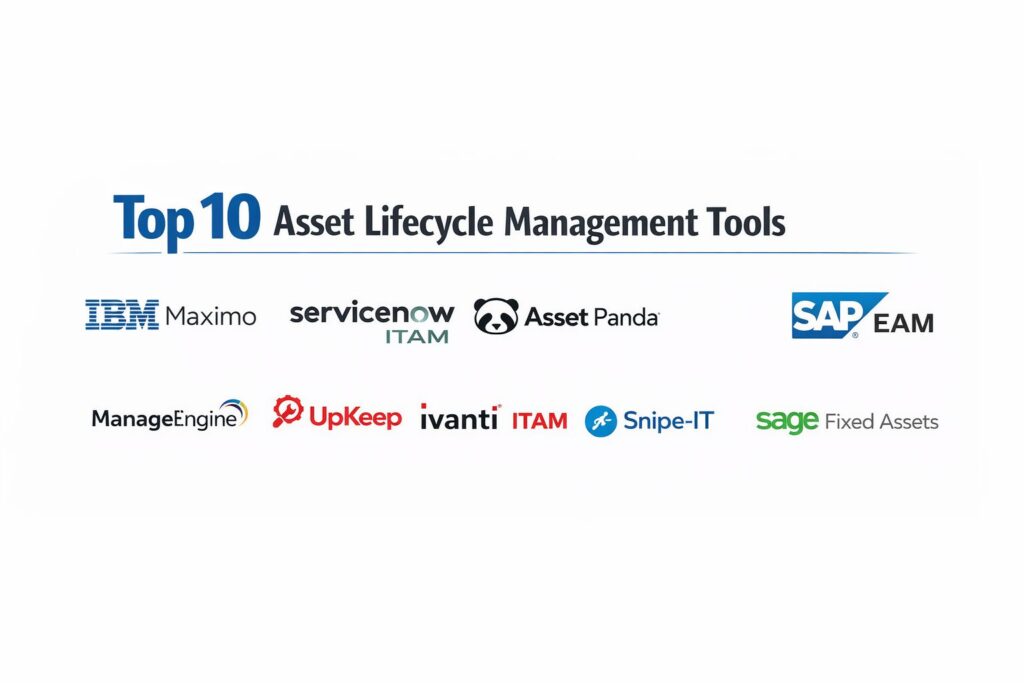
1. IBM Maximo
IBM Maximo is the gold standard for Enterprise Asset Management (EAM) in asset-intensive industries like manufacturing, energy, and transportation. It leverages AI and IoT to provide a comprehensive view of asset health, moving organizations from reactive maintenance to prescriptive and predictive models.
Key Features
The platform features the Maximo Monitor, which uses AI to detect anomalies in asset performance via IoT sensors. It includes a robust work order management system that automates technician dispatching based on asset priority and location. The system supports complex asset hierarchies, allowing for “parent-child” relationships between large machinery and its components. It offers advanced inventory management for spare parts, ensuring that critical components are available for maintenance without overstocking. Additionally, its financial module handles complex depreciation and total cost of ownership (TCO) analytics across global sites.
Pros
Unrivaled scalability and depth for managing large-scale, high-value industrial assets. The AI-driven predictive insights can significantly reduce unplanned downtime.
Cons
High total cost of ownership and a very steep learning curve for administrative teams. It often requires specialized consultants for implementation.
Platforms and Deployment
Available as a cloud-based SaaS, on-premise, or hybrid deployment through IBM Cloud.
Security and Compliance
Industry-leading security with FedRAMP, HIPAA, and GDPR compliance, featuring deep audit logs for regulatory scrutiny.
Integrations and Ecosystem
Integrates deeply with SAP, Oracle, and various SCADA/IoT data sources via its integration framework.
Support and Community
Offers global enterprise support and access to a massive user group community and IBM’s technical academy.
2. ServiceNow ITAM
ServiceNow IT Asset Management (ITAM) is built on the same platform as their industry-leading ITSM, providing a seamless link between asset records and service desk tickets. It is the premier choice for large enterprises that want to unify their IT operations.
Key Features
The platform offers a “Software Asset Management” (SAM) module that automatically tracks license usage against entitlements to prevent audit fines. Its hardware lifecycle management tracks devices from the warehouse to disposal, including automated “refresh” triggers. It features a Content Library that normalizes discovery data, ensuring that software names and versions are consistent across the database. The system provides a mobile app for receiving and auditing assets in the field. It also includes “Cloud Insights” to manage and optimize spend across AWS, Azure, and Google Cloud.
Pros
Exceptional integration between asset data and IT service workflows like Incident and Change management. The automated license reclamation feature provides immediate ROI by cutting SaaS waste.
Cons
The pricing structure is complex and can be very expensive for mid-market companies. Requires a mature IT team to fully utilize its advanced automation capabilities.
Platforms and Deployment
Cloud-native platform accessible via web browser and native mobile apps.
Security and Compliance
High-level enterprise security including SOC 2 Type II, ISO 27001, and role-based access control (RBAC).
Integrations and Ecosystem
Extensive marketplace with pre-built connectors for SCCM, Jamf, Intune, and major ERP systems.
Support and Community
Provides 24/7 global support and one of the largest professional communities in the IT operations space.
3. Asset Panda
Asset Panda is a highly configurable, cloud-based platform known for its flexibility and ease of use. It is designed to track any type of asset—from IT equipment to tools and leased vehicles—without requiring custom coding.
Key Features
The platform’s standout feature is its highly customizable data schema, allowing users to create unique fields and workflows for different asset types. It includes a built-in barcode and QR code scanner within the mobile app, facilitating rapid audits and check-ins. It supports automated notifications for warranty expirations and maintenance schedules. The system features a “Check-in/Check-out” module that tracks asset custody in real-time. It also provides a robust reporting engine that can generate custom lifecycle reports for stakeholders in finance or operations.
Pros
Extremely user-friendly interface that drives high adoption among non-technical staff. The flexibility allows it to grow with the company as asset types evolve.
Cons
Lacks the deep predictive AI analytics found in enterprise-heavy tools like IBM Maximo. The discovery features are not as automated as specialized ITAM tools.
Platforms and Deployment
Web-based dashboard with native iOS and Android mobile applications.
Security and Compliance
Provides secure data encryption, RBAC, and SOC 2 compliance for data integrity.
Integrations and Ecosystem
Integrates with Jira, Zendesk, and major MDM solutions like Jamf and Microsoft Intune.
Support and Community
Offers dedicated onboarding support and a comprehensive online knowledge base.
4. Freshservice
Freshservice (by Freshworks) provides a modern, intuitive approach to IT Asset Management that is particularly popular among mid-market companies. It focuses on automation and “employee-first” experiences.
Key Features
The platform includes an automated “Discovery Probe” that identifies all hardware and software across the network. It features a unified CMDB (Configuration Management Database) that maps the relationships between assets and business services. It provides a Contract Management module to track renewals and vendor performance. The system includes an “Inventory Management” feature for tracking consumables like cables and peripherals. It also offers automated asset offboarding, ensuring that licenses are revoked and hardware is returned when an employee leaves.
Pros
Very fast implementation time compared to traditional enterprise platforms. The interface is clean and requires minimal training for service desk agents.
Cons
The reporting features, while good, may lack the extreme granularity required by very large, highly regulated organizations.
Platforms and Deployment
SaaS-only platform with a mobile-responsive web interface and dedicated apps.
Security and Compliance
Adheres to GDPR, HIPAA, and ISO 27001 standards with robust data residency options.
Integrations and Ecosystem
Native integrations with Slack, Microsoft Teams, and a wide variety of SaaS applications.
Support and Community
Provides 24/7 email and phone support with a growing community forum.
5. SAP EAM
SAP Enterprise Asset Management is the ideal choice for organizations already running on the SAP S/4HANA ecosystem. It excels in aligning maintenance activities with financial planning and procurement.
Key Features
The platform offers deep integration with SAP Finance, ensuring that asset depreciation and valuation are always in sync with the general ledger. It includes the “Asset Intelligence Network,” a cloud-based collaborative platform for sharing asset data with manufacturers and service providers. It supports “Linear Asset Management” for infrastructure like pipelines or rail lines. The system features mobile asset management tools for field workers to update work orders in real-time. It also uses predictive analytics to optimize maintenance schedules and reduce spare part inventory costs.
Pros
Perfect data consistency for companies that use SAP as their primary system of record. It handles the financial side of the asset lifecycle better than almost any other tool.
Cons
Implementation is complex and usually requires a significant investment in time and specialized labor. The user interface can feel dated compared to modern SaaS tools.
Platforms and Deployment
Available on-premise or as part of the SAP S/4HANA Cloud environment.
Security and Compliance
Enterprise-grade security with support for global regulatory requirements across all major industries.
Integrations and Ecosystem
Seamlessly integrated with all other SAP modules and external IoT platforms via SAP BTP.
Support and Community
Global enterprise support and a massive network of certified implementation partners.
6. ManageEngine AssetExplorer
AssetExplorer is a dedicated ITAM tool that focuses on providing a complete view of the IT asset lifecycle. It is highly valued for its strong network discovery and license compliance features.
Key Features
The tool provides multi-platform discovery (Windows, Linux, macOS) through both agent-based and agentless methods. It features a “Software License Management” module that detects “prohibited” software and monitors usage to ensure compliance. It tracks the “Purchase to Disposal” lifecycle, including purchase order tracking and warranty management. The system includes a CMDB that visualizes asset dependencies and their impact on IT services. It also provides detailed financial reports, including depreciation and asset valuation, tailored for IT budgeting.
Pros
Offers a very high feature-to-price ratio, making it accessible for budget-conscious IT departments. The discovery engine is robust and highly reliable.
Cons
The user interface is functional but lacks the modern “polish” found in competitors like Freshservice or ServiceNow.
Platforms and Deployment
Available for on-premise installation or as a managed cloud service.
Security and Compliance
Includes RBAC, audit trails, and data encryption to support IT security standards.
Integrations and Ecosystem
Integrates natively with ManageEngine’s ServiceDesk Plus and other IT management tools.
Support and Community
Offers 24/5 support and a comprehensive technical documentation library.
7. UpKeep
UpKeep is a mobile-first Asset Management and CMMS (Computerized Maintenance Management System) designed for teams that spend their time in the field rather than behind a desk.
Key Features
The platform focuses on “Asset Reliability” through automated preventive maintenance scheduling based on usage triggers. It features a unique “Request Portal” where non-users can submit asset issues by scanning a QR code. It provides a mobile-optimized spare parts inventory system that allows technicians to deduct parts as they use them. The system includes “UpKeep Edge,” an IoT sensor integration that monitors asset condition (vibration, temperature) in real-time. It also offers a “Maintenance Analytics” dashboard to track KPIs like Mean Time to Repair (MTTR).
Pros
The mobile experience is the best in its class, designed specifically for technicians wearing gloves in rugged environments. Extremely quick to set up and start using.
Cons
Lacks deep ITAM features like software license tracking or network discovery. It is strictly a physical asset and maintenance tool.
Platforms and Deployment
Cloud-based with a heavy emphasis on its iOS and Android mobile applications.
Security and Compliance
Standard encryption and data protection, though not as “hardened” for high-compliance IT environments as ServiceNow.
Integrations and Ecosystem
Integrates with ERPs like SAP and NetSuite, as well as various IoT sensor providers.
Support and Community
Known for excellent customer success programs and proactive user training.
8. Ivanti ITAM
Ivanti (formerly LANDESK) provides a mature ITAM solution that specializes in discovering everything in your “everywhere work” environment, including remote devices and data center hardware.
Key Features
The platform uses the “Ivanti Neurons” engine to discover, manage, and secure assets automatically. It features a specialized “License Optimizer” for complex vendors like Oracle, Microsoft, and Adobe to prevent overspending. It tracks assets through their entire lifecycle with a focus on “Vendor Management,” keeping all contracts and performance data in one place. The system includes automated reclamation workflows for unused software. It also provides a “Financial Management” module to track asset costs, helping IT leaders prove the value of their investments.
Pros
The “Neurons” AI platform is excellent at finding “dark” assets that haven’t connected to the network in weeks. Very strong in software license optimization for complex audits.
Cons
The platform is a collection of acquired products, which can sometimes lead to a fragmented user experience across different modules.
Platforms and Deployment
Primarily cloud-delivered, with options for on-premise deployment for specific modules.
Security and Compliance
Highly secure, meeting the requirements of government and highly regulated financial institutions.
Integrations and Ecosystem
Deeply integrated with Ivanti’s own security and ITSM tools, as well as external platforms like Azure.
Support and Community
Offers tiered support plans and an active user community focused on IT governance.
9. Snipe-IT
Snipe-IT is a popular open-source asset management platform that provides a powerful, transparent, and cost-effective way to track IT assets. It is a favorite among DevOps teams who prefer self-hosted, transparent tools.
Key Features
The platform features a simple, web-based interface for checking assets in and out to users or locations. It includes a “one-click” audit feature where users must digitally sign for the equipment they receive. It supports QR code and barcode label generation directly from the interface. The system tracks software licenses, seats, and expiration dates, sending automated email alerts for renewals. It also features a “Maintenance Log” for each asset to track repairs and history. Being open-source, it allows for unlimited custom fields and full API access for custom integrations.
Pros
Completely free to use if self-hosted, with no per-user fees. The transparency of the open-source code is a major plus for security-conscious DevOps teams.
Cons
Self-hosting requires technical expertise for installation, security, and updates. It lacks the advanced automated discovery features found in paid tools.
Platforms and Deployment
Web-based; can be self-hosted on Linux/macOS/Windows or used via their paid “Snipe-IT Hosted” service.
Security and Compliance
Security depends on the hosting environment, but the software supports 2FA and encrypted databases.
Integrations and Ecosystem
Features a robust REST API that allows for custom integrations with almost any other tool.
Support and Community
Large, active GitHub community and extensive documentation; professional support available via paid plans.
10. Sage Fixed Assets
Sage Fixed Assets is a specialized tool that focuses almost exclusively on the financial lifecycle of assets. It is the preferred choice for finance teams who need to ensure absolute tax and accounting compliance.
Key Features
The platform includes over 300 built-in depreciation methods, ensuring compliance with both GAAP and IFRS standards. It features an “Inventory” module that works with mobile scanners to conduct physical audits and reconcile them with the financial books. It tracks “Construction-in-Progress” (CIP) for assets that are being built or installed over time. The system provides a “Planning” module to forecast future capital expenditures and budget needs. It also includes an “Abatement” feature for managing property tax and insurance on high-value assets.
Pros
Unbeatable for financial accuracy and tax compliance. It bridges the gap between the IT department and the CFO’s office perfectly.
Cons
It is not an “operational” tool; it won’t help you discover software on a network or manage a server’s patch level.
Platforms and Deployment
Available as an on-premise desktop application or a cloud-connected service.
Security and Compliance
Deeply focused on financial audit compliance and data integrity for tax purposes.
Integrations and Ecosystem
Integrates natively with Sage’s accounting software and other major ERP systems.
Support and Community
Provides professional accounting-focused support and regular updates for changing tax laws.
Comparison Table
| Tool Name | Best For | Platform(s) Supported | Deployment | Standout Feature | Public Rating |
| 1. IBM Maximo | Industrial EAM | Web, Mobile | Cloud/On-Prem | AI-Driven Predictive Maintenance | 4.5/5 |
| 2. ServiceNow ITAM | Enterprise ITAM | Web, iOS, Android | Cloud-Native | Automated License Reclamation | 4.6/5 |
| 3. Asset Panda | Flexible Tracking | Web, iOS, Android | Cloud | Highly Configurable Fields | 4.7/5 |
| 4. Freshservice | Mid-Market ITAM | Web, Mobile | Cloud | Automated Employee Offboarding | 4.6/5 |
| 5. SAP EAM | SAP Ecosystem | Web, Mobile | Hybrid | Financial Lifecycle Integration | 4.3/5 |
| 6. ManageEngine | Budget ITAM | Web, Desktop | On-Prem/Cloud | Robust Network Discovery | 4.2/5 |
| 7. UpKeep | Field Maintenance | iOS, Android | Cloud | Mobile-First QR Scanning | 4.8/5 |
| 8. Ivanti ITAM | Hybrid Workforces | Web, Mobile | Cloud | Ivanti Neurons Discovery | 4.1/5 |
| 9. Snipe-IT | DevOps / Free | Web, API | Self-Hosted | Open-Source Transparency | 4.5/5 |
| 10. Sage Fixed Assets | Financial Audit | Windows, Cloud | Hybrid | 300+ Depreciation Methods | 4.4/5 |
Evaluation & Scoring of Asset Lifecycle Management Tools
The scoring below is a comparative model intended to help shortlisting. Each criterion is scored from 1–10, then a weighted total from 0–10 is calculated using the weights listed. These are analyst estimates based on typical fit and common workflow requirements, not public ratings.
Weights:
- Core features – 25%
- Ease of use – 15%
- Integrations & ecosystem – 15%
- Security & compliance – 10%
- Performance & reliability – 10%
- Support & community – 10%
- Price / value – 15%
| Tool Name | Core (25%) | Ease (15%) | Integrations (15%) | Security (10%) | Performance (10%) | Support (10%) | Value (15%) | Weighted Total |
| 1. IBM Maximo | 10 | 5 | 9 | 10 | 10 | 9 | 6 | 8.55 |
| 2. ServiceNow ITAM | 10 | 7 | 10 | 9 | 9 | 9 | 6 | 8.70 |
| 3. Asset Panda | 8 | 10 | 8 | 8 | 8 | 9 | 9 | 8.45 |
| 4. Freshservice | 8 | 10 | 9 | 8 | 9 | 8 | 9 | 8.65 |
| 5. SAP EAM | 9 | 4 | 10 | 10 | 9 | 8 | 5 | 7.90 |
| 6. ManageEngine | 8 | 7 | 8 | 8 | 8 | 8 | 10 | 8.15 |
| 7. UpKeep | 8 | 10 | 7 | 7 | 9 | 10 | 8 | 8.40 |
| 8. Ivanti ITAM | 9 | 6 | 8 | 9 | 8 | 8 | 7 | 7.85 |
| 9. Snipe-IT | 7 | 7 | 7 | 7 | 8 | 7 | 10 | 7.45 |
| 10. Sage Fixed Assets | 9 | 6 | 8 | 9 | 8 | 8 | 8 | 8.00 |
How to interpret the scores:
- Use the weighted total to shortlist candidates, then validate with a pilot.
- A lower score can mean specialization, not weakness.
- Security and compliance scores reflect controllability and governance fit, because certifications are often not publicly stated.
- Actual outcomes vary with assembly size, team skills, templates, and process maturity.
Which Asset Lifecycle Management Tool Is Right for You?
Solo / Freelancer
If you are an individual managing a small set of expensive equipment, Snipe-IT (self-hosted) or a simple subscription to Asset Panda is the way to go. You don’t need the heavy automation of enterprise tools, but you do need a professional history of your hardware and software for tax time.
SMB
Small to medium businesses will find the best balance in Freshservice or Asset Panda. These tools offer enough automation to save time without requiring a dedicated “Asset Manager” role to maintain the software itself.
Mid-Market
For companies with 500+ employees and a mix of remote and office workers, ManageEngine AssetExplorer or UpKeep provides the necessary depth for tracking a diverse asset estate while staying within a reasonable budget.
Enterprise
Large-scale organizations with complex governance needs should look toward ServiceNow ITAM or IBM Maximo. These platforms provide the necessary “connective tissue” between various departments like Finance, IT, and Operations to ensure complete visibility.
Budget vs Premium
Snipe-IT is the ultimate budget winner, but it requires internal technical labor. For a premium, “set it and forget it” experience, ServiceNow is the leader, provided you have the budget to support its ecosystem.
Feature Depth vs Ease of Use
If ease of use and mobile adoption by technicians are your primary goals, UpKeep is the clear winner. If you need extreme feature depth and financial reporting accuracy, Sage Fixed Assets is the superior choice.
Integrations & Scalability
SAP EAM is the only choice if your organization is already standardized on SAP. For most other IT-heavy organizations, ServiceNow offers the most scalable integration marketplace available today.
Security & Compliance Needs
For government and highly regulated industries, IBM Maximo and Ivanti ITAM offer the most hardened security profiles and the most detailed audit trails to satisfy the strictest compliance standards.
Frequently Asked Questions (FAQs)
1. What is the difference between Asset Management and Inventory Management?
Inventory management focuses on “stock” items that are sold or used up (like ink or cables). Asset management focuses on high-value items that have a lifecycle, depreciate over time, and require maintenance (like laptops or servers).
2. How does a discovery agent work?
A discovery agent is a small piece of software installed on a device that periodically reports its hardware specs, software versions, and status back to the central ALM platform, ensuring your registry is always accurate.
3. Can I track virtual and cloud assets with these tools?
Yes, most modern ITAM tools like ServiceNow and Ivanti have “Cloud Insights” or “Cloud Management” modules that pull data from AWS or Azure to track virtual machines and serverless functions as assets.
4. Why is software license reclamation important?
It prevents “license sprawl.” By identifying employees who have expensive software installed but haven’t opened it in 30 days, the system can automatically uninstall the app and return the license to the pool for someone else.
5. What is a CMDB and how does it relate to ALM?
A CMDB (Configuration Management Database) tracks the relationships between assets. For example, it shows which server (asset) supports which business application, helping SREs understand the “blast radius” of a hardware failure.
6. Do I need a specialized tool for disposal?
Yes, the disposal phase is critical for data security. ALM tools track “Certificates of Destruction” to prove that data was wiped from hard drives before the asset was sold or recycled.
7. Can these tools help with tax audits?
Absolutely. Tools like Sage Fixed Assets are specifically designed to provide an accurate record of asset value and depreciation, which is essential for reporting to tax authorities and insurers.
8. What are “ghost assets”?
Ghost assets are items that are still on the accounting books but are no longer physically present or operational. They lead to overpayment on taxes and insurance. ALM tools help identify and purge these from your records.
9. Is mobile scanning essential?
For any organization with physical assets, yes. It allows for “walking audits” where a person can scan an item and instantly update its location or status, which is 10 times faster than manual data entry.
10. How often should I perform an asset audit?
Highly regulated industries perform “continuous” audits using discovery agents. For physical assets, a full reconciliation is typically done annually, with “spot checks” performed quarterly.
Conclusion
Implementing a professional Asset Lifecycle Management tool is a foundational step toward operational maturity. As we have seen, the right tool doesn’t just count items; it provides a comprehensive financial and operational narrative for every piece of technology and equipment within your organization. From the AI-driven predictive maintenance of IBM Maximo to the flexible, mobile-first workflows of Asset Panda, the current market offers a solution for every scale and industry. For the DevOps and SRE professional, these tools are indispensable for maintaining a stable infrastructure and ensuring that every dollar spent on technology is driving measurable business value. Choosing the right partner in this space ensures that your organization remains lean, compliant, and ready to scale into the complex technological landscape of the coming years.