Introduction
Archive cataloging software is a sophisticated category of information management tools designed to organize, preserve, and provide access to historical records, digital assets, and physical collections. These platforms move beyond simple databases by implementing rigorous international metadata standards that ensure the longevity and searchability of cultural heritage. In the current technological era, these systems have integrated artificial intelligence to automate the transcription of handwritten documents and the tagging of visual media, transforming static basements of data into dynamic, interactive research hubs.
Modern archival institutions—ranging from national museums to corporate heritage departments—rely on these tools to manage the entire lifecycle of an object, from initial accessioning to public exhibition. The software serves as a “single source of truth,” bridging the gap between physical storage locations and digital discovery layers. Selecting the right platform requires a deep understanding of how specific software handles complex hierarchical relationships and whether it can scale to meet the multi-terabyte demands of modern digital preservation.
Best for: National and local archives, university special collections, corporate heritage departments, and museums requiring standards-compliant documentation.
Not ideal for: Personal photo organization, basic small-business filing systems, or temporary project management without long-term preservation needs.
Key Trends in Archive Cataloging Software
- AI-Driven Metadata Harvesting: Machine learning models now scan digitized documents to automatically suggest keywords, dates, and names, drastically reducing the manual backlog for archivists.
- Linked Open Data (LOD) Integration: Modern systems are moving toward “graph-based” data, allowing archives to connect their internal records with global authority files like Getty and Library of Congress.
- Active Digital Preservation: Beyond mere storage, newer tools perform regular “fixity checks” and automated format migrations to ensure files remain readable as technology evolves.
- Community-Sourced Cataloging: Platforms now feature portals that allow the public to contribute transcriptions or identify people in photographs, fostering greater community engagement.
- Unified GLAM Workflows: Software is increasingly breaking down the silos between Galleries, Libraries, Archives, and Museums (GLAM) to manage disparate item types in one interface.
- Cloud-Native Sovereignty: Secure cloud hosting has become the standard, offering high-redundancy storage while maintaining strict data residency compliance for sensitive records.
- Mobile-First Inventory Management: The shift toward mobile-responsive interfaces allows archivists to perform location audits and condition reporting directly from the tablet in the stacks.
How We Selected These Tools (Methodology)
The selection process for these top 10 tools involved a rigorous evaluation of their adherence to international archival standards, such as ISAD(G), EAD, and Dublin Core. We prioritized software that offers a balance between “back-office” administrative power and “front-end” public accessibility, ensuring that the cataloging effort results in a usable discovery experience. Our team analyzed user feedback from the global archival community, focusing on software stability during large-scale data imports and the quality of technical support provided by the vendors.
Scalability was a primary metric; we looked for systems that could handle a few hundred records just as efficiently as a few million. We also weighed the importance of interoperability—the ability for the software to export and import data in open formats to prevent vendor lock-in. Finally, we assessed the security posture of each tool, specifically looking for robust audit trails and role-based access controls which are critical for maintaining the integrity of historical records.
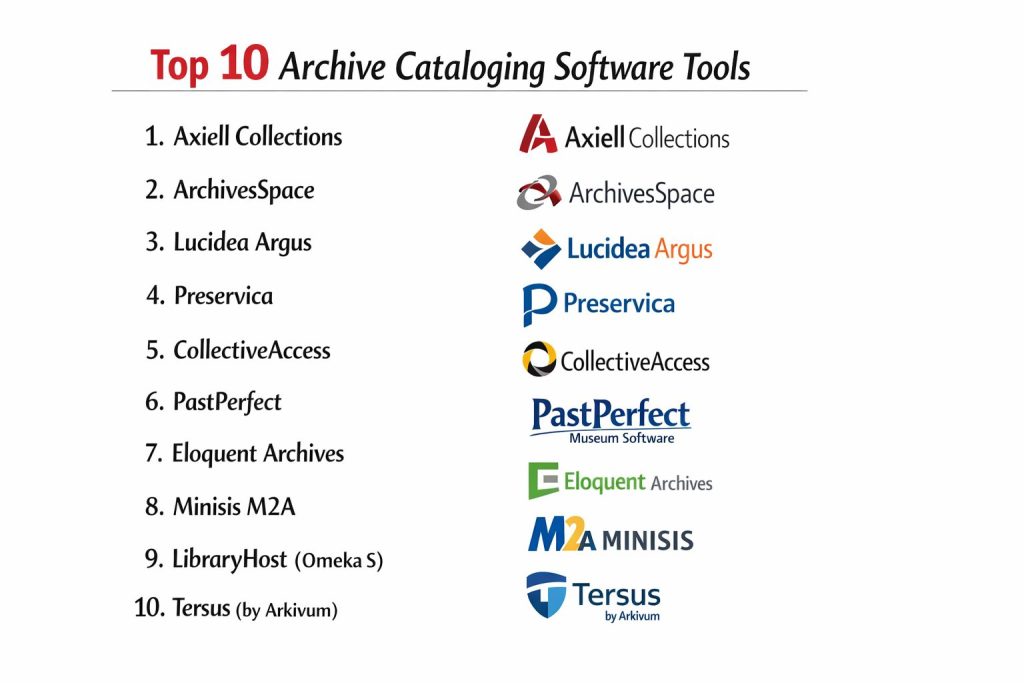
Top 10 Archive Cataloging Software Tools
1. Axiell Collections
Axiell Collections is a comprehensive, cloud-based platform designed specifically for the GLAM sector. It provides a unified environment where archives, museums, and libraries can manage their unique collections using a single, standards-compliant interface.
Key Features
- Cross-Domain Management: Allows for the simultaneous management of archival, library, and museum records in one database.
- Workflow Automation: Features customizable task triggers for moving items through the accessioning and conservation process.
- Digital Asset Management (DAM): An integrated system for handling high-resolution images, videos, and audio files alongside their records.
- Flexible Metadata: Supports diverse international standards including EAD, ISAD(G), and Spectrum.
- Public Discovery Interface: Includes a customizable web portal for researchers to search and view collections online.
- Advanced Reporting: Built-in tools for generating complex insurance, location, and condition reports.
Pros
- Exceptional at handling multi-disciplinary collections within a single organizational structure.
- Highly scalable, making it suitable for both local historical societies and national institutions.
Cons
- The extensive feature set can be overwhelming for small organizations with limited staff.
- Implementation and migration can be complex, often requiring professional services.
Platforms / Deployment
- Web-based (Cloud) / On-premise
- Browser-delivered
Security & Compliance
- Features: Granular user permissions and full audit trails for every record change.
- Compliance: GDPR compliant and adheres to ISO 27001 standards.
2. ArchivesSpace
ArchivesSpace is the leading open-source archives management system, developed by and for the archival community. It is specifically built to support the core functions of archival administration, including description, discovery, and management of materials.
Key Features
- Hierarchical Description: Native support for complex nested relationships typical of archival fonds and series.
- Authority Control: Built-in management for agent records (people, families, corporate bodies) and subjects.
- Accessioning Tools: Streamlined workflows for bringing new materials into the archive and tracking their status.
- EAD Export/Import: Seamless handling of Encoded Archival Description for sharing data with other institutions.
- Location Tracking: Detailed management of physical containers and their positions within the stacks.
- Community-Driven Plugins: A vast library of user-created extensions to add custom functionality.
Pros
- No licensing fees, making it highly attractive for academic and non-profit institutions.
- Supported by a massive, global community of professional archivists and developers.
Cons
- Requires technical expertise to install, host, and maintain the server environment.
- The user interface is functional but can feel less modern than some commercial competitors.
Platforms / Deployment
- Linux / Windows (Self-hosted)
- Web-based interface
Security & Compliance
- Features: Role-based access control and secure API for third-party integrations.
- Compliance: Supports international archival standards (ISAD/G, DACS).
3. Lucidea Argus
Lucidea Argus is a high-end, web-based museum and archive management system that focuses on creating a “collection as a story.” It is designed for institutions that want to go beyond simple lists to create engaging narratives.
Key Features
- Unlimited Metadata Customization: Users can create an infinite number of custom fields without developer assistance.
- Virtual Exhibits: Tools to easily curate online exhibitions directly from the cataloged records.
- Researcher Portals: Self-service areas for external researchers to request access or copies of materials.
- Mobile Inventory: Fully responsive design for performing inventory audits on tablets and mobile devices.
- Multi-Collection Support: Manage disparate collections (e.g., fine art vs. paper archives) in one system.
- Integrated Workflow Management: Tracks an object’s journey from donor contact to final placement.
Pros
- Extremely user-friendly interface that reduces the time spent on training.
- Powerful search and discovery tools that empower both staff and the public.
Cons
- Higher cost of ownership compared to open-source or entry-level solutions.
- The high degree of flexibility can lead to metadata inconsistency if not strictly managed.
Platforms / Deployment
- SaaS (Cloud)
- Web-based
Security & Compliance
- Features: Encryption at rest and in transit; SOC 2 Type II certified.
- Compliance: Section 508 (Accessibility) and GDPR.
4. Preservica
Preservica is a specialized solution that combines archival cataloging with advanced digital preservation. It is built to ensure that digital records remain accessible and readable for decades, regardless of file format obsolescence.
Key Features
- Automated Format Migration: Automatically converts old file formats into modern, readable versions over time.
- Integrity Checking: Constant, automated background checks (checksums) to prevent data corruption or “bit rot.”
- Universal Access Portal: A public-facing site for viewing both metadata and the digital files themselves.
- Bulk Ingest: High-speed tools for uploading and cataloging massive volumes of digital data.
- Retention Management: Automated policies for how long records should be kept before being purged or moved.
- Active Preservation Workflows: Integrated tools for checking for viruses and validating file formats during upload.
Pros
- The undisputed leader in the long-term safeguarding of digital-only archival material.
- Saves significant time by automating the technical aspects of digital preservation.
Cons
- Pricing is based on storage volume, which can become expensive for large video archives.
- The cataloging features are secondary to its preservation functions.
Platforms / Deployment
- Cloud (AWS / Azure) / On-premise
- SaaS
Security & Compliance
- Features: Multi-region storage redundancy and deep audit logging.
- Compliance: ISO 27001, HIPAA, and GDPR.
5. CollectiveAccess
CollectiveAccess is an open-source software suite for managing and publishing museum and archival collections. It is known for its highly flexible configuration, allowing it to adapt to almost any cataloging need.
Key Features
- Providence Interface: A back-end management system that is entirely configurable via XML files.
- Pawtucket Interface: A separate, highly customizable front-end for public search and discovery.
- Media Processing: Automatic generation of thumbnails and web-ready versions of uploaded media.
- Batch Editing: Powerful tools for updating thousands of records at once via the user interface.
- Geographic Mapping: Built-in support for mapping collections to specific GPS coordinates.
- Relationship Modeling: Ability to define custom relationships between objects, people, and events.
Pros
- Perhaps the most customizable tool on the market; if you can imagine a metadata field, you can build it.
- Excellent for institutions with non-standard or eclectic collections that don’t fit into typical boxes.
Cons
- The initial configuration is technical and can be difficult for non-developers to set up.
- Lack of a dedicated corporate support team (unless hiring a third-party consultant).
Platforms / Deployment
- Linux / macOS / Windows (Self-hosted)
- Web-based
Security & Compliance
- Features: Standards-based authentication and flexible user group permissions.
- Compliance: N/A (User-configured).
6. PastPerfect
PastPerfect is the most widely used collection management software in the world for small to mid-sized history museums. It offers an all-in-one solution that covers archives, artifacts, libraries, and photos.
Key Features
- Pre-Configured Fields: Comes ready to use with fields based on industry standards for immediate cataloging.
- Membership Management: Integrated module for tracking donors, members, and fundraising efforts.
- Exhibit Tracking: Dedicated tools for managing what is currently on display and what is in storage.
- Multimedia Links: Easily attach digital images, audio files, and PDFs directly to the catalog record.
- Easy Reporting: Includes hundreds of pre-built reports for common archival tasks.
- Public Access Module: An optional add-on for sharing your collection with the world via the web.
Pros
- Very affordable and easy to learn, making it perfect for volunteer-run organizations.
- Comprehensive “out of the box” experience requires very little technical setup.
Cons
- Limited customization compared to enterprise-grade tools like Maya or Axiell.
- The desktop version (non-web) feels dated and is not ideal for remote work.
Platforms / Deployment
- Windows Desktop / Web-based (Online version)
- Hybrid
Security & Compliance
- Features: Password protection and standard data backups.
- Compliance: Not publicly stated.
7. Eloquent Archives
Eloquent Archives is a comprehensive, browser-based solution designed specifically for corporate and government archivists who need to manage the entire lifecycle of records from birth to final disposition.
Key Features
- Lifecycle Management: Tracks records from active office use to permanent archival storage or destruction.
- Barcode Integration: Full support for mobile barcode scanning to manage physical boxes and folders.
- Researcher Self-Service: Portal for external users to search, request, and even pay for digital copies.
- Advanced Search Logic: Supports boolean, proximity, and fuzzy searches to find obscure records.
- Document Imaging: Integrated tools for scanning and attaching paper records to digital metadata.
- Classification Schemes: Robust support for organizational file plans and retention schedules.
Pros
- Exceptional at managing the transition between “Records Management” and “Archiving.”
- Strong focus on compliance and the legal defensibility of record-keeping.
Cons
- The interface is more utilitarian and professional than visual or “pretty.”
- Primarily focused on paper and document archives rather than 3D museum artifacts.
Platforms / Deployment
- SaaS (Cloud)
- Web-based
Security & Compliance
- Features: SOC 2 compliance and robust permission hierarchies.
- Compliance: GDPR and Section 508.
8. Minisis M2A
Minisis M2A is a specialized application of the Minisis database engine, tailored specifically for the unique needs of historical archives and special collections. It is known for its extreme data-handling speed.
Key Features
- Pre-Defined Archival Templates: Includes ready-made screens for ISAD(G) and RAD standards.
- Rapid Data Entry: Optimized for high-speed cataloging of large backlogs.
- Multilingual Support: One of the few systems that allows for full cataloging in multiple languages simultaneously.
- Dynamic Web Interface: Automatically updates the public-facing site as soon as a record is marked “public.”
- Digital Repository: A secure space for storing and viewing digital representations of objects.
- Custom Scripting: Allows for deep backend automation via the Minisis engine.
Pros
- Known for its extreme stability and speed even when managing millions of records.
- Strong international presence with excellent support for diverse archival standards.
Cons
- The setup process can be intensive and requires a good understanding of database logic.
- Pricing is generally geared toward mid-to-large sized institutions.
Platforms / Deployment
- Windows / Web-based
- Desktop / Cloud
Security & Compliance
- Features: Encrypted data transfers and rigorous user authentication.
- Compliance: ISO and international archival standards.
9. LibraryHost (Omeka S)
LibraryHost provides a professionally hosted version of Omeka S, an open-source platform that has evolved from a simple exhibition tool into a powerful archival cataloging system for digital scholarship.
Key Features
- Resource Templates: Create specific cataloging forms based on Dublin Core for different item types.
- Linked Data Native: Built on JSON-LD, making your archival data inherently ready for the semantic web.
- Multi-Site Management: Manage one central pool of items and publish them to multiple different websites.
- Modular Architecture: Add features like mapping, timelines, and IIIF viewers through a vast plugin library.
- Media Integration: Advanced handling of digital media, including high-res image tiling for deep zooming.
- User Contributions: Modules that allow the public to suggest edits or contribute their own stories.
Pros
- The best choice for institutions that prioritize visual storytelling and digital exhibits.
- Extremely modern architecture that is easy to integrate with other university or library systems.
Cons
- The core system is less focused on physical box tracking and warehouse management.
- Can require many plugins to achieve the functionality that comes “standard” in other tools.
Platforms / Deployment
- SaaS (via LibraryHost) / Self-hosted (Linux)
- Web-based
Security & Compliance
- Features: Regular security patching and secure hosting via LibraryHost.
- Compliance: GDPR and accessibility standards.
10. Tersus (by Arkivum)
Tersus is an enterprise-grade solution that focuses on the “safeguarding” of archival data. It is often used in highly regulated research and scientific environments where data integrity is the top priority.
Key Features
- 100% Data Integrity Guarantee: Uses multiple copies across different geographic locations to prevent loss.
- Metadata for Research: Specifically designed to handle the complex metadata requirements of scientific datasets.
- Petabyte-Scale Storage: Built to handle massive archives that exceed the capacity of traditional systems.
- Full-Text Search: Not just searching metadata, but searching inside the actual text of archived PDFs and docs.
- Quality Control Workflows: Automated gates that ensure data meets specific standards before ingest.
- Preservation Planning: Built-in tools for assessing the “health” of the archive over time.
Pros
- The go-to choice for institutions that cannot afford to lose a single bit of data.
- Excellent for managing “born-digital” records and massive research datasets.
Cons
- May be over-engineered for a simple historical society or a small local archive.
- The interface focuses on technical data management rather than “storytelling.”
Platforms / Deployment
- Cloud (Multi-cloud)
- SaaS
Security & Compliance
- Features: End-to-end encryption and strict GxP compliance for regulated industries.
- Compliance: HIPAA, GDPR, ISO 27001, and SOC 2.
Comparison Table (Top 10)
| Tool Name | Best For | Platform(s) Supported | Deployment | Standout Feature | Public Rating |
| Axiell Collections | GLAM Institutions | Web-based | Cloud/On-Prem | Cross-domain Unified UI | 4.6/5 |
| ArchivesSpace | Academic Archives | Win, Linux | Self-hosted | Community-Led Design | 4.5/5 |
| Lucidea Argus | Public Outreach | Web-based | SaaS | Virtual Exhibit Tools | 4.8/5 |
| Preservica | Digital Assets | Web-based | SaaS/On-Prem | Auto-Format Migration | 4.7/5 |
| CollectiveAccess | Unique Collections | Win, Mac, Linux | Self-hosted | XML Customization | 4.4/5 |
| PastPerfect | Small Museums | Windows, Web | Hybrid | All-in-one Simplicity | 4.2/5 |
| Eloquent Archives | Records Management | Web-based | SaaS | Lifecycle Tracking | 4.3/5 |
| Minisis M2A | Large Databases | Windows, Web | Cloud/On-Prem | Multilingual Support | 4.4/5 |
| LibraryHost (Omeka S) | Visual Discovery | Linux, Web | SaaS/Self-Host | Linked Data Native | 4.6/5 |
| Tersus (by Arkivum) | Research Data | Web-based | SaaS | Data Integrity Guarantee | N/A |
Evaluation & Scoring of Archive Cataloging Software
The scoring below is a comparative model intended to help shortlisting. Each criterion is scored from 1–10, then a weighted total from 0–10 is calculated using the weights listed. These are analyst estimates based on typical fit and common workflow requirements, not public ratings.
Weights:
Price / value – 15%
Core features – 25%
Ease of use – 15%
Integrations & ecosystem – 15%
Security & compliance – 10%
Performance & reliability – 10%
Support & community – 10%
| Tool Name | Core (25%) | Ease (15%) | Integrations (15%) | Security (10%) | Performance (10%) | Support (10%) | Value (15%) | Weighted Total |
| Axiell Collections | 10 | 6 | 9 | 9 | 9 | 9 | 7 | 8.55 |
| ArchivesSpace | 9 | 5 | 8 | 8 | 8 | 10 | 10 | 8.20 |
| Lucidea Argus | 9 | 9 | 8 | 9 | 9 | 9 | 6 | 8.15 |
| Preservica | 8 | 7 | 10 | 10 | 10 | 9 | 5 | 8.05 |
| CollectiveAccess | 9 | 3 | 7 | 7 | 8 | 6 | 10 | 7.15 |
| PastPerfect | 7 | 10 | 6 | 7 | 8 | 8 | 9 | 7.70 |
| Eloquent Archives | 9 | 7 | 8 | 9 | 8 | 8 | 7 | 7.95 |
| Minisis M2A | 10 | 5 | 7 | 9 | 10 | 8 | 7 | 8.05 |
| LibraryHost | 8 | 8 | 9 | 8 | 9 | 8 | 8 | 8.25 |
| Tersus | 7 | 6 | 9 | 10 | 10 | 9 | 6 | 7.75 |
How to interpret the scores:
- Use the weighted total to shortlist candidates, then validate with a pilot.
- A lower score can mean specialization, not weakness.
- Security and compliance scores reflect controllability and governance fit, because certifications are often not publicly stated.
- Actual outcomes vary with assembly size, team skills, templates, and process maturity.
Which Archive Cataloging Software Tool Is Right for You?
Solo / Small Historical Society
For organizations with minimal budget and technical staff, PastPerfect is the clear winner. Its pre-configured setup allows you to start cataloging immediately without worrying about server maintenance or database design.
Academic / University Archives
ArchivesSpace remains the gold standard for university special collections. Its deep integration with research workflows and its community-driven development ensure it stays aligned with the needs of academic librarians and archivists.
Corporate Heritage
Large companies need to manage their legacy alongside modern records. Eloquent Archives or Axiell Collections are best suited here, as they provide the rigorous lifecycle management and security required by corporate legal departments.
Digital-First Archives
If your collection consists primarily of born-digital video, audio, or photography, Preservica is essential. While it can be used alongside other tools, its specific focus on “active preservation” ensures your digital assets won’t be lost to time.
Museums with Research Needs
For institutions that manage both objects and a library of associated papers, Axiell Collections provides the best “single-pane-of-glass” experience, allowing researchers to see everything related to a topic across all collection types.
High-Fidelity Research & Science
Institutions managing petabytes of scientific or government data should look to Tersus. Its focus on bit-level integrity and searchability of massive datasets makes it the only viable choice for high-stakes data safeguarding.
Visual Storytelling
If your goal is to showcase your archives to the public via engaging websites, LibraryHost (Omeka S) or Lucidea Argus are the top choices. They offer the most modern, visually appealing interfaces for public discovery.
Custom/Niche Collections
If you have a collection that is completely unique (e.g., an archive of specialized industrial machinery or a video game heritage project), the flexibility of CollectiveAccess allows you to build a custom data model that perfectly fits your items.
Frequently Asked Questions (FAQs)
What is the difference between an Archive and a Library system?
A library system tracks individual items (books) that are often identical to others, while an archive system tracks unique, one-of-a-kind records that are organized by their creator (provenance) and their original order.
Why can’t I just use Excel for cataloging?
While Excel is fine for a few items, it doesn’t support the hierarchical “nested” relationships of archival records (e.g., a letter inside a folder, inside a box, inside a series). It also lacks professional metadata standards and audit trails.
What does “Standards-Compliant” mean?
It means the software follows international rules like ISAD(G) or DACS. This ensures that if you ever need to move your data to a new system, it will be organized in a way that other professionals and software can understand.
Is Open-Source really free?
The software itself (like ArchivesSpace) is free to download, but you will still need to pay for a server to host it, a technician to maintain it, and time for staff training.
What is a “Finding Aid”?
A finding aid is a document generated by the software that provides a detailed map of an archival collection. It helps researchers understand the context and contents of the materials before they request them.
Can these tools handle video and audio?
Most modern tools like Axiell and Preservica have integrated Digital Asset Management (DAM) to store and play media files directly in the browser while showing the associated metadata.
How do I protect my archive from digital obsolescence?
Tools with “Active Preservation” (like Preservica) regularly check files for corruption and can automatically convert an old format (like WordPerfect) into a modern one (like PDF/A).
Do I need a specialized server for these tools?
Most are now “SaaS” (Software as a Service), meaning the vendor hosts the software on their own secure servers. You only need a modern web browser and a stable internet connection to use them.
What is metadata “Taxonomy”?
Taxonomy is a structured list of terms used to tag items. Professional software uses “Authority Control” to ensure that if one person tags an item “WWII,” another person doesn’t tag a similar item “World War 2,” which would split search results.
Can I migrate data from my old system?
Yes, most professional tools offer migration services or import tools for CSV, XML, and MARC formats. It is usually the most complex part of the setup and often requires vendor assistance.
Conclusion
Archive cataloging software is the foundational infrastructure that prevents our collective history from being lost in the digital and physical shadows. Whether you choose the community-led power of ArchivesSpace, the preservation-first approach of Preservica, or the all-in-one simplicity of PastPerfect, the goal remains the same: to create a searchable, sustainable record of human activity. the integration of AI and cloud-native standards has made these tools more powerful and accessible than ever before, allowing even small institutions to maintain professional-grade standards.
The journey toward a professional archive begins with a clear understanding of your collection’s unique needs. By selecting a tool that aligns with your staff’s technical abilities and your institution’s long-term preservation goals, you ensure that your records will be discoverable and readable for generations to come.