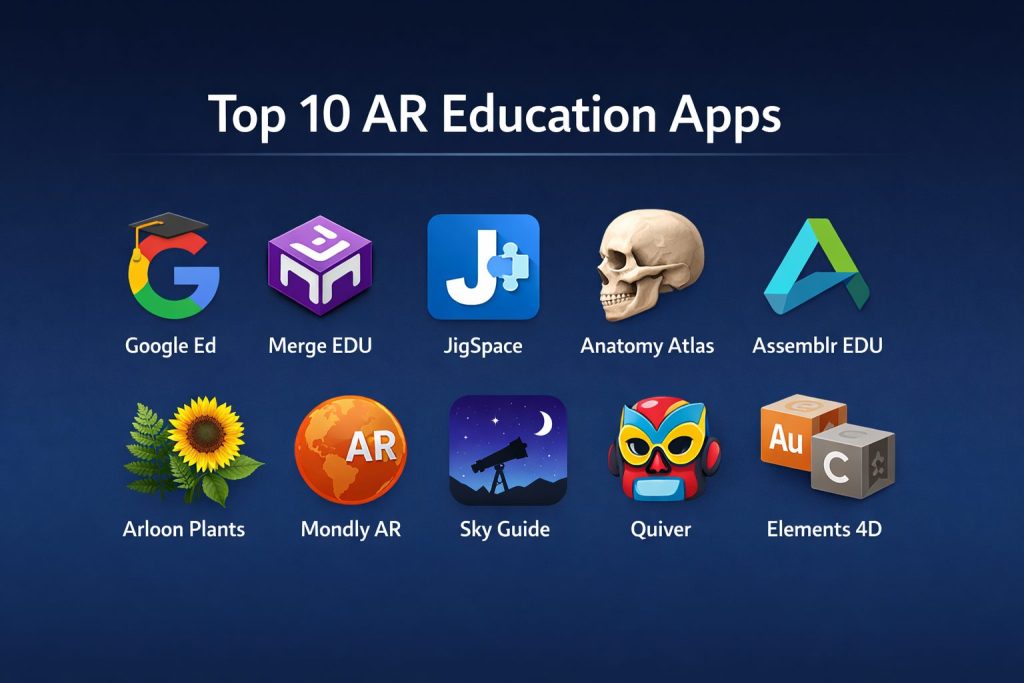
Introduction
Augmented Reality (AR) in education is a transformative shift that bridges the gap between theoretical concepts and physical reality. By overlaying high-definition digital data, 3D models, and interactive simulations onto the real world, these applications provide a sensory-rich environment that traditional textbooks cannot match. This technology is no longer a futuristic novelty; it is a critical instrument for modern pedagogy, enabling students to visualize complex anatomical structures, manipulate chemical molecules, or walk through historical sites from their desks. For educational institutions and independent learners, AR serves as a catalyst for cognitive retention and spatial reasoning.
The integration of these tools into a learning curriculum is essential for preparing students for a digitally native workforce. Organizations and schools are increasingly adopting AR to provide safe, cost-effective alternatives to expensive laboratory equipment and physical field trips. When evaluating which AR application to deploy, key considerations include the accuracy of the 3D assets, the stability of the tracking algorithms, and the alignment with global educational standards. Furthermore, the accessibility of the platform across various mobile and wearable devices determines the scalability of the solution within a classroom or a remote learning environment.
Best for: K-12 classrooms, medical universities, STEM training centers, and corporate development programs seeking immersive, interactive learning modules.
Not ideal for: Environments with extremely limited hardware access, low-light settings where AR tracking struggles, or subjects that require heavy text-based memorization without a need for spatial visualization.
Key Trends in AR Education Apps
One of the most significant developments is the move toward “Markerless AR,” which allows digital objects to be placed on any flat surface without the need for printed triggers. There is also a major trend toward collaborative AR experiences, where multiple students can view and interact with the same 3D model simultaneously, fostering teamwork and shared discovery. AI integration is now being used to provide real-time labels and translations for physical objects viewed through the camera, creating a more responsive learning assistant.
We are seeing a massive shift toward WebAR, which allows users to access augmented experiences through a mobile browser, removing the friction of downloading large standalone applications. Gamification is also being deeply embedded, with rewards and progression systems that keep younger learners engaged for longer periods. Additionally, there is an increasing focus on “Digital Twins” of historical artifacts, allowing students to inspect rare items in microscopic detail without the risk of damage to the original pieces.
How We Selected These Tools
The selection of these platforms was based on their pedagogical value and technical robustness. We prioritized applications that offer verified, curriculum-aligned content across diverse subjects like biology, physics, and history. Reliability of the AR tracking was a major factor, ensuring that 3D models remain anchored to the environment without jitter, which is crucial for maintaining student focus. We also examined the user experience, favoring tools with intuitive interfaces that require minimal training for both teachers and students.
Cross-platform compatibility was another core criterion, as schools often operate on a mix of different hardware. We looked for tools that provide a balance between “consumption” (viewing pre-made content) and “creation” (allowing students to build their own AR scenes). Finally, we assessed the availability of teacher dashboards and progress tracking features, which are vital for measuring the impact of AR on learning outcomes. Each selected tool represents a leader in its specific educational niche.
1. Google for Education (Expeditions AR)
Google has integrated its immersive expedition capabilities into its broader educational ecosystem, allowing teachers to lead students on virtual journeys. It uses AR to place 3D objects—from DNA strands to prehistoric creatures—directly into the classroom environment. The tool is designed for guided learning, where the educator controls the flow of information while students explore the details.
Key Features
The platform offers an extensive library of 3D objects that can be scaled and rotated by users. It includes built-in lesson plans and “points of interest” markers that highlight critical information. The software supports both AR and VR modes, providing a versatile immersive toolkit. It also allows for offline access to many modules, which is essential for environments with spotty internet connectivity.
Pros
The app is entirely free and leverages existing mobile hardware, making it highly accessible. The content covers a vast range of subjects, from space exploration to fine arts.
Cons
The transition of the standalone app into the broader Google ecosystem has changed the user interface for some. It requires a relatively modern device with ARCore or ARKit support.
Platforms and Deployment
Android and iOS. It is deployed as a mobile application suitable for tablet-based classrooms.
Security and Compliance
Adheres to Google’s strict educational data privacy standards, including COPPA and GDPR compliance for student data protection.
Integrations and Ecosystem
Seamlessly integrates with Google Classroom, allowing teachers to assign specific AR activities and track student participation through their existing accounts.
Support and Community
Extensive documentation is available through the Google for Education help center, backed by a global community of “Google Certified Educators.”
2. Merge EDU
Merge EDU is a hands-on AR platform that utilizes a physical “Merge Cube” to allow students to hold and interact with digital 3D objects. This tactile approach is highly effective for STEM learning, as it combines the physical sensation of holding an object with the digital depth of AR visualization.
Key Features
The system includes “Object Viewer,” which lets students inspect thousands of 3D models. “Explorer” provides interactive simulations of complex scientific concepts like the water cycle or plate tectonics. It features a dedicated teacher dashboard for managing student accounts and tracking progress. The software also includes printable paper versions of the cube for schools on a tight budget.
Pros
The tactile nature of the cube makes it much easier for younger students to control digital objects. It provides a very stable AR experience compared to many markerless alternatives.
Cons
It requires the purchase of the physical Merge Cube for the best experience. The full library of simulations requires a paid subscription.
Platforms and Deployment
iOS, Android, and Windows. It is a local application that connects to a central cloud dashboard.
Security and Compliance
Fully compliant with student privacy laws, offering secure account management for schools and districts.
Integrations and Ecosystem
Works well with major classroom management systems and provides a streamlined way to import custom 3D models from other design software.
Support and Community
Offers excellent pedagogical support, including pre-made lesson plans and professional development webinars for teachers.
3. JigSpace
JigSpace is a platform for creating and sharing “Jigs”—step-by-step 3D presentations that explain how things work. It is an excellent tool for engineering and physics, as it allows users to see the internal components of complex machinery in an exploded view.
Key Features
The software provides a massive library of pre-made Jigs covering everything from jet engines to human cells. It includes a user-friendly editor that allows students and teachers to create their own 3D presentations without coding. The AR tracking is exceptionally smooth, allowing for large-scale models to be placed on the floor. It also supports high-fidelity textures and animations for realistic visualizations.
Pros
The step-by-step instructional format is perfect for self-paced learning. It is one of the easiest tools for creating original AR content for presentations.
Cons
The most advanced creation features and high-resolution assets are locked behind a pro subscription. It can be resource-intensive on older mobile devices.
Platforms and Deployment
iOS and iPadOS, with web-viewing capabilities for other platforms. It is a mobile app with a cloud-based content library.
Security and Compliance
Uses secure cloud storage for custom Jigs and follows standard industry data protection protocols.
Integrations and Ecosystem
Supports the import of CAD files, making it a favorite for technical schools and design departments. It also integrates with common presentation software.
Support and Community
Provides a robust knowledge base and a public gallery where users can share their educational Jigs.
4. Human Anatomy Atlas (Visible Body)
This application is the gold standard for medical and biological education. It provides an incredibly detailed, medically accurate 3D model of the human body that students can dissect and examine using AR.
Key Features
The software includes over 10,000 anatomical models with detailed descriptions and clinical information. Its AR mode allows students to place a life-sized “virtual cadaver” on a lab table for study. It features interactive quizzes and 3D cross-sections. The app also includes specialized modules for dental anatomy and physiology.
Pros
The level of detail is professional-grade, making it suitable for both high school and medical school students. It eliminates the need for physical models and cadavers in many scenarios.
Cons
The application is a premium product with a higher price point than general education apps. The large file size requires significant storage space on devices.
Platforms and Deployment
iOS, Android, and PC. It is primarily used as a local installation on tablets.
Security and Compliance
Adheres to institutional privacy standards and is widely used in accredited medical programs globally.
Integrations and Ecosystem
Connects with major Learning Management Systems (LMS) and offers site licenses for entire universities.
Support and Community
Backed by a team of medical experts, providing highly technical support and academic resources.
5. Assemblr EDU
Assemblr EDU is a simplified AR creation platform designed specifically for the classroom. It empowers both teachers and students to build their own 3D educational materials using a simple drag-and-drop interface.
Key Features
The app includes a library of thousands of 3D assets categorized by subject matter. It features a “class” management system where teachers can share projects directly with students. Users can create AR experiences for posters, textbooks, or 3D dioramas. It also provides a web-based editor for more complex scene building on a desktop.
Pros
It turns students from passive consumers into creators, which is excellent for project-based learning. The interface is kid-friendly and requires no technical background.
Cons
The free version has limits on the number of projects and assets that can be used. Some of the pre-made content is less detailed than specialized apps.
Platforms and Deployment
iOS, Android, and Web. It is a hybrid mobile and web platform.
Security and Compliance
Offers student-safe accounts and complies with standard school data privacy regulations.
Integrations and Ecosystem
Can be used to add AR layers to physical school materials, effectively “augmenting” existing textbooks and classrooms.
Support and Community
Active community of educators who share creative ideas and lesson plans via social media and dedicated forums.
6. Arloon Plants
Arloon Plants is a specialized science app that focuses on botany and the life cycle of plants. It uses AR to show the growth process and the internal structures of various plant species in a way that is easy for young learners to understand.
Key Features
Students can observe the different parts of a plant—roots, stems, leaves, and flowers—in 3D. The AR mode allows them to “plant” a seed in their room and watch it grow over time. It includes interactive exercises about photosynthesis and plant classification. The app uses specialized markers to trigger detailed 3D animations.
Pros
It makes abstract biological processes very concrete and visible. The focus on a single subject ensures high-quality, targeted content.
Cons
The app is limited to one subject area, so it needs to be part of a larger toolkit. It relies on specific markers for the best results.
Platforms and Deployment
iOS and Android. It is a local application focused on mobile and tablet use.
Security and Compliance
Designed for school environments with no intrusive data collection or in-app advertising.
Integrations and Ecosystem
Fits perfectly into primary school science curricula and can be used alongside traditional gardening projects.
Support and Community
Basic technical support is available from the developer, with a focus on ease of use for teachers.
7. Mondly AR
Mondly AR is an innovative language learning application that uses an AR teacher to help students practice conversation. It creates a “virtual assistant” in the room who guides the user through various real-world scenarios in a new language.
Key Features
The app features speech recognition that provides instant feedback on pronunciation. The AR teacher uses 3D objects to provide visual context for new vocabulary. It supports over 30 languages and includes gamified lessons. The AI-driven conversation engine allows for realistic, non-scripted interactions.
Pros
The immersive nature of the AR assistant helps reduce the anxiety often associated with practicing a new language. The visual cues make vocabulary retention much higher.
Cons
The AR mode requires a quiet environment for the speech recognition to work perfectly. A subscription is required for full access to all languages.
Platforms and Deployment
iOS and Android. It is a mobile-first application.
Security and Compliance
Securely handles voice data and follows standard mobile app privacy policies.
Integrations and Ecosystem
Part of the broader Mondly ecosystem, allowing progress to sync across the AR app and the standard language platform.
Support and Community
Provides extensive customer support and is used by millions of individual learners and schools worldwide.
8. Sky Guide
Sky Guide uses AR to turn the sky into an interactive classroom for astronomy. By pointing a device at the stars, students can see constellations, planets, and satellites overlaid on the real-time view of the night sky.
Key Features
The app works even without a data signal, using the device’s sensors to track the stars. It includes a “time travel” feature to see the sky as it appeared in the past or will appear in the future. Deep-sky objects like nebulae and galaxies are shown in high resolution. It features audio stories and notifications for celestial events like meteor showers.
Pros
It is one of the most visually stunning AR apps available, making astronomy instantly accessible. The interface is incredibly smooth and responsive.
Cons
It is primarily a “discovery” tool and lacks structured classroom management features for teachers. It is only available for Apple devices.
Platforms and Deployment
iOS and iPadOS. It is a local mobile installation.
Security and Compliance
Does not require personal data for basic functionality, making it very safe for students of all ages.
Integrations and Ecosystem
While standalone, it is a perfect companion for science curricula and stargazing field trips.
Support and Community
Has a massive following and a very responsive development team that frequently updates the astronomical data.
9. Quiver
Quiver is a unique AR app that brings coloring pages to life. Students color in a physical page and then use the app to see their specific colors and patterns become part of a 3D animated character or scene.
Key Features
The platform offers a wide range of educational coloring packs, from biology to geography. The animated 3D models interact with the user’s specific artistic choices. It includes educational quizzes and games built into the AR experiences. Teachers can download and print the coloring pages directly from the website.
Pros
It is an excellent tool for bridging the gap between traditional art and digital technology. It is highly engaging for younger students and encourages creativity.
Cons
It requires printing physical pages, which may not be ideal for paperless classrooms. The most advanced coloring packs require a subscription.
Platforms and Deployment
iOS and Android. It is a local mobile application.
Security and Compliance
Compliant with COPPA, ensuring a safe environment for young children with no social sharing features.
Integrations and Ecosystem
A great “entry-level” AR tool that can be used in almost any classroom without specialized hardware besides a printer.
Support and Community
Strong community support with thousands of teachers sharing their students’ “living” artwork online.
10. Elements 4D
Elements 4D is a chemistry-focused AR app that allows students to virtually combine chemical elements to see how they react. It uses printable blocks as triggers to simulate a safe laboratory environment.
Key Features
The app provides detailed information about each element, including its atomic weight and properties. When two blocks are brought together, the app shows the resulting chemical reaction and compound. It covers a wide range of reactions, from simple salts to complex acids. It includes lesson plans for different grade levels.
Pros
It allows students to experiment with dangerous or expensive chemicals in a completely safe, virtual way. It makes the abstract concept of molecular bonding very visual.
Cons
The app hasn’t been updated as frequently as some newer competitors. It requires the physical assembly of paper or wooden blocks.
Platforms and Deployment
iOS and Android. It is a mobile application used in conjunction with physical blocks.
Security and Compliance
Safe for classroom use with no data-sharing requirements.
Integrations and Ecosystem
Specifically designed for chemistry curricula and serves as an excellent pre-lab exercise.
Support and Community
Standard support is available, with many legacy lesson plans still widely used in science departments.
Comparison Table
| Tool Name | Best For | Platform(s) Supported | Deployment | Standout Feature | Public Rating |
| 1. Google Education | General Classroom | Android, iOS | Mobile App | Guided AR Expeditions | 4.6/5 |
| 2. Merge EDU | K-12 STEM | iOS, Android, Win | Hybrid | Tactile Cube Control | 4.7/5 |
| 3. JigSpace | 3D Presentations | iOS, iPadOS, Web | Cloud/App | Exploded 3D Views | 4.8/5 |
| 4. Anatomy Atlas | Medical Training | iOS, Android, PC | Local App | Medical-Grade Accuracy | 4.9/5 |
| 5. Assemblr EDU | Student Creation | iOS, Android, Web | Hybrid | No-Code AR Builder | 4.5/5 |
| 6. Arloon Plants | Primary Biology | iOS, Android | Local App | Virtual Plant Growth | 4.3/5 |
| 7. Mondly AR | Languages | iOS, Android | Mobile App | AI Conversation Tutor | 4.6/5 |
| 8. Sky Guide | Astronomy | iOS, iPadOS | Local App | Real-Time Star Mapping | 4.9/5 |
| 9. Quiver | Early Learning/Art | iOS, Android | Local App | Living Coloring Pages | 4.4/5 |
| 10. Elements 4D | Chemistry | iOS, Android | Local App | Virtual Chemical Lab | 4.2/5 |
Evaluation & Scoring of AR Education Apps
The scoring below is a comparative model intended to help shortlisting. Each criterion is scored from 1–10, then a weighted total from 0–10 is calculated using the weights listed. These are analyst estimates based on typical fit and common workflow requirements, not public ratings.
Weights:
- Core features – 25%
- Ease of use – 15%
- Integrations & ecosystem – 15%
- Security & compliance – 10%
- Performance & reliability – 10%
- Support & community – 10%
- Price / value – 15%
| Tool Name | Core (25%) | Ease (15%) | Integrations (15%) | Security (10%) | Performance (10%) | Support (10%) | Value (15%) | Weighted Total |
| 1. Google Ed | 9 | 9 | 10 | 10 | 8 | 9 | 10 | 9.25 |
| 2. Merge EDU | 10 | 8 | 9 | 9 | 9 | 10 | 8 | 9.05 |
| 3. JigSpace | 9 | 10 | 8 | 8 | 9 | 8 | 9 | 8.85 |
| 4. Anatomy Atlas | 10 | 6 | 9 | 9 | 10 | 10 | 7 | 8.80 |
| 5. Assemblr EDU | 8 | 10 | 7 | 9 | 8 | 9 | 9 | 8.50 |
| 6. Arloon Plants | 7 | 9 | 6 | 9 | 8 | 7 | 8 | 7.55 |
| 7. Mondly AR | 8 | 8 | 7 | 8 | 9 | 8 | 8 | 7.95 |
| 8. Sky Guide | 9 | 10 | 5 | 10 | 10 | 8 | 9 | 8.65 |
| 9. Quiver | 7 | 10 | 6 | 10 | 9 | 8 | 9 | 8.20 |
| 10. Elements 4D | 8 | 7 | 6 | 9 | 7 | 6 | 9 | 7.45 |
How to interpret the scores:
- Use the weighted total to shortlist candidates, then validate with a pilot.
- A lower score can mean specialization, not weakness.
- Security and compliance scores reflect controllability and governance fit, because certifications are often not publicly stated.
- Actual outcomes vary with assembly size, team skills, templates, and process maturity.
Which AR Education App Tool Is Right for You?
Solo / Independent Learner
For individuals looking to expand their knowledge at home, apps like Mondly AR or Sky Guide offer immediate, high-quality experiences without the need for a classroom structure. These tools are designed for self-discovery and provide a high level of engagement for curious minds.
K-12 Schools
Schools should look toward platforms like Google for Education or Merge EDU. These provide broad subject coverage and tools for teachers to manage entire classes. The ability to use existing school hardware like tablets makes these the most cost-effective choices for bulk deployment.
Higher Education & Medical
In university settings, precision is paramount. Human Anatomy Atlas is the essential choice for healthcare students, while JigSpace provides the technical depth required for engineering and architectural courses. These tools are worth the higher investment due to their academic accuracy.
STEM Focus
If the primary goal is science and technology, Elements 4D and Merge EDU are the leaders. They turn abstract scientific formulas and physics laws into something that can be seen and touched, which is proven to increase student performance in STEM subjects.
Creativity & Early Learning
For younger students, Quiver and Assemblr EDU are perfect for introducing the concept of 3D and AR. They focus on the “fun” aspect of the technology while building foundational digital literacy skills that will be useful as they progress in their education.
Budget-Conscious Institutions
Open-source or free platforms like Google for Education and the free tier of Assemblr EDU allow schools to experiment with AR without a financial commitment. Utilizing the printable versions of AR markers further reduces the cost of entry.
Technical vs Content-Ready
Some institutions prefer “content-ready” apps like Arloon Plants where the lessons are pre-built. Others might prefer a “technical” tool like JigSpace or Assemblr that allows students to build their own projects, fostering a “maker” mindset.
Frequently Asked Questions (FAQs)
1. Do students need special glasses to use AR education apps?
No, most of these applications are designed to work on standard smartphones and tablets. While some advanced systems can use AR headsets, the primary goal of modern educational AR is to be accessible through the devices schools already own.
2. Can AR apps work without an internet connection?
Many of the apps on this list allow you to download the content for offline use. This is a critical feature for schools with limited bandwidth or for students studying in areas without reliable internet access.
3. Is AR safe for young children’s eyes?
Short sessions of AR use are generally considered safe. However, educators should monitor usage to prevent eye strain and ensure that students are still interacting with the physical environment and their peers.
4. How do I start using AR in a classroom with a limited budget?
Start with free apps like Google for Education or Quiver. You can print the necessary triggers and markers using school printers, and most students or schools already have at least a few compatible mobile devices.
5. Does AR actually help students learn better than books?
Research shows that AR can significantly improve memory retention and engagement by providing a multi-sensory learning experience. It is particularly effective for visual and kinesthetic learners who struggle with static text.
6. What is the difference between AR and VR in education?
AR overlays digital objects onto the real world, allowing students to remain aware of their surroundings and interact with their teacher. VR creates a completely closed virtual environment that replaces the real world.
7. Can teachers create their own AR content?
Yes, platforms like Assemblr EDU and JigSpace are specifically designed to allow non-technical users to create their own 3D and AR lessons using simple drag-and-drop tools.
8. Are these apps available on both Android and iOS?
Most of the top educational AR apps are cross-platform. However, some specialized tools like Sky Guide are currently exclusive to the Apple ecosystem due to specific hardware requirements.
9. How do I manage multiple student accounts in an AR app?
Many of the apps on this list feature a “Teacher Dashboard” or “Classroom Management” tool that allows an educator to set up accounts, assign tasks, and view the progress of every student in the class.
10. What age range is best for AR learning?
AR is versatile enough for all ages. Simple apps like Quiver are great for toddlers, while complex tools like Human Anatomy Atlas are designed for medical professionals and university-level students.
Conclusion
The integration of Augmented Reality into the educational framework represents a fundamental evolution in how knowledge is transferred. By transforming abstract data into interactive, three-dimensional experiences, these applications empower students to grasp complex subjects with greater speed and depth. For educators and institutions, the choice of an AR platform should be a strategic alignment with their specific pedagogical goals, whether that involves high-level medical accuracy or early-childhood creative exploration. As the hardware becomes more ubiquitous and the software ecosystems more robust, AR will move from a supplemental tool to a central pillar of the learning experience. Staying ahead of these technological curves is essential for fostering a classroom environment that is not only engaging but truly reflective of the digital future.