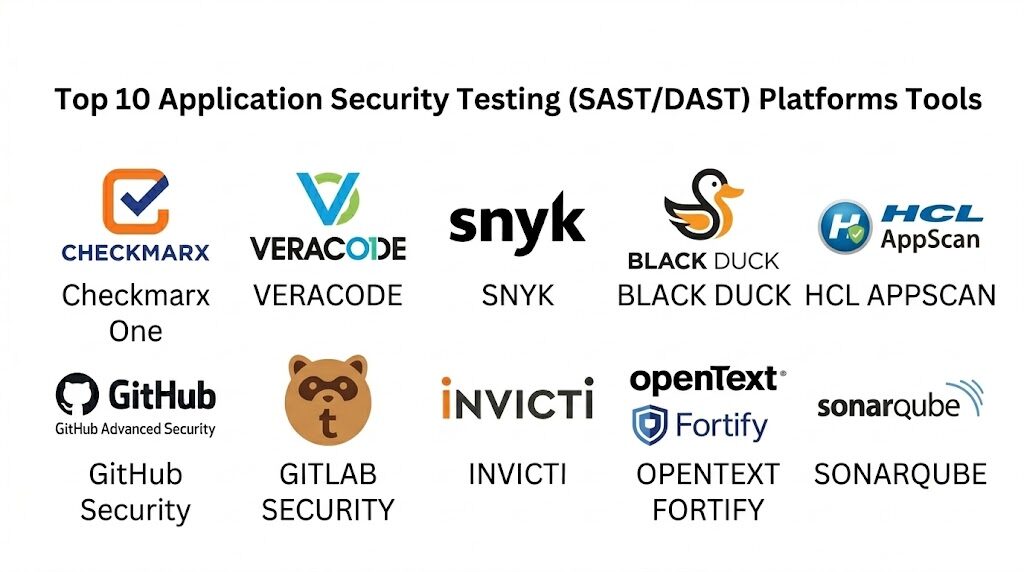
Introduction
Application Security Testing (AST) has evolved from a final production checkpoint into a continuous, multi-layered discipline essential for modern software integrity. Static Application Security Testing (SAST) and Dynamic Application Security Testing (DAST) represent the two fundamental pillars of this ecosystem. SAST analyzes the application from the “inside out,” scanning source code or binaries for vulnerabilities without executing the program. In contrast, DAST adopts an “outside-in” perspective, simulating real-world attacks against running applications to identify security flaws in the operational environment. Together, these methodologies ensure that both the structural logic of the code and the functional behavior of the deployed application are resilient against modern cyber threats.
The current shift toward DevSecOps has necessitated the “shift-left” approach, where security testing is integrated directly into the developer workflow. Modern platforms are increasingly powered by AI to differentiate between theoretical risks and actual exploitable paths, significantly reducing the “noise” of false positives. For organizations managing complex cloud-native architectures, microservices, and rapid release cycles, a robust AST strategy is not merely a compliance requirement but a core component of operational resilience. Selecting the right platform requires a nuanced understanding of how these tools integrate with existing CI/CD pipelines, their language support depth, and their ability to provide actionable remediation guidance that developers can implement without leaving their integrated development environment.
Best for: Security engineers, DevSecOps leads, and enterprise development teams seeking to automate vulnerability detection across the entire software development lifecycle (SDLC).
Not ideal for: Early-stage startups with very simple, static web pages or teams with no dedicated engineering resources to manage and remediate the findings generated by automated scans.
Key Trends in Application Security Testing Platforms
The most significant trend in AST is the rise of Application Security Posture Management (ASPM), which consolidates findings from SAST, DAST, and other scanners into a single, prioritized dashboard. This helps teams move away from managing disconnected “islands of data” and toward a risk-based assurance model. AI is also being utilized to provide “auto-remediation” where the tool not only identifies a vulnerability but also suggests a specific code fix, often as a ready-to-merge pull request.
Furthermore, there is a growing focus on API-specific security testing. As modern applications become more modular and interconnected via REST, GraphQL, and gRPC, traditional web scanners are being supplemented with specialized API security tools that can discover “shadow” APIs and test for business logic flaws. Lastly, the integration of Software Bill of Materials (SBOM) generation within AST workflows has become a standard, allowing organizations to maintain a real-time inventory of their software supply chain and third-party dependencies.
How We Selected These Tools
Our selection process focused on platforms that demonstrate technical maturity in both SAST and DAST domains while embracing the developer-first philosophy of modern DevSecOps. We prioritized tools that offer high-fidelity scanning engines and a proven track record of low false-positive rates, as developer trust is the most critical factor in successful security adoption. Market presence and the ability to handle enterprise-scale codebases were also key criteria.
We also looked for “platform” capabilities—tools that go beyond simple scanning to offer governance, compliance reporting, and cross-tool correlation. Security standards compliance, such as SOC2, GDPR, and FedRAMP, were considered non-negotiable for the top-tier rankings. Finally, we assessed the quality of the developer experience, focusing on those that provide real-time feedback within IDEs and seamless integration with major version control systems like GitHub and GitLab.
1. Checkmarx One
Checkmarx One is a comprehensive, cloud-native platform that provides an integrated suite of security testing tools, including SAST, DAST, SCA, and API security. It is renowned for its ability to map data flows through an entire application, identifying complex vulnerabilities that simpler scanners might miss.
Key Features
The platform features an AI-powered “Query Builder” that allows security teams to create custom rules tailored to their specific code patterns. It includes “Checkmarx One Assist,” an AI companion that provides in-IDE remediation guidance and explainable security context. The DAST component correlates its findings with SAST results to prioritize vulnerabilities that are confirmed to be reachable and exploitable. It supports over 100 languages and frameworks, offering deep coverage for legacy and modern tech stacks. Additionally, its “Exploitable Path” analysis helps developers focus only on the code that truly poses a risk.
Pros
Exceptional at identifying complex vulnerabilities through advanced data flow analysis. The unified platform reduces the need for multiple disconnected security vendors.
Cons
The enterprise-grade feature set comes with a premium price point. Initial configuration for custom rules can be complex for smaller teams.
Platforms and Deployment
Cloud, On-premises, and Hybrid deployment models.
Security and Compliance
SOC 2 Type II compliant, GDPR ready, and supports major industry benchmarks like OWASP Top 10.
Integrations and Ecosystem
Seamless integrations with GitHub, GitLab, Jenkins, Azure DevOps, and all major IDEs like VS Code and IntelliJ.
Support and Community
Offers 24/7 global premium support and a robust educational platform called Checkmarx University.
2. Veracode
Veracode is a pioneer in the AST space, known for its powerful binary analysis and centralized security governance. It provides a cloud-based approach that allows organizations to scale their security programs without managing complex infrastructure.
Key Features
Veracode’s standout feature is its “Binary Static Analysis,” which allows teams to scan compiled code without needing access to the original source. It offers a “Dynamic Analysis” service that can scale to scan thousands of web applications simultaneously. The platform provides a unified “Security Lead” dashboard for high-level governance and compliance reporting across an entire portfolio. It includes AI-assisted remediation suggestions that help developers fix flaws faster. The “Continuous Software Security” model ensures that every build is checked automatically before it reaches production.
Pros
Outstanding for large-scale governance and reporting in highly regulated industries. Binary scanning is a unique advantage for third-party software assessment.
Cons
Developer feedback can sometimes feel less “real-time” compared to purely IDE-native tools. Pricing can be high for high-frequency scanning needs.
Platforms and Deployment
Cloud-native (SaaS) platform.
Security and Compliance
FedRAMP Authorized, SOC 2 compliant, and extensively used for HIPAA and PCI DSS auditing.
Integrations and Ecosystem
Strong support for the entire DevOps toolchain, including Jira, ServiceNow, and Bitbucket.
Support and Community
Provides dedicated “Security Labs” for developer training and 24/7 technical support.
3. Snyk
Snyk is the standard-bearer for “developer-first” security, designed to be integrated into the tools and workflows that developers already use. While it started in SCA, its SAST and DAST (via recent acquisitions) capabilities have become industry benchmarks for speed.
Key Features
Snyk Code (SAST) uses a unique semantic analysis engine that provides nearly instantaneous feedback as developers write code. The platform automatically generates pull requests to fix known vulnerabilities in open-source dependencies. It includes a “Container” security module that scans base images for vulnerabilities. Snyk’s DAST capabilities focus on fast, pipeline-integrated scans that fit into rapid release cycles. The platform’s AI, “Snyk Learn,” provides contextual education to developers at the moment a vulnerability is discovered, turning security into a learning opportunity.
Pros
The best-in-class developer experience with minimal friction and very high adoption rates. Scanning speed is significantly faster than traditional enterprise tools.
Cons
DAST capabilities are not as deep as specialized legacy scanners for complex legacy web apps. Reporting for high-level compliance can be less detailed than Veracode or Checkmarx.
Platforms and Deployment
SaaS-first with hybrid deployment options for private environments.
Security and Compliance
ISO 27001 certified and SOC 2 Type II compliant.
Integrations and Ecosystem
Widest range of integrations, including native plugins for AWS, Google Cloud, and Kubernetes.
Support and Community
Massive community of developers and a wealth of open-source security research.
4. Synopsys (Black Duck)
The Synopsys AppSec portfolio, recently rebranded under the Black Duck name, offers a massive array of specialized tools for SAST, DAST, and IAST. It is a favorite for enterprises with extremely diverse and complex software portfolios.
Key Features
“Coverity” (SAST) is widely regarded as one of the most accurate static analysis engines for C/C++ and Java. The platform’s “WhiteHat” DAST service provides continuous, scalable scanning of web assets in production. It includes “Seeker” (IAST), which monitors application behavior during testing to find vulnerabilities that neither SAST nor DAST can see alone. The “Black Duck” SCA component is the industry standard for open-source license compliance and risk management. It provides a “Policy Manager” that allows organizations to define and enforce security gates across the SDLC.
Pros
Incredible depth of analysis for a vast range of programming languages and protocols. Highly customizable for specialized hardware and embedded systems.
Cons
The platform can feel fragmented as it is composed of several different acquired tools. The learning curve for administrative setup is quite steep.
Platforms and Deployment
Flexible deployment across Cloud, On-premises, and managed services.
Security and Compliance
Meets the highest global standards for security and is used extensively in automotive and aerospace industries.
Integrations and Ecosystem
Deep integrations with enterprise systems like IBM AppScan and various PLM (Product Lifecycle Management) tools.
Support and Community
Offers extensive consulting services and world-class technical support for complex deployments.
5. HCL AppScan
HCL AppScan is a legacy powerhouse that has been modernized for the cloud era. It offers one of the most stable and proven DAST engines on the market, used by security professionals for over two decades.
Key Features
The platform provides a unified 360-degree view of application risk across SAST, DAST, IAST, and Mobile (MAST). It features “Intelligent Finding Analytics” (IFA), which uses machine learning to group similar vulnerabilities and filter out false positives. The DAST engine is particularly strong at navigating complex authentication sequences and modern single-page applications (SPAs). It includes a dedicated “Standard” edition for manual security testing and an “Enterprise” edition for automated, large-scale scanning. The “AppScan on Cloud” service provides a highly scalable way to run scans without local infrastructure.
Pros
Extremely reliable DAST engine with superior ability to handle complex web architectures. Strong focus on enterprise-level reporting and regulatory compliance.
Cons
The user interface can feel dated compared to newer “developer-first” platforms. Speed of SAST scans can be slower than newer competitors like Snyk or Semgrep.
Platforms and Deployment
Cloud, On-premises, and Desktop versions available.
Security and Compliance
Supports over 40 regulatory compliance reports, including HIPAA, PCI DSS, and ISO 27001.
Integrations and Ecosystem
Good integration with the HCL DevOps suite and major CI/CD pipelines.
Support and Community
Extensive documentation and a large, experienced user base in the enterprise security community.
6. GitHub Advanced Security (GHAS)
GitHub Advanced Security brings enterprise-grade security testing directly into the GitHub platform. For teams already hosting their code on GitHub, it provides a “native” security experience that requires almost no additional configuration.
Key Features
GHAS is built on “CodeQL,” a powerful semantic analysis engine that treats code as data, allowing for complex queries to find vulnerabilities. It includes “Secret Scanning,” which prevents developers from accidentally committing credentials to repositories. “Dependency Review” provides an immediate view of the security impact of changing a manifest file in a Pull Request. The platform uses “Copilot Autofix” to suggest code changes that fix vulnerabilities identified by CodeQL. It also features a “Security Overview” dashboard that gives organization-wide visibility into the security posture of all repositories.
Pros
Zero-friction setup for GitHub users; security alerts appear directly in the developer’s PR. CodeQL is extremely powerful for security researchers and custom rule creation.
Cons
Only available for customers using GitHub Enterprise; not a standalone tool for other SCMs. DAST capabilities are limited compared to dedicated third-party scanners.
Platforms and Deployment
GitHub Cloud and GitHub Enterprise Server (On-premises).
Security and Compliance
Follows GitHub’s robust security protocols and is widely used for SOC 2 and FedRAMP compliance.
Integrations and Ecosystem
Perfectly integrated into the GitHub ecosystem; supports third-party AST tool results via the SARIF format.
Support and Community
Backed by the massive GitHub community and a dedicated security research team.
7. GitLab Security
GitLab offers a “Single Platform” approach to DevSecOps, where security testing is a native feature of the CI/CD pipeline. It is ideal for organizations that want to consolidate their entire development and security lifecycle into one tool.
Key Features
The platform includes SAST, DAST, SCA, Container Scanning, and Secret Detection as built-in pipeline jobs. It provides a “Security Dashboard” that aggregates vulnerabilities across projects and groups. The “Merge Request Security Widget” shows developers the security impact of their code changes before they merge. GitLab’s DAST engine is based on the industry-standard OWASP ZAP but is fully automated within the GitLab runner. It also features “Operational Container Scanning” to find vulnerabilities in running production clusters. The platform supports “Security Policies” that allow security teams to mandate specific scans across all projects.
Pros
The “one tool for everything” approach greatly simplifies toolchain management. Security is integrated into the heart of the CI/CD pipeline, not as an afterthought.
Cons
The quality of individual scanners can vary; for instance, the DAST is often considered less powerful than a dedicated tool like Invicti. Locked into the GitLab ecosystem.
Platforms and Deployment
GitLab SaaS and Self-Managed (Linux, Kubernetes).
Security and Compliance
Strong compliance features, including audit events and specialized compliance pipelines.
Integrations and Ecosystem
Highly extensible through its own runner architecture and supports exporting data to external SIEMs.
Support and Community
Active open-core community and professional support tiers for enterprise customers.
8. Invicti (formerly Netsparker)
Invicti is a specialized DAST platform that focuses on “Proof-Based Scanning.” It is designed for enterprises that need to scan thousands of web assets with high accuracy and minimal manual intervention.
Key Features
The platform’s standout feature is its “Proof-Based Scanning” technology, which automatically exploits found vulnerabilities in a safe environment to prove they are real, effectively eliminating false positives. It includes a powerful “crawling” engine that can discover hidden files and directories in modern web applications. It provides detailed “remediation” advice, including the specific HTTP request and response that triggered the vulnerability. Invicti can be integrated into the CI/CD pipeline to block builds that contain critical security flaws. It also offers a centralized dashboard for managing the security posture of an entire global web perimeter.
Pros
Extremely low false-positive rate due to automated vulnerability verification. Very strong at discovering and scanning massive, complex web estates.
Cons
Focus is almost entirely on DAST and IAST; it does not have a native SAST engine. Can be more expensive than generalist AST platforms.
Platforms and Deployment
Cloud-based and On-premises deployment.
Security and Compliance
Fully supports PCI DSS, HIPAA, and ISO 27001 reporting requirements.
Integrations and Ecosystem
Integrates with over 50 tools, including Jira, GitLab, GitHub, and various Slack-based alerting systems.
Support and Community
Offers excellent technical support and a wealth of whitepapers on advanced DAST techniques.
9. OpenText Fortify
OpenText Fortify is one of the most established names in application security, providing deep, audit-ready analysis for highly complex enterprise environments. It is often the tool of choice for large financial institutions and government agencies.
Key Features
“Fortify Static Code Analyzer” (SCA) is famous for its depth, supporting over 30 languages and hundreds of thousands of individual security rules. It features “Fortify WebInspect,” a professional-grade DAST tool that offers deep scanning for complex web services and APIs. The “Software Security Center” (SSC) acts as a centralized management hub for all security testing results. It includes “ScanCentral,” which provides a scalable, distributed backend for running high-volume scans. The platform also offers “Fortify on Demand,” a managed service where OpenText experts run the scans and validate the results for you.
Pros
Unrivaled depth and breadth of security rules for traditional enterprise languages. Excellent for meeting strict regulatory and audit requirements.
Cons
The interface and workflow can be very cumbersome and slow compared to modern tools. Requires a high level of security expertise to manage effectively.
Platforms and Deployment
Available as On-premises software, SaaS, or a Managed Service.
Security and Compliance
Used by the world’s most secure organizations; supports all major global compliance frameworks.
Integrations and Ecosystem
Strong legacy integrations with older IDEs and enterprise middleware, as well as modern CI/CD tools.
Support and Community
Offers extensive training, certification programs, and high-level consulting.
10. SonarQube / SonarCloud
Sonar is primarily known for code quality, but it has evolved into a robust SAST provider. It is the best choice for teams that want to treat security as a natural extension of code cleanliness and maintainability.
Key Features
The platform uses “Quality Gates” to prevent code from being merged if it doesn’t meet specific security or quality standards. Its “Clean as You Code” methodology focuses on ensuring that new code is secure, rather than just highlighting legacy technical debt. It includes “Taint Analysis” to track user-controllable data through the application to find injection vulnerabilities. SonarCloud (SaaS) provides a zero-setup experience for cloud-based SCMs. It also features “SonarLint,” an IDE plugin that gives developers instant security feedback as they type, similar to a spell-checker for code.
Pros
The most natural fit for teams already using Sonar for code quality. Excellent “Quality Gate” system helps maintain a high standard for all new code.
Cons
Security rules are not as exhaustive as specialized tools like Checkmarx or Fortify. DAST capabilities are missing, requiring a separate tool for dynamic testing.
Platforms and Deployment
SonarQube (Self-managed) and SonarCloud (SaaS).
Security and Compliance
Provides reporting for OWASP Top 10, SANS Top 25, and various other industry standards.
Integrations and Ecosystem
Native integrations with all major SCMs and CI/CD platforms; extremely popular in the Java and JavaScript ecosystems.
Support and Community
Has one of the largest communities in the development world with millions of users.
Comparison Table
| Tool Name | Best For | Platform(s) Supported | Deployment | Standout Feature | Public Rating |
| 1. Checkmarx One | Enterprise AST | Web, API, Mobile | Hybrid | Data Flow Analysis | 4.6/5 |
| 2. Veracode | Governance/Scaling | Web, Binary | Cloud | Binary SAST Scanning | 4.5/5 |
| 3. Snyk | Dev-First Security | Web, IDE, CLI | SaaS | Developer UX & Speed | 4.7/5 |
| 4. Black Duck | Complex Portfolios | Multi-OS, Embedded | Hybrid | Language Breadth | 4.4/5 |
| 5. HCL AppScan | Reliable DAST | Web, Mobile | Hybrid | Intelligent Analytics | 4.3/5 |
| 6. GitHub Security | GitHub Users | GitHub Native | SaaS/On-prem | CodeQL Engine | 4.8/5 |
| 7. GitLab Security | Single-Tool DevOps | GitLab Native | SaaS/On-prem | Pipeline Integration | 4.5/5 |
| 8. Invicti | Low False Positives | Web | Hybrid | Proof-Based Scanning | 4.6/5 |
| 9. OpenText Fortify | Audit/Compliance | Multi-OS | Hybrid | Depth of Security Rules | 4.2/5 |
| 10. SonarQube | Code Quality/SAST | Web, IDE | Hybrid | Quality Gates | 4.7/5 |
Evaluation & Scoring of Application Security Testing Platforms
The scoring below is a comparative model intended to help shortlisting. Each criterion is scored from 1–10, then a weighted total from 0–10 is calculated using the weights listed. These are analyst estimates based on typical fit and common workflow requirements, not public ratings.
Weights:
- Core features – 25%
- Ease of use – 15%
- Integrations & ecosystem – 15%
- Security & compliance – 10%
- Performance & reliability – 10%
- Support & community – 10%
- Price / value – 15%
| Tool Name | Core (25%) | Ease (15%) | Integrations (15%) | Security (10%) | Performance (10%) | Support (10%) | Value (15%) | Weighted Total |
| 1. Checkmarx One | 10 | 7 | 9 | 10 | 8 | 9 | 7 | 8.70 |
| 2. Veracode | 9 | 7 | 8 | 10 | 8 | 9 | 7 | 8.35 |
| 3. Snyk | 8 | 10 | 10 | 9 | 10 | 9 | 8 | 8.95 |
| 4. Black Duck | 10 | 6 | 8 | 10 | 7 | 9 | 7 | 8.30 |
| 5. HCL AppScan | 9 | 7 | 8 | 9 | 8 | 8 | 8 | 8.25 |
| 6. GitHub Security | 8 | 10 | 10 | 9 | 10 | 8 | 9 | 9.05 |
| 7. GitLab Security | 8 | 9 | 10 | 9 | 9 | 8 | 9 | 8.80 |
| 8. Invicti | 9 | 8 | 8 | 9 | 9 | 8 | 7 | 8.25 |
| 9. OpenText Fortify | 10 | 5 | 7 | 10 | 7 | 9 | 6 | 7.75 |
| 10. SonarQube | 7 | 9 | 9 | 8 | 9 | 8 | 10 | 8.30 |
How to interpret the scores:
- Use the weighted total to shortlist candidates, then validate with a pilot.
- A lower score can mean specialization, not weakness.
- Security and compliance scores reflect controllability and governance fit, because certifications are often not publicly stated.
- Actual outcomes vary with assembly size, team skills, templates, and process maturity.
Which Application Security Testing Platform Is Right for You?
Solo / Freelancer
For individual developers, SonarQube or the free tier of Snyk provides the most value. They offer immediate feedback on code quality and security without the need for a dedicated security team or a massive budget.
SMB
Small to medium businesses should look at Snyk or GitHub Advanced Security. These tools are designed to work without high administrative overhead and integrate seamlessly into the existing developer workflow, ensuring that security doesn’t slow down the business.
Mid-Market
For growing companies that need both SAST and DAST, Checkmarx One or GitLab Security offer a balanced approach. These platforms provide a centralized way to manage risk across multiple teams and projects as the organization scales.
Enterprise
Large enterprises with diverse tech stacks and high compliance needs will find the most success with Veracode or OpenText Fortify. These tools provide the deep reporting, governance, and binary analysis required for multi-billion dollar organizations.
Budget vs Premium
If budget is the primary concern, GitLab’s integrated security or SonarQube offers great “bang for your buck.” For organizations where security is a competitive differentiator and budget is secondary, Checkmarx One is the premium gold standard.
Feature Depth vs Ease of Use
Fortify and Black Duck offer the most depth but are difficult to use. Snyk and GHAS offer the best ease of use but may lack the specialized depth for edge-case languages or extremely complex regulatory environments.
Integrations & Scalability
GitHub and GitLab lead in integrations because the security tools are part of the platform itself. For organizations that are multi-cloud or use multiple SCMs, a standalone platform like Veracode or Snyk provides better cross-ecosystem scalability.
Security & Compliance Needs
Financial services and healthcare organizations should prioritize Veracode, Fortify, or Checkmarx, as these platforms have been purpose-built to satisfy the rigorous demands of auditors and global regulatory bodies over several decades.
Frequently Asked Questions (FAQs)
1. What is the main difference between SAST and DAST?
SAST (Static Application Security Testing) scans code while it is “at rest” and doesn’t require the app to run. DAST (Dynamic Application Security Testing) tests the application while it is running by simulating external attacks.
2. Why do I need both SAST and DAST?
SAST is great for finding logic errors and structural flaws in the code early in development. DAST finds vulnerabilities that only appear in a running environment, such as configuration issues, authentication flaws, and server-side vulnerabilities.
3. What is a “False Positive” in security testing?
A false positive occurs when a tool flags a piece of code as a vulnerability, but it is actually safe. High false-positive rates can lead to “alert fatigue” and cause developers to ignore real security issues.
4. How does AI improve application security testing?
AI helps by analyzing the context of a vulnerability to determine if it is truly exploitable. It also assists in “auto-remediation” by suggesting specific code changes to fix the identified security flaws.
5. Can these tools scan my third-party libraries?
Yes, that is called Software Composition Analysis (SCA). Many of the platforms on this list, such as Snyk, Checkmarx, and Black Duck, have built-in SCA capabilities to find vulnerabilities in your open-source dependencies.
6. Is GitHub Advanced Security free?
It is free for public repositories on GitHub. However, for private repositories used by businesses, it requires a GitHub Enterprise license and an additional “Advanced Security” add-on fee.
7. What is IAST, and do I need it?
Interactive Application Security Testing (IAST) combines elements of SAST and DAST by placing an agent inside the application while it is being tested. It is highly accurate but requires more setup than traditional scanners.
8. How often should I run these scans?
SAST should ideally run on every code commit or pull request. DAST should run at least once during the staging/testing phase of every release and periodically on production environments.
9. Do these tools support mobile application security?
Many do, but some are specialized. Tools like HCL AppScan and Checkmarx have specific modules for MAST (Mobile Application Security Testing) to scan Android and iOS apps.
10. How do I convince my developers to use these tools?
Choose a tool that integrates into their existing workflow (like their IDE or GitHub) and provides clear, actionable fix advice. Reducing false positives is the single most important factor in gaining developer buy-in.
Conclusion
The landscape of application security testing has transitioned from a niche security function to a fundamental requirement of modern engineering. For an organization to remain resilient in 2026, it must move beyond intermittent, manual testing and adopt an automated, platform-centric approach. The choice between these top 10 platforms depends on your specific balance of developer speed, enterprise governance, and the complexity of your software portfolio. A successful implementation requires more than just a purchase; it demands a cultural shift where security is viewed as a feature of high-quality code. By selecting a tool that meets your developers where they work, you can transform security from a bottleneck into a streamlined accelerator of innovation, ensuring that every release is secure by design.