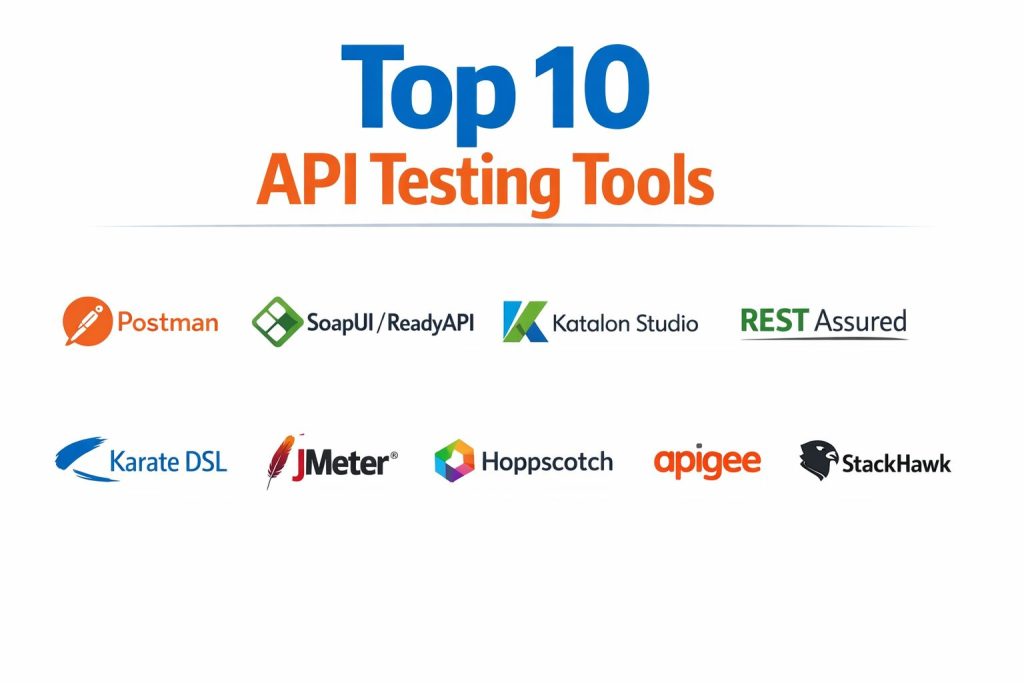
Introduction
API testing tools are the primary defense mechanism in modern software architecture, ensuring that the invisible layers of communication between systems remain secure, functional, and performant. These tools validate the Application Programming Interface (API) by sending structured requests and analyzing the resulting data for correctness, latency, and security vulnerabilities. In today’s high-velocity development environments, where microservices and distributed systems are the standard, the stability of an API is directly tied to the stability of the entire enterprise ecosystem. Testing at this layer is significantly more efficient than traditional UI-based testing, as it allows for the early detection of business logic flaws before the frontend is even constructed.
The necessity of robust API validation has shifted from a quality assurance task to a core business requirement. Organizations now rely on APIs to power everything from mobile applications to third-party financial integrations. A single failure in an API endpoint can lead to massive data breaches, service outages, and lost revenue. When selecting a tool, technical leaders must evaluate how well it handles modern protocols like GraphQL and gRPC, its capacity for automation within continuous integration pipelines, and its ability to simulate real-world traffic under heavy load. The right tool not only identifies bugs but also serves as a collaboration hub where developers and testers can document, share, and monitor the health of their digital infrastructure.
Best for: DevOps teams, security engineers, and enterprise quality assurance departments looking to automate functional, security, and performance validation within a continuous delivery pipeline.
Not ideal for: Simple static website owners or teams only performing basic visual UI checks without any underlying data exchange or complex backend logic.
Key Trends in API Testing Tools
The integration of artificial intelligence is the most significant trend, with tools now offering self-healing test scripts that automatically adjust to minor changes in API schemas. This reduces the heavy maintenance burden that historically plagued automated testing. We are also seeing a shift toward “shift-left” security, where dynamic security scanning is performed on APIs during the development phase rather than after deployment. This ensures that vulnerabilities like broken object-level authorization are caught when they are cheapest to fix.
Another major trend is the move toward Git-native workflows, where API collections and test scripts are stored directly in version control alongside the application code. This facilitates better collaboration and ensures that tests stay synchronized with the latest code changes. Real-time traffic mirroring is also becoming a standard feature, allowing teams to capture live production traffic and replay it in a safe testing environment to discover edge cases that manual test design might miss. Finally, there is an increased focus on supporting a wider variety of communication protocols, including WebSockets and asynchronous event-driven architectures.
How We Selected These Tools
Our selection process focused on tools that provide high reliability and enterprise-grade features for professional engineering teams. We prioritized platforms that support the full API lifecycle, from design and mocking to automated testing and production monitoring. Protocol breadth was a major factor, ensuring the list includes tools capable of handling REST, SOAP, GraphQL, and modern gRPC interfaces. We also examined the depth of integration with industry-standard CI/CD platforms, as the ability to trigger tests automatically is essential for modern DevOps.
Performance under scale was another critical criterion, as professional tools must be able to simulate thousands of concurrent users to validate API resilience. We analyzed the balance between low-code interfaces for rapid test creation and the ability to write complex, scripted assertions for technical users. Security features, such as built-in vulnerability scanning and compliance reporting, were heavily weighted. Finally, we looked at community adoption and the availability of documentation to ensure that users have the resources they need to solve complex integration challenges.
1. Postman
Postman is the most widely adopted platform for API development and testing, known for its intuitive interface and powerful collaboration features. It has evolved from a simple browser extension into a comprehensive suite that supports the entire API lifecycle. Its workspaces allow teams to share collections, environment variables, and documentation in real-time, making it the central hub for many development organizations.
Key Features
The platform features a visual request builder that supports a wide range of authentication methods and protocols. It includes an automated test runner that can execute collections across different environments with detailed reporting. Users can create mock servers to simulate API responses before the backend is even built. It also offers an AI-powered assistant that can automatically generate test scripts based on the API’s behavior. Additionally, it provides built-in monitoring to check API health and performance at regular intervals from various global locations.
Pros
The interface is extremely user-friendly, allowing even non-developers to start testing quickly. The community ecosystem is massive, offering thousands of public collections and comprehensive learning resources.
Cons
The pricing for enterprise features can be high for smaller teams. Some users find that it consumes significant system resources when handling very large collections of requests.
Platforms and Deployment
Windows, macOS, Linux, and Web. It offers cloud-based synchronization and local desktop agents.
Security and Compliance
It provides SOC 2 Type 2 compliance and offers enterprise features like single sign-on and role-based access control to protect sensitive API data.
Integrations and Ecosystem
It integrates seamlessly with Jenkins, GitHub Actions, and GitLab. It also has a powerful command-line interface for running tests directly within deployment pipelines.
Support and Community
Offers extensive documentation, a highly active community forum, and dedicated enterprise support for high-tier customers.
2. SoapUI / ReadyAPI
SoapUI is a long-standing leader in functional testing, particularly for organizations that rely heavily on SOAP and complex enterprise web services. Its commercial counterpart, ReadyAPI, provides a more streamlined, professional experience with advanced features for data-driven testing and service virtualization. It is built to handle the most rigorous and technically demanding API environments.
Key Features
The software excels at handling complex XML-based SOAP requests and provides deep support for REST and GraphQL. It features a point-and-click interface for creating advanced test logic without extensive coding. Its data-driven testing capabilities allow users to pull information from databases or spreadsheets to run thousands of variations of a single test. It also includes built-in security scans that check for common vulnerabilities like SQL injection and cross-site scripting. The service virtualization feature allows teams to mock complex backend dependencies with high fidelity.
Pros
It is arguably the most powerful tool for testing complex, legacy SOAP architectures and high-security enterprise services. The ability to create sophisticated, multi-step test workflows is a major strength.
Cons
The interface can feel dated and overwhelming for beginners. The full professional suite carries a significant license cost compared to more modern, lightweight alternatives.
Platforms and Deployment
Windows, macOS, and Linux. It is a local installation with support for distributed test execution.
Security and Compliance
Designed for high-compliance environments, offering robust encryption and support for complex enterprise authentication protocols.
Integrations and Ecosystem
Integrates with major build tools like Maven and Ant, as well as CI/CD platforms like TeamCity and Jenkins. It also supports various third-party reporting plugins.
Support and Community
Maintained by SmartBear, it offers professional technical support and has a large, established community of enterprise testing experts.
3. Katalon Studio
Katalon Studio is an all-in-one automation solution that unifies API, web, mobile, and desktop testing. It is particularly valuable for teams that want to maintain a single testing framework across their entire application stack. It provides a dual-mode interface that caters to both manual testers using low-code tools and developers who prefer to write scripts in Groovy.
Key Features
The platform features a powerful record-and-playback tool for web and mobile that can be combined with API requests for end-to-end validation. It includes a built-in object repository for managing test assets and reusable components. Its advanced reporting dashboard provides AI-driven insights into test failures and performance trends. It supports a wide range of protocols and allows for easy data-driven testing through external sources. The software also features self-healing capabilities that update test objects automatically when the application changes.
Pros
It simplifies the transition from manual to automated testing with its intuitive low-code features. Having a single tool for API and UI testing reduces the complexity of the testing infrastructure.
Cons
The tool is resource-intensive and may slow down on older hardware. Some of the most advanced features are locked behind a complex licensing model that can become expensive at scale.
Platforms and Deployment
Windows, macOS, and Linux. It offers both local execution and cloud-based test management.
Security and Compliance
Provides secure credential management and is compliant with general data protection standards for enterprise deployments.
Integrations and Ecosystem
Boasts a wide range of native integrations with Jira, Azure DevOps, and various CI/CD tools. It also has its own marketplace for community-built plugins.
Support and Community
Offers a structured academy for learning, active community forums, and dedicated professional support for business users.
4. REST Assured
REST Assured is an open-source Java library specifically designed to simplify the testing and validation of RESTful services. It allows developers to write API tests using a highly readable, fluent syntax that integrates perfectly into the Java ecosystem. It is the preferred choice for development teams that want their tests to live as code within their application repository.
Key Features
The library uses a domain-specific language that makes test scripts easy to read and maintain. It provides built-in support for verifying JSON and XML responses using simple, expressive assertions. It handles various authentication methods, including OAuth and multi-part file uploads, with minimal configuration. Because it is a library, it integrates directly with standard Java testing frameworks like JUnit and TestNG. It also allows for sophisticated request and response logging to help with debugging complex failures.
Pros
It is completely free and open-source, with no licensing restrictions. Its code-first approach makes it highly flexible and easy to version control alongside the main application.
Cons
It requires strong Java programming skills, making it unsuitable for manual testers or non-technical teams. It lacks a graphical user interface, which can make initial setup and debugging more difficult.
Platforms and Deployment
Runs on any platform that supports Java. It is deployed as a dependency within a software project.
Security and Compliance
Security is managed through the code and the underlying Java environment. It supports all standard secure communication protocols.
Integrations and Ecosystem
Integrates perfectly with any Java-based development pipeline, including Maven, Gradle, and all major CI/CD systems.
Support and Community
Has a very large and active community of developers, with extensive documentation and countless third-party tutorials available online.
5. Insomnia
Insomnia is a lightweight and high-performance API client that focuses on a clean developer experience and rapid request execution. It has gained popularity for its minimalist design and native support for modern protocols like GraphQL and gRPC. It is an excellent choice for developers who need a fast, reliable tool for daily API interaction and testing.
Key Features
The tool features a streamlined interface that allows for the quick creation and organization of request collections. It provides native support for environment variables, allowing users to switch between development, staging, and production settings instantly. It includes a powerful plugin system that allows users to extend its functionality with custom themes and tools. Its Git-sync feature allows teams to collaborate by storing collections in their own repositories. It also features a built-in designer for creating and validating OpenAPI specifications.
Pros
The startup time and overall performance are significantly faster than many of its competitors. Its focus on a clean, distraction-free UI makes it highly efficient for daily development tasks.
Cons
The built-in automation and reporting features are not as comprehensive as those found in larger suites like Postman. Some advanced collaboration features require a paid subscription.
Platforms and Deployment
Windows, macOS, and Linux. It is a local desktop application.
Security and Compliance
Offers secure end-to-end encryption for synchronized data and supports enterprise-standard authentication methods.
Integrations and Ecosystem
Integrates well with Git-based workflows and offers a command-line tool for running tests in automation pipelines.
Support and Community
Maintained by Kong, it has a growing community and professional support options for enterprise customers.
6. Karate DSL
Karate DSL is a unique open-source framework that combines API test automation, performance testing, and UI testing into a single unified tool. It uses a syntax based on natural language, making it accessible to those who are not professional programmers while still providing deep technical power for advanced users.
Key Features
The framework allows users to write tests using a simple, readable syntax that doesn’t require any boilerplate code. It features a built-in mock server that can simulate complex API behaviors for local development. It uniquely allows the same test scripts used for functional testing to be used for performance testing via integration with Gatling. It also supports multi-step workflows where data from one API call is used in the next. The framework includes a powerful assertion engine for validating complex JSON and XML structures with ease.
Pros
The natural language syntax makes it easy for business analysts and manual testers to contribute to automation. The ability to reuse functional tests for performance testing saves a significant amount of time.
Cons
The unique syntax can take some time to learn for those used to traditional programming languages. Debugging complex scripts can be challenging due to its non-standard execution model.
Platforms and Deployment
Platform-independent as it runs on the JVM. It is typically integrated into a project’s build process.
Security and Compliance
Inherits the security features of the Java environment and supports standard enterprise authentication protocols.
Integrations and Ecosystem
Integrates seamlessly with Maven, Gradle, and all major CI/CD platforms. It also has excellent support for reporting tools.
Support and Community
Has a dedicated following and active community support, with comprehensive documentation provided by the core developers.
7. Apache JMeter
While primarily known as a performance testing tool, Apache JMeter is a powerful open-source solution for functional API testing, especially at scale. It allows users to build complex test plans that can simulate thousands of concurrent requests, making it essential for validating how an API behaves under extreme stress.
Key Features
The software features a highly extensible architecture that supports a wide range of protocols beyond REST and SOAP. It allows users to create complex, multi-threaded test plans with various logic controllers and variables. Its powerful reporting engine generates detailed graphs and metrics on response times, error rates, and throughput. Users can run tests in a headless mode for better performance and easier integration into automation pipelines. It also features a vast library of community-built plugins for adding new functions and protocols.
Pros
It is the industry standard for open-source load and performance testing, capable of generating massive amounts of traffic. It is completely free and can be customized to fit almost any testing requirement.
Cons
The user interface is dated and has a steep learning curve for those not familiar with performance testing concepts. It is not as streamlined for simple functional testing as dedicated API clients.
Platforms and Deployment
Windows, macOS, and Linux. It can be run locally or in a distributed fashion across multiple servers.
Security and Compliance
Security is managed by the user and the hosting environment. It supports all standard secure communication protocols for testing.
Integrations and Ecosystem
Integrates with Jenkins and other CI/CD tools through command-line execution and plugin support. It also works well with data visualization tools like Grafana.
Support and Community
Has one of the largest and oldest communities in the testing world, with an endless supply of documentation, tutorials, and third-party extensions.
8. Hoppscotch
Hoppscotch is a lightweight, open-source API development suite that serves as a fast, browser-based alternative to heavy desktop applications. It is designed for developers who want a quick, “no-install” solution for building and testing requests with a minimalist, modern interface.
Key Features
The tool provides an instant, web-based interface for sending REST, GraphQL, and WebSocket requests. It features a highly customizable UI with support for themes and keyboard shortcuts. It includes a history and collection system that allows users to organize and revisit their requests easily. Its environment variable system is simple and effective for switching between different API targets. It also offers a dedicated documentation generator that can create clean, readable guides from your request collections.
Pros
Being browser-based means it is accessible from any device without installation. It is completely free and open-source, with a focus on privacy and speed.
Cons
It lacks some of the deep enterprise features like advanced team management and complex service virtualization found in paid suites. The automation capabilities are more limited than its desktop-based rivals.
Platforms and Deployment
Web-based, but also offers a progressive web app and desktop versions for all major operating systems.
Security and Compliance
Privacy-focused, with no data tracking. Security is largely dependent on the browser and the user’s local environment.
Integrations and Ecosystem
Offers a CLI for integration into automation workflows and supports the import/export of various industry-standard formats.
Support and Community
Has a rapidly growing community of contributors and users, with active development and clear documentation.
9. Apigee
Apigee, part of Google Cloud, is an enterprise-grade API management platform that includes robust tools for testing, securing, and monitoring APIs at scale. It is designed for large organizations that need to govern and protect a massive ecosystem of public and private APIs.
Key Features
The platform provides a comprehensive environment for designing and deploying API proxies with built-in security policies. It features real-time analytics that track performance, traffic patterns, and error rates across all endpoints. Its advanced security layer provides automated protection against DDoS attacks and unauthorized access. It includes specialized tools for developer onboarding, allowing organizations to create customized portals for their API consumers. It also features a powerful mocking service for testing frontend applications in isolation.
Pros
It offers unparalleled scalability and security for enterprise-level API programs. The deep integration with the Google Cloud ecosystem provides advanced AI and data analytics capabilities.
Cons
The platform is highly complex and requires significant training to master. The cost of ownership is high, making it unsuitable for small businesses or simple projects.
Platforms and Deployment
Cloud-based, with options for hybrid and on-premises deployment.
Security and Compliance
Meets the highest global standards for security and compliance, including PCI DSS, HIPAA, and GDPR.
Integrations and Ecosystem
Integrates deeply with all Google Cloud services and major enterprise software. It provides a rich set of APIs for managing the platform itself.
Support and Community
Backed by Google’s professional support infrastructure, with extensive documentation and a global network of certified partners.
10. StackHawk
StackHawk is a modern security testing platform that specializes in finding vulnerabilities in running APIs and applications. Unlike traditional testing tools that focus on functionality, StackHawk is designed to run in CI/CD pipelines to ensure that every code change is secure before it reaches production.
Key Features
The platform uses dynamic analysis to scan APIs for common security flaws like injection attacks and broken authentication. it is designed to be configured as code, allowing security tests to be managed alongside the application. It provides developers with detailed information on how to fix findings, including the specific request and response that triggered the alert. It supports scanning of REST, GraphQL, and gRPC interfaces with minimal setup. The platform also features “Business Logic Testing” to check for authorization flaws across different user roles.
Pros
It bridges the gap between security and development, making it easy to automate security testing in a DevOps environment. The focus on actionable developer feedback is a major differentiator.
Cons
It is a specialized security tool and does not replace functional or performance testing software. It requires a running instance of the API to perform its scans.
Platforms and Deployment
Cloud-based platform with a local scanner that runs in Docker or on all major operating systems.
Security and Compliance
Built specifically to help organizations meet security compliance requirements like SOC 2 and ISO 27001 by providing continuous security validation.
Integrations and Ecosystem
Has native integrations with all major CI/CD tools and issue trackers like Jira and Slack. It also offers an MCP server for integration with AI coding assistants.
Support and Community
Provides high-quality professional support and clear documentation focused on helping developers implement security testing.
Comparison Table
| Tool Name | Best For | Platform(s) Supported | Deployment | Standout Feature | Public Rating |
| 1. Postman | API Collaboration | Win, Mac, Linux, Web | Hybrid | AI Postbot Assistant | 4.8/5 |
| 2. SoapUI / ReadyAPI | Enterprise SOAP/REST | Win, Mac, Linux | Local | Service Virtualization | 4.6/5 |
| 3. Katalon Studio | Unified Test Automation | Win, Mac, Linux | Hybrid | Self-Healing Tests | 4.5/5 |
| 4. REST Assured | Java Code-First Tests | Java (Cross-platform) | Script-based | Fluent DSL Syntax | 4.7/5 |
| 5. Insomnia | Fast Dev Experience | Win, Mac, Linux | Local | Minimalist UI / GitSync | 4.6/5 |
| 6. Karate DSL | Natural Language Tests | Java (Cross-platform) | Script-based | Performance/Mocking | 4.7/5 |
| 7. Apache JMeter | Load & Stress Testing | Win, Mac, Linux | Local | Multi-threaded Scaling | 4.4/5 |
| 8. Hoppscotch | Browser-based Dev | Web, Win, Mac, Linux | Web/PWA | Lightweight Open Source | 4.8/5 |
| 9. Apigee | Enterprise API Mgmt | Cloud, On-Premise | Cloud | Global Traffic Control | 4.5/5 |
| 10. StackHawk | Automated API Security | Win, Mac, Linux, Docker | Cloud/SaaS | Shift-Left Security | 4.7/5 |
Evaluation & Scoring of API Testing Tools
The scoring below is a comparative model intended to help shortlisting. Each criterion is scored from 1–10, then a weighted total from 0–10 is calculated using the weights listed. These are analyst estimates based on typical fit and common workflow requirements, not public ratings.
Weights:
- Core features – 25%
- Ease of use – 15%
- Integrations & ecosystem – 15%
- Security & compliance – 10%
- Performance & reliability – 10%
- Support & community – 10%
- Price / value – 15%
| Tool Name | Core (25%) | Ease (15%) | Integrations (15%) | Security (10%) | Performance (10%) | Support (10%) | Value (15%) | Weighted Total |
| 1. Postman | 10 | 10 | 9 | 8 | 8 | 10 | 8 | 9.15 |
| 2. SoapUI / ReadyAPI | 10 | 4 | 9 | 10 | 7 | 9 | 6 | 8.00 |
| 3. Katalon Studio | 9 | 8 | 9 | 8 | 7 | 9 | 7 | 8.25 |
| 4. REST Assured | 8 | 5 | 10 | 7 | 10 | 8 | 10 | 8.25 |
| 5. Insomnia | 8 | 10 | 8 | 8 | 10 | 8 | 9 | 8.65 |
| 6. Karate DSL | 9 | 7 | 9 | 8 | 9 | 8 | 10 | 8.60 |
| 7. JMeter | 7 | 3 | 8 | 7 | 10 | 9 | 10 | 7.60 |
| 8. Hoppscotch | 7 | 10 | 7 | 7 | 10 | 8 | 10 | 8.30 |
| 9. Apigee | 10 | 3 | 10 | 10 | 10 | 10 | 5 | 8.10 |
| 10. StackHawk | 6 | 9 | 10 | 10 | 9 | 9 | 8 | 8.45 |
How to interpret the scores:
- Use the weighted total to shortlist candidates, then validate with a pilot.
- A lower score can mean specialization, not weakness.
- Security and compliance scores reflect controllability and governance fit, because certifications are often not publicly stated.
- Actual outcomes vary with assembly size, team skills, templates, and process maturity.
Which API Testing Tool Is Right for You?
Solo / Freelancer
For independent developers, speed and cost are the most critical factors. A tool that can be used instantly without a complex setup allows for high productivity on smaller projects. Browser-based or lightweight desktop clients are ideal here as they provide professional features with a zero-dollar entry point.
SMB
Small to medium businesses need a balance of collaboration and automation. As teams grow, the ability to share test collections and sync them with a central repository becomes essential. Tools that offer affordable team plans and easy integration with common development tools provide the best return on investment.
Mid-Market
Organizations at this scale often have diverse technology stacks and need tools that can handle both legacy services and modern cloud-native architectures. The focus shifts toward frameworks that support unified testing across different platforms and provide better visibility into quality trends across multiple teams.
Enterprise
At the enterprise level, security, compliance, and governance are the top priorities. These organizations require platforms that can handle massive traffic, integrate with complex identity management systems, and provide detailed audit logs for regulatory purposes. The cost of the tool is often secondary to its ability to prevent catastrophic failures.
Budget vs Premium
Open-source libraries offer the ultimate flexibility and zero licensing costs but require a high level of technical expertise to maintain. Premium platforms, conversely, provide a “turnkey” experience with dedicated support and advanced features like AI-driven test generation that can save hundreds of hours of manual labor.
Feature Depth vs Ease of Use
Some tools are built like “Swiss Army knives,” offering every possible feature but requiring a long time to master. Others focus on doing one thing exceptionally well with an interface that anyone can understand. The choice depends on whether your team consists of specialized QA engineers or developers who need to test on the fly.
Integrations & Scalability
A testing tool’s value is limited if it cannot be integrated into your existing deployment pipeline. For teams that ship code multiple times a day, the ability to trigger tests automatically and receive instant feedback is non-negotiable. Scalability ensures that as your API traffic grows, your testing framework can keep up.
Security & Compliance Needs
If you handle sensitive customer or financial data, your testing tools must be as secure as the APIs they are validating. Look for platforms that offer SOC 2 compliance, data encryption, and specialized security scanning modules to ensure that your testing process doesn’t become a vulnerability itself.
Frequently Asked Questions (FAQs)
1. What is the difference between an API client and an API testing framework?
An API client is primarily used for sending manual requests and inspecting responses during development. An API testing framework is designed for automation, allowing you to write scripts that run repeatedly to ensure the API continues to function as expected over time.
2. Can I test private APIs that are not accessible from the internet?
Yes, most professional tools allow you to run tests locally or use “on-premise” agents that can access APIs behind your corporate firewall. This is essential for testing internal microservices or development environments.
3. Do I need to know how to code to perform API testing?
No, many modern tools offer “no-code” or “low-code” interfaces where you can build tests using a visual interface. However, having a basic understanding of scripting can help you create more complex and dynamic test scenarios.
4. How does API testing differ from UI testing?
API testing focuses on the business logic and data exchange between systems, while UI testing focuses on how the application looks and behaves for the end user. API tests are generally much faster and more reliable than UI tests.
5. What protocols should my testing tool support?
At a minimum, your tool should support REST and JSON. Depending on your industry and architecture, you may also need support for SOAP, GraphQL, gRPC, and WebSockets for real-time data exchange.
6. Is it possible to test API performance with these tools?
Yes, several tools on this list are specifically designed for load and stress testing. They can simulate a large number of concurrent users to see how the API handles high traffic and where it might eventually fail.
7. What are mock servers and why are they useful?
Mock servers simulate the behavior of a real API. They are useful because they allow frontend developers to keep working even if the backend is not yet finished, or to test how an application handles error responses without actually breaking the backend.
8. How do I integrate API testing into my CI/CD pipeline?
Most professional tools provide a command-line interface (CLI) that can be called by your build server. When a new piece of code is pushed, the CLI runs the test collection and reports the results back to the pipeline.
9. Can these tools find security vulnerabilities?
Yes, specialized security testing tools and some general API suites have built-in scanners that look for common issues like SQL injection, weak authentication, and data exposure in your API responses.
10. What is a “collection” in API testing?
A collection is a group of related API requests that are saved together. This allows you to organize your work by feature or project and run the entire group of requests as a single test suite.
Conclusion
Selecting the appropriate API testing tool is a critical strategic decision that impacts the speed and reliability of your entire software delivery pipeline. As the industry moves toward complex, interconnected architectures, the ability to validate these connections with precision becomes the primary differentiator between stable releases and frequent outages. The most effective approach is often a multi-layered strategy: using lightweight clients for daily development, code-first frameworks for automated functional testing, and specialized platforms for security and performance validation. By prioritizing interoperability and automation, organizations can ensure that their digital interfaces remain resilient in an ever-evolving technological landscape. Ultimately, the best tool is one that aligns with your team’s technical expertise while meeting the rigorous security and performance standards demanded by your enterprise environment.