Introduction
AI safety and evaluation tools help teams test, measure, and reduce risks in AI systems before and after release. They are used to detect harmful outputs, prompt injection, policy violations, bias, data leakage, hallucinations, and unsafe agent behavior. They matter now because AI systems are being embedded into customer support, coding, analytics, and decision workflows where mistakes can be costly and hard to reverse. Real-world use cases include evaluating chat assistants for unsafe replies, red-teaming agent workflows that can take actions, checking RAG pipelines for privacy leakage, validating model updates before rollout, and monitoring production behavior drift. Buyers should evaluate coverage of risk types, test automation, reproducibility, dataset and prompt management, reporting quality, CI integration, support for multiple model providers, observability signals, governance controls, and how well the tool fits their development lifecycle.
Best for: AI engineers, ML teams, product teams, security teams, compliance teams, and QA groups building or deploying chatbots, agents, RAG systems, or AI-assisted workflows.
Not ideal for: teams only running small offline experiments with no user exposure, or teams that do not need structured testing, tracking, and governance beyond basic manual checks.
Key Trends in AI Safety & Evaluation Tools
- Wider use of automated red-teaming for prompt injection, jailbreaks, and tool misuse risks
- Evaluation shifting from single-turn accuracy to multi-turn and agentic task success
- More emphasis on reproducibility, versioning, and audit trails for governance
- Growth of guardrails that combine policy rules with model-based classifiers
- Stronger focus on RAG safety: source attribution checks, leakage tests, and context poisoning defenses
- Movement toward continuous evaluation in CI pipelines before and after releases
- Increased attention to fairness, toxicity, and sensitive content detection in production
- Standardized scorecards and risk registers for cross-team review
- More testing for reliability under load, latency, and cost controls
- Demand for human-in-the-loop review workflows for edge cases and escalations
How We Selected These Tools (Methodology)
- Prioritized tools that explicitly support AI safety, testing, and evaluation workflows
- Looked for strong experiment tracking, dataset/prompt management, and reproducible runs
- Chose tools with coverage across multiple risk areas, not just one narrow check
- Considered practical integration into development workflows and CI pipelines
- Valued reporting clarity and ability to compare models, prompts, and versions
- Included tools that support both offline evaluation and production monitoring patterns
- Considered ecosystem maturity: documentation, integrations, and community adoption
- Balanced enterprise-grade platforms with developer-friendly and open tooling options
- Selected tools that can scale from small teams to larger governance needs
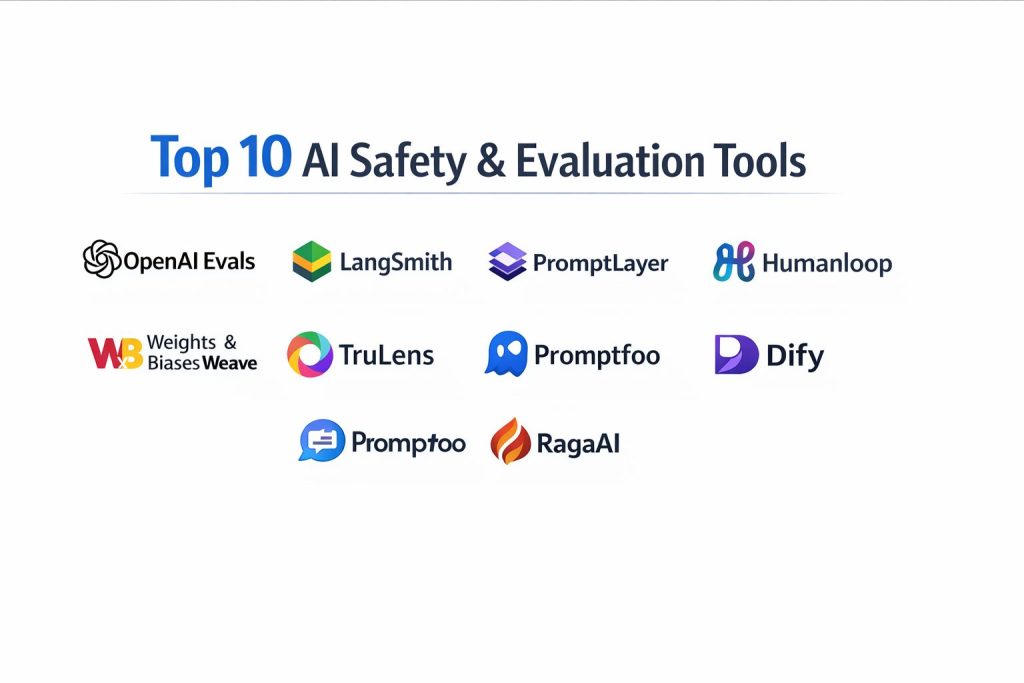
Top 10 AI Safety & Evaluation Tools
1) OpenAI Evals
A framework for building repeatable evaluation suites to measure model behavior across tasks. Useful for regression testing prompts, model versions, and policy-related behaviors with structured scoring.
Key Features
- Test suite creation with reusable evaluation templates
- Support for regression-style comparisons across runs
- Flexible scoring patterns for task success and failure modes
- Fits evaluation into development workflows and iteration loops
- Supports structured prompts and test cases at scale
- Helps standardize evaluation metrics across teams
- Useful for safety and quality checks when tests are well-designed
Pros
- Good fit for repeatable, structured evaluation workflows
- Encourages disciplined measurement rather than ad-hoc testing
Cons
- Requires effort to design meaningful test sets and metrics
- Evaluation quality depends on test coverage and scoring design
Platforms / Deployment
- Varies / N/A
Security & Compliance
- Not publicly stated
Integrations & Ecosystem
Works best when paired with experiment tracking, prompt management, and CI-style gating.
- Evaluation suite versioning patterns: Varies / N/A
- CI pipeline integration approaches: Varies / N/A
- Reporting export patterns: Varies / N/A
Support & Community
Community usage exists and grows with evaluation adoption; official support varies by context.
2) LangSmith
A platform for tracing, debugging, and evaluating LLM applications, especially chains and agent workflows. Useful for comparing prompts, runs, and failures with strong observability.
Key Features
- Tracing for multi-step LLM chains and agent executions
- Dataset-driven evaluation for repeatable tests
- Side-by-side comparison of prompt versions and outputs
- Failure analysis with run-level metadata and context
- Support for qualitative and quantitative evaluation patterns
- Useful for monitoring drift in application behavior over time
- Helps teams debug safety failures in complex flows
Pros
- Strong visibility into why a run failed in multi-step workflows
- Helpful for teams building RAG and agentic pipelines
Cons
- Best value appears when you already have structured LLM workflows
- Tooling complexity can rise as projects scale without clear conventions
Platforms / Deployment
- Web
- Cloud
Security & Compliance
- Not publicly stated
Integrations & Ecosystem
Commonly used in LLM app workflows and integrates with evaluation datasets and tracing patterns.
- Tracing integrations: Varies / N/A
- Dataset and prompt management patterns: Varies / N/A
- Export and analytics workflows: Varies / N/A
Support & Community
Strong documentation and active community; support options vary by plan.
3) PromptLayer
A prompt management and observability platform that helps teams track prompts, versions, and performance. Useful for governance, experimentation, and monitoring prompt-related risk.
Key Features
- Prompt versioning and change tracking
- Logging and monitoring of LLM calls and outputs
- Experiment tracking for prompt and model comparisons
- Evaluation workflows for testing prompt changes
- Collaboration features for shared prompt development
- Useful metadata capture for audits and debugging
- Helps reduce “silent prompt drift” in production
Pros
- Strong for prompt governance and version discipline
- Useful for teams iterating frequently on prompts
Cons
- Not a full replacement for deep safety red-teaming suites
- Value depends on consistent adoption across the team
Platforms / Deployment
- Web
- Cloud
Security & Compliance
- Not publicly stated
Integrations & Ecosystem
Pairs well with QA checks, CI gating, and production monitoring patterns.
- Prompt tooling integrations: Varies / N/A
- Evaluation pipelines: Varies / N/A
- Logging export workflows: Varies / N/A
Support & Community
Active product community and documentation; support tiers vary by plan.
4) Humanloop
A platform focused on building, evaluating, and improving LLM applications with human feedback and structured experimentation. Useful for safety review workflows and quality tuning.
Key Features
- Experiment management for prompts and model behavior
- Human feedback loops for edge case labeling and review
- Dataset-based testing for repeatable evaluation runs
- Collaboration workflows across product and engineering
- Support for comparing variants and tracking outcomes over time
- Helps operationalize approval flows for sensitive use cases
- Useful for aligning outputs with policy and user expectations
Pros
- Strong for human-in-the-loop governance and review
- Helps teams turn subjective quality into structured evaluation
Cons
- Requires process discipline to keep review cycles efficient
- Not every team needs human labeling workflows at early stages
Platforms / Deployment
- Web
- Cloud
Security & Compliance
- Not publicly stated
Integrations & Ecosystem
Fits teams that want structured iteration with review and evaluation gates.
- Feedback and labeling workflows: Varies / N/A
- Evaluation dataset pipelines: Varies / N/A
- Collaboration tooling: Varies / N/A
Support & Community
Good documentation and product support; community size varies by region and segment.
5) Helicone
An observability and monitoring layer for LLM usage that helps teams log calls, measure performance, and detect anomalies. Useful for production safety monitoring signals and operational reliability.
Key Features
- Centralized logging of LLM requests and responses
- Performance tracking for latency, errors, and usage patterns
- Cost and token usage visibility for governance and control
- Tagging and filtering for incident investigation
- Helps identify risky prompt patterns and repeated failures
- Supports operational monitoring as systems scale
- Useful for auditing and debugging production behavior
Pros
- Practical for production monitoring and operational visibility
- Helps teams correlate safety issues with usage context
Cons
- Monitoring alone does not replace structured safety evaluation suites
- Requires careful data handling to avoid logging sensitive content
Platforms / Deployment
- Web
- Cloud
Security & Compliance
- Not publicly stated
Integrations & Ecosystem
Pairs well with evaluation tools and incident workflows for production systems.
- Logging pipeline integrations: Varies / N/A
- Alerting and analytics workflows: Varies / N/A
- Export and retention patterns: Varies / N/A
Support & Community
Developer-focused community and practical documentation; support varies by plan.
6) Weights & Biases Weave
A toolkit focused on tracking, evaluating, and improving AI application behavior with structured logs and analysis. Useful for experiment-driven teams that want robust traceability.
Key Features
- Tracking and analysis of AI app interactions and outputs
- Evaluation workflows across datasets and prompt versions
- Debugging tools to inspect failures and edge cases
- Comparison of variants across models, prompts, and settings
- Supports a disciplined measurement culture across teams
- Useful metadata capture for governance and audits
- Helps teams scale experimentation without losing control
Pros
- Strong for teams that want structured, measurable iteration
- Good fit when multiple stakeholders need shared visibility
Cons
- Can feel heavy if your workflow is simple or early-stage
- Requires consistent tagging and organization to stay clean
Platforms / Deployment
- Web
- Cloud
Security & Compliance
- Not publicly stated
Integrations & Ecosystem
Often used alongside broader ML tooling and application observability patterns.
- Experiment tracking patterns: Varies / N/A
- Reporting and comparison workflows: Varies / N/A
- Data export and analysis: Varies / N/A
Support & Community
Well-known ecosystem and documentation; support tiers vary by plan.
7) TruLens
An evaluation framework focused on measuring and improving LLM application quality, including RAG evaluation signals. Useful for testing groundedness, relevance, and safety-related failure modes.
Key Features
- Evaluation of RAG quality signals and output faithfulness patterns
- Scoring frameworks for measuring response quality and consistency
- Tools for comparing models and pipeline variants
- Useful for detecting hallucination-like behaviors in app outputs
- Helps teams design repeatable evaluation datasets
- Can support continuous evaluation patterns when integrated
- Practical for teams focused on trustworthy AI outputs
Pros
- Strong focus on application-level evaluation, especially RAG workflows
- Helps turn “quality” into measurable signals for iteration
Cons
- Requires thoughtful metric selection to avoid misleading scores
- Some teams may need additional safety policy tooling alongside it
Platforms / Deployment
- Varies / N/A
Security & Compliance
- Not publicly stated
Integrations & Ecosystem
Often paired with tracing, logging, and prompt management for full coverage.
- RAG pipeline evaluation workflows: Varies / N/A
- Dataset versioning patterns: Varies / N/A
- Reporting integrations: Varies / N/A
Support & Community
Active open usage and growing community; support depends on distribution and usage model.
8) Promptfoo
A developer-friendly evaluation tool for comparing prompts, models, and outputs across test cases. Useful for quick regression checks and prompt variant comparisons.
Key Features
- Test suites for prompt and model comparisons
- Easy setup for evaluating many prompt variants at once
- Supports structured assertions and pass/fail style checks
- Helps teams catch regressions when prompts change
- Useful for early-stage safety checks on known risk prompts
- Encourages repeatability over manual spot checks
- Works well for rapid iteration cycles
Pros
- Fast to start and useful for daily developer workflows
- Good for regression-style prompt comparisons
Cons
- Coverage depends on the quality of your test set
- Deep safety needs may require additional red-teaming workflows
Platforms / Deployment
- Varies / N/A
Security & Compliance
- Not publicly stated
Integrations & Ecosystem
Often used alongside CI gating and prompt management patterns.
- CI workflow integration: Varies / N/A
- Test case management: Varies / N/A
- Reporting export patterns: Varies / N/A
Support & Community
Good developer community and practical docs; support varies by usage context.
9) Dify
A platform for building and operating LLM applications with workflow controls, testing patterns, and governance features. Useful for teams that want app building plus evaluation and operational oversight.
Key Features
- Workflow building for LLM apps and agents
- App-level controls for prompts, tools, and outputs
- Testing patterns for app behavior across inputs
- Useful for governance and consistency in production apps
- Supports operational monitoring and iteration loops
- Helps teams deploy internal AI tools with guardrails
- Practical for teams moving from prototype to managed operations
Pros
- Combines building and operational controls in one place
- Helpful for teams standardizing internal AI tools
Cons
- May be heavier than needed if you only want evaluation tooling
- Best results require clear governance design and ownership
Platforms / Deployment
- Web
- Varies / N/A
Security & Compliance
- Not publicly stated
Integrations & Ecosystem
Works best when integrated with your data sources, APIs, and internal governance processes.
- Tool and API integrations: Varies / N/A
- Workflow extensions: Varies / N/A
- Monitoring and analytics patterns: Varies / N/A
Support & Community
Community and documentation vary by deployment choice; support depends on plan and distribution.
10) RagaAI
A platform focused on evaluation, testing, and monitoring of LLM applications with an emphasis on reliability and governance. Useful for teams that need structured evaluation plus operational oversight.
Key Features
- Evaluation workflows for LLM app behavior and quality
- Monitoring for drift, regressions, and reliability issues
- Dataset and test case management patterns for repeatable checks
- Useful reporting for cross-team review and governance
- Helps identify failure clusters and frequent risk patterns
- Supports comparison across model and prompt variants
- Designed to fit product teams shipping AI features at scale
Pros
- Useful blend of evaluation plus monitoring for ongoing quality
- Reporting helps align engineering, product, and risk stakeholders
Cons
- Fit depends on your stack and desired governance depth
- Teams may need onboarding time to model their evaluation process well
Platforms / Deployment
- Web
- Cloud
Security & Compliance
- Not publicly stated
Integrations & Ecosystem
Often used as a centralized layer for evaluation and monitoring across applications.
- LLM provider integrations: Varies / N/A
- App instrumentation workflows: Varies / N/A
- Export and reporting workflows: Varies / N/A
Support & Community
Growing ecosystem; support options vary by plan and contract.
Comparison Table (Top 10)
| Tool Name | Best For | Platform(s) Supported | Deployment (Cloud/Self-hosted/Hybrid) | Standout Feature | Public Rating |
|---|---|---|---|---|---|
| OpenAI Evals | Repeatable evaluation suites and regressions | Varies / N/A | Varies / N/A | Structured eval frameworks | N/A |
| LangSmith | Tracing and evaluation of chains and agents | Web | Cloud | Deep run tracing and debugging | N/A |
| PromptLayer | Prompt governance and monitoring | Web | Cloud | Prompt versioning discipline | N/A |
| Humanloop | Human feedback and structured iteration | Web | Cloud | Human-in-the-loop evaluation | N/A |
| Helicone | Production monitoring and usage visibility | Web | Cloud | LLM observability and logging | N/A |
| Weights & Biases Weave | Traceability and evaluation for AI apps | Web | Cloud | Structured tracking and analysis | N/A |
| TruLens | RAG evaluation and trust signals | Varies / N/A | Varies / N/A | Groundedness and relevance scoring | N/A |
| Promptfoo | Developer-friendly regression testing | Varies / N/A | Varies / N/A | Fast prompt/model comparisons | N/A |
| Dify | Building and operating governed AI apps | Web | Varies / N/A | Managed workflows and guardrails | N/A |
| RagaAI | Evaluation plus monitoring and governance | Web | Cloud | Centralized eval and oversight | N/A |
Evaluation & Scoring of AI Safety & Evaluation Tools
Weights: Core features 25%, Ease 15%, Integrations 15%, Security 10%, Performance 10%, Support 10%, Value 15%.
| Tool Name | Core (25%) | Ease (15%) | Integrations (15%) | Security (10%) | Performance (10%) | Support (10%) | Value (15%) | Weighted Total (0–10) |
|---|---|---|---|---|---|---|---|---|
| OpenAI Evals | 8.5 | 7.0 | 7.0 | 6.0 | 7.5 | 7.0 | 8.5 | 7.55 |
| LangSmith | 8.5 | 8.0 | 8.5 | 6.5 | 8.0 | 8.0 | 7.5 | 8.03 |
| PromptLayer | 7.5 | 8.5 | 8.0 | 6.5 | 7.5 | 7.5 | 7.5 | 7.68 |
| Humanloop | 8.0 | 7.5 | 7.5 | 6.5 | 7.5 | 7.5 | 7.0 | 7.55 |
| Helicone | 7.5 | 8.5 | 8.0 | 6.0 | 8.0 | 7.5 | 8.0 | 7.85 |
| Weights & Biases Weave | 8.0 | 7.5 | 8.0 | 6.5 | 8.0 | 8.0 | 7.0 | 7.73 |
| TruLens | 7.5 | 7.0 | 7.0 | 6.0 | 7.5 | 7.0 | 8.0 | 7.28 |
| Promptfoo | 7.0 | 8.0 | 7.0 | 5.5 | 7.0 | 7.0 | 8.5 | 7.30 |
| Dify | 7.5 | 7.5 | 7.5 | 6.5 | 7.5 | 7.0 | 7.0 | 7.40 |
| RagaAI | 7.5 | 7.0 | 7.5 | 6.5 | 7.5 | 7.0 | 7.0 | 7.28 |
How to interpret the scores:
- Scores are comparative within this list and reflect typical fit, not absolute truth.
- A higher score means broader strength across evaluation, governance, and day-to-day usability.
- Value can outrank depth for small teams that need fast wins.
- Security scoring is conservative because formal disclosures vary widely.
- Always validate by running your own risk prompts, datasets, and production-like traffic.
Which AI Safety & Evaluation Tool Is Right for You?
Solo / Freelancer
Start with a lightweight approach that makes testing repeatable without heavy setup. Promptfoo and OpenAI Evals can help you run structured checks against your prompts and outputs. If you are building multi-step pipelines, LangSmith can quickly show where failures and unsafe outputs originate.
SMB
SMBs benefit from tools that blend evaluation with monitoring. Helicone gives practical production visibility, while LangSmith and PromptLayer help keep prompt changes controlled. If you need review workflows for sensitive use cases, Humanloop helps establish a manageable human feedback loop.
Mid-Market
Mid-market teams often run multiple AI features and need consistent governance. LangSmith plus a monitoring layer like Helicone can cover tracing, debugging, and operations. Add TruLens when RAG quality and groundedness are critical. Weights & Biases Weave can help keep experiments, runs, and evaluation reports organized for multiple stakeholders.
Enterprise
Enterprises should focus on auditability, repeatable evaluation gates, and cross-team reporting. Humanloop and Weights & Biases Weave help formalize review and evaluation processes. A monitoring and logging layer like Helicone supports operational oversight. Dify can help standardize how internal teams deploy governed AI applications when consistent controls are needed.
Budget vs Premium
Budget-first teams can combine Promptfoo and OpenAI Evals for repeatable evaluation, then add tracing later if needed. Premium-oriented teams often prefer a full stack that includes tracing, monitoring, and structured governance, such as LangSmith plus Helicone, with a platform like Humanloop or Weave for review and reporting.
Feature Depth vs Ease of Use
If you want fast setup, Promptfoo and PromptLayer can deliver quick value. If you need deeper multi-step visibility and debugging, LangSmith becomes more compelling. If governance and human review are essential, Humanloop adds structure, but requires process commitment.
Integrations & Scalability
If your stack uses multiple providers and complex workflows, prioritize tooling that supports consistent instrumentation and dataset-driven tests. LangSmith and Weave are strong for scaling analysis, while Helicone supports operational metrics. For RAG-heavy apps, TruLens can help measure whether the system stays grounded as data changes.
Security & Compliance Needs
Treat compliance claims carefully and avoid guessing. For sensitive environments, reduce logged sensitive content, add access control around evaluation data, and maintain audit trails for prompt changes and releases. Where security disclosures are not public, assume you must validate internally and build governance through your own systems.
Frequently Asked Questions (FAQs)
1) What is the difference between evaluation and monitoring?
Evaluation tests behavior in a controlled setup using datasets and scenarios. Monitoring watches real usage to detect drift, spikes, and new failure patterns that did not appear in testing.
2) How do I build a good safety test set?
Start with real failure cases, policy edge cases, and known attack prompts. Then add realistic user tasks and gradually expand coverage with new incidents and feedback.
3) Should I test single-turn prompts or multi-turn conversations?
Both matter. Single-turn tests catch basic safety issues, while multi-turn tests reveal escalation risks, memory issues, and unsafe behavior that appears only after several steps.
4) What is prompt injection and why should I evaluate it?
Prompt injection is when malicious text tries to override system rules or trick an app into leaking data or taking unsafe actions. Testing for it is essential in RAG and agent workflows.
5) How can I measure hallucinations in my application?
Use groundedness and citation-like checks for RAG, plus targeted evaluation prompts that verify factual consistency. Tools like TruLens help structure these checks as repeatable signals.
6) How do I avoid overfitting to my evaluation metrics?
Use multiple metrics, include human review for a sample of cases, and rotate adversarial tests. Treat metrics as indicators and validate by inspecting real outputs.
7) What are common mistakes teams make with safety tooling?
Relying only on manual testing, logging sensitive data without controls, using tiny test sets, and not running evaluations after prompt or model changes.
8) Can I run evaluations as part of release gating?
Yes. Many teams run evaluation suites in a CI-like step and block releases if safety or quality regressions exceed a threshold.
9) How do I choose between prompt governance tools and evaluation frameworks?
If your main risk is uncontrolled prompt changes, start with governance and versioning. If your main risk is unknown behavior across scenarios, start with evaluation suites and datasets.
10) What is a practical first step for a new team?
Pick two tools: one for repeatable evaluation and one for observability. Then run a small pilot on your highest-risk workflows, document failures, and expand coverage steadily.
Conclusion
AI safety and evaluation is not a one-time checklist. It is a continuous practice that combines repeatable tests, real-world monitoring, and disciplined governance over prompts, models, and workflows. Some teams need deep tracing to understand multi-step failures, while others need structured datasets to prevent regressions during fast iteration. The best choice depends on how you ship AI features: a simple assistant needs different controls than a tool-using agent connected to internal systems. A practical next step is to shortlist two or three tools, run them against your most risky user journeys, compare how clearly they explain failures, and then set a release gate that blocks unsafe regressions before they reach users.