Introduction
Accounting software helps businesses record income and expenses, manage invoices and bills, track taxes, reconcile bank transactions, and generate accurate financial reports. It matters because even small errors in bookkeeping can affect cash flow, compliance, and decision-making. Modern accounting platforms also reduce manual work through automation, integrations, and real-time dashboards that help leaders understand profitability faster. Common use cases include invoicing and payments for service businesses, inventory and cost tracking for product companies, payroll coordination, tax readiness for growing firms, and multi-entity consolidation for larger organizations. When evaluating accounting software, focus on core bookkeeping depth, invoicing and receivables, payables workflows, bank feeds and reconciliation quality, reporting and dashboards, multi-currency support, tax handling, integrations and APIs, audit trails and access control, scalability for multiple entities, and total cost of ownership.
Best for: freelancers, startups, SMBs, accountants, finance teams, and growing companies that need reliable bookkeeping, invoicing, reporting, and tax-ready records.
Not ideal for: businesses that only need simple invoice creation with no bookkeeping, or very large enterprises that require highly customized ERP-level finance, procurement, and consolidation beyond typical accounting platforms.
Key Trends in Accounting Software
- More automation in bank reconciliation through smarter matching and rules
- Increased use of AI-assisted categorization and anomaly detection (results vary)
- Stronger cash-flow forecasting features built into core dashboards
- Greater demand for role-based controls and cleaner audit trails
- More embedded payments, recurring billing, and automated reminders
- Deeper integrations with e-commerce, payroll, and expense tools
- Faster month-end close workflows with approvals and task tracking
- Wider multi-entity and multi-currency support for global operations
- More emphasis on real-time reporting rather than end-of-month spreadsheets
- Pricing pressure leading to tiered plans, add-ons, and usage-based components
How We Selected These Tools (Methodology)
- Picked widely used accounting platforms with strong market adoption
- Focused on tools that cover core bookkeeping plus invoicing, reporting, and reconciliation
- Considered reliability signals such as long-term usage in real businesses
- Looked for integrations across banking, payroll, CRM, e-commerce, and expense workflows
- Included a balanced mix: freelancer-first, SMB leaders, and mid-market capable systems
- Evaluated scalability across users, entities, currencies, and reporting complexity
- Considered ecosystem depth: add-ons, accountants familiar with the tool, and community
- Chose options that fit different industries and operational styles
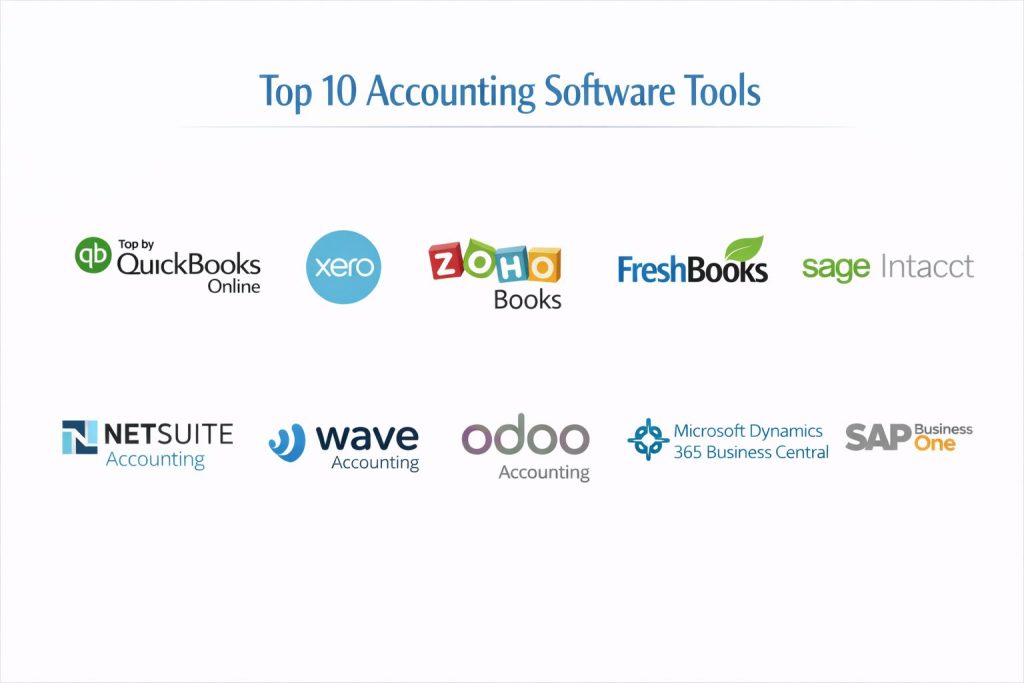
Top 10 Accounting Software Tools
1) QuickBooks Online
A widely adopted accounting platform for freelancers and SMBs that want strong invoicing, reconciliation, and reporting. It is often chosen for its ecosystem and accountant familiarity.
Key Features
- Automated bank feeds and reconciliation workflows
- Invoicing, recurring invoices, and payment reminders
- Expense tracking with categorization rules
- Reporting suite for profit and loss, balance sheet, and cash flow
- Tax-ready workflows and common accounting standards support
- Multi-user collaboration with role permissions (plan dependent)
- Add-on ecosystem for payroll, payments, and industry workflows
Pros
- Large ecosystem and broad accountant familiarity
- Strong all-around feature set for SMB accounting
Cons
- Costs can rise with add-ons and higher tiers
- Complex setups may require professional bookkeeping guidance
Platforms / Deployment
- Web / iOS / Android
- Cloud
Security & Compliance
- SSO/SAML: Not publicly stated
- MFA, encryption, audit logs, RBAC: Not publicly stated
- SOC 2, ISO 27001, GDPR, HIPAA: Not publicly stated
Integrations & Ecosystem
QuickBooks Online is often connected to banking, payroll, e-commerce, and expense tools to reduce manual entry and speed up month-end workflows.
- Payment processors and invoicing add-ons
- Payroll and contractor payment workflows (varies by region)
- E-commerce connectors (varies)
- Expense tools and receipt capture apps
- CRM and project tools via connectors (varies)
Support & Community
Large user base, extensive learning resources, and strong accountant community. Support tiers vary by plan and region.
2) Xero
A cloud accounting platform popular with SMBs and accounting firms, known for clean usability and strong bank reconciliation workflows.
Key Features
- Bank reconciliation with rules and smart matching
- Invoicing and recurring billing workflows
- Bills and payables tracking with approvals (plan dependent)
- Strong reporting and financial statement outputs
- Multi-currency support (plan dependent)
- Role-based access and advisor collaboration workflows
- Large ecosystem of connected business apps
Pros
- Strong reconciliation experience and clean interface
- Wide add-on marketplace and accountant adoption
Cons
- Some features may require higher plans or add-ons
- Regional capabilities can vary for taxes and payments
Platforms / Deployment
- Web / iOS / Android
- Cloud
Security & Compliance
- SSO/SAML: Not publicly stated
- MFA, encryption, audit logs, RBAC: Not publicly stated
- SOC 2, ISO 27001, GDPR, HIPAA: Not publicly stated
Integrations & Ecosystem
Xero is typically used as the central ledger, with integrations handling payroll, payments, inventory, and expenses.
- Expense management integrations
- E-commerce connectors and payment services
- Payroll connections (varies by region)
- Inventory add-ons (varies)
- APIs and app marketplace integrations (varies)
Support & Community
Strong community and advisor network, with training resources widely available. Support levels vary by plan.
3) Zoho Books
An accounting platform designed for SMBs that want tight integration with business operations, especially when used alongside other Zoho apps.
Key Features
- Invoicing, estimates, and recurring billing workflows
- Expense tracking with receipt capture and categorization
- Bank feeds and reconciliation tools
- Project and time tracking support (plan dependent)
- Tax handling workflows and compliance features (region dependent)
- Client portal features for payments and communication (varies)
- Reporting dashboards for finance visibility
Pros
- Strong value for SMBs, especially inside a unified business suite
- Good automation for recurring invoices and reminders
Cons
- Some advanced accounting needs may outgrow it over time
- Regional tax and payroll support varies
Platforms / Deployment
- Web / iOS / Android
- Cloud
Security & Compliance
- SSO/SAML: Not publicly stated
- MFA, encryption, audit logs, RBAC: Not publicly stated
- SOC 2, ISO 27001, GDPR, HIPAA: Not publicly stated
Integrations & Ecosystem
Zoho Books is often used with CRM, inventory, and helpdesk tools to connect sales-to-cash workflows.
- CRM and sales workflows (suite dependent)
- Expense and travel tools (varies)
- Inventory and order management connections (varies)
- Payment gateways and invoicing integrations (varies)
- Automation via workflows and APIs (varies)
Support & Community
Good documentation and onboarding resources, with support quality depending on plan and region.
4) FreshBooks
A service-business focused accounting tool that emphasizes invoicing, time tracking, and getting paid faster, with simpler bookkeeping needs.
Key Features
- Professional invoicing with recurring billing and reminders
- Time tracking and project-based billing workflows
- Expense tracking and receipt management
- Client portals and online payments support (varies)
- Basic reporting for service businesses
- Collaboration for accountants and contractors (plan dependent)
- Simple workflows designed for non-accountants
Pros
- Strong invoicing and time-based billing experience
- Easy onboarding for freelancers and small service teams
Cons
- Less suitable for complex inventory or multi-entity needs
- Some accounting depth is limited compared to full platforms
Platforms / Deployment
- Web / iOS / Android
- Cloud
Security & Compliance
- SSO/SAML: Not publicly stated
- MFA, encryption, audit logs, RBAC: Not publicly stated
- SOC 2, ISO 27001, GDPR, HIPAA: Not publicly stated
Integrations & Ecosystem
FreshBooks is frequently used alongside payment, time tracking, and small business tools to simplify billing and cash flow.
- Payment and invoicing integrations (varies)
- Time tracking tools and automation (varies)
- Basic expense tool connections (varies)
- CRM and email integrations (varies)
- API and connector ecosystem (varies)
Support & Community
Good onboarding for small businesses and responsive support in many regions; community is smaller than broad accounting platforms.
5) Sage Intacct
A mid-market accounting platform built for more complex finance needs, including advanced reporting and multi-entity management.
Key Features
- Strong general ledger with advanced dimensions for reporting
- Multi-entity and multi-currency workflows (plan dependent)
- Automated revenue recognition patterns (varies by configuration)
- Strong financial reporting and dashboards
- Approval workflows and controls for finance operations
- Integration-friendly design for connected business systems
- Suitable for growing organizations with finance teams
Pros
- Strong reporting and multi-entity capability for mid-market
- Built for finance operations that need controls and structure
Cons
- Implementation can take longer than SMB tools
- Cost and complexity may be high for very small teams
Platforms / Deployment
- Web
- Cloud
Security & Compliance
- SSO/SAML, MFA, encryption, audit logs, RBAC: Not publicly stated
- SOC 2, ISO 27001, GDPR, HIPAA: Not publicly stated
Integrations & Ecosystem
Sage Intacct typically connects to CRM, billing, procurement, and analytics systems to support controlled finance operations.
- CRM integrations (varies)
- Subscription billing and revenue workflows (varies)
- Expense and procurement connections (varies)
- Data warehouse and reporting tools (varies)
- API-based integrations for enterprise workflows (varies)
Support & Community
Strong partner ecosystem, implementation support, and mid-market finance community; support structure depends on contract.
6) NetSuite Accounting
A finance module within a broader ERP platform, aimed at organizations that want accounting tightly connected to operations, inventory, and procurement.
Key Features
- General ledger with multi-subsidiary support (plan dependent)
- Consolidation and multi-currency workflows (plan dependent)
- Order-to-cash and procure-to-pay integration (suite dependent)
- Role-based access and approval workflows
- Reporting and dashboards across finance and operations
- Audit trails and governance features (implementation dependent)
- Scales well for complex, multi-department organizations
Pros
- Strong fit when you want accounting connected to ERP operations
- Handles complex entities and operational workflows (configuration dependent)
Cons
- Implementation effort can be significant
- Cost can be high for smaller organizations
Platforms / Deployment
- Web
- Cloud
Security & Compliance
- SSO/SAML, MFA, encryption, audit logs, RBAC: Not publicly stated
- SOC 2, ISO 27001, GDPR, HIPAA: Not publicly stated
Integrations & Ecosystem
NetSuite Accounting often becomes the core finance layer for ERP-based operations with broad integration needs.
- CRM and sales integrations (varies)
- Inventory and procurement modules (suite dependent)
- E-commerce and marketplace connectors (varies)
- BI and analytics connections (varies)
- Integration platforms and APIs (varies)
Support & Community
Large enterprise ecosystem and partners; support experience varies by plan and implementation partner.
7) Wave Accounting
A simple accounting tool often chosen by freelancers and micro-businesses for basic invoicing and bookkeeping workflows.
Key Features
- Basic invoicing and customer management
- Expense tracking and simple categorization
- Bank transaction import and reconciliation basics
- Core financial reports for small business needs
- Receipt capture and scanning features (varies)
- Simple workflows designed for non-accountants
- Suitable for low-complexity bookkeeping
Pros
- Easy entry for very small businesses with simple needs
- Good for getting started with bookkeeping structure
Cons
- Limited depth for scaling companies and complex reporting
- Advanced controls and workflows may be missing
Platforms / Deployment
- Web
- Cloud
Security & Compliance
- SSO/SAML: Not publicly stated
- MFA, encryption, audit logs, RBAC: Not publicly stated
- SOC 2, ISO 27001, GDPR, HIPAA: Not publicly stated
Integrations & Ecosystem
Wave Accounting generally fits simpler workflows and may require external tools as complexity grows.
- Payment and invoicing add-ons (varies)
- Bank connections and imports (varies)
- Limited advanced ecosystem compared to larger platforms
- Export workflows for accountants (varies)
Support & Community
Helpful for basics with smaller community footprint; support options vary by plan.
8) Odoo Accounting
An accounting module within a broader business suite that can connect finance with inventory, sales, and operations for integrated workflows.
Key Features
- General ledger and invoicing within an integrated business suite
- Automated entries from sales and purchasing workflows (suite dependent)
- Payables, receivables, and basic reconciliation patterns
- Reporting across finance and connected operations (module dependent)
- Customization and modular expansion for scaling needs
- Multi-company support patterns (setup dependent)
- Suitable for businesses that want unified operations and finance
Pros
- Strong when you want accounting connected to business operations
- Flexible modular approach for growing requirements
Cons
- Setup and customization can require skilled implementation
- Some features depend on modules and configuration choices
Platforms / Deployment
- Web
- Cloud / Self-hosted / Hybrid
Security & Compliance
- SSO/SAML, MFA, encryption, audit logs, RBAC: Not publicly stated
- SOC 2, ISO 27001, GDPR, HIPAA: Not publicly stated
Integrations & Ecosystem
Odoo Accounting integrates with other suite modules and external connectors based on deployment choices.
- Native suite modules for sales, inventory, and purchasing
- Integration connectors for e-commerce and payments (varies)
- APIs and customization options (varies)
- Data export and reporting connections (varies)
Support & Community
Large community and partner ecosystem; support quality depends on provider and deployment approach.
9) Microsoft Dynamics 365 Business Central
A business management platform with strong accounting capabilities for growing organizations that want finance connected with operations.
Key Features
- General ledger, payables, receivables, and bank reconciliation
- Strong reporting and analytics patterns (setup dependent)
- Inventory and operations integration for end-to-end workflows
- Multi-company and multi-currency support (plan dependent)
- Approval workflows and role-based access patterns
- Extensible ecosystem through connectors and partner apps
- Suitable for organizations moving beyond basic bookkeeping
Pros
- Strong for organizations needing finance tied to operations
- Large partner ecosystem for industry-specific extensions
Cons
- Implementation and customization can require expert partners
- Complexity can be higher than SMB-only accounting tools
Platforms / Deployment
- Web
- Cloud / Hybrid (varies by deployment)
Security & Compliance
- SSO/SAML, MFA, encryption, audit logs, RBAC: Not publicly stated
- SOC 2, ISO 27001, GDPR, HIPAA: Not publicly stated
Integrations & Ecosystem
Business Central typically integrates with productivity tools, CRM systems, and operational apps through connectors.
- CRM and sales workflow connections (varies)
- Inventory, purchasing, and operations modules
- Partner marketplace for extensions (varies)
- Reporting and analytics tool integrations (varies)
- APIs and automation tooling (varies)
Support & Community
Strong partner network and enterprise community; support depends heavily on implementation partner and plan.
10) SAP Business One
An ERP-focused solution with accounting at its core, often used by mid-market companies that want finance integrated with inventory and operations.
Key Features
- Core accounting with GL, AP, AR, and reporting
- Inventory and operational workflows tied to finance (implementation dependent)
- Controls and approvals for structured business operations
- Multi-entity support patterns (deployment dependent)
- Reporting and dashboards for management visibility
- Suitable for businesses needing ERP-style integration
- Strong fit for process-driven organizations
Pros
- Good for mid-market companies needing accounting plus operational integration
- Structured controls for finance and business workflows
Cons
- Implementation complexity can be high
- Cost can exceed typical SMB accounting tools
Platforms / Deployment
- Windows (client varies) / Web (varies)
- Cloud / Self-hosted / Hybrid (varies)
Security & Compliance
- SSO/SAML, MFA, encryption, audit logs, RBAC: Not publicly stated
- SOC 2, ISO 27001, GDPR, HIPAA: Not publicly stated
Integrations & Ecosystem
SAP Business One integrates with operational modules and partner extensions depending on deployment and industry needs.
- Inventory and procurement integrations
- Reporting and analytics options (varies)
- Partner extensions for industry needs (varies)
- Data import/export and APIs (varies)
- Integration middleware options (varies)
Support & Community
Strong partner ecosystem and professional services options; support depends on provider and contract.
Comparison Table (Top 10)
| Tool Name | Best For | Platform(s) Supported | Deployment | Standout Feature | Public Rating |
|---|---|---|---|---|---|
| QuickBooks Online | SMB bookkeeping and invoicing | Web, iOS, Android | Cloud | Ecosystem and accountant adoption | N/A |
| Xero | Clean cloud accounting for SMBs | Web, iOS, Android | Cloud | Strong reconciliation experience | N/A |
| Zoho Books | SMBs inside a business suite | Web, iOS, Android | Cloud | Suite integrations and automation | N/A |
| FreshBooks | Service businesses and freelancers | Web, iOS, Android | Cloud | Invoicing and time-based billing | N/A |
| Sage Intacct | Mid-market finance operations | Web | Cloud | Advanced reporting and dimensions | N/A |
| NetSuite Accounting | ERP-connected accounting at scale | Web | Cloud | Multi-subsidiary ERP finance | N/A |
| Wave Accounting | Micro-business basics | Web | Cloud | Simple bookkeeping entry point | N/A |
| Odoo Accounting | Modular accounting with operations | Web | Cloud, Self-hosted, Hybrid | Suite-connected workflows | N/A |
| Microsoft Dynamics 365 Business Central | Growing companies with operations | Web | Cloud, Hybrid | Finance plus operations integration | N/A |
| SAP Business One | Mid-market ERP accounting needs | Windows, Web (varies) | Cloud, Self-hosted, Hybrid | ERP-style finance integration | N/A |
Evaluation & Scoring of Accounting Software
Weights: Core features 25%, Ease 15%, Integrations 15%, Security 10%, Performance 10%, Support 10%, Value 15%.
| Tool Name | Core (25%) | Ease (15%) | Integrations (15%) | Security (10%) | Performance (10%) | Support (10%) | Value (15%) | Weighted Total (0–10) |
|---|---|---|---|---|---|---|---|---|
| QuickBooks Online | 9.0 | 8.5 | 9.0 | 6.5 | 8.5 | 8.0 | 7.0 | 8.32 |
| Xero | 8.5 | 8.5 | 8.5 | 6.5 | 8.0 | 8.0 | 7.5 | 8.12 |
| Zoho Books | 8.0 | 8.5 | 8.0 | 6.0 | 8.0 | 7.5 | 8.5 | 8.02 |
| FreshBooks | 7.5 | 9.0 | 7.5 | 6.0 | 7.5 | 7.5 | 8.0 | 7.75 |
| Sage Intacct | 9.0 | 7.0 | 8.5 | 6.5 | 8.5 | 7.5 | 6.5 | 7.92 |
| NetSuite Accounting | 9.0 | 6.5 | 9.0 | 6.5 | 8.5 | 7.5 | 6.0 | 7.78 |
| Wave Accounting | 6.5 | 9.0 | 6.0 | 5.5 | 7.0 | 6.5 | 9.0 | 7.25 |
| Odoo Accounting | 7.5 | 7.0 | 8.0 | 6.0 | 7.5 | 7.0 | 8.0 | 7.45 |
| Microsoft Dynamics 365 Business Central | 8.5 | 7.0 | 8.5 | 6.5 | 8.0 | 7.5 | 6.5 | 7.72 |
| SAP Business One | 8.5 | 6.5 | 8.0 | 6.5 | 8.0 | 7.0 | 6.5 | 7.50 |
How to interpret the scores:
- The totals compare these tools within this list, not across the entire market.
- A higher score means broader strength across common buying criteria, not universal best-fit.
- Ease and value often matter more for small teams, while core depth matters for finance-heavy workflows.
- Security scoring is limited because public disclosures vary and implementations differ.
- Validate with a small pilot using your real workflows before standardizing.
Which Accounting Software Tool Is Right for You?
Solo / Freelancer
FreshBooks and Wave Accounting are often easiest for service-based freelancers who want quick invoicing and basic bookkeeping. Zoho Books is a strong choice if you also want connected business workflows like CRM or inventory later.
SMB
QuickBooks Online and Xero are reliable choices for SMBs that want strong reconciliation, reporting, and accountant support. Zoho Books works well for SMBs that prefer a unified suite approach with automation.
Mid-Market
Sage Intacct fits teams that need stronger reporting, controls, and multi-entity patterns. Microsoft Dynamics 365 Business Central is strong when you want accounting closely linked with operations and inventory.
Enterprise
NetSuite Accounting is often selected when accounting needs tight connection with ERP workflows and multi-subsidiary structures. Enterprises should prioritize governance, approvals, and consistency across entities.
Budget vs Premium
Wave Accounting and Zoho Books can be cost-friendly for simpler needs, while Sage Intacct and NetSuite Accounting are premium choices for structured finance operations.
Feature Depth vs Ease of Use
If your team is non-technical and wants speed, FreshBooks and Xero feel simpler. If you need deeper finance structures and controls, Sage Intacct, NetSuite Accounting, and Business Central typically fit better.
Integrations & Scalability
If your business relies on e-commerce, payments, payroll, or expense management, prioritize tools with stable integrations. QuickBooks Online and Xero usually have broad connector ecosystems, while suite-based tools like Odoo Accounting and Business Central scale through modules and partners.
Security & Compliance Needs
If you have strict control requirements, focus on role permissions, audit trails, approvals, and how access is governed across users and entities. Where compliance is not publicly stated, treat it as unknown and validate through your procurement and security review.
Frequently Asked Questions (FAQs)
1) What is the easiest accounting software to start with?
For very small businesses, Wave Accounting and FreshBooks are simple to set up. If you want stronger bookkeeping from day one, QuickBooks Online or Xero are common starting points.
2) Can I migrate from one accounting tool to another later?
Yes, but migrations can be messy if charts of accounts, tax rules, and historical transactions are inconsistent. Plan mapping early and keep your records clean before migrating.
3) Do I need accounting software if I only send invoices?
If you only invoice and do not track expenses, a basic invoicing tool might be enough. However, accounting software becomes important once you need profit tracking, tax readiness, and bank reconciliation.
4) What should I test during a pilot?
Test bank feed accuracy, reconciliation rules, invoice workflows, reporting clarity, tax handling, permissions, and export options for your accountant. Also test how well it integrates with your current tools.
5) How important are bank feeds and reconciliation?
They are critical for saving time and avoiding errors. A strong reconciliation experience reduces month-end stress and improves confidence in your financial reports.
6) Which tools handle multi-entity needs better?
Mid-market tools like Sage Intacct, NetSuite Accounting, Microsoft Dynamics 365 Business Central, and SAP Business One are often chosen for multi-entity patterns. The best fit depends on how you consolidate and report.
7) What is the biggest mistake businesses make with accounting software?
They skip setup discipline and let categories become messy. A clean chart of accounts, clear rules, and monthly review habits matter more than fancy features.
8) Will these tools replace my accountant?
Usually no. They reduce manual work and improve accuracy, but professional advice still matters for taxes, compliance, and financial strategy.
9) How do integrations impact accounting accuracy?
Good integrations reduce manual entry, but poor mapping can create duplicate entries or wrong categories. Always validate how data flows into the ledger before trusting automation.
10) What are good alternatives if my accounting needs are very complex?
If you need broader ERP-level control across procurement, inventory, and finance, consider ERP-style tools like NetSuite Accounting, SAP Business One, or Microsoft Dynamics 365 Business Central. Choose based on implementation readiness and operational scope.
Conclusion
Accounting software is a core system that shapes how confidently you can run the business. The “best” option depends on your workflow, reporting needs, and how complex your operations are. QuickBooks Online and Xero are strong general choices for SMB bookkeeping, reconciliation, and reporting, while Zoho Books can be especially useful if you want finance connected to a wider business suite. FreshBooks and Wave Accounting suit freelancers and small service teams that prioritize invoicing and simplicity. If you need deeper controls, multi-entity reporting, or operational integration, Sage Intacct, NetSuite Accounting, Microsoft Dynamics 365 Business Central, and SAP Business One are better aligned. A smart next step is to shortlist two or three tools, run a short pilot with real bank feeds and invoices, validate reporting, and confirm integrations before committing.