Introduction
Accessibility auditing tools are specialized software designed to evaluate digital products against global standards like the Web Content Accessibility Guidelines (WCAG). These tools identify barriers that prevent individuals with visual, auditory, motor, or cognitive disabilities from interacting with digital content. By scanning codebases, DOM structures, and visual interfaces, they pinpoint issues such as insufficient color contrast, missing alternative text, and improper keyboard focus management. In the modern engineering landscape, these tools are no longer optional “add-ons” but core components of a mature development lifecycle.
The necessity of these platforms is driven by both ethical imperatives and stringent legal requirements. Organizations face increasing litigation risks and regulatory pressure to meet international compliance standards. Beyond legal safety, accessible design significantly improves the overall user experience, enhances search engine optimization, and expands market reach to the billions of people globally who live with disabilities. When selecting an auditing solution, enterprises must evaluate the tool’s accuracy, its ability to integrate into automated pipelines, and the depth of its remediation guidance to ensure that accessibility is “shifted left” into the earliest stages of production.
Best for: Quality assurance engineers, frontend developers, compliance officers, and product managers who need to ensure their web and mobile applications are inclusive and legally compliant.
Not ideal for: Purely aesthetic design reviews or content-only audits that do not involve technical underlying structures. These tools require a technical understanding of web standards to implement the recommended fixes effectively.
Key Trends in Accessibility Auditing Software
The integration of artificial intelligence has revolutionized auditing by reducing false positives and identifying complex logic errors that traditional scanners often miss. We are seeing a major shift toward “Guided Manual Testing,” where software assists human auditors in navigating the nuances of screen reader compatibility and keyboard flow. Real-time remediation is also gaining traction, with tools offering instant code suggestions directly within the developer’s integrated development environment.
Unified governance is another growing trend, as large organizations seek centralized dashboards to monitor accessibility health across hundreds of disparate digital assets. There is an increasing focus on mobile-first accessibility, reflecting the global dominance of handheld devices. Furthermore, the industry is moving toward open-source standards for accessibility rules engines, ensuring that different tools in a pipeline provide consistent and reliable results.
How We Selected These Tools
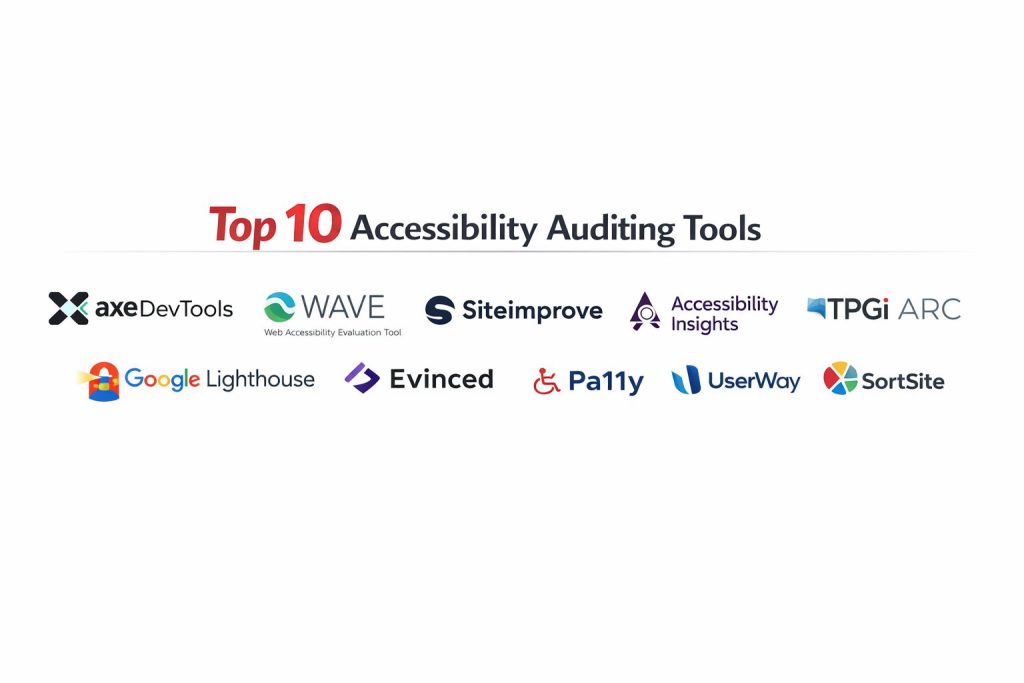
The selection of these top ten tools followed a rigorous evaluation of their technical reliability and market reputation. We prioritized platforms that utilize industry-standard rules engines, ensuring that the audit results align with the latest regulatory updates. A key criterion was the tool’s ability to minimize “alert fatigue” by providing high-accuracy results with actionable remediation steps.
We also assessed the level of automation each tool offers, particularly for enterprise environments that require continuous monitoring within DevOps pipelines. Integration capabilities with popular project management and development tools were heavily weighted. Finally, we looked for a balance between free, open-source utilities that offer transparency and premium enterprise platforms that provide the legal documentation and expert support necessary for high-risk industries.
1. Axe DevTools
Axe DevTools is built on the industry-standard axe-core engine and is widely considered the gold standard for developer-centric accessibility testing. It is designed to be part of the active coding process, providing immediate feedback within the browser or through automated testing frameworks. Its primary focus is on “zero false positives,” ensuring that every flagged issue is a legitimate barrier that needs attention.
Key Features
The tool offers a powerful browser extension that allows for instant page audits and component-level testing. It includes “Intelligent Guided Tests” which use machine learning to walk developers through manual checks for complex elements. The software integrates seamlessly into CI/CD pipelines and supports multiple testing frameworks. Detailed remediation advice is provided for every violation, including code examples and links to standard requirements. It also offers a centralized dashboard for tracking accessibility trends across teams.
Pros
The accuracy of the rules engine is unmatched, saving developers significant time by eliminating the need to verify automated results. Its deep integration with modern development environments makes it highly efficient.
Cons
The most advanced features, such as guided manual testing and enterprise reporting, require a paid subscription. The technical nature of the output may be overwhelming for non-developers.
Platforms and Deployment
Windows, macOS, and Linux. It is deployed as a browser extension, CLI tool, or integrated library.
Security and Compliance
It supports single sign-on (SSO) and offers secure on-premises deployment options for high-security environments. It is fully GDPR and SOC 2 compliant.
Integrations and Ecosystem
It integrates with Jira, GitHub, Jenkins, and all major testing frameworks like Selenium and Cypress. It is the foundation for many other accessibility tools in the market.
Support and Community
Users have access to Deque University for training, a massive global Slack community, and 24/7 enterprise-grade support.
2. WAVE (Web Accessibility Evaluation Tool)
WAVE is a suite of evaluation tools developed by WebAIM that provides visual feedback about the accessibility of web content. Unlike many other tools that generate complex reports, WAVE injects icons and indicators directly into the webpage, making it ideal for visual learners and content editors.
Key Features
The tool provides a visual overlay that highlights errors, warnings, and structural features directly on the page. It includes a dedicated contrast tool to check foreground and background color ratios against standard requirements. It identifies page headers, regions, and ARIA attributes to evaluate the semantic structure of the content. Users can view the page without styles to see the underlying reading order. It also offers an API for large-scale automated scanning of multiple pages.
Pros
The visual nature of the tool makes it incredibly accessible for non-technical stakeholders like designers and writers. It is free to use for individual page audits and has a very low learning curve.
Cons
It is not designed for deep integration into automated development pipelines. The visual interface can become cluttered on extremely complex web pages with many violations.
Platforms and Deployment
Web-based and browser extensions for Chrome, Firefox, and Edge.
Security and Compliance
WAVE is private by design, as the browser extension performs all analysis locally on the user’s machine without sending data to a server.
Integrations and Ecosystem
While primarily a standalone tool, it offers an API for developers who wish to integrate its engine into custom reporting solutions.
Support and Community
Backed by the legendary WebAIM community, it provides extensive online documentation and a highly active mailing list for expert advice.
3. Siteimprove Accessibility
Siteimprove is a comprehensive web governance platform that treats accessibility as a core part of digital quality. It is designed for large organizations that need to monitor compliance across massive, complex domains and manage the remediation workflow across different departments.
Key Features
The platform automatically crawls entire domains on a schedule to identify WCAG violations and track progress over time. It provides a unique “Digital Certainty Index” score that benchmarks accessibility alongside SEO and site performance. Issues are prioritized based on their impact and the popularity of the affected pages. It includes a dedicated module for auditing PDF documents and other non-HTML content. The system also offers a browser extension for on-the-spot testing during the content creation process.
Pros
It is excellent for multi-departmental collaboration, providing specific dashboards for developers, marketers, and legal teams. The automated site-wide crawling is highly efficient for managing large-scale compliance.
Cons
The platform is an enterprise-level investment and may be prohibitively expensive for small businesses. Some users may find the full suite of features more extensive than they strictly need for accessibility alone.
Platforms and Deployment
Cloud-based SaaS platform with supporting browser extensions.
Security and Compliance
It holds ISO 27001 certification and is fully compliant with GDPR and SOC 2 Type II standards.
Integrations and Ecosystem
It offers deep integrations with major content management systems like Adobe Experience Manager and Sitecore, as well as project management tools like Jira.
Support and Community
Enterprise clients receive high-touch onboarding, a dedicated account manager, and access to the Siteimprove Academy for staff training.
4. Accessibility Insights
Developed by Microsoft, Accessibility Insights is a powerful, open-source toolset designed to help developers find and fix accessibility issues before they ever reach production. It is particularly strong in its “FastPass” and “Assessment” workflows, which balance speed with thoroughness.
Key Features
The “FastPass” feature runs a comprehensive automated check in seconds to catch high-impact issues. Its “Assessment” mode provides a detailed, step-by-step guide for manual testing, covering all WCAG Level AA requirements. The tool includes a “Tab Stop” visualizer that helps developers verify keyboard navigation paths. It supports testing for web, Android, and Windows applications. The results can be easily exported into detailed reports for sharing with stakeholders.
Pros
It is completely free and open-source, providing professional-grade auditing tools without a licensing fee. The guided manual testing is among the best in the industry for educating developers.
Cons
It does not offer the continuous, automated site-wide monitoring found in paid enterprise platforms. The interface is highly technical and designed specifically for software engineers.
Platforms and Deployment
Windows, Android, and browser extensions for Chrome and Edge.
Security and Compliance
Being an open-source tool that runs locally, it meets high security standards and does not require external data processing.
Integrations and Ecosystem
It integrates with Azure DevOps and GitHub, making it a natural fit for teams already utilizing the Microsoft ecosystem.
Support and Community
It is backed by Microsoft’s accessibility team and has a thriving community on GitHub for troubleshooting and feature requests.
5. TPGi ARC Platform
The TPGi ARC (Accessibility Resource Center) is an enterprise platform that emphasizes continuous monitoring and expert knowledge. It is designed for organizations that view accessibility as an ongoing program rather than a one-time project.
Key Features
The ARC Monitoring engine performs regular, automated scans of production environments and alerts teams to new violations. It provides access to a massive “Knowledge Base” of accessibility techniques and remediation strategies. The platform includes an “Analysis” tool that allows for deep-dive audits of specific pages or components. It features a dashboard that maps compliance health to specific legal standards and risk levels. It also offers API access for integrating accessibility data into custom business intelligence tools.
Pros
The platform’s integration with a world-class knowledge base is a significant advantage for teams looking to educate their staff. It is highly effective for risk management and legal compliance tracking.
Cons
The pricing model is geared toward the mid-market and enterprise segments. The initial setup and configuration can be complex for smaller teams.
Platforms and Deployment
Cloud-based SaaS with various browser-based utility tools.
Security and Compliance
It is FedRAMP authorized, making it a preferred choice for government agencies and highly regulated industries. It also maintains SOC 2 and HIPAA compliance.
Integrations and Ecosystem
It provides robust API endpoints and integrates with major developer tools to ensure accessibility data is available where the work happens.
Support and Community
TPGi is a leader in the accessibility space, providing access to top-tier consultants and active participation in international standard-setting bodies.
6. Google Lighthouse
Lighthouse is an open-source, automated tool integrated directly into the Chrome browser’s developer tools. While it covers performance, SEO, and best practices, its accessibility module is a common starting point for developers globally.
Key Features
The tool runs a series of automated audits against a page and generates a score out of 100 based on common accessibility requirements. It provides a clear list of failed audits with links to documentation on how to fix them. Lighthouse can be run via the command line, allowing it to be integrated into build scripts and CI/CD pipelines. It includes checks for ARIA attributes, color contrast, and element labeling. Because it is built into the browser, it can audit pages that require authentication or exist in a local development state.
Pros
It is incredibly convenient, requiring no installation for Chrome users. It provides a quick, high-level health check that is useful for both developers and performance-focused engineers.
Cons
The accessibility audit is less comprehensive than specialized tools like Axe or Siteimprove. It cannot perform manual or guided testing, which are essential for full WCAG compliance.
Platforms and Deployment
Integrated into Chrome and Edge; also available as a Node module and CLI tool.
Security and Compliance
Operates entirely within the local browser environment or local server, ensuring maximum data privacy.
Integrations and Ecosystem
It is a core part of the Google web developer ecosystem and integrates perfectly with WebPageTest and other performance monitoring platforms.
Support and Community
Supported by a massive global community and detailed documentation from the Chrome DevTools team.
7. Evinced
Evinced is a modern accessibility platform that uses computer vision and structural analysis to identify accessibility issues. It is designed to think like an assistive technology, allowing it to find complex problems that traditional code-based scanners miss.
Key Features
Its AI-based engine analyzes the visual relationships between elements on a page to detect logic errors in the accessibility tree. It offers a “Flow Analyzer” that can audit multi-step user journeys, such as checkout processes or registration forms. The platform provides a mobile auditing suite for both iOS and Android applications. It includes a dashboard that visualizes “Technical Debt” and helps teams prioritize the most critical fixes. It also offers integration with popular E2E testing frameworks like Cypress and Playwright.
Pros
The AI-driven approach significantly reduces false positives and identifies issues related to the dynamic state of modern web applications. It is exceptionally strong for testing complex, interactive user flows.
Cons
The technology is highly specialized and carries a premium price tag. There is a learning curve associated with interpreting its advanced structural analysis reports.
Platforms and Deployment
Windows, macOS, and Linux via browser extensions, CLI, and mobile SDKs.
Security and Compliance
It is SOC 2, HIPAA, and GDPR compliant, with robust encryption for data in transit and at rest.
Integrations and Ecosystem
It features some of the best integrations for modern JavaScript frameworks and automated testing suites in the industry.
Support and Community
Offers direct engineering support for enterprise clients and a growing library of technical documentation.
8. Pa11y
Pa11y is an open-source suite of tools designed for developers who prefer command-line interfaces and want to automate their accessibility testing with minimal overhead. It is a favorite among DevOps engineers for building continuous accessibility monitors.
Key Features
The core tool is a command-line interface that runs accessibility audits against any URL. It includes “Pa11y CI,” which allows for running audits against multiple pages as part of a continuous integration pipeline. A dedicated dashboard is available for visualizing the accessibility health of multiple sites over time. It is highly configurable, allowing users to define specific standards, ignore certain rules, or take screenshots of failures. It supports various reporters to output data in formats like JSON, CSV, and HTML.
Pros
It is completely free and exceptionally lightweight. Its flexibility makes it the perfect choice for technical teams that want to build their own custom accessibility monitoring infrastructure.
Cons
It lacks a user-friendly GUI for non-technical stakeholders. It relies entirely on automated rules and does not support guided manual testing.
Platforms and Deployment
Cross-platform via Node.js; typically deployed on build servers or local developer machines.
Security and Compliance
Data security is managed by the user’s own infrastructure, making it ideal for organizations with strict data sovereignty requirements.
Integrations and Ecosystem
It is designed to be “piped” into other tools, working seamlessly with Jenkins, Travis CI, and other automation servers.
Support and Community
Maintained by a dedicated group of open-source contributors with a focus on developer utility and automation.
9. UserWay
UserWay is a comprehensive accessibility solution known for its AI-powered widget and automated scanning capabilities. It aims to simplify the compliance process for organizations that may not have large internal development teams.
Key Features
The platform offers an automated scanner that regularly audits websites and provides a detailed compliance report. It includes a “managed” service where accessibility experts perform manual audits to supplement the automated findings. The famous accessibility widget allows end-users to customize the site’s interface to meet their individual needs. It provides a legal “certificate of accessibility” to help organizations document their compliance efforts. The system also includes tools for fixing some code issues automatically through its AI engine.
Pros
It provides an easy entry point for compliance-driven organizations. The combination of automated tools and manual expert services offers a balanced approach to risk management.
Cons
Relying solely on the visual widget does not fix the underlying code issues required for true accessibility. Some developers prefer tools that focus more on code remediation than UI overlays.
Platforms and Deployment
Cloud-based service that works with any website via a simple script installation.
Security and Compliance
It is GDPR, HIPAA, and SOC 2 compliant, focusing on meeting global legal standards for digital accessibility.
Integrations and Ecosystem
It integrates easily with all major website builders and e-commerce platforms like Shopify, WordPress, and Wix.
Support and Community
Offers a strong customer success team, regular webinars, and a wealth of educational content for its users.
10. SortSite
SortSite is a popular one-click website testing tool used by agencies and consultants. It scans for accessibility alongside other critical factors like broken links, SEO, and browser compatibility, making it a versatile quality assurance tool.
Key Features
The tool checks websites against more than 1,300 quality checkpoints, including WCAG and Section 508 standards. It can scan an entire website in a single run, including PDF files and complex scripts. It generates detailed reports that categorize issues by severity and the department responsible for fixing them. The software is available as both a desktop application and a web-based service. It also includes checks for usability and search engine guidelines to ensure a holistic site review.
Pros
It is incredibly fast for performing a “broad-stroke” audit of a large site. The one-time purchase option for the desktop version provides excellent long-term value for consultants.
Cons
The interface has a somewhat dated look compared to modern SaaS platforms. Its accessibility checks are primarily automated and lack the guided manual testing found in tools like Accessibility Insights.
Platforms and Deployment
Windows, macOS, and cloud-based web service.
Security and Compliance
The desktop version allows for entirely offline audits, which is a major advantage for testing internal or highly sensitive web applications.
Integrations and Ecosystem
It provides clear, exportable reports that can be used by developers and project managers to track remediation efforts.
Comparison Table
| Tool Name | Best For | Platform(s) Supported | Deployment | Standout Feature | Public Rating |
| 1. Axe DevTools | Developer Workflows | Win, Mac, Linux | Hybrid | Zero False Positives | 4.9/5 |
| 2. WAVE | Designers/Editors | Web, Chrome, FF | Local | Visual Icon Overlays | 4.7/5 |
| 3. Siteimprove | Enterprise Governance | Cloud | SaaS | Site-wide Crawling | 4.6/5 |
| 4. Accessibility Insights | Guided Manual Testing | Win, Android, Web | Local | Tab Stop Visualizer | 4.8/5 |
| 5. TPGi ARC | Legal Risk Mgmt | Cloud | SaaS | Expert Knowledge Base | 4.5/5 |
| 6. Google Lighthouse | Quick Health Checks | Chrome, Edge | Local | Integrated Browser Tool | 4.4/5 |
| 7. Evinced | Modern Web Apps | Win, Mac, Linux | Hybrid | AI Structural Analysis | 4.7/5 |
| 8. Pa11y | DevOps/Automation | Node.js (Linux/Mac) | Local | CLI Automation | 4.6/5 |
| 9. UserWay | Managed Compliance | Cloud | SaaS | AI Accessibility Widget | 4.2/5 |
| 10. SortSite | Agencies/Consultants | Win, Mac, Web | Local | 1,300+ Quality Checks | 4.3/5 |
Evaluation & Scoring of Accessibility Auditing Tools
The scoring below is a comparative model intended to help shortlisting. Each criterion is scored from 1–10, then a weighted total from 0–10 is calculated using the weights listed. These are analyst estimates based on typical fit and common workflow requirements, not public ratings.
Weights:
- Core features – 25%
- Ease of use – 15%
- Integrations & ecosystem – 15%
- Security & compliance – 10%
- Performance & reliability – 10%
- Support & community – 10%
- Price / value – 15%
| Tool Name | Core (25%) | Ease (15%) | Integrations (15%) | Security (10%) | Performance (10%) | Support (10%) | Value (15%) | Weighted Total |
| 1. Axe DevTools | 10 | 7 | 10 | 9 | 10 | 9 | 8 | 9.05 |
| 2. WAVE | 7 | 10 | 5 | 10 | 8 | 8 | 10 | 8.05 |
| 3. Siteimprove | 9 | 8 | 9 | 9 | 7 | 10 | 6 | 8.35 |
| 4. Accessibility Insights | 8 | 9 | 8 | 10 | 9 | 8 | 10 | 8.70 |
| 5. TPGi ARC | 9 | 6 | 8 | 10 | 8 | 9 | 7 | 8.15 |
| 6. Google Lighthouse | 6 | 10 | 7 | 10 | 9 | 7 | 10 | 7.90 |
| 7. Evinced | 10 | 6 | 10 | 9 | 9 | 8 | 7 | 8.50 |
| 8. Pa11y | 7 | 4 | 9 | 10 | 10 | 6 | 10 | 7.80 |
| 9. UserWay | 7 | 9 | 7 | 8 | 8 | 8 | 8 | 7.75 |
| 10. SortSite | 8 | 8 | 6 | 10 | 8 | 7 | 8 | 7.70 |
How to interpret the scores:
- Use the weighted total to shortlist candidates, then validate with a pilot.
- A lower score can mean specialization, not weakness.
- Security and compliance scores reflect controllability and governance fit, because certifications are often not publicly stated.
- Actual outcomes vary with assembly size, team skills, templates, and process maturity.
Which Accessibility Auditing Tool Is Right for You?
Solo / Freelancer
Individuals working on single sites or small projects should prioritize tools that are free and easy to deploy. A combination of the browser-based utilities is often sufficient to catch the most critical issues without adding overhead to the budget.
SMB
Small businesses need a balance between automation and simplicity. Tools that offer clear, prioritized lists of errors and warnings allow small teams to make the biggest impact on compliance with the least amount of effort.
Mid-Market
For growing companies, the focus shifts to process integration. Selecting a tool that fits into the existing development pipeline ensures that accessibility is maintained as the application evolves and new team members are added.
Enterprise
Enterprises require platforms that offer unified governance, legal-grade documentation, and robust security. The ability to monitor hundreds of domains and manage user permissions across different global regions is critical at this scale.
Budget vs Premium
Open-source tools provide incredible power and transparency for technical teams but require more internal expertise to interpret results. Premium platforms offer “Compliance-as-a-Service,” providing peace of mind and expert support that can be vital for high-risk industries.
Feature Depth vs Ease of Use
Highly technical tools offer deep structural analysis but may have a steep learning curve. Conversely, visual tools are easy for anyone to understand but may lack the granular detail needed by a lead developer to fix complex ARIA issues.
Integrations & Scalability
A tool is only effective if it is used. For modern software teams, choosing a solution that integrates with Jira, GitHub, and automated testing frameworks is essential to ensure that accessibility checks become a standard part of the definition of “done.”
Security & Compliance Needs
Organizations in the government, medical, or financial sectors must prioritize tools with FedRAMP, HIPAA, or SOC 2 certifications. Local scanning options are often preferred in these environments to ensure that sensitive data never leaves the organization’s control.
Frequently Asked Questions (FAQs)
1. Can automated tools catch all accessibility issues?
No, automated tools typically catch between 30% and 50% of possible accessibility barriers. They are excellent at detecting technical errors like missing code attributes, but they cannot evaluate subjective elements like whether an image’s alternative text is actually helpful to a user.
2. What is the difference between a tool and a widget?
An auditing tool analyzes your code to help you fix it permanently at the source. A widget is a script that sits on top of your site to provide user-facing customizations; while helpful for some, widgets do not replace the need for an underlying accessible codebase.
3. Is WCAG 2.1 or 2.2 the current standard?
WCAG 2.2 is the most recent stable recommendation, which includes everything in 2.1 plus additional criteria focused on users with low vision, cognitive disabilities, and those using mobile devices. Most modern tools audit against 2.2 as the primary benchmark.
4. How often should I run an accessibility audit?
Accessibility should be checked continuously. Ideally, automated scans should run with every code commit, while comprehensive manual audits should be performed at least once a year or whenever major feature updates are launched.
5. Do I need a screen reader to test for accessibility?
While auditing tools simulate many screen reader behaviors, testing with real assistive technology like NVDA, JAWS, or VoiceOver is the only way to truly understand the end-user experience and verify that your ARIA labels are working as intended.
6. What is a VPAT and do these tools generate one?
A Voluntary Product Accessibility Template (VPAT) is a document that explains how a product meets accessibility standards. Some enterprise tools help gather the data needed for a VPAT, but the final document usually requires a manual expert review.
7. Can I use these tools for mobile apps?
Yes, several tools on this list offer specialized modules or SDKs for auditing iOS and Android applications. Mobile auditing requires checking for touch target sizes, gesture support, and screen reader compatibility unique to mobile OS platforms.
8. Are free tools enough for legal compliance?
Free tools are excellent for identifying errors, but they may lack the formal reporting and documentation features required to prove a sustained effort toward compliance in a legal setting. For high-risk organizations, a paid platform with an audit trail is often recommended.
9. What is a “false positive” in accessibility testing?
A false positive occurs when a tool flags an element as an error when it is actually accessible. High-quality tools prioritize accuracy to prevent developers from wasting time investigating issues that do not truly impact users with disabilities.
10. How do I prioritize which accessibility issues to fix first?
Focus on “Blockers” first—issues that prevent a user from completing a task, such as an inaccessible submit button or a broken keyboard trap. Next, address high-impact issues like missing labels on common navigation elements before moving to smaller cosmetic warnings.
Conclusion
Implementing a robust accessibility auditing strategy is an essential evolution for any digital organization committed to quality and inclusivity. As demonstrated by the diverse range of tools available, the path to compliance is no longer a purely manual or insurmountable task. The most successful organizations are those that move beyond occasional audits and instead embed these technical tools directly into their daily development culture. By leveraging a combination of high-speed automated scanners and guided manual assessments, you ensure that accessibility is treated as a core feature rather than a reactive fix. Choosing the right tool from this list—whether it is an open-source utility for a small team or a comprehensive governance platform for a global enterprise—is the first step toward building a digital future that is truly open to everyone.