Introduction
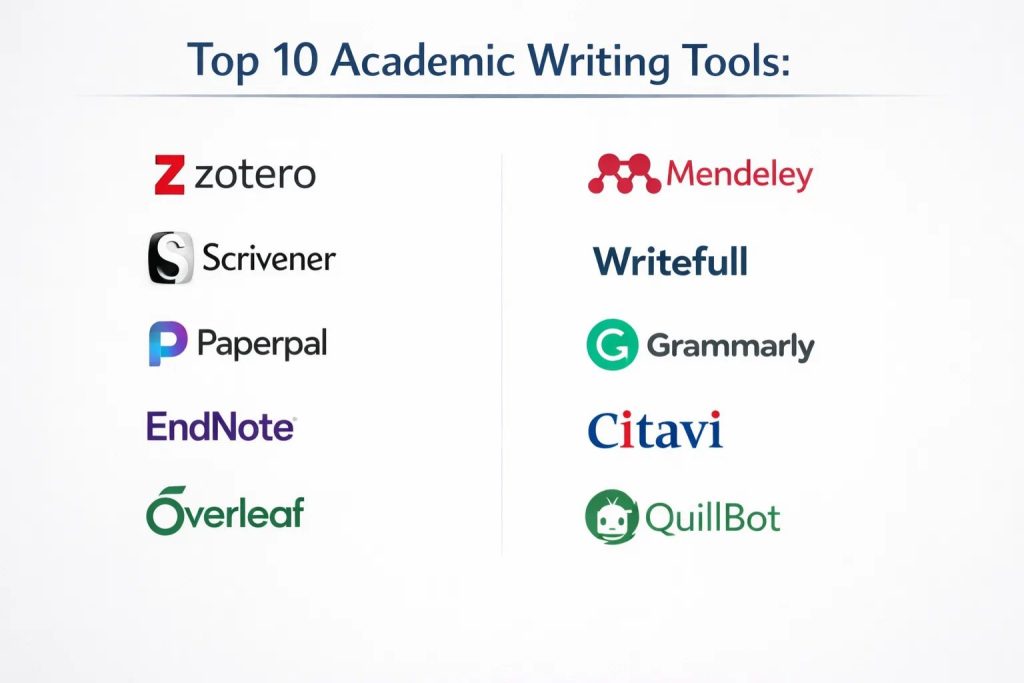
Academic writing is a rigorous process that demands precision, structural integrity, and strict adherence to citation standards. In the professional research environment, the transition from raw data to a peer-reviewed manuscript requires a specialized ecosystem of tools designed to manage cognitive load and maintain technical accuracy. These platforms are not merely word processors; they are sophisticated environments that facilitate literature synthesis, bibliography automation, and high-level linguistic refinement. For researchers and postgraduate students, the challenge lies in balancing the creative flow of drafting with the mechanical demands of academic formatting and integrity checks.
The current academic landscape is increasingly collaborative and data-heavy, making digital workspaces essential for managing multi-author projects and extensive bibliographies. Organizations and universities now prioritize tools that offer secure data handling, seamless integration with institutional repositories, and AI-driven insights that assist without compromising original thought. When evaluating an academic toolkit, one must consider the software’s ability to handle complex citations, its compatibility with both LaTeX and Word workflows, and the robustness of its plagiarism and grammar engines. A well-selected suite of tools serves as a technical mentor, ensuring that the final output meets the high standards of global scholarly publications.
Best for: Doctoral candidates, university faculty, independent researchers, and scientific technical writers who need to produce high-impact, formatted manuscripts and systematic literature reviews.
Not ideal for: Casual bloggers, creative fiction writers, or basic administrative task tracking. If the goal is rapid, informal content without the need for citations or formal structure, lighter general-purpose editors are more efficient.
Key Trends in Academic Writing Tools
The integration of artificial intelligence for “cognitive relief” has become a dominant trend, moving beyond simple grammar checks to provide feedback on argument flow and evidence use. Real-time collaborative environments are now the standard, allowing co-authors to annotate and cite simultaneously within a unified cloud workspace. We are also seeing a shift toward “all-in-one” research canvases that bridge the gap between reading PDFs and drafting the final paper, reducing the need to constantly switch between disparate applications.
Transparency in AI assistance is a critical focus, with tools now offering cited AI responses to ensure that every suggestion is grounded in existing scholarly literature. There is a growing emphasis on “journal-readiness” features, which automatically check manuscripts against specific publisher guidelines for formatting and word counts. Furthermore, the rise of open-source and cross-platform compatibility ensures that researchers can maintain their library of knowledge regardless of their institutional affiliation or hardware preferences.
How We Selected These Tools
Our selection process focused on identifying tools that address specific pain points in the academic lifecycle, from the initial discovery of papers to the final submission of a manuscript. We prioritized platforms with long-standing reputations for stability, as data loss is unacceptable in high-stakes research. The depth of the citation library was a primary criterion, ensuring the software can handle thousands of global journal styles without manual intervention.
Technical versatility was another key factor; we looked for tools that support diverse writing environments, including Markdown, LaTeX, and traditional word processors. Security and ethical compliance were scrutinized to ensure that these tools respect intellectual property and data privacy standards. We also evaluated the community support and frequency of updates, as academic standards for citation and formatting frequently evolve. Finally, we balanced feature-rich premium suites with powerful open-source alternatives to provide a comprehensive range of options for different budget levels.
1. Zotero
Zotero is a premier open-source reference manager that excels at collecting, organizing, and citing research materials. It functions as a digital personal library where users can store PDFs, web pages, and bibliographic data with a single click from their browser. It is highly regarded for its ability to sense when a user is viewing a journal article or book online and automatically extract the metadata for a perfectly formatted citation.
Key Features
The software features a powerful browser connector that captures research items instantly. It offers a local application with cloud synchronization, ensuring your library is accessible across all devices. Users can create shared libraries for group projects, making it easy for teams to manage a collective bibliography. It integrates directly with Word, Google Docs, and LibreOffice to insert citations as you type. Additionally, the platform supports thousands of citation styles and allows for advanced PDF annotation and note-taking within the main interface.
Pros
It is completely free and open-source, backed by a non-profit organization dedicated to academic integrity. The extensive ecosystem of community-developed plugins allows for extreme customization of the research workflow.
Cons
The interface can feel slightly dated compared to modern cloud-native apps. Storage for large PDF libraries requires a paid subscription if you exceed the generous free tier.
Platforms and Deployment
Windows, macOS, Linux, and iOS. It uses a hybrid deployment model with local storage and cloud sync.
Security and Compliance
As an open-source tool, it prioritizes user privacy and does not monetize user data. It allows for local-only storage for sensitive research data.
Integrations and Ecosystem
It integrates seamlessly with almost all major word processors and has bridges to LaTeX editors like Overleaf. Its plugin architecture connects it to everything from task managers to visualization tools.
Support and Community
It has one of the most active community forums in academia, with developers frequently interacting directly with users to solve technical issues.
2. Scrivener
Scrivener is a powerful writing studio designed specifically for long-form, complex projects like theses and dissertations. Unlike linear word processors, it allows writers to break their work into manageable chunks, such as chapters or scenes, and rearrange them effortlessly via a visual “corkboard” interface. It is the tool of choice for researchers who need to see their outlines, notes, and manuscript in a single, unified view.
Key Features
The “corkboard” view allows users to plan and restructure their papers using virtual index cards. It features a “Scrivenings” mode that lets you view individual sections as a continuous document or as separate fragments. The software includes a robust research folder where you can store PDFs, images, and audio files alongside your writing. It offers a distraction-free full-screen mode to help maintain focus. Furthermore, its sophisticated compile feature allows you to export the final manuscript into various professional formats, including PDF, Word, and ePub.
Pros
It provides unparalleled control over the structure of massive documents, making it impossible to “get lost” in a 100-page file. The software operates entirely offline, ensuring maximum privacy and focus.
Cons
The learning curve is significant due to the sheer number of features and organizational options. It does not offer native real-time collaboration for multiple authors.
Platforms and Deployment
Windows, macOS, and iOS. It is a local installation with manual sync options for mobile.
Security and Compliance
Since files are stored locally on the user’s machine, it is inherently secure for sensitive research that cannot be hosted on the cloud.
Integrations and Ecosystem
It integrates with reference managers like Zotero and EndNote through the “Cite While You Write” workflow. It is often used as the primary drafting engine before moving to Word for final formatting.
Support and Community
The developer provides extensive video tutorials and manuals, supported by a loyal community of academic and professional writers.
3. Paperpal
Paperpal is an AI-powered writing assistant specifically calibrated for the nuances of academic English. Unlike general grammar checkers, it is trained on millions of published journal articles, allowing it to provide suggestions that align with the formal tone and conventions of scholarly communication. It is particularly effective for non-native English speakers who need to ensure their work meets the standards of high-impact international journals.
Key Features
The platform offers real-time language editing that goes beyond simple spelling to address academic phrasing and sentence structure. It includes a “journal-readiness” check that scans manuscripts for common technical errors before submission. Users can utilize the “academic translation” feature to convert thoughts from multiple languages into formal English. It also features a citation checker to ensure references are consistent and properly formatted. Its AI can help summarize long sections of text or suggest ways to trim wordy sentences to meet strict limit requirements.
Pros
The AI suggestions are highly accurate for technical and scientific contexts, reducing the risk of informal language in a formal paper. It integrates directly into MS Word as an add-in, allowing for a seamless workflow.
Cons
Most of the advanced features, such as the full journal check, require a paid subscription. The free tier is limited by a monthly word count for AI edits.
Platforms and Deployment
Web-based and MS Word Add-in (Windows/Mac). It is primarily a cloud-based service.
Security and Compliance
It follows strict data privacy protocols and ensures that user manuscripts are not used to train its AI models without explicit consent.
Integrations and Ecosystem
It is designed to work as a layer over MS Word or within its own web editor, making it highly compatible with existing institutional workflows.
Support and Community
Support is provided through professional help desks and a library of guides focused on academic writing excellence and publication success.
4. EndNote
EndNote is an industry-standard reference management tool used extensively by large research institutions and corporate R&D departments. It is known for its “Cite While You Write” technology, which automates the process of building a bibliography within Microsoft Word. It is particularly powerful for managing massive libraries of tens of thousands of references and PDFs across large, distributed teams.
Key Features
The software offers sophisticated tools for searching online databases and importing references directly into your library. Its automated “find full text” feature can track down PDFs for your citations across institutional subscriptions. It includes a powerful PDF viewer that supports highlighting, sticky notes, and advanced searching within the documents. Users can create smart groups to automatically organize references based on specific keywords or authors. The platform also provides an extensive library of over 7,000 citation styles, covering almost every academic journal in existence.
Pros
It is the most mature and robust tool for handling complex, institutional-scale bibliographies. It offers high levels of customization for advanced users who need to create their own citation styles.
Cons
The software carries a high price tag compared to free alternatives like Zotero. The interface can be complex and may require training for new users to utilize its full potential.
Platforms and Deployment
Windows, macOS, and iPad. It offers a hybrid model with desktop software and cloud-based web synchronization.
Security and Compliance
It is built with enterprise security in mind, offering secure library sharing and compliance with institutional data management policies.
Integrations and Ecosystem
It has the deepest integration with Microsoft Word of any tool on this list and connects easily to major research databases like Web of Science and PubMed.
Support and Community
As a premium product, it offers dedicated technical support, live training sessions, and an extensive global user community.
5. Overleaf
Overleaf is a collaborative, cloud-based LaTeX editor that has revolutionized the way mathematicians, physicists, and engineers write their papers. It removes the technical barrier of setting up a local LaTeX environment, allowing multiple authors to work on the same source code simultaneously. It is the preferred tool for documents that require complex mathematical equations, intricate tables, and precise typographic control.
Key Features
The editor provides a split-screen view where you can see your LaTeX code on one side and the compiled PDF on the other in real-time. It includes hundreds of pre-built templates for major journals, universities, and conferences. Its collaborative features include tracked changes, commenting, and version history, much like Google Docs but for code. It also features an integrated “rich text” mode for those who want to write without seeing all the underlying LaTeX commands. The platform automatically handles package management, ensuring that your document always compiles correctly.
Pros
It makes the power of LaTeX accessible to everyone and is the gold standard for collaborative technical writing. The ability to invite co-authors with a simple link drastically speeds up the peer-review and editing process.
Cons
While the rich text mode helps, users still need a basic understanding of LaTeX syntax for more complex tasks. A stable internet connection is required for the cloud-based workflow.
Platforms and Deployment
Web-based. It is a cloud-only platform, though professional versions can be self-hosted by institutions.
Security and Compliance
It offers high-level encryption for projects and supports institutional single sign-on (SSO). It is widely used and trusted by the world’s leading research universities.
Integrations and Ecosystem
It integrates directly with reference managers like Zotero and Mendeley to import bibliographies. It also has links to submission systems for many scientific journals.
Support and Community
The platform hosts an extensive library of LaTeX tutorials and a dedicated support team to help with debugging complex code.
6. Mendeley
Mendeley is a free reference manager and academic social network owned by Elsevier, one of the world’s largest scientific publishers. It is designed to help researchers manage their PDF libraries and discover new research through its massive global database. It combines a powerful desktop application with a web-based portal that allows for easy literature discovery and social collaboration.
Key Features
The software includes a “Mendeley Cite” plugin for Word that allows for fast, accurate citation insertion. It features a sophisticated PDF organizer that automatically extracts metadata from your files to create bibliographic entries. Users can join public or private groups to share references and discuss specific research topics. The platform also provides personalized recommendations for new papers based on the contents of your existing library. It offers a mobile app that allows you to read and annotate your research on the go with full synchronization.
Pros
It provides a high amount of free cloud storage for your library and PDFs. The integration with Elsevier’s broader research ecosystem provides unique insights and discovery tools.
Cons
Since it is owned by a major publisher, some users have concerns about data privacy and the proprietary nature of the ecosystem. The desktop application has undergone significant changes that some long-term users find limiting.
Platforms and Deployment
Windows, macOS, Linux, and Web. It is a cloud-centric platform with local desktop clients.
Security and Compliance
It adheres to international data protection standards and offers secure, encrypted storage for user libraries.
Integrations and Ecosystem
It integrates perfectly with Microsoft Word and various web browsers. It also allows for the import of references from other major managers like EndNote.
Support and Community
It is supported by a large corporate help desk and a global community of millions of researchers, providing a wealth of shared knowledge.
7. Writefull
Writefull is a specialized AI tool that provides automated proofreading and editing for scientific and academic texts. It is unique in that its AI models are trained specifically on a massive corpus of peer-reviewed journal articles, making it highly sensitive to the specific language patterns used in different academic disciplines. It is designed to help researchers improve the clarity and professional tone of their work before it reaches an editor.
Key Features
The software offers “The Academizer,” which transforms informal or casual sentences into formal academic English. It includes a “Sentence Palette” that provides common phrases and structures used in research papers (e.g., how to describe results or introduce a gap in literature). Users can use the “Paraphraser” to rewrite sections for better flow or to avoid repetition. It also features a “Title Generator” and an “Abstract Generator” to help summarize the core of a paper. The tool provides a “Language Score” that gives authors a quick visual indicator of the quality of their writing.
Pros
It is one of the most discipline-sensitive AI tools available, making it excellent for technical and scientific fields. It offers dedicated plugins for both Word and Overleaf, supporting both traditional and LaTeX users.
Cons
Full access to the most powerful AI models requires a premium subscription. Some users may find the suggestions too conservative or repetitive if relied upon too heavily.
Platforms and Deployment
Web, MS Word Add-in, and Overleaf Integration. It is a cloud-based service.
Security and Compliance
It uses enterprise-grade encryption and ensures that user text is processed securely without being stored or used for training without permission.
Integrations and Ecosystem
Its standout feature is the Overleaf integration, which is a rare find for AI-driven writing assistants. It also works as a standalone web application for quick revisions.
Support and Community
Support is provided through a comprehensive help center and frequent updates that reflect the latest trends in academic publishing.
8. Grammarly (Academic Version)
Grammarly is the most widely recognized writing assistant in the world, and its premium and business versions offer specific features tailored for students and researchers. While it is a general-purpose tool, its sophisticated AI can be set to an “Academic” tone to ensure that writing remains formal, objective, and clear. It is an essential layer for any writer looking to catch subtle errors in tone, clarity, and grammatical correctness.
Key Features
The tool provides real-time checks for grammar, punctuation, and spelling across almost every writing platform. Its “Clarity” suggestions help break down overly complex sentences, which is a common issue in academic writing. The software includes a robust plagiarism checker that compares your text against billions of web pages and ProQuest’s academic database. Users can set specific goals for their writing, such as “Formal Tone” and “Academic Audience,” to get customized feedback. It also offers a citation generator that helps format references in APA, MLA, and Chicago styles.
Pros
It has the most polished and user-friendly interface of any tool on this list. Its broad integration means you are protected whether you are writing an email to a supervisor or a chapter in a dissertation.
Cons
It is not as deeply trained on specialized scientific vocabulary as tools like Writefull or Paperpal. The premium subscription is relatively expensive compared to more specialized academic tools.
Platforms and Deployment
Windows, macOS, Web, iOS, Android, and Browser Extensions. It is a cloud-native platform.
Security and Compliance
It holds multiple security certifications (SOC 2, etc.) and offers enterprise-grade privacy controls, making it suitable for university-wide deployments.
Integrations and Ecosystem
It integrates with almost every application where you type, from Word and Google Docs to browser-based email and project management tools.
Support and Community
It offers 24/7 technical support and a massive library of educational content on writing best practices.
9. Citavi
Citavi is a unique “all-in-one” research organizer that combines reference management with task planning and knowledge organization. It is designed to take a researcher through the entire lifecycle of a project, from the initial literature search to the final draft. Unlike basic reference managers, Citavi allows you to save specific quotations, ideas, and comments from your sources and organize them into a structured outline for your paper.
Key Features
The software features a built-in task planner that helps you track deadlines for reading papers or completing chapters. Its “Knowledge Organizer” allows you to categorize your collected quotes and thoughts by topic, creating a bridge between your references and your writing. It includes a powerful PDF editor that lets you highlight text and save it directly as a “knowledge item.” When you are ready to write, these items can be dragged into your Word document, complete with the correct citation. It also offers advanced search capabilities across thousands of library catalogs and databases.
Pros
It is the only tool that truly manages the “synthesis” phase of research by organizing ideas rather than just files. It is exceptionally powerful for qualitative researchers who need to manage large amounts of textual data.
Cons
The software is currently only available as a native application for Windows, which is a major limitation for Mac and Linux users. It can feel overwhelming due to the complexity of its features.
Platforms and Deployment
Windows (Desktop) and Web-based version. It is primarily a local installation with cloud sync options.
Security and Compliance
It offers robust data protection and allows for local-only storage for teams working on sensitive or classified research.
Integrations and Ecosystem
It has a deep integration with Microsoft Word and provides a browser “picker” to capture sources from the web. It also supports the export of data in standard bibliographic formats.
Support and Community
It provides high-quality professional support, detailed manuals, and a growing community of users in the DACH region and worldwide.
10. QuillBot
QuillBot is a versatile AI-driven writing suite that has become a favorite among students for its powerful paraphrasing and summarizing capabilities. It is designed to help writers find the right words, improve sentence variety, and condense long sections of text without losing the original meaning. For academic writers, it serves as a sophisticated digital thesaurus and editing assistant that helps refine the “flow” of a manuscript.
Key Features
The “Paraphraser” offers multiple modes, including a dedicated “Academic” mode that ensures the output remains formal and scholarly. It includes a “Summarizer” that can take an entire research paper and condense it into a few key bullet points or a short paragraph. The platform also features a grammar checker and a plagiarism checker to ensure the integrity of the work. Its “Co-Writer” tool provides an integrated environment where users can research, draft, and get AI suggestions in one place. Additionally, it offers a citation generator for rapid reference formatting.
Pros
It is incredibly easy to use and provides instant visual feedback on how changes affect the tone and length of the text. It is one of the most affordable AI tools for students and early-career researchers.
Cons
While the AI is powerful, it requires careful human oversight to ensure that specialized technical meanings are not lost during paraphrasing. The free version has strict limits on the number of words that can be processed at once.
Platforms and Deployment
Web-based, MS Word Add-in, and Chrome Extension. It is a cloud-only service.
Security and Compliance
It adheres to standard data privacy regulations and offers secure processing for all user-submitted text.
Integrations and Ecosystem
It integrates directly into Google Docs and Microsoft Word, as well as providing a browser extension that works across most websites.
Support and Community
It has a very large user base and provides extensive online help guides and a responsive support team.
Comparison Table
| Tool Name | Best For | Platform(s) Supported | Deployment | Standout Feature | Public Rating |
| 1. Zotero | Open-source Ref Management | Win, Mac, Linux, iOS | Hybrid | Community Plugins | 4.8/5 |
| 2. Scrivener | Long-form Thesis/Books | Win, Mac, iOS | Local | Corkboard Planning | 4.6/5 |
| 3. Paperpal | Non-native ESL Writers | Web, MS Word | Cloud | Journal-Ready Checks | 4.5/5 |
| 4. EndNote | Institutional Teams | Win, Mac, iPad | Hybrid | Cite While You Write | 4.3/5 |
| 5. Overleaf | Collaborative LaTeX | Web | Cloud | Real-time Compilation | 4.9/5 |
| 6. Mendeley | PDF Library / Social | Win, Mac, Linux, Web | Cloud | Researcher Network | 4.2/5 |
| 7. Writefull | AI Scientific Editing | Web, Word, Overleaf | Cloud | Academizer Tool | 4.4/5 |
| 8. Grammarly | General Proofreading | All Platforms | Cloud | High-Coverage Check | 4.7/5 |
| 9. Citavi | Qualitative Synthesis | Windows, Web | Hybrid | Knowledge Organizer | 4.5/5 |
| 10. QuillBot | Paraphrasing/Summarizing | Web, Word, Chrome | Cloud | AI Paraphrasing Modes | 4.6/5 |
Evaluation & Scoring of Academic Writing Tools
The scoring below is a comparative model intended to help shortlisting. Each criterion is scored from 1–10, then a weighted total from 0–10 is calculated using the weights listed. These are analyst estimates based on typical fit and common workflow requirements, not public ratings.
Weights:
- Core features – 25%
- Ease of use – 15%
- Integrations & ecosystem – 15%
- Security & compliance – 10%
- Performance & reliability – 10%
- Support & community – 10%
- Price / value – 15%
| Tool Name | Core (25%) | Ease (15%) | Integrations (15%) | Security (10%) | Performance (10%) | Support (10%) | Value (15%) | Weighted Total |
| 1. Zotero | 10 | 6 | 9 | 10 | 9 | 9 | 10 | 9.05 |
| 2. Scrivener | 9 | 5 | 6 | 10 | 10 | 8 | 9 | 7.90 |
| 3. Paperpal | 8 | 9 | 8 | 8 | 9 | 8 | 7 | 8.10 |
| 4. EndNote | 10 | 4 | 10 | 9 | 8 | 10 | 5 | 8.05 |
| 5. Overleaf | 10 | 7 | 9 | 8 | 10 | 9 | 9 | 9.10 |
| 6. Mendeley | 8 | 8 | 7 | 7 | 8 | 7 | 9 | 7.75 |
| 7. Writefull | 8 | 8 | 9 | 8 | 9 | 8 | 8 | 8.25 |
| 8. Grammarly | 7 | 10 | 10 | 9 | 10 | 9 | 6 | 8.40 |
| 9. Citavi | 10 | 5 | 7 | 9 | 8 | 9 | 7 | 8.10 |
| 10. QuillBot | 6 | 10 | 8 | 7 | 9 | 7 | 9 | 7.70 |
How to interpret the scores:
- Use the weighted total to shortlist candidates, then validate with a pilot.
- A lower score can mean specialization, not weakness.
- Security and compliance scores reflect controllability and governance fit, because certifications are often not publicly stated.
- Actual outcomes vary with assembly size, team skills, templates, and process maturity.
Which Academic Writing Tool Is Right for You?
Solo Researcher
For individuals managing their own research, a combination of a robust reference manager like Zotero and a focused editing tool like Grammarly or Paperpal offers the best balance of organization and quality control. This allows for a streamlined workflow without the high costs of enterprise software.
Postgraduate Student
PhD and Master’s students writing long-form theses will find the structural tools of Scrivener or the all-in-one planning capabilities of Citavi to be life-saving. These tools help manage the transition from “too much data” to a structured, coherent argument over hundreds of pages.
STEM / Technical Writer
In fields like mathematics, engineering, and physics, Overleaf is the non-negotiable standard for document creation. When combined with Writefull’s LaTeX-aware AI, technical writers can produce perfectly formatted, linguistically accurate papers for top-tier journals.
Non-Native English (ESL) Author
Researchers writing in their second language should prioritize Paperpal or Writefull. These tools go beyond general grammar to provide the specific academic collocations and formal structures required to compete on a global stage in international publishing.
Large Collaborative Lab
For labs where multiple authors are contributing to the same manuscript, cloud-native tools like Overleaf or the shared library features of EndNote are essential. These platforms ensure version control and a single “source of truth” for citations and data.
Qualitative / Humanities Scholar
Scholars who deal with high volumes of textual notes and quotations should look toward Citavi. Its ability to organize “knowledge items” rather than just bibliography files makes it significantly more powerful for building complex narrative arguments.
Budget-Conscious User
The open-source combination of Zotero and the free tiers of QuillBot and Mendeley provides a professional-grade research environment at zero cost. These tools prove that high-impact research is possible without expensive software licenses.
High-Security / Sensitive Data
If your research involves proprietary information or sensitive human subjects, locally-installed software like Scrivener or the offline mode of Citavi provides the highest level of security by keeping your data off the public cloud.
Frequently Asked Questions (FAQs)
1. Is LaTeX better than Word for academic writing?
LaTeX is superior for documents with heavy mathematics or complex formatting, as it handles layout automatically. Word is more intuitive for general writing and offers better “track changes” features for non-technical collaborations.
2. Can I use multiple reference managers at once?
While possible, it is not recommended as it can lead to duplicate entries and formatting conflicts. Most professional writers choose one primary manager and use standard formats like RIS to move data if they must switch.
3. Does using AI for writing constitute academic misconduct?
It depends on your institution’s policy. Generally, using AI for grammar, clarity, and phrasing is encouraged, while using it to generate original ideas or sections of text without attribution is considered a breach of integrity.
4. How does a reference manager save time?
It automates the most tedious part of writing: the bibliography. Instead of manually typing citations, you click a button, and the software re-formats every reference in your paper to match the specific rules of your target journal.
5. What is the difference between a reference manager and a citation generator?
A citation generator is a simple tool for creating a single reference. A reference manager is a full database that stores your PDFs, allows for searching, and keeps your entire library organized across years of work.
6. Do I need a plagiarism checker if I write everything myself?
Yes, because unintentional plagiarism (missing a citation or using a very common phrase) can still occur. A checker acts as a final safety net to ensure every external idea in your work is properly credited.
7. Can these tools help with finding a research gap?
Tools like Elicit and the knowledge organizer in Citavi are specifically designed to help you visualize what has been written and where the current literature is lacking, which is the key to identifying a new research gap.
8. Are browser-based tools secure enough for a thesis?
Most modern cloud tools use bank-level encryption. However, for a high-stakes project like a thesis, it is essential to have a local backup of your files to protect against server issues or internet outages.
9. Why do journals have different citation styles?
Citation styles (APA, MLA, etc.) are designed to highlight the information most relevant to a specific field. For example, science styles emphasize the date of research, while humanities styles focus on the author’s identity.
10. How do I choose between Zotero and Mendeley?
Zotero is better for those who value open-source privacy and extensive custom plugins. Mendeley is better for researchers who want to use its social networking features and large-scale paper discovery database.
Conclusion
Navigating the complexities of modern scholarship requires more than just subject-matter expertise; it demands a robust technical foundation. The top 10 academic writing tools highlighted here represent the cutting edge of research management, providing the necessary infrastructure to handle the vast amounts of data and stringent formatting requirements of the professional academic world. By integrating these specialized platforms into your daily workflow, you move from a reactive state of “managing files” to a proactive state of “synthesizing knowledge.” Whether you are a student embarking on your first thesis or a seasoned researcher aiming for publication in a top-tier journal, the right toolkit is your most silent yet powerful collaborator. Ultimately, these tools exist to strip away the mechanical friction of writing, allowing your original ideas and discoveries to take center stage.