Introduction
In simple terms, A/B testing software (also known as split testing) is a tool that allows you to compare two or more versions of a webpage or app against each other to determine which one performs better. By showing version “A” to one half of your audience and version “B” to the other, you can use real data to decide which headlines, images, or layouts lead to more sign-ups, sales, or clicks. It removes the guesswork from design and marketing decisions.
A/B testing has evolved far beyond simple button color changes. Modern tools now integrate deep artificial intelligence to predict winner variations faster and handle “flicker-free” delivery across web, mobile apps, and server-side environments. As privacy regulations tighten, these platforms have also become the gatekeepers of compliant data collection, ensuring that experimentation does not come at the cost of user trust.
Real-World Use Cases
- E-commerce Optimization: Testing different product page layouts or “free shipping” thresholds to maximize average order value.
- SaaS Lead Generation: Experimenting with short versus long registration forms to reduce friction and increase sign-up rates.
- Media & Publishing: A/B testing headlines and thumbnail images in real-time to boost click-through rates on trending articles.
- Mobile App Feature Rollouts: Using feature flags to test a new app interface with 5% of users before a full global launch.
- Checkout Flow Refinement: Identifying and removing specific steps in a payment process that cause users to abandon their carts.
Evaluation Criteria for Buyers
When selecting an A/B testing tool evaluate:
- Flicker Control: Does the tool prevent the “flash” of original content before the test version loads?
- Statistical Model: Does it use Frequentist or Bayesian statistics, and is it easy for your team to interpret?
- Visual vs. Code Editor: Can marketers make changes without a developer, or is it strictly for engineers?
- Targeting Precision: Can you segment tests by behavior, location, or custom data points?
- Performance Impact: How much does the testing script slow down your site’s load time?
- Server-Side Capabilities: Can you test complex backend logic (like search algorithms) beyond just visual changes?
- AI/Automation: Does it offer “Multi-Armed Bandit” testing to automatically send more traffic to the winning version?
- Security & Privacy: Is it built to handle GDPR, CCPA, and “cookieless” tracking requirements?
Best for: Growth hackers, product managers, and CRO (Conversion Rate Optimization) specialists looking to validate hypotheses with data-backed evidence.
Not ideal for: Websites with very low traffic (where results won’t reach statistical significance) or static blogs that do not have specific conversion goals.
Key Trends in A/B Testing Software
- AI-Generated Variations: Tools now feature generative AI assistants that suggest copy and layout changes based on high-converting industry benchmarks.
- Flicker-Free Edge Testing: By running experiments at the network edge (via CDN), tools have virtually eliminated the “flicker” effect that used to plague client-side testing.
- Privacy-First Experimentation: Platforms are moving toward “zero-party data” and cookieless tracking to maintain accuracy without violating modern privacy laws.
- Multi-Armed Bandit (MAB) Evolution: Instead of waiting weeks for a test to end, AI now dynamically shifts traffic to the winning version in real-time to minimize lost revenue.
- Product-Led Growth (PLG) Integration: Testing is moving deeper into the product stack, with feature flagging and “canary releases” becoming standard features.
- Predictive Winning Probability: Using historical data, modern engines can now predict with high confidence which variation will win after only a few days of data.
- Unified Behavioral Context: Experiments are no longer viewed in isolation; they are integrated with heatmaps and session replays to explain why a version won.
- Cross-Device Persistence: Ensuring a user sees the same “Version B” whether they are on their phone, tablet, or desktop.
How We Selected These Tools (Methodology)
To select the top 10 A/B testing tools for, we applied the following logic:
- Market Adoption: We prioritized tools with high mindshare among CRO professionals and major enterprises.
- Statistical Reliability: Only tools with transparent and scientifically sound statistical engines were included.
- Feature Depth: We looked for platforms that offer a balance of visual editing, server-side testing, and personalization.
- Security & Compliance: Preference was given to vendors with robust data protection and enterprise-grade certifications.
- Performance Signals: We evaluated the impact of each tool on Core Web Vitals and page speed.
- Ecosystem Maturity: We assessed the quality of integrations with third-party analytics (like GA4) and data warehouses.
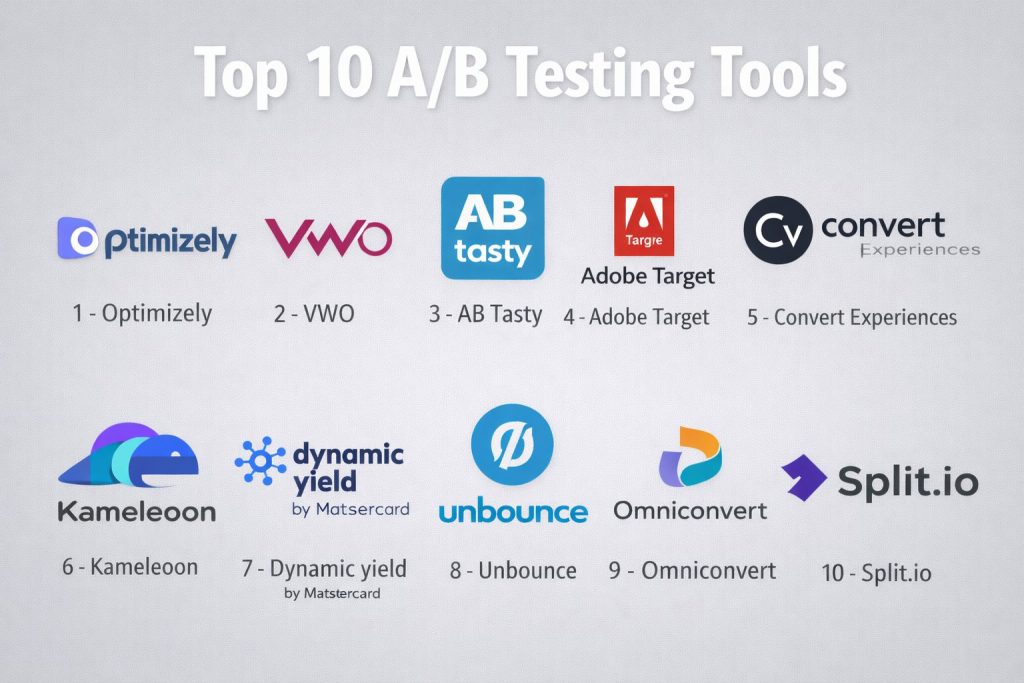
Top 10 A/B Testing Tools
#1 — Optimizely
The industry titan of experimentation, offering a high-end platform for both web-based A/B testing and deep product-level feature management.
Key Features
- Stats Engine: A sophisticated statistical model designed to reduce the risk of “false positives” and speed up decision-making.
- Visual Editor: A robust WYSIWYG editor that allows non-technical users to modify page elements without writing code.
- Full Stack Experimentation: Deep SDKs for server-side testing across various programming languages.
- Adaptive Audience: AI-driven segmenting that automatically identifies the best audience for a specific experiment.
- Program Management: Tools for large teams to manage their experiment pipeline, hypotheses, and results in one place.
- Performance Edge: A CDN-based delivery system that eliminates flicker and improves page load times.
- Feature Flags: Allows developers to toggle features and run experiments behind the scenes before a full launch.
Pros
- Unmatched scalability for global enterprises running thousands of concurrent tests.
- Very high statistical accuracy that is trusted by data scientists and executives.
- Excellent documentation and a mature ecosystem of certified implementation partners.
Cons
- One of the most expensive options on the market, often requiring long-term contracts.
- Can be overly complex for small teams who only need basic visual changes.
Platforms / Deployment
- Web / Windows / macOS / Linux / iOS / Android
- Cloud (SaaS)
Security & Compliance
- SSO, MFA, RBAC, and Audit Logs.
- SOC 2 Type II, ISO 27001, GDPR, and HIPAA compliant.
Integrations & Ecosystem
Optimizely is designed to sit at the center of the enterprise data stack.
- Deep integration with Google Analytics 4, Adobe Analytics, and Salesforce.
- Connectors for Snowflake and Segment for unified data analysis.
- Robust API for building custom internal dashboards.
Support & Community
Provides 24/7 global support, an extensive “Optiverse” learning community, and dedicated success managers for enterprise clients.
#2 — VWO (Visual Website Optimizer)
A comprehensive conversion optimization suite that combines A/B testing with behavioral insights like heatmaps and session recordings.
Key Features
- Connected Platform: Integrates testing with qualitative data, showing you exactly where users click and why a test might be failing.
- SmartStats: Uses a Bayesian statistical engine to provide easily understandable results for marketing teams.
- VWO Insights: Built-in heatmaps, session recordings, and on-page surveys to help form better test hypotheses.
- AI Copy Generator: A built-in AI tool that suggests high-converting variations of headlines and call-to-action text.
- Server-Side Testing: Allows for complex experiments on application logic, search algorithms, and pricing models.
- VWO Data360: A customer data platform (CDP) that unifies user data for hyper-targeted experiments.
- Personalization Engine: Tools to deliver unique experiences to different segments without running a standard A/B test.
Pros
- Offers a “one-stop-shop” for both qualitative research and quantitative testing.
- The interface is highly intuitive, making it a favorite for mid-market marketing teams.
- Competitive pricing models that scale better than some high-end enterprise rivals.
Cons
- The client-side script can occasionally be “heavier” than specialized performance-first tools.
- Enterprise features can get expensive when adding multiple modules (Testing + Insights + FullStack).
Platforms / Deployment
- Web / iOS / Android
- Cloud (SaaS)
Security & Compliance
- SSO, MFA, and data encryption at rest.
- SOC 2 Type II, ISO 27001, GDPR, and HIPAA compliant.
Integrations & Ecosystem
VWO features a wide range of “one-click” integrations.
- Native sync with Shopify, Magento, and WordPress.
- Direct integration with Slack for real-time test alerts.
- Support for Google Analytics and various CRM tools.
Support & Community
Well-regarded for its proactive customer support and a rich library of “VWO Knowledge Base” articles and webinars.
#3 — AB Tasty
A marketing-led platform focused on speed and personalization, particularly popular among e-commerce and retail brands.
Key Features
- Low-Code/No-Code Editor: Designed specifically for marketers to launch experiments in minutes without developer help.
- Emotional AI: A feature that segments visitors based on their predicted “emotional state” or browsing intent.
- Widget Library: Pre-built templates for countdown timers, social proof notifications, and progress bars.
- Server-Side Experimentation: Flagship capabilities for product teams to test features and backend logic.
- Dynamic Traffic Allocation: Uses AI to shift traffic to the winning variant automatically during the test.
- Cross-Device Tracking: Ensures users have a consistent experience as they move from mobile to desktop.
- ROI Dashboard: Clearly visualizes the financial impact of every experiment on your bottom line.
Pros
- Excellent for rapid experimentation in fast-paced retail environments.
- The “Widget” system allows for very quick deployment of promotional elements.
- Strong focus on AI-driven automation to reduce manual analysis time.
Cons
- May lack some of the deep technical “fine-tuning” required by data science teams.
- Reporting can be less granular than specialized analytics-first platforms.
Platforms / Deployment
- Web / iOS / Android
- Cloud (SaaS)
Security & Compliance
- SSO/SAML and RBAC.
- SOC 2 Type II, GDPR, and ISO 27001 compliant.
Integrations & Ecosystem
AB Tasty prioritizes the e-commerce stack.
- Native connectors for Salesforce Marketing Cloud and Adobe.
- Deep integration with Contentful and other headless CMS platforms.
- Marketplace for third-party scripts and tools.
Support & Community
Offers high-touch support, dedicated “Success Managers,” and an active user forum focused on e-commerce growth.
#4 — Adobe Target
The enterprise powerhouse for personalization and testing, designed for organizations already embedded in the Adobe Experience Cloud.
Key Features
- Auto-Allocate: AI automatically identifies the winning variation and gradually increases traffic to it.
- Automated Personalization: Uses “Random Forest” machine learning to deliver a unique experience to every user.
- Omnichannel Testing: Synchronize tests across web, mobile, email, and even offline kiosks.
- Visual Experience Composer: An interface for non-technical users to create experiments on top of existing sites.
- Deep Analytics Integration: Seamlessly use Adobe Analytics data to define segments and measure test success.
- Server-Side SDKs: Robust tools for testing complex application logic behind the firewall.
- Recommendations AI: Integrated engine for testing different product or content suggestion algorithms.
Pros
- Unrivaled for organizations that already use the full Adobe suite (Analytics, AEM, etc.).
- Most advanced AI-driven personalization capabilities in the “Big Tech” category.
- Highly secure and compliant for government and financial sectors.
Cons
- Extremely steep learning curve; often requires a dedicated “Adobe Target Architect.”
- High price point and significant vendor lock-in within the Adobe ecosystem.
Platforms / Deployment
- Web / iOS / Android / Email / IoT
- Cloud (SaaS)
Security & Compliance
- FedRAMP authorized, SOC 2, ISO 27001, GDPR, and HIPAA.
- Industry-leading security for large-scale enterprise data.
Integrations & Ecosystem
Adobe Target’s biggest strength is its native integration with the Adobe Experience Cloud.
- Real-time sync with Adobe Experience Manager (AEM).
- Direct data ingestion from Adobe Experience Platform (AEP).
Support & Community
Adobe provides professional-grade 24/7 support and a massive “Experience League” training ecosystem with global certifications.
#5 — Convert Experiences
A privacy-first, agency-friendly testing tool that positions itself as a high-performance, affordable alternative to Optimizely.
Key Features
- Blink-Free Testing: Uses a high-performance script designed to minimize flicker without slowing down the page.
- Full Data Privacy: Features dedicated tools for GDPR and CCPA compliance, including automatic data anonymization.
- Advanced Targeting: Over 40 targeting criteria including behavior, weather, and custom JS variables.
- Post-Hoc Segmentation: Allows you to filter and analyze test results by different segments after the test is over.
- Developer-Friendly Tools: includes a built-in code editor for custom CSS and Javascript changes.
- Bayesian & Frequentist Stats: Offers users the choice of statistical models depending on their expertise.
- Unlimited Experiments: Most plans do not limit the number of tests you can run concurrently.
Pros
- Exceptional value for money, making it a favorite for mid-market companies and agencies.
- One of the fastest and most lightweight scripts in the industry.
- Highly regarded for its “human” and responsive customer support.
Cons
- The UI can feel a bit more “technical” compared to the slicker interfaces of VWO or AB Tasty.
- Native mobile app testing is less robust than specialized cross-platform suites.
Platforms / Deployment
- Web / Mobile Web
- Cloud (SaaS)
Security & Compliance
- SOC 2 Type II, GDPR, ISO 27001, and HIPAA compliant.
- Strong focus on ethical data collection.
Integrations & Ecosystem
Convert is designed to “play well” with the existing marketing stack.
- Deep integrations with Google Analytics 4, HubSpot, and Hotjar.
- Direct integration with Shopify and WordPress via dedicated plugins.
Support & Community
Offers extremely fast response times, a dedicated Slack community for users, and transparent public documentation.
#6 — Kameleoon
A specialized AI-powered experimentation and personalization platform, highly popular in the European market for its focus on performance.
Key Features
- Predictive Targeting: Uses machine learning to predict a visitor’s conversion probability and targets tests accordingly.
- Kameleoon Graphics: A visual editor that handles complex single-page applications (SPAs) without breaking.
- Graphic vs. Code Sync: Allows developers and marketers to work on the same experiment simultaneously.
- Hybrid Testing: Combine client-side and server-side testing within a single experiment workflow.
- Core Web Vitals Protection: Engineered to have zero impact on site performance and SEO rankings.
- Advanced Segmentation: Drag-and-drop builder for creating complex user segments based on real-time data.
- Smart Parameter: Allows for the testing of backend variables (like pricing) without a full code deploy.
Pros
- Leading-edge AI capabilities for segmenting users by intent.
- Very high performance; often chosen by brands where page speed is the #1 priority.
- Strong adherence to European data privacy standards (GDPR).
Cons
- Smaller global community compared to giants like Adobe or Optimizely.
- Reporting interface can take some time to master for non-technical users.
Platforms / Deployment
- Web / iOS / Android
- Cloud (SaaS)
Security & Compliance
- ISO 27001, GDPR, SOC 2, and HIPAA.
- Dedicated data residency options for EU clients.
Integrations & Ecosystem
Kameleoon focuses on deep data connectivity.
- Native integrations with Contentsquare and FullStory for behavioral analysis.
- Connectors for major CDPs like Segment and mParticle.
Support & Community
Provides high-touch customer success, a comprehensive “Kameleoon Academy,” and a dedicated developer portal.
#7 — Dynamic Yield (by Mastercard)
A high-end personalization engine that uses A/B testing to build Amazon-like experiences for e-commerce brands.
Key Features
- Experience OS: A centralized operating system that unifies all personalization and testing efforts.
- Deep Learning Recommendations: Tests different AI models for product and content recommendations.
- Omnichannel Agility: Deliver consistent experiments across web, mobile apps, and email.
- Predictive Customer Attributes: AI identifies “high-value” users and segments them for specific tests.
- Template Library: Thousands of pre-built UI components that can be customized and tested quickly.
- Audience Export: Allows you to send winning segments to your advertising platforms (Facebook, Google Ads).
- Multi-Armed Bandit: Automatically optimizes traffic distribution during the experiment to maximize revenue.
Pros
- The gold standard for e-commerce personalization and dynamic content.
- Extremely powerful AI that takes the manual work out of segmentation.
- Backed by Mastercard, offering high levels of enterprise stability and security.
Cons
- Can be very expensive; typically only affordable for high-volume e-commerce brands.
- Implementation can be complex due to the breadth of features available.
Platforms / Deployment
- Web / iOS / Android / Email
- Cloud (SaaS)
Security & Compliance
- SOC 2 Type II, GDPR, and PCI DSS (Payment Card Industry) compliant.
- High-end data protection for transaction-heavy environments.
Integrations & Ecosystem
Dynamic Yield is built to integrate with the commerce and data stack.
- Native connectors for Shopify Plus, Salesforce, and SAP.
- Deep integration with various email service providers (ESPs).
Support & Community
Provides high-end enterprise support, dedicated success teams, and an extensive “Knowledge Hub” with industry use cases.
#8 — Unbounce
Primarily a landing page builder, but features an integrated “Smart Traffic” AI that makes it a favorite for rapid landing page A/B testing.
Key Features
- Smart Traffic: An AI-powered routing tool that automatically sends visitors to the page variant where they are most likely to convert.
- Drag-and-Drop Builder: Easily create multiple variants of a landing page without any coding knowledge.
- A/B Testing Dashboard: Simple, clear interface for comparing conversion rates between two or more pages.
- AI Copywriter: Generates variants of your page copy to test different messaging styles.
- Dynamic Text Replacement: Changes the text on your page to match the user’s search query for better relevance.
- Popup & Sticky Bar Testing: Run experiments on your on-site conversion widgets.
- Conversion Mapping: Visualizes exactly where users are converting on each page variant.
Pros
- The fastest way to A/B test landing pages for paid search and social campaigns.
- “Smart Traffic” can start optimizing after as few as 50 visits, much faster than traditional A/B tests.
- Very affordable compared to full-site experimentation suites.
Cons
- Limited to testing landing pages; you cannot test your entire website or app navigation here.
- Lacks the deep statistical granularity required by specialized CRO teams.
Platforms / Deployment
- Web / Mobile Web
- Cloud (SaaS)
Security & Compliance
- GDPR and SOC 2 compliance features.
- Standard web security protocols.
Integrations & Ecosystem
Unbounce is built for the marketing ecosystem.
- Direct integrations with HubSpot, Salesforce, and Marketo.
- Native connectors for over 1,000 apps via Zapier.
Support & Community
Excellent “Unbounce Community” forums and a rich blog filled with landing page optimization tips.
#9 — Omniconvert
A simple but flexible visual editor tool that offers a balanced mix of A/B testing, surveys, and web personalization.
Key Features
- Visual & Code Editor: Allows both marketers and developers to customize experiments.
- Advanced Surveys: Trigger surveys based on user behavior (e.g., exit intent) to find the “why” behind the data.
- Retention Toolset: Specialized features for e-commerce to improve customer lifetime value (CLV).
- Weather Targeting: Run different tests or personalizations based on the visitor’s local weather.
- Unlimited Sub-domains: Allows you to test across different parts of your site architecture under one plan.
- Stacked Tests: Allows you to run multiple tests on the same page without technical conflicts.
- Bayesian Statistics: Provides a “probability to be best” score that is easy for non-stats people to understand.
Pros
- Excellent “all-in-one” value for mid-market e-commerce brands.
- The addition of surveys provides qualitative context that many A/B tools lack.
- Transparent and competitive pricing model.
Cons
- May lack the “Enterprise” power features of Adobe or Optimizely.
- The community and plugin ecosystem are smaller than those of the market leaders.
Platforms / Deployment
- Web
- Cloud (SaaS)
Security & Compliance
- GDPR and ISO 27001 compliant.
- Standard role-based access controls.
Integrations & Ecosystem
Omniconvert focuses on the e-commerce and analytics stack.
- Deep integration with Google Analytics, Hotjar, and various Shopify apps.
- Open API for custom data exports.
Support & Community
Known for providing excellent onboarding and having an active YouTube tutorial channel and responsive email support.
#10 — Split.io
A developer-first feature management and experimentation platform that excels in server-side testing and feature flags.
Key Features
- Feature Flags: Allows you to decouple code deployment from feature release, enabling safer testing.
- Impact Tracker: Automatically alerts you if a new feature is negatively impacting performance or conversion.
- Server-Side Experimentation: Test complex backend logic, algorithms, and infrastructure changes.
- Segment Sync: Connect your customer data from various sources to target feature releases.
- Kill Switch: Instantly disable a failing test or feature without a new code deploy.
- Causal Attribution: Links feature flags directly to business metrics to prove ROI.
- Governance Tools: Controls who can launch, edit, or stop experiments across a large engineering team.
Pros
- The best choice for organizations with a “Product-Led Growth” strategy and strong engineering culture.
- Eliminates the risk of “breaking the site” during an experiment.
- Integrates experimentation directly into the CI/CD pipeline.
Cons
- Not designed for marketers; requires developer intervention to set up and run tests.
- Lacks a visual WYSIWYG editor for simple on-page changes.
Platforms / Deployment
- Web / iOS / Android / Java / Python / Node.js / Ruby (All major SDKs)
- Cloud (SaaS)
Security & Compliance
- SOC 2 Type II, GDPR, and HIPAA compliant.
- Detailed audit logs and permission management.
Integrations & Ecosystem
Split is built for the modern dev stack.
- Native integrations with Jira, Slack, and GitHub.
- Connectors for Datadog and New Relic for performance monitoring.
Support & Community
Extensive API documentation, a dedicated Slack community for developers, and professional support tiers for enterprise customers.
Comparison Table (Top 10)
| Tool Name | Best For | Platform(s) Supported | Deployment | Standout Feature | Public Rating |
| Optimizely | Enterprise Scaling | All Platforms | Cloud (SaaS) | Stats Engine | 4.6/5 |
| VWO | All-in-one CRO | Web, Mobile | Cloud (SaaS) | Connected Insights | 4.5/5 |
| AB Tasty | Marketing Teams | Web, Mobile | Cloud (SaaS) | Emotional AI | 4.4/5 |
| Adobe Target | Adobe Ecosystem | All Platforms | Cloud (SaaS) | Auto-Allocate AI | 4.1/5 |
| Convert Experiences | Privacy & Performance | Web, Mobile Web | Cloud (SaaS) | Blink-Free Tech | 4.7/5 |
| Kameleoon | AI-Powered Intent | Web, Mobile | Cloud (SaaS) | Predictive Targeting | 4.6/5 |
| Dynamic Yield | E-commerce Personalization | Web, Mobile, Email | Cloud (SaaS) | Multi-Armed Bandit | 4.5/5 |
| Unbounce | Landing Page Success | Web, Mobile Web | Cloud (SaaS) | Smart Traffic AI | 4.4/5 |
| Omniconvert | Mid-Market E-commerce | Web | Cloud (SaaS) | Integrated Surveys | 4.6/5 |
| Split.io | Engineering Teams | All Platforms | Cloud (SaaS) | Feature Flagging | 4.5/5 |
Evaluation & Scoring of A/B Testing Tools
| Tool Name | Core (25%) | Ease (15%) | Integrations (15%) | Security (10%) | Performance (10%) | Support (10%) | Value (15%) | Weighted Total |
| Optimizely | 10 | 5 | 10 | 9 | 8 | 9 | 5 | 8.2 |
| VWO | 9 | 8 | 9 | 8 | 8 | 9 | 8 | 8.5 |
| AB Tasty | 8 | 9 | 8 | 8 | 9 | 8 | 7 | 8.0 |
| Adobe Target | 10 | 4 | 10 | 10 | 8 | 8 | 5 | 7.9 |
| Convert | 8 | 7 | 8 | 9 | 10 | 10 | 10 | 8.4 |
| Kameleoon | 9 | 7 | 8 | 9 | 9 | 8 | 7 | 8.0 |
| Dynamic Yield | 9 | 6 | 9 | 9 | 8 | 8 | 6 | 7.6 |
| Unbounce | 6 | 10 | 8 | 7 | 9 | 8 | 9 | 7.7 |
| Omniconvert | 7 | 8 | 8 | 8 | 8 | 8 | 9 | 7.8 |
| Split.io | 9 | 5 | 9 | 9 | 9 | 8 | 7 | 7.9 |
How to Interpret These Scores
- 0–5: Basic feature set or significant technical hurdles for non-specialists.
- 6–8: Strong, reliable tools that lead in specific segments like e-commerce or landing pages.
- 9–10: Market-leading capabilities in statistical accuracy, performance, and global support.
- Note: Scoring is comparative. A “5” in Ease of Use for Optimizely reflects its enterprise complexity, not its quality as a professional experimentation platform.
Which A/B Testing Tool Is Right for You?
Solo / Freelancer
If you are running a single-person agency or project, Unbounce is the most cost-effective way to run high-impact tests on specific campaigns. If you have a developer mindset, Split.io or a free tier of VWO can provide enough basic functionality to get started.
SMB
For small-to-mid-sized businesses with a focus on sales, Omniconvert or Convert Experiences offer the best balance of price and feature depth. They provide professional-grade results without the “enterprise tax” charged by larger vendors.
Mid-Market
Companies that are scaling their marketing efforts should look at VWO or AB Tasty. These tools offer the visual editors your team needs while providing the behavioral context (heatmaps/surveys) required to understand your users.
Enterprise
For global organizations with a “culture of experimentation,” Optimizely and Adobe Target are the clear winners. They offer the governance, security, and statistical rigor needed to run thousands of experiments across multiple departments safely.
Budget vs Premium
- Budget: Unbounce and Convert Experiences provide high ROI for limited budgets.
- Premium: Optimizely and Dynamic Yield are top-tier investments for high-volume brands.
Feature Depth vs Ease of Use
If you need deep technical control and server-side testing, choose Split.io. If you want your marketing manager to launch a test in 10 minutes, choose AB Tasty or Unbounce.
Integrations & Scalability
For a seamless flow between your testing and your analytics, Adobe Target (for Adobe users) and Optimizely (for Google/Salesforce users) provide the most robust pre-built connectors.
Security & Compliance Needs
If you operate in a highly regulated industry like healthcare or finance, Adobe Target and Convert Experiences offer the most comprehensive privacy and security features.
Frequently Asked Questions (FAQs)
What is the difference between A/B testing and Multivariate testing?
A/B testing compares two versions of a page (Version A vs. Version B). Multivariate testing (MVT) tests multiple elements on the same page simultaneously (e.g., testing 3 headlines and 2 images at once) to see which combination performs best.
How much traffic do I need to run an A/B test?
There is no hard rule, but generally, you need enough traffic to reach “statistical significance.” For a typical website, this often means at least 500–1,000 conversions per variation. If your traffic is lower, your tests will need to run for much longer to be accurate.
Does A/B testing hurt my SEO?
No, as long as you follow best practices. Search engines like Google understand A/B testing is a common practice. You should use “canonical” tags and avoid “cloaking” (showing different content to search engines than users) to stay in good standing.
What is the “Flicker” effect?
Flicker happens when a browser loads the original page for a split second before the testing script swaps it for the “Version B” variation. Modern tools like Convert and Optimizely use high-performance scripts or edge-side delivery to eliminate this.
How long should an A/B test run?
Most experts recommend running a test for at least two full business cycles (usually 2 weeks) to account for variations in weekend versus weekday behavior. Even if you see a “winner” on day 2, you should let the test finish to ensure the results are stable.
What is “Statistical Significance”?
This is a mathematical way of determining if your test result was caused by the changes you made or just by random chance. Most tools aim for a 95% significance level, meaning there is only a 5% chance the result was a fluke.
Do I need a developer to use these tools?
For simple visual changes (like headlines or images), many tools have “Visual Editors” that require no coding. However, for testing new features, checkout logic, or complex pricing, you will almost certainly need a developer.
Is A/B testing GDPR compliant?
Yes, most modern tools are built with GDPR in mind. They often allow you to anonymize user IP addresses and do not store personally identifiable information (PII) by default. Always check the compliance features of your chosen vendor.
What is a “Multi-Armed Bandit” test?
Named after slot machines, this is an AI-driven test that automatically shifts more traffic to the better-performing version as soon as it starts winning. It is great for short-term campaigns where you want to maximize revenue immediately.
What is the most common mistake in A/B testing?
The most common mistake is ending a test too early because one version looks like it’s winning. This often leads to “false positives.” Another common mistake is testing too many elements at once without enough traffic to support the results.
Conclusion
Choosing an A/B testing tool in 2026 is about finding the right balance between statistical power, ease of use, and technical flexibility. Whether you are a solo marketer using Unbounce to optimize a single landing page or an enterprise leader using Optimizely to transform your company’s product strategy, the goal remains the same: making decisions based on evidence, not opinions.