Introduction
3D Printing Workflow Software is a centralized management layer designed to orchestrate the end-to-end additive manufacturing process. Unlike a simple “slicer” that only prepares a file for a printer, workflow software oversees the entire lifecycle: from initial design intake and file repair to automated scheduling, real-time fleet monitoring, and post-production quality assurance.
In 2026, as 3D printing transitions from a prototyping novelty to a high-volume production reality, these tools have become the “operating system” for modern factories. Organizations no longer manage individual printers; they manage digital inventories and automated production queues. This software ensures that a part printed in a New York lab is identical to one produced in a Mumbai factory, providing the traceability and repeatability required for industrial-grade output.
Real-World Use Cases
- Medical Device Manufacturing: Tracking patient-specific implants through design, sterilization, and delivery.
- Aerospace Service Bureaus: Managing high-priority metal print jobs with full audit trails for regulatory compliance.
- Educational Innovation Labs: Coordinating student print requests and material quotas across hundreds of desktop machines.
- Automotive Spare Parts: Maintaining a “digital warehouse” to print parts on-demand, reducing physical storage costs.
Mandatory Evaluation Criteria
- Multi-Printer Interoperability: Support for various hardware brands and technologies (FDM, SLA, SLS, Metal).
- Fleet Scalability: The ability to manage 5 to 500+ printers from a single dashboard.
- Security & IP Protection: End-to-end encryption for proprietary design files.
- Integration Depth: Native connections with CAD (Fusion 360, SolidWorks) and ERP/MES systems.
- Automation Capabilities: AI-driven nesting, support generation, and failure detection.
- User Management: Role-based access control (RBAC) and departmental quota tracking.
Best for: Manufacturing engineers, IT managers, service bureau owners, and R&D leads in mid-to-large enterprises requiring centralized control and production traceability.
Not ideal for: Individual hobbyists with a single printer or small teams with very low-volume, non-regulated printing needs where a free slicer suffices.
Key Trends in 3D Printing Workflow Software
- AI-Driven Failure Detection: Real-time computer vision integrated into workflow dashboards now identifies “spaghetti” prints or warping mid-job, automatically pausing the printer to save material.
- Distributed Manufacturing Grids: Software now allows companies to “load balance” print jobs across global locations based on local material availability and electricity costs.
- Blockchain for IP Traceability: Some high-end platforms utilize decentralized ledgers to ensure that proprietary CAD files are only printed the authorized number of times.
- Sustainability Analytics: Modern tools calculate the carbon footprint and material waste per part, helping firms meet 2026 ESG (Environmental, Social, and Governance) targets.
- Zero-Trust Security Models: Shifting away from local SD cards toward secure, encrypted streaming of G-code directly from the cloud to the printer.
- Digital Twin Integration: Real-time synchronization between the physical printer’s sensors and the software’s virtual dashboard for predictive maintenance.
- Automated Post-Processing Orchestration: Workflow tools are expanding to manage not just the print, but the automated washing, curing, and polishing stations.
How We Selected These Tools (Methodology)
To identify the top 10 3D printing workflow solutions , we employed a rigorous selection process focused on industrial viability and technical maturity:
- Market Adoption: Prioritized tools with a proven track record in aerospace, automotive, and healthcare sectors.
- Hardware Agnosticism: Favored platforms that support a wide range of printer manufacturers rather than locked-down proprietary ecosystems.
- Feature Completeness: Evaluated the presence of “must-have” features like AI optimization and automated scheduling.
- Security Posture: Screened for enterprise-grade security features such as SSO, encryption-at-rest, and compliance certifications.
- Developer Ecosystem: Checked for robust API documentation and the ability to integrate with third-party PLM and ERP software.
- Customer Feedback: Analyzed reliability signals from professional user communities and industrial case studies.
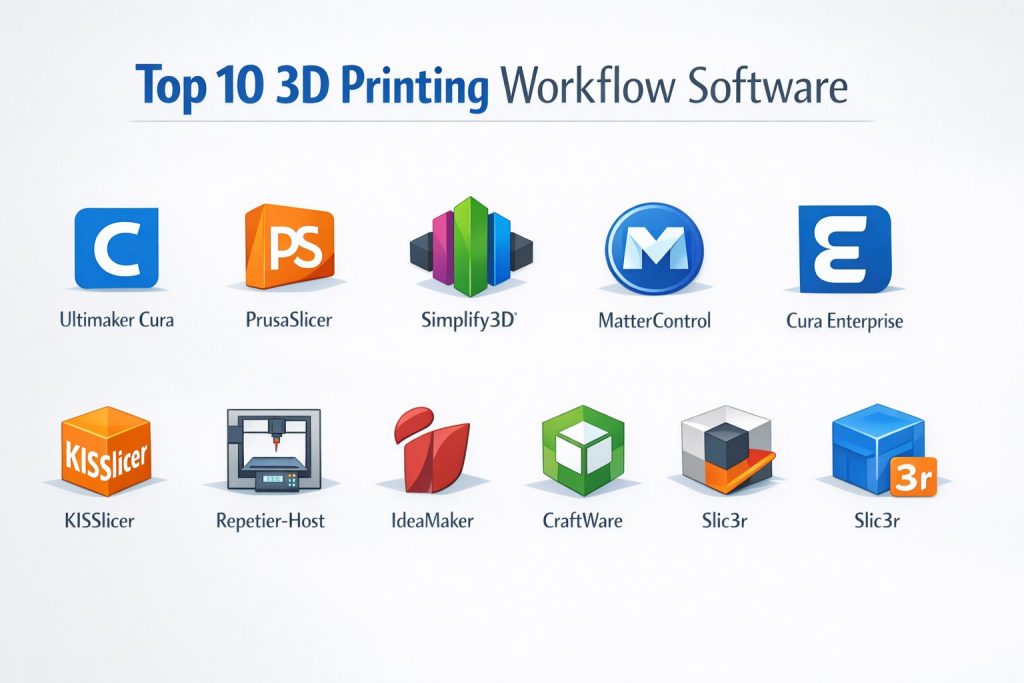
Top 10 3D Printing Workflow Software Tools
#1 — Ultimaker Cura
Ultimaker Cura is one of the most popular 3D printing slicing tools that allows users to prepare 3D models for printing with high precision. It supports multiple printers and integrates well with Ultimaker’s own printer lineup.
Key Features
- Advanced slicing algorithms for quick and precise prints
- Multi-material support for diverse printing projects
- Extensive library of printer profiles for seamless integration
- Customizable print settings to optimize material and time
- Real-time print job preview and error detection
- Cloud-based features for remote management
- Integration with Ultimaker printers for optimized workflows
Pros
- Easy to use with an intuitive interface
- Excellent for both beginners and experienced users
- Free and open-source, with great community support
Cons
- Limited advanced features compared to premium software
- Can be slow with very complex models
- Mainly optimized for Ultimaker printers
Platforms / Deployment
Windows / macOS / Linux
Self-hosted
Security & Compliance
Not publicly stated.
Integrations & Ecosystem
Ultimaker Cura works seamlessly with Ultimaker’s line of 3D printers but also supports a wide range of third-party printers.
- Works well with CAD software for direct file import
- Multi-printer support, allowing for diverse workflows
- Plugin support for custom tools and features
Support & Community
Active community with many tutorials, forums, and official support from Ultimaker.
#2 — PrusaSlicer
PrusaSlicer is a powerful, open-source 3D slicing software developed by Prusa Research, designed to prepare 3D models for a variety of 3D printers, from hobbyist to professional-grade machines.
Key Features
- Multiple printer support with pre-configured profiles
- Advanced slicing features for optimization and quality
- Integrated G-code viewer for precise print simulation
- Support for multi-material printing with seamless transitions
- User-friendly interface with customizable settings
- Cloud-based file sharing for easy collaboration
- Regular updates with new features and printer compatibility
Pros
- Highly customizable for different printing needs
- Excellent for both beginners and advanced users
- Free and regularly updated
Cons
- Primarily designed for Prusa printers, but works with others
- Some users report performance issues with large files
- Limited professional support outside Prusa’s ecosystem
Platforms / Deployment
Windows / macOS / Linux
Self-hosted
Security & Compliance
Not publicly stated.
Integrations & Ecosystem
PrusaSlicer integrates well with Prusa printers but can also be used with other machines.
- Integrates with popular CAD and 3D modeling software
- Support for custom scripts and post-processing
- Compatible with a wide range of 3D printers
Support & Community
Large community, plenty of tutorials, and excellent user forums. Official support is provided via Prusa Research.
#3 — Simplify3D
Simplify3D is a comprehensive 3D printing software with powerful slicing capabilities, making it ideal for both professional and hobbyist users who require precise control over the 3D printing process.
Key Features
- Advanced slicing options for layer height, infill density, and speed
- Multi-material and multi-process support for complex prints
- Comprehensive print simulation to visualize outcomes
- Extensive printer compatibility and control over hardware
- Detailed print statistics and performance tracking
- Customizable support structures for clean prints
- Optimized for professional-grade printers and large-format prints
Pros
- Powerful customization options for experienced users
- Works with a wide range of 3D printers
- Excellent print quality with fewer errors
Cons
- Expensive compared to free alternatives
- Can be overwhelming for beginners
- Interface is more complex than basic slicers
Platforms / Deployment
Windows / macOS
Self-hosted
Security & Compliance
Not publicly stated.
Integrations & Ecosystem
Simplify3D offers full compatibility with numerous printer brands, giving users flexibility.
- Integrated with multiple 3D modeling and CAD software
- Highly compatible with professional-grade machines
- Customizable for specific printer profiles and settings
Support & Community
Great support options, including detailed documentation, tutorials, and a dedicated community.
#4 — MatterControl
MatterControl is a 3D printing software that offers design, slicing, and printing management in one package. It supports various printers and integrates with cloud-based services.
Key Features
- All-in-one solution for design, slicing, and printing
- Support for multi-material and multi-part printing
- Real-time print monitoring and control
- Cloud integration for managing print jobs remotely
- Easy-to-use interface with customizable settings
- Design features for creating custom parts and objects
- Printer performance optimization tools
Pros
- Comprehensive solution for end-to-end printing workflows
- Free to use with robust community support
- Cloud-based management for remote printing and monitoring
Cons
- Lacks some of the advanced features of professional slicers
- Performance may vary depending on the complexity of models
- Limited professional-grade support options
Platforms / Deployment
Windows / macOS
Cloud / Self-hosted
Security & Compliance
Not publicly stated.
Integrations & Ecosystem
MatterControl integrates well with multiple 3D printers and offers cloud support.
- Customizable for different 3D printers and materials
- Plugin and script support for extending functionality
- Collaborative cloud features for remote teams
Support & Community
Strong community resources and tutorials, with official support available for paid users.
#5 — Cura Enterprise
Cura Enterprise offers professional 3D printing workflow management with advanced features for industrial and large-scale production.
Key Features
- Advanced slicing algorithms for professional workflows
- Full integration with enterprise-grade 3D printers
- Support for custom support structures and advanced toolpaths
- Detailed print simulation for error-free production
- Multi-printer and multi-material support
- Cloud-based remote printing management for large teams
- Secure user access and data management for corporate environments
Pros
- Robust features for industrial-grade printing
- Streamlined multi-user workflows for large teams
- Integrates with major industrial 3D printer manufacturers
Cons
- Higher cost compared to non-enterprise solutions
- May require dedicated training for full utilization
- Limited flexibility for small-scale or hobbyist users
Platforms / Deployment
Windows / macOS / Linux
Self-hosted
Security & Compliance
Not publicly stated.
Integrations & Ecosystem
Cura Enterprise integrates seamlessly with large-scale 3D printers and industrial workflows.
- Enterprise-level printer support and material profiles
- Customizable automation and post-processing workflows
- Integrates with cloud management systems for scalable use
Support & Community
Enterprise-level support, with dedicated training and troubleshooting.
#6 — KISSlicer
KISSlicer is a powerful slicing software for 3D printing that offers simple, fast slicing with a focus on print quality and optimization.
Key Features
- Quick slicing with easy-to-use options for beginners
- Advanced settings for experienced users to fine-tune prints
- Material-specific profiles for optimal results
- Support for multi-material and multi-part printing
- Detailed print preview for error-checking
- Lightweight and fast operation
Pros
- Simple interface for fast slicing and minimal setup
- Efficient performance for quick prints and prototypes
- Affordable pricing for hobbyists and small teams
Cons
- Lacks some advanced features found in professional-grade tools
- Limited cloud integration and multi-printer support
- Not as feature-rich for complex, industrial prints
Platforms / Deployment
Windows / macOS
Self-hosted
Security & Compliance
Not publicly stated.
Integrations & Ecosystem
Works with a variety of 3D printers, with customizable profiles.
- Simple workflows suitable for entry-level and mid-tier 3D printers
- Limited support for industrial-grade printers and advanced features
- Integrates with popular CAD and 3D modeling software
Support & Community
Active community forum and documentation. Limited professional support.
#7 — Repetier-Host
Repetier-Host is a popular software that helps you manage 3D prints, offering powerful slicing, printer control, and monitoring features.
Key Features
- Advanced slicer with detailed control over print settings
- Multi-printer control and management
- Real-time monitoring and print tracking
- Customizable settings for fine-tuning printing parameters
- Integration with popular 3D printers and online services
- Supports G-code generation and print optimization
Pros
- Multi-printer management for larger setups
- Solid support for different 3D printing technologies
- Real-time monitoring to ensure print success
Cons
- Can be complex for beginners
- Lacks advanced simulation tools compared to other slicers
- Limited cloud integration
Platforms / Deployment
Windows / macOS / Linux
Self-hosted
Security & Compliance
Not publicly stated.
Integrations & Ecosystem
Repetier-Host integrates with a wide range of 3D printers and cloud-based management systems.
- Customizable G-code export options
- Integrates with various printer and cloud ecosystems
- Multi-printer management for larger teams
Support & Community
Active online community, with good documentation. Paid support options available.
#8 — IdeaMaker
IdeaMaker is a slicing software that offers intuitive workflows, quick setup, and high-quality print outputs with minimal effort.
Key Features
- Easy-to-use slicing interface for fast prints
- Comprehensive support structures and material profiles
- Multi-printer support for efficient team workflows
- Print preview to detect errors before printing
- Cloud integration for remote print management
- Automated feature for quick material and setting adjustments
Pros
- Very user-friendly for quick, efficient slicing
- Great for personal and small-scale printing setups
- Cloud capabilities for team collaboration
Cons
- Not as feature-rich as some enterprise-focused tools
- Limited support for advanced simulation and post-processing
- Performance may not scale well with very large prints
Platforms / Deployment
Windows / macOS
Self-hosted
Security & Compliance
Not publicly stated.
Integrations & Ecosystem
Works well with various 3D printers and has a cloud-based version for team collaboration.
- Printer-specific profiles for smoother setups
- Simple, accessible interface for all user levels
- Limited advanced features for professional workflows
Support & Community
Good documentation and community forums. Limited professional support options.
#9 — CraftWare
CraftWare is a powerful slicer designed to work with CraftBot 3D printers, offering a comprehensive range of print optimization tools.
Key Features
- Detailed slicing controls for fine-tuning prints
- Easy-to-use interface for beginners and professionals
- Extensive support for CraftBot printers
- Fast slicing for quick iterations
- Customizable printer settings and material profiles
Pros
- Great for CraftBot printer owners
- High-quality prints with minimal setup required
- Good integration with CraftBot hardware
Cons
- Primarily designed for CraftBot printers
- Lacks some advanced features of multi-printer tools
- Limited integration with third-party printers
Platforms / Deployment
Windows / macOS
Self-hosted
Security & Compliance
Not publicly stated.
Integrations & Ecosystem
CraftWare works well with CraftBot printers but has limited support for other brands.
- Ideal for CraftBot users with predefined profiles
- Easy-to-use interface for small-to-medium print jobs
- Basic plugin support for extended workflows
Support & Community
Strong support for CraftBot users and active forums. Limited support for other printer types.
#10 — Slic3r
Slic3r is an open-source slicer known for its strong performance, customization, and support for a wide range of 3D printers.
Key Features
- Customizable print settings for maximum control
- Multi-material support for complex prints
- Regular updates with new features and improvements
- Highly configurable for experienced users
- Integration with popular 3D printers and CNC tools
Pros
- Free and open-source with a great deal of flexibility
- Powerful for advanced users with fine-grain control over prints
- Strong community and frequent updates
Cons
- Steep learning curve for new users
- User interface is less intuitive compared to other slicers
- Lacks cloud integration and professional support
Platforms / Deployment
Windows / macOS / Linux
Self-hosted
Security & Compliance
Not publicly stated.
Integrations & Ecosystem
Slic3r works with a wide variety of 3D printers, including custom and community-driven machines.
- Good plugin support for expanding functionality
- Strong file export options and printer compatibility
- User-driven support community with regular updates
Support & Community
Active online community, open-source resources, and forums.
Comparison Table (Top 10)
| Tool Name | Best For | Platform(s) Supported | Deployment (Cloud/Self-hosted/Hybrid) | Standout Feature | Public Rating |
|---|---|---|---|---|---|
| Ultimaker Cura | All-around 3D printing | Windows / macOS / Linux | Self-hosted | Free, powerful slicing | N/A |
| PrusaSlicer | Open-source, multi-printer | Windows / macOS / Linux | Self-hosted | Excellent for Prusa printers | N/A |
| Simplify3D | Professional printing | Windows / macOS | Self-hosted | Detailed print settings | N/A |
| MatterControl | All-in-one solution | Windows / macOS | Cloud / Self-hosted | Design, slice, and print management | N/A |
| Cura Enterprise | Industrial-scale printing | Windows / macOS / Linux | Self-hosted | Enterprise-grade workflow | N/A |
| KISSlicer | Fast, simple slicing | Windows / macOS | Self-hosted | Quick, efficient slicing | N/A |
| Repetier-Host | Multi-printer control | Windows / macOS / Linux | Self-hosted | Multi-printer support | N/A |
| IdeaMaker | Easy-to-use slicing | Windows / macOS | Self-hosted | User-friendly interface | N/A |
| CraftWare | CraftBot printers | Windows / macOS | Self-hosted | Tailored for CraftBot hardware | N/A |
| Slic3r | Open-source flexibility | Windows / macOS / Linux | Self-hosted | Advanced customization | N/A |
Evaluation & Scoring of 3D Printing Workflow Software
The scoring below is a comparative model intended to help shortlisting. Each criterion is scored from 1–10, then a weighted total from 0–10 is calculated.
Weights:
- Core features – 25%
- Ease of use – 15%
- Integrations & ecosystem – 15%
- Security & compliance – 10%
- Performance & reliability – 10%
- Support & community – 10%
- Price / value – 15%
| Tool Name | Core (25%) | Ease (15%) | Integrations (15%) | Security (10%) | Performance (10%) | Support (10%) | Value (15%) | Weighted Total (0–10) |
|---|---|---|---|---|---|---|---|---|
| Ultimaker Cura | 9.5 | 8.0 | 8.5 | 6.0 | 8.0 | 9.5 | 10.0 | 8.65 |
| PrusaSlicer | 9.0 | 8.5 | 9.0 | 6.0 | 8.5 | 9.0 | 9.5 | 8.70 |
| Simplify3D | 9.5 | 7.0 | 8.5 | 6.5 | 9.0 | 8.5 | 7.5 | 8.30 |
| MatterControl | 8.5 | 8.0 | 8.0 | 5.5 | 7.5 | 7.0 | 8.5 | 7.85 |
| Cura Enterprise | 9.0 | 7.5 | 8.5 | 6.5 | 8.5 | 8.0 | 8.0 | 8.25 |
| KISSlicer | 7.5 | 8.5 | 7.0 | 6.0 | 7.0 | 7.5 | 9.5 | 7.55 |
| Repetier-Host | 8.5 | 8.0 | 9.0 | 6.0 | 7.5 | 7.0 | 7.5 | 7.85 |
| IdeaMaker | 8.0 | 9.0 | 8.0 | 6.0 | 7.5 | 8.0 | 8.0 | 8.10 |
| CraftWare | 7.5 | 8.5 | 7.5 | 5.0 | 6.0 | 7.5 | 9.0 | 7.35 |
| Slic3r | 8.0 | 7.5 | 8.0 | 6.0 | 7.0 | 7.5 | 8.5 | 7.65 |
How to interpret the scores:
- The higher the weighted total, the better the software performs in comparison to others for specific use cases.
- A lower score does not necessarily indicate a “bad” tool—it simply may be more specialized or suited to particular types of workflows.
- Scoring reflects real-world applications and can vary based on team needs.
Which 3D Printing Workflow Software Tool Is Right for You?
Solo / Freelancer
If you are an individual maker or a freelancer, Ultimaker Cura (with the free Digital Factory tier) or AstroPrint are your best bets. They offer the essential remote monitoring and file management tools without the heavy enterprise price tag.
SMB (Small-to-Medium Business)
For small engineering firms or machine shops, GrabCAD Print (if using Stratasys) or 3DPrinterOS offer the best balance. They allow you to manage a small fleet with minimal IT setup while providing professional-grade file preparation.
Mid-Market
Growing companies with diverse fleets should look at Autodesk Fusion. The integration of design, simulation, and additive management in one package reduces software bloat and streamlines the engineering-to-production pipeline.
Enterprise
Large-scale manufacturers in regulated industries require Materialise Magics/CO-AM or Oqton. These tools offer the deep traceability, AI automation, and security (ITAR/NIST compliance) necessary for mission-critical parts in aerospace or medical sectors.
Budget vs. Premium
- Budget: GrabCAD Print and Ultimaker Digital Factory provide massive value for free to users of their respective hardware.
- Premium: 3YOURMIND and Authentise are high-cost, high-ROI investments designed to optimize million-dollar factories.
Feature Depth vs. Ease of Use
If you need absolute control over every laser path or support beam, Materialise Magics is the depth leader. If you need a “push-button” experience for a non-expert team, Markforged Eiger is the gold standard for usability.
Security & Compliance Needs
Organizations handling defense or medical data must prioritize tools with On-prem deployment options (like Eiger Enterprise or Materialise) and verified SOC 2 or ISO 27001 certifications.
Frequently Asked Questions (FAQs)
What is the average cost of 3D printing workflow software?
Pricing varies wildly. Basic fleet management like AstroPrint starts around $10/month. Enterprise MES solutions like 3YOURMIND can cost tens of thousands annually, often tailored to the number of machines or users.
Does workflow software replace a slicer?
Not always. While tools like 3DPrinterOS have built-in slicers, many professional workflows use the software as a management layer that “wraps around” or integrates with high-performance slicers like Cura or Magics.
Can I manage different printer brands in one software?
Yes, tools like 3DPrinterOS, Authentise, and 3YOURMIND are “hardware agnostic” and designed to manage heterogeneous fleets including FDM, SLA, and Metal printers.
Is cloud-based software safe for proprietary designs?
Yes, provided the tool uses AES-256 encryption and has passed SOC 2 audits. For high-security defense work, look for “Air-gapped” or “On-premise” versions of the software.
How long does it take to implement enterprise workflow software?
Cloud-based tools like AstroPrint take minutes. Full MES implementations (e.g., Authentise) can take 3 to 6 months to integrate with your existing ERP and train the staff.
Can these tools help with 3D printing sustainability?
Yes, modern platforms track material waste and energy consumption per print, providing data for ESG reporting and helping optimize nesting to reduce resin or powder waste.
Do I need a dedicated server for this software?
Most modern solutions are cloud-based (SaaS). However, industrial players often offer hybrid or self-hosted options if your company policy prohibits storing IP on external servers.
Can I integrate this with my existing ERP like SAP?
Enterprise-focused tools like 3YOURMIND and Oqton offer robust APIs specifically designed to connect with SAP, Oracle, and other major ERP/PLM systems.
What happens if the internet goes out?
For cloud-only tools, you may lose the ability to start new jobs or monitor prints. Professional tools often include a “local bridge” or “offline mode” to ensure the factory floor keeps running during outages.
Conclusion
The 3D printing landscape in 2026 is no longer just about the hardware; it is about the digital thread that connects design to a finished, high-quality part. Whether you are a small lab looking for the convenience of AstroPrint or a global manufacturer requiring the AI-driven power of Oqton, the right workflow software is the key to unlocking true production scale.