Introduction
3D animation software is a digital toolkit used to create three-dimensional moving images. Unlike 2D animation, which relies on flat drawings, 3D software allows artists to build “meshes”—digital skeletons and skins—that exist in a virtual space with depth, width, and height. These objects can be lit, textured, and animated to behave just like real-world items or fantastical creatures.
The importance of these tools has shifted from high-end film studios to the heart of everyday business operations. The rise of the industrial metaverse, real-time digital twins, and AI-driven content creation has made 3D proficiency a core requirement across many sectors. Whether it is a marketing team creating a hyper-realistic product launch or a medical researcher simulating a surgical procedure, 3D animation provides a level of immersion and clarity that static images simply cannot match.
Real-World Use Cases
- Entertainment: Animated feature films, visual effects (VFX) for live-action cinema, and high-fidelity video game assets.
- Industrial Design & Prototyping: Creating “digital twins” of machinery or vehicles to test aerodynamics and ergonomics before physical production.
- Architecture & Real Estate: Providing virtual walkthroughs of buildings that haven’t been constructed yet (BIM and ArchViz).
- Education & Healthcare: Detailed anatomical simulations for surgical training or complex scientific visualizations for classroom learning.
- Marketing & E-commerce: Interactive 3D product previews on websites that allow customers to rotate and customize items in real-time.
Evaluation Criteria for Buyers
When selecting a 3D suite, buyers should evaluate:
- Modeling Capabilities: Does it support both organic sculpting and hard-surface modeling?
- Animation Rigging: How intuitive is the skeleton and skinning system for characters?
- Rendering Speed: Does it offer real-time viewports or solely traditional ray-tracing?
- Pipeline Integration: How well does it play with other tools (e.g., Adobe CC, game engines)?
- Learning Curve: Is there a massive community and documentation library for onboarding?
- AI Integration: Does it include generative tools for auto-rigging, retopology, or texturing?
- Scalability: Can it handle massive scenes with millions of polygons without performance lag?
- Security & Compliance: Does the vendor provide enterprise-grade access controls and data protection?
Best for: Professional VFX houses, indie game developers, architectural firms, and digital artists looking for a comprehensive pipeline for high-fidelity visual storytelling. Not ideal for: Simple 2D motion graphics (where After Effects is faster), basic photo editing, or organizations with zero technical overhead who might prefer “no-code” template-based video makers.
Key Trends in 3D Animation Software
- AI-Driven Motion Synthesis: Modern tools now use neural networks to predict realistic physics-based movement, allowing animators to “guide” motion rather than manually keyframing every joint.
- Real-Time Ray Tracing as Standard: The gap between the “viewport” and the “final render” has nearly closed. Engines now provide cinematic-quality previews instantly, drastically reducing the feedback loop for directors.
- OpenUSD and Interoperability: The industry has fully rallied around Universal Scene Description (USD), allowing seamless asset sharing between Maya, Blender, and Houdini without losing data or material properties.
- Cloud-Based Collaborative Pipelines: With remote work becoming the norm, top-tier software now features “live sync” sessions where multiple artists can work on the same scene simultaneously via the cloud.
- Procedural Content Generation (PCG): Instead of modeling every tree in a forest, artists use node-based systems to define “rules” that generate vast, complex environments automatically.
- Neural Rendering & Upscaling: AI-based upscaling allows studios to render at lower resolutions and “hallucinate” the missing detail, saving thousands of hours in render farm costs.
- Direct-to-Metaverse Deployment: Modern suites include one-click export options for AR/VR platforms, ensuring that assets are optimized for mobile and headset performance.
- Democratization through AI: Generative AI tools are lowering the entry barrier, allowing non-specialists to generate 3D assets from text or image prompts directly within the software.
How We Selected These Tools (Methodology)
To curate this list of the top 10 3D animation tools, we applied a rigorous evaluation framework:
- Market Adoption & Mindshare: We prioritized tools that are “industry standards” used by major studios, ensuring users have access to a deep talent pool.
- Feature Completeness: Only suites that offer a “full pipeline” (modeling to rendering) or lead their specific niche (like sculpting or simulation) were included.
- Performance & Reliability Signals: We looked for tools with a proven track record of handling high-poly counts and complex physics simulations without stability issues.
- Security Posture: Preference was given to tools that offer robust licensing controls, MFA, and data protection features required by enterprise environments.
- Integrations & Ecosystem: We evaluated the availability of third-party plugins, asset marketplaces, and active community forums.
- Customer Fit Across Segments: The list reflects a balance between free/open-source options for indies and high-end enterprise solutions for large-scale production.
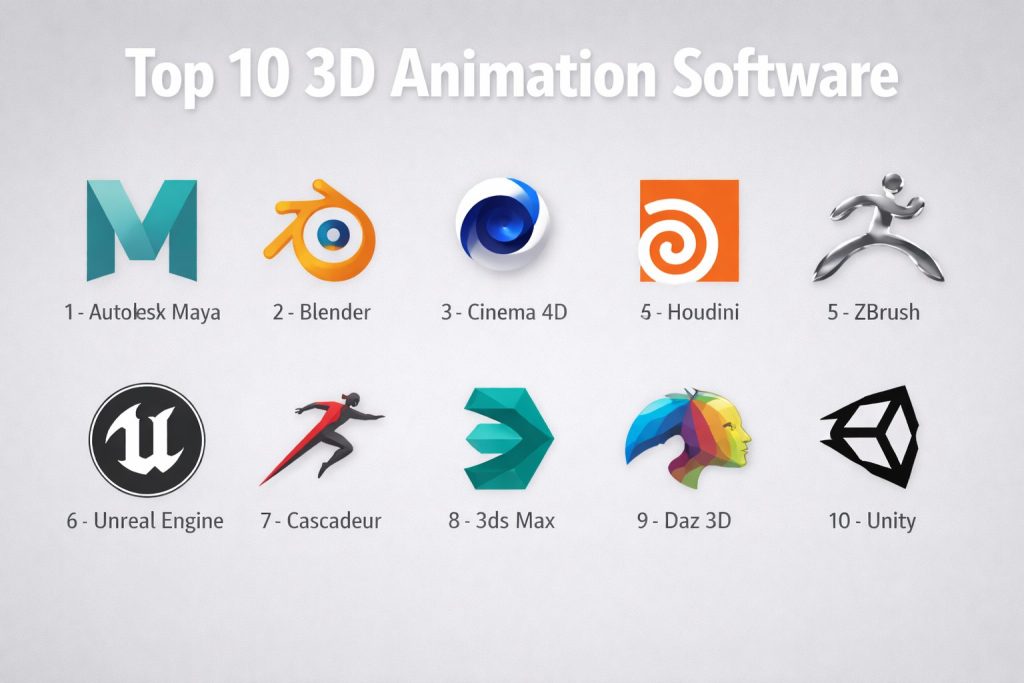
Top 10 3D Animation Software Tools
#1 — Autodesk Maya
The undisputed industry standard for character animation and VFX in film and AAA gaming. It offers a deep, scriptable environment for professional pipelines.
Key Features
- Bifrost for Maya: A powerful visual programming environment for creating physically accurate simulations like liquids, smoke, and fire.
- MotionMaker: A AI-assisted system that generates natural motion from simple guide trajectories.
- USD Integration: Native support for loading and editing massive datasets in seconds using OpenUSD.
- Advanced Rigging: Industry-leading deformation tools including the Machine Learning Deformer for complex skinning.
- Arnold Renderer: Integrated high-end photorealistic rendering engine that handles complex lighting and shading.
- Python 3 Scripting: Extensive API for building custom tools and studio-specific workflow automation.
- Time Editor: Non-linear animation tool for blending and layering animation clips seamlessly.
Pros
- Most widely used software in professional studios, making it essential for high-level career growth.
- Unrivaled depth in character rigging and animation toolsets for realistic human and creature movement.
- Highly customizable and extensible for large-team environments and specialized studio needs.
Cons
- Very steep learning curve for beginners due to the complexity of the UI and technical depth.
- High subscription costs can be prohibitive for individual freelancers and hobbyists.
Platforms / Deployment
- Windows / macOS / Linux
- Hybrid (Local installation with cloud-based licensing and rendering options)
Security & Compliance
- SSO/SAML, MFA, and licensing controls for enterprise users.
- SOC 2 compliance (for Autodesk cloud services).
Integrations & Ecosystem
Maya acts as the hub of most professional pipelines, with a massive ecosystem of specialized plugins.
- Unreal Live Link for real-time game engine streaming.
- Adobe After Effects for motion graphics sync.
- Substance Painter for advanced texturing workflows.
- V-Ray and OctaneRender third-party support.
Support & Community
Autodesk provides professional-grade documentation, dedicated support tiers for enterprises, and access to a vast network of certified training centers and global forums.
#2 — Blender
A free, open-source 3D suite that has evolved into a powerhouse for modeling, animation, and rendering, favored by indies and small-to-mid-sized studios.
Key Features
- Eevee Next: A real-time rendering engine that provides cinematic quality directly in the viewport using advanced ray-tracing.
- Grease Pencil v3: A unique 2D-in-3D drawing tool that allows for stunning hybrid animation styles.
- Geometry Nodes: A procedural system for creating complex environments and effects without manual modeling.
- Cycles Renderer: A production-grade path tracer used for high-fidelity final renders.
- Full Pipeline Suite: Includes digital sculpting, video editing, compositing, and motion tracking within a single application.
- Sculpting Toolset: Advanced digital sculpting with dynamic topology and cloth-aware brushes.
- Open-Source API: Entirely customizable through Python, with thousands of community-built add-ons.
Pros
- Completely free with no licensing restrictions, even for large-scale commercial use.
- Rapid development cycle with frequent updates and community-driven feature additions.
- Lightweight installation and high performance on a wide range of hardware compared to enterprise suites.
Cons
- While growing, it is still not the primary standard for the largest VFX houses (who often stick to Maya).
- The UI can be overwhelming for some due to the sheer density of features packed into one window.
Platforms / Deployment
- Windows / macOS / Linux
- Local (Self-hosted)
Security & Compliance
- Not publicly stated (Security is managed by the user as it is local software).
Integrations & Ecosystem
Blender has a massive marketplace for plugins and assets, often filling the gap for features found in expensive paid software.
- Integrates with Unity and Unreal Engine via FBX/USD.
- Support for standard formats like OBJ, STL, and glTF.
- Active development of bridges to Nvidia Omniverse and other metaverse platforms.
Support & Community
Blender has perhaps the most active community in the 3D world, with endless free tutorials and highly responsive forums like Blender Artists and Stack Exchange.
#3 — Cinema 4D
Renowned for its intuitive interface and powerful MoGraph toolset, it is the primary choice for motion graphics designers and broadcast professionals.
Key Features
- MoGraph Toolset: The industry-leading procedural animation system for creating complex motion graphics and clones quickly.
- Redshift Integration: Native support for the world’s first fully GPU-accelerated, biased renderer for rapid output.
- Capsules: A library of procedural assets and tools that can be dropped into scenes to speed up modeling.
- Node-Based Materials: A visual system for creating complex, realistic textures and shaders with real-time feedback.
- Unified Simulation System: Handles cloth, ropes, rigid bodies, and soft bodies within a single, high-performance solver.
- ZBrush Integration: Seamless round-tripping with ZBrush for advanced digital sculpting and detailing.
- Scene Manager: A modern way to organize complex scenes using a non-destructive, hierarchy-based approach.
Pros
- Widely considered the easiest professional 3D software to learn for those coming from 2D design.
- Exceptional stability and reliability for high-pressure production deadlines.
- Perfect integration with Adobe Creative Cloud, particularly Adobe After Effects.
Cons
- Less suited for complex, high-fidelity character animation compared to Maya.
- Subscription pricing can be expensive when bundled with Redshift and other Maxon tools.
Platforms / Deployment
- Windows / macOS
- Cloud (Licensing) / Local (Installation)
Security & Compliance
- Standard licensing security; enterprise-specific compliance details are Not publicly stated.
Integrations & Ecosystem
Cinema 4D is the “bridge” tool for many 2D designers moving into 3D environments.
- Cineware for live-linking with Adobe After Effects.
- Direct import for Adobe Illustrator files for motion work.
- Support for V-Ray and OctaneRender third-party engines.
Support & Community
Maxon offers “Cineversity,” an extensive training platform, along with professional technical support and a dedicated global community of motion designers.
#4 — Houdini
A node-based, procedural 3D application used for high-end visual effects and complex simulations like water, fire, and destruction.
Key Features
- Procedural Workflow: Every action is a node, allowing artists to change parameters at any time without re-doing work.
- Vellum Multi-Solver: A fast, GPU-accelerated solver for cloth, hair, soft bodies, and grains.
- Pyro FX: Industry-standard tools for creating realistic fire, smoke, and explosion simulations.
- Crowd Tools: Efficient system for simulating thousands of agents with ragdoll physics and terrain adaptation.
- Solaris: A USD-based look development, layout, and lighting environment.
- Karma Renderer: A native USD-compliant path tracer designed for high-performance rendering.
- Houdini Engine: Allows Houdini assets (HDAs) to be opened and tweaked inside other tools like Maya or Unreal Engine.
Pros
- Unmatched power for technical artists and complex simulation work that requires absolute control.
- Procedural nature makes it incredibly scalable for massive, repetitive tasks like city generation.
- “Houdini Indie” makes professional features affordable for small creators and freelancers.
Cons
- The steepest learning curve on this list; requires a technical or mathematical mindset to master.
- Not ideal for simple, one-off modeling tasks where a direct modeler would be faster.
Platforms / Deployment
- Windows / macOS / Linux
- Hybrid (Local software with cloud rendering support)
Security & Compliance
- Enterprise licensing support; specific ISO/SOC certifications are Not publicly stated.
Integrations & Ecosystem
Houdini’s “Engine” allows it to integrate deeply into the pipelines of other software suites.
- Plugins for Maya, 3ds Max, and Cinema 4D for procedural modeling.
- Deep integration with Unreal Engine for real-time procedural environments.
Support & Community
SideFX provides extensive documentation, a dedicated learning path (Houdini Education), and a highly technical community forum for advanced problem-solving.
#5 — ZBrush
The world leader in digital sculpting, used to create highly detailed characters, creatures, and assets for film and games.
Key Features
- Dynamesh: Allows for free-form sculpting without worrying about underlying geometry or polygon distribution.
- ZRemesher: Automatically creates clean, animation-ready topology from high-poly sculpts with one click.
- Polypaint: Allows artists to paint directly on the surface of a model without needing to create UV maps first.
- Live Boolean: A real-time system for combining or subtracting meshes to create complex hard-surface shapes.
- High-Poly Handling: Capable of handling hundreds of millions of polygons on a standard workstation.
- Custom Brushes: Thousands of specialized brushes for everything from skin pores to mechanical parts.
- Stager: Allows for the easy setup of multiple poses or states for a single character mesh.
Pros
- The most artistic and tactile “feeling” software for character creators and digital sculptors.
- Essential for high-fidelity detailing (like skin textures) that would crash other software.
- Powerful auto-retopology tools save days of manual technical work.
Cons
- Very unconventional UI that takes significant time to master for those used to standard software.
- Limited animation and rendering capabilities; usually requires exporting to another suite for final output.
Platforms / Deployment
- Windows / macOS / iOS (ZBrush for iPad)
- Local (Installation)
Security & Compliance
- Varies / N/A.
Integrations & Ecosystem
ZBrush is usually one specialized stop in a larger production pipeline.
- GoZ bridge for one-click transfers to Maya, Blender, and Cinema 4D.
- KeyShot for high-quality product and concept rendering.
Support & Community
Maxon provides “ZClassroom” for free training, alongside a massive community on ZBrushCentral where the world’s top character artists share work.
#6 — Unreal Engine
A real-time 3D creation tool that has transitioned from a game engine to a dominant force in virtual production and cinematic animation.
Key Features
- Lumen & Nanite: Real-time global illumination and virtualized geometry that allows for cinematic quality without traditional rendering.
- Blueprints: A visual scripting system that allows non-programmers to build complex interactivity and logic.
- MetaHuman Creator: A cloud-based tool for creating hyper-realistic, fully rigged human characters in minutes.
- Virtual Production: Tools for syncing live camera data with 3D environments on massive LED walls.
- Niagara VFX: A highly customizable particle system for real-time effects like sparks and magic.
- Chaos Physics: A high-performance destruction and physics solver for real-time interaction.
- Sequencer: A cinematic multi-track editor for layout, lighting, and animation within the engine.
Pros
- Instant visual feedback eliminates wait times for rendering, allowing for rapid creative iteration.
- Completely free to use until a project reaches a significant revenue threshold (royalty-based).
- The leader in the “Industrial Metaverse” and high-end interactive 3D content.
Cons
- Requires a powerful GPU to run effectively, which can be a hardware barrier for some.
- Can be overkill for simple, non-interactive animated shorts.
Platforms / Deployment
- Windows / macOS / Linux
- Cloud / Hybrid
Security & Compliance
- Enterprise-grade security; used by defense, automotive, and aerospace sectors.
- MFA and secure project sharing via Perforce and other version control systems.
Integrations & Ecosystem
- Quixel Megascans: Free access to thousands of photorealistic 3D assets for Unreal users.
- Live Link for facial and body motion capture integration.
- Direct support for USD, FBX, and CAD formats.
Support & Community
Epic Games provides the “Unreal Learning Portal,” comprehensive documentation, and a massive ecosystem of assets in the Unreal Marketplace.
#7 — Cascadeur
A standalone software specialized in AI-assisted physics-based character animation, designed to make realistic motion accessible.
Key Features
- AutoPhysics: Automatically suggests physically correct poses and trajectories for character movement.
- AutoPosing: A neural-network-powered tool that helps users create complex poses by moving just a few control points.
- Spatial Ghosting: Visualizes the trajectory of movement directly in 3D space for easier timing adjustment.
- Animation Unbaking: Converts baked animations back into editable keyframes for easy tweaking.
- Rigging Tools: Simple system for creating physics-ready skeletons for humanoid and non-humanoid characters.
- Secondary Motion: AI tools that automatically add “jiggle” or overlap to hair, clothing, and ears.
Pros
- Massively speeds up the animation process for realistic human movement compared to manual keyframing.
- Does not require a deep understanding of physics to get professional results.
- Very lightweight and focused, making it easy to fit into any existing 3D pipeline.
Cons
- Not a full 3D suite; you cannot model or render final cinematics within this tool.
- Primarily focused on humanoids; less effective for abstract or mechanical animation.
Platforms / Deployment
- Windows / Linux
- Local (Installation)
Security & Compliance
- Not publicly stated.
Integrations & Ecosystem
- Works with .FBX and .DAE files, making it compatible with almost any 3D pipeline like Blender or Maya.
- Direct bridges to Unreal Engine and Unity.
Support & Community
Features a growing community on Discord and a library of video tutorials focusing specifically on the AI-assisted physics workflow.
#8 — 3ds Max
A professional 3D modeling and rendering software popular in architecture, product design, and game asset development.
Key Features
- Retopology Tools: Automatically reconstructs complex mesh data into clean, quad-based topology for better performance.
- Smart Extrude: An intuitive way to interactively extrude faces and rebuild geometry on the fly.
- Data Channel Modifier: A powerful tool for automating repetitive modeling tasks based on geometric data.
- Integrated Arnold Renderer: Shares the same high-end renderer as Maya for consistent results.
- Civil View: Specialized toolset for transforming CAD data into 3D visualizations for infrastructure projects.
- Safe Scene Script Execution: Security features that protect against malicious scripts in 3D files.
- Modern UI: High-DPI ready, customizable workspace for long-term comfort and productivity.
Pros
- Exceptional for hard-surface modeling and architectural visualization tasks.
- Massive library of third-party plugins (one of the largest in the industry).
- Reliable, mature toolset with decades of refinement for high-end visualization.
Cons
- Windows-only, which excludes macOS and Linux users from the native workflow.
- Considered less “fluid” for character animation compared to its sibling, Maya.
Platforms / Deployment
- Windows
- Local / Hybrid
Security & Compliance
- Malware removal tools for scene files and secure script execution.
- SSO/MFA for enterprise licensing.
Integrations & Ecosystem
- Deep integration with AutoCAD and Revit for architectural workflows.
- Support for glTF and USD for web-based 3D applications and metaverse deployment.
Support & Community
Benefit from Autodesk’s global support infrastructure and a massive historical library of community tutorials and specialized plugins.
#9 — Daz 3D
A character-centric software that uses a vast library of pre-made assets to allow users to pose, animate, and render high-quality scenes quickly.
Key Features
- Genesis Character System: A versatile, morphable base figure that can be turned into any body type or age.
- dForce Physics: A powerful simulation engine for realistic cloth and hair movement during animation.
- NVIDIA Iray: Integrated photorealistic rendering engine that uses the GPU for fast, high-quality results.
- Marketplace Integration: Direct access to thousands of ready-made characters, environments, and clothing.
- Morph Transitions: Sliders that allow for fine-tuned control over facial expressions and body shapes.
- Bridges to Professional Tools: Official plugins to export assets directly to Maya, Blender, and Unreal Engine.
Pros
- Extremely fast for creating high-quality character renders without modeling from scratch.
- Base software is free, making it highly accessible for beginners and hobbyists.
- Ideal for storyboarding and quick concept visualization for film and games.
Cons
- Limited modeling capabilities; you are mostly limited to the assets you buy or download.
- Can be viewed as less “professional” by high-end studios that require completely custom modeling.
Platforms / Deployment
- Windows / macOS
- Local (Installation)
Security & Compliance
- Varies / N/A.
Integrations & Ecosystem
Daz 3D is built around its integrated asset store and bridge plugins.
- Bridges for Cinema 4D, 3ds Max, and Unity.
- Extensive asset library for hobbyists and professionals alike.
Support & Community
Strong community of hobbyist artists and extensive “how-to” guides for using the marketplace assets effectively for static and animated scenes.
#10 — Unity
A real-time engine that excels in interactive 3D, mobile gaming, and VR/AR animation.
Key Features
- Universal Render Pipeline (URP): Optimized for high performance across a wide range of devices from mobile to PC.
- Cinemachine: A smart camera system that automates camera tracking and shots for cinematic storytelling.
- Timeline: A visual tool for creating cinematic content and cutscenes within the game environment.
- Visual Effect Graph: Node-based system for creating complex real-time effects like smoke and fire.
- Unity Muse: 2026 AI tools for generating textures and 2D-to-3D sprite animations from simple prompts.
- C# Scripting: Powerful, standard programming language for adding complex interactivity and logic.
- Asset Store: The industry’s most robust marketplace for 3D models, code snippets, and complete systems.
Pros
- Best-in-class for mobile, VR, and AR deployment due to its lightweight and flexible core.
- Stronger for interactive “experience-based” 3D than traditional linear film animation.
- Massive global community and talent pool available for hire.
Cons
- High-end graphical fidelity (HDRP) can be more complex to set up than Unreal Engine’s defaults.
- Recent pricing model changes have created some friction in the independent developer community.
Platforms / Deployment
- Web / Windows / macOS / Linux / iOS / Android / VR Headsets
- Cloud / Local
Security & Compliance
- Enterprise-level support with dedicated security audits for large-scale deployments.
- Verified authorship policies for packages.
Integrations & Ecosystem
- Strongest ecosystem for VR/AR (Oculus, HoloLens, Vision Pro).
- Support for all major 3D file formats through dedicated importers.
Support & Community
Unity provides “Unity Learn,” a free comprehensive training site, along with one of the largest developer communities in the world across forums and Discord.
Comparison Table (Top 10)
| Tool Name | Best For | Platform(s) Supported | Deployment | Standout Feature | Public Rating |
| Autodesk Maya | Character Animation | Win, Mac, Linux | Hybrid | ML Deformer | 4.5/5 |
| Blender | Indies & Generalists | Win, Mac, Linux | Local | Grease Pencil | 4.7/5 |
| Cinema 4D | Motion Graphics | Win, Mac | Hybrid | MoGraph Toolset | 4.6/5 |
| Houdini | VFX & Simulations | Win, Mac, Linux | Hybrid | Procedural Nodes | 4.8/5 |
| ZBrush | Digital Sculpting | Win, Mac, iPad | Local | DynaMesh | 4.8/5 |
| Unreal Engine | Real-time & Cinematic | Win, Mac, Linux | Hybrid | Lumen / Nanite | 4.8/5 |
| Cascadeur | AI-Physics Animation | Win, Linux | Local | AutoPhysics | 4.4/5 |
| 3ds Max | ArchViz & Modeling | Windows | Local | Smart Extrude | 4.3/5 |
| Daz 3D | Character Staging | Win, Mac | Local | Asset Marketplace | 4.0/5 |
| Unity | Mobile / VR / Games | All Platforms | Hybrid | URP Optimization | 4.6/5 |
Export to Sheets
Evaluation & Scoring of 3D Animation Software
| Tool Name | Core (25%) | Ease (15%) | Integrations (15%) | Security (10%) | Performance (10%) | Support (10%) | Value (15%) | Weighted Total |
| Autodesk Maya | 10 | 4 | 10 | 9 | 8 | 9 | 5 | 8.1 |
| Blender | 9 | 5 | 8 | 4 | 8 | 10 | 10 | 8.0 |
| Cinema 4D | 8 | 9 | 9 | 6 | 9 | 8 | 6 | 7.8 |
| Houdini | 10 | 2 | 8 | 7 | 10 | 8 | 7 | 7.7 |
| ZBrush | 10 | 3 | 7 | 5 | 10 | 7 | 7 | 7.4 |
| Unreal Engine | 9 | 6 | 10 | 9 | 10 | 9 | 9 | 8.9 |
| Cascadeur | 6 | 8 | 7 | 4 | 9 | 6 | 8 | 6.9 |
| 3ds Max | 9 | 6 | 8 | 8 | 8 | 8 | 6 | 7.5 |
| Daz 3D | 5 | 10 | 6 | 4 | 7 | 6 | 8 | 6.6 |
| Unity | 8 | 7 | 10 | 8 | 9 | 9 | 8 | 8.3 |
Export to Sheets
How to Interpret These Scores
- 0–5: Niche tool or highly specialized with significant barriers to entry for generalists.
- 6–8: Strong contender, often leading in a specific sub-category like sculpting or motion design.
- 9–10: Industry-leading performance, versatility, and ecosystem breadth.
- Note: Scoring is comparative. A low score in “Ease” for Houdini reflects its high technical barrier, not its quality as a VFX power-tool.
Which 3D Animation Software Tool Is Right for You?
Solo / Freelancer
If you are working alone, Blender is the clear winner due to its lack of licensing fees and its “all-in-one” nature. However, if your work focuses on character sculpting for high-end clients, ZBrush is an essential companion for high-poly detailing.
SMB
For small-to-mid-sized creative agencies, Cinema 4D offers the best ROI. Its fast learning curve means new hires can be productive within weeks, and its legendary stability ensures that tight deadlines aren’t missed due to software technicalities.
Mid-Market
Studios focusing on gaming or high-end commercials should look at Unreal Engine combined with Autodesk Maya. This setup allows for traditional high-fidelity character creation alongside the speed of modern real-time rendering.
Enterprise
For large VFX houses and industrial giants, the combination of Autodesk Maya (for animation), Houdini (for effects), and 3ds Max (for visualization) remains the gold standard. These tools offer the security, support, and scriptability required for massive, global pipelines.
Budget vs Premium
- Budget: Blender (Free) and Daz 3D (Free base) are the most accessible.
- Premium: Autodesk Maya and Houdini represent the peak of professional investment, offering the most power for the highest cost.
Feature Depth vs Ease of Use
If you need absolute procedural depth and control, choose Houdini. If you need to get a professional result by tomorrow morning without a PhD in technical art, choose Cinema 4D or Daz 3D.
Integrations & Scalability
For projects that need to scale across hundreds of artists, Autodesk Maya and Unreal Engine offer the most robust asset management, version control, and collaboration features in the market.
Security & Compliance Needs
Organizations in sensitive sectors like defense or healthcare should prioritize Autodesk tools or Unreal Engine, as they offer the most transparent enterprise licensing and data protection protocols.
Frequently Asked Questions (FAQs)
What is the most common pricing model for 3D software in 2026?
Most professional suites like Maya and Cinema 4D have moved entirely to annual or monthly subscription models. Blender remains free, while some tools like ZBrush still offer perpetual licenses with optional maintenance plans for updates.
How long does it take to learn 3D animation from scratch?
For basic modeling and simple keyframed animation in a tool like Cinema 4D, you can be productive in 1–3 months. For complex character animation in Maya or advanced simulation in Houdini, mastery typically takes 1–2 years of dedicated study.
Can I use 3D animation software on a standard laptop?
Yes, but you need a workstation-grade laptop with a dedicated NVIDIA or AMD GPU, at least 32GB of RAM, and a high-performance CPU. Real-time engines like Unreal Engine are particularly demanding on hardware and require modern cooling solutions.
Is AI going to replace 3D animators in the near future?
No. AI is becoming a “co-pilot” that handles tedious tasks like retopology, weight painting, and basic walk cycles. The creative vision, emotional storytelling, and artistic fine-tuning remain firmly in the hands of the human artist.
What is the primary difference between Maya and 3ds Max?
While both are owned by Autodesk, Maya is optimized for character animation and organic movement in film, whereas 3ds Max is the preferred choice for architectural visualization and hard-surface product modeling due to its precision tools.
Which software is best for creating assets for 3D printing?
Blender and ZBrush are the favorites for 3D printing. ZBrush is excellent for organic, high-detail sculpts (like statues), while Blender’s precision modeling tools and vast export options (like STL) make it very reliable for functional parts.
Do I need to know how to code to use professional 3D tools?
Not necessarily. Most tools have visual interfaces for every function. However, knowing Python can significantly boost your productivity by allowing you to automate repetitive tasks and build custom tools for your specific workflow.
What is “Real-Time Rendering” and why does it matter?
It refers to the ability of the software to calculate lighting and textures instantly as you move the camera. This eliminates the traditional “wait time” for renders, allowing artists to make creative decisions much faster.
Is it possible to switch from one 3D tool to another easily?
Yes, especially now that the industry uses OpenUSD and FBX formats. While the UI and hotkeys will change, the fundamental principles of 3D—topology, lighting, and timing—carry over between almost all professional applications.
What is the best 3D animation tool for beginners in 2026?
Blender is the best starting point because it is free and has the largest library of community tutorials. If you are specifically interested in motion graphics for marketing, Cinema 4D is the most beginner-friendly professional option.
Conclusion
Choosing the “best” 3D animation software in 2026 is no longer about finding the one tool with the most features. Instead, it is about finding the tool that fits your specific workflow, budget, and end goal. Whether you are chasing the procedural power of Houdini, the real-time speed of Unreal Engine, or the open-source freedom of Blender, the barrier to entry has never been lower.
The industry is rapidly shifting toward AI-assisted workflows and real-time feedback loops. To stay competitive, your choice of software should not just solve today’s problems but also offer a path toward these emerging technologies like the metaverse and digital twins.
Next Steps:
- Shortlist 2–3 tools based on your primary use case (e.g., Blender for indies, Cinema 4D for motion graphics).
- Run a pilot project using the free trials or community versions to test the UI and performance on your specific hardware.
- Validate integrations by ensuring your chosen tool can export to the specific platforms or game engines your clients or team require.
Top 10 AI Tools Every 3D Artist Needs in 2026
This video provides a deep dive into the specific AI tools mentioned in the trends section, showing how they actually function within a 2026 workflow to save time and improve animation quality.
10 AI Tools Every 3D Artist Needs in 2026 – YouTube


https://youtube.com/watch?v=Vb62ngIRywE%3Fhl%3Den%26rel%3D0%26showinfo%3D0%26enablejsapi%3D1%26origin%3Dhttps%253A%252F%252Fgemini.google.com%26widgetid%3D7%26forigin%3Dhttps%253A%252F%252Fgemini.google.com%252Fu%252F2%252Fapp%252F44f877f3884da0cf%253Fis_sa%253D1%2526is_sa%253D1%2526android-min-version%253D301356232%2526ios-min-version%253D322.0%2526campaign_id%253Dbkws%2526utm_source%253Dsem%2526utm_medium%253Dpaid-media%2526utm_campaign%253Dbkws%2526pt%253D9008%2526mt%253D8%2526ct%253Dp-growth-sem-bkws%2526gclsrc%253Daw.ds%2526gad_source%253D1%2526gad_campaignid%253D20357620749%2526gbraid%253D0AAAAApk5Bhks0319RRUWbt4i7mM79QzP1%2526gclid%253DCjwKCAiAqKbMBhBmEiwAZ3UboGMZ99HfKa9DR4NC1VkkC2wd20JYQYp5MPf_GWzyIHyPYjs-4LcJWhoC8P8QAvD_BwE%26aoriginsup%3D1%26vf%3D1