Introduction & Overview of git
Git is a distributed version control system designed to handle everything from small to very large projects with speed and efficiency.
Key Features of Git:
- Fast and efficient
- Distributed development
- Branching and merging support
- Data integrity
Core Concepts & Terminology of git
Git is a distributed version control system that is widely used for tracking changes in source code during software development. Below are some core concepts and terminology associated with Git:
1. Repository
A repository in Git is like a project folder that contains all the files and folders tracked by Git, along with the version history of each file.
2. Commit
A commit represents a snapshot of the repository at a specific point in time. It includes changes made to files along with a commit message describing the changes.
3. Branch
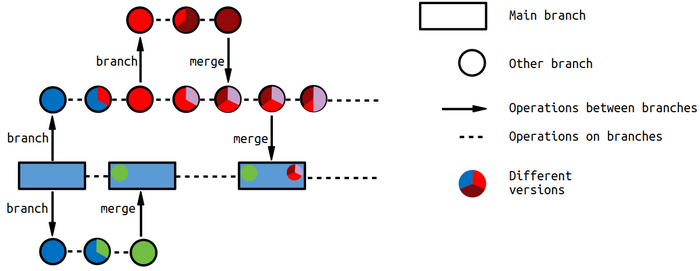
A branch is a separate line of development in Git that allows users to work on features or bug fixes without affecting the main codebase. Branches can be merged back into the main branch when the work is complete.
4. Merge
Merging is the process of combining changes from one branch into another. It is commonly used to incorporate new features or bug fixes from feature branches into the main branch.
5. Pull Request
A pull request is a way to propose changes to a repository hosted on platforms like GitHub or GitLab. It allows team members to review the changes before merging them into the main branch.
Architecture & How It Works
Git is a distributed version control system that is designed to handle everything from small to very large projects with speed and efficiency.
How Git Works
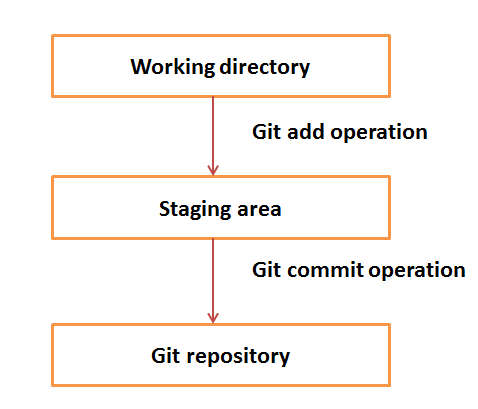
Git works by snapshotting the changes and managing those snapshots efficiently. When you make a commit, Git stores a snapshot of the entire repository. If files haven’t changed, Git doesn’t store the file again, but creates a reference to the previous identical file it has already stored.
- Local Repository: Each contributor has their own local copy of the repository which they can work on independently.
- Staging Area: Files that have been modified and staged are ready to be included in the next commit snapshot.
- Upstream Repository: This is the shared repository where changes are pushed and pulled from to synchronize work between team members.

Installation & Getting Started
Installing Git
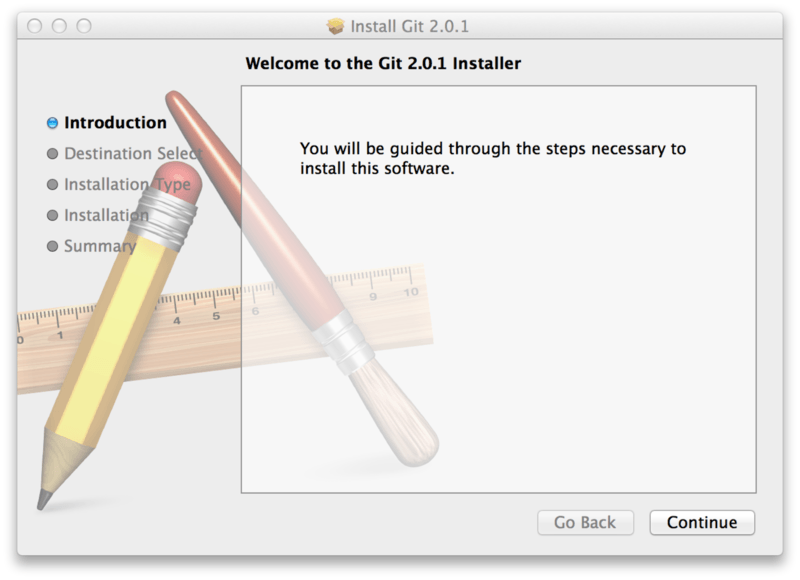
To install Git on your machine, follow these steps:
- Visit the official Git website.
- Download the installer for your operating system.
- Run the installer and follow the installation instructions.
Getting Started with Git
To start using Git for version control, you can:
- Initialize a new Git repository in your project directory.
- Add your files to the staging area using git add.
- Commit your changes with git commit.
Benefits & Limitations of git
Benefits
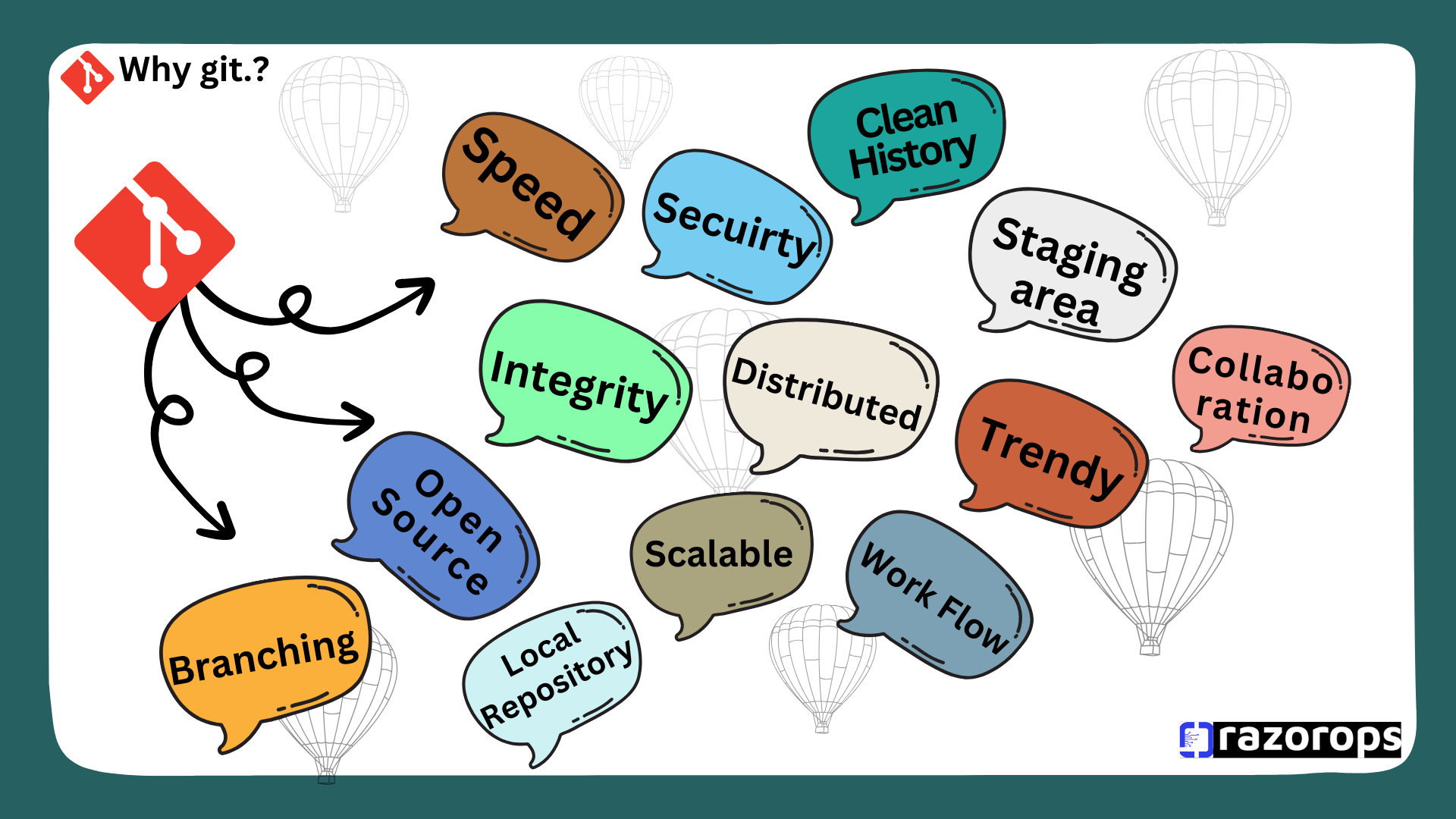
1. Distributed Version Control: Git is a distributed version control system, allowing multiple developers to work on the same codebase simultaneously.
2. Performance: Git is highly optimized for speed, making it efficient in handling projects of any size.
3. Branching and Merging: Git makes it easy to create branches for new features and merge them back into the main codebase.
Limitations
1. Steep Learning Curve: Git can be complex for users who are new to version control systems.
2. Command Line Interface: Some users may find the command line interface of Git challenging to use.
3. Error Handling: Git error messages can sometimes be cryptic and hard to understand for beginners.
Real-World Use Cases of git
Git is widely used in various real-world scenarios for version control and collaboration. Some common use cases include:
1. Software Development
Collaborative Development: Git allows multiple developers to work on the same codebase simultaneously, making it ideal for team-based software development projects.
Version Control: Developers can track changes, revert to previous versions, and manage code branches efficiently using Git.
2. Web Development
Deploying to Servers: Git is often used to deploy websites and web applications to servers, ensuring seamless updates and version management.
Managing Content Revisions: Web developers use Git to track changes in content, code, and design elements of websites.
3. Data Science
Reproducible Research: Data scientists leverage Git to track data analysis workflows, reproduce results, and collaborate on research projects.
Versioning Data Sets: Git can be used to version control large datasets, making it easier to track changes and collaborate with other data scientists.
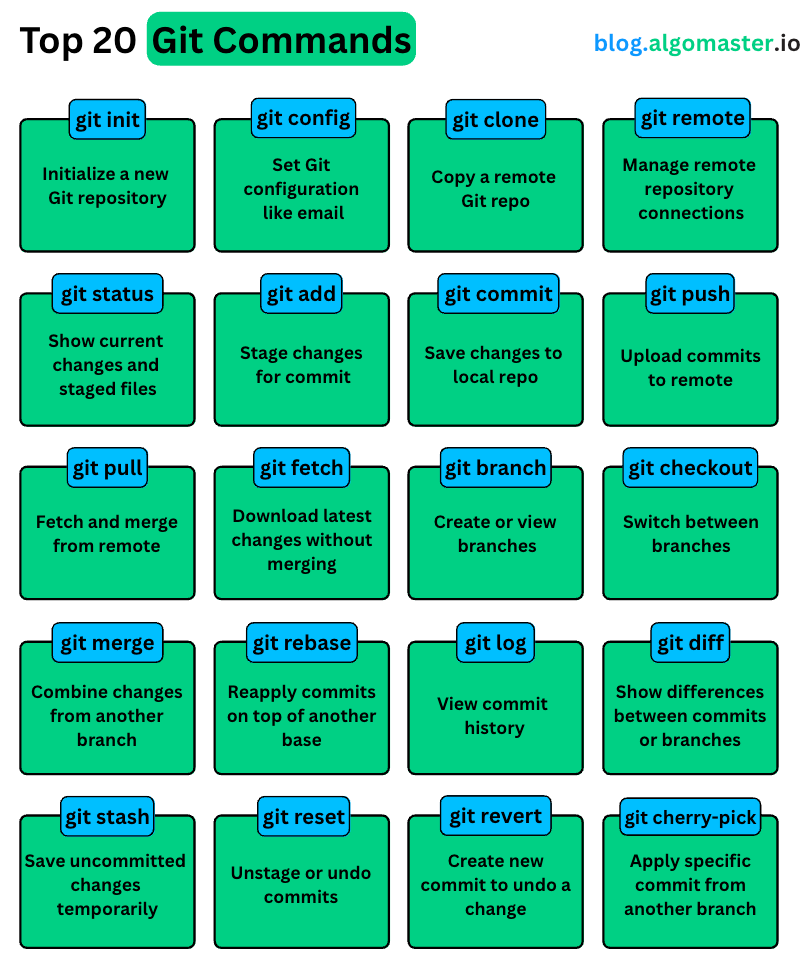
Best Practices & Recommendations of git
When working with git, it is important to follow some best practices and recommendations to ensure a smooth and efficient version control workflow.
Committing Changes
1. Commit frequently: Make smaller, focused commits rather than large, sweeping changes. This makes it easier to track and manage changes over time.
2. Write clear and descriptive commit messages: Provide a meaningful message that explains what changes are being made in the commit.
Branching Strategy
1. Use feature branches: Create separate branches for each new feature or bug fix to isolate changes and facilitate collaboration.
2. Regularly merge and rebase: Keep your feature branches up to date with the main branch by regularly merging or rebasing changes.
Collaboration
1. Pull before pushing: Always pull the latest changes from the remote repository before pushing your own changes to avoid conflicts.
2. Review code changes: Encourage code reviews to catch errors, improve code quality, and share knowledge among team members.

Comparison with Alternatives of git
When considering git as a version control system, it’s essential to compare it with other alternatives in the market.
Key Points of Comparison:
1. Performance: Git is known for its speed and efficiency in managing large codebases and repositories.
2. Branching and Merging: Git’s branching and merging capabilities are robust and user-friendly compared to some other version control systems.
3. Community Support: The git community is vast and active, providing reliable resources and support to users.
List of Some Alternatives:
- Mercurial
- Subversion (SVN)
- Perforce

I just finished reading this guide and wanted to say how useful it is for anyone trying to get a solid understanding of Git — especially beginners or even mid-level developers looking to refresh their fundamentals. You’ve done an excellent job breaking down core concepts like repositories, commits, branching, merging, and pull requests in a clear and practical way, which makes something that often feels overwhelming much more approachable. I also appreciate the sections on installation, real-world use cases, and recommended best practices because they connect the theory to how Git is used every day in real projects — whether it’s for collaborative software development or managing research workflows. The explanations of benefits and limitations were honest and helpful, giving readers a realistic sense of what to expect when they start using Git. Overall, this guide strikes a great balance between depth and readability, and it’s clearly a resource I’ll be returning to and recommending to others as they begin their version control journey.