How to add images to the Flutter project

DevOps

YOUR COSMETIC CARE STARTS HERE

Find the Best Cosmetic Hospitals

Trusted • Curated • Easy

Looking for the right place for a cosmetic procedure? Explore top cosmetic hospitals in one place and choose with confidence.

“Small steps lead to big changes — today is a perfect day to begin.”

Explore Cosmetic Hospitals Compare hospitals, services & options quickly.

✓ Shortlist providers • ✓ Review options • ✓ Take the next step with confidence

Create an image folder inside an assets folder, create assets if not exist.
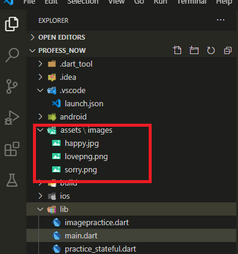
Flutter Image_directory

This should be in your root folder, in that same root directory you will find a pubspec.yaml file ,
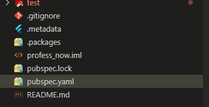
pubspec.yaml

your need to make some changes on this file open it in your vscode editor, and change some lines like shown below.
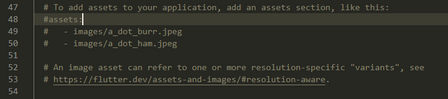
To this
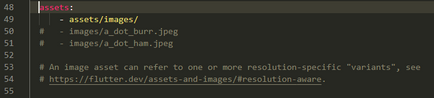
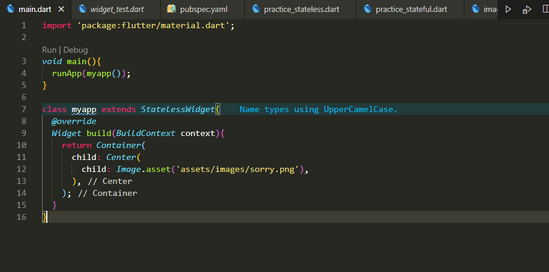
after this just use your images in your code after including child image function.
Subscribe
Notify of
guest

This site uses Akismet to reduce spam. Learn how your comment data is processed.

0 Comments
Oldest
Newest Most Voted
Inline Feedbacks
View all comments
0
Would love your thoughts, please comment.x