
The error message you encountered suggests that there was a problem launching the Pixel XL emulator with API level 30. The emulator failed to establish a connection within the specified time limit of 60 seconds.
To troubleshoot this issue, you can try the following steps:
- Open Android studio and go to AVD manager.
- Click on stop
- Click on wipe data
- Click Cold boot
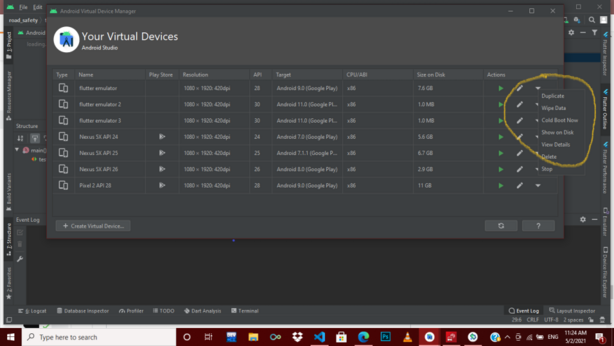
By following these steps, you should be able to troubleshoot and resolve the “Failed to launch Pixel XL API 30: Error: Emulator didn’t connect within 60 seconds” issue.
Hi , I got this error often lately , wiping data helps but only sometimes , any other issues can cause this error? Any fixes