Apache’s Modular Architecture
| core prefork http_core mod_so LoadModule directives | mod_alias mod_mime mod_proxy mod_rewrite mod_status |
| The core executable | others … |
The directory Apache
/usr/lib64/httpd/modulesThe httpd package we installed includes the config file:
/etc/httpd/conf/httpd.confListening on a Port
You can restrict apache to listen on a specific network interface
Listen 22.33.44.55:80
Setting the Document Root
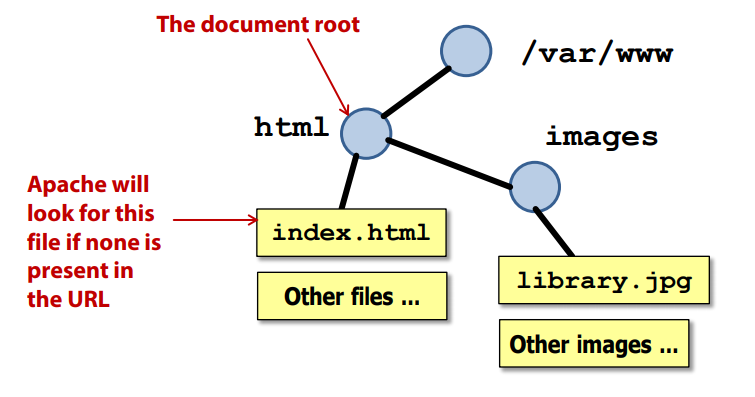
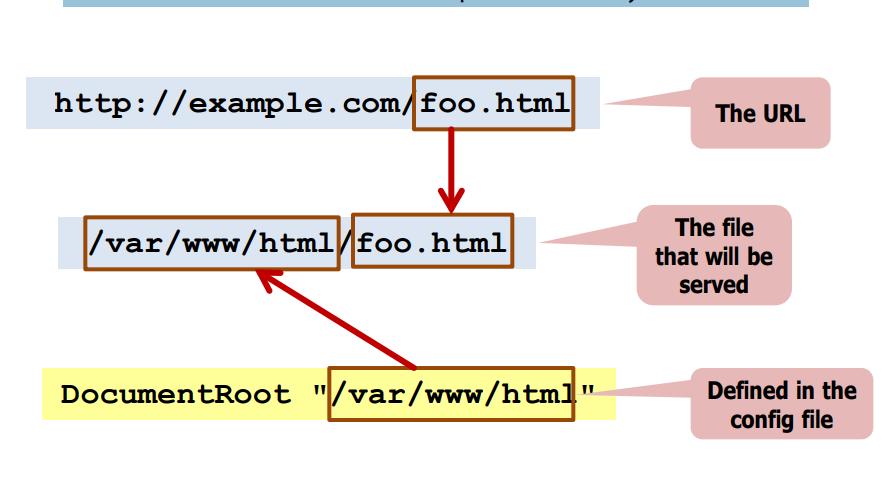
The DocumentRoot defines the top-level directory of the web site
Setting an Identity
Apache needs a user identity to run as Used to perform access control checks to the file system
Defining Multi-Process Settings
To improve response times, apache manages a pool of “spare” server
processes
These numbers control the size of the pool:
| StartServers | 8 |
| MinSpareServers | 5 |
| MaxSpareServers | 20 |
| ServerLimit | 256 |
| MaxClients | 256 |
Containers
Container directives use XML-style opening / closing tags
Restrict the scope of the directives they contain