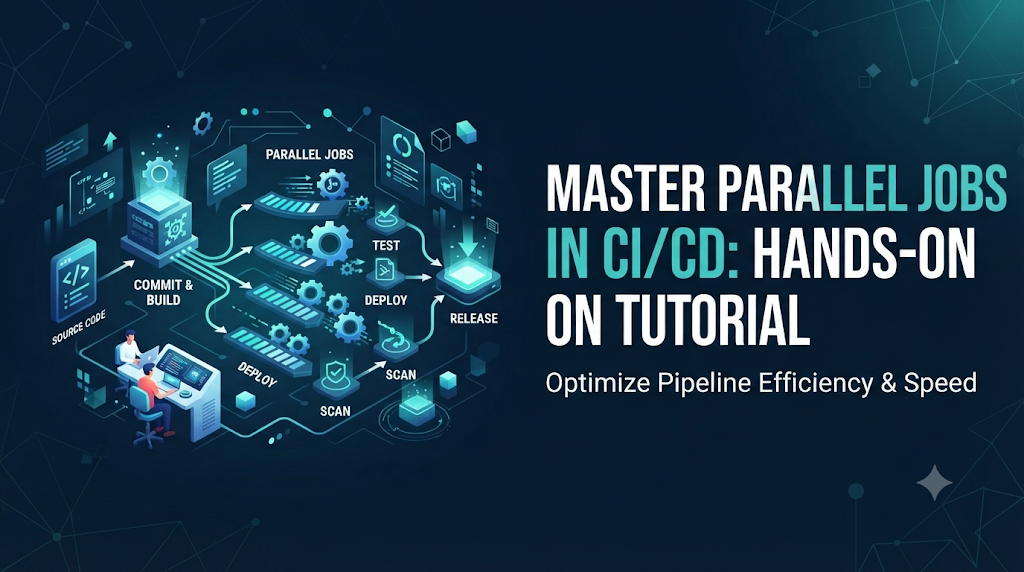
As software projects grow, automated build and test suites expand right along with them. In a standard continuous integration and continuous deployment pipeline, every code commit triggers a sequence of operations—compiling source code, running unit tests, scanning for security vulnerabilities, building container images, and deploying to staging environments. When these operations are executed one after another, the cumulative wait time can stretch from a few minutes to several hours. This delay directly impacts development speed, slows down feedback loops, and keeps engineers waiting for validation. To solve this bottleneck, modern engineering teams rely on parallel jobs in CI/CD. Instead of making every task wait for the previous one to finish, parallel execution allows independent tasks to run simultaneously across different runners or agents. Whether you are learning core automation concepts independently or developing practical skills through structured programs at DevOpsSchool, mastering concurrent execution is essential for building efficient, high-performance deployment pipelines.
This tutorial explores how parallel jobs work, how to identify independent tasks in your workflows, how to configure them using a popular CI/CD platform like GitLab CI, and how to manage resources without sacrificing reliability.
1. Introduction: Why Parallel Jobs Matter in CI/CD
Pipeline execution time is a critical metric for any engineering team. When developers commit code, they rely on automated pipelines for immediate feedback. If a pipeline takes 45 minutes to complete because every test suite and build step runs sequentially, developers context-switch to other tasks, breaking their focus and slowing down the entire delivery cycle.
Sequential vs. Parallel Execution
To understand the difference, consider a basic software delivery workflow consisting of four tasks:
- Linting and Code Style Checks (takes 2 minutes)
- Backend Unit Tests (takes 5 minutes)
- Frontend Component Tests (takes 5 minutes)
- Security Dependency Scan (takes 3 minutes)
- Sequential Execution: Every task waits for the preceding one to complete.$$\text{Total Time} = 2 + 5 + 5 + 3 = 15 \text{ minutes}$$
- Parallel Execution: Tasks that do not depend on each other run at the same time. If linting runs first, and then backend tests, frontend tests, and security scans run simultaneously, the total time drops significantly. The duration is governed by the longest single path.$$\text{Total Time} = 2 + \max(5, 5, 3) = 7 \text{ minutes}$$
By shifting from a linear chain to a concurrent layout, you cut pipeline duration in half without writing a single extra line of test code.
2. Understand the Execution Model
Before writing configuration files, it helps to understand the fundamental architecture of a CI/CD platform. Most modern systems share a common hierarchy:
- Pipeline: The top-level container representing the entire CI/CD workflow triggered by an event like a git push or a merge request.
- Stages: Logical groupings of jobs that run in a defined sequence. For example:
build$\rightarrow$test$\rightarrow$deploy. - Jobs: Independent units of execution within a stage. Jobs in the same stage can run in parallel, while jobs in subsequent stages wait for previous stages to finish.
- Tasks or Steps: The individual shell commands or actions executed sequentially inside a specific job container.
- Runners or Agents: The physical or virtual machines that pick up and execute the jobs defined in your pipeline configuration.
- Dependencies: Explicit rules that dictate whether a job must wait for another specific job to succeed, regardless of stage boundaries.
- Execution Conditions: Rules (such as branch restrictions or manual triggers) that determine if a job should run at all.
Workflow Scheduling Concept
Plaintext
[Pipeline Trigger]
       │
       ▼
┌──────────────┐
│ Build Stage  │ ──► Build Application Artifacts
└──────────────┘
       │
       ▼ (Stage Transition)
┌──────────────┐
│  Test Stage  │ ──┬──► Run Unit Tests (Job A)       [Running Concurrently]
│ (Parallel)   │   ├──► Run Integration Tests (Job B) [Running Concurrently]
└──────────────┘   └──► Run Security Scan (Job C)     [Running Concurrently]
       │
       ▼ (All Test Jobs Must Succeed)
┌──────────────┐
│ Deploy Stage │ ──► Deploy to Staging Environment
└──────────────┘
Code language: CSS (css)
The platform schedules jobs in the same stage concurrently, provided that sufficient runners are available. Jobs with dependencies wait until their parent requirements are fully met.
3. Identify Tasks That Can Run Together
Not all tasks can or should run in parallel. A successful parallelization strategy requires analyzing your build process to find operations that do not share state or depend on each other’s immediate output.
Suitable Tasks for Parallelization
- Unit tests for different application modules: If your backend and frontend are in the same repository, their test suites rarely depend on each other.
- Code quality analysis and dependency scanning: Static code analysis tools can inspect source files simultaneously while unit tests execute.
- Tests across different runtime versions: Validating code against multiple language versions (e.g., Python 3.10, 3.11, 3.12) independently.
- Platform-specific builds: Compiling binaries for Linux, macOS, and Windows at the same time.
Tasks That Must Remain Sequential
- Database migrations followed by integration tests: Tests that write to a database cannot run until the schema migration job has successfully completed.
- Build and Deploy sequences: You cannot deploy an artifact before the build job has packaged and stored it.
- Dependent packaging steps: Packaging a container image requires the compiled application binary from the preceding build job.
4. Prepare a Small CI/CD Practice Project
To make these concepts concrete, let us use a simple practice project: a web application repository containing a backend service, a basic frontend, and a test suite.
Required Setup Elements
- Source Code Repository: Hosted on a platform like GitLab or GitHub.
- CI/CD Platform & Runner: GitLab CI with a standard shared or local Docker runner.
- Application Dependencies: A lightweight package manifest (e.g.,
package.jsonorrequirements.txt). - Test Scripts: Defined execution commands like
npm testorpytest. - Environment Variables: Minimal configuration tokens stored securely in project settings.
5. Create Your First Parallel Workflow
We will use GitLab CI (.gitlab-ci.yml) as our reference platform to demonstrate how independent jobs execute concurrently within a stage.
Sample Configuration File
YAML
stages:
  - build
  - test
  - deploy

build_service:
  stage: build
  script:
    echo "Compiling application source code..."
    mkdir -p dist
    echo "app-binary" > dist/app.bin
  artifacts:
    paths:
      - dist/

unit_tests:
  stage: test
  image: python:3.11-slim
  script:
    - echo "Running backend unit test suite..."
    - python -m unittest discover tests/

lint_code:
  stage: test
  image: node:18-alpine
  script:
    - echo "Running static code style analysis..."
    - echo "No lint errors found."

security_scan:
  stage: test
  image: alpine:latest
  script:
    - echo "Scanning dependencies for vulnerabilities..."
    - echo "No critical vulnerabilities detected."

deploy_staging:
  stage: deploy
  script:
    - echo "Deploying verified build to staging server..."
  dependencies:
    - build_service
Code language: PHP (php)
Line-by-Line Explanation
stages:Defines the global execution order. Stages run sequentially, but jobs within the same stage run in parallel.build_service:Runs in thebuildstage, creating the primary artifact and saving it viaartifacts: paths.unit_tests,lint_code, andsecurity_scan:All share theteststage. Because they belong to the same stage and have no explicit ordering constraints between them, the CI/CD scheduler fires them off at the exact same time using different lightweight container images (python,node, andalpine).deploy_staging:Runs in the final stage, pulling the artifact generated bybuild_service.
When you push this configuration to your repository and trigger the pipeline, the test stage executes all three verification jobs concurrently, reducing overall pipeline duration.
6. Control Job Dependencies and Execution Order
By default, jobs in stage N+1 wait for all jobs in stage N to complete successfully. However, you can control execution flow more precisely using explicit dependencies and keyword rules.
Managing Artifacts and Job Relationships
When a job creates an artifact, downstream jobs can inherit it. If a job only needs to run after specific upstream jobs finish—regardless of stages—you can use dependency declarations.
YAML
stages:
  - build
  - quality
  - package

compile_code:
  stage: build
  script:
    - echo "Building binaries..."

run_unit_tests:
  stage: quality
  script:
    - echo "Running tests..."

run_sec_scan:
  stage: quality
  script:
    - echo "Running security scan..."

package_release:
  stage: package
  script:
    - echo "Packaging final release bundle..."
  needs:
    - compile_code
    - run_unit_tests
    - run_sec_scan
Code language: PHP (php)
In this example, the needs keyword allows package_release to start the moment compile_code, run_unit_tests, and run_sec_scan all finish, bypassing traditional stage boundaries to optimize execution flow even further.
7. Run Tests Across Multiple Environments
One of the most powerful applications of parallel execution is matrix-based testing, where you test code across multiple operating systems, database engines, or language versions simultaneously.
Matrix Execution Example
YAML
stages:
  - test

matrix_tests:
  stage: test
  image: python:${PYTHON_VERSION}-slim
  parallel:
    matrix:
      - PYTHON_VERSION: ["3.9", "3.10", "3.11", "3.12"]
  script:
    - echo "Running test suite against Python version $PYTHON_VERSION"
    - python --version
Code language: PHP (php)
Instead of writing four separate jobs, the parallel: matrix syntax dynamically spawns four concurrent jobs—one for each Python version specified. If one version fails, the pipeline highlights the exact environment where the failure occurred, making debugging fast and targeted.
8. Manage Resources, Runners, and Concurrency
While running jobs in parallel speeds up pipelines, it also places higher demands on your infrastructure. Understanding resource limits prevents common bottlenecks.
Key Resource Considerations
- Runner Availability: If your CI/CD platform only has two active runners, a stage with five parallel jobs will queue three of them, negating the time-saving benefits.
- CPU and Memory Constraints: Running multiple heavy compilation or test jobs on a single runner machine can cause out-of-memory crashes or CPU throttling.
- Concurrency Limits: Configure global and project-level concurrency limits so your CI/CD cluster isn’t overwhelmed by a single large pipeline.
- Cache Usage: Use caching mechanisms for package managers (like npm, pip, or Maven) so parallel jobs don’t repeatedly download the same external dependencies from the internet.
- Artifact Storage: Storing large build artifacts from multiple parallel jobs consumes disk space on your runner storage volumes. Clean up temporary files promptly.
Adding more parallel jobs blindly does not make a pipeline faster if your hardware runners become saturated. Balance concurrency with available compute resources.
9. Improve Speed Without Reducing Reliability
Optimizing a pipeline is about working smarter, not just heavier. Apply these practical techniques to maximize speed while maintaining code quality:
- Split Long-Running Tests: If an integration test suite takes 30 minutes, split the test files into balanced groups and run them across parallel jobs.
- Cache Reusable Dependencies: Cache vendor directories between pipeline runs to speed up the setup phase of parallel jobs.
- Avoid Redundant Setup: Keep job environments lightweight by installing only the packages required for that specific task.
- Skip Unchanged Work: Configure rules to skip backend build jobs if no backend source files were modified in the commit.
- Cancel Outdated Runs: Automatically cancel older pipeline runs when a developer pushes a new commit to the same branch.
- Measure Before and After: Record pipeline execution durations before introducing parallelization so you can quantify the exact performance gain.
10. Troubleshoot Parallel Execution Problems
Parallel execution introduces unique debugging challenges. When multiple jobs run simultaneously, issues related to shared state, timing, and resources can surface.
Common Problems and Solutions
| Problem | Likely Cause | Solution |
| Jobs stuck in queue | Insufficient available runners or concurrency limits reached. | Provision additional runners or scale out worker pools. |
| File conflict errors | Multiple jobs attempting to write to the same shared directory. | Ensure jobs use isolated workspace directories or unique temporary paths. |
| Intermittent test failures | Race conditions or tests sharing database state. | Isolate test databases or mock external services per parallel job. |
| Missing artifact errors | Downstream job starting before upstream job finishes or saves paths. | Verify dependency rules and artifact path declarations. |
When debugging, inspect individual job timestamps, review runner logs separately, and confirm that environment variables are correctly inherited across parallel branches.
11. Security and Reliability Considerations
Speed should never come at the expense of security. As you configure parallel jobs, keep these governance principles in mind:
- Least-Privilege Permissions: Ensure parallel jobs only have access to the credentials and tokens required for their specific task.
- Secure Secrets Handling: Never hardcode secrets in configuration files. Inject them securely via CI/CD environment variable vaults.
- Isolated Runners: Run untrusted test suites or external code contributions in ephemeral, isolated container runners to protect your infrastructure.
- Protected Deployments: Parallel tests and scans must all pass successfully before any deployment job is allowed to execute against production environments.
- Artifact Integrity: Sign or verify build artifacts to ensure they haven’t been altered during concurrent processing steps.
12. Practical Exercise: Optimize an Existing Pipeline
To put these concepts into practice, try the following hands-on exercise:
Exercise Steps
- Start with a Sequential Pipeline: Write or review a simple pipeline configuration where build, linting, unit tests, and security checks run one after another in a single linear chain. Measure its total execution duration.
- Identify Independent Jobs: Inspect the pipeline tasks and separate the tasks that do not depend on each other’s outputs.
- Restructure into Stages and Parallel Jobs: Move independent validation checks into the same stage so they execute concurrently.
- Configure Dependencies: Ensure the final packaging or deployment job uses
needsor stage boundaries to wait for all parallel validation checks to succeed. - Run and Measure: Trigger the updated pipeline, compare the total execution duration against your baseline measurement, and confirm that all quality gates pass successfully.
Expected outcome: A noticeable reduction in total pipeline duration and a clean, easy-to-read pipeline graph in your CI/CD dashboard.
13. Measure the Results
To prove the value of your pipeline optimization, track key performance indicators over time.
Metrics to Track
- Total Pipeline Duration: The elapsed time from trigger to successful deployment.
- Queue Waiting Time: The duration jobs spend waiting for an available runner.
- Individual Job Duration: The runtime of specific test or build steps.
- Success and Failure Rates: Ensuring parallelization hasn’t introduced flaky or inconsistent test behavior.
Illustrative Before-and-After Comparison
| Metric | Sequential Pipeline (Before) | Parallel Pipeline (After) |
| Build Job | 3 mins | 3 mins |
| Unit Tests | 8 mins | 8 mins (runs concurrently with lint) |
| Linting & Static Analysis | 4 mins | 4 mins (runs concurrently with tests) |
| Security Scan | 5 mins | 5 mins (runs concurrently with tests) |
| Packaging & Deploy | 3 mins | 3 mins |
| Total Duration | 23 minutes | 14 minutes |
(Note: Figures are illustrative examples to demonstrate potential time savings based on concurrent execution paths.)
14. Where to Go Next
Once you are comfortable running basic parallel jobs, you can apply these principles to more advanced DevOps workflows:
- Microservices Orchestration: Running parallel build and test pipelines across dozens of independent microservices repositories.
- Container Image Builds: Leveraging multi-stage builds and parallel registry pushes for different service architectures.
- Infrastructure Validation: Running parallel Terraform plan checks across multiple cloud environments or staging regions.
- Distributed Testing: Scaling test automation frameworks across distributed selenium grids or cloud-native testing agents.
Teams managing complex enterprise architectures often explore reusable workflows, dynamic pipeline generation, and specialized runner autoscaling to maintain high velocity as their systems scale.
15. Final Thoughts
Building parallel jobs in CI/CD is one of the most effective ways to accelerate software delivery and keep developer feedback loops tight. By breaking monolithic scripts into independent tasks, defining clear execution boundaries, managing runner resources wisely, and maintaining strict security controls, you can dramatically reduce pipeline execution times. Begin with a small, simple pipeline, measure your execution times, and refine your configuration through repeated practice. With careful planning and consistent execution, your CI/CD workflows will become faster, more reliable, and ready to support growing software projects.