Introduction
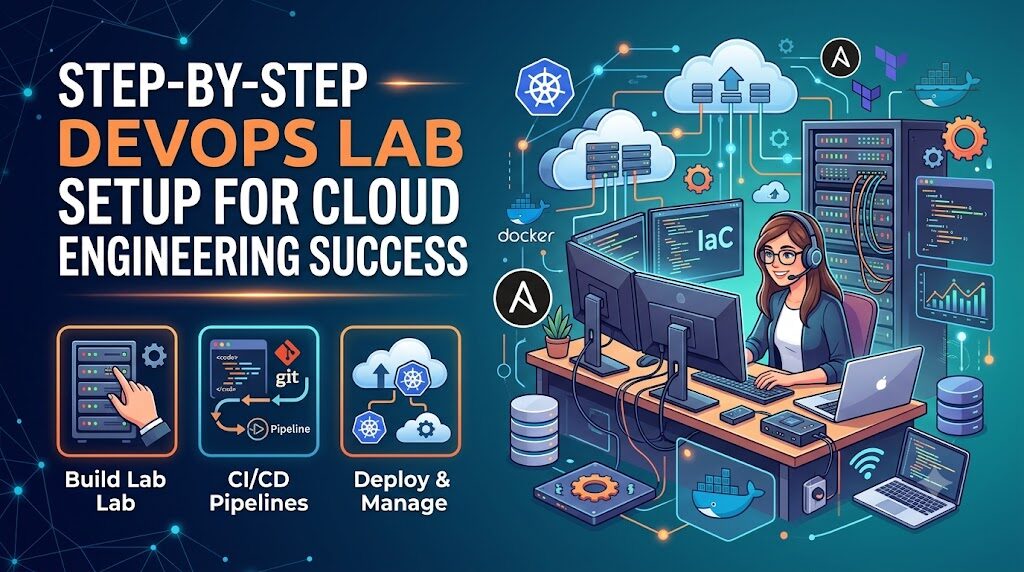
If you find yourself stuck in a cycle of endless tutorials without feeling confident enough to handle real-world infrastructure, you are likely missing the most critical component of DevOps mastery: hands-on experience. Theory alone can only take you so far; the true transition from a learner to an engineer happens when you stop watching and start building in a safe environment. A DevOps home lab
serves as your personal proving ground, allowing you to bridge the gap between “knowing” and “doing” by simulating real production systems where you can experiment, break, and fix configurations without consequence. By creating this space, you transform abstract concepts into tangible skills, building the professional confidence that textbooks simply cannot provide. Whether you are navigating your first Linux server or orchestrating a complex containerized pipeline, DevOpsSchool emphasizes that learning by doing is the only path to career readiness, and establishing your own lab is the first, most decisive step you can take toward becoming a proficient DevOps professional.
What Is a DevOps Home Lab?
A DevOps home lab is a dedicated computing environment—virtual or physical—where you simulate real-world production scenarios to practice development and operations workflows. It is your personal sandbox.
Unlike a standard desktop setup, a home lab is intentionally configured to host multiple services, including version control systems, container runtimes, orchestration engines, and automation servers. Its primary purpose is to mirror the complexity of a real enterprise environment, albeit on a smaller, localized scale. By having this space, you can test configurations, try out new tools, and automate tasks without worrying about breaking a production server.
Why You Need a DevOps Home Lab
Theory is a map, but a home lab is the territory. Here is why you cannot afford to skip this step in your learning journey:
- Practical Learning Advantage: You learn by solving real errors, not by following scripted demos that always work perfectly.
- Interview Preparation: When an interviewer asks how you handled a specific infrastructure failure, you need a story. Building your own lab gives you that story.
- Real-World Simulation: You get to touch every layer of the stack—from the OS kernel to the application deployment.
- Safe Experimentation: If you delete a database or misconfigure a Kubernetes cluster, you lose nothing but a few hours of time. In production, that would be a career-ending event.
Basic Requirements for DevOps Home Lab Setup
You do not need a supercomputer. A modern laptop or desktop is sufficient to get started.
| Component | Requirement | Recommendation |
| Processor | Multi-core CPU | Intel Core i5 or AMD Ryzen 5 (or better) |
| RAM | 16 GB minimum | 32 GB is preferred if running Kubernetes clusters |
| Storage | SSD | 256 GB+ (SSD is crucial for VM performance) |
| Operating System | Host OS | Windows 10/11, macOS, or Linux |
| Internet | Stable connection | High-speed for downloading images and packages |
| Virtualization | Hypervisor | VirtualBox, VMware Workstation, or KVM |
Step-by-Step DevOps Home Lab Setup
Let us build your environment from the ground up.
Step 1: Install Virtualization Tool
Download and install Oracle VirtualBox or VMware Workstation Player. These are industry standards for creating virtual machines (VMs) on a single physical host. Once installed, ensure virtualization is enabled in your computer’s BIOS/UEFI settings.
Step 2: Install Linux VM (Ubuntu)
Download the Ubuntu Server LTS (Long Term Support) ISO. Create a new VM in your hypervisor. Allocate at least 2 vCPUs and 4GB of RAM. Follow the installation prompts, ensuring you select “OpenSSH Server” during setup so you can manage the VM remotely from your main OS terminal.
Step 3: Configure Network Settings
Set your network adapter to “Bridged Mode.” This assigns your VM an IP address on your local home network, making it accessible from your host machine. Use the ip a command to find your IP, then test the connection by SSHing into it: ssh username@your-vm-ip.
Step 4: Install Git & Basic Tools
Update your package manager: sudo apt update && sudo apt upgrade. Install essential utilities: sudo apt install git curl wget vim htop. Configure Git with your identity: git config --global user.name "Your Name" and git config --global user.email "you@example.com".
Step 5: Install Docker
Docker is the heart of modern DevOps. Install it using the official script or package manager. Run sudo apt install docker.io, start the service with sudo systemctl start docker, and enable it to run on boot with sudo systemctl enable docker. Add your user to the docker group so you don’t need sudo for every command: sudo usermod -aG docker $USER.
Step 6: Install Jenkins (CI/CD Setup)
Jenkins remains a foundational tool. Install Java first, then add the Jenkins repository. Use sudo apt install jenkins. Start the service and access the web interface via http://your-vm-ip:8080. Complete the initial setup wizard to create your admin account.
Setting Up a CI/CD Pipeline in Your Home Lab
Once you have your VM and Jenkins running, create your first pipeline.
- Create a Repo: Create a simple HTML file in a GitHub repository.
- Jenkins Job: In Jenkins, create a “Freestyle Project” or “Pipeline.”
- Source Code: Point Jenkins to your GitHub repo.
- Build Step: Create a script that copies the HTML file to a directory served by a simple Nginx container.
- Trigger: Configure a webhook so that every time you push code, Jenkins automatically builds and deploys your site.
Docker Setup in DevOps Home Lab
Move beyond installing Docker. Start managing containers:
- Container Lifecycle: Practice pulling images (
docker pull), running containers (docker run), stopping them (docker stop), and removing them (docker rm). - Networking: Create a user-defined bridge network so two containers can communicate with each other.
- Volumes: Learn to persist data by mounting a directory from your host machine into the container. This ensures your data survives even if the container is destroyed.
Kubernetes Setup for Beginners
Kubernetes is complex, so start simple. Use Minikube or Kind (Kubernetes in Docker).
- Install Minikube: Follow the documentation to install the binary.
- Cluster Start: Run
minikube start. - Deployments: Create a
deployment.yamlfile that specifies a container image. - Testing: Apply the file using
kubectl apply -f deployment.yaml. - Scaling: Use
kubectl scaleto increase the number of replicas and watch how Kubernetes handles the load.
Real DevOps Projects You Can Practice in Home Lab
To truly learn, you need a project with a start and an end:
- CI/CD Pipeline Project: Automate the build, test, and deployment of a Python “Hello World” application.
- Dockerized Application Deployment: Build a multi-tier app (e.g., a web frontend and a database backend) and run them together using Docker Compose.
- Kubernetes Deployment Project: Migrate your Docker Compose project into a Kubernetes manifest and deploy it to your local cluster.
- Git-based Automation Workflow: Use Git hooks to trigger linting and unit tests before code is even pushed to your repository.
Common Mistakes in Home Lab Setup
- Overcomplicating Setup: Trying to build a 10-node cluster on day one. Start with one VM, master it, then expand.
- Skipping Linux Basics: Many beginners try to skip learning the terminal. You cannot be a DevOps engineer if you are afraid of the command line.
- No Documentation: If you cannot replicate your setup from scratch, you haven’t learned it. Document every command you run.
- Not Practicing Regularly: DevOps is a muscle. If you don’t use it, it atrophies. Spend at least 30 minutes a day in your lab.
- Ignoring Troubleshooting: When an installation fails, don’t just search for the answer. Read the logs first. The logs are your best teacher.
Best Practices for Maintaining DevOps Home Lab
- Keep It Clean: Use scripts to automate the setup of your environment. If you break it, wipe it and run your setup script again.
- Document Everything: Create a
README.mdfile in your main lab directory detailing how everything is installed and configured. - Break and Rebuild: Once you get something working, delete it and build it again. You will learn more from the second attempt than the first.
- Version Control: Store your configuration files, scripts, and YAML files in a private Git repository. Treat your lab configuration as code.
Real-World Example: Learner Without Home Lab
Meet “Student A.” They watch tutorials on CI/CD pipelines daily. They understand the concepts of Jenkins and Docker perfectly. In an interview, when asked how they would handle a build failure, they provide a textbook answer. They falter when asked about specific CLI flags, error log locations, or how to troubleshoot a locked container process. They lack the “finger memory” and the scar tissue of having fixed real problems.
Real-World Example: Learner With Home Lab Experience
Meet “Student B.” They built a Jenkins server in a VM at home. When the Jenkins service wouldn’t start because of a Java version mismatch, they had to dig through /var/log/jenkins/jenkins.log. They had to learn how to change permissions on the /var/lib/jenkins directory. In the interview, they don’t just explain the concept; they explain the specific troubleshooting steps they took to solve an issue. That level of detail is what gets them hired.
Role of DevOpsSchool in Learning Awareness
As you progress through your home lab journey, you will reach a point where self-learning hits a ceiling. You may have the environment set up, but you lack the architectural perspective of a senior engineer. This is where DevOpsSchool becomes valuable. It provides a structured roadmap that ensures your hands-on practice is aligned with industry-standard workflows. Rather than wandering through disjointed tutorials, mentorship and structured training provide the “why” behind the “how,” helping you connect your lab experiments to enterprise-grade DevOps practices.
Career Benefits of Building a DevOps Home Lab
- DevOps Engineer: You will demonstrate an ability to manage pipelines and automation tools.
- Cloud Engineer: You will understand how virtual machines and networks function, which is the basis of all cloud providers.
- SRE (Site Reliability Engineer): You will develop the debugging mindset required to ensure system uptime.
- Platform Engineer: You will build the foundation for creating internal developer platforms for others to use.
Future of DevOps Learning Through Labs
The future of labs is becoming increasingly integrated. We are moving toward:
- Cloud-based Labs: Using Terraform to spin up temporary test environments in AWS or Azure.
- AI-Assisted Environments: Using AI to help diagnose configuration errors in real-time.
- Automated Practice Systems: Platforms that automatically provision a broken environment for you to fix as an exercise.
FAQs
- What is a DevOps home lab? It is a localized setup of servers and containers used to practice DevOps tools and workflows.
- How do I start a DevOps lab at home? Start by installing a virtualization hypervisor, then create a Linux VM to host your tools.
- Is a home lab necessary for DevOps? It is not mandatory, but it is the fastest way to gain the experience required for a job.
- What tools are needed for DevOps practice? Focus on Linux, Git, Docker, Jenkins, Kubernetes, and Terraform.
- Can I build a lab on a low-end laptop? Yes, use lightweight Linux distributions and limit the number of active VMs.
- How do I learn Docker in a lab? Build, run, stop, and remove containers daily until the commands are second nature.
- How do I practice Kubernetes at home? Use Minikube or Kind to run a cluster on your local machine.
- What projects should I build in a lab? Start with a simple CI/CD pipeline that deploys a basic website.
- Do I need a server? No, your main laptop is perfectly adequate for a beginner lab.
- How often should I practice? Consistency is better than intensity. 30 minutes a day is more effective than 5 hours once a week.
- What if I break my setup? That is the goal. Use it as an opportunity to learn how to restore your system.
- Should I use Windows or Linux? Use Linux for your lab environment, as it is the standard for server infrastructure.
- How do I document my work? Create a Git repository and commit your scripts, configs, and notes there.
- Is a home lab expensive? No, almost all the tools required are open-source and free.
- Does a home lab help with certifications? Yes, hands-on practice makes passing exams like CKAD or AWS Solutions Architect significantly easier.
Final Thoughts
The distance between an aspiring DevOps engineer and a professional is often measured by the time spent in the terminal. You cannot read your way into this career. You must build, break, fix, and repeat. A DevOps home lab is not just a collection of software; it is your personal proving ground. Use it to foster curiosity and build the muscle memory that will sustain your career for years to come.