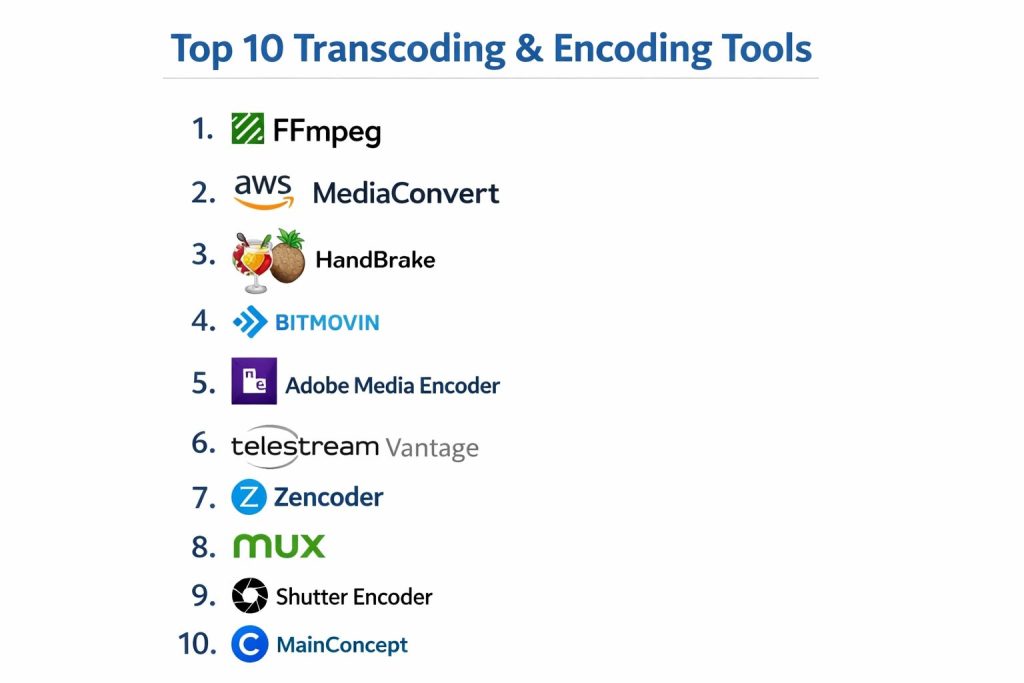
Introduction
Transcoding and encoding represent the foundational mechanics of modern digital media distribution, transforming raw video data into accessible, compressed formats compatible with diverse playback environments. Encoding is the initial process of converting uncompressed video into a specific digital format using mathematical algorithms known as codecs. Transcoding takes this further, converting an already encoded file from one format or bitrate to another to ensure it meets the technical requirements of various devices, from high-definition televisions to mobile smartphones. As an expert in media infrastructure, I view these tools not merely as converters, but as essential optimizers that balance visual fidelity against bandwidth constraints and storage costs.
The strategic importance of these technologies has intensified with the global shift toward streaming-first content delivery. Organizations now require highly scalable solutions that can handle massive volumes of data while maintaining low latency and high quality. Whether you are managing a video-on-demand library or broadcasting live global events, the choice of a transcoding engine dictates your operational efficiency and end-user experience. Modern tools leverage hardware acceleration, artificial intelligence for scene-dependent optimization, and cloud-native parallel processing to deliver results at speeds previously thought impossible. Selecting the right platform involves assessing your specific needs for codec support, API extensibility, and the total cost of ownership across your media pipeline.
Best for: Media engineers, streaming platform developers, broadcast organizations, and content creators who need to deliver high-quality video across a fragmented ecosystem of devices and network conditions.
Not ideal for: Basic video playback without the need for conversion, or simple file renaming tasks. If your workflow does not involve changing file containers, codecs, or resolutions for distribution, a dedicated transcoder may introduce unnecessary complexity.
Key Trends in Transcoding & Encoding
The industry is rapidly moving toward the adoption of next-generation codecs that offer significantly better compression ratios, enabling 4K and 8K streaming without a corresponding increase in bandwidth. Artificial intelligence is playing a pivotal role through content-aware encoding, where the software analyzes every frame to determine the most efficient way to allocate data, ensuring high detail in complex scenes while saving bits in static ones. There is also a significant shift toward “per-title” and “per-shot” encoding strategies, which customize the encoding profile for every individual piece of content rather than using a one-size-fits-all approach.
Cloud-native serverless transcoding has become a dominant trend, allowing companies to scale their processing power up or down instantly without maintaining physical server farms. This is often paired with massive parallelization, where a single long video is split into hundreds of small chunks and encoded simultaneously across different cloud nodes to reduce “turnaround time” from hours to minutes. Additionally, there is an increasing focus on green encoding initiatives, where developers optimize algorithms to reduce the electrical power consumed by data centers during the computationally intensive encoding process.
How We Selected These Tools
The selection of these top ten tools was based on a rigorous evaluation of technical reliability, codec versatility, and industry adoption. I prioritized engines that have become the standard for professional media pipelines, ensuring that each tool can handle high-bitrate masters and produce broadcast-grade outputs. We analyzed the robustness of their command-line interfaces and APIs, as modern media workflows are increasingly automated and require deep integration with other systems like Digital Asset Management or Content Delivery Networks.
Performance under extreme scale was a major consideration, particularly for cloud-based services that must handle thousands of concurrent jobs. We also examined the quality of the documentation and the depth of community or enterprise support, as technical hurdles in encoding can often stall entire production cycles. Finally, the balance between specialized hardware support (such as NVIDIA NVENC or Intel Quick Sync) and software-based flexibility was assessed to provide a diverse list that serves everyone from independent developers to global broadcasting conglomerates.
1. FFmpeg
FFmpeg is the definitive open-source framework for handling multimedia data, serving as the engine behind many other commercial transcoding products. It is a command-line powerhouse that supports almost every known codec and container format in existence. Its modular architecture allows developers to build complex filtering chains, making it the “Swiss Army Knife” for media engineers who need total control over their data.
Key Features
The tool features a vast library of codecs and supports hardware acceleration across all major GPU architectures. It allows for complex stream mapping, enabling the extraction or insertion of specific audio and subtitle tracks. Its filtering system can perform everything from simple resizing to advanced color space conversions and deinterlacing. It also supports real-time streaming protocols, making it suitable for live broadcast ingest. Furthermore, it is highly scriptable, allowing for the complete automation of massive media libraries through custom code.
Pros
It is entirely free and open-source with unmatched flexibility and format support. The community is the largest in the world, ensuring that any technical problem has a documented solution.
Cons
The command-line interface presents a steep learning curve for non-technical users. There is no official graphical user interface, which can make manual one-off tasks feel cumbersome.
Platforms and Deployment
Windows, macOS, and Linux. It is typically deployed as a binary in local environments or within containers in the cloud.
Security and Compliance
As an open-source tool, security depends on the implementation and version management of the user. It is widely audited by the global security community.
Integrations and Ecosystem
It is the core component for countless web services, video editors, and media players. It integrates perfectly into any CI/CD pipeline or automated workflow.
Support and Community
There is extensive documentation and a massive global community of developers providing support through forums and mailing lists.
2. AWS Elemental MediaConvert
AWS Elemental MediaConvert is a file-based video transcoding service that provides broadcast-grade features in a scalable cloud environment. It is designed to handle the heavy lifting of creating video-on-demand content for multi-screen delivery without the need for managing physical infrastructure.
Key Features
The service offers high-quality video processing with support for advanced features like HDR10, Dolby Vision, and 4K resolution. It provides automated resource scaling, meaning it can handle thousands of files simultaneously. It includes built-in protection mechanisms like DRM integration and watermarking. The platform also features a graphical workflow designer that simplifies the creation of complex transcoding jobs. Additionally, it offers pre-configured templates for common delivery formats like HLS and DASH.
Pros
It integrates seamlessly with the broader AWS ecosystem, including storage and delivery services. The “pay-as-you-go” model is ideal for companies with fluctuating transcoding needs.
Cons
The pricing can become complex and expensive for very high volumes of content. It requires an active AWS account and some knowledge of cloud architecture.
Platforms and Deployment
Cloud-based service (AWS).
Security and Compliance
It adheres to top-tier enterprise security standards, including SOC, HIPAA, and FedRAMP compliance, with robust IAM role management.
Integrations and Ecosystem
Deeply integrated with Amazon S3 for storage and CloudFront for delivery, as well as various monitoring and alerting tools within AWS.
Support and Community
Backed by professional AWS support plans and a large ecosystem of certified cloud architects.
3. HandBrake
HandBrake is a popular, open-source video transcoder that brings professional-grade conversion tools to a user-friendly graphical interface. While it uses FFmpeg under the hood, it is specifically designed to make common transcoding tasks accessible to individual users and small teams.
Key Features
It includes a wide variety of built-in device presets that take the guesswork out of choosing bitrates and resolutions. The software supports batch encoding, allowing users to queue multiple files for processing. It features advanced controls for video filters like cropping, de-scaling, and sharpening. Users can manage subtitles and chapter markers with ease. It also leverages hardware encoders like Intel Quick Sync and NVIDIA NVENC to speed up the conversion process significantly.
Pros
It is completely free to use and offers a very intuitive interface for complex tasks. It is highly reliable for converting legacy media into modern web-friendly formats.
Cons
It is strictly a file-based transcoder and does not support live streaming ingest. Its feature set is more limited than the raw FFmpeg command line for extremely specialized tasks.
Platforms and Deployment
Windows, macOS, and Linux. It is a local desktop application.
Security and Compliance
Security is managed at the local OS level. It is a trusted open-source tool with a long history of safe use.
Integrations and Ecosystem
While it doesn’t have a formal API like cloud tools, it can be integrated into simple workflows through its own command-line version.
Support and Community
Supported by a very active user community and clear, beginner-friendly documentation.
4. Bitmovin Encoding
Bitmovin is a high-performance, API-first encoding service built for the modern streaming era. It is famous for its “Per-Title Encoding” technology, which optimizes the quality of every video while drastically reducing data usage and delivery costs.
Key Features
The platform utilizes massive parallel processing to split long videos into segments, encoding them simultaneously for lightning-fast speeds. It supports all major modern codecs including AV1 and HEVC. The “Per-Title” feature automatically calculates the best bitrate ladder for each specific video. It provides comprehensive SDKs for developers to build encoding directly into their applications. It also features a “Three-Pass” encoding mode for the highest possible visual quality at the lowest bitrates.
Pros
It offers some of the fastest encoding times in the industry due to its unique cloud architecture. The quality-to-bitrate ratio is world-class, leading to significant savings on CDN costs.
Cons
The high level of sophistication comes with a premium price tag. It is best suited for developers rather than non-technical users.
Platforms and Deployment
Multi-cloud service (AWS, Google Cloud, Azure).
Security and Compliance
Includes enterprise-grade security with support for all major DRM systems and detailed access logging.
Integrations and Ecosystem
Excellent integration with modern video players and analytics platforms. Its API-first design makes it a favorite for SaaS developers.
Support and Community
Offers dedicated technical account managers and professional engineering support for enterprise clients.
5. Adobe Media Encoder
Adobe Media Encoder is the dedicated processing engine for the Creative Cloud suite, providing seamless output for editors using Premiere Pro and After Effects. It is designed to handle high-fidelity creative assets and convert them into broadcast or web-ready formats.
Key Features
The software features deep integration with Adobe’s creative tools, allowing for “background rendering” while the artist continues to work. it includes a vast library of presets for social media, television, and cinema. The “Watch Folders” feature allows for automated transcoding by simply dropping files into a specific directory. It supports a wide range of professional camera formats and raw data. It also includes tools for time-tuner processing to automatically adjust the duration of a clip.
Pros
The workflow integration for existing Adobe users is unmatched. It provides a very high level of color accuracy and supports professional metadata standards.
Cons
It is only available as part of a Creative Cloud subscription. It can be more resource-intensive on local hardware compared to lightweight command-line tools.
Platforms and Deployment
Windows and macOS. Local installation.
Security and Compliance
Managed through Adobe’s enterprise account system, offering standard corporate security and license management.
Integrations and Ecosystem
Perfectly integrated with the entire Adobe ecosystem and supports various third-party plugins for specialized codecs.
Support and Community
Extensive support through Adobe’s official channels and a massive community of creative professionals.
6. Telestream Vantage
Telestream Vantage is an enterprise-grade media processing platform designed for high-volume broadcast and cable environments. It is more than a transcoder; it is a workflow orchestration tool that automates complex media tasks across large-scale infrastructures.
Key Features
The platform offers a visual “Workflow Designer” that allows teams to build complex paths for media to follow, including quality control and automated metadata insertion. It supports high-end broadcast formats like XDCAM and ProRes with extreme precision. It features “Lightspeed” hardware acceleration for ultra-fast processing on dedicated servers. The system can be deployed in a hybrid environment, balancing tasks between on-premise hardware and the cloud. It also includes sophisticated tools for automated closed captioning and audio loudness correction.
Pros
It is the most powerful tool for large-scale broadcast automation. Its ability to handle complex logic within a media pipeline is superior to basic transcoders.
Cons
The cost is very high, making it inaccessible for small businesses. The system requires specialized training to manage effectively.
Platforms and Deployment
Windows Server-based. Can be deployed on-premise, in the cloud, or as a hybrid solution.
Security and Compliance
Designed for high-security broadcast environments with detailed audit trails and role-based permissions.
Integrations and Ecosystem
Integrates with nearly all professional broadcast hardware and enterprise-level Digital Asset Management systems.
Support and Community
Professional 24/7 enterprise support with dedicated field engineers for large-scale deployments.
7. Zencoder
Zencoder, owned by Brightcove, is a cloud-based transcoding service known for its simplicity and extremely fast API performance. It is a developer-centric tool that focuses on providing a reliable, scalable engine for converting massive amounts of video data.
Key Features
The service provides a simple, well-documented REST API that allows developers to integrate transcoding into their apps in minutes. It supports a massive range of input and output formats, including legacy and modern codecs. The platform handles all the scaling automatically, so users never have to worry about server capacity. It features “Instant Playback,” allowing viewers to start watching a video while the transcoding process is still finishing. It also provides detailed error reporting to help developers troubleshoot file issues quickly.
Pros
The API is widely considered one of the easiest to use in the industry. It offers a very high success rate even with corrupted or non-standard input files.
Cons
It lacks the deep visual workflow tools found in some other enterprise cloud platforms. Pricing can scale quickly with high-resolution content.
Platforms and Deployment
Cloud-based service.
Security and Compliance
Includes secure file handling with support for encrypted buckets and private networking options.
Integrations and Ecosystem
Excellent integration with various cloud storage providers and a favorite for developers building custom CMS platforms.
Support and Community
Reliable technical support from the Brightcove team and a solid reputation among the developer community.
8. Mux Video
Mux Video is a modern video infrastructure platform that treats video like a simple API. It handles the entire lifecycle of a video—from upload and transcoding to delivery and analytics—with a focus on ease of use for product teams.
Key Features
The “Just Works” philosophy means developers only need to upload a file, and Mux handles all the complex transcoding and adaptive bitrate ladder creation automatically. It features built-in analytics that provide real-time data on playback quality. The platform uses a global CDN for low-latency delivery. It also includes a “low-latency live” feature for interactive streaming. Its API is designed for modern web and mobile developers, featuring clear documentation and easy-to-use SDKs.
Pros
It drastically reduces the time to market for video-centric applications. The integrated analytics help teams identify and fix playback issues before users complain.
Cons
Users have less control over specific encoding parameters compared to tools like FFmpeg. The all-in-one pricing model may be more expensive for those who only need raw transcoding.
Platforms and Deployment
Cloud-based service.
Security and Compliance
Provides modern security features like signed URLs and integrated DRM to protect premium content.
Integrations and Ecosystem
Designed for the modern SaaS stack, with easy integrations for various frontend frameworks and backend languages.
Support and Community
Responsive developer support and a growing community of video-first startups.
9. Shutter Encoder
Shutter Encoder is a free, professional-grade video converter built by editors for editors. It acts as a bridge between the raw power of FFmpeg and a practical, visual workflow that addresses the specific needs of post-production professionals.
Key Features
The software includes specialized functions for “rewrapping” video without re-encoding, which preserves quality and saves time. It offers advanced color management tools, including the ability to apply LUTs during the conversion process. Users can burn in timecodes or watermarks directly onto the video. It features a robust batch processing queue with detailed status monitoring. It also includes unique tools for web-ready encoding and image sequence conversion for 3D animators.
Pros
It provides professional features usually found in expensive software for free. The interface is designed around the actual daily needs of video editors and colorists.
Cons
While more intuitive than a command line, the interface can still feel a bit technical for casual users. It relies on local hardware, so it is not suitable for massive cloud-scale tasks.
Platforms and Deployment
Windows, macOS, and Linux. Local installation.
Security and Compliance
Managed locally by the user. It is a clean, respected open-source project.
Integrations and Ecosystem
It functions as a standalone utility that fits perfectly into any creative professional’s toolkit alongside their NLE.
Support and Community
Supported by a dedicated developer and a passionate community of video professionals who provide frequent updates.
10. MainConcept
MainConcept is a world-leading provider of video codecs and SDKs, used by major software developers to power their own internal transcoding engines. It is the choice for organizations that require the absolute highest level of codec compliance and visual quality.
Key Features
The software is available as a comprehensive SDK for deep integration into proprietary applications. It offers world-class implementation of codecs like HEVC, AVC, and even specialized broadcast formats like Sony XDCAM. The “TotalCode” studio provides a standalone interface for professional-grade transcoding. It features optimized performance for both CPU and GPU architectures. It also includes specialized tools for OTT delivery and broadcast compliance checking.
Pros
The codec quality is often superior to open-source alternatives in specific professional niches. It provides the highest level of technical compliance with international broadcast standards.
Cons
The pricing and licensing models are aimed at enterprise and software developers. It is not designed for casual or low-volume users.
Platforms and Deployment
Windows, Linux, and macOS. Available as SDKs or local applications.
Security and Compliance
Adheres to the strictest professional and broadcast security standards.
Integrations and Ecosystem
Found at the heart of many high-end video editors and broadcast servers; it is the “engine under the hood” for much of the industry.
Support and Community
Provides high-level engineering support and detailed technical documentation for professional developers.
Comparison Table
| Tool Name | Best For | Platform(s) Supported | Deployment | Standout Feature | Public Rating |
| 1. FFmpeg | Technical Automation | Win, Mac, Linux | Local/Cloud | Swiss Army Knife CLI | 4.9/5 |
| 2. AWS MediaConvert | Cloud Workflows | Cloud (AWS) | SaaS | AWS Ecosystem Link | 4.7/5 |
| 3. HandBrake | Individual Users | Win, Mac, Linux | Local | Device-Target Presets | 4.8/5 |
| 4. Bitmovin | OTT Platforms | Multi-cloud | SaaS | Per-Title Optimization | 4.6/5 |
| 5. Adobe Media Encoder | Creative Pros | Win, Mac | Local | Adobe App Integration | 4.5/5 |
| 6. Telestream Vantage | Broadcast Enterprise | Windows Server | Hybrid | Workflow Orchestration | 4.7/5 |
| 7. Zencoder | SaaS Developers | Cloud | SaaS | Developer-First API | 4.4/5 |
| 8. Mux Video | Rapid Product Dev | Cloud | SaaS | Integrated Analytics | 4.5/5 |
| 9. Shutter Encoder | Post-Production | Win, Mac, Linux | Local | Editor-Focused UI | 4.6/5 |
| 10. MainConcept | Codec Compliance | Win, Mac, Linux | SDK/Local | Pro Codec Quality | 4.3/5 |
Evaluation & Scoring of Transcoding & Encoding Tools
The scoring below is a comparative model intended to help shortlisting. Each criterion is scored from 1–10, then a weighted total from 0–10 is calculated using the weights listed. These are analyst estimates based on typical fit and common workflow requirements, not public ratings.
Weights:
- Core features – 25%
- Ease of use – 15%
- Integrations & ecosystem – 15%
- Security & compliance – 10%
- Performance & reliability – 10%
- Support & community – 10%
- Price / value – 15%
| Tool Name | Core (25%) | Ease (15%) | Integrations (15%) | Security (10%) | Performance (10%) | Support (10%) | Value (15%) | Weighted Total |
| 1. FFmpeg | 10 | 2 | 10 | 7 | 10 | 9 | 10 | 8.35 |
| 2. AWS MediaConvert | 9 | 7 | 10 | 10 | 9 | 9 | 7 | 8.65 |
| 3. HandBrake | 8 | 9 | 5 | 7 | 8 | 8 | 10 | 7.85 |
| 4. Bitmovin | 10 | 6 | 9 | 9 | 10 | 9 | 6 | 8.55 |
| 5. Adobe Media Encoder | 8 | 9 | 10 | 8 | 7 | 9 | 7 | 8.15 |
| 6. Telestream Vantage | 10 | 5 | 9 | 10 | 9 | 10 | 5 | 8.20 |
| 7. Zencoder | 8 | 8 | 9 | 8 | 9 | 8 | 7 | 8.15 |
| 8. Mux Video | 8 | 10 | 9 | 8 | 8 | 8 | 7 | 8.25 |
| 9. Shutter Encoder | 8 | 8 | 6 | 7 | 8 | 8 | 10 | 7.95 |
| 10. MainConcept | 9 | 4 | 8 | 9 | 9 | 9 | 6 | 7.55 |
How to interpret the scores:
- Use the weighted total to shortlist candidates, then validate with a pilot.
- A lower score can mean specialization, not weakness.
- Security and compliance scores reflect controllability and governance fit, because certifications are often not publicly stated.
- Actual outcomes vary with assembly size, team skills, templates, and process maturity.
Which Transcoding & Encoding Tool Is Right for You?
Solo / Freelancer
Individuals often need a tool that is both powerful and free. If you are comfortable with technical settings, a local tool that provides high control without monthly fees is the most sustainable choice. For those who prioritize speed, a tool with clear presets for social media and web delivery is ideal.
SMB
Small businesses should look for tools that offer a balance of automation and cost. API-driven cloud services are often perfect here, as they allow a small team to build robust video features into their website or app without needing a dedicated media engineer on staff.
Mid-Market
Mid-market companies typically have growing media libraries and need tools that can integrate with existing workflows. Software that offers watch-folder automation or background rendering allows teams to increase their output without significantly increasing their manual labor.
Enterprise
For large organizations, reliability and compliance are the top priorities. Enterprise solutions that offer hybrid deployment and deep workflow orchestration are necessary to manage global content distribution while meeting strict security and quality standards.
Budget vs Premium
Open-source tools offer incredible value but require more technical knowledge. Premium services provide the convenience of managed infrastructure and 24/7 support, which is often worth the investment for companies where video is a mission-critical part of the business.
Feature Depth vs Ease of Use
If you need to tweak every technical detail of a video file, look for developer-centric or engineering-grade tools. If you simply need to get a video online as quickly as possible, an “all-in-one” platform that hides the technical complexity is a better fit.
Integrations & Scalability
Scale is the ultimate test of an encoding pipeline. Cloud-native tools are built for this, allowing you to process one file or ten thousand files with the same effort. Integration with your existing storage and delivery network is the key to a frictionless operation.
Security & Compliance Needs
In regulated industries, the where and how of your data processing matters. Tools that offer on-premise installation or government-cloud certifications are essential for maintaining data sovereignty and meeting legal requirements.
Frequently Asked Questions (FAQs)
1. What is the difference between encoding and transcoding?
Encoding is the initial step of converting raw video into a digital format. Transcoding is the process of converting an already encoded file into a different format, resolution, or bitrate to ensure it can be played on various devices.
2. Why should I use hardware acceleration for transcoding?
Hardware acceleration uses dedicated chips on your GPU or CPU to handle the math required for video conversion. This is significantly faster than using the general-purpose processing power of your CPU and often consumes less energy.
3. What is a “bitrate ladder”?
A bitrate ladder is a set of different versions of the same video, ranging from low resolution/low quality to high resolution/high quality. This allows a video player to switch between versions based on the user’s internet speed to prevent buffering.
4. Is there a “best” codec for the web?
While H.264 (AVC) is the most compatible, modern codecs like HEVC and AV1 offer much better quality at smaller file sizes. Most professional pipelines produce multiple versions to support the widest possible range of devices.
5. How does cloud transcoding save money?
Cloud transcoding follows a utility model where you only pay for what you use. This eliminates the need to buy and maintain expensive server hardware that might sit idle when you don’t have videos to process.
6. Can I transcode video while it is being live-streamed?
Yes, this is called “cloud transcoding” or “live cloud processing.” The engine takes a single high-quality feed and creates multiple lower-quality versions in real-time to support viewers with different internet speeds.
7. What is “container” vs “codec”?
A codec (like H.264) is the method used to compress the video data. A container (like .MP4 or .MKV) is the “box” that holds the video, audio, and subtitle data together. You can often change the container without changing the codec.
8. Do transcoding tools affect video quality?
Every time a video is transcoded, there is a risk of losing detail. Professional tools minimize this by using high-bitrate settings and advanced algorithms to preserve as much of the original visual information as possible.
9. What is “Content-Aware Encoding”?
This is an advanced technique where the software analyzes the video content to decide how to compress it. For example, an action scene with lots of movement gets more data than a simple shot of someone talking against a static background.
10. How do I handle large-scale video libraries?
Large libraries require automation. Tools that offer robust APIs or “Watch Folders” allow you to set up rules so that every new video added to your system is automatically transcoded and organized without manual intervention.
Conclusion
Navigating the complexities of transcoding and encoding is a critical skill for any organization aiming to deliver high-quality digital experiences. The landscape has evolved from simple file conversion to a sophisticated discipline involving real-time cloud scaling, AI-driven optimization, and intricate workflow automation. My perspective, shaped by years of observing these technical shifts, is that the most successful strategies prioritize flexibility and interoperability. By selecting tools that not only offer superior codec performance but also integrate seamlessly into your broader media ecosystem, you ensure that your content remains accessible, high-performing, and cost-effective. As we look forward, the ability to rapidly adapt to new compression standards will be the true differentiator for media-centric businesses.