Introduction
Digital proofing tools represent a specialized category of collaboration software designed to streamline the review and approval process for creative assets. In a professional environment, these platforms replace the fragmented and error-prone nature of email chains and manual markups with a centralized, version-controlled workspace. By allowing stakeholders to provide frame-accurate video comments, pixel-perfect design annotations, and live website feedback, these tools ensure that the transition from a draft to a final deliverable is both transparent and documented. For organizations, this technology is no longer a luxury but a fundamental requirement to maintain brand consistency and meet aggressive production deadlines.
The adoption of these tools is driven by the increasing complexity of modern media and the global distribution of creative teams. High-fidelity assets like interactive web content, 4K video, and multi-page layouts require specialized viewing environments that standard file-sharing services cannot provide. From a leadership perspective, digital proofing software provides the critical oversight needed to manage liability and compliance, especially in regulated industries. It creates an immutable audit trail of who requested a change and who gave the final sign-off. When selecting a platform, technical evaluators must prioritize features such as real-time concurrency, deep integration with creative suites, and the ability to handle high-volume automated workflows without performance degradation.
Best for: Creative agencies, in-house marketing departments, video production houses, and enterprise organizations that require structured approval cycles and precise visual feedback.
Not ideal for: Basic text editing without visual elements, simple internal peer reviews of spreadsheets, or individuals who only need to share files without requiring formal approval tracking.
Key Trends in Digital Proofing Tools
The most significant shift in this space is the integration of artificial intelligence to assist in the “pre-proofing” stage. Modern systems can now automatically detect brand inconsistencies, such as incorrect logo usage or off-brand colors, before a human reviewer even sees the file. There is also a move toward “headless” proofing, where the review functionality is embedded directly into project management tools or creative applications, allowing artists to see feedback without ever leaving their primary workspace.
Another major trend is the expansion of proofing capabilities into live and interactive environments. Teams can now proof live URLs or staging environments with the same precision previously reserved for static images. Security has also moved to the forefront, with enterprise-grade features like SOC 2 compliance and data sovereignty options becoming standard requirements. Finally, the industry is seeing a consolidation of proofing and digital asset management, creating a continuous lifecycle where an asset moves seamlessly from creation to approval and then into a secure, searchable archive.
How We Selected These Tools
Our selection process focused on identifying platforms that balance technical sophistication with user accessibility. We prioritized tools that offer a wide range of file support, specifically looking for those that can handle everything from high-resolution print files to complex motion graphics. Reliability was a core metric; we favored platforms with documented high uptime and robust versioning systems that prevent data loss during heavy revision cycles.
The ability to scale was also a major consideration. We looked for software that could support small, agile teams just as effectively as global enterprises with thousands of users. Integration depth played a decisive role, as the most effective proofing tools must exist within a larger ecosystem of creative and management software. Lastly, we evaluated the “reviewer experience,” ensuring that external clients and stakeholders can provide feedback easily without the need for extensive training or complex account setups.
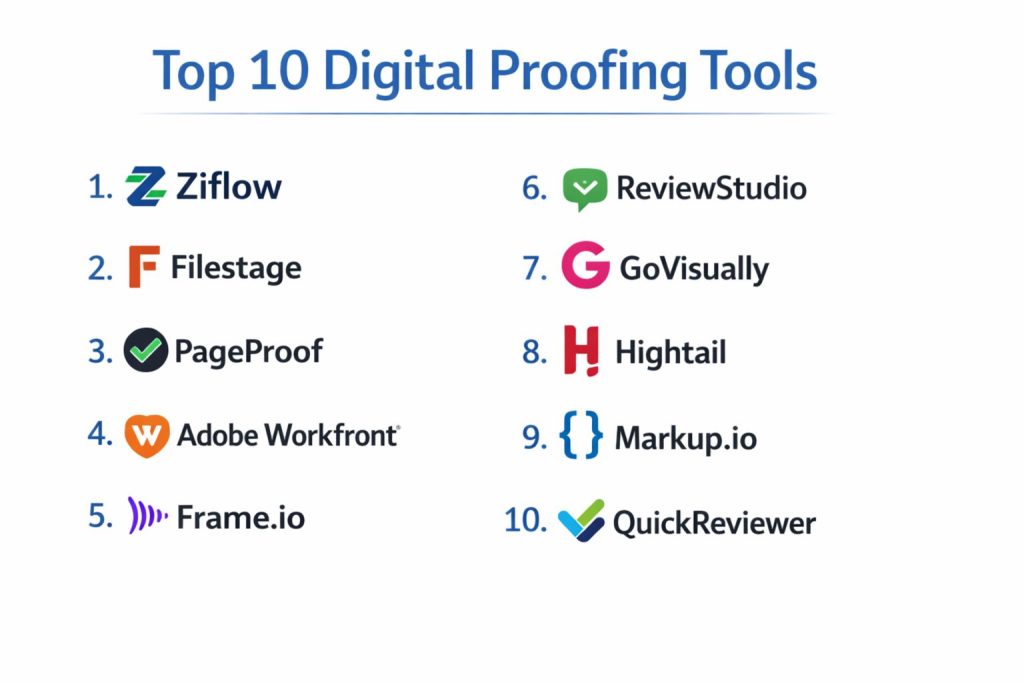
1. Ziflow
Ziflow is an enterprise-grade platform built to handle high volumes of creative content with advanced automation. It is widely regarded for its ability to support over 1,200 file types, making it one of the most versatile tools for complex multimedia environments. The platform focuses heavily on reducing manual tasks through sophisticated workflow rules.
Key Features
The software offers automated multi-stage workflows that can trigger different reviewer groups based on previous decisions. It includes deep version comparison tools that highlight changes between iterations side-by-side. Users can benefit from a native Adobe Creative Cloud extension, allowing them to view and resolve comments directly within their design apps. The system also provides comprehensive audit trails and reporting for compliance-heavy industries. Additionally, it supports interactive web proofing and live site reviews with high precision.
Pros
It offers the most robust automation engine in the market, significantly reducing the time spent on administrative tasks. The platform is highly scalable and maintains excellent performance even with very large files.
Cons
The extensive feature set can be overwhelming for smaller teams with simple needs. The pricing structure is geared toward the enterprise level, which may be a barrier for freelancers.
Platforms and Deployment
Web-based (SaaS) with mobile-responsive interfaces and dedicated desktop extensions.
Security and Compliance
SOC 2 Type II compliant with advanced encryption and customizable data retention policies.
Integrations and Ecosystem
Deep integrations with Monday.com, Asana, Slack, and the entire Adobe Creative Cloud suite.
Support and Community
Offers 24/7 global support with a specialized knowledge base and dedicated success managers for larger accounts.
2. Filestage
Filestage is known for its streamlined and highly intuitive approach to the review and approval process. It categorizes proofs into clear steps, making it easy for project managers to see exactly where an asset is stuck. It is particularly popular among marketing teams who need a clean, professional interface for client interactions.
Key Features
The platform features a “steps” system that organizes the approval process into stages like Internal, Client, and Legal. It provides real-time, time-stamped commenting for video files and visual annotations for images and PDFs. One-click approvals and clear status indicators help keep projects moving forward. It also includes an automated reminder system to nudge reviewers who haven’t provided feedback. The dashboard provides a centralized view of all active projects and their current approval status.
Pros
The interface is exceptionally easy for external clients to use, requiring zero training. It effectively reduces the complexity of managing multiple stakeholders across different departments.
Cons
It lacks the deep automation and custom metadata options found in more technical enterprise solutions. The reporting features are basic compared to competitors.
Platforms and Deployment
Cloud-based SaaS accessible via any modern web browser.
Security and Compliance
Adheres to GDPR standards and offers secure, password-protected review links for external stakeholders.
Integrations and Ecosystem
Connects with Slack, Microsoft Teams, and various project management tools through Zapier integrations.
Support and Community
Provides responsive email and chat support along with a comprehensive library of best-practice guides.
3. PageProof
PageProof is a security-focused proofing tool that emphasizes a “pixel-perfect” review experience. It is unique in its offering of an unlimited reviewer model on its team plans, making it highly cost-effective for organizations that need feedback from a wide range of stakeholders.
Key Features
The software utilizes a unique “smart tools” palette that adapts based on the file type being reviewed. It offers deep support for specialized assets like HTML emails, banners, and even 3D content. Its “nudge” feature allows users to remind groups of reviewers with a single click. The platform includes a side-by-side comparison mode with a difference-overlay feature to spot even the smallest changes. It also features a “color separator” tool for print-accurate reviews of CMYK assets.
Pros
The unlimited reviewer pricing model provides incredible value for large-scale collaborations. Its focus on security and data sovereignty makes it a top choice for sensitive government or legal work.
Cons
Some users find the workflow setup to be less flexible than competitive automation-heavy platforms. The interface, while clean, can feel slightly different from traditional project management apps.
Platforms and Deployment
Cloud-based with dedicated extensions for Adobe and Canva.
Security and Compliance
Features world-class encryption and offers data residency in multiple global locations to meet strict regulatory requirements.
Integrations and Ecosystem
Tightly integrated with Canva, Adobe Creative Cloud, Slack, and Microsoft Teams.
Support and Community
Excellent customer support with a high rating for responsiveness and technical knowledge.
4. Adobe Workfront
Workfront is a comprehensive enterprise work management platform that includes powerful native proofing capabilities. It is designed for large organizations that want to manage the entire project lifecycle—from initial request to final approval—within a single, unified system.
Key Features
The proofing engine is deeply integrated with the project task list, ensuring that approvals are directly tied to project milestones. It supports high-end video proofing with frame-by-frame comments and synchronized playback. Users can create complex, multi-level approval paths that include conditional logic. The software provides extensive resource management and capacity planning tools alongside its proofing features. It also features a robust mobile app for executives who need to approve assets on the go.
Pros
It eliminates the need for a separate proofing tool by keeping everything in a massive enterprise ecosystem. It offers the most advanced reporting and resource planning of any tool on this list.
Cons
The platform is extremely complex and requires significant time and investment to implement correctly. It is often too heavy for creative teams that aren’t already part of a larger enterprise structure.
Platforms and Deployment
Enterprise SaaS with specialized desktop and mobile applications.
Security and Compliance
Full enterprise-grade security including SSO, detailed audit logs, and global compliance certifications.
Integrations and Ecosystem
Native, best-in-class integration with Adobe Experience Cloud and Creative Cloud.
Support and Community
Large-scale enterprise support with dedicated account teams and a vast professional user community.
5. Frame.io
Frame.io is the industry standard for video review and collaboration. Designed specifically for filmmakers and editors, it focuses on high-performance video playback and frame-accurate feedback, significantly speeding up the post-production process.
Key Features
The platform features a “Camera to Cloud” technology that allows footage to be uploaded directly from professional cameras to the review space. It offers frame-by-second precise commenting and the ability to draw directly on video frames. Version stacks keep different edits organized, and users can play two versions side-by-side in perfect sync. It supports ultra-high-definition video playback with minimal latency. The software also includes specialized tools for color-accurate reviews and HDR support.
Pros
It is the fastest and most specialized tool for video professionals, offering a level of performance that general-purpose tools cannot match. The integration with video editing software is seamless.
Cons
While it has added support for static files, it is less effective as a general-purpose proofing tool for print or web design. The pricing can get expensive as storage needs grow.
Platforms and Deployment
Web, iOS, and native extensions for major non-linear editors (NLEs).
Security and Compliance
TPN (Trusted Partner Network) certified with robust sharing controls and Watermark ID features.
Integrations and Ecosystem
Deeply integrated with Premiere Pro, After Effects, Final Cut Pro, and DaVinci Resolve.
Support and Community
High-quality support with a focus on the technical needs of professional video editors and studios.
6. ReviewStudio
ReviewStudio is a versatile proofing solution that balances high-end features with a straightforward user experience. It is frequently chosen by agencies and production studios that need to handle a mix of video, PDF, and image assets in a unified environment.
Key Features
The software provides a “review canvas” where multiple stakeholders can annotate assets in real-time. It features a simple but effective version management system that allows users to flip between iterations instantly. Project managers can organize reviews into “batches,” making it easier to handle multi-asset campaigns. It includes a presentation mode for live review sessions with clients. The tool also offers a highly customizable interface that can be white-labeled to match a company’s brand.
Pros
It offers a great balance of features at a competitive price point, making it accessible for mid-sized teams. The white-labeling options are excellent for maintaining a professional brand image with clients.
Cons
The automation capabilities are not as deep as enterprise-level competitors. The user interface, while functional, feels slightly more traditional than the modern, “snappy” feel of newer apps.
Platforms and Deployment
Web-based SaaS with mobile-optimized viewing.
Security and Compliance
Provides secure file hosting and role-based access controls to protect creative IP.
Integrations and Ecosystem
Integrates with popular project management tools like Asana and Trello through an API and Zapier.
Support and Community
Known for providing personal and attentive customer support with quick turnaround times for technical queries.
7. GoVisually
GoVisually is a lightweight and highly efficient proofing tool designed specifically for designers and small creative teams. It strips away the complexity of enterprise software to focus on the core task of getting visual feedback as quickly as possible.
Key Features
The platform emphasizes a “drag-and-drop” workflow for uploading designs and requesting feedback. It supports a wide range of static image formats as well as video and multi-page PDFs. Reviewers can pin comments directly to specific parts of a design, and designers can mark those comments as “resolved” once fixed. It features a clean, uncluttered dashboard that shows the status of every proof at a glance. The tool also allows for unlimited reviewers on all projects, facilitating broad collaboration.
Pros
It is one of the fastest tools to set up and start using, with almost no learning curve. It is an ideal solution for freelancers and boutique agencies that need to stay agile.
Cons
It lacks advanced features like automated workflows, complex comparison modes, and deep enterprise security. It is not suitable for highly regulated industries.
Platforms and Deployment
Cloud-based SaaS accessible via browser and mobile devices.
Security and Compliance
Standard secure hosting with private review links; however, it lacks advanced enterprise certifications like SOC 2.
Integrations and Ecosystem
Integrates with Adobe Creative Cloud and popular productivity apps like Slack and Trello.
Support and Community
Offers efficient chat and email support with a focus on helping users get up and running quickly.
8. Hightail
Originally known as a file-sharing service, Hightail has evolved into a robust creative collaboration platform. It combines its heritage of secure, large-file delivery with specialized spaces for proofing and approval.
Key Features
The software organizes work into “Spaces,” which act as central hubs for sharing files, gathering feedback, and tracking approvals. It supports precise annotations on images and videos, with the ability to set specific deadlines for reviewers. Versioning is handled automatically, ensuring that the team is always looking at the latest file. It includes a “follow” feature that notifies users whenever a change or comment is made. The platform is particularly strong in handling extremely large files that might crash other systems.
Pros
It is an excellent choice for teams that need both high-capacity file sharing and creative proofing in one tool. The “Spaces” concept is highly effective for organizing large, long-term projects.
Cons
The proofing features are not as specialized or deep as those found in dedicated platforms like Ziflow or Frame.io. The interface can sometimes feel like a hybrid of two different products.
Platforms and Deployment
Web, desktop, and mobile applications.
Security and Compliance
Offers enterprise-grade security including file expiration, password protection, and detailed access tracking.
Integrations and Ecosystem
Integrates with Adobe Creative Cloud, Outlook, and major cloud storage providers like Dropbox and Google Drive.
Support and Community
Provides standard professional support with a strong emphasis on file security and transfer reliability.
9. Markup.io
Markup.io is a specialized tool designed to simplify the process of giving feedback on live websites and digital content. It turns any URL or static image into an interactive “markup,” where users can click anywhere to leave a comment.
Key Features
The tool’s standout feature is its ability to proof live, interactive websites as if they were static documents. It also supports “automated screenshots,” which capture the exact state of the site at the moment a comment is made. This is invaluable for developers trying to replicate bugs. The platform features a very simple “link-sharing” model for reviewers, who do not even need to create an account to leave feedback. It includes a basic task management system to track which comments have been addressed.
Pros
It is the best tool for web designers and QA teams who need to give context-aware feedback on live code. The “zero-account” reviewer model makes it incredibly easy to get quick feedback from clients.
Cons
It is not a full-featured creative proofing suite and lacks advanced video or print-specific tools. It is best used as a secondary tool specifically for web projects.
Platforms and Deployment
Browser-based with a dedicated Chrome extension for deeper web proofing capabilities.
Security and Compliance
Offers basic secure sharing and project-level permissions suitable for general agency work.
Integrations and Ecosystem
Connects with Slack, Microsoft Teams, and Asana to push feedback into existing workflows.
Support and Community
Provides a helpful community forum and responsive chat support for its growing user base.
10. QuickReviewer
QuickReviewer is a fast, cost-effective proofing tool that targets agencies and marketing teams looking for a powerful set of features without the enterprise price tag. It is particularly strong in its support for mobile-responsive web proofing.
Key Features
The platform allows users to review images, videos, and even live HTML files side-by-side. It features a specialized mobile-preview mode that lets reviewers see how a web page or banner will look across different screen sizes. It includes a visual comparison tool that highlights the differences between two versions of a file. The software supports threaded comments, allowing for detailed discussions to happen directly on the asset. It also offers a white-labeling option for agencies to present a customized portal to their clients.
Pros
It provides high-end features like HTML proofing and side-by-side comparison at a very competitive price. The mobile-responsive preview is a standout feature for digital marketers.
Cons
The user interface is functional but lacks the high-end polish of some of the more expensive competitors. It does not have the extensive third-party integration library of enterprise tools.
Platforms and Deployment
Cloud-based SaaS accessible through any web browser.
Security and Compliance
Standard cloud security protocols with role-based user management and secure link sharing.
Integrations and Ecosystem
Offers basic integrations with popular file storage and communication apps through Zapier.
Support and Community
Provides solid email and chat support, backed by a clear and helpful documentation center.
Comparison Table
| Tool Name | Best For | Platform(s) Supported | Deployment | Standout Feature | Public Rating |
| 1. Ziflow | Enterprise Automation | Web, Desktop | SaaS | 1,200+ File Support | 4.8/5 |
| 2. Filestage | Marketing Agencies | Web | SaaS | Step-based Approval | 4.7/5 |
| 3. PageProof | High Security / Regulated | Web | SaaS | Unlimited Reviewers | 4.9/5 |
| 4. Adobe Workfront | Global Enterprises | Web, Mobile | SaaS | Full Lifecycle Management | 4.4/5 |
| 5. Frame.io | Video Production | Web, iOS, NLEs | SaaS | Camera to Cloud | 4.8/5 |
| 6. ReviewStudio | Mid-sized Studios | Web | SaaS | Batch Review Mode | 4.6/5 |
| 7. GoVisually | Freelancers / Design | Web, Mobile | SaaS | Ultra-fast Setup | 4.5/5 |
| 8. Hightail | Large File Sharing | Web, Desktop | SaaS | Project Spaces | 4.3/5 |
| 9. Markup.io | Web Design / QA | Web, Extension | SaaS | Live Website Proofing | 4.6/5 |
| 10. QuickReviewer | Digital Marketing | Web | SaaS | Responsive Mobile Preview | 4.4/5 |
Evaluation & Scoring of Digital Proofing Tools
The scoring below is a comparative model intended to help shortlisting. Each criterion is scored from 1–10, then a weighted total from 0–10 is calculated using the weights listed. These are analyst estimates based on typical fit and common workflow requirements, not public ratings.
Weights:
- Core features – 25%
- Ease of use – 15%
- Integrations & ecosystem – 15%
- Security & compliance – 10%
- Performance & reliability – 10%
- Support & community – 10%
- Price / value – 15%
| Tool Name | Core (25%) | Ease (15%) | Integrations (15%) | Security (10%) | Performance (10%) | Support (10%) | Value (15%) | Weighted Total |
| 1. Ziflow | 10 | 7 | 10 | 10 | 9 | 10 | 8 | 9.15 |
| 2. Filestage | 8 | 10 | 7 | 8 | 9 | 9 | 8 | 8.35 |
| 3. PageProof | 9 | 8 | 9 | 10 | 8 | 10 | 9 | 9.05 |
| 4. Workfront | 10 | 4 | 10 | 10 | 7 | 9 | 6 | 7.90 |
| 5. Frame.io | 10 | 9 | 10 | 9 | 10 | 9 | 7 | 9.20 |
| 6. ReviewStudio | 8 | 8 | 7 | 8 | 8 | 9 | 9 | 8.10 |
| 7. GoVisually | 7 | 10 | 7 | 6 | 9 | 8 | 9 | 7.95 |
| 8. Hightail | 7 | 8 | 8 | 9 | 9 | 8 | 7 | 7.75 |
| 9. Markup.io | 6 | 10 | 7 | 6 | 8 | 8 | 9 | 7.60 |
| 10. QuickReviewer | 8 | 8 | 6 | 7 | 8 | 8 | 10 | 8.05 |
How to interpret the scores:
- Use the weighted total to shortlist candidates, then validate with a pilot.
- A lower score can mean specialization, not weakness.
- Security and compliance scores reflect controllability and governance fit, because certifications are often not publicly stated.
- Actual outcomes vary with assembly size, team skills, templates, and process maturity.
Which Digital Proofing Tool Is Right for You?
Solo / Freelancer
For independent professionals, the priority is often a tool that is affordable and requires zero setup time for clients. A platform that allows for unlimited reviewers and has an intuitive interface ensures that you spend more time designing and less time explaining how to use the software.
SMB
Small to medium businesses should look for tools that organize their workflow into clear steps. When a team is growing, the most valuable feature is the ability to centralize all feedback in one place, preventing important client requests from being lost in a busy inbox.
Mid-Market
In the mid-market, scalability and standard integrations become vital. Teams at this level need a tool that connects with their existing project management software to ensure that the creative approval process is aligned with the broader company goals.
Enterprise
For enterprise organizations, security and automation are the non-negotiables. These companies require platforms that can handle complex multi-departmental approval chains automatically while adhering to strict global data protection standards and providing full auditability.
Budget vs Premium
Budget-conscious users will find great value in tools that offer flat-rate pricing or high-feature counts for a lower monthly cost. Premium solutions, however, provide the deep automation and specialized support that are necessary for high-volume production environments.
Feature Depth vs Ease of Use
The trade-off between depth and simplicity is a key decision point. If your team handles complex video or interactive web content, you may need a specialized tool that takes longer to master. If you primarily work with static images and PDFs, a simpler tool will likely suffice.
Integrations & Scalability
A proofing tool is only as good as its place in your pipeline. For teams already using a specific ecosystem, like Adobe or a specific project management platform, choosing a tool with a native integration will provide the most seamless experience.
Security & Compliance Needs
Organizations in legal, medical, or government sectors must prioritize tools with the highest levels of certification. In these environments, features like data residency and end-to-end encryption are more important than the interface’s aesthetics.
Frequently Asked Questions (FAQs)
1. What is the difference between file sharing and digital proofing?
File sharing only moves a document from one person to another. Digital proofing provides a specialized environment where multiple people can simultaneously annotate, discuss, and formally approve that document with a clear version history.
2. Can these tools handle video files?
Yes, most professional proofing tools now support high-resolution video. The best tools for this allow for frame-accurate commenting and even provide side-by-side comparison of different edits.
3. Do my clients need to pay for an account to review my work?
In almost all cases, the answer is no. Most digital proofing platforms allow you to send a secure link to external stakeholders, who can then provide feedback and approvals for free without ever creating an account.
4. How does digital proofing help with version control?
These tools automatically stack different versions of a file. This prevents the confusion of having multiple files named “final_v2” or “final_final,” as the system always points the reviewer to the most recent iteration while keeping the history accessible.
5. Is digital proofing secure enough for confidential projects?
Professional tools offer high-level security features like password protection, link expiration, and SOC 2 compliance. For extreme cases, some platforms even allow for custom data residency to ensure information never leaves a specific region.
6. Can I use digital proofing for live websites?
Yes, specialized tools like Markup.io or Ziflow allow you to proof live URLs. You can click on specific web elements to leave comments, which helps developers understand exactly what needs to be changed.
7. Does digital proofing integrate with project management software?
Most leading tools have native integrations with platforms like Asana, Monday.com, and Jira. This allows an approval in the proofing tool to automatically update the status of a task in the project management system.
8. What file types are usually supported?
While support varies by tool, a standard professional suite will typically handle PDFs, JPEGs, PNGs, MP4s, and common document formats. Advanced tools can even handle specialized files like HTML banners and 3D models.
9. How do these tools improve the speed of approvals?
By centralizing feedback and automating reminders, these tools eliminate the “bottleneck” phase of a project. Teams often see a significant reduction in the number of revision cycles because the feedback provided is much clearer and more actionable.
10. Can I customize the tool to match my company’s branding?
Many mid-market and enterprise tools offer “white-labeling” features. This allows you to place your own logo and brand colors on the review portal, providing a more professional and seamless experience for your clients.
Conclusion
The transition to a digital proofing workflow is a transformative step for any creative or marketing organization. By moving away from manual, fragmented feedback methods, teams can significantly reduce the risk of errors and ensure that every final asset meets the highest standards of quality and compliance. The “right” tool is the one that fits seamlessly into your current technical ecosystem while providing the specific markup capabilities your assets require. Whether you are a solo designer looking for rapid client feedback or a global enterprise managing complex multi-media campaigns, these platforms provide the structure and clarity needed to succeed in an increasingly fast-paced digital landscape. Investing in the right proofing technology is ultimately an investment in your team’s creative output and your organization’s professional reputation.