INTRODUCTION
Email archiving tools serve as the central repository for an organization’s digital correspondence, ensuring that every sent and received message is preserved in a tamper-proof and searchable format. Unlike simple backups, which are designed for disaster recovery, archiving focuses on long-term data retention, legal discovery, and regulatory compliance. These systems operate by capturing email data in real-time, indexing the content for rapid retrieval, and applying automated retention policies that determine how long specific types of data must be kept before being securely deleted. In a professional landscape where data volume is expanding exponentially, these tools are vital for maintaining system performance by offloading aging data from primary mail servers.
When selecting an archiving solution, organizations must prioritize the integrity of the data and the speed of the search interface. A robust tool should provide an immutable record that can withstand forensic scrutiny during legal proceedings or financial audits. Real-world applications of these tools are found across every major sector, from healthcare providers managing sensitive patient communications to financial institutions adhering to strict transparency mandates. Modern archiving platforms have also evolved to include multi-channel support, capturing not just emails but also instant messages, social media interactions, and collaborative platform data. This holistic approach ensures that a company’s “corporate memory” remains complete and easily accessible for internal investigations or historical reference.
Best for: Enterprise-level legal teams, compliance officers in regulated industries, IT administrators managing large-scale mail servers, and organizations requiring defensible records for litigation.
Not ideal for: Individual users with low email volume, very small startups with no regulatory obligations, or businesses looking only for a temporary backup solution without search or retention needs.
KEY TRENDS IN EMAIL ARCHIVING TOOLS
The email archiving industry is currently shifting toward cloud-native architectures that offer virtually unlimited scalability and lower infrastructure overhead. Artificial intelligence is being integrated more deeply into these platforms to provide automated data classification and to surface relevant information during complex e-discovery requests. There is a growing emphasis on “unified governance,” where archiving tools manage data across multiple communication channels including Slack, Microsoft Teams, and Zoom. Privacy regulations like GDPR have pushed vendors to implement more granular “right to be forgotten” features that allow for the surgical deletion of specific data while maintaining the integrity of the broader archive. Furthermore, real-time analytics are now being used to monitor employee sentiment and identify potential compliance risks or insider threats before they escalate into legal liabilities.
METHODOLOGY
The evaluation of these top ten archiving tools was conducted through a rigorous analysis of their performance in high-stakes professional environments. We focused on the speed and accuracy of the search engines, as the ability to query petabytes of data in seconds is a primary requirement for legal discovery. Security protocols were scrutinized, including the use of encryption for data at rest and in transit, as well as the implementation of WORM storage to prevent data tampering. We also assessed the ease of integration with existing mail ecosystems such as Microsoft 365 and Google Workspace. Reliability was measured through uptime statistics and the robustness of the data ingestion pipelines. Finally, the user experience for both administrators and end-users was evaluated to ensure that the tools facilitate rather than hinder daily organizational workflows.
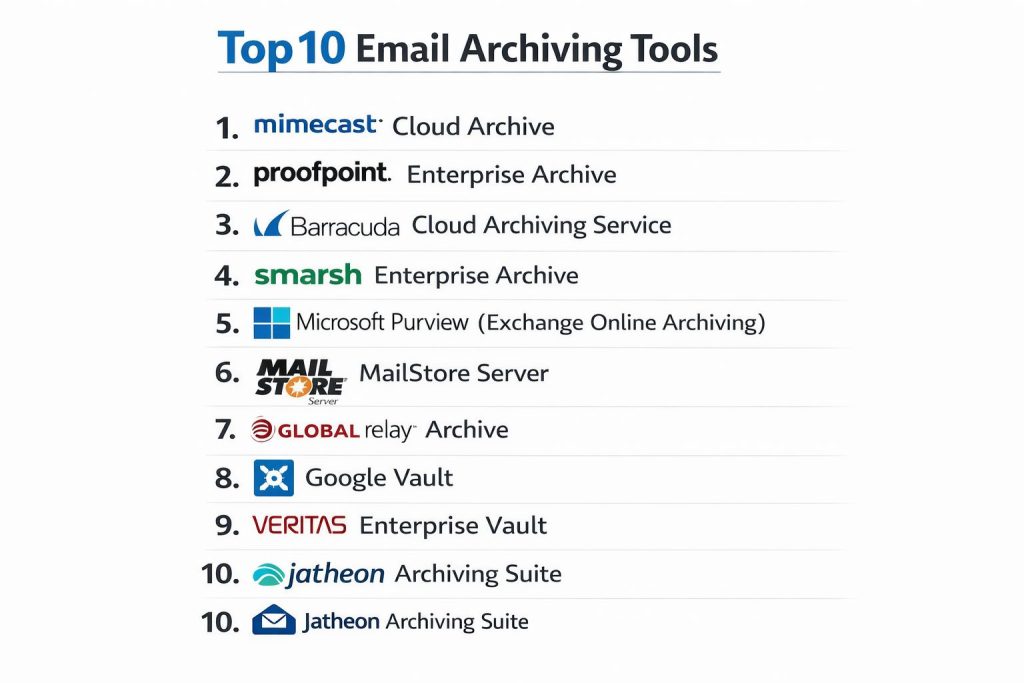
TOP 10 EMAIL ARCHIVING TOOLS
1. Mimecast Cloud Archive
Mimecast Cloud Archive is a premier, cloud-native solution designed for large-scale enterprises that require a high-performance digital repository. It is renowned for its industry-leading search speeds and its ability to unify email archiving with broader security and continuity features. The platform provides a “bottomless” mailbox for users, effectively eliminating the need for strict mailbox size quotas.
Key capabilities include a 7-second search SLA and a highly granular policy engine for managing data retention. It also offers advanced e-discovery features that allow legal teams to quickly identify, hold, and export relevant communications. The system is built on a distributed architecture that ensures data is always available, even during primary mail server outages.
Pros:
The platform offers exceptional search performance and a very high level of security. It also provides a seamless experience for end-users who can access their entire email history directly from their mobile devices or desktop clients.
Cons:
The pricing can be significantly higher than more basic competitors. The extensive feature set may also be overwhelming for smaller organizations with simple archiving requirements.
Platforms / Deployment:
Web-based / Mobile
Cloud-native
Security & Compliance:
SOC 2, HIPAA, GDPR
FIPS 140-2, AES Encryption
Integrations & Ecosystem:
Features deep integration with Microsoft 365 and Google Workspace, as well as a robust API for connecting with third-party security and compliance tools.
Support & Community:
Provides 24/7 global technical support and a comprehensive knowledge base for enterprise administrators.
2. Proofpoint Enterprise Archive
Proofpoint Enterprise Archive focuses on risk mitigation and sophisticated data governance. It is particularly popular in highly regulated industries such as finance and healthcare due to its strong emphasis on compliance and its AI-driven supervision tools. The software helps organizations manage the entire lifecycle of their communication data.
The tool features automated data classification and intelligent supervision that flags potential policy violations in real-time. Its discovery workflows are designed to reduce the time and cost associated with legal requests by providing intuitive filtering and legal hold management.
Pros:
It excels in regulatory compliance and offers powerful AI tools for identifying sensitive or risky content. The platform is highly scalable and handles massive volumes of data with ease.
Cons:
The interface can be complex and may require specialized training for administrators. Deployment and configuration are generally more time-consuming than with simpler cloud solutions.
Platforms / Deployment:
Web-based
Cloud-only
Security & Compliance:
SEC 17a-4, FINRA, HIPAA
ISO 27001, SOC 1/2/3
Integrations & Ecosystem:
Integrates seamlessly with the broader Proofpoint security suite and supports a wide range of content sources beyond email, including social media and collaboration apps.
Support & Community:
Offers expert-led onboarding and a dedicated support team with deep knowledge of financial and healthcare regulations.
3. Barracuda Cloud Archiving Service
Barracuda provides a more approachable and cost-effective archiving solution that is a favorite among mid-market companies and educational institutions. It is designed to be easy to deploy and manage, making it ideal for IT teams that need to ensure compliance without heavy operational overhead.
The service includes cloud-to-cloud backup for Microsoft 365 and provides users with a dedicated app for searching their own archives. It also features comprehensive litigation hold and export capabilities to support legal discovery processes.
Pros:
It offers excellent value for the price and is very simple to set up. The “unlimited” storage model on many plans provides peace of mind for growing organizations.
Cons:
The search functionality, while reliable, may not be as fast as the high-end enterprise competitors. Some advanced AI-driven classification features found in other tools are missing here.
Platforms / Deployment:
Web-based / Mobile / Desktop
Cloud / Hybrid
Security & Compliance:
HIPAA, GDPR
AES-256 Encryption
Integrations & Ecosystem:
Optimized for Microsoft 365 and integrates well with directory services for easy user management.
Support & Community:
Highly rated 24/7 technical support with a strong community presence in the public and education sectors.
4. Smarsh Enterprise Archive
Smarsh is widely considered the gold standard for financial services and other highly regulated sectors. It is built specifically to handle the “multi-channel” reality of modern business, capturing communications from over 100 different sources including chat, social media, and mobile messaging.
The platform’s standout feature is its supervision module, which allows compliance officers to review and flag messages based on complex rulesets. It also provides a defensible “contextual” view of messages, preserving the original formatting and attachments for legal review.
Pros:
Unparalleled multi-channel support and the best supervision tools for financial compliance. It is built to meet the most stringent regulatory standards globally.
Cons:
The premium features come at a high cost. Some users find the interface less intuitive than modern, consumer-focused cloud apps.
Platforms / Deployment:
Web-based
Cloud-native
Security & Compliance:
SEC 17a-4, FINRA, MiFID II
SOC 2 Type II, FedRAMP
Integrations & Ecosystem:
Integrates with a massive library of communication tools including Slack, Zoom, and Bloomberg.
Support & Community:
Provides specialized compliance advisory services and professional enterprise support.
5. Microsoft Purview (Exchange Online Archiving)
For organizations already standardized on the Microsoft 365 ecosystem, Microsoft Purview offers a native archiving solution that requires no third-party software. It provides “In-Place” archiving, meaning data stays within the Microsoft cloud environment under existing security controls.
The service includes powerful e-discovery and audit tools that allow administrators to search across Exchange, SharePoint, and Teams simultaneously. It uses automated retention labels to govern the lifecycle of data based on its content and context.
Pros:
There is no additional software to install, and it uses the same administrative interface as the rest of Microsoft 365. It is a cost-effective choice for many existing enterprise subscribers.
Cons:
Organizations with very complex multi-vendor environments may find it too focused on the Microsoft stack. Advanced discovery features often require the highest-tier licensing.
Platforms / Deployment:
Web-based / Integrated
Cloud-native
Security & Compliance:
FedRAMP, HIPAA, GDPR
ISO 27001, SOC 1/2/3
Integrations & Ecosystem:
Natively integrated with the entire Microsoft productivity suite.
Support & Community:
Backed by Microsoft’s massive global support network and a vast community of IT professionals.
6. MailStore Server
MailStore Server is a highly specialized tool for small to medium-sized businesses that prefer to manage their own archiving infrastructure. It is known for its incredible efficiency and its “perpetual” licensing model, which can be much cheaper over the long term than subscription services.
The software creates 1:1 copies of all emails in a central archive, using high-performance deduplication and compression to minimize storage requirements. It is extremely fast and can be installed on standard Windows hardware in minutes.
Pros:
The search speed is exceptional, and the total cost of ownership is very low. It is a perfect solution for businesses that want to keep their data on-premises or in their own private cloud.
Cons:
It is limited to the Windows platform and lacks the sophisticated AI and multi-channel features of the large cloud providers.
Platforms / Deployment:
Windows
Self-hosted / On-premises
Security & Compliance:
GDPR, HIPAA
Internal Auditing Tools
Integrations & Ecosystem:
Supports virtually all email systems including Exchange, Google Workspace, and any IMAP/POP3 server.
Support & Community:
Features very active user forums and professional direct email support.
7. Global Relay Archive
Global Relay is a leader in the governance space, serving many of the world’s largest banks and investment firms. It provides a highly secure, private-cloud archive that is designed for permanent, immutable storage.
The platform offers a high-performance search engine and specialized tools for “legal holds” and forensic exports. It is built to provide a defensible chain of custody for every message, ensuring that data is acceptable in a court of law.
Pros:
The platform is exceptionally reliable and offers some of the most robust compliance features in the industry. It has a proven track record in high-stakes legal environments.
Cons:
The cost is high, and the platform is geared almost exclusively toward large, highly regulated enterprises.
Platforms / Deployment:
Web-based / Mobile
Private Cloud
Security & Compliance:
SEC, FINRA, IIROC
ISO 27001, SOC 2
Integrations & Ecosystem:
Strong focus on financial industry tools and secure data ingestion from a wide variety of collaborative platforms.
Support & Community:
Offers 24/7 high-touch support and dedicated account management for global firms.
8. Google Vault
Google Vault is the native archiving and e-discovery tool for users of Google Workspace. It provides a simple, essentialist approach to data retention, focusing on the core needs of search, holds, and exports without adding unnecessary complexity.
Users can set retention rules for Gmail, Drive, Chat, and Google Meet. The tool allows administrators to search by user or keyword and export the results into standard formats for legal review.
Pros:
It is seamlessly integrated into Google Workspace and requires zero configuration to start capturing data. The interface is clean and easy for non-technical users to navigate.
Cons:
It lacks the advanced supervision and multi-channel capture features of specialized third-party tools. It is only suitable for organizations that use Google as their primary communication platform.
Platforms / Deployment:
Web-based
Cloud-native
Security & Compliance:
ISO 27001, SOC 2/3
HIPAA, GDPR
Integrations & Ecosystem:
Integrated exclusively with Google Workspace applications.
Support & Community:
Uses the standard Google Workspace support channels and extensive online documentation.
9. Veritas Enterprise Vault
Veritas Enterprise Vault is a long-standing industry titan that remains relevant through its ability to manage massive amounts of on-premises and hybrid data. It is often the choice for organizations that have legacy data centers but are slowly migrating parts of their infrastructure to the cloud.
The software features “Discovery Accelerator,” a powerful add-on for high-stakes litigation, and a classification engine that uses machine learning to automatically tag sensitive data. It also offers flexible storage tiering to move older data to cheaper cloud storage like AWS Glacier.
Pros:
Unrivaled flexibility in deployment and the ability to manage file systems alongside email. It is highly mature and stable for massive datasets.
Cons:
The system is complex to manage and usually requires a dedicated IT specialist. The licensing and maintenance costs can be substantial.
Platforms / Deployment:
Windows
Hybrid / Self-hosted
Security & Compliance:
FIPS 140-2, Common Criteria
HIPAA, GDPR
Integrations & Ecosystem:
Deeply integrated with enterprise-grade backup and storage ecosystems.
Support & Community:
Provides 24/7 technical support and a specialized compliance advisory team.
10. Jatheon Archiving Suite
Jatheon offers a balanced approach to archiving, providing both high-performance hardware appliances and modern cloud-based services. It is designed for mid-market companies that need a “set it and forget it” solution for compliance and discovery.
The platform provides a simple, intuitive interface for searching across email, social media, and mobile messages. Its unique “crawling” technology ensures that even older, existing data can be ingested into the archive for a complete historical record.
Pros:
Offers the choice between on-premises hardware and cloud deployment. It provides a very high level of customer service and a straightforward pricing model.
Cons:
It does not have the massive global footprint of Mimecast or Microsoft, which may be a consideration for global conglomerates.
Platforms / Deployment:
Web / Hardware Appliance
Cloud / On-premises
Security & Compliance:
HIPAA, GDPR, FINRA
WORM Storage Support
Integrations & Ecosystem:
Integrates well with major mail servers and has specialized connectors for social media and text messaging.
Support & Community:
Known for proactive support and a highly responsive technical team.
COMPARISON TABLE
| Tool Name | Best For | Platform(s) Supported | Deployment | Standout Feature | Public Rating |
| 1. Mimecast Cloud Archive | Large Enterprises | Web, Mobile | Cloud-native | 7-Second Search SLA | 4.6/5 |
| 2. Proofpoint Enterprise | High Risk / Compliance | Web | Cloud-only | AI Supervision Tools | 4.5/5 |
| 3. Barracuda Archive | Mid-market / EDU | Web, Mobile, Desktop | Hybrid | Unlimited Storage Value | 4.4/5 |
| 4. Smarsh Enterprise | Financial Services | Web | Cloud-native | 100+ Channel Capture | 4.3/5 |
| 5. Microsoft Purview | M365 Ecosystem | Web | Cloud-native | Native Integration | N/A |
| 6. MailStore Server | SMB / Self-managed | Windows | Self-hosted | One-time Perpetual License | 4.8/5 |
| 7. Global Relay | Global Banking | Web, Mobile | Private Cloud | Legal Defensibility | N/A |
| 8. Google Vault | Workspace Users | Web | Cloud-native | Essential Simplicity | N/A |
| 9. Veritas Enterprise | Legacy / Hybrid | Windows | Hybrid | Advanced Storage Tiering | 4.2/5 |
| 10. Jatheon Suite | Mid-market | Web, Hardware | Cloud / On-prem | Hardware Appliance Option | 4.5/5 |
EVALUATION & SCORING OF EMAIL ARCHIVING TOOLS
The scoring below is a comparative model intended to help shortlisting. Each criterion is scored from 1–10, then a weighted total from 0–10 is calculated using the weights listed. These are analyst estimates based on typical fit and common workflow requirements, not public ratings.
Weights:
- Core features – 25%
- Ease of use – 15%
- Integrations & ecosystem – 15%
- Security & compliance – 10%
- Performance & reliability – 10%
- Support & community – 10%
- Price / value – 15%
| Tool Name | Core (25%) | Ease (15%) | Integrations (15%) | Security (10%) | Performance (10%) | Support (10%) | Value (15%) | Weighted Total |
| 1. Mimecast Cloud | 10 | 7 | 9 | 10 | 10 | 9 | 6 | 8.70 |
| 2. Proofpoint Ent. | 10 | 5 | 9 | 10 | 9 | 9 | 6 | 8.40 |
| 3. Barracuda | 8 | 9 | 8 | 8 | 8 | 9 | 9 | 8.35 |
| 4. Smarsh | 10 | 6 | 10 | 10 | 8 | 8 | 5 | 8.25 |
| 5. Microsoft Purview | 8 | 8 | 10 | 9 | 8 | 8 | 8 | 8.45 |
| 6. MailStore | 7 | 10 | 7 | 7 | 10 | 8 | 10 | 8.25 |
| 7. Global Relay | 9 | 6 | 8 | 10 | 9 | 9 | 5 | 7.95 |
| 8. Google Vault | 7 | 10 | 6 | 9 | 8 | 7 | 8 | 7.85 |
| 9. Veritas | 9 | 4 | 9 | 9 | 8 | 8 | 6 | 7.65 |
| 10. Jatheon | 8 | 8 | 8 | 9 | 8 | 10 | 8 | 8.35 |
How to interpret the scores:
- Use the weighted total to shortlist candidates, then validate with a pilot.
- A lower score can mean specialization, not weakness.
- Security and compliance scores reflect controllability and governance fit, because certifications are often not publicly stated.
- Actual outcomes vary with assembly size, team skills, templates, and process maturity.
WHICH EMAIL ARCHIVING TOOL IS RIGHT FOR YOU?
Solo / Freelancer
For individuals, native tools like Google Vault or basic Microsoft 365 archiving are more than sufficient. They provide enough search and storage to manage history without the need for an external platform.
SMB
MailStore is the standout choice for small businesses that want to own their data and avoid monthly subscriptions. Barracuda is the preferred alternative for those who want a fully managed cloud service with minimal effort.
Mid-Market
Jatheon and Barracuda provide the best balance of professional features and ease of use. They offer the necessary compliance tools without the extreme complexity and cost of the top-tier enterprise suites.
Enterprise
Mimecast and Proofpoint are the standard-bearers for large organizations. They offer the search speed and AI-driven insights required to manage petabytes of data across global teams.
Budget vs Premium
MailStore offers the best budget-friendly perpetual license, while Smarsh and Global Relay represent the premium, high-compliance end of the market for specialized industries.
Feature Depth vs Ease of Use
Proofpoint offers immense feature depth for risk management, whereas Google Vault is the leader in ease of use for basic retention needs.
Integrations & Scalability
Microsoft Purview and Smarsh lead in integration. Microsoft dominates within its own ecosystem, while Smarsh provides the best connectivity for diverse, multi-platform communication strategies.
Security & Compliance Needs
Global Relay and Smarsh are the top choices for industries with the most rigorous regulatory oversight, such as investment banking and pharmaceuticals.
FREQUENTLY ASKED QUESTIONS (FAQS)
How is an archive different from a backup?
A backup is a snapshot for disaster recovery, while an archive is a searchable, long-term record intended for compliance and legal discovery. Archives typically store data in a tamper-proof format.
Can I search inside attachments?
Yes, most professional archiving tools index the text within common attachment types like PDFs, Word documents, and Excel sheets, making them searchable alongside the email body.
What is WORM storage?
WORM stands for “Write Once, Read Many.” It is a technology that prevents data from being altered or deleted once it is written, which is a requirement for many financial regulations.
Does archiving slow down my email server?
On the contrary, archiving usually improves server performance by offloading old, heavy data to specialized storage, keeping the primary mail server lean and responsive.
Is it possible to archive data from Slack or Teams?
Many modern tools like Smarsh and Mimecast have dedicated connectors to capture and archive messages from collaboration platforms alongside traditional email.
What happens if a user deletes an email?
If the archive is set to capture mail in real-time (journaling), a copy is stored in the archive before it even reaches the user’s inbox, ensuring the record remains even if the user deletes their copy.
How long should I keep my archives?
Retention periods depend on your industry and local laws. Many businesses keep data for seven years, while others in the legal or medical fields may keep records indefinitely.
Can end-users access their own archives?
Most modern systems provide a user portal or a mobile app that allows employees to search their own historical data without needing help from the IT department.
How do I move my old data into a new archive?
Professional tools offer “ingestion” services or software that can import legacy PST files or data from other archiving systems into the new central repository.
Is cloud archiving safe?
Cloud archiving is often more secure than on-premises storage, as major providers use high-level encryption, multi-factor authentication, and geographically distributed data centers.
CONCLUSION
Implementing a robust email archiving tool is a strategic investment in an organization’s legal security and operational efficiency. As communication channels continue to diversify and regulatory requirements become more stringent, the ability to maintain an immutable and easily searchable record of all digital correspondence is no longer optional for professional entities. Whether you choose a native solution like Microsoft Purview for its seamless integration or a specialized platform like Smarsh for its multi-channel compliance power, the goal remains the same: protecting the integrity of your corporate data. By carefully matching a tool’s performance and security features to your specific industry needs, you ensure that your organization is always prepared for audits and litigation.
This guide to email archiving tools is super helpful for finding the best way to stay organized.