INTRODUCTION
Ad blocking tools have evolved from simple browser extensions into sophisticated privacy-first infrastructure designed to combat the modern digital advertising ecosystem. At its core, an ad blocker functions by intercepting requests from a web browser or operating system to known advertising and tracking servers. By preventing these requests from completing, the software eliminates intrusive banners, auto-playing video ads, and invisible tracking scripts that monitor user behavior across the internet. This technology is no longer just about aesthetics; it is a critical component of cybersecurity, as it often prevents “malvertising”—the distribution of malware through compromised ad networks.
The current landscape of ad blocking is defined by a constant arms race between advertisers and developers. Advanced techniques like CNAME cloaking and server-side tracking have forced blockers to move beyond the browser level, with many now operating at the DNS or network level. For professionals and enterprises, these tools are essential for preserving bandwidth, improving device performance, and ensuring compliance with tightening data privacy regulations. Whether deployed as a lightweight browser addon or a dedicated network appliance, the modern ad blocker is the primary line of defense for anyone seeking a faster, cleaner, and more private digital experience.
Best for: Privacy-conscious individuals, remote professionals, families looking for child safety online, and organizations requiring high-performance browsing environments.
Not ideal for: Digital marketing professionals who need to monitor ad placements, developers testing ad integrations, or users on legacy systems that cannot handle the overhead of advanced filtering engines.
KEY TRENDS IN AD BLOCKING TOOLS
The most significant trend in the industry is the shift toward AI-powered filtering. Rather than relying solely on manually updated static lists, modern blockers utilize machine learning to identify and neutralize tracking behaviors in real-time. Another major development is the move toward “Manifest V3” compliance in Chromium-based browsers, which has fundamentally changed how extensions interact with web traffic, favoring more efficient but sometimes more restricted filtering methods. Network-wide blocking via DNS-over-HTTPS (DoH) is also gaining massive popularity, allowing users to protect entire households including smart TVs and IoT devices that traditionally cannot run ad-blocking software.
Privacy legislation is also driving innovation. With the expansion of global data protection laws, many ad blockers are integrating “Consent Management” features that automatically handle or reject cookie banners. Furthermore, there is an increasing convergence between ad blocking and broader security suites; we are seeing tools that combine ad filtering with VPNs, antivirus capabilities, and data breach monitoring. Finally, the rise of “Acceptable Ads” programs remains a point of debate, leading to a clear market split between “pure” blockers that remove everything and “curated” blockers that allow non-intrusive, whitelisted advertisements by default.
METHODOLOGY
Our evaluation of the top ten ad blocking tools is rooted in a rigorous analysis of filtering efficacy and system impact. We prioritized tools that demonstrate high success rates in blocking complex scripts, such as those found on video streaming platforms and social media. Each tool was assessed based on its resource consumption, ensuring that the benefits of ad removal are not offset by excessive CPU or RAM usage. We also examined the transparency of the developers’ business models, favoring open-source projects or those with clear, non-exploitative revenue streams.
Security and administrative features were a primary consideration for our ranking. We looked for tools that offer robust protection against phishing and malicious domains while providing users with granular control over their filtering rules. The ability to function across multiple platforms—including desktop, mobile, and network-level deployment—was heavily weighted to reflect the needs of modern multi-device users. Finally, we analyzed the frequency of filter list updates and the responsiveness of the community or official support channels to new advertising tactics, ensuring that these recommendations remain effective against the latest digital tracking methods.
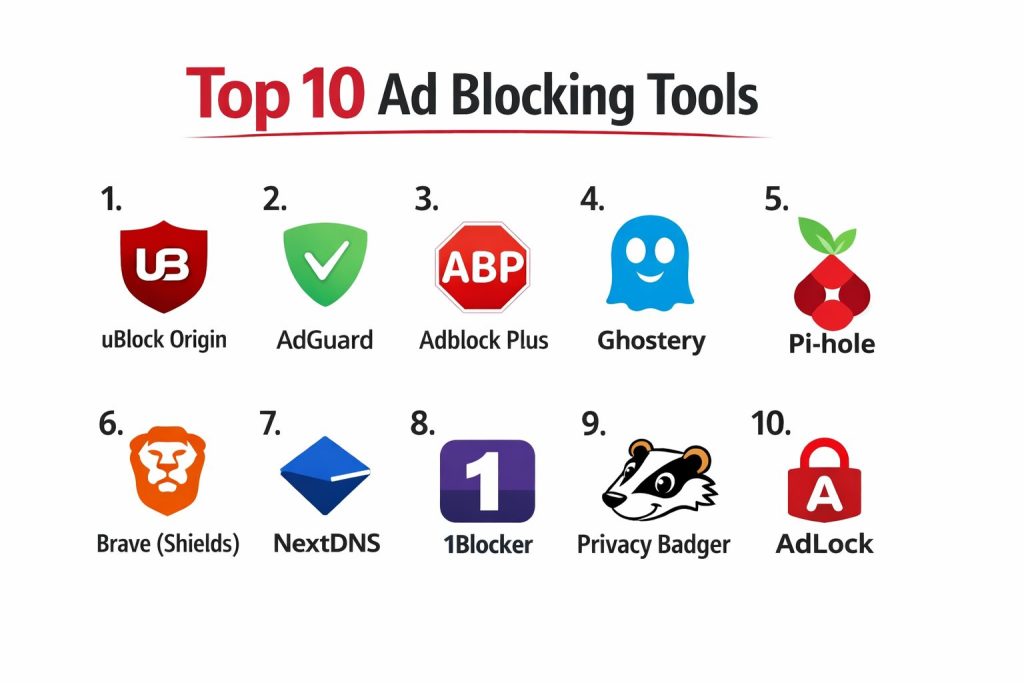
TOP 10 AD BLOCKING TOOLS
1. uBlock Origin
uBlock Origin is widely regarded as the gold standard for browser-based content blocking. It is a free, open-source tool that emphasizes high efficiency and low memory overhead. Unlike many of its competitors, it does not participate in any “Acceptable Ads” programs, meaning its primary mission is to block all unwanted content by default while giving users the tools to customize their experience down to individual page elements.
The software features a powerful “Zapper” tool that allows users to point and click to remove any annoying element from a website permanently. It also includes an advanced “Dynamic Filtering” mode for power users who want to manage scripts and frames on a per-site basis. Its ability to handle massive filter lists without slowing down the browser makes it a top choice for performance enthusiasts.
Pros:
The resource efficiency is unmatched, making it ideal for low-spec hardware or those with many browser tabs open. Being open-source ensures complete transparency and a lack of hidden agendas or corporate influence.
Cons:
The interface for advanced features can be intimidating for casual users. Since it is strictly an extension, it cannot block ads in standalone desktop or mobile applications outside of the browser.
Platforms / Deployment:
Chrome / Firefox / Edge / Opera
Browser Extension
Security & Compliance:
Open Source, No Data Collection
Not publicly stated
Integrations & Ecosystem:
Integrates seamlessly with the browser’s native filtering APIs. It supports a vast array of community-maintained filter lists, including those for malware protection and social media annoyance removal.
Support & Community:
Possesses a highly active community on GitHub and Reddit, with frequent updates and extensive documentation for power users.
2. AdGuard
AdGuard is one of the most comprehensive ad-blocking ecosystems available, offering solutions that range from simple extensions to standalone system-wide applications. It is particularly known for its ability to block ads inside other applications, such as games and messaging apps, by filtering traffic at the network driver level.
A standout feature is the AdGuard DNS service, which can be configured on routers to provide network-wide protection. The desktop and mobile apps also include “Stealth Mode,” which hides your digital footprint from trackers and prevents websites from identifying your device. It also offers dedicated parental controls to filter out adult content and ensure a safe browsing environment for children.
Pros:
Provides true system-wide blocking that covers apps, not just browsers. It offers one of the most polished and user-friendly interfaces in the industry, making it accessible for non-technical users.
Cons:
The full-featured system-wide versions require a paid subscription. The setup process for DNS-level blocking on mobile devices can be slightly technical for some.
Platforms / Deployment:
Windows / macOS / Android / iOS / Linux
Desktop / Mobile / DNS
Security & Compliance:
GDPR Compliant, Encryption (DoH/DoT)
SOC 2 (Self-reported)
Integrations & Ecosystem:
Features a robust API for developers and integrates with major browsers. Its cross-platform license allows users to protect multiple devices under a single account.
Support & Community:
Offers professional 24/7 technical support for paid users and maintains a detailed knowledge base and forum.
3. Adblock Plus (ABP)
Adblock Plus is one of the most established names in the industry and played a key role in the mainstream adoption of ad blocking. It is designed with simplicity in mind, offering a “set it and forget it” experience that appeals to general users who want a cleaner web without managing complex settings.
The software is famous for its “Acceptable Ads” initiative, which allows non-intrusive, whitelisted ads to show by default to support content creators. While controversial among some enthusiasts, this feature can be easily disabled in the settings. ABP also provides a “Block Element” feature and allows users to subscribe to various regional filter lists to ensure localized ads are captured effectively.
Pros:
Extremely easy to install and use, with a very low barrier to entry for beginners. It has a massive user base, which ensures that its filter lists are constantly refined and updated.
Cons:
The “Acceptable Ads” policy is enabled by default, which may frustrate users looking for a total blackout of advertisements. It is generally more resource-intensive than uBlock Origin.
Platforms / Deployment:
Chrome / Firefox / Safari / Edge / Android / iOS
Browser Extension / Mobile Browser
Security & Compliance:
Privacy-centric, No tracking
Not publicly stated
Integrations & Ecosystem:
Works across all major desktop and mobile browsers. It also offers the “Adblock Browser” for mobile users who want an integrated solution.
Support & Community:
Provides an extensive FAQ section and a dedicated community forum for troubleshooting and feature requests.
4. Ghostery
Ghostery takes a unique approach by focusing heavily on transparency and tracker visibility. Rather than just hiding ads, it provides a detailed breakdown of exactly which companies are attempting to track you on every page you visit. This educational aspect makes it a favorite for users who want to understand the mechanics of the surveillance economy.
The “Never-Consent” feature is a major highlight, as it automatically handles cookie pop-ups by expressing your preference for no tracking. Ghostery also includes a built-in private search engine and a “Smart Blocking” engine that optimizes page performance by dynamically allowing or blocking trackers based on their impact on load speed.
Pros:
The visualization tools are excellent for seeing the sheer number of trackers blocked in real-time. It effectively speeds up browsing by prioritizing the loading of essential site elements.
Cons:
Some users find the pop-up notifications about blocked trackers to be distracting. Its focus on trackers sometimes means it is less effective at blocking certain types of static display ads compared to dedicated ad blockers.
Platforms / Deployment:
Chrome / Firefox / Edge / Safari / Android / iOS
Browser Extension / Mobile App
Security & Compliance:
GDPR/CCPA Focus, Tracker Anonymization
Not publicly stated
Integrations & Ecosystem:
Integrates with the Ghostery Private Browser and provides a unified dashboard for users who want to manage their privacy across multiple installations.
Support & Community:
Maintains a professional support team and a detailed blog that covers the latest trends in digital privacy and tracking.
5. Pi-hole
Pi-hole is a revolutionary open-source project that functions as a DNS sinkhole for your entire home or office network. Instead of being installed on individual devices, it is typically hosted on a small device like a Raspberry Pi or a private server. Once configured, it blocks ads for every device on the network, including smart TVs, gaming consoles, and mobile apps.
Because it works at the DNS level, ads are blocked before they ever reach your device, which saves significant bandwidth and improves speed across the entire network. The web-based dashboard provides impressive statistics on network traffic, showing which devices are making the most requests and which domains are being blocked.
Pros:
It is the only solution that can block ads on devices that don’t support traditional extensions, like smart refrigerators or older smart TVs. It is entirely free and puts the user in complete control of their network data.
Cons:
Requires some technical knowledge to set up and maintain a dedicated hardware or virtual environment. It cannot block ads that are served from the same domain as the content (like some YouTube ads).
Platforms / Deployment:
Linux / Raspberry Pi / Docker
Self-hosted Network Appliance
Security & Compliance:
Local Data Storage, Open Source
Not publicly stated
Integrations & Ecosystem:
Integrates with any router or device that allows for custom DNS settings. It can be paired with VPNs like WireGuard to provide ad blocking while away from home.
Support & Community:
Supported by a passionate community of developers and home-lab enthusiasts with extensive documentation and active forums.
6. Brave (Shields)
Brave is a web browser that integrates ad and tracker blocking directly into its core engine. Unlike other browsers where blocking is an afterthought or an extension, Brave’s “Shields” are a fundamental part of its architecture. This allows it to block ads more efficiently and with less impact on performance than many extension-based solutions.
The browser also features a unique “Brave Rewards” system where users can opt into viewing privacy-respecting ads in exchange for cryptocurrency. It includes built-in protection against fingerprinting (a method used to identify users based on their unique browser configuration) and automatically upgrades connections to HTTPS whenever possible.
Pros:
Because the blocking is native, the browser is significantly faster than Chrome or Firefox when loading ad-heavy sites. It provides a seamless, out-of-the-box experience with zero configuration required.
Cons:
Using Brave requires switching browsers entirely, which may not be feasible for users who are tied to the ecosystem of another browser. Some users find the cryptocurrency features to be unnecessary bloat.
Platforms / Deployment:
Windows / macOS / Linux / Android / iOS
Browser
Security & Compliance:
Chromium Security, GDPR Compliant
ISO 27001 (Corporate)
Integrations & Ecosystem:
Compatible with almost all Chrome extensions. It also features integrated Tor connectivity for private windows and a built-in crypto wallet.
Support & Community:
Has a large and growing community, with a dedicated “Brave Community” forum and excellent documentation for both users and developers.
7. NextDNS
NextDNS is a cloud-based DNS service that acts like a firewall for the modern internet. It combines the network-wide blocking power of a tool like Pi-hole with the ease of use of a cloud service. Users can create custom profiles with different blocking rules for different devices, such as strict parental controls for a child’s tablet and standard blocking for their own laptop.
The service provides protection against a wide range of threats beyond just ads, including malware, phishing, and cryptojacking. Its “Analytics” section offers deep insights into where your devices are communicating, and it features specialized toggles for blocking specific apps like TikTok, Facebook, or Roblox with a single click.
Pros:
Offers the benefits of network-wide blocking without the need to maintain your own hardware. The ability to manage multiple locations and devices from a single web dashboard is highly convenient for families and small businesses.
Cons:
While there is a generous free tier, heavy users will need a paid subscription to maintain high-volume query limits. As a cloud service, it requires you to trust a third party with your DNS query data.
Platforms / Deployment:
Windows / macOS / Android / iOS / Linux / Router
Cloud-Managed DNS
Security & Compliance:
DoH/DoT/DNSCrypt, Logging Controls
GDPR Compliant
Integrations & Ecosystem:
Works on any device that supports custom DNS. It offers dedicated apps for major operating systems to make the setup process as simple as possible.
Support & Community:
Provides a professional support portal and a very active community forum where users share custom filter configurations and tips.
8. 1Blocker
1Blocker is the premier choice for users within the Apple ecosystem. Specifically designed for Safari on macOS and iOS, it leverages Apple’s Content Blocker API to provide a highly efficient and privacy-respecting experience. Because it follows Safari’s native blocking rules, it cannot “see” your browsing history, ensuring maximum privacy.
The tool allows for extensive customization, enabling users to block specific categories such as social widgets, trackers, or annoying “Acceptable Ads.” It also includes a “Firewall” feature for iOS that blocks trackers in other mobile applications, providing a layer of protection that standard Safari extensions cannot offer.
Pros:
It is perfectly optimized for Apple hardware, resulting in minimal battery drain and high performance. The “set it and forget it” nature combined with powerful customization makes it a top-tier premium option.
Cons:
Limited strictly to the Apple ecosystem; there is no version for Windows or Android. Some of the most powerful features require a one-time purchase or subscription.
Platforms / Deployment:
macOS / iOS / iPadOS
Native App / Safari Extension
Security & Compliance:
Apple Platform Security, iCloud Sync
Not publicly stated
Integrations & Ecosystem:
Syncs settings seamlessly across all Apple devices using iCloud. It is designed to feel like a native part of the macOS and iOS operating systems.
Support & Community:
Offers direct developer support and a well-maintained blog that explains the technical details of their blocking philosophy.
9. Privacy Badger
Developed by the Electronic Frontier Foundation (EFF), Privacy Badger is not a traditional ad blocker but a highly intelligent tracker blocker. It works by observing the behavior of third-party domains as you browse. if a domain appears to be following you across different websites without your consent, Privacy Badger automatically learns to block it.
This algorithmic approach means it doesn’t rely on pre-defined blocklists that might miss new or obscure trackers. Instead, it focuses on protecting your privacy from the “spying” elements of the web. While it will block many ads as a result of blocking trackers, its primary mission is to break the chains of cross-site surveillance.
Pros:
It requires no configuration and gets smarter the more you use it. Because it is developed by a non-profit civil liberties organization, users can trust that their interests are the only priority.
Cons:
It may not block “first-party” ads that are served directly by the site you are visiting. Occasionally, its aggressive learning can “break” certain site features, requiring the user to manually adjust a slider.
Platforms / Deployment:
Chrome / Firefox / Edge / Opera
Browser Extension
Security & Compliance:
Non-Profit, Privacy-First
Not publicly stated
Integrations & Ecosystem:
Pairs perfectly with other ad blockers like uBlock Origin to provide a “belt and suspenders” approach to privacy and ad removal.
Support & Community:
Backed by the EFF’s extensive legal and technical resources, with a strong focus on user education and digital rights.
10. AdLock
AdLock is a robust, system-wide solution designed for those who want a powerful alternative to extension-based blockers. It operates as a standalone application that filters all outgoing traffic, making it effective at blocking ads in programs like Skype, Spotify, and various desktop games that usually bypass browser extensions.
The software is particularly effective at bypassing “anti-adblock” scripts that many websites use to force users to disable their blockers. It also includes a built-in firewall to control which apps can access the internet, potentially saving data on mobile connections and improving overall system security.
Pros:
Exceptional at blocking ads in non-browser applications and video streaming services. It provides a comprehensive, centralized interface for managing all ad-blocking and privacy settings.
Cons:
It is a paid product with no permanent free version (though it offers a trial). Being a system-wide filter, it may occasionally conflict with certain VPNs or specialized network software.
Platforms / Deployment:
Windows / macOS / Android / iOS
Desktop / Mobile App
Security & Compliance:
Built-in Malware Protection
Not publicly stated
Integrations & Ecosystem:
Offers a unified experience across desktop and mobile, with a single license often covering multiple devices.
Support & Community:
Provides 24/7 customer support for paid subscribers and a clear, easy-to-navigate help center.
COMPARISON TABLE
| Tool Name | Best For | Platform(s) Supported | Deployment | Standout Feature | Public Rating |
| 1. uBlock Origin | Power Users | Chrome, Firefox, Edge | Extension | Resource Efficiency | 4.8/5 |
| 2. AdGuard | Multi-Platform | Win, Mac, Android, iOS | App/DNS | System-Wide Filtering | 4.7/5 |
| 3. Adblock Plus | Beginners | Chrome, Firefox, Safari | Extension | Acceptable Ads Policy | 4.4/5 |
| 4. Ghostery | Transparency | Chrome, Firefox, Safari | Extension | Tracker Visualizer | 4.6/5 |
| 5. Pi-hole | Whole Network | Linux, Raspberry Pi | Self-Hosted | DNS-Level Blocking | N/A |
| 6. Brave (Shields) | Out-of-the-Box | Win, Mac, Android, iOS | Browser | Native Engine Speed | 4.7/5 |
| 7. NextDNS | Managed DNS | Win, Mac, Android, iOS | Cloud | Cloud-Based Firewall | 4.8/5 |
| 8. 1Blocker | Apple Users | macOS, iOS | Native App | Safari Optimization | 4.8/5 |
| 9. Privacy Badger | Anti-Tracking | Chrome, Firefox, Edge | Extension | Algorithmic Learning | 4.5/5 |
| 10. AdLock | App Ads | Win, Mac, Android, iOS | Desktop App | Bypass Anti-Adblock | 4.3/5 |
EVALUATION & SCORING OF AD BLOCKING TOOLS
The scoring below is a comparative model intended to help shortlisting. Each criterion is scored from 1–10, then a weighted total from 0–10 is calculated using the weights listed. These are analyst estimates based on typical fit and common workflow requirements, not public ratings.
Weights:
- Core features – 25%
- Ease of use – 15%
- Integrations & ecosystem – 15%
- Security & compliance – 10%
- Performance & reliability – 10%
- Support & community – 10%
- Price / value – 15%
| Tool Name | Core (25%) | Ease (15%) | Integrations (15%) | Security (10%) | Performance (10%) | Support (10%) | Value (15%) | Weighted Total |
| 1. uBlock Origin | 10 | 6 | 7 | 8 | 10 | 7 | 10 | 8.55 |
| 2. AdGuard | 9 | 9 | 9 | 9 | 8 | 9 | 7 | 8.60 |
| 3. Adblock Plus | 7 | 10 | 8 | 7 | 7 | 8 | 9 | 7.95 |
| 4. Ghostery | 8 | 9 | 7 | 8 | 8 | 8 | 9 | 8.20 |
| 5. Pi-hole | 10 | 3 | 10 | 9 | 10 | 6 | 10 | 8.10 |
| 6. Brave (Shields) | 9 | 10 | 6 | 9 | 10 | 8 | 10 | 8.85 |
| 7. NextDNS | 9 | 8 | 10 | 9 | 9 | 8 | 8 | 8.75 |
| 8. 1Blocker | 8 | 9 | 8 | 8 | 10 | 8 | 7 | 8.30 |
| 9. Privacy Badger | 8 | 9 | 7 | 9 | 9 | 7 | 10 | 8.45 |
| 10. AdLock | 9 | 8 | 7 | 8 | 8 | 9 | 6 | 7.90 |
How to interpret the scores:
- Use the weighted total to shortlist candidates, then validate with a pilot.
- A lower score can mean specialization, not weakness.
- Security and compliance scores reflect controllability and governance fit, because certifications are often not publicly stated.
- Actual outcomes vary with assembly size, team skills, templates, and process maturity.
WHICH AD BLOCKING TOOL IS RIGHT FOR YOU?
Solo / Freelancer
For individuals working across multiple projects, uBlock Origin is the best choice to keep your browser fast and clean without any cost. Its lightweight nature ensures that it won’t interfere with other productivity tools or slow down your workflow.
SMB
Small businesses should consider NextDNS. It allows an administrator to protect all office devices through a single cloud dashboard, providing both ad blocking and security against malicious domains without needing to install software on every single machine.
Mid-Market
Organizations with a mix of desktop and mobile users will benefit from the AdGuard ecosystem. Its multi-device licensing and system-wide filtering ensure that employees are protected whether they are in the browser or using specialized business applications.
Enterprise
Enterprises requiring the highest levels of control and compliance often utilize a combination of Brave for employee browsing and a self-hosted Pi-hole or managed NextDNS instance for network-wide security and traffic analysis.
Budget vs Premium
Blender is the undisputed leader for budget-conscious creators, while the Maxon One suite and Autodesk Maya represent the premium end of the market with specialized professional features. (Note: In the context of ad blocking, uBlock Origin and Pi-hole are the budget leaders, while AdGuard and AdLock represent the premium paid options.)
Feature Depth vs Ease of Use
Pi-hole and uBlock Origin offer incredible depth for those willing to learn, while Brave and Adblock Plus prioritize a seamless experience for those who want immediate results with no configuration.
Integrations & Scalability
NextDNS and AdGuard are the most scalable solutions, offering features that allow them to grow from protecting a single smartphone to managing an entire corporate network.
Security & Compliance Needs
For users where privacy is the paramount concern, Privacy Badger and Ghostery provide the most transparent look into who is tracking you, while Brave and 1Blocker offer the best native security integrations.
FREQUENTLY ASKED QUESTIONS (FAQS)
Do ad blockers work on YouTube?
Yes, most top-tier blockers like uBlock Origin and AdGuard are highly effective at removing YouTube ads. However, YouTube frequently updates its site to bypass blockers, so you may occasionally need to update your filter lists manually.
Can an ad blocker slow down my internet?
Generally, no. By preventing large ad files and tracking scripts from loading, ad blockers usually make the internet feel significantly faster. However, poorly optimized blockers with too many active filters can occasionally increase CPU usage.
Is it legal to use an ad blocker?
Yes, using an ad blocker is completely legal. It is a tool for personal privacy and security, allowing users to control what content is downloaded and displayed on their own devices.
Why do some websites ask me to disable my ad blocker?
Many websites rely on ad revenue to survive. They use “anti-adblock” scripts to detect your software and may restrict access to content unless you whitelist them or pay for a subscription.
What is the difference between an extension and a DNS blocker?
A browser extension only works within that specific browser. A DNS blocker (like Pi-hole or NextDNS) works at the network level, blocking ads for every app and device connected to that network.
Can ad blockers protect against malware?
Yes, many blockers maintain “malware domain” lists. By blocking requests to these known dangerous sites, they provide an extra layer of security against phishing and malicious downloads.
Are free ad blockers safe to use?
Open-source free blockers like uBlock Origin are very safe. However, be cautious of unknown free blockers on mobile app stores, as some have been found to track user data themselves.
Do ad blockers save mobile data?
Absolutely. Advertisements and trackers can account for a significant portion of a webpage’s total data size. Blocking them can lead to substantial savings on limited data plans.
What are “Acceptable Ads”?
This is a standard used by some blockers (like Adblock Plus) to allow non-intrusive ads from companies that pay a fee. These ads must meet specific size and placement criteria to be whitelisted.
Do I need more than one ad blocker?
Generally, no. Running multiple blockers can cause conflicts, break websites, and slow down your computer. It is better to use one high-quality tool and configure it with the filters you need.
CONCLUSION
Selecting the right ad-blocking tool is a critical decision in an era where digital privacy and performance are constantly under threat. The choice ultimately depends on whether you require a simple browser-based solution, a system-wide application, or a network-level firewall. While free, open-source tools like uBlock Origin continue to lead in efficiency, the rise of cloud-managed DNS services and privacy-focused browsers has made high-level protection more accessible than ever before. By reducing distractions and enhancing security, these tools do more than just hide ads—they reclaim the user’s control over their own digital environment. We recommend starting with a lightweight extension and exploring network-wide options if you need to protect multiple devices or smart home technology.
I had no idea there were so many great ad blockers, thanks for making this so simple!