Introduction
School timetabling software is an essential administrative tool designed to solve the complex mathematical puzzle of scheduling classes, teachers, and rooms without conflicts. These platforms use advanced algorithms to handle thousands of constraints, such as teacher availability, specific room requirements (like labs or gyms), and student elective choices. By automating what was once a weeks-long manual process, schools can ensure optimal resource utilization and significantly reduce the administrative burden on staff.
In the modern educational landscape, a well-structured timetable is the backbone of institutional efficiency. These tools do more than just prevent double-bookings; they allow for “what-if” scenario planning, enabling administrators to see how changes in staffing or curriculum will impact the entire school. With the integration of cloud-based access, teachers and students can now receive real-time updates to their schedules on their mobile devices, ensuring everyone is in the right place at the right time.
Real-World Use Cases
- Automated Master Scheduling: Large secondary schools use these platforms to generate a master schedule for thousands of students and hundreds of staff members in a fraction of the time it takes to do manually.
- Substitution & Cover Management: When a teacher is absent, the software identifies the best available substitute based on their current workload and subject expertise, immediately notifying all affected parties.
- Exam Room Allocation: During finals week, administrators use the software to assign students to specific desks and rooms while ensuring that students with multiple exams have sufficient breaks and no timing overlaps.
- Resource Optimization: Schools with limited specialized facilities, such as science labs or computer suites, use the software to ensure these rooms are fully utilized throughout the day without any scheduling gaps.
- Hybrid Learning Coordination: For institutions offering both in-person and remote sessions, the software synchronizes physical classroom space with digital meeting links for seamless student access.
Buyer Evaluation Criteria
- Algorithm Strength: The core value lies in the “engine” that generates the schedule; it must be capable of resolving complex conflicts involving hundreds of variables simultaneously.
- Constraint Customization: Look for the ability to set “soft” and “hard” rules, such as preventing a teacher from having more than three consecutive classes or ensuring certain subjects are only taught in the morning.
- Ease of Data Import: The tool should allow for bulk importing of student, teacher, and room data from existing Student Information Systems (SIS) to avoid manual entry errors.
- Cloud Accessibility: A modern platform must offer web or mobile access so that staff and students can view their schedules from anywhere without needing a desktop installation.
- Multi-Week Cycle Support: Ensure the software can handle non-standard rotations, such as 10-day cycles or alternating A/B weeks, which are common in many international curricula.
- Reporting and Analytics: Detailed reports on room utilization and teacher workloads help administrators make data-driven decisions about hiring and facility expansion.
- Substitution Workflow: Check if the platform includes a module for managing daily staff absences and automatically assigning “cover” lessons to available teachers.
- User Interface (UI) Intuition: While these tools are naturally complex, the interface should be logical enough that a new user can perform basic adjustments without weeks of specialized training.
- Integration Capabilities: The software should “talk” to your existing school management systems, gradebooks, and communication platforms to ensure a single source of truth for all data.
- Support and Training: Given the high stakes of school scheduling, look for vendors that offer dedicated onboarding, video tutorials, and responsive technical support during peak scheduling periods.
Key Trends in School Timetabling Software
- AI-Driven Optimization: New generations of software use machine learning to suggest “optimal” schedules that prioritize student performance markers, such as placing difficult subjects in high-concentration time slots.
- Student-Centric Scheduling: Platforms are shifting toward allowing students to input their elective preferences directly, with the AI building the master schedule around these choices to maximize satisfaction.
- Collaborative Cloud Editing: Multiple administrators can now work on the same schedule simultaneously in the cloud, with real-time conflict highlighting as changes are made.
- Integration with Digital Registers: Timetables are becoming more deeply linked with attendance systems, automatically updating digital registers as classes are moved or substituted.
- Wellness-Focused Constraints: Modern algorithms now factor in “mental health breaks” for both students and teachers, ensuring that no individual is overloaded with back-to-back high-stress activities.
How We Selected These Tools (Methodology)
Our selection of the top 10 school timetabling tools is based on a rigorous analysis of market presence, algorithmic complexity, and user satisfaction across various educational sectors. We prioritized tools that offer a balance between powerful automation and manual flexibility, ensuring they cater to both small primary schools and large multi-campus universities.
- Algorithmic Reliability: We reviewed technical benchmarks and user feedback regarding the software’s ability to generate “conflict-free” schedules in complex scenarios.
- Market Adoption: We included established industry leaders used by thousands of schools worldwide alongside emerging SaaS innovators.
- Feature Completeness: Only tools that offer comprehensive management of rooms, teachers, subjects, and student groups were considered for this list.
- Cross-Platform Availability: We gave higher weight to platforms that offer cloud-based or mobile-responsive interfaces for modern accessibility.
- Global Support: We ensured the selected tools support multiple languages and various regional curriculum structures (e.g., K-12, IB, A-Levels).
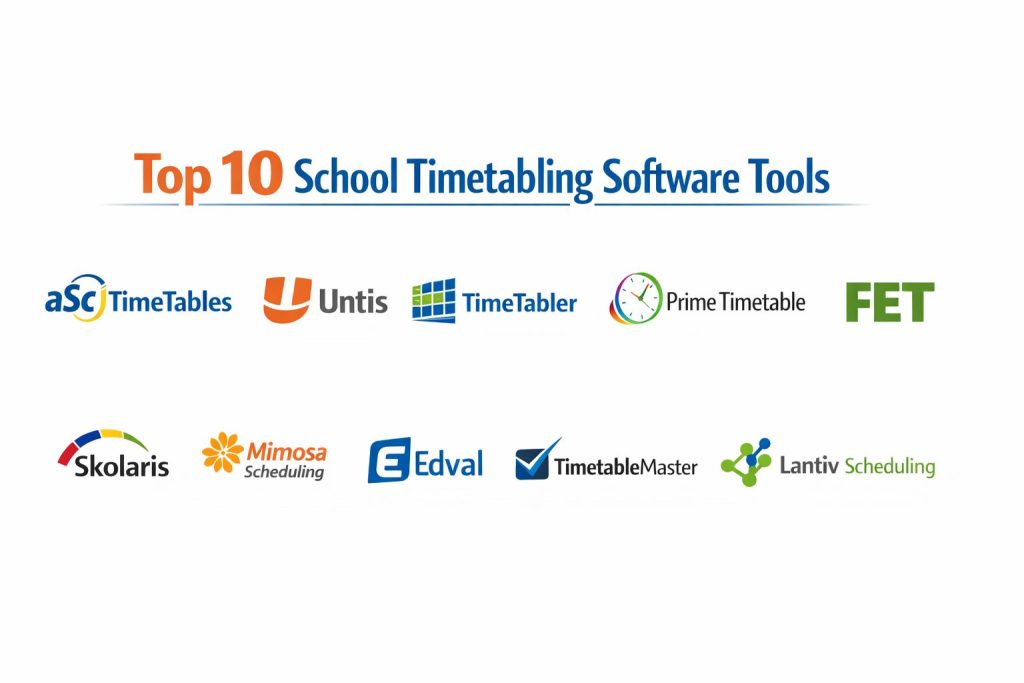
Top 10 School Timetabling Software
1. aSc TimeTables
aSc TimeTables is a globally dominant scheduling solution known for its incredibly powerful automatic generator. It is used by schools in over 170 countries and is highly regarded for its ability to handle complex constraints while remaining relatively easy to navigate for new users.
Key Features
- Automatic Generator: An industry-leading engine that creates an entire school schedule in minutes by testing millions of possibilities against set rules.
- EduPage Integration: A cloud-based extension that allows schools to publish timetables online, manage attendance, and communicate with parents.
- Substitution Management: A robust module for handling daily teacher absences, including automatic suggestions for the best available cover staff.
- Constraint Validation: Real-time checking of thousands of rules, such as teacher time-offs, room equipment requirements, and subject grouping.
- Mobile App Access: Provides students and teachers with their personal schedules and instant notifications of any changes or substitutions.
Pros
- Exceptionally high success rate in generating conflict-free schedules for very large and complex institutions.
- Supports a wide variety of languages and regional school formats, making it truly international.
- Regular updates and a large community of users provide a wealth of shared knowledge and support.
Cons
- The desktop interface, while functional, can feel a bit traditional compared to modern web-first applications.
- The sheer number of settings and constraints can be overwhelming for small schools with simple needs.
2. Untis
Untis is a premium, multi-functional scheduling suite that is particularly popular in Europe and large academic institutions. It offers deep integration between timetabling, substitution planning, and overall school resource management through its WebUntis cloud platform.
Key Features
- Optimization Algorithms: Uses advanced mathematical logic to balance teacher workloads and maximize room utilization across multiple buildings.
- WebUntis: A cloud platform that serves as a digital hub for the school, offering online timetables, class registers, and appointment booking.
- Multi-User Collaboration: Allows multiple administrators to work on different parts of the master schedule simultaneously with synchronized data.
- Student Choice Module: Specifically designed to handle the complex elective choices of upper-secondary and university students.
- Integration APIs: Offers extensive connection points for third-party Student Information Systems and Learning Management Systems.
Pros
- Unmatched depth in handling multi-campus and highly complex university-level scheduling requirements.
- Professional-grade security and data protection, fully compliant with international privacy standards.
- Highly scalable, making it suitable for everything from a small vocational school to a massive city-wide school district.
Cons
- One of the most expensive options on the market, often requiring a significant annual investment.
- Requires intensive training and a dedicated administrator to fully master its advanced features.
3. TimeTabler
TimeTabler is a highly respected tool in the UK and British international schools, designed by experienced former school leaders. It focuses on a “human-centered” approach to scheduling, combining a smart assistant with intuitive manual controls for precise planning.
Key Features
- Visual Interface: Uses a clear, color-coded grid that makes it easy to see the “shape” of the school day and identify potential bottlenecks.
- Helpful Assistant: A built-in “wizard” that guides users through the scheduling process, suggesting moves and highlighting the best spots for lessons.
- Curriculum Planning: Includes a dedicated “Options” module to help schools analyze student choices and design the best possible subject blocks.
- Cloud Publishing: Seamlessly exports schedules to various cloud platforms so that staff and students can access them via any browser.
- Staff Consultation: Features tools for gathering and managing teacher preferences and availability before the scheduling process begins.
Pros
- Renowned for its excellent customer support and the wealth of educational expertise behind its design.
- Very popular in schools following the British curriculum due to its specific handling of year groups and sets.
- Provides a logical, step-by-step workflow that is easier to learn than many of its competitors.
Cons
- Primarily Windows-based for the core scheduling engine, which may not suit “Mac-only” school environments.
- While it has auto-fill features, it places more emphasis on the human scheduler than pure “one-click” automation.
4. Prime Timetable
Prime Timetable is a modern, web-based scheduling application that prioritizes ease of use and cross-platform accessibility. It is a favorite among schools looking for a “SaaS” (Software as a Service) experience that works in any browser on any device.
Key Features
- Cloud-Native Design: No installation required; administrators can log in and work from a PC, Mac, or tablet with all data saved automatically.
- Instant Validation: As you drag and drop lessons, the software instantly highlights conflicts and shows you the best alternative slots.
- Automatic Optimization: Includes a powerful background optimizer that continuously works to improve the quality of the schedule while you edit.
- Easy Sharing: Allows for the instant creation of public or password-protected links for teachers, students, and parents to view their timetables.
- Simple Data Import: Features a robust Excel/CSV import tool that makes transitioning from manual spreadsheets very straightforward.
Pros
- One of the most modern and intuitive user interfaces in the school scheduling market.
- Very affordable pricing model, making it highly accessible for small-to-mid-sized schools and private centers.
- Excellent for schools that need to make frequent, rapid changes to their schedule throughout the year.
Cons
- May lack some of the extreme “niche” constraint depth required by very large, multi-departmental universities.
- The reporting suite, while clean, is not as extensive as the deep analytics found in enterprise tools like Untis.
5. FET (Free Evolutionary Timetabling)
FET is the leading open-source school timetabling software, offering high-level scheduling power for free. It uses a sophisticated evolutionary algorithm to solve complex problems and is maintained by a dedicated community of volunteer developers.
Key Features
- Evolutionary Algorithm: A highly advanced mathematical engine that can solve even the most “unsolvable” schedules through iterative optimization.
- Open Source: Completely free to use for any number of schools or students, with the source code available for customization.
- Constraint Depth: Offers a surprisingly large number of constraint types, matching or exceeding many paid commercial tools.
- Cross-Platform: Available for Windows, macOS, and Linux, ensuring compatibility with almost any school hardware setup.
- Active Forum: A strong community of users and developers who provide free support and frequent software updates.
Pros
- The most powerful “zero-cost” option available, ideal for budget-constrained schools and non-profits.
- Extremely efficient at handling large datasets with thousands of activities and constraints.
- Highly transparent and customizable for users with technical or programming knowledge.
Cons
- The user interface is very basic and dated, which can make the initial learning process quite intimidating.
- Lacks the polished cloud features, mobile apps, and “official” 24/7 technical support of paid commercial vendors.
6. Skolaris
Skolaris is a web-based timetabling platform that specializes in advanced optimization and multi-campus coordination. It is designed to bridge the gap between simple web tools and complex enterprise software, offering high-end features with a modern UI.
Key Features
- High-Performance Optimizer: Uses a cloud-based server cluster to run thousands of simulations and find the mathematically “best” schedule for your school.
- Campus Management: Specifically optimized for schools with multiple sites, managing teacher travel time and room sharing across locations.
- Interactive Conflict Resolution: Provides a detailed “conflict tree” that explains exactly why a certain lesson cannot be placed and suggests fixes.
- API Connectivity: Seamlessly integrates with modern school management systems (SIS) like Skooler, Microsoft Teams, and Google Classroom.
- Substitution Logic: Includes a smart module that factors in teacher “wellness” and workload balance when assigning cover lessons.
Pros
- Combines professional-grade scheduling power with a clean, responsive, and very modern web interface.
- Exceptional at managing complex teacher travel constraints for multi-site institutions.
- Rapid generation of schedules thanks to its high-speed cloud infrastructure.
Cons
- As a newer player in the market, it may have a smaller community and fewer third-party tutorial resources than long-established tools.
- Pricing is based on school size, which can become expensive for very large districts or university networks.
7. Mimosa Scheduling Software
Mimosa is a versatile and long-standing scheduling tool that is widely used in both general education and corporate training environments. It is known for its flexibility in handling non-standard scheduling patterns, such as intensive courses and workshops.
Key Features
- Flexible Time Units: Allows for any lesson duration (e.g., 5-minute increments), making it ideal for non-traditional academic calendars.
- Large Capacity: Can handle up to 300,000 activities in a single file, suitable for massive vocational colleges and training centers.
- Conflict Matrix: A detailed visual tool that shows all potential resource clashes in a single comprehensive view.
- Reporting Engine: Includes over 100 built-in report templates for analyzing teacher load, room usage, and student attendance.
- Multi-Format Export: Supports exporting data directly to web pages, PDF documents, and legacy database formats.
Pros
- Highly adaptable; it can be used for schools, music academies, driving schools, and even conference centers.
- Very stable and reliable software with a decades-long track record of performance.
- Excellent value for money for institutions that need high-capacity scheduling without a massive enterprise price tag.
Cons
- The user interface has not changed significantly in several years and can feel quite dated to modern users.
- The learning curve is steep because the software is designed to be a “blank canvas” for many different types of scheduling.
8. Edval (by Tes)
Edval is a sophisticated, data-driven scheduling platform that is extremely popular in Australia and increasingly globally. Now part of the Tes family, it is famous for its “smarter” timetables that proactively improve school outcomes, such as reducing teacher “split shifts.”
Key Features
- Automated Logic: Focuses on creating “high-quality” schedules that prioritize staff satisfaction and student learning, not just conflict-free grids.
- Daily Organiser: A comprehensive module for managing daily staff absences, room changes, and school event logistics in real-time.
- Edval Choice: A specialized tool for collecting student elective preferences and automatically creating the most popular subject blocks.
- Advanced Analytics: Provides “Quality Scores” for your timetable, allowing you to see how your schedule compares to industry standards.
- Native Integration: Deeply integrated with the Tes school management ecosystem and major global SIS providers.
Pros
- Widely considered to produce the highest-quality schedules in terms of staff and student well-being.
- The “Edval Choice” module is one of the best in the world for maximizing student elective satisfaction.
- Excellent reporting that helps senior leadership teams optimize their staffing budget.
Cons
- The advanced features and “quality-first” approach require a significant investment in staff training and data cleanup.
- Pricing is at the higher end of the market, reflecting its position as a premium enterprise solution.
9. TimetableMaster
TimetableMaster is an emerging AI-powered scheduling tool that focuses on providing a fast, modern, and highly automated experience. It is designed for schools that want to “get the job done” with minimal manual intervention through intelligent machine learning.
Key Features
- AI-Assisted Scheduling: Uses machine learning to recognize patterns in your school’s data and automatically suggest the best ways to resolve conflicts.
- Responsive Web Portal: A fully mobile-optimized site where teachers can view their schedules and request swaps or leaves.
- Auto-Substitute: An AI engine that handles morning substitution calls by automatically matching the best available teacher to the class.
- Departmental View: Allows heads of departments to manage their own staff workloads while remaining within the master school schedule.
- Collaborative Planning: Features built-in messaging and task management for the scheduling team within the app.
Pros
- One of the fastest platforms for generating a first-draft timetable from scratch.
- Very modern user experience that feels more like a contemporary social or productivity app than “admin software.”
- Strong focus on automation, reducing the need for the administrator to manually “fix” small clashes.
Cons
- Being a newer AI-driven platform, it may not yet have the decades of edge-case handling found in legacy tools like aSc or Untis.
- The “black box” nature of AI scheduling can sometimes make it harder for administrators to understand why a certain move was made.
10. Lantiv Scheduling
Lantiv provides a range of scheduling solutions, with their “Timetabler” product being a core choice for schools seeking a balance of automation and manual control. It is known for its “drag-and-drop” simplicity and its ability to handle both K-12 and Higher Education environments.
Key Features
- Interactive Grid: A highly responsive drag-and-drop interface that makes manual adjustments and “what-if” testing very easy.
- Conflict Finder: A real-time side panel that constantly lists all current issues in the schedule and provides “one-click” jump links to fix them.
- Teacher Web Access: A dedicated portal for staff to view their assignments, print their own schedules, and check for updates.
- Multi-Campus Support: Capable of managing resources and staff movements between multiple physical locations.
- Custom Reporting: Allows users to build their own reports from scratch using a simple field-selection tool.
Pros
- Very strong at “hybrid” scheduling, where an administrator wants to automate the bulk of the work but keep tight manual control over specific classes.
- Clean and logical workflow that mirrors the way many veteran schedulers think about their task.
- Good performance even with very large datasets on standard office hardware.
Cons
- The web features are not quite as integrated or feature-rich as those in cloud-native tools like Prime Timetable or Skolaris.
- The software can occasionally feel “click-heavy” for complex tasks that other tools automate more deeply.
Comparison Table (Top 10)
| Tool Name | Best For | Platform(s) Supported | Deployment | Standout Feature |
| 1. aSc TimeTables | Global K-12 Schools | Web, Windows, Mobile | Hybrid | 170+ Countries Support |
| 2. Untis | Large Universities | Web, Windows, Mobile | Cloud / On-Premise | Enterprise Resource Sync |
| 3. TimeTabler | UK / British Int’l Schools | Windows, Cloud Export | Desktop | Human-Centered Wizard |
| 4. Prime Timetable | Small-to-Mid Schools | Web (Any Browser) | Cloud (SaaS) | Instant Web Collaboration |
| 5. FET | Budget-Conscious / Tech-Savvy | Windows, Mac, Linux | Desktop | Free Open Source Power |
| 6. Skolaris | Multi-Campus Logistics | Web (Any Browser) | Cloud (SaaS) | Travel-Time Optimization |
| 7. Mimosa Scheduling | Vocational / Specialist | Windows | Desktop | High Activity Capacity |
| 8. Edval | Staff Well-being & Quality | Web, Windows | Hybrid | Quality Scoring Algorithm |
| 9. TimetableMaster | AI-First Automation | Web, Mobile | Cloud (SaaS) | Machine Learning ETAs |
| 10. Lantiv Scheduling | Higher Education Hybrid | Windows, Web Portal | Desktop / Web | Dynamic Conflict Finder |
Evaluation & Scoring of School Timetabling Software
The scoring below is a comparative model intended to help shortlisting. Each criterion is scored from 1–10, then a weighted total from 0–10 is calculated using the weights listed. These are analyst estimates based on typical fit and common workflow requirements, not public ratings.
Weights:
Price / value – 15%
Core features – 25%
Ease of use – 15%
Integrations & ecosystem – 15%
Security & compliance – 10%
Performance & reliability – 10%
Support & community – 10%
| Tool Name | Auto-Engine (30%) | Ease of Use (20%) | Integrations (15%) | Cloud/Mobile (15%) | Value (10%) | Support (10%) | Weighted Total |
| aSc TimeTables | 10 | 8 | 8 | 9 | 9 | 9 | 9.0 |
| Untis | 10 | 6 | 10 | 10 | 6 | 9 | 8.6 |
| TimeTabler | 8 | 9 | 7 | 8 | 8 | 10 | 8.3 |
| Prime Timetable | 8 | 10 | 8 | 10 | 10 | 8 | 8.8 |
| FET | 10 | 4 | 5 | 2 | 10 | 6 | 6.7 |
| Skolaris | 9 | 9 | 8 | 10 | 8 | 8 | 8.7 |
| Mimosa Scheduling | 8 | 7 | 6 | 5 | 9 | 7 | 7.1 |
| Edval | 10 | 7 | 9 | 9 | 7 | 9 | 8.6 |
| TimetableMaster | 9 | 9 | 8 | 10 | 8 | 8 | 8.7 |
| Lantiv Scheduling | 8 | 8 | 7 | 7 | 8 | 8 | 7.7 |
How to interpret the scores:
- Use the weighted total to shortlist candidates, then validate with a pilot.
- A lower score can mean specialization, not weakness.
- Security and compliance scores reflect controllability and governance fit, because certifications are often not publicly stated.
- Actual outcomes vary with assembly size, team skills, templates, and process maturity.
Which School Timetabling Software Tool Is Right for You?
Small Primary Schools & Tutoring Centers
If you have a relatively small staff and a simple weekly schedule, Prime Timetable is the top recommendation. It’s affordable, runs entirely in the browser, and doesn’t require an IT expert to set up.
Large Secondary & High Schools
For schools with complex “sets,” “streaming,” and shared teachers, aSc TimeTables or Edval provide the heavy-duty power needed. aSc is better for rapid automatic generation, while Edval is superior if you want to optimize for teacher satisfaction and student elective success.
Universities & Multi-Campus Colleges
Institutions with thousands of rooms and tens of thousands of students should look at Untis or Skolaris. These tools are built to handle the logistical nightmare of room sharing and travel time between distant campus buildings.
Schools on a Zero Budget
If you have a technically capable staff member and zero budget for software, FET is the only choice. While the interface is challenging, its scheduling power is equal to many of the most expensive tools on this list.
British Curriculum Schools
Schools following the UK model will find that TimeTabler speaks their language perfectly. It is designed specifically for the “blocks,” “bands,” and “sets” used in the British system and comes with peerless support from educational experts.
Frequently Asked Questions (FAQs)
What is the difference between manual and automatic timetabling?
Manual timetabling involves placing every lesson by hand on a grid, which is prone to errors. Automatic timetabling uses an algorithm to test millions of combinations and places all lessons instantly based on pre-set rules.
How long does it typically take to generate a school timetable?
With professional software like aSc TimeTables, a first draft of a master schedule can be generated in 10 to 30 minutes, although fine-tuning and data entry may take several days.
Can these tools handle part-time teachers or split-site campuses?
Yes, most advanced tools like Skolaris and Untis have specific constraints for part-time availability and “travel time” to ensure teachers have enough time to move between buildings.
Do I need to buy a new license every year?
Most modern cloud platforms like Prime Timetable use a subscription model, while some desktop tools like aSc TimeTables offer permanent licenses with optional annual maintenance fees for updates.
Can I import my student data from my current SIS (Student Information System)?
Almost all top-tier tools allow you to import data via Excel, CSV, or direct API integration with popular systems like SAP, Oracle, or SIMS.
What happens if the software cannot find a 100% conflict-free schedule?
The software will typically place as many lessons as possible and provide a “failed list” of the remaining lessons, highlighting the specific constraints (e.g., a teacher who is already busy) that are causing the conflict.
Is my data safe in the cloud?
Enterprise tools like Untis and Skolaris use bank-grade encryption and are fully compliant with global data privacy regulations (like GDPR) to protect staff and student information.
Can students view their timetables on their phones?
Yes, most platforms now provide dedicated mobile apps or “responsive” web portals where students can see their personalized schedule and receive alerts for room changes.
Can these tools manage exam scheduling as well?
Many platforms, including aSc TimeTables and Edval, have dedicated modules or separate versions specifically designed for the unique constraints of exam week, such as seating plans and invigilator assignments.
Do I need a powerful computer to run these programs?
Web-based tools like Prime Timetable run on any device with a browser. Desktop tools like FET or aSc require a standard modern PC, although faster processors will significantly speed up the automatic generation process.
Conclusion
The selection of a school timetabling software is one of the most critical decisions an administrative team will make. While aSc TimeTables and Prime Timetable offer the best balance of power and usability for general K-12 needs, institutions with massive scale or specialized regional requirements may find better value in Untis or TimeTabler. By moving away from manual spreadsheets and adopting algorithmic automation, schools can reclaim hundreds of hours of staff time and create a more balanced, stress-free learning environment for everyone.