Introduction
Business Continuity Planning (BCP) has shifted from a static compliance requirement to a dynamic, AI-driven resilience strategy. Modern BCP tools are designed to ensure that an organization can maintain or quickly resume operations following a disaster, cyberattack, or supply chain failure. These platforms centralize complex data, automate impact assessments, and provide real-time communication channels when traditional systems go dark. As global dependencies on cloud infrastructure and AI agents grow, having a formalized digital resilience strategy is the primary difference between a minor operational hiccup and a business-ending catastrophe.
The landscape demands “Living Plans” that update automatically as the business environment changes. Legacy paper-based plans are no longer viable in a world where a cloud outage or a ransomware strike can paralyze global operations in seconds. Today’s tools focus on “Operational Resilience,” mapping every critical business process to its underlying technology, third-party vendors, and human resources. By identifying single points of failure before an incident occurs, these platforms empower leadership to make data-driven decisions under extreme pressure, safeguarding both the brand’s reputation and its bottom line.
Real-World Use Cases
- Automated Business Impact Analysis (BIA): Organizations use BCP tools to distribute surveys and aggregate data automatically, identifying which departments are most critical and setting precise Recovery Time Objectives (RTO).
- Cyber Resilience and Ransomware Recovery: High-end tools integrate with IT security systems to trigger automated failovers and clean-data restoration the moment a breach is detected, minimizing downtime.
- Mass Emergency Notification: During natural disasters or office emergencies, BCP platforms act as a central hub for sending two-way alerts via SMS, voice, and mobile apps to ensure all employees are safe and accounted for.
- Supply Chain Risk Mapping: Global manufacturers use these tools to map tier-1 and tier-2 suppliers, allowing them to instantly see which products are at risk when a geopolitical event or port strike occurs.
- Regulatory Audit Readiness: Highly regulated sectors like finance and healthcare use BCP software to maintain an unalterable audit trail of plan approvals, exercises, and maintenance for compliance with ISO 22301 and other standards.
Buyer Evaluation Criteria
- AI-Driven Predictive Insights: Look for platforms that use AI to simulate “what-if” scenarios, such as the total impact of a major cloud provider going offline for 24 hours.
- Dependency Mapping Visualization: The tool should offer a graphical view of how processes, applications, and vendors are interconnected, making it easy to spot hidden risks.
- Mobile-First Incident Response: Ensure the platform has a robust mobile application that allows executives and recovery teams to activate plans and communicate even if the corporate network is down.
- Ease of Integration: A top-tier BCP tool must sync seamlessly with your HR systems (for contact lists), CMDB (for IT assets), and GRC platforms (for overall risk alignment).
- Scenario Testing and Exercising: Evaluate the tool’s ability to manage tabletop exercises and “chaos testing,” tracking the results and automatically updating plans based on lessons learned.
- User Adoption and Interface: If the software is too complex, employees won’t update their plans. Choose a tool with an intuitive, guided interface that requires minimal training for “casual” users.
- Mass Notification Capabilities: Determine if the tool has built-in emergency messaging or if you need to pay for a third-party service like Everbridge or Rave.
- Data Security and Sovereignty: Since BCP tools hold your company’s most sensitive “blueprints,” they must meet the highest security standards, including SOC 2 Type II and regional data residency laws.
- Scalability for Global Teams: The platform should support multiple languages and time zones, allowing regional offices to maintain local plans while feeding data into a global dashboard.
- Predictable Pricing Models: Some vendors charge per user, while others charge per module or by the number of plans; ensure the model fits your long-term growth and budget.
Best for: Enterprise organizations, financial institutions, and healthcare providers who face strict regulatory requirements and manage high-stakes, complex operations.
Not ideal for: Very small businesses with simple operations where a basic cloud-stored document and an emergency contact list are sufficient for their needs.
Key Trends in Business Continuity Planning Tools
- Agentic AI Orchestration: AI agents within BCP tools can autonomously initiate recovery workflows, such as spinning up backup servers or notifying customers of service interruptions.
- Focus on “Cyber Resilience”: The line between BCP and Cybersecurity has blurred, with tools now focusing on “clean room” recoveries and immutable backups to combat sophisticated ransomware.
- Real-time Threat Intelligence Feeds: Modern platforms integrate live data on weather, civil unrest, and cyber threats, automatically flagging plans that might need to be activated based on local risks.
- Digital Twins of the Organization: BCP software now creates a digital replica of business operations, allowing leaders to run high-fidelity simulations of disruptions without affecting real-world processes.
- ESG and Resilience Linkage: Companies are increasingly using BCP data to report on their operational sustainability, proving to investors that they can survive environmental and social disruptions.
- Hyper-Automation of BIA: The traditional, manual Business Impact Analysis has been replaced by continuous data mining that identifies process changes and adjusts RTOs in real-time.
- Decentralized Communication: Platforms are adopting peer-to-peer and satellite-based communication backups to ensure teams can coordinate even during total cellular or internet failures.
- Zero-Trust Resilience Access: Access to recovery plans is now governed by zero-trust architecture, ensuring that even if a user’s credentials are stolen, the “keys to the kingdom” remain protected.
How We Selected These Tools (Methodology)
Our selection of the top 10 BCP tools is based on a rigorous analysis of market leadership, technological innovation, and user feedback. We focused on platforms that have successfully integrated AI to move beyond simple “document storage” into active resilience orchestration.
- Completeness of Lifecycle Support: We prioritized tools that handle everything from the initial Risk Assessment and BIA to Plan Development, Testing, and Incident Response.
- AI and Automation Maturity: Each tool was evaluated on its ability to automate repetitive tasks like data collection, plan reminders, and incident notifications.
- Regulatory Compliance Frameworks: We looked for built-in templates and reporting for global standards such as ISO 22301, FFIEC, and HIPAA.
- Interoperability: High scores were given to tools with open APIs and native connectors for major enterprise systems like ServiceNow, SAP, and Microsoft 365.
- Mobile and Offline Capability: Given that disruptions often involve network outages, the presence of a reliable offline-capable mobile app was a major selection factor.
- Vendor Stability and Innovation: We analyzed the financial health and R&D investment of each vendor to ensure they are equipped to handle the evolving threats of 2026 and beyond.
- Customer Satisfaction: We reviewed long-term user sentiment across enterprise review platforms, focusing on ease of implementation and the quality of customer support during actual crises.
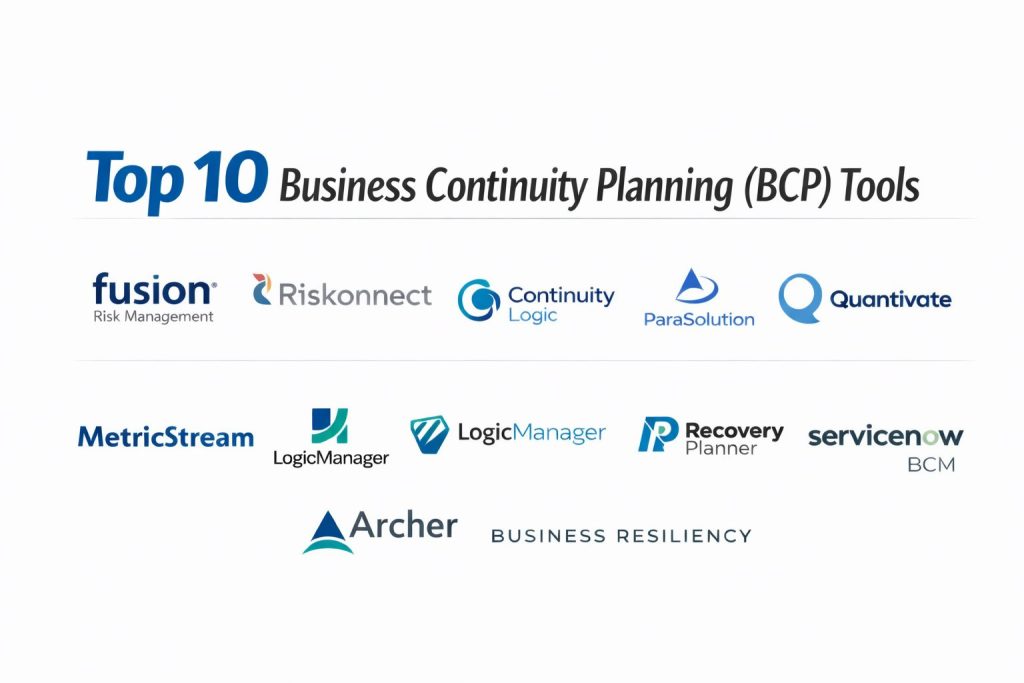
Top 10 Business Continuity Planning (BCP) Tools
1 1Fusion Risk Management
Fusion Risk Management provides the “Fusion Framework System,” a world-class platform built on the Salesforce architecture. It is widely regarded as the leader for large enterprises that want to unify business continuity, IT disaster recovery, and crisis management into a single “operational resilience” ecosystem.
Key Features
- Fusion Framework System: A comprehensive environment that maps dependencies between processes, applications, and vendors for a 360-degree view of risk.
- Fusion Intelligence: Built-in AI that identifies single points of failure and provides predictive insights during disruptions.
- Visual Dependency Mapping: Interactive maps that show exactly how a failure in one department or IT system cascades through the entire organization.
- Dynamic BIA: An automated Business Impact Analysis engine that continuously collects data and updates recovery priorities based on real-world changes.
- Integrated Crisis Management: Tools for real-time collaboration, task tracking, and executive reporting during a live incident.
- Third-Party Risk Management: Monitors the resilience of your vendors and partners to ensure your entire supply chain is protected.
- Mobile Incident Response: A secure mobile experience that allows recovery teams to access plans and communicate from anywhere.
Pros
- Unmatched scalability and customization, making it suitable for the world’s most complex global organizations.
- Leverage the security and reliability of the Salesforce platform, reducing IT overhead for hosting and maintenance.
- Strong focus on “Resilience” rather than just “Compliance,” helping businesses actually survive disruptions.
Cons
- The depth of the platform results in a steep learning curve for new administrators and planners.
- Implementation is a significant enterprise project that requires dedicated time and resources.
- High cost of ownership makes it less accessible for mid-market companies with smaller budgets.
Platforms / Deployment
- Web / iOS / Android
- Cloud-based SaaS (Salesforce)
Security & Compliance
- SOC 2 Type II, ISO 27001, and FedRAMP authorized.
- Full GDPR and HIPAA compliance with enterprise-grade encryption.
Integrations & Ecosystem
Fusion is designed to be the “resilience hub” of the enterprise, pulling and pushing data across the tech stack.
- Native integration with Salesforce and its massive AppExchange ecosystem.
- Connectors for ServiceNow, Jira, and major CMDB platforms.
- Integration with emergency notification systems like Everbridge.
- Open APIs for custom data feeds from HR and finance systems.
Support & Community
Fusion offers 24/7 global support and a dedicated Customer Success Manager for large accounts. They host the “Fusion Community” and an annual user conference focused on the future of resilience.
2 Riskonnect
Riskonnect is a premier Integrated Risk Management (IRM) platform that acquired Castellan to bolster its business continuity capabilities. It offers a highly sophisticated, data-driven approach that connects BCP with enterprise risk, audit, and compliance for a holistic view of organizational health.
Key Features
- Castellan Platform Integration: High-performance BCM modules specifically designed for plan automation and program management.
- Real-time Threat Monitoring: Integrates with external threat feeds to provide early warnings for weather, civil unrest, or cyber incidents.
- Impact-Driven BIA: Sophisticated analysis tools that prioritize recovery based on financial, operational, and reputational impact.
- Scenario Testing Wizard: A guided tool for designing, executing, and documenting tabletop exercises and full-scale recovery drills.
- Operational Resilience Dashboards: Executive-level visualizations that show “Resilience Scores” across different business units.
- Automated Plan Maintenance: Workflow triggers that remind plan owners to review and update their documents on a regular schedule.
- Embedded Notification Tools: Built-in multi-channel alerting for employees and stakeholders during a crisis.
Pros
- One of the most intuitive and modern user interfaces in the BCP market, promoting high user adoption.
- Exceptional at connecting BCP with broader corporate risk initiatives, breaking down organizational silos.
- Strong global presence with deep expertise in regulated industries like finance and healthcare.
Cons
- The recent merger of products (Castellan into Riskonnect) can lead to occasional navigation complexities for legacy users.
- Pricing can be complex depending on the number of risk modules selected beyond the core BCP features.
- Deep customization often requires assistance from Riskonnect’s professional services team.
Platforms / Deployment
- Web / iOS / Android
- Cloud-based SaaS
Security & Compliance
- SOC 2 Type II, ISO 22301, and HIPAA compliant.
- Adheres to strict international data privacy standards including GDPR.
Integrations & Ecosystem
Riskonnect excels at being a part of a larger GRC (Governance, Risk, and Compliance) strategy.
- Deep integration with the broader Riskonnect IRM suite.
- Connects with HR systems like Workday and Oracle for employee data.
- Integrates with IT management tools to sync application and server lists.
- Support for major communication platforms like Microsoft Teams and Slack.
Support & Community
Riskonnect provides robust technical support and a comprehensive “Riskonnect University” for user training. They maintain a strong presence in the global BCI (Business Continuity Institute) community.
3 Continuity Logic
Continuity Logic (often branded as CLDigital) is a cloud-native platform known for its “zero-code” flexibility and ease of use. It is designed to help organizations of all sizes move away from spreadsheets and into an automated, data-centric resilience program.
Key Features
- Dynamic Plan Builder: A flexible tool that allows users to build custom recovery plans using simple drag-and-drop components.
- Visual Dependency Analysis: Maps the relationships between business processes, vendors, and IT infrastructure in a clear, interactive graph.
- BIA Automation: Simplifies the data collection process for Business Impact Analysis with customizable surveys and automated follow-ups.
- Predictive Response Playbooks: Uses AI to suggest the best course of action based on the specific type of disruption detected.
- Risk Heat Maps: Visualizes organizational vulnerabilities, helping leaders prioritize resilience investments.
- Testing & Exercise Tracking: Centralizes the scheduling and results of all recovery drills for audit readiness.
- Mobile Control Tower: A dedicated mobile app for real-time incident management and plan activation.
Pros
- “Zero-code” architecture allows business users to customize the platform without help from the IT department.
- Very fast implementation times compared to larger enterprise risk suites.
- Highly scalable, capable of supporting small teams or massive global enterprises with the same core technology.
Cons
- While flexible, it may lack some of the deeply specialized “financial risk” modules found in competitors like Riskonnect.
- The reporting engine can be powerful but requires a learning period to master custom dashboard creation.
- Some users may find the interface less “corporate” than legacy competitors.
Platforms / Deployment
- Web / iOS / Android
- Cloud-based SaaS
Security & Compliance
- SOC 2 Type II and ISO 27001 certified.
- Built-in support for FFIEC, HIPAA, and GDPR regulatory frameworks.
Integrations & Ecosystem
Continuity Logic is built on a modern API-first architecture, making it highly “connectable.”
- Native connectors for ServiceNow and major CMDB providers.
- Integration with HRIS platforms for real-time contact management.
- Bridges to external threat intelligence providers for situational awareness.
- Open API for custom integrations with proprietary business applications.
Support & Community
The company is known for its high-touch customer service and consultative approach to onboarding. They offer regular training webinars and maintain an active online knowledge base.
4 ParaSolution (by Premier Continuum)
ParaSolution is a world-class, award-winning BCM software developed by Premier Continuum. It is highly regarded for its adherence to international standards and its ability to support the entire BCM lifecycle through an intuitive, user-friendly interface.
Key Features
- Guided BIA Process: A step-by-step wizard that helps non-experts complete Business Impact Analyses accurately and quickly.
- Standard-Aligned Templates: Built-in frameworks for ISO 22301 and other global continuity standards.
- Real-time Incident Dashboard: A central “war room” view for managing live disruptions and tracking recovery progress.
- Dependency & Gap Analysis: Automatically identifies where recovery capabilities do not meet business requirements (RTO vs. RTA).
- Multi-Language Support: A fully localized interface suitable for global organizations with diverse workforces.
- Automated Notification Integration: Seamlessly connects with leading emergency alerting systems to keep staff informed.
- Audit-Ready Reporting: Generates comprehensive reports for stakeholders and regulators with a single click.
Pros
- Exceptionally strong “consultative” feel, as the software was built by BCM professionals for BCM professionals.
- High marks for ease of use, leading to faster data entry and higher quality plans across the business.
- Flexible licensing models that can accommodate growing organizations.
Cons
- Advanced AI and “predictive” features are still evolving compared to tech-heavy rivals like Fusion.
- The mobile application is highly functional but may feel slightly more traditional in design.
- Primarily focused on BCM; organizations wanting a total “Enterprise Risk” suite may need to integrate it with other tools.
Platforms / Deployment
- Web / iOS / Android
- Cloud-based SaaS / On-Premise available
Security & Compliance
- SOC 2 Type II and ISO 27001 certified.
- Specifically designed to satisfy ISO 22301 and BCI Good Practice Guidelines.
Integrations & Ecosystem
ParaSolution focuses on being a highly interoperable “Best-of-Breed” solution.
- Ready-to-use integrations with Everbridge and other notification tools.
- Connects with Active Directory and HR platforms for user management.
- API support for importing data from IT asset management systems.
- Partnership-based integrations with specialized risk assessment tools.
Support & Community
Premier Continuum provides expert-led support and a wide range of BCM training and certification courses. They have a very high customer retention rate and are active participants in global resilience conferences.
5 Quantivate
Quantivate is a leader in Governance, Risk, and Compliance (GRC) software, offering a robust Business Continuity module that is particularly popular in the banking and credit union sectors due to its deep focus on regulatory compliance.
Key Features
- Integrated GRC Suite: BCP is part of a larger ecosystem that includes vendor risk, internal audit, and regulatory compliance.
- Compliance-First Planning: Features specific templates and workflows designed to meet FFIEC, NCUA, and other financial regulations.
- Automated Plan Reminders: Keeps the BCP program fresh by automatically tasking owners with reviews and updates.
- Business Impact Wizard: Simplifies the identification of critical assets and the calculation of potential downtime costs.
- Emergency Messaging Integration: Allows for rapid alerting of staff and customers directly from the plan interface.
- Centralized Risk Register: Maps specific threats (cyber, natural disaster, power outage) to the plans designed to mitigate them.
- Executive Dashboards: High-level views of program maturity and overall organizational readiness for the Board of Directors.
Pros
- The clear choice for financial institutions that need to prove “Audit Readiness” to regulators.
- Excellent value for money, often bundling multiple risk modules at a competitive price point.
- Very responsive customer support based in the United States.
Cons
- The user interface can feel more “functional” and data-dense compared to modern SaaS startups.
- Heavy focus on compliance may make the tool feel rigid for companies in less regulated industries.
- Advanced automation features (like AI-driven scenario modeling) are less central than in high-end enterprise tools.
Platforms / Deployment
- Web / iOS / Android
- Cloud-based SaaS
Security & Compliance
- SOC 2 Type II compliant.
- Deeply aligned with FFIEC, NCUA, and HIPAA requirements.
Integrations & Ecosystem
Quantivate is designed to be an all-in-one risk shop, but it plays well with the standard corporate tech stack.
- Native integration between all Quantivate GRC modules.
- Direct sync with HR and Active Directory systems.
- Supports data exports for external BI and reporting tools.
- Integration with major emergency notification systems.
Support & Community
Quantivate offers a wealth of educational resources, including webinars and whitepapers specifically for risk managers in finance. They maintain a very high rating for customer service and implementation support.
6 MetricStream
MetricStream is a global leader in Enterprise Risk Management (ERM) and GRC. Its Business Continuity Management (BCM) software is a high-power solution designed for massive, highly regulated corporations that need to manage resilience on a global scale.
Key Features
- Enterprise Resilience Management: A unified platform that links BCP with IT disaster recovery, operational risk, and third-party risk.
- AI-Powered Risk Intelligence: Uses advanced analytics to identify emerging threats and predict their impact on global operations.
- Cognitive BIA: An intelligent Business Impact Analysis tool that suggests recovery timeframes based on industry benchmarks and internal data.
- Crisis Management Center: A real-time collaboration hub for tracking tasks, communications, and recovery milestones during events.
- Automated Audit Trails: Records every change, approval, and exercise to ensure 100% compliance with global regulations.
- Multi-Tiered Supply Chain Visibility: Maps and monitors the resilience of your suppliers and their sub-suppliers.
- Role-Based Dashboards: Customized views for everyone from department heads to the Chief Risk Officer.
Pros
- Massive scale and power; there is virtually no limit to the complexity MetricStream can handle.
- Leading-edge AI capabilities for threat detection and “autonomous” risk assessments.
- Extremely robust compliance mapping for international regulations across different jurisdictions.
Cons
- Implementation is often very long (months) and requires significant investment in professional services.
- The platform can be “overkill” and too complex for companies that don’t need a full ERM suite.
- High cost of licensing and maintenance makes it a “Premium-only” choice.
Platforms / Deployment
- Web / iOS / Android
- Cloud-based SaaS
Security & Compliance
- SOC 2 Type II, ISO 27001, and high-level international data protection certifications.
- Deep support for global regulations like DORA (Digital Operational Resilience Act).
Integrations & Ecosystem
MetricStream is designed to be the “source of truth” for risk, meaning it integrates deeply with all core business systems.
- Pre-built connectors for SAP, Oracle, and Microsoft Dynamics.
- Integration with IT service management (ITSM) tools like ServiceNow.
- Direct feeds from global threat intelligence and news agencies.
- API support for connecting to internal data lakes and BI tools.
Support & Community
MetricStream provides 24/7 global support and a dedicated “Success” organization. They host the “GRC Summit,” one of the largest annual gatherings of risk and resilience professionals in the world.
7 LogicManager
LogicManager is an “all-in-one” GRC platform that prides itself on its “Success Services” and a unique approach to risk-based business continuity. It is an ideal fit for mid-market and enterprise companies that want a tool that grows with their risk maturity.
Key Features
- Risk-Based BCP: Links every continuity plan directly to the specific risks it is meant to address, ensuring “why” we plan is as clear as “how.”
- Centralized Data Repository: Eliminates data silos by sharing process and asset information across BCP, Audit, and Compliance.
- Automated Task Management: A powerful workflow engine that handles all BCP-related tasks, from plan reviews to exercise follow-ups.
- Interactive Heat Maps: Visualizes risk exposure across the entire organization to guide executive decision-making.
- Pre-Built Content Libraries: Includes standard templates and risk categories to help companies get their program running quickly.
- Incident Tracking & Response: Tools for documenting live incidents and analyzing root causes to improve future plans.
- Vulnerability Assessments: Built-in tools for identifying and scoring threats to physical and digital assets.
Pros
- Excellent customer success model where a dedicated consultant helps you build and mature your program.
- Highly intuitive and consistent user interface across all modules (Audit, Risk, BCP).
- “Unlimited User” pricing models are often available, encouraging broad organizational participation.
Cons
- While highly capable, it may not have the “heavy-duty” IT Disaster Recovery depth of specialist tools like Fusion.
- The platform’s flexibility means it requires careful initial setup to ensure long-term data consistency.
- Some users find the reporting tools powerful but slightly less “visual” than some newer competitors.
Platforms / Deployment
- Web / iOS / Android
- Cloud-based SaaS
Security & Compliance
- SOC 2 Type II and ISO 27001 certified.
- Strong alignment with regulatory requirements for healthcare (HIPAA) and finance (FFIEC).
Integrations & Ecosystem
LogicManager focuses on being the “glue” that holds your risk data together.
- Integration with HR systems for automatic contact list updates.
- Connects with IT management software to track system dependencies.
- Supports standard API integrations for external data sharing.
- Built-in tools for importing data from legacy spreadsheets.
Support & Community
LogicManager is famous for its “Advisory” approach, providing more than just software support. They maintain an extensive library of risk management content and host regular educational sessions for their users.
8 RecoveryPlanner (by Aim Ltd)
RecoveryPlanner (now part of the Preparis/Agility family) is a long-standing, purpose-built BCM tool known as RPX. It offers deep functionality for all stages of the continuity lifecycle and is valued for its “no-nonsense” approach to planning and disaster recovery.
Key Features
- RPX Software Platform: A comprehensive suite for BIA, plan management, and automated testing.
- Cross-Functional Mapping: Visualizes how business units, locations, and technologies are interdependent.
- Predictive BIA Engine: Uses historical data and industry trends to suggest critical recovery priorities.
- Mass Notification Suite: Built-in emergency messaging that supports SMS, voice, and email without third-party tools.
- Mobile Recovery App: A clean, easy-to-use app that provides offline access to essential plans and contact lists.
- Dynamic Incident Management: Real-time logging and task assignment during live disruptions.
- Compliance Reporting Suite: Generates ready-to-use documentation for auditors and regulators.
Pros
- One of the best “bang-for-the-buck” solutions, offering high-end features at a mid-market price point.
- Extremely reliable and battle-tested; the platform has been used in countless real-world disasters.
- Very straightforward to learn, making it a favorite for organizations with limited BCM staff.
Cons
- The user interface is functional and clean but can look a bit “dated” compared to the newest SaaS startups.
- It is a dedicated BCM/DR tool, so organizations wanting a full “Enterprise Risk” or “Audit” suite may need extra integrations.
- Advanced AI features like “autonomous recovery agents” are currently more limited than in enterprise giants.
Platforms / Deployment
- Web / iOS / Android
- Cloud-based SaaS
Security & Compliance
- SOC 2 Type II and ISO 27001 compliant.
- Adheres to SSAE 16 and global data privacy regulations.
Integrations & Ecosystem
RecoveryPlanner is designed to be a “standalone” or “integrated” solution depending on need.
- Native mass notification tools (no external service required).
- Integration with HRIS and Active Directory.
- Supports data syncing with various IT asset management and ITSM tools.
- API access for custom enterprise reporting.
Support & Community
The team behind RecoveryPlanner is known for its deep BCM expertise and personalized support. They offer extensive training and were among the first to receive high ratings for “Customer Success” in the BCM market.
9 ServiceNow BCM
For organizations already using ServiceNow for IT Service Management (ITSM), the Business Continuity Management (BCM) module is a natural and powerful extension. It leverages the existing ServiceNow data to provide unparalleled visibility into IT-driven business continuity.
Key Features
- Native CMDB Integration: Automatically uses your existing IT asset data to map application and server dependencies for BCP.
- Automated BIA Surveys: Leverages the ServiceNow workflow engine to distribute and track BIA data collection.
- Crisis Management Integration: Connects BCP plans directly to the ServiceNow Incident Management and Major Incident modules.
- Operational Resilience Workspace: A centralized dashboard for monitoring real-time service health and BCP readiness.
- Automated IT Disaster Recovery: Triggers technical recovery workflows based on the priorities defined in the business continuity plans.
- Mobile Employee App: Integrated with the standard ServiceNow mobile app for emergency notifications and plan access.
- Audit and Compliance Mapping: Links BCP activities to the broader ServiceNow GRC/IRM frameworks.
Pros
- “Zero-effort” data integration for companies already using ServiceNow as their IT source of truth.
- Provides a level of technical recovery automation that is hard to match with standalone BCP tools.
- Familiar interface for IT teams, leading to very high adoption within technical departments.
Cons
- It is not a standalone product; you must be an existing (or new) ServiceNow customer to use it effectively.
- The focus is heavily “IT-centric,” which can sometimes alienate non-technical business plan owners.
- Implementation can be complex and expensive, often requiring specialized ServiceNow consultants.
Platforms / Deployment
- Web / iOS / Android
- Cloud-based SaaS (ServiceNow Platform)
Security & Compliance
- Best-in-class security with FedRAMP, SOC 2, and numerous global certifications.
- Extremely robust data encryption and role-based access controls.
Integrations & Ecosystem
ServiceNow is the “platform of platforms,” offering near-infinite integration possibilities.
- Direct integration with all other ServiceNow modules (ITSM, ITOM, HRSD, GRC).
- Massive library of “Store” apps for third-party integrations (e.g., Everbridge, Microsoft).
- Strong API and orchestration capabilities for automating external systems.
- Seamless connection to cloud providers (AWS, Azure, GCP) for DR tracking.
Support & Community
ServiceNow has a massive global support infrastructure and one of the largest developer communities in the software world. Their “Knowledge” conference is the premier event for their ecosystem.
10 Archer Business Resiliency
Archer (formerly part of RSA) is one of the “Founding Fathers” of GRC. Its Business Resiliency suite is a high-end enterprise solution that is preferred by organizations with extreme risk management needs and complex global structures.
Key Features
- Mission-Critical Process Mapping: A deep, data-driven approach to identifying and cataloging an organization’s most vital functions.
- Crisis and Incident Management: Provides a centralized hub for response coordination, including task management and stakeholder alerts.
- IT Disaster Recovery Planning: Deeply integrates technical recovery steps with business-side continuity requirements.
- Automated Compliance Mapping: Tracks adherence to hundreds of global regulations and internal policies simultaneously.
- Business Impact Analysis (BIA): Sophisticated data modeling to determine the maximum tolerable period of disruption (MTPD).
- Dependency & Connectivity Maps: Visualizes the “spiderweb” of relationships between processes, data, and vendors.
- Resiliency Scorecards: Real-time metrics that help executives understand the current “Resilience Posture” of the company.
Pros
- Highly customizable; the platform can be tailored to fit even the most unique or rigid organizational structures.
- Exceptional for high-complexity environments where BCP must be perfectly synced with Audit and Compliance.
- Strong reputation for security and reliability within the Fortune 500 and government sectors.
Cons
- The user interface is very “corporate” and can be perceived as dated or overwhelming by casual users.
- High total cost of ownership (TCO) due to licensing fees and the need for specialized administrators.
- Implementation projects are typically long and require significant internal “ownership” from the risk team.
Platforms / Deployment
- Web / iOS / Android
- Cloud-based SaaS / On-Premise available
Security & Compliance
- Federal-grade security certifications including SOC 2 and ISO 27001.
- Deeply aligned with NIST, ISO 22301, and international financial regulations.
Integrations & Ecosystem
Archer is designed to be the central brain of an enterprise GRC strategy.
- Integration with the full Archer IRM suite.
- Connects with major enterprise systems like SAP, Oracle, and ServiceNow.
- Supports data ingestion from security tools and threat intelligence feeds.
- Robust API for building custom bridges to niche internal applications.
Support & Community
Archer provides professional-grade global support and a highly active “Archer Exchange” for sharing community-built templates and integrations. They host the annual “Archer Summit” for risk professionals.
Comparison Table (Top 10)
| Tool Name | Best For | Platform(s) Supported | Deployment | Standout Feature |
| Fusion Risk Management | Global Operational Resilience | Web, iOS, Android | Cloud (Salesforce) | Fusion Intelligence AI |
| Riskonnect | Integrated Risk & BCM | Web, iOS, Android | Cloud (SaaS) | Castellan Threat Intel |
| Continuity Logic | Agile/Zero-Code Flexibility | Web, iOS, Android | Cloud (SaaS) | Predict Response Playbooks |
| ParaSolution | Consultative & Guided BCM | Web, iOS, Android | Cloud / On-Prem | Step-by-Step BIA Wizard |
| Quantivate | Financial & Bank Compliance | Web, iOS, Android | Cloud (SaaS) | Audit-Ready Bank Templates |
| MetricStream | High-Power Enterprise GRC | Web, iOS, Android | Cloud (SaaS) | Cognitive AI Risk Scoring |
| LogicManager | Success-Driven Mid-Market | Web, iOS, Android | Cloud (SaaS) | Unlimited User Pricing |
| RecoveryPlanner | Practical & Purpose-Built BCM | Web, iOS, Android | Cloud (SaaS) | Built-in Mass Notifications |
| ServiceNow BCM | Organizations using ServiceNow | Web, iOS, Android | Cloud (SaaS) | Native CMDB Mapping |
| Archer Business Resiliency | High-Complexity Compliance | Web, iOS, Android | Cloud / On-Prem | Enterprise Resiliency Maps |
Evaluation & Scoring of IP Management Software
Weights
Core features 25 percent
Ease of use 15 percent
Integrations and ecosystem 15 percent
Security and compliance 10 percent
Performance and reliability 10 percent
Support and community 10 percent
Price and value 15 percent
| Tool Name | BIA/Plan Depth (25%) | AI & Automation (20%) | Integrations (15%) | Ease of Use (15%) | Security (15%) | Support (10%) | Weighted Total |
| Fusion Risk Management | 10 | 10 | 10 | 6 | 9 | 9 | 9.1 |
| Riskonnect | 9 | 9 | 9 | 9 | 9 | 9 | 9.0 |
| Continuity Logic | 8 | 9 | 8 | 10 | 8 | 9 | 8.6 |
| ParaSolution | 9 | 7 | 8 | 10 | 8 | 10 | 8.5 |
| Quantivate | 8 | 7 | 7 | 8 | 9 | 10 | 8.0 |
| MetricStream | 10 | 10 | 9 | 5 | 10 | 8 | 8.8 |
| LogicManager | 8 | 8 | 8 | 9 | 9 | 10 | 8.5 |
| RecoveryPlanner | 9 | 7 | 7 | 9 | 8 | 10 | 8.3 |
| ServiceNow BCM | 8 | 9 | 10 | 7 | 10 | 8 | 8.6 |
| Archer Business Resiliency | 10 | 8 | 9 | 5 | 10 | 8 | 8.4 |
How to interpret these scores
- BIA/Plan Depth (25%): Measures how sophisticated the tool is at identifying critical processes and mapping complex organizational dependencies.
- AI & Automation (20%): Reflects the maturity of predictive analytics, autonomous response playbooks, and task automation.
- Integrations (15%): High scores for tools that can “talk” natively to other enterprise systems like HRIS, CMDB, and GRC suites.
- Ease of Use (15%): Critical for user adoption. Higher scores indicate a modern, guided, and intuitive user interface.
Which Business Continuity Planning (BCP) Tool Is Right for You?
Small to Mid-Sized Businesses (SMBs)
For smaller organizations that need a reliable and budget-friendly way to move off spreadsheets, LogicManager and RecoveryPlanner are excellent choices. They provide a lot of “out-of-the-box” value without requiring a large technical team to manage the software.
Banking and Finance Sector
If your primary concern is satisfying regulators like the FFIEC or NCUA, Quantivate is the gold standard for mid-sized banks. For larger, global financial institutions, Fusion Risk Management and Archer provide the enterprise-grade depth required for complex audit cycles.
IT-Centric Organizations
If your organization already revolves around ServiceNow, the ServiceNow BCM module is the obvious winner. It eliminates the need to maintain a separate list of IT assets and ensures that BCP is a natural part of your existing IT workflows.
Global Manufacturers and Large Enterprise
For companies with complex supply chains and global operations, Fusion Risk Management offers the most advanced dependency mapping and AI-driven insights. If your focus is more on overall risk and audit, MetricStream provides the most powerful integrated GRC environment.
Compliance-Driven European Firms
European organizations that prioritize data sovereignty and adherence to the BCI Good Practice Guidelines should strongly consider ParaSolution. Its guided workflows and localized support make it a favorite for teams focusing on “Best Practice” planning.
Rapid Implementation Needs
If you need to get a program up and running in weeks rather than months, Continuity Logic‘s zero-code approach and ParaSolution‘s guided wizards offer the fastest time-to-value.
High-Value / Mission Critical Focus
For organizations where “Failure is not an option” (e.g., healthcare, energy), the active risk monitoring of Riskonnect and the deep resiliency maps of Archer provide the highest level of confidence during a real crisis.
Frequently Asked Questions (FAQs)
What is the main difference between BCP and Disaster Recovery (DR)?
Business Continuity Planning (BCP) focuses on keeping business operations running (human processes, communication, facilities), while Disaster Recovery (DR) is specifically focused on the technical recovery of IT systems, data, and infrastructure.
Do I really need specialized software for BCP?
While spreadsheets can work for very small teams, they fail to track complex dependencies, lack automated reminders, and are difficult to access during a network outage. BCP software provides a single, secure, and automated “source of truth.”
How often should BIA data be updated?
In the past, BIAs were updated once a year. Modern tools recommend a “Continuous BIA” approach where data is reviewed whenever a major process or technology change occurs, or at least every six months.
Can these tools integrate with my HR system for contact lists?
Yes, most top-tier BCP tools like Fusion, Riskonnect, and LogicManager feature native integrations with HRIS platforms like Workday, ensuring your emergency contact lists are always 100% accurate.
Is my data safe in a cloud-based BCP tool?
Yes, provided you choose a vendor with SOC 2 Type II and ISO 27001 certifications. These vendors use enterprise-grade encryption and often provide “Zero-Knowledge” storage so that even their own staff cannot see your plans.
How does AI help in a business continuity plan?
AI helps by predicting the “Blast Radius” of a disruption, suggesting the most efficient recovery playbooks, and automating the distribution of alerts based on the specific type and location of an incident.
Can these tools help me comply with ISO 22301?
Absolutely. Tools like ParaSolution and Archer are built specifically around the ISO 22301 framework, offering pre-built templates and reporting modules that are designed to satisfy international auditors.
What happens if the BCP tool itself goes offline?
Top-tier vendors use highly redundant architectures across multiple cloud regions. Most also provide “Offline Mode” via mobile apps, allowing you to access a cached version of your recovery plans even without an internet connection.
How do I justify the cost of BCP software to my CFO?
Focus on “Risk Mitigation” and “Downtime Cost.” Show that the cost of a single day of total downtime often exceeds several years of software licensing fees, and highlight the reduction in manual labor for data collection and reporting.
Is “Unlimited User” pricing better than “Per Seat” pricing?
For BCP, “Unlimited User” (or plan-based) pricing is usually better because it encourages every department head and employee to participate in the resilience program without worrying about increasing license costs.
Conclusion
The evolution of BCP tools has transformed business resilience from a “backup plan” into a core competitive advantage. By leveraging AI to predict disruptions and using automated platforms like Fusion Risk Management, Riskonnect, or ServiceNow to orchestrate recovery, organizations can now withstand shocks that would have previously caused total failure. Choosing the right tool depends on your organization’s technical maturity and regulatory landscape, but the transition to a digital-first resilience strategy is no longer optional. A well-implemented BCP tool is the ultimate insurance policy for your company’s future.