Introduction
Legal time and billing software is a critical specialized category of technology designed to bridge the gap between an attorney’s billable activity and the firm’s bottom line. These tools have moved beyond simple spreadsheets, integrating artificial intelligence to capture “passive” time—automatically recording minutes spent on emails, document drafting, and research without the need for manual timers. For law firms, accurate billing is not just about revenue; it is a matter of professional ethics and compliance, particularly regarding the stringent management of IOLTA (Interest on Lawyers’ Trust Accounts) and client trust funds.
Modern legal billing platforms must now navigate a complex landscape of cybersecurity requirements and diverse payment preferences. As clients increasingly demand transparency and alternative fee arrangements (AFAs), law firms are turning to software that provides real-time dashboards and detailed realization reports. Whether you are a solo practitioner looking for a lightweight mobile entry tool or a large firm requiring complex LEDES (Legal Electronic Data Exchange Standard) invoicing for corporate clients, selecting the right software is the most impactful operational decision a law firm can make.
Best for: Small to enterprise law firms, solo practitioners, and corporate legal departments requiring specialized trust accounting and automated time capture.
Not ideal for: General retail businesses, simple freelancers without trust accounting needs, or industries that do not require matter-centric billing structures.
Key Trends in Legal Time & Billing Software
- Passive Time Capture: AI-driven tools now work in the background across Outlook, Word, and Westlaw to automatically generate time entries based on digital activity.
- Automated Trust Accounting: Modern systems provide “three-way reconciliation” between the bank, the ledger, and client accounts to ensure 100% compliance with bar association rules.
- Predictive Realization Analytics: AI models analyze historical data to predict which clients are likely to pay late or which matters are at risk of going over budget.
- Text-to-Bill Technology: Mobile apps now allow attorneys to dictate detailed time narratives that are instantly converted into polished, code-compliant invoice entries.
- Unified Payment Portals: Integration of ACH and credit card payments directly into the invoice email has reduced the average “time-to-pay” from 30 days to under 72 hours.
- LEDES & UTBMS Automation: Software now automatically assigns the correct litigation codes to line items, drastically reducing invoice rejections from corporate legal departments.
- Zero-Knowledge Data Security: Encryption standards have evolved to ensure that even the software providers cannot access sensitive client-matter details stored in the cloud.
How We Selected These Tools (Methodology)
The selection methodology for guide focused on four “non-negotiable” pillars of legal operations: accuracy, compliance, interoperability, and user adoption. We prioritized tools that offer native legal-specific accounting features, as general-purpose billing software often fails to meet the strict trust accounting standards required by the legal profession. Each tool was evaluated based on its ability to handle complex billing structures, including flat fees, contingency, and hourly rates, within a single matter.
Furthermore, we analyzed the software’s “ecosystem health,” looking at how well it integrates with external tools like QuickBooks Online, Microsoft 365, and specialized legal research platforms. Security was a major weighting factor; we only included tools that demonstrate SOC 2 Type II compliance and provide robust audit trails. Finally, we reviewed thousands of user testimonials to determine the “friction factor”—how likely an attorney is to actually use the software daily—as the best billing tool in the world is useless if the timekeepers find it too difficult to enter their hours.
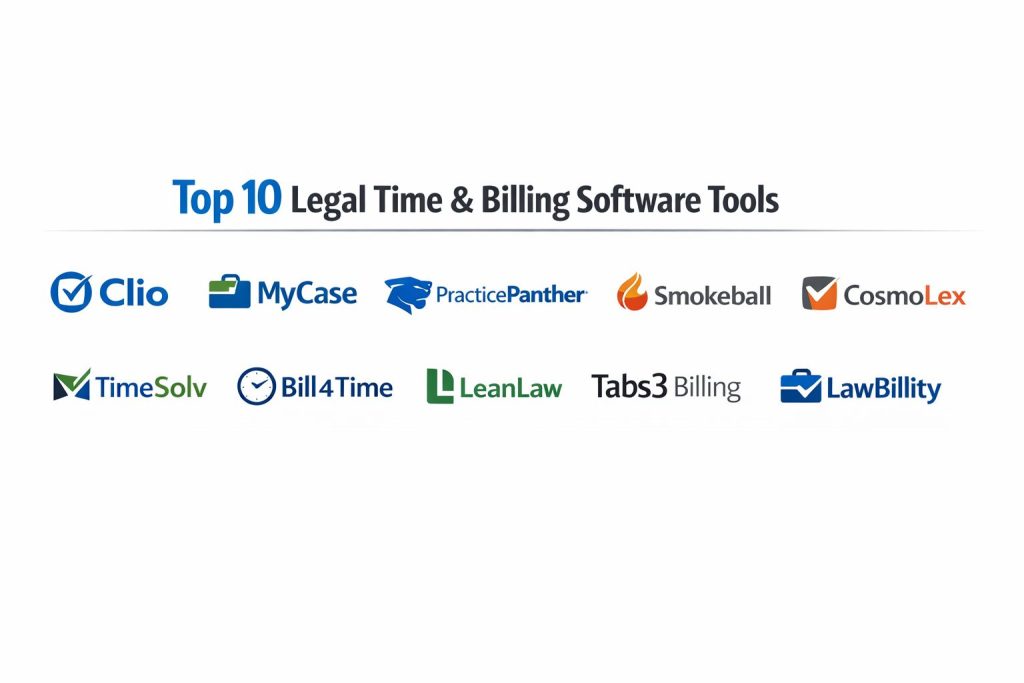
Top 10 Legal Time & Billing Software Tools
1 Clio
Clio is the undisputed market leader in cloud-based legal practice management. Its billing module is renowned for its scalability and its massive integration marketplace, making it the “operating system” for modern law firms of all sizes.
Key Features
- Clio Payments: A built-in payment processor that handles both trust and operating account transactions with automatic reconciliation.
- Automated Billing Workflows: Allows for batch invoicing, automated reminders, and customizable invoice templates.
- LEDES Export: Native support for electronic billing formats required by large insurance companies and corporate clients.
- Clio Mobile App: Features a dedicated mobile timer and the ability to convert phone calls directly into billable entries.
- Real-time Dashboards: Provides instant visibility into firm-wide utilization, realization, and collection rates.
- Trust Accounting Safeguards: Built-in alerts that prevent overdrawing from a client’s trust account.
Pros
- Offers the most extensive list of third-party integrations in the legal tech industry (250+ apps).
- Extremely user-friendly interface that reduces training time for new staff members.
Cons
- The “all-in-one” experience requires the higher-tier plans, which can be expensive.
- Advanced accounting features may still require a sync with QuickBooks for full financial reporting.
Platforms / Deployment
- Web / iOS / Android
- Cloud (SaaS)
Security & Compliance
- Features: SOC 2 Type II, Two-Factor Authentication, daily backups.
- Compliance: GDPR, HIPAA, and Law Society approved.
2 MyCase
MyCase is a robust, all-in-one practice management solution that prides itself on its industry-leading client portal and straightforward billing interface. It is particularly popular among small to mid-sized firms looking for a unified experience.
Key Features
- Smart Time Finder: An AI tool that scans your daily activity to find unbilled events like emails or meetings you forgot to log.
- Two-Way Texting: Allows attorneys to text clients directly from the app and automatically log that time to the matter.
- Built-in LawPay: Integrates the legal industry’s gold standard for payments directly into the billing workflow.
- Advanced Document Automation: Pulls billing and matter data directly into complex legal forms and fee agreements.
- Client Portal: A secure space where clients can view case updates, sign documents, and pay invoices instantly.
- Multi-Timer System: Enables attorneys to run up to 10 simultaneous timers for different matters.
Pros
- Excellent value for money, as many “add-on” features in other apps are included in the base price.
- The client communication tools are widely considered the most intuitive in the market.
Cons
- Not as customizable as Clio for firms with highly unique or niche workflows.
- Reporting features are strong but less granular than enterprise-level solutions.
Platforms / Deployment
- Web / iOS / Android
- Cloud (SaaS)
Security & Compliance
- Features: 128-bit SSL encryption, bank-grade data centers.
- Compliance: SOC 2.
3 PracticePanther
PracticePanther is known for its high level of customization and its sleek, “one-click” workflow philosophy. It is designed for growing firms that want to automate as much of the administrative billing cycle as possible.
Key Features
- Automated Workflows: Set up rules to automatically generate tasks and invoices when a matter hits a specific milestone.
- Custom Tags & Fields: Allows firms to categorize billing data by practice area, lead source, or custom metrics.
- PantherPayments: A native payment solution with competitive rates and instant trust-to-operating transfers.
- QuickBooks Sync: A best-in-class, two-way synchronization that keeps legal time and firm accounting perfectly aligned.
- Batch Invoicing: Allows a single user to generate and email hundreds of invoices in a matter of seconds.
- Conflict Checker: Integrated billing search that ensures new matters don’t conflict with existing client records.
Pros
- Highly modern and fast interface that works exceptionally well on mobile browsers.
- Offers one of the easiest “out-of-the-box” setups for firms switching from manual systems.
Cons
- Extensive customization options can lead to a “cluttered” experience if not managed properly.
- Customer support is high-quality but primarily focused on the higher-tier subscription plans.
Platforms / Deployment
- Web / iOS / Android
- Cloud (SaaS)
Security & Compliance
- Features: 256-bit military-grade encryption, automatic timeout.
- Compliance: HIPAA compliant.
4 Smokeball
Smokeball distinguishes itself through its “AutoTime” feature, which aims to eliminate manual time entry entirely. It is a premium, productivity-focused tool that deeply integrates with the Microsoft Office suite.
Key Features
- AutoTime Tracking: Automatically records every minute spent in Word documents, Outlook emails, and Smokeball itself.
- Deep Outlook Integration: Syncs calendars and emails perfectly, ensuring every communication is billable.
- Extensive Forms Library: Includes over 20,000 pre-installed legal forms that auto-populate with matter and billing info.
- Activity Intelligence: Provides detailed reports on which staff members are the most productive and where time is being lost.
- Smokeball Billing: A dedicated, legal-specific billing engine that handles complex trust and IOLTA transactions.
- Communicate: A secure messaging app for clients that keeps all conversations within the billable matter file.
Pros
- Proven to increase billable hours by an average of 30% through its automatic tracking capabilities.
- The most powerful document automation and form library currently available in the legal market.
Cons
- Requires a desktop installation for full functionality, making it less “pure cloud” than competitors.
- Significantly higher price point than most other legal billing solutions.
Platforms / Deployment
- Windows (Desktop) / iOS / Android (Mobile sync)
- Hybrid Cloud
Security & Compliance
- Features: Encrypted AWS servers, individual user permission levels.
- Compliance: SOC 2.
5 CosmoLex
CosmoLex is unique because it includes a full, native legal accounting system (including general ledger) within the practice management suite. This eliminates the need for external software like QuickBooks entirely.
Key Features
- Native Business Accounting: Includes full double-entry accounting specifically built for law firm requirements.
- Automated Trust Reconciliation: Features a “one-click” three-way reconciliation tool for IOLTA compliance.
- Legal Pay: Integrated credit card and ACH processing with no monthly fees for the processor.
- Built-in Document Storage: Securely stores client files alongside their billing records for easy reference.
- Multi-Office Support: Handles complex billing and accounting needs for firms with multiple locations.
- Task-Based Billing: Supports UTBMS and LEDES coding directly within the accounting workflow.
Pros
- Eliminates the “syncing errors” that often occur between legal billing apps and general accounting software.
- Provides the most robust trust accounting protection for firms worried about bar audits.
Cons
- The accounting-first interface can feel more technical and “dry” than design-focused apps like Clio.
- If a firm is already deeply committed to QuickBooks, the transition to CosmoLex can be difficult.
Platforms / Deployment
- Web
- Cloud (SaaS)
Security & Compliance
- Features: Daily off-site backups, role-based access control.
- Compliance: PCI DSS, SOC 2.
6 TimeSolv
TimeSolv is a specialized “best-of-breed” billing tool that has been a staple in the industry for over 20 years. It is favored by firms that need deep billing power without the overhead of a full practice management suite.
Key Features
- Robust Reporting: Offers over 30 different types of financial and productivity reports for deep firm analysis.
- Flexible Billing Rates: Supports almost every imaginable rate structure, from tiered flat fees to complex split-billing.
- Project Management Tools: Includes budget tracking and milestone alerts to keep fixed-fee matters profitable.
- Offline Time Entry: Allows attorneys to track time without an internet connection and sync later.
- Global Currency Support: Ideal for firms handling international clients and multi-currency transactions.
- LEDES Invoicing: Provides specialized templates for all major electronic billing standards.
Pros
- Extremely stable and reliable platform with a proven track record in high-volume billing.
- Offers a “TimeSolv Desktop” sync for those who prefer to enter time outside of a web browser.
Cons
- The user interface is functional but looks dated compared to 2026 standards.
- Lacks the deep CRM and marketing features found in newer “all-in-one” platforms.
Platforms / Deployment
- Web / Windows / macOS
- Cloud (SaaS)
Security & Compliance
- Features: SSAE 16 Type II data centers, encrypted data transmission.
- Compliance: GDPR.
7 Bill4Time
Bill4Time is a versatile time-tracking and billing tool that offers a simplified, clean experience for smaller firms. It balances professional legal features with the ease of use of a consumer-grade app.
Key Features
- Matters & Projects Management: Simple organization of billables by client and specific case matter.
- One-Click Timers: Desktop and mobile timers that make it effortless to capture time as it happens.
- Custom Invoicing: Highly professional, branded invoice templates that are easy to edit.
- Client Portal: Allows clients to pay bills, view balance history, and upload documents securely.
- Trust Accounting: Basic but effective tools for managing IOLTA and retainer balances.
- Expense Tracking: Includes a mobile receipt scanner for capturing reimbursable costs on the go.
Pros
- Very easy to learn, making it ideal for solo attorneys who don’t have an IT department.
- Highly competitive pricing models that scale well for very small teams.
Cons
- Lacks the advanced “passive” AI tracking found in premium tools like Smokeball.
- Not designed for massive, multi-department enterprise firms.
Platforms / Deployment
- Web / iOS / Android
- Cloud (SaaS)
Security & Compliance
- Features: 256-bit SSL encryption, automated data redundancy.
- Compliance: HIPAA.
8 LeanLaw
LeanLaw is specifically designed to work as a “financial front-end” for QuickBooks Online. It is the perfect choice for firms that want legal-specific billing but refuse to leave the QuickBooks ecosystem.
Key Features
- Deep QuickBooks Integration: Features a true, real-time sync that makes LeanLaw and QuickBooks feel like one app.
- Compensation Tracking: Automatically calculates attorney distributions and referral fees based on collections.
- Trust Accounting Pro: Managed directly within the QuickBooks environment for ultimate financial clarity.
- Attorney Dashboards: Individual views for each lawyer to track their own billable goals and realization.
- Batch Proforma Workflow: Streamlines the review process between attorneys and billing managers before final invoices.
- Flexible Time Entry: Offers multiple ways to enter time, from calendar views to mobile timers.
Pros
- The most seamless financial workflow for firms that already use an accountant familiar with QuickBooks.
- Provides sophisticated compensation reporting that usually requires expensive enterprise software.
Cons
- Dependent on a separate QuickBooks subscription, which adds to the total monthly cost.
- Does not include full practice management features (like case calendars or document storage) on its own.
Platforms / Deployment
- Web / iOS / Android
- Cloud (SaaS)
Security & Compliance
- Features: Inherits enterprise-level security from the Intuit (QuickBooks) platform.
- Compliance: SOC 2.
9 Tabs3 Billing
Tabs3 is a legendary name in legal software, known for its high-performance billing engine that is trusted by mid-sized to large firms for its unparalleled reliability.
Key Features
- Comprehensive Billing Rules: Can handle the most complex billing arrangements imaginable, including “task-based” and “value-based” billing.
- Tabs3 Connect: A secure web interface that allows attorneys to access their billing data from any mobile device.
- Integrated General Ledger: Works perfectly with Tabs3 Financials for a total firm management solution.
- PracticeMaster Integration: Connects billing directly to a powerful case management and calendar system.
- Advanced Security Permissions: Provides granular control over who can see specific financial data or client details.
- Reporting Power: Includes hundreds of built-in reports that can be customized to any firm’s needs.
Pros
- Widely considered the “gold standard” for reliability and technical depth in the mid-market.
- Excellent for firms with strict internal controls and complex partner compensation structures.
Cons
- Historically a desktop-based product, its mobile/cloud features are not as “native” as Clio or MyCase.
- Requires a more significant investment in setup and training compared to modern web apps.
Platforms / Deployment
- Windows / Web (via Connect)
- On-Premise / Hosted Cloud
Security & Compliance
- Features: Robust local database security, encrypted remote access.
- Compliance: Not publicly stated.
10 LawBillity
LawBillity is a specialized time-tracking add-on that focuses on the “entry” part of the billing cycle. It is an excellent choice for firms that already have an accounting system but need a better way for lawyers to log hours.
Key Features
- Mobile-First Design: Features one of the highest-rated mobile time-tracking apps for attorneys.
- GPS Tracking: Automatically suggests billable mileage and time based on an attorney’s travel to court or meetings.
- Voice-to-Text Narratives: Allows for hands-free entry of detailed time descriptions while driving or walking.
- Legal-Specific Rounding: Configurable rounding rules (e.g., 6-minute or 10-minute increments) to ensure consistency.
- Approval Workflows: Allows partners to review and approve associate time entries before they sync to the billing system.
- DCAA & GDPR Readiness: Built to meet high standards for government and international data handling.
Pros
- One of the most affordable ways to add professional, mobile time-tracking to a firm.
- Integrates seamlessly with a wide range of platforms, including QuickBooks, Xero, and Sage.
Cons
- It is a “time and expense” tool, not a full-featured law practice management system.
- Firms looking for a “one-stop shop” will still need other software for case files and documents.
Platforms / Deployment
- Web / iOS / Android / Apple Watch
- Cloud (SaaS)
Security & Compliance
- Features: 256-bit encryption, redundant data storage.
- Compliance: GDPR, DCAA.
Comparison Table (Top 10)
| Tool Name | Best For | Platform(s) | Deployment | Standout Feature | Public Rating |
| Clio | All-in-one Scalability | Web, iOS, Android | Cloud | 250+ Integrations | 4.8/5 |
| MyCase | Client Experience | Web, iOS, Android | Cloud | Smart Time Finder | 4.7/5 |
| PracticePanther | Rapid Automation | Web, iOS, Android | Cloud | Custom Workflows | 4.7/5 |
| Smokeball | Maximum Billables | Windows, iOS | Hybrid | AutoTime AI | 4.6/5 |
| CosmoLex | Built-in Accounting | Web | Cloud | Native GL & Trust | 4.5/5 |
| TimeSolv | Billing-Only Depth | Web, Win, Mac | Cloud | 30+ Advanced Reports | 4.4/5 |
| Bill4Time | Solo/Small Firms | Web, iOS, Android | Cloud | Clean & Simple UI | 4.3/5 |
| LeanLaw | QuickBooks Users | Web, iOS, Android | Cloud | Compensation Engine | 4.6/5 |
| Tabs3 Billing | Mid-to-Large Firms | Windows, Web | On-Prem/Hosted | Reliability Leader | 4.5/5 |
| LawBillity | Mobile Time Entry | Web, iOS, Watch | Cloud | Voice-to-Text Entry | 4.2/5 |
Evaluation & Scoring of Legal Time & Billing Software
Weights
Core features 25 percent
Ease of use 15 percent
Integrations and ecosystem 15 percent
Security and compliance 10 percent
Performance and reliability 10 percent
Support and community 10 percent
Price and value 15 percent
| Tool Name | Compliance (25%) | Time Capture (20%) | Ease (15%) | Billing Depth (15%) | Security (15%) | Value (10%) | Weighted Total |
| Clio | 10 | 9 | 10 | 9 | 10 | 8 | 9.35 |
| MyCase | 9 | 10 | 10 | 8 | 9 | 9 | 9.25 |
| PracticePanther | 9 | 9 | 9 | 9 | 9 | 8 | 8.85 |
| Smokeball | 9 | 10 | 7 | 10 | 9 | 7 | 8.60 |
| CosmoLex | 10 | 8 | 8 | 10 | 9 | 8 | 8.90 |
| TimeSolv | 9 | 8 | 7 | 10 | 8 | 8 | 8.35 |
| Bill4Time | 8 | 8 | 10 | 7 | 8 | 10 | 8.35 |
| LeanLaw | 10 | 9 | 9 | 9 | 9 | 8 | 9.10 |
| Tabs3 Billing | 10 | 7 | 6 | 10 | 10 | 6 | 8.40 |
| LawBillity | 7 | 10 | 9 | 6 | 8 | 9 | 8.05 |
Which Legal Time & Billing Software Tool Is Right for You?
Solo / Freelancer
For the solo attorney, Bill4Time or Clio (on the lower tier) provides the perfect balance of professional appearance and low administrative overhead. If you already use QuickBooks for your personal finances, LeanLaw is an unbeatable choice that keeps your work and life accounting in sync.
SMB (Small to Medium Business)
Small firms with 5–20 employees will thrive with MyCase or PracticePanther. These tools offer a “firm in a box” experience that includes the client portal and document management features needed to look as professional as a much larger organization.
Mid-Market
Firms with 20–50 attorneys often require the deep technical reliability of Tabs3 Billing or the accounting-first structure of CosmoLex. These tools ensure that as your volume of transactions grows, your compliance and partner compensation tracking remain rock-solid.
Enterprise
Large, multi-office firms should look at Clio (Advanced tiers) or Smokeball. The former offers the scalability and integration with enterprise document systems like NetDocuments, while the latter ensures that at a large scale, no billable time is slipping through the cracks due to associate oversight.
Budget vs Premium
LawBillity is the budget-conscious choice for those who only need better time tracking. On the premium side, Smokeball is an investment that pays for itself by capturing thousands of dollars in “found” billable time that other systems simply miss.
Accounting Integration Needs
If you want a single system to do everything from billable hours to your year-end taxes, CosmoLex is the clear winner. If you prefer to let your accountant work in their preferred tool, the LeanLaw + QuickBooks combination is the gold standard.
Frequently Asked Questions (FAQs)
What is the difference between “active” and “passive” time tracking?
Active tracking requires you to manually start and stop a timer. Passive tracking, found in tools like Smokeball, works in the background to automatically record your activity across different apps without you ever clicking “start.”
Is cloud-based legal software secure enough for sensitive cases?
Yes, cloud providers like Clio and MyCase use higher levels of encryption and physical security than most local law firm servers can afford. They are SOC 2 compliant and use bank-grade data protection.
Do I still need QuickBooks if I have legal billing software?
It depends. Most legal billing apps handle “matter accounting” (trust funds and invoices). However, unless you use CosmoLex or Tabs3, you will likely still need QuickBooks or Xero for “firm accounting” (payroll, rent, and taxes).
What are LEDES and UTBMS codes?
LEDES is a standard electronic file format for legal invoices, while UTBMS is a set of codes used to categorize specific tasks (like “L110” for a deposition). Large corporate clients and insurance companies often require these for their own tracking systems.
Can these tools handle contingency and flat-fee billing?
Yes, all the tools in our Top 10 can handle diverse billing structures. Most modern software allows you to mix hourly, flat-fee, and contingency work within the same client file.
How does trust accounting software prevent bar association ethics violations?
These tools prevent you from “commingling” funds by keeping trust money separate from operating money. They also feature alerts that prevent you from spending more money than a specific client actually has in their trust account.
Can my clients pay their legal bills with a credit card?
Absolutely. Most modern legal billing tools have built-in payment processors (like LawPay or PantherPayments) that allow clients to pay via a secure link in the email invoice using credit cards or ACH.
Does legal billing software work on a Mac?
Most modern legal billing tools are web-based (SaaS), meaning they work perfectly on any browser, including Safari on a Mac. Smokeball is a notable exception that requires a Windows component for its full features.
How long does it take to switch from a manual system to a digital one?
With modern “onboarding” services, most small firms can be up and running in 48–72 hours. Migration of old data can take 1–2 weeks, depending on the complexity of your current records.
Can these tools help me track my realization rate?
Yes. Realization reports show you the difference between the hours you worked and the money you actually collected. This is a key metric for understanding the true profitability of your firm.
Conclusion
The evolution of legal time and billing software has transformed administrative overhead into a strategic advantage. By leveraging AI-driven time capture and automated trust accounting, firms are now able to recover lost revenue while ensuring they remain in perfect standing with regulatory bodies. Whether you choose a “best-of-breed” specialist or an all-in-one practice management suite, the key is to select a tool that matches your firm’s specific accounting philosophy and technical comfort level.
Moving forward, the successful law firm will be the one that spends less time on “the business of law” and more time on the practice of law itself. Investing in the right billing infrastructure is the first and most important step toward achieving that freedom.