Introduction
Webinar platforms help businesses, trainers, marketers, educators, and community teams host live or automated online sessions for presentations, demos, workshops, training, and audience engagement. A strong webinar platform does more than video streaming. It manages registration, reminders, audience interaction, recording, analytics, follow-up, and sometimes even on-demand replay experiences.
This category matters because webinars are now used for lead generation, customer education, internal training, product launches, partner enablement, and thought leadership. Buyers should evaluate attendee capacity, reliability, registration workflows, branding options, engagement tools, analytics quality, automation support, integrations with CRM and marketing tools, security controls, and overall ease of use for both hosts and attendees.
Best for: B2B marketing teams, trainers, educators, product teams, customer success teams, agencies, and enterprise communication teams.
Not ideal for: small internal meetings, quick one-to-one calls, or simple team syncs where a standard meeting app is enough.
Key Trends in Webinar Platforms
- Webinar platforms are adding more AI support for summaries, Q and A assistance, transcripts, and post-event insights.
- Browser-based attendee experiences are growing because they reduce install friction and improve attendance rates.
- More teams want a single platform for live webinars, on-demand webinars, and automated webinar journeys.
- Buyer expectations now include stronger branding controls for registration pages, emails, and webinar rooms.
- Engagement tools are becoming more advanced, including polls, chat moderation, breakout experiences, and CTA prompts.
- Integration depth with CRM, marketing automation, and analytics tools is becoming a key buying factor.
- Enterprise buyers increasingly ask about role-based access, data controls, and admin governance.
- Hybrid event workflows are influencing webinar tools, especially for larger organizations and campaign teams.
- Conversion analytics and attribution are becoming more important for marketing-led webinar programs.
- Pricing models are increasingly tied to attendee limits, feature tiers, and automation capabilities.
How We Selected These Tools (Methodology)
- Selected tools with broad recognition across marketing, training, and enterprise webinar use cases.
- Balanced enterprise-grade platforms with SMB-friendly and marketer-focused options.
- Evaluated feature coverage across registration, hosting, engagement, recording, and reporting.
- Considered usability for hosts, speakers, moderators, and attendees.
- Reviewed ecosystem fit, especially CRM, email, and automation integration potential.
- Included platforms known for both live and evergreen webinar workflows where relevant.
- Considered scalability from small sessions to large audience events.
- Prioritized tools with meaningful market presence and active product adoption.
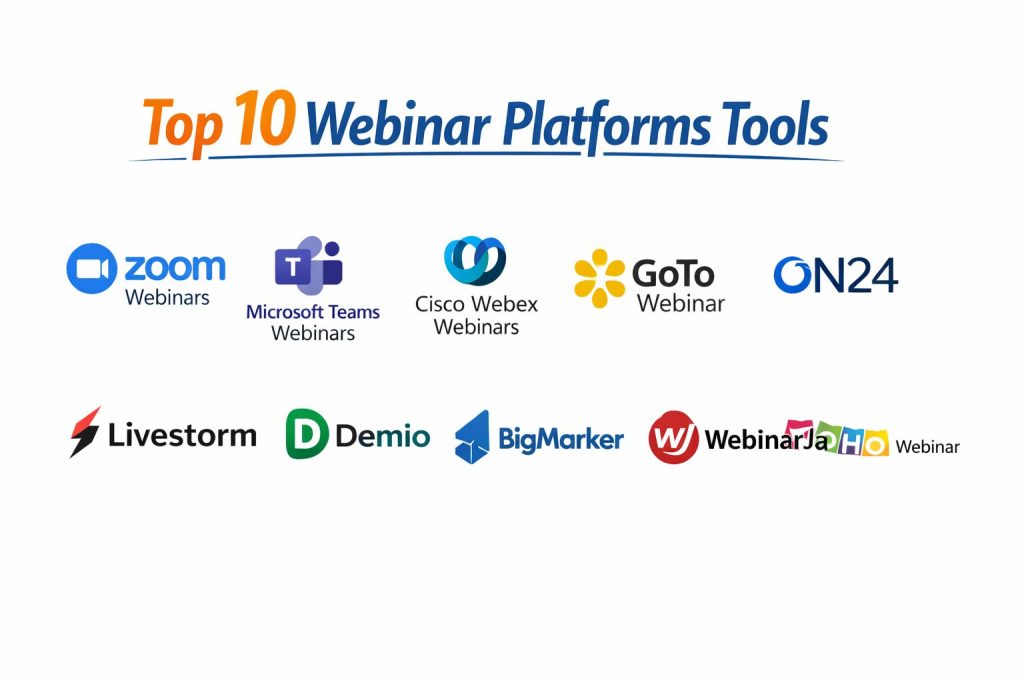
Top 10 Webinar Platforms
1 — Zoom Webinars
A widely used webinar option for organizations that want a familiar user experience, broad adoption, and dependable large-audience online events.
Key Features
- Large audience webinar hosting workflows
- Registration and attendee management tools
- Host and panelist controls with moderation options
- Polls, Q and A, chat, and engagement features
- Recording and replay support
- Reporting and event analytics capabilities
Pros
- Familiar experience for many hosts and attendees
- Strong fit for organizations already using Zoom
- Good balance of scale and ease of use
Cons
- Advanced branding and marketing workflows may require higher tiers or add-ons
- Feature depth can vary depending on plan configuration
- Can be more meeting-oriented for teams needing heavy campaign automation
Platforms / Deployment
Web, Windows, macOS, iOS, Android, Cloud
Security and Compliance
Varies by plan / Not publicly stated for all webinar-specific tiers
Integrations and Ecosystem
Zoom Webinars is often chosen by teams that want a widely adopted platform with a broad ecosystem and simple adoption path. It usually fits well with sales, support, and internal communication workflows.
- CRM and marketing integration options in many business workflows
- Calendar and scheduling ecosystem compatibility
- API and admin tooling support in broader platform usage
- Works well for teams standardizing on one communication vendor
Support and Community
Strong documentation and broad community familiarity. Support experience varies by subscription level.
2 — Microsoft Teams Webinars
A webinar option for organizations already invested in Microsoft collaboration tools and productivity workflows.
Key Features
- Webinar registration and attendee management
- Presenter roles and event moderation controls
- Integration with Microsoft productivity ecosystem
- Recording and post-event sharing workflows
- Reporting and participation tracking
- Admin governance within broader Teams environment
Pros
- Strong fit for organizations already using Microsoft tools
- Centralized admin and user management for enterprise IT teams
- Familiar experience for internal and external presenters
Cons
- Marketing-specific webinar automation may be less flexible than specialist tools
- User experience can depend on tenant setup and policy controls
- Some advanced event workflows may require broader Microsoft planning
Platforms / Deployment
Web, Windows, macOS, iOS, Android, Cloud
Security and Compliance
Varies by plan / tenant configuration
Integrations and Ecosystem
Microsoft Teams Webinars can be a practical choice when webinar delivery is part of a larger workplace and enterprise collaboration strategy.
- Works within Microsoft productivity and communication workflows
- Admin governance and identity control through enterprise setup
- Integration possibilities across Microsoft business tools
- Strong fit for internal training and external webinars in the same environment
Support and Community
Strong enterprise documentation and admin resources. Community knowledge is broad due to large adoption.
3 — Cisco Webex Webinars
A webinar platform commonly selected by enterprises that prioritize reliability, governance, and large-scale event delivery.
Key Features
- Webinar hosting for business and enterprise events
- Audience engagement tools like polls and Q and A
- Presenter and moderator controls
- Recording and replay capabilities
- Analytics and reporting for attendance and engagement
- Admin controls for organization-wide deployment
Pros
- Strong enterprise reputation for reliability
- Good fit for organizations with governance requirements
- Scales well for professional event operations
Cons
- Can feel heavier than lightweight webinar-first tools for small teams
- Setup and plan decisions may require admin involvement
- Pricing and packaging can be complex for smaller buyers
Platforms / Deployment
Web, Windows, macOS, iOS, Android, Cloud
Security and Compliance
Varies by plan / enterprise agreement
Integrations and Ecosystem
Webex Webinars is often considered by enterprises that want webinars connected to a broader communications stack.
- Enterprise admin and identity ecosystem alignment
- Integration options for scheduling and enterprise workflows
- API and integration potential for larger deployments
- Suitable for standardized enterprise communication environments
Support and Community
Strong vendor support options for enterprise customers. Community and training resources are widely available.
4 — GoTo Webinar
A long-established webinar platform focused on structured webinar hosting, attendee management, and dependable business event workflows.
Key Features
- Registration pages and attendee tracking
- Reminder and follow-up communication workflows
- Polls, handouts, and engagement tools
- Presenter controls and moderation features
- Recording and replay support
- Webinar analytics and reporting
Pros
- Mature webinar workflow design for business users
- Strong focus on webinar operations rather than casual meetings
- Reliable option for recurring webinar programs
Cons
- Interface preferences vary by team and workflow style
- Some buyers may prefer newer UI approaches from newer tools
- Advanced marketing automation needs may require extra integrations
Platforms / Deployment
Web, Windows, macOS, iOS, Android, Cloud
Security and Compliance
Not publicly stated / Varies by plan
Integrations and Ecosystem
GoTo Webinar is often used by teams running repeatable webinar programs and wanting predictable registration-to-follow-up workflows.
- Integrations for business and marketing workflows
- Reporting export support for campaign analysis
- Scheduling and calendar compatibility
- Practical fit for recurring training and marketing sessions
Support and Community
Mature product with established documentation and support channels. Community familiarity remains strong in business webinar teams.
5 — ON24
A webinar and digital experience platform often chosen by larger B2B organizations for marketing-led webinars, engagement, and analytics.
Key Features
- Branded webinar experiences for demand generation programs
- Audience engagement tools and conversion-oriented interactions
- On-demand and campaign-oriented webinar workflows
- Advanced reporting and marketing analytics focus
- Content reuse and webinar program scaling options
- Enterprise program support for webinar operations
Pros
- Strong fit for marketing teams running webinar programs at scale
- Good analytics and engagement focus for pipeline impact
- Useful for enterprise demand generation and content programs
Cons
- Can be more than what small teams need
- Cost and setup may be heavier than simpler webinar tools
- Best value appears when webinars are a major growth channel
Platforms / Deployment
Web, Cloud
Security and Compliance
Varies / Not publicly stated for all configurations
Integrations and Ecosystem
ON24 is typically evaluated by marketing operations and demand generation teams that need webinar programs tied to reporting and funnel workflows.
- Marketing automation and CRM workflow alignment
- Analytics-driven webinar program operations
- Scalable webinar campaign management workflows
- Strong fit for enterprise webinar-led demand generation
Support and Community
Strong enterprise support posture and program-oriented resources. Best suited for teams with defined webinar operations.
6 — Livestorm
A browser-based webinar platform popular with modern teams that want simple setup, polished attendee experience, and strong webinar management.
Key Features
- Browser-based live webinar hosting
- Registration and reminder workflows
- On-demand webinar support
- Polls, chat, Q and A, and engagement tools
- Recording and replay workflows
- Team collaboration for webinar operations
Pros
- Low friction attendee experience with browser-first access
- Clean interface and quick setup for recurring webinars
- Strong fit for SaaS and remote-first teams
Cons
- Capacity and advanced features vary by plan
- Enterprise requirements may need careful tier evaluation
- Some complex event use cases may need specialized platforms
Platforms / Deployment
Web, Cloud
Security and Compliance
Varies by plan
Integrations and Ecosystem
Livestorm is often chosen by teams that value speed, browser access, and straightforward webinar operations.
- Integrations for marketing and CRM workflows
- Automation compatibility in campaign operations
- Team-friendly webinar management workflows
- Good fit for recurring demo and customer education webinars
Support and Community
Strong documentation and onboarding experience. Support levels vary by plan.
7 — Demio
A marketer-friendly webinar platform designed for simple webinar execution, audience engagement, and conversion-focused events.
Key Features
- Live and automated webinar workflows
- Registration pages and event reminders
- Polls, chat, and audience interaction tools
- CTA and engagement prompts for webinar conversions
- Recording and replay support
- Webinar analytics for marketing teams
Pros
- Simple setup for marketing-led webinars
- Good balance between usability and conversion-focused features
- Strong fit for recurring demos and lead generation events
Cons
- May be less ideal for highly complex enterprise event governance
- Feature depth can depend on tier and use case
- Large-scale requirements need careful plan validation
Platforms / Deployment
Web, Cloud
Security and Compliance
Not publicly stated / Varies by plan
Integrations and Ecosystem
Demio is often shortlisted by growth and marketing teams that need webinar execution without heavy operational overhead.
- CRM and marketing integration support in typical use cases
- Automation-friendly workflows for lead nurturing
- Useful for recurring campaign webinars and demos
- Practical fit for lean marketing teams
Support and Community
Good usability-focused onboarding and documentation. Support experience varies by subscription tier.
8 — BigMarker
A webinar and virtual event platform used by organizations that want flexibility across webinars, summits, and branded online event experiences.
Key Features
- Live, automated, and on-demand webinar formats
- Branded webinar rooms and event experiences
- Engagement tools and interactive webinar elements
- Virtual event and summit-style capabilities
- Registration, email, and event workflow controls
- Analytics and reporting for event programs
Pros
- Flexible platform for webinars and broader virtual events
- Strong branding and customization potential
- Useful for organizations scaling event formats beyond standard webinars
Cons
- Can be more complex than simple webinar-first tools
- Best results may require more setup and planning
- Pricing and packaging may vary by event needs
Platforms / Deployment
Web, Cloud
Security and Compliance
Varies / Not publicly stated
Integrations and Ecosystem
BigMarker is often evaluated by teams that want webinars plus broader online event program flexibility in one platform.
- Marketing and event workflow integrations
- API and extensibility possibilities depending on use case
- Supports webinar-to-virtual-event scaling needs
- Useful for branded event programs and recurring campaigns
Support and Community
Support and implementation experience can vary by plan size and event complexity. Documentation is available for common workflows.
9 — WebinarJam
A webinar platform often used by marketers and course creators for live webinar promotion, engagement, and conversion-focused sessions.
Key Features
- Live webinar hosting workflows
- Registration pages and reminder messaging
- Audience engagement tools and interaction features
- Replay and post-webinar follow-up support
- Presenter management and webinar moderation
- Marketing-oriented webinar execution flow
Pros
- Strong fit for webinar marketing and promotions
- Practical workflows for lead generation and audience conversion
- Popular among creators and digital marketing teams
Cons
- Enterprise governance needs may exceed its ideal use case
- User experience preferences vary by webinar style
- Teams should validate scale and reliability for high-volume events
Platforms / Deployment
Web, Cloud
Security and Compliance
Not publicly stated
Integrations and Ecosystem
WebinarJam is commonly considered by teams running promotional webinars and sales-focused sessions where speed and campaign flow matter.
- Marketing workflow alignment for webinar campaigns
- Useful for recurring promotional webinar formats
- Works well with follow-up and funnel-driven webinar strategies
- Best for teams prioritizing conversion workflows over enterprise governance depth
Support and Community
Strong visibility among creator and marketing audiences. Support experience varies by subscription and event demands.
10 — Zoho Webinar
A webinar platform suited for teams that want webinar functionality within a broader business software ecosystem, especially SMBs and growing organizations.
Key Features
- Webinar registration and attendee management
- Presenter controls and audience engagement tools
- Branding options for webinar pages and experience
- Recording and replay support
- Reporting for attendance and engagement
- Workflow alignment with broader business operations
Pros
- Good fit for teams already using Zoho products
- Practical feature set for SMB webinar programs
- Useful balance of webinar tools and business ecosystem value
Cons
- Very large enterprise event use cases may need deeper event-specialist platforms
- Advanced webinar automation needs may depend on setup and tier
- Teams should validate fit for complex multi-track event programs
Platforms / Deployment
Web, Cloud
Security and Compliance
Varies by plan / Not publicly stated for all webinar-specific needs
Integrations and Ecosystem
Zoho Webinar is often chosen by organizations that want webinars connected to a broader software stack without too many separate tools.
- Ecosystem fit for teams using multiple Zoho business apps
- Webinar workflows aligned with business and customer operations
- Practical integration value for SMB process standardization
- Useful for teams seeking a unified software environment
Support and Community
Documentation and support are available through broader vendor channels. Best experience depends on plan and ecosystem usage.
Comparison Table
| Tool Name | Best For | Platform(s) Supported | Deployment | Standout Feature | Public Rating |
|---|---|---|---|---|---|
| Zoom Webinars | Familiar large-audience business webinars | Web, Windows, macOS, iOS, Android | Cloud | Broad adoption and ease of attendance | N/A |
| Microsoft Teams Webinars | Microsoft-centric organizations | Web, Windows, macOS, iOS, Android | Cloud | Enterprise workflow alignment | N/A |
| Cisco Webex Webinars | Enterprise governance and reliability | Web, Windows, macOS, iOS, Android | Cloud | Enterprise-grade webinar operations | N/A |
| GoTo Webinar | Repeatable business webinar programs | Web, Windows, macOS, iOS, Android | Cloud | Mature webinar operations workflow | N/A |
| ON24 | B2B marketing webinar programs at scale | Web | Cloud | Marketing analytics and engagement focus | N/A |
| Livestorm | Browser-first modern webinar teams | Web | Cloud | Low-friction browser experience | N/A |
| Demio | Marketer-friendly conversion webinars | Web | Cloud | Simple webinar setup with marketing focus | N/A |
| BigMarker | Branded webinars and virtual event flexibility | Web | Cloud | Flexible webinar and event formats | N/A |
| WebinarJam | Promotional and sales-focused webinars | Web | Cloud | Campaign-driven webinar execution | N/A |
| Zoho Webinar | SMBs wanting ecosystem value | Web | Cloud | Webinar fit within broader business stack | N/A |
Evaluation and Scoring of Webinar Platforms
Weights
Core features 25 percent
Ease of use 15 percent
Integrations and ecosystem 15 percent
Security and compliance 10 percent
Performance and reliability 10 percent
Support and community 10 percent
Price and value 15 percent
| Tool Name | Core | Ease | Integrations | Security | Performance | Support | Value | Weighted Total |
|---|---|---|---|---|---|---|---|---|
| Zoom Webinars | 8.8 | 8.6 | 8.7 | 7.8 | 8.8 | 8.5 | 7.6 | 8.36 |
| Microsoft Teams Webinars | 8.2 | 7.9 | 8.9 | 8.2 | 8.4 | 8.3 | 8.0 | 8.24 |
| Cisco Webex Webinars | 8.5 | 7.6 | 8.1 | 8.4 | 8.7 | 8.4 | 7.2 | 8.12 |
| GoTo Webinar | 8.3 | 8.1 | 7.8 | 7.6 | 8.3 | 8.1 | 7.8 | 8.02 |
| ON24 | 9.0 | 7.3 | 8.8 | 8.0 | 8.4 | 8.2 | 6.8 | 8.15 |
| Livestorm | 8.4 | 8.8 | 8.2 | 7.4 | 8.1 | 8.0 | 8.2 | 8.20 |
| Demio | 8.0 | 8.7 | 8.0 | 7.1 | 8.0 | 7.8 | 8.3 | 8.05 |
| BigMarker | 8.7 | 7.5 | 8.5 | 7.4 | 8.2 | 7.9 | 7.4 | 8.01 |
| WebinarJam | 7.9 | 8.1 | 7.5 | 6.8 | 7.8 | 7.4 | 8.4 | 7.79 |
| Zoho Webinar | 7.8 | 8.0 | 8.4 | 7.2 | 7.8 | 7.7 | 8.5 | 7.99 |
These scores are comparative and help with shortlisting, not declaring a universal winner. A platform with a lower total may still be the right option if it matches your webinar goals, team skills, and ecosystem. Core features and integrations matter most for long-term fit, while ease of use affects host productivity and attendee experience. Value changes based on audience size, frequency, and how much automation you need. Always validate with a real pilot before final selection.
Which Webinar Platform Is Right for You
Solo or Freelancer
If you run coaching sessions, product demos, or educational webinars and want simple workflows, Demio, Livestorm, or WebinarJam can be practical choices depending on your focus. Demio is strong for simple marketing-style webinars. Livestorm is attractive for browser-based ease. WebinarJam is useful for promotional webinar formats and creator-led sessions.
SMB
Small and growing teams usually need a platform that balances ease, branding, and follow-up workflows. Zoom Webinars is a reliable option if your team already uses Zoom. Zoho Webinar can be a strong value choice if you want ecosystem alignment. Livestorm is a strong choice for teams that want clean UI and quick setup with less attendee friction.
Mid-Market
Mid-sized companies often need better analytics, integrations, and process consistency. GoTo Webinar remains a dependable option for recurring webinars and training programs. Zoom Webinars works well for mixed business use cases. BigMarker becomes attractive when your webinars expand into branded event programs or more complex webinar formats.
Enterprise
Enterprises often prioritize governance, identity controls, admin management, reliability, and scalability. Cisco Webex Webinars and Microsoft Teams Webinars are common choices for organizations with established enterprise collaboration standards. ON24 is especially strong when webinars are part of a larger B2B demand generation and content strategy. Zoom Webinars also remains a strong enterprise option for many teams due to familiarity and adoption.
Budget vs Premium
If budget is the main concern, focus on tools that align with your current stack and avoid overbuying advanced event features you may not use. Zoho Webinar and some SMB-focused platforms can offer better value for lighter webinar programs. If webinars are a major revenue or pipeline channel, premium platforms like ON24 or enterprise webinar solutions can justify higher cost through better analytics, branding, and operational scale.
Feature Depth vs Ease of Use
Some platforms are built for speed and simplicity, while others are designed for large programs and advanced workflows. Livestorm and Demio are often chosen for ease of use and fast execution. ON24 and BigMarker can offer broader capabilities for teams with more complex needs. Zoom Webinars and GoTo Webinar often sit in the middle with dependable usability and mature webinar operations.
Integrations and Scalability
If your webinar program is tied to CRM, email, marketing automation, and pipeline reporting, integrations should be a top buying factor. ON24, Zoom Webinars, Microsoft Teams Webinars, and BigMarker are often evaluated for broader program fit. Zoho Webinar can be especially useful if you want tighter integration within one ecosystem. For scaling, also check attendee caps, event concurrency, and admin controls before committing.
Security and Compliance Needs
Security and compliance needs vary by organization and use case. Enterprise teams should review access controls, host roles, identity management options, admin governance, data handling policies, and recording controls before selection. For many organizations, the operational setup around the platform matters as much as the platform itself. If a compliance detail is unclear, treat it as not publicly stated and validate directly during procurement.
Frequently Asked Questions
1. What is the difference between a meeting platform and a webinar platform
A meeting platform is usually built for smaller group interaction where everyone can speak and collaborate. A webinar platform is designed for one-to-many delivery with registration, host controls, audience management, and post-event analytics.
2. Which webinar platform is best for lead generation
The best choice depends on your funnel, audience size, and integration needs. Marketing-focused teams often prioritize registration flows, engagement features, analytics, and CRM or automation integration over raw video features alone.
3. Do webinar platforms support automated or evergreen webinars
Some do, and this is a major feature difference across tools. If evergreen webinars are part of your strategy, check replay logic, automation workflows, reminders, and how engagement is tracked before choosing.
4. What attendee capacity should I plan for
Choose based on your real use case, not your biggest possible event. Many teams overpay for capacity they rarely use. Start with normal attendance forecasts and confirm upgrade flexibility for larger events.
5. Are browser-based webinar platforms better than app-based platforms
Browser-based options can reduce attendee friction and improve accessibility, especially for external audiences. App-based experiences may still be strong, but browser access is often easier for public webinars.
6. What are the most common mistakes when buying a webinar platform
Common mistakes include ignoring integrations, underestimating moderator workflows, overbuying event features, and not testing attendee experience on real networks and devices. A short pilot prevents expensive surprises.
7. How important are webinar analytics
They are very important for marketing, training, and customer education programs. Analytics help measure attendance, engagement, drop-off points, and follow-up quality, which improves future webinar performance.
8. Can I use one webinar platform for both marketing and internal training
Yes, many organizations do this. However, internal and external webinars often need different features, branding, and governance controls, so validate both workflows before standardizing on one tool.
9. What security checks should enterprise teams perform
Review admin controls, identity options, role permissions, recording management, data handling settings, and policy controls. Also test how the platform fits your internal governance and procurement requirements.
10. What is the best way to evaluate webinar platforms before buying
Shortlist two or three tools and run a real pilot using your typical webinar format, audience size, and follow-up workflow. Score each platform on setup time, host experience, attendee experience, analytics, and integration fit.
Conclusion
Choosing the right webinar platform depends on how webinars fit into your business process, not just on feature checklists. If your priority is broad familiarity and dependable business webinars, Zoom Webinars is a strong option. If your company runs heavily inside a productivity ecosystem, Microsoft Teams Webinars or Zoho Webinar may offer better operational value. If webinars are a major B2B marketing channel, ON24 and BigMarker can be strong candidates for scale and program depth. Livestorm and Demio work well for teams that value speed and simplicity. The best next step is to shortlist three tools, run a pilot, and test real workflows before finalizing.