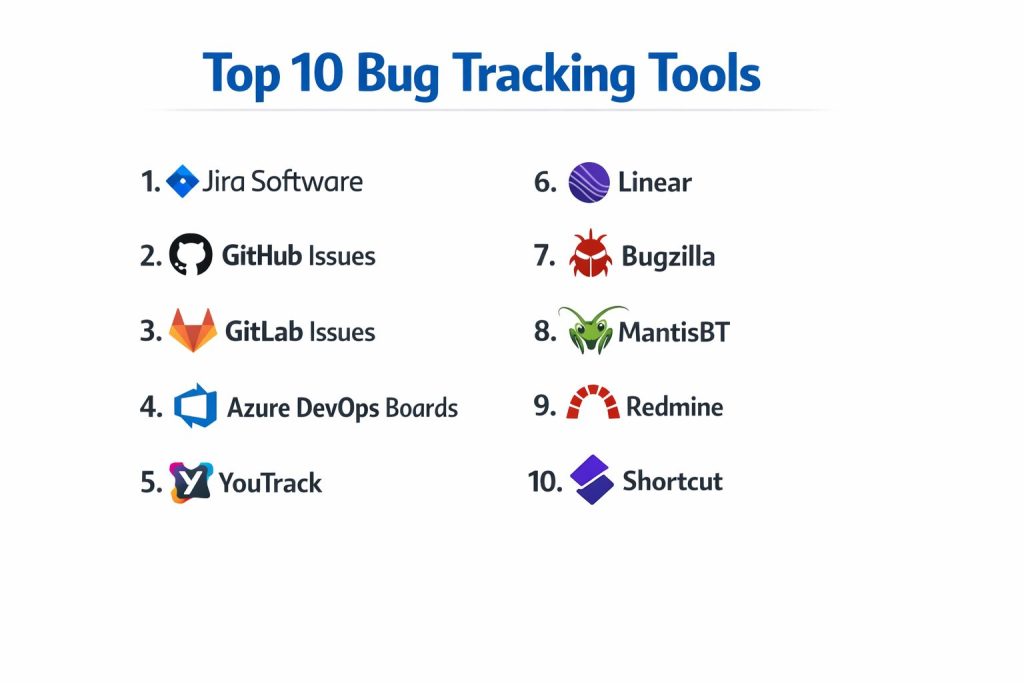
Introduction
Bug tracking tools help teams capture, prioritize, assign, and resolve software defects in a structured way. They are not only for developers. They help QA, product managers, support teams, and leadership see what is broken, why it is happening, and what will be fixed next. A good bug tracker reduces chaos by turning scattered reports into clear, searchable, and measurable work items. Common real-world use cases include handling customer-reported issues, managing QA test failures, tracking production incidents, organizing release-ready fixes, and creating visibility for engineering planning. When evaluating a bug tracking tool, focus on workflow flexibility, triage speed, search and reporting, integrations with code and CI, automation rules, permissions, scalability, reliability, support quality, and overall cost-to-value for your team size.
Best for: product teams, engineering teams, QA teams, support teams, and IT teams that need repeatable triage, accountability, and fast resolution across multiple apps or services.
Not ideal for: very small teams that only need a simple shared checklist, or teams that track work entirely inside a single chat or email thread with no need for reporting or accountability.
Key Trends in Bug Tracking Tools
- More automation for triage, routing, and deduplication to reduce manual effort
- Stronger integration with customer support and feedback channels for faster reproduction
- AI-assisted summarization of bug reports and faster root-cause hints (varies by tool)
- Better linking between incidents, releases, pull requests, and deployments for traceability
- Increased focus on dashboards that show impact, SLA, and regression risk clearly
- Growing need for fine-grained permissions and role-based visibility in shared workspaces
- Expanded templates for security bugs, production issues, and compliance-related workflows
- More emphasis on “time to first response” and “time to resolution” as core metrics
- Cross-team collaboration features that reduce handoff delays between QA and engineering
- Flexible deployment models and regional hosting expectations for enterprise needs
How We Selected These Tools (Methodology)
- Chose tools with strong adoption and credibility across software teams of different sizes
- Prioritized bug-first workflows: triage, deduplication, assignment, and resolution tracking
- Considered usability for non-technical stakeholders like QA, product, and support
- Evaluated reporting depth and ability to measure quality and delivery performance
- Looked at integration breadth with source control, CI/CD, chat, and support platforms
- Included a balanced mix of enterprise-grade platforms and lightweight options
- Assessed extensibility through APIs, automation rules, and custom fields
- Compared stability and scaling suitability for high-volume bug reporting
- Ranked tools using practical scoring aligned to real delivery needs
Top 10 Bug Tracking Tools
1) Jira Software
A widely used issue and bug tracking platform known for flexible workflows and strong reporting. Common in teams that need structured triage, custom fields, and robust cross-team visibility.
Key Features
- Custom workflows, statuses, and transitions for detailed triage processes
- Powerful filters, queries, and saved views for fast bug discovery
- Strong boards and planning views for release and sprint management
- Automation rules for routing, notifications, and status changes
- Rich reporting and dashboards for quality and delivery metrics
- Fine-grained permissions and project-level controls (varies by setup)
- Large ecosystem for extending workflows and integrations
Pros
- Highly flexible and scalable for complex organizations
- Strong reporting and workflow customization options
Cons
- Can feel heavy for small teams without clear process discipline
- Requires thoughtful configuration to avoid clutter and slow triage
Platforms / Deployment
- Web / Windows / macOS / Linux
- Cloud / Self-hosted / Hybrid (varies)
Security & Compliance
- SSO/SAML, MFA, encryption, audit logs, RBAC: Varies / Not publicly stated
- SOC 2, ISO 27001, GDPR, HIPAA: Not publicly stated
Integrations & Ecosystem
Jira commonly sits at the center of delivery workflows, connecting bugs to code, releases, and support pipelines.
- Source control and pull request linking: Varies / N/A
- CI/CD notifications and automation: Varies / N/A
- Chat and alert integrations: Varies / N/A
- API and marketplace apps for custom extensions
- Test management and QA tooling integrations: Varies / N/A
Support & Community
Very large community with abundant learning resources. Support tiers vary by plan; many teams rely on community patterns and internal admin expertise.
2) GitHub Issues
A simple and developer-friendly issue and bug tracking option tightly tied to code repositories. Strong for teams that want bugs tracked near pull requests, commits, and code review.
Key Features
- Issues tied directly to repositories for easy developer context
- Labels, milestones, and projects for lightweight organization
- Pull request linking to track fixes and references
- Templates for bug reports to standardize submissions
- Search and filtering for fast navigation
- Notifications and mentions for collaboration
- Integrations through apps and automation workflows (varies)
Pros
- Excellent fit for code-first teams and open collaboration workflows
- Easy to adopt with minimal setup
Cons
- Advanced reporting and enterprise workflows may be limited for some teams
- Complex triage can require additional conventions and discipline
Platforms / Deployment
- Web
- Cloud (self-hosted availability varies)
Security & Compliance
- SSO/SAML, MFA, encryption, audit logs, RBAC: Not publicly stated
- SOC 2, ISO 27001, GDPR, HIPAA: Not publicly stated
Integrations & Ecosystem
GitHub Issues benefits from being part of a broader developer ecosystem with automation options.
- Pull request and commit references
- Automation workflows (varies by setup)
- Integrations with chat and CI pipelines: Varies / N/A
- APIs and apps for extensions: Varies / N/A
Support & Community
Very strong community and documentation. Support tiers vary by plan and organization needs.
3) GitLab Issues
An integrated issue tracking option inside a DevOps platform, suitable for teams that want bugs, code, CI, and deployment context in one place.
Key Features
- Issues linked to repositories, pipelines, and merge requests
- Boards for triage and workflow visualization
- Labels, milestones, and structured issue templates
- Traceability from bug report to code change to pipeline result
- Permissions and access controls aligned with project structure
- Automation patterns through CI and workflow rules (varies)
- Reporting features for delivery and defect trends (varies)
Pros
- Strong end-to-end traceability for teams using the same platform
- Good fit for integrated DevOps workflows
Cons
- Best value appears when your team is already committed to the platform
- Some advanced bug management needs may require process customization
Platforms / Deployment
- Web
- Cloud / Self-hosted / Hybrid (varies)
Security & Compliance
- SSO/SAML, MFA, encryption, audit logs, RBAC: Not publicly stated
- SOC 2, ISO 27001, GDPR, HIPAA: Not publicly stated
Integrations & Ecosystem
GitLab Issues integrates naturally with code and pipelines, plus external tools as needed.
- Merge request linking and pipeline visibility
- CI/CD-driven automation hooks: Varies / N/A
- Webhooks and APIs for extensions
- Integrations with chat and monitoring: Varies / N/A
Support & Community
Strong community and documentation; enterprise support varies by plan and agreement.
4) Azure DevOps Boards
A work tracking and bug management tool often used by organizations building on Microsoft ecosystems. Useful for linking bugs to pipelines, repos, and release workflows.
Key Features
- Work item types suitable for bugs, tasks, and user stories
- Boards and backlogs for planning and tracking progress
- Linking between bugs, code, builds, and releases
- Queries and dashboards for defect visibility
- Permission controls for enterprise workflows (varies by setup)
- Integration with pipelines and deployment workflows
- Custom fields and process templates (varies)
Pros
- Strong fit for teams already using Microsoft development tooling
- Good traceability from bug to release with integrated workflows
Cons
- Can be complex if your team only needs simple bug tracking
- Customization needs clear governance to avoid messy work item structures
Platforms / Deployment
- Web
- Cloud / Self-hosted (varies)
Security & Compliance
- SSO/SAML, MFA, encryption, audit logs, RBAC: Not publicly stated
- SOC 2, ISO 27001, GDPR, HIPAA: Not publicly stated
Integrations & Ecosystem
Azure DevOps Boards fits well in Microsoft-heavy engineering stacks and supports automation and extensions.
- Repo and pipeline linking
- Notifications and integrations: Varies / N/A
- APIs and extensions for custom workflows
- Integration with test workflows: Varies / N/A
Support & Community
Strong documentation and enterprise usage; support depends on plan and organizational agreements.
5) YouTrack
Overview: A flexible issue and bug tracking tool known for strong search, customizable workflows, and developer-friendly features. Good for teams that want a balance between structure and speed.
Key Features
- Powerful search and query capabilities for fast triage
- Custom workflows and automation scripts (varies by setup)
- Agile boards and planning views for organizing fixes
- Custom fields and issue types for structured bug management
- Time tracking and reporting features (varies)
- Integrations with common developer tools (varies)
- Good support for knowledge-style comments and issue histories
Pros
- Fast search and good usability for triage-heavy teams
- Flexible enough for both small and mid-sized organizations
Cons
- Some enterprise compliance details may be unclear publicly
- Ecosystem breadth can be smaller than the largest platforms
Platforms / Deployment
- Web
- Cloud / Self-hosted (varies)
Security & Compliance
- SSO/SAML, MFA, encryption, audit logs, RBAC: Not publicly stated
- SOC 2, ISO 27001, GDPR, HIPAA: Not publicly stated
Integrations & Ecosystem
YouTrack supports integration and automation patterns to fit common engineering workflows.
- Source control linking: Varies / N/A
- Webhooks and APIs for automation
- Integration with chat and CI: Varies / N/A
- Custom workflow scripting options (varies)
Support & Community
Solid documentation and an active user base; support tiers vary by plan.
6) Linear
A modern issue tracking tool focused on speed, simplicity, and clean workflows. Best for teams that want fast triage with less process overhead.
Key Features
- Fast UI for creating and triaging bugs quickly
- Clear workflow states and lightweight customization
- Good keyboard-driven workflows for power users
- Cycles and planning views to manage fix cadence
- Integrations with common developer tools (varies)
- Simple issue templates to standardize bug reports
- Strong focus on consistent, low-friction usage patterns
Pros
- Very fast to use, encourages consistent triage habits
- Easy to adopt across product and engineering teams
Cons
- Deep enterprise workflows and heavy customization may be limited
- Advanced reporting needs may require additional tooling or process
Platforms / Deployment
- Web / Windows / macOS (availability varies)
- Cloud
Security & Compliance
- SSO/SAML, MFA, encryption, audit logs, RBAC: Not publicly stated
- SOC 2, ISO 27001, GDPR, HIPAA: Not publicly stated
Integrations & Ecosystem
Linear focuses on smooth integration with modern engineering stacks through integrations and APIs.
- Source control linking: Varies / N/A
- Chat and notification flows: Varies / N/A
- API-based extensions and automation (varies)
- Issue templates and lightweight project linking
Support & Community
Strong onboarding experience and clean documentation; community is growing and support depends on plan.
7) Bugzilla
A classic bug tracking system used in many long-running engineering environments. Suitable for teams that value structured bug fields, lifecycle control, and a proven approach.
Key Features
- Detailed bug fields and lifecycle controls for structured tracking
- Strong permissions and role-based workflows (setup dependent)
- Email-driven workflows and notifications (varies)
- Customizable bug forms and workflow rules (varies)
- Search and reporting features for defect tracking
- Suitable for long-term projects with stable processes
- Can be self-managed to fit internal governance needs
Pros
- Mature bug-first design with strong lifecycle control
- Good for teams that want self-managed governance
Cons
- User experience can feel dated compared to modern tools
- Setup and maintenance require dedicated admin effort
Platforms / Deployment
- Web
- Self-hosted
Security & Compliance
- SSO/SAML, MFA, encryption, audit logs, RBAC: Varies / Not publicly stated
- SOC 2, ISO 27001, GDPR, HIPAA: Not publicly stated
Integrations & Ecosystem
Bugzilla can integrate through plugins and custom tooling, often in self-managed environments.
- Email-based integrations and notifications
- APIs and custom scripts: Varies / N/A
- Integration with source control and CI: Varies / N/A
- Workflow customization options depend on setup
Support & Community
Long-standing community and documentation; support is typically community-driven unless handled internally.
8) MantisBT
A lightweight, straightforward bug tracker often used by teams that want simple workflows without heavy process layers. Useful for internal bug tracking with minimal overhead.
Key Features
- Simple bug submission and assignment workflows
- Project-based organization with configurable roles
- Basic reporting and filtering for triage
- Email notifications and update workflows (varies)
- Custom fields and workflow settings (varies)
- Plugin support for extending capabilities (varies)
- Suitable for teams that prefer a straightforward UI and process
Pros
- Lightweight and relatively easy to run for small organizations
- Clear bug-first approach without too many extra layers
Cons
- Limited modern planning views compared to newer tools
- Ecosystem and advanced integrations may be narrower
Platforms / Deployment
- Web
- Self-hosted
Security & Compliance
- SSO/SAML, MFA, encryption, audit logs, RBAC: Varies / Not publicly stated
- SOC 2, ISO 27001, GDPR, HIPAA: Not publicly stated
Integrations & Ecosystem
MantisBT supports extensions and custom workflows depending on how it is deployed and managed.
- Plugins for feature extensions (varies)
- Email integrations and notifications
- APIs and custom hooks: Varies / N/A
- Integration patterns depend on self-managed setup
Support & Community
Community-driven support with documentation; internal admin ownership improves reliability and consistency.
9) Redmine
A project management and issue tracking tool often used in self-managed environments. Useful for teams that want a bug tracker combined with broader project tracking.
Key Features
- Issue tracking that supports bug workflows and project tasks
- Custom fields, roles, and permissions for structured control
- Time tracking and basic reporting options (varies)
- Plugins to extend features (varies)
- Multi-project support for teams managing many products
- Workflow customization depending on configuration
- Suitable for internal governance and self-managed control
Pros
- Useful for organizations that want combined project and bug tracking
- Self-managed control can fit strict internal governance
Cons
- Modern usability may feel behind newer cloud-first tools
- Plugin dependence can increase maintenance effort
Platforms / Deployment
- Web
- Self-hosted
Security & Compliance
- SSO/SAML, MFA, encryption, audit logs, RBAC: Varies / Not publicly stated
- SOC 2, ISO 27001, GDPR, HIPAA: Not publicly stated
Integrations & Ecosystem
Redmine often relies on plugins and internal tooling for integration patterns.
- Plugin ecosystem for extensions (varies)
- APIs and custom hooks: Varies / N/A
- Integration with source control and CI: Varies / N/A
- Workflow and reporting can be tailored with add-ons
Support & Community
Active long-term community and documentation; support is usually community-based or internal.
10) Shortcut
An issue and project tracking tool designed to connect bugs, features, and planning into a single workspace. Useful for teams that want product planning and defect tracking together.
Key Features
- Unified workflow for bugs, features, and stories
- Boards and planning views for organizing work
- Templates and structured issue fields for consistency
- Reporting and visibility features (varies by setup)
- Integrations with engineering and communication tools (varies)
- Collaboration features for product and engineering alignment
- Designed to keep tracking consistent without heavy admin overhead
Pros
- Balanced approach for teams that want planning plus bug tracking
- Easier adoption across product and engineering stakeholders
Cons
- Deep enterprise governance features may not match heavier platforms
- Reporting depth may vary depending on plan and configuration
Platforms / Deployment
- Web
- Cloud
Security & Compliance
- SSO/SAML, MFA, encryption, audit logs, RBAC: Not publicly stated
- SOC 2, ISO 27001, GDPR, HIPAA: Not publicly stated
Integrations & Ecosystem
Shortcut integrates into modern product and engineering workflows with standard integration patterns.
- Source control linking: Varies / N/A
- Chat and notification integrations: Varies / N/A
- API-based integrations and automation: Varies / N/A
- Workflow customization depends on configuration and plan
Support & Community
Clear onboarding resources and documentation; community is active and support varies by plan.
Comparison Table (Top 10)
| Tool Name | Best For | Platform(s) Supported | Deployment (Cloud/Self-hosted/Hybrid) | Standout Feature | Public Rating |
|---|---|---|---|---|---|
| Jira Software | Enterprise workflows and deep customization | Web, Windows, macOS, Linux | Cloud / Self-hosted / Hybrid (varies) | Workflow flexibility and reporting | N/A |
| GitHub Issues | Code-first bug tracking near PRs | Web | Cloud (self-hosted varies) | Tight repository context | N/A |
| GitLab Issues | Integrated DevOps traceability | Web | Cloud / Self-hosted / Hybrid (varies) | Bug-to-pipeline linkage | N/A |
| Azure DevOps Boards | Microsoft-centric delivery tracking | Web | Cloud / Self-hosted (varies) | Work item traceability | N/A |
| YouTrack | Fast triage and strong search | Web | Cloud / Self-hosted (varies) | Powerful query and workflow | N/A |
| Linear | Speed-focused modern tracking | Web (desktop varies) | Cloud | Fast, low-friction triage | N/A |
| Bugzilla | Bug lifecycle control and governance | Web | Self-hosted | Structured bug lifecycle | N/A |
| MantisBT | Lightweight self-managed bug tracking | Web | Self-hosted | Simple workflows | N/A |
| Redmine | Self-managed project plus bug tracking | Web | Self-hosted | Multi-project control | N/A |
| Shortcut | Product planning plus bug tracking | Web | Cloud | Unified stories and bugs | N/A |
Evaluation & Scoring of Bug Tracking Tools
Weights: Core features 25%, Ease 15%, Integrations 15%, Security 10%, Performance 10%, Support 10%, Value 15%.
| Tool Name | Core (25%) | Ease (15%) | Integrations (15%) | Security (10%) | Performance (10%) | Support (10%) | Value (15%) | Weighted Total (0–10) |
|---|---|---|---|---|---|---|---|---|
| Jira Software | 9.5 | 7.5 | 9.5 | 7.5 | 8.5 | 8.5 | 7.0 | 8.43 |
| GitHub Issues | 8.0 | 8.5 | 8.5 | 7.0 | 9.0 | 8.0 | 8.5 | 8.28 |
| GitLab Issues | 8.5 | 7.5 | 8.5 | 7.0 | 8.5 | 8.0 | 7.5 | 8.03 |
| Azure DevOps Boards | 8.5 | 7.5 | 8.0 | 7.5 | 8.5 | 8.0 | 7.5 | 8.03 |
| YouTrack | 8.5 | 8.0 | 8.0 | 6.5 | 8.5 | 8.0 | 8.0 | 8.08 |
| Linear | 7.5 | 9.0 | 7.5 | 6.5 | 8.5 | 7.5 | 8.0 | 7.78 |
| Bugzilla | 7.5 | 6.5 | 6.5 | 6.5 | 7.5 | 7.0 | 8.5 | 7.20 |
| MantisBT | 6.5 | 7.5 | 6.0 | 6.0 | 7.5 | 6.5 | 8.5 | 6.88 |
| Redmine | 7.0 | 6.5 | 6.5 | 6.0 | 7.0 | 6.5 | 8.0 | 6.88 |
| Shortcut | 7.5 | 8.0 | 7.5 | 6.5 | 8.0 | 7.5 | 7.5 | 7.55 |
How to interpret the scores:
- These scores compare tools within this list, not the full market.
- A higher total suggests stronger overall coverage across most common requirements.
- Ease and value matter more for small teams than maximum customization depth.
- Security scoring is conservative because public compliance details vary by vendor and plan.
- Use these scores to shortlist, then validate using a pilot with your real workflow.
Which Bug Tracking Tool Is Right for You?
Solo / Freelancer
If you want a simple system that stays close to code, GitHub Issues is usually the easiest to adopt and keep consistent. If you want a modern, fast workflow with less friction, Linear can work well for personal and small-team tracking. If you prefer self-managed control with a lightweight footprint, MantisBT can work if you are comfortable managing it.
SMB
Small teams need fast triage and clear ownership more than heavy governance. YouTrack and Linear are strong options when you want speed and good day-to-day usability. If your team already uses GitLab for repos and pipelines, GitLab Issues can reduce context switching. If your business needs structured reporting and growth-ready workflows, Jira Software can work well when configured with discipline.
Mid-Market
Mid-market teams often need consistent workflows across QA, support, and engineering plus better reporting. Jira Software is often chosen for its flexible workflows and dashboards, while YouTrack is strong where search-driven triage is central. Azure DevOps Boards fits best when your delivery pipeline and governance already sit in that ecosystem. GitHub Issues can remain viable if you layer clear conventions and structured templates.
Enterprise
Enterprises typically need scale, permissions, reporting, and traceability across multiple teams. Jira Software and Azure DevOps Boards are common choices for structured governance and visibility. GitLab Issues can be a strong fit for organizations standardizing on an integrated DevOps platform. Enterprises should prioritize workflow governance, permission models, auditability, and clear integration standards across repos, releases, and incident workflows.
Budget vs Premium
Budget-friendly paths include GitHub Issues, Redmine, Bugzilla, and MantisBT, depending on how much self-management you can handle. Premium tools often justify cost through automation, dashboards, and reduced coordination overhead, especially when defects impact customers and revenue.
Feature Depth vs Ease of Use
If you need deep customization and reporting, Jira Software is typically the most flexible. If you want speed and clarity with less process overhead, Linear is a strong choice. YouTrack can deliver a good middle ground for teams that need strong triage capabilities without heavy complexity.
Integrations & Scalability
Teams shipping frequently should prioritize integrations with code, CI, chat, and incident workflows. GitHub Issues and GitLab Issues work well when your code and delivery pipelines live in the same platform. Jira Software scales well with integrations but needs governance to avoid workflow sprawl.
Security & Compliance Needs
If you operate in a regulated environment, your decision often depends on hosting choices, access control, SSO requirements, and audit needs. Where compliance details are not publicly stated, treat them as unknown and validate through procurement and internal security reviews. Also consider how support teams and external partners will access bug data and how permissions are enforced.
Frequently Asked Questions (FAQs)
1) What is the difference between bug tracking and project management tools?
Bug tracking focuses on defect lifecycle and triage, while project tools handle broader work planning. Many platforms combine both, but good bug workflows still need clear fields, ownership, and resolution states.
2) How should a team structure a good bug report?
Include clear steps to reproduce, expected behavior, actual behavior, environment details, logs or screenshots when possible, and impact severity. Templates help ensure consistency and reduce back-and-forth.
3) What is the best way to prioritize bugs?
Use a consistent model combining customer impact, frequency, severity, and business risk. Avoid prioritizing only by who shouts loudest, and review top bugs regularly with product and engineering together.
4) How can teams reduce duplicate bug reports?
Use strong search, consistent labels, clear component ownership, and intake rules that funnel reports through a triage step. Deduplication improves metrics and prevents wasted engineering time.
5) Should bugs live in the same tool as feature work?
Often yes, because it improves planning and traceability. But you still need bug-specific fields, workflow states, and dashboards so defects do not get lost inside general tasks.
6) What is the best approach for handling production bugs?
Create a separate workflow with clear severity rules, response expectations, and post-fix verification. Link production bugs to incidents, releases, and root-cause summaries for long-term learning.
7) How do integrations improve bug resolution speed?
When bugs link directly to commits, pull requests, builds, and deployments, teams reduce context switching and speed up diagnosis. Notifications to chat and on-call tooling also reduce delays.
8) How hard is it to migrate from one bug tracker to another?
Migration can be painful due to different fields, workflows, and permission models. Plan mapping carefully, migrate a pilot project first, and keep historical data searchable after the move.
9) What metrics should teams track to improve quality?
Track time to first response, time to resolution, reopen rate, defects by component, and escape rate into production. Use these metrics to fix process issues, not to blame individuals.
10) Which tool is best for small teams that want minimal setup?
GitHub Issues and Linear are often the easiest to start and keep consistent. If your team already uses GitLab, GitLab Issues can be convenient due to built-in traceability.
Conclusion
Bug tracking tools work best when they enforce clarity, ownership, and repeatable triage. The right choice depends on how your team ships software, how many stakeholders report issues, and how much governance you need. Jira Software is strong for complex workflows and reporting, while GitHub Issues and GitLab Issues shine when you want bugs close to code and delivery pipelines. Azure DevOps Boards fits well in Microsoft-heavy environments, and YouTrack and Linear often stand out for fast daily triage with less friction. If you prefer self-managed control, Bugzilla, MantisBT, and Redmine remain practical options when you can handle maintenance. Next step: shortlist two or three tools, run a pilot with real bug volume, validate integrations, and confirm your workflow stays simple.
This bug tracker guide is really helpful for figuring out which platform fits our workflow.
This list is so helpful for figuring out which bug tracker actually fits our team.
This list makes comparing bug tracking tools so simple, and I truly appreciate the clear pros and cons.