Introduction
Heatmap tools help you understand what visitors actually do on your website or product, not what you think they do. They visualize clicks, taps, scrolling depth, and attention patterns so you can spot friction, confusion, and missed opportunities. They matter because user behavior is more complex across devices, and small UX issues can silently destroy conversions. Typical use cases include improving landing pages, fixing drop-offs in checkout funnels, validating navigation changes, optimizing content layouts, and finding rage clicks or dead clicks that signal frustration. When evaluating a heatmap tool, focus on tracking accuracy, session replay quality, event filtering, segmentation, speed impact, privacy controls, data retention, collaboration features, dashboards, and how easily insights turn into actions.
Best for: product teams, UX designers, CRO specialists, marketers, founders, and analytics teams across ecommerce, SaaS, media, and service businesses.
Not ideal for: teams that only need high-level traffic stats or simple conversion counts, where standard analytics may be sufficient without deeper behavior capture.
Key Trends in Heatmap Tools
- More emphasis on privacy-first tracking, masking, and consent controls
- Combined behavior analytics stacks: heatmaps plus session replay plus funnels
- Stronger frustration signals like rage clicks, dead clicks, and error clusters
- Better segmentation by device, traffic source, landing page, and cohort behavior
- Faster insight workflows with annotations, sharing, and team collaboration
- Increased focus on performance impact and lightweight scripts
- More support for single-page applications and dynamic content tracking
- Deeper integration with experimentation and A B testing workflows
- Improved filtering to reduce noise and focus on high-value sessions
- Growing demand for governance features like retention controls and access roles
How We Selected These Tools (Methodology)
- Chosen based on adoption and credibility across marketing, product, and UX teams
- Included tools that offer both heatmaps and strong supporting behavior analytics
- Prioritized clarity of insights and the ability to segment user behavior
- Considered reliability, performance impact, and stability in production use
- Looked at ecosystem strength, integrations, and extensibility patterns
- Balanced options for small teams and enterprise buyers
- Evaluated practical workflows: setup speed, dashboards, filtering, and exports
- Considered support quality and community learning resources
- Scored tools comparatively using a consistent evaluation model
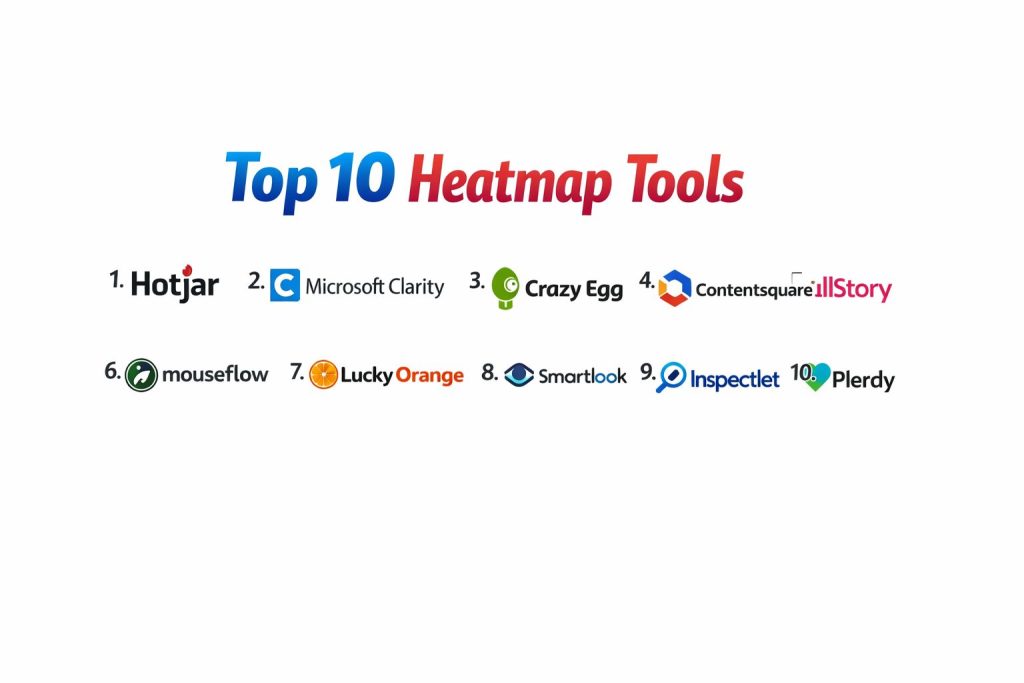
Top 10 Heatmap Tools
1) Hotjar
A popular behavior analytics platform that combines heatmaps with session recordings and feedback-style insights. Strong fit for teams optimizing landing pages, funnels, and user experience.
Key Features
- Click and scroll heatmaps for pages and device variants
- Session recordings with filtering and highlights
- Funnels and form insights for conversion-focused pages
- Feedback-style tools to capture user input (varies by setup)
- Segmentation by page, device, and user behavior patterns
- Collaboration features like notes and sharing workflows
- Practical dashboards aimed at quick UX and CRO wins
Pros
- Easy to set up and quickly useful for common UX questions
- Strong combination of heatmaps and replays for context
Cons
- Deep enterprise governance needs may require more advanced platforms
- High traffic sites may need careful sampling and filtering to manage noise
Platforms / Deployment
- Web
- Cloud
Security & Compliance
- SSO/SAML, MFA, encryption, audit logs, RBAC: Not publicly stated
- SOC 2, ISO 27001, GDPR, HIPAA: Not publicly stated
Integrations & Ecosystem
Hotjar often fits into marketing and product analytics workflows where teams connect insights to experiments and issue tracking.
- Common integrations with analytics and tag managers: Varies / N/A
- Collaboration with product tools and trackers: Varies / N/A
- API and exports: Varies / Not publicly stated
- Experimentation workflows: Varies / N/A
Support & Community
Strong learning materials, onboarding guides, and wide usage across teams; support levels vary by plan.
2) Microsoft Clarity
A behavior analytics tool focused on heatmaps and session replay with strong visibility into frustration signals. Good for teams wanting quick insights with a simple workflow.
Key Features
- Click and scroll heatmaps with device segmentation
- Session recordings with filters and search
- Rage clicks and dead clicks to detect frustration patterns
- Insights around scrolling behavior and attention zones
- Practical dashboards focused on problem discovery
- Helpful filtering to isolate high-impact sessions
- Simple setup and fast time-to-insight
Pros
- Useful frustration signals that quickly point to UX issues
- Lightweight experience for teams starting behavior analytics
Cons
- Advanced enterprise controls and deep customization may be limited
- Reporting depth can vary depending on use case complexity
Platforms / Deployment
- Web
- Cloud
Security & Compliance
- SSO/SAML, MFA, encryption, audit logs, RBAC: Not publicly stated
- SOC 2, ISO 27001, GDPR, HIPAA: Not publicly stated
Integrations & Ecosystem
Clarity typically pairs with standard analytics and marketing stacks to connect behavioral insights to traffic and conversion data.
- Analytics and tag manager workflows: Varies / N/A
- Exports and integrations: Varies / Not publicly stated
- Experimentation support via workflow patterns: Varies / N/A
- Custom event tagging patterns: Varies / N/A
Support & Community
Good documentation and wide adoption; community support is strong, while enterprise-grade support depends on plan and ecosystem.
3) Crazy Egg
A long-standing heatmap tool known for straightforward visual insights and page-level optimization workflows. Commonly used by marketing and growth teams.
Key Features
- Click heatmaps and scroll maps for page performance
- Confetti-style views to segment clicks by source (setup dependent)
- Session recordings to explain why heatmap patterns happen
- Snapshot comparisons to assess page changes over time
- Easy setup for landing page and content optimization
- Filters for device and traffic segmentation (varies)
- Practical reporting for quick conversion improvements
Pros
- Simple heatmap experience that’s easy for non-technical teams
- Useful segmentation views for traffic-source analysis
Cons
- May be less suited to complex product analytics use cases
- Very high traffic environments may require careful sampling choices
Platforms / Deployment
- Web
- Cloud
Security & Compliance
- SSO/SAML, MFA, encryption, audit logs, RBAC: Not publicly stated
- SOC 2, ISO 27001, GDPR, HIPAA: Not publicly stated
Integrations & Ecosystem
Crazy Egg is often used in CRO workflows where insights feed experiments and content changes.
- Analytics tooling integrations: Varies / N/A
- Tag manager workflows: Varies / N/A
- Experimentation workflows: Varies / N/A
- Exports and sharing: Varies / Not publicly stated
Support & Community
Strong beginner-friendly resources and support options that vary by plan; community knowledge is widely available.
4) Contentsquare
An enterprise-focused digital experience analytics platform that goes beyond heatmaps into journey analysis and deep behavioral segmentation. Best for large teams optimizing complex customer journeys.
Key Features
- Heatmaps and zone-based interaction analytics
- Journey analysis and behavior segmentation across pages
- Frustration signals and interaction quality indicators (varies)
- Advanced filtering across user cohorts and journeys
- Collaboration features for large UX and product teams
- Dashboards designed for executive and operational reporting
- Scalable analytics for large traffic sites and complex products
Pros
- Strong enterprise-level journey analytics beyond basic heatmaps
- Powerful segmentation to isolate high-value user behavior
Cons
- Complexity can be high for small teams or simple websites
- Typically requires structured rollout and governance to get full value
Platforms / Deployment
- Web
- Cloud
Security & Compliance
- SSO/SAML, MFA, encryption, audit logs, RBAC: Not publicly stated
- SOC 2, ISO 27001, GDPR, HIPAA: Not publicly stated
Integrations & Ecosystem
Contentsquare usually integrates with enterprise analytics, experimentation, and customer experience stacks.
- Experimentation and testing workflows: Varies / N/A
- Analytics and CDP integrations: Varies / N/A
- Data exports and pipelines: Varies / Not publicly stated
- Collaboration with product and ticketing tools: Varies / N/A
Support & Community
Enterprise-oriented onboarding and support structures, with guidance that typically varies by contract and plan.
5) FullStory
A digital experience intelligence tool that combines session replay with detailed event capture and strong debugging workflows. Great for product teams diagnosing UX issues and friction.
Key Features
- Heatmaps and interaction analytics (workflow dependent)
- High-quality session replay with powerful search and filtering
- Frustration signals like rage clicks and error patterns (varies)
- Event-level insights for product experience analysis
- Team collaboration tools for sharing sessions and findings
- Strong workflows for issue reproduction and debugging
- Useful for aligning product, UX, support, and engineering teams
Pros
- Excellent for diagnosing complex UX problems with strong replay search
- Helps connect qualitative behavior to product decisions quickly
Cons
- Can be more than needed for simple landing page optimization
- Requires careful governance for privacy and data management
Platforms / Deployment
- Web
- Cloud
Security & Compliance
- SSO/SAML, MFA, encryption, audit logs, RBAC: Not publicly stated
- SOC 2, ISO 27001, GDPR, HIPAA: Not publicly stated
Integrations & Ecosystem
FullStory often fits into product analytics, support, and engineering workflows where teams share sessions and fix issues fast.
- Ticketing and support tool workflows: Varies / N/A
- Analytics and experimentation integrations: Varies / N/A
- Data exports and APIs: Varies / Not publicly stated
- Collaboration and annotation patterns: Varies / N/A
Support & Community
Strong documentation and onboarding resources; support depth varies by plan and enterprise agreement.
6) Mouseflow
A behavior analytics tool focused on heatmaps, session replay, and funnels for improving conversions. Often used by marketing teams and UX optimizers.
Key Features
- Click, movement, and scroll heatmaps
- Session recordings with filters and tagging
- Funnels and form analytics for conversion diagnostics
- Segmentation by device, source, and user behavior patterns
- Dashboards for page optimization and UX insights
- Recording controls and sampling configuration
- Useful reporting for CRO-focused teams
Pros
- Balanced set of features for heatmaps plus conversion workflows
- Straightforward UI for marketing and UX teams
Cons
- Deep enterprise segmentation and governance may be less extensive
- Some teams may need more advanced product analytics for complex apps
Platforms / Deployment
- Web
- Cloud
Security & Compliance
- SSO/SAML, MFA, encryption, audit logs, RBAC: Not publicly stated
- SOC 2, ISO 27001, GDPR, HIPAA: Not publicly stated
Integrations & Ecosystem
Mouseflow is commonly used alongside analytics tools to connect behavior patterns to traffic and outcomes.
- Analytics integrations: Varies / N/A
- Tag manager support patterns: Varies / N/A
- Exports and API: Varies / Not publicly stated
- Collaboration workflows: Varies / N/A
Support & Community
Good documentation and support options that vary by plan; community guidance is available.
7) Lucky Orange
A user behavior platform combining heatmaps with recordings and conversion-friendly insights. Often used by ecommerce and SMB teams wanting quick improvements.
Key Features
- Heatmaps for clicks and scrolling
- Session recordings with filtering and tagging
- Conversion and form insights to reduce drop-offs
- Visitor profiles and behavior context (varies)
- Real-time style insights for fast investigation
- Easy setup for SMB teams and small marketing groups
- Tools designed for quick wins on key pages
Pros
- Good for small teams needing fast UX improvement cycles
- Straightforward to deploy and interpret
Cons
- Enterprise reporting and advanced governance may be limited
- Very high traffic sites may need careful sampling strategies
Platforms / Deployment
- Web
- Cloud
Security & Compliance
- SSO/SAML, MFA, encryption, audit logs, RBAC: Not publicly stated
- SOC 2, ISO 27001, GDPR, HIPAA: Not publicly stated
Integrations & Ecosystem
Lucky Orange often pairs with ecommerce and analytics stacks to identify friction and validate changes.
- Analytics tooling workflows: Varies / N/A
- Tag manager usage patterns: Varies / N/A
- Exports and integrations: Varies / Not publicly stated
- Collaboration and sharing: Varies / N/A
Support & Community
Strong onboarding for SMB users, helpful guides, and support tiers that vary by plan.
8) Smartlook
A product-focused behavior analytics tool combining recordings with event-style insights and heatmaps. Useful for teams analyzing both websites and product experiences.
Key Features
- Heatmaps for key pages and user flows (setup dependent)
- Session recordings with filters and event context
- Funnel-style insights to understand drop-offs
- Segmentation by device and behavior patterns
- Useful for product teams and growth teams working together
- Tagging workflows for feature usage analysis (varies)
- Dashboards designed for ongoing product iteration
Pros
- Solid balance of heatmaps, replays, and funnel-style insight workflows
- Useful for product experience troubleshooting and optimization
Cons
- Requires careful event setup for best product analytics outcomes
- Enterprise-grade governance needs may require deeper platforms
Platforms / Deployment
- Web
- Cloud
Security & Compliance
- SSO/SAML, MFA, encryption, audit logs, RBAC: Not publicly stated
- SOC 2, ISO 27001, GDPR, HIPAA: Not publicly stated
Integrations & Ecosystem
Smartlook often integrates with analytics and product workflows where teams turn behavioral insights into roadmap actions.
- Analytics integrations: Varies / N/A
- Data export options: Varies / Not publicly stated
- Collaboration with product tools: Varies / N/A
- Tag manager patterns: Varies / N/A
Support & Community
Good documentation and learning resources; support depth varies by plan and contract.
9) Inspectlet
A session replay and heatmap tool focused on straightforward website behavior insights. Useful for teams that want basic visibility into what users do on pages.
Key Features
- Click and scroll heatmaps for page optimization
- Session recordings with filters and search
- Basic form analytics for drop-off insights (varies)
- Simple dashboards for quick issue spotting
- Useful for landing pages and conversion troubleshooting
- Sampling and targeting controls (setup dependent)
- Lightweight experience for smaller teams
Pros
- Simple and practical for quick website behavior analysis
- Useful for diagnosing obvious friction points with recordings
Cons
- Less suited to complex product analytics and enterprise journey mapping
- Advanced segmentation and governance may be limited
Platforms / Deployment
- Web
- Cloud
Security & Compliance
- SSO/SAML, MFA, encryption, audit logs, RBAC: Not publicly stated
- SOC 2, ISO 27001, GDPR, HIPAA: Not publicly stated
Integrations & Ecosystem
Inspectlet is often used with standard analytics to add qualitative context.
- Analytics pairing workflows: Varies / N/A
- Tag manager patterns: Varies / N/A
- Exports and sharing: Varies / Not publicly stated
- Custom events: Varies / N/A
Support & Community
Basic documentation and support options that vary by plan; community footprint is smaller than major platforms.
10) Plerdy
A conversion and behavior analytics platform that includes heatmaps and page interaction insights. Often used by marketing teams focused on UX changes that improve lead and sales outcomes.
Key Features
- Click heatmaps with page-level interaction insights
- Session recordings to validate user intent and friction
- Funnels and conversion insights for key pages
- Basic event tracking patterns (setup dependent)
- Segmenting behavior by page and device (varies)
- Reporting designed for CRO-style workflows
- Useful for teams managing many landing pages and campaigns
Pros
- Strong fit for CRO workflows across many pages and campaigns
- Combines heatmaps and recordings for practical context
Cons
- Enterprise journey analytics depth may be limited
- Setup quality affects the reliability of insights significantly
Platforms / Deployment
- Web
- Cloud
Security & Compliance
- SSO/SAML, MFA, encryption, audit logs, RBAC: Not publicly stated
- SOC 2, ISO 27001, GDPR, HIPAA: Not publicly stated
Integrations & Ecosystem
Plerdy typically integrates into marketing analytics stacks and optimization workflows.
- Analytics integrations: Varies / N/A
- Tag manager patterns: Varies / N/A
- Exports and API: Varies / Not publicly stated
- Experimentation workflows: Varies / N/A
Support & Community
Helpful onboarding resources for marketing teams; support quality and tiers vary by plan.
Comparison Table (Top 10)
| Tool Name | Best For | Platform(s) Supported | Deployment | Standout Feature | Public Rating |
|---|---|---|---|---|---|
| Hotjar | Heatmaps plus recordings for UX and CRO | Web | Cloud | Fast insight workflow | N/A |
| Microsoft Clarity | Frustration signals and behavior discovery | Web | Cloud | Rage and dead click insights | N/A |
| Crazy Egg | Landing page optimization and click analysis | Web | Cloud | Click segmentation views | N/A |
| Contentsquare | Enterprise journey and experience analytics | Web | Cloud | Deep journey segmentation | N/A |
| FullStory | Product debugging with high-quality replay search | Web | Cloud | Powerful replay search | N/A |
| Mouseflow | Heatmaps plus funnels and form analytics | Web | Cloud | Conversion diagnostics | N/A |
| Lucky Orange | SMB-friendly behavior insights and optimization | Web | Cloud | Quick page improvement workflows | N/A |
| Smartlook | Product analytics style behavior insights | Web | Cloud | Funnels plus recordings | N/A |
| Inspectlet | Simple heatmaps and session replay | Web | Cloud | Lightweight setup | N/A |
| Plerdy | CRO-focused heatmaps for marketing teams | Web | Cloud | Landing page conversion insights | N/A |
Evaluation & Scoring Table
Weights: Core 25%, Ease 15%, Integrations 15%, Security 10%, Performance 10%, Support 10%, Value 15%
| Tool Name | Core (25%) | Ease (15%) | Integrations (15%) | Security (10%) | Performance (10%) | Support (10%) | Value (15%) | Weighted Total |
|---|---|---|---|---|---|---|---|---|
| Hotjar | 8.5 | 9.0 | 8.0 | 6.0 | 8.0 | 8.0 | 8.0 | 8.08 |
| Microsoft Clarity | 7.5 | 9.0 | 7.0 | 6.0 | 8.0 | 7.5 | 9.5 | 7.93 |
| Crazy Egg | 7.5 | 8.5 | 7.0 | 6.0 | 7.5 | 7.5 | 7.5 | 7.52 |
| Contentsquare | 9.0 | 7.0 | 9.0 | 7.0 | 8.5 | 8.5 | 6.0 | 8.03 |
| FullStory | 8.5 | 7.5 | 8.5 | 7.0 | 8.5 | 8.5 | 6.5 | 7.93 |
| Mouseflow | 8.0 | 8.0 | 7.5 | 6.0 | 7.5 | 7.5 | 7.5 | 7.65 |
| Lucky Orange | 7.5 | 8.5 | 7.0 | 6.0 | 7.5 | 7.5 | 8.0 | 7.58 |
| Smartlook | 8.0 | 7.5 | 7.5 | 6.5 | 7.5 | 7.5 | 7.5 | 7.60 |
| Inspectlet | 7.0 | 8.0 | 6.5 | 6.0 | 7.0 | 7.0 | 7.5 | 7.03 |
| Plerdy | 7.5 | 8.0 | 7.0 | 6.0 | 7.5 | 7.0 | 8.0 | 7.48 |
How to interpret the scores:
- These scores compare tools within this list, not the entire market.
- A higher total usually means broader strength across more scenarios.
- Smaller teams may prioritize ease and value, while larger teams may prioritize depth and governance.
- Security scoring is limited because detailed disclosures vary across vendors.
- Always validate with a real pilot on your pages, traffic mix, and privacy constraints.
Which Heatmap Tool Is Right for You?
Solo / Freelancer
Hotjar and Microsoft Clarity are practical starting points because setup is straightforward and insights are easy to interpret. If you run many landing pages and need fast CRO feedback, Crazy Egg can also work well.
SMB
Hotjar, Mouseflow, Lucky Orange, and Plerdy usually fit SMB teams because they combine heatmaps, recordings, and conversion workflows without heavy complexity. Choose based on whether your focus is ecommerce conversion or product UX.
Mid-Market
FullStory and Smartlook are strong when you need deeper session search, structured analysis, and cross-team workflows. Mouseflow can also be effective if your primary work is funnel and form optimization.
Enterprise
Contentsquare is typically the best fit when you need deep journey analytics, strong segmentation, and large-scale reporting patterns. FullStory can also work well for product debugging across big teams.
Budget vs Premium
If budget is tight, Microsoft Clarity is a strong baseline for heatmaps and frustration signals. Premium platforms like Contentsquare and FullStory are better when complex journeys and cross-team governance matter.
Feature Depth vs Ease of Use
Hotjar and Crazy Egg are easy to adopt. Contentsquare and FullStory offer deeper insight, but require more structured setup and team processes.
Integrations & Scalability
If you run experiments frequently, prioritize tools that fit your testing workflow and allow clean sharing of evidence. Enterprise teams should also focus on data controls, retention, and access patterns.
Security & Compliance Needs
For regulated environments, prioritize privacy controls, masking, consent workflow compatibility, and strong governance practices. If compliance details are not publicly stated, treat them as unknown and validate through formal vendor review.
Frequently Asked Questions (FAQs)
1. What does a heatmap actually show me?
It shows where users click, tap, and scroll, helping you see attention patterns. It is best used to identify friction and then confirm the cause using recordings.
2. Do heatmaps work on mobile pages?
Most tools support mobile views, but results depend on how the site is built and tracked. Always segment by device because mobile behavior is very different from desktop.
3. Are heatmaps enough for conversion optimization?
Heatmaps are a starting point, not the full answer. Use them with recordings, funnels, and page experiments to confirm what changes truly improve outcomes.
4. What is the difference between heatmaps and session recordings?
Heatmaps aggregate behavior across many users. Recordings show individual journeys, which helps explain why a hotspot or drop-off is happening.
5. What are rage clicks and dead clicks?
Rage clicks are repeated clicks that often signal frustration. Dead clicks happen when users click something that does not respond, usually indicating poor affordance or broken UI.
6. Will a heatmap script slow down my site?
It can if the script is heavy or configured poorly. Use sampling, avoid tracking unnecessary pages, and monitor performance before rolling out everywhere.
7. How do I avoid privacy problems with heatmap tools?
Use masking and redaction features, avoid recording sensitive fields, and follow consent rules. Also limit retention and access so only the right team members can view sessions.
8. Can these tools track single-page applications?
Many can, but dynamic content requires extra setup for reliable page and event tracking. Test carefully to ensure the heatmaps map correctly to UI states.
9. How many sessions do I need for heatmaps to be reliable?
It depends on traffic, page purpose, and segmentation. Start with enough sessions to see stable patterns, then narrow down by device and source for deeper insights.
10. What is a practical rollout plan for a new heatmap tool?
Start with your top landing pages and checkout steps, set sampling rules, confirm privacy controls, and review insights weekly. Only expand tracking once you have a repeatable process.
Conclusion
Heatmap tools are most valuable when they help your team move from guessing to knowing. Instead of debating what users might be doing, you can see where they click, how far they scroll, and where frustration signals appear. For smaller teams, tools like Hotjar, Microsoft Clarity, Crazy Egg, Mouseflow, Lucky Orange, and Plerdy can produce quick wins by revealing obvious friction on high-impact pages. For deeper product debugging, FullStory and Smartlook can help teams connect session evidence to fixes. For complex enterprise journeys, Contentsquare can bring structured journey analytics and segmentation. A simple next step is to shortlist two or three tools, pilot them on a few key pages, validate segmentation and privacy controls, and then standardize a weekly insight-to-action routine.
Finding the right heatmap tool is tough, but this list makes the choice much clearer.
Super helpful list! It really takes the guesswork out of picking a heatmap platform.
This guide makes comparing heatmap tools so simple, and I truly appreciate the clear pros and cons.