Introduction
Payroll and benefits administration platforms help organizations run accurate pay cycles, manage taxes and statutory deductions, administer employee benefits, and keep employee records consistent across HR, finance, and compliance workflows. In simple terms, these tools make sure people get paid correctly and on time, while also keeping benefit enrollment, eligibility, and deductions aligned with policy and local rules. This category matters more than ever because workforces are more distributed, regulations change frequently, and employees expect self-service experiences for payslips, tax forms, benefits enrollment, and life-event changes without waiting on HR tickets.
Common use cases include running multi-location payroll, automating payroll taxes and filings, managing health and retirement benefit enrollments, handling new hire onboarding that triggers payroll setup, syncing time and attendance to payroll, and producing audit-ready reports for finance and compliance teams. When choosing a platform, buyers should evaluate payroll accuracy, benefits enrollment depth, eligibility rules, tax and compliance automation, reporting, integration with time tracking and accounting, scalability across locations, data security controls, user experience for employees and admins, and the vendor’s support model.
Best for: HR teams, payroll managers, finance teams, and fast-growing organizations that want fewer manual payroll steps, fewer compliance risks, and a smoother employee self-service experience.
Not ideal for: very small teams with a simple headcount and no benefits complexity, or organizations that already outsource everything to a local payroll bureau and only need basic reporting.
Key Trends in Payroll and Benefits Administration
- Unified people data is becoming mandatory so payroll, benefits, time, and HR stay consistent without duplicate entry.
- Automation is moving beyond calculations into policy enforcement, validation checks, and exception handling workflows.
- Employee self-service is expanding with guided enrollment, transparent deductions, and faster changes for life events.
- Multi-location compliance is becoming a core requirement as hiring spreads across states, regions, and countries.
- Real-time or near real-time payroll calculations are gaining traction to reduce surprise corrections and retro changes.
- Integrations are shifting from point-to-point links to broader ecosystem connectivity with identity, finance, and IT tools.
- Security expectations are rising, with stronger role-based access, audit logs, and tighter admin controls becoming standard.
- Benefits administration is increasingly bundled with payroll to prevent mismatched deductions and eligibility errors.
- Analytics is becoming more practical, focusing on overtime drivers, labor cost patterns, and benefit participation insights.
- Implementation approaches are becoming more modular so teams can start with payroll and expand to broader HR later.
How We Selected These Tools (Methodology)
- Chosen based on broad adoption across payroll and HR operations for different company sizes.
- Prioritized platforms that handle both payroll processing and benefits administration in a practical way.
- Considered reliability signals such as consistency, ability to handle complex pay rules, and mature reporting.
- Included a mix of enterprise-grade suites and mid-market friendly platforms to cover common buyer scenarios.
- Evaluated ecosystem fit through integration patterns with time tracking, accounting, HR, and identity workflows.
- Looked for admin productivity features like automation rules, validations, approvals, and guided setup.
- Considered employee experience features like self-service, mobile access, and clarity of pay and benefits details.
- Included platforms that can scale from simpler needs to more complex structures without forcing immediate replacement.
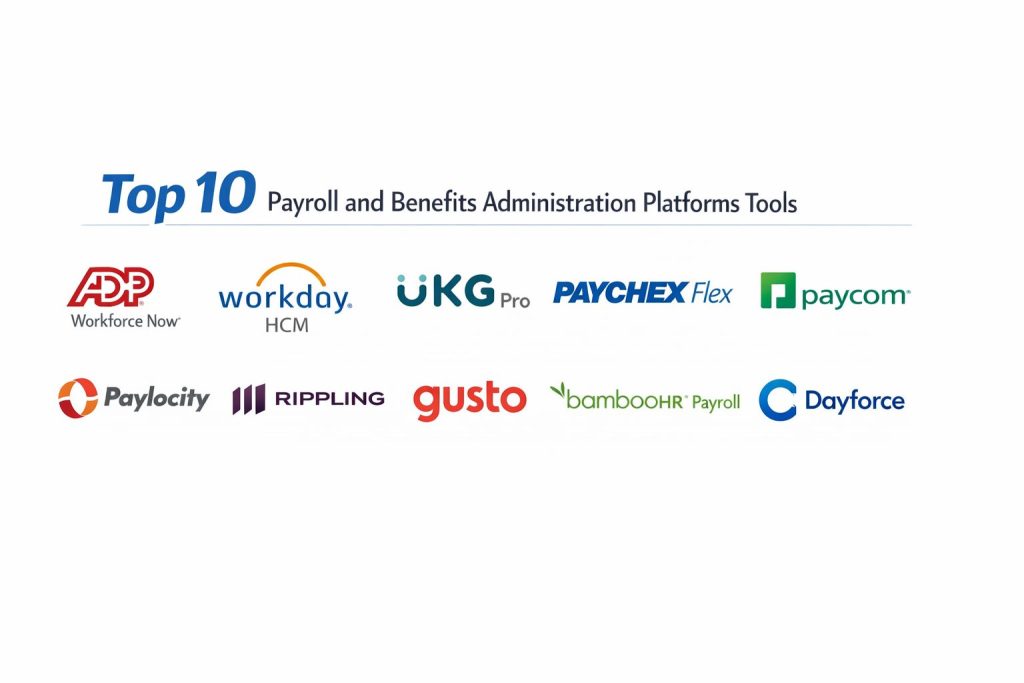
Top 10 Payroll and Benefits Administration Tools
1 — ADP Workforce Now
A widely adopted payroll and HR platform known for payroll reliability, tax handling, and scalable HR operations for mid-sized to larger organizations.
Key Features
- Payroll processing with configurable earnings and deduction rules
- Payroll tax calculations and filing workflows support
- Benefits administration support with enrollment and deductions alignment
- Employee self-service for pay statements and common updates
- Reporting and audit-friendly payroll summaries for finance teams
- Role-based controls to separate admin responsibilities
Pros
- Strong operational consistency for recurring payroll cycles
- Broad fit across many industries and common payroll setups
Cons
- Complexity can grow as configurations increase
- Some workflows may require careful admin training for best results
Platforms and Deployment
Web, Mobile, Cloud
Security and Compliance
Not publicly stated
Integrations and Ecosystem
ADP commonly fits into broader HR and finance environments where payroll must connect to time, benefits, and accounting.
- Integrations with time and attendance systems
- Connections to accounting and finance reporting workflows
- Import and export options to align with HR and benefits data flows
- Ecosystem options vary by region and plan
Support and Community
Documentation and support tiers vary; many organizations rely on vendor support plus internal payroll specialists.
2 — Workday HCM
A comprehensive enterprise HCM suite that supports payroll and benefits administration as part of a unified HR and finance-friendly data model.
Key Features
- Unified HR data model supporting payroll and benefits consistency
- Configurable business processes for approvals and change control
- Benefits administration workflows with eligibility support
- Reporting and analytics for labor cost and workforce planning
- Role-based access controls for enterprise governance
- Strong workflow structure for complex organizations
Pros
- Strong fit for enterprise governance and process discipline
- Centralized data reduces duplicated HR and payroll work
Cons
- Implementation effort can be significant
- Best value typically comes with broader suite adoption
Platforms and Deployment
Web, Mobile, Cloud
Security and Compliance
Not publicly stated
Integrations and Ecosystem
Workday is commonly used as a system of record and integrates with payroll, finance, and identity ecosystems depending on enterprise architecture.
- Integration patterns for HR, finance, and identity workflows
- Data exchange with time tracking and benefits providers
- APIs and integration tooling depend on subscription scope
- Ecosystem strength is high in enterprise environments
Support and Community
Strong enterprise support model; community resources exist, but admin expertise often requires structured training.
3 — UKG Pro
A payroll, HR, and workforce platform often selected for strong workforce management alignment and mid-market to enterprise HR operations.
Key Features
- Payroll processing aligned with workforce and HR data
- Benefits administration with enrollment and deduction alignment
- Workforce management connectivity for time and attendance needs
- Reporting for payroll, labor, and HR operational metrics
- Employee self-service with common HR and payroll workflows
- Configurable roles and permissions for admin separation
Pros
- Good fit where workforce management and payroll must stay aligned
- Strong operational coverage for HR and payroll teams
Cons
- Admin configuration can require careful governance
- Some integrations may require planning to avoid data duplication
Platforms and Deployment
Web, Mobile, Cloud
Security and Compliance
Not publicly stated
Integrations and Ecosystem
UKG Pro is often selected when time, scheduling, and payroll data need to stay consistent across departments and locations.
- Connections to time and attendance workflows
- Integration patterns with finance and HR tools
- Support for data exchange across HR operations
- Ecosystem options vary by region and package
Support and Community
Vendor support tiers vary; many teams benefit from structured onboarding and admin enablement.
4 — Paychex Flex
A payroll platform commonly used by small and mid-sized businesses that want practical payroll operations plus benefits support and HR workflows.
Key Features
- Payroll processing with common earnings and deduction needs
- Tax handling workflows to reduce manual filing work
- Benefits support with enrollment-related payroll deductions
- Employee self-service for pay information and basic updates
- Reporting for payroll history and recurring payroll tasks
- Admin tools designed for day-to-day payroll operations
Pros
- Practical for small to mid-sized organizations
- Strong focus on payroll operations and ease of recurring runs
Cons
- Enterprise-grade customization may be limited compared to full suites
- Complex global needs may require additional solutions
Platforms and Deployment
Web, Mobile, Cloud
Security and Compliance
Not publicly stated
Integrations and Ecosystem
Paychex Flex often fits as the payroll core with integrations into accounting and HR tools depending on business needs.
- Accounting and bookkeeping workflow connectivity
- Time and attendance integration patterns
- Benefits alignment through payroll deduction workflows
- Ecosystem depth varies by plan and region
Support and Community
Support structure varies; many SMBs value guided support and clear operational processes.
5 — Paycom
A unified HR and payroll platform known for automation and process streamlining for organizations that want fewer manual payroll and HR steps.
Key Features
- Payroll processing with configurable rules and validations
- Employee self-service workflows to reduce HR tickets
- Benefits administration support tied to payroll deductions
- Reporting for compliance, payroll summaries, and workforce insights
- Approval workflows to control changes and reduce errors
- Tools designed to reduce duplicate data entry
Pros
- Helps reduce operational overhead through automation-focused workflows
- Strong fit for organizations aiming to centralize HR and payroll tasks
Cons
- Setup and process design matter for smooth operations
- Some teams may need time to adapt to workflow-driven administration
Platforms and Deployment
Web, Mobile, Cloud
Security and Compliance
Not publicly stated
Integrations and Ecosystem
Paycom is typically used as a unified system for HR and payroll, with integrations supporting finance and time workflows based on the organization’s setup.
- Data exchange with time and scheduling tools
- Payroll reporting alignment for finance teams
- HR and payroll consistency through unified workflows
- Integration availability varies by environment
Support and Community
Support tiers vary; many organizations rely on onboarding guidance and clear internal process ownership.
6 — Paylocity
A payroll and HR platform popular in the mid-market, offering payroll operations, employee engagement features, and benefits support for growing organizations.
Key Features
- Payroll processing with automation features for routine runs
- Benefits administration support and enrollment-related deductions
- Employee self-service to reduce admin workload
- Reporting dashboards for payroll and HR insights
- Workflow approvals to reduce mistakes and last-minute changes
- Tools supporting HR operations beyond payroll
Pros
- Strong fit for mid-market organizations balancing features and usability
- Employee self-service helps reduce HR and payroll back-and-forth
Cons
- Advanced enterprise requirements may need additional architecture
- Integration planning is important for clean data flow
Platforms and Deployment
Web, Mobile, Cloud
Security and Compliance
Not publicly stated
Integrations and Ecosystem
Paylocity typically connects to accounting, time systems, and HR workflows depending on the customer environment.
- Integration paths for time and attendance needs
- Finance reporting alignment through exports and connectors
- Ecosystem support varies by plan and implementation choices
- Works best with consistent data governance
Support and Community
Support varies; many customers benefit from structured implementation and admin enablement.
7 — Rippling
A modern workforce platform that combines payroll with broader HR and IT-oriented workflows, often valued for automation and unified employee lifecycle management.
Key Features
- Payroll workflows with automation and rule-based administration
- Benefits administration alignment with payroll deductions
- Employee lifecycle workflows that reduce manual handoffs
- Centralized employee data model for consistent operations
- Reporting for payroll and operational visibility
- Admin controls designed for fast-moving organizations
Pros
- Strong automation approach for reducing repetitive admin work
- Good fit for fast-growing teams that want unified operations
Cons
- Best results require clear process ownership and governance
- Complex scenarios may require careful configuration planning
Platforms and Deployment
Web, Mobile, Cloud
Security and Compliance
Not publicly stated
Integrations and Ecosystem
Rippling commonly connects payroll and HR workflows with broader operational systems so employee changes trigger consistent updates.
- Integration patterns across HR and business tooling
- Automated workflows to reduce manual data sync
- Ecosystem connectivity depends on selected modules
- Best fit when teams standardize processes end-to-end
Support and Community
Support approach varies; many teams value guided onboarding and practical workflow templates.
8 — Gusto
A payroll and benefits platform widely used by small businesses for simplified payroll runs, benefits administration support, and employee self-service.
Key Features
- Payroll processing designed for straightforward runs
- Benefits support that aligns deductions with payroll
- Employee self-service for pay statements and common details
- Reporting for payroll history and basic compliance needs
- Admin experience focused on simplicity and speed
- Practical workflows for onboarding and payroll setup
Pros
- Strong usability for small businesses with limited HR staff
- Efficient for routine payroll cycles and basic benefits workflows
Cons
- Advanced enterprise complexity may exceed typical use case
- Multi-region complexity may require additional planning
Platforms and Deployment
Web, Mobile, Cloud
Security and Compliance
Not publicly stated
Integrations and Ecosystem
Gusto typically integrates with common SMB tools to keep payroll data aligned with accounting and time tracking.
- Accounting workflow integrations for bookkeeping alignment
- Time tracking connectivity depending on chosen setup
- Practical exports for payroll reporting needs
- Ecosystem depth varies by customer segment
Support and Community
Strong popularity in SMB circles; support tiers vary, and many users rely on guided help content.
9 — BambooHR Payroll
An HR platform with payroll capability that works well for SMBs looking to keep HR records and payroll operations connected in a simpler environment.
Key Features
- HR record management aligned with payroll workflows
- Payroll processing designed for SMB operational needs
- Employee self-service for common HR and payroll actions
- Reporting that supports HR and payroll administration
- Onboarding workflows that connect to payroll setup steps
- Admin controls suited for smaller HR teams
Pros
- Practical when HR and payroll consistency is the main goal
- Easier HR-centric experience for teams starting to formalize processes
Cons
- Complex enterprise payroll needs may require additional tools
- Coverage and depth can vary depending on region and plan
Platforms and Deployment
Web, Mobile, Cloud
Security and Compliance
Not publicly stated
Integrations and Ecosystem
BambooHR Payroll typically fits into SMB ecosystems that want HR records, time, and payroll to stay aligned with minimal complexity.
- Integration patterns with time tracking and accounting tools
- HR data consistency reduces payroll setup errors
- Ecosystem varies by plan and supported environments
- Works best with clean employee data discipline
Support and Community
Strong SMB community presence; support quality varies by plan and customer needs.
10 — Dayforce
A platform often chosen for unified HR, payroll, benefits, and workforce needs, particularly when organizations want tighter alignment and strong payroll calculation practices.
Key Features
- Payroll processing with strong validation and consistency focus
- Benefits workflows designed to align eligibility and deductions
- Workforce and HR alignment to reduce data mismatches
- Reporting for payroll, labor, and operational oversight
- Employee self-service to reduce admin dependency
- Role-based access patterns for controlled administration
Pros
- Strong fit for organizations that want unified payroll and workforce alignment
- Helpful for reducing inconsistencies across HR, time, and payroll records
Cons
- Implementation and configuration require careful planning
- Some advanced scenarios may require deep admin expertise
Platforms and Deployment
Web, Mobile, Cloud
Security and Compliance
Not publicly stated
Integrations and Ecosystem
Dayforce often supports environments where payroll must stay tightly consistent with time and HR data, reducing reconciliation work.
- Integration patterns with finance and workforce workflows
- Unified data approach reduces duplicate entry risks
- Connectivity depends on customer architecture and modules
- Best fit when governance and process standards are clear
Support and Community
Support tiers vary; many teams benefit from structured rollout plans and admin training.
Comparison Table
| Tool Name | Best For | Platform(s) Supported | Deployment | Standout Feature | Public Rating |
|---|---|---|---|---|---|
| ADP Workforce Now | Mid-market to large payroll operations | Web, Mobile | Cloud | Payroll reliability and tax workflows | N/A |
| Workday HCM | Enterprise HR and payroll governance | Web, Mobile | Cloud | Unified data and workflow discipline | N/A |
| UKG Pro | Workforce aligned payroll and HR | Web, Mobile | Cloud | Workforce and payroll consistency | N/A |
| Paychex Flex | SMB to mid-market payroll operations | Web, Mobile | Cloud | Practical payroll operations for growing teams | N/A |
| Paycom | Unified HR and payroll automation | Web, Mobile | Cloud | Workflow-driven administration | N/A |
| Paylocity | Mid-market payroll and HR workflows | Web, Mobile | Cloud | Strong employee self-service experience | N/A |
| Rippling | Automation-focused payroll plus operations | Web, Mobile | Cloud | End-to-end employee lifecycle workflows | N/A |
| Gusto | SMB payroll and benefits simplicity | Web, Mobile | Cloud | Fast payroll runs with clean UX | N/A |
| BambooHR Payroll | HR-first SMB payroll consistency | Web, Mobile | Cloud | HR records aligned with payroll setup | N/A |
| Dayforce | Unified payroll and workforce alignment | Web, Mobile | Cloud | Consistent payroll calculations and alignment | N/A |
Evaluation and Scoring of Payroll and Benefits Administration
Weights
Core features 25 percent
Ease of use 15 percent
Integrations and ecosystem 15 percent
Security and compliance 10 percent
Performance and reliability 10 percent
Support and community 10 percent
Price and value 15 percent
| Tool Name | Core | Ease | Integrations | Security | Performance | Support | Value | Weighted Total |
|---|---|---|---|---|---|---|---|---|
| ADP Workforce Now | 9.0 | 7.5 | 8.5 | 6.5 | 8.5 | 8.0 | 6.5 | 7.98 |
| Workday HCM | 9.0 | 6.5 | 8.5 | 6.5 | 8.5 | 7.5 | 6.0 | 7.55 |
| UKG Pro | 8.5 | 7.0 | 8.0 | 6.0 | 8.0 | 7.5 | 6.5 | 7.43 |
| Paychex Flex | 8.0 | 8.0 | 7.5 | 6.0 | 8.0 | 7.5 | 7.5 | 7.68 |
| Paycom | 8.5 | 7.5 | 7.5 | 6.0 | 8.0 | 7.0 | 6.5 | 7.53 |
| Paylocity | 8.0 | 8.0 | 7.5 | 6.0 | 7.5 | 7.0 | 7.0 | 7.45 |
| Rippling | 8.0 | 8.5 | 8.5 | 6.0 | 7.5 | 7.0 | 7.0 | 7.68 |
| Gusto | 7.5 | 9.0 | 7.0 | 5.5 | 7.5 | 7.0 | 9.0 | 7.70 |
| BambooHR Payroll | 7.5 | 8.5 | 7.0 | 5.5 | 7.0 | 7.0 | 8.0 | 7.35 |
| Dayforce | 8.5 | 7.0 | 8.0 | 6.0 | 8.5 | 7.5 | 6.5 | 7.55 |
How to interpret the scores
These scores are comparative and designed to help you shortlist options based on typical buyer priorities. A lower total does not mean a platform is weak; it may simply be less aligned to your needs or segment. Core and performance influence payroll accuracy and operational reliability over time. Ease influences how quickly admins and employees adopt the workflows with fewer mistakes. Integrations and value often decide long-term sustainability, especially when you connect payroll with time, accounting, and benefits operations.
Which Payroll and Benefits Administration Tool Is Right for You
Solo or Freelancer
If you have only a few employees or contractors, prioritize simplicity, clean self-service, and minimal admin overhead. Gusto is often a strong fit for smaller operations that want a straightforward payroll flow and a clear employee experience. If you are building a more structured HR foundation while keeping payroll connected, BambooHR Payroll can work well when HR records and onboarding are your bigger pain points.
SMB
For small to medium businesses, look for quick payroll cycles, clean benefits deduction alignment, and reporting that supports bookkeeping. Paychex Flex is commonly chosen for practical payroll operations. Rippling can be a strong pick if you want more automation across employee changes and operations. Gusto remains a strong option when usability and speed are the top goals.
Mid-Market
Mid-market organizations usually need stronger controls, better integrations, and more configurable policy workflows. ADP Workforce Now is often selected for payroll operational consistency at scale. Paylocity and Paycom fit well when employee self-service and workflow-driven processes reduce HR overhead. UKG Pro can be a strong option when workforce management alignment is important.
Enterprise
Enterprises typically prioritize governance, consistent data, deeper reporting, and cross-department process discipline. Workday HCM is often selected where a unified HR model and workflow governance matter most. Dayforce can fit well when organizations want tighter alignment between payroll, workforce data, and administrative controls. UKG Pro can be a strong fit when workforce and payroll must remain aligned across complex labor environments.
Budget vs Premium
If budget is tight, focus on platforms that reduce admin hours and errors rather than chasing every advanced feature. SMB-focused tools can deliver strong ROI through speed and ease. Premium suites are more justified when you need deeper governance, multi-entity structure, or strict process discipline across departments.
Feature Depth vs Ease of Use
If you need deeper governance and broad process coverage, enterprise suites tend to be stronger but require more implementation effort. If you need fast adoption and clean day-to-day operations, SMB and mid-market platforms often win on usability. The best choice is the one your payroll team can run confidently with fewer exceptions and fewer last-minute fixes.
Integrations and Scalability
If your payroll must sync with time tracking, scheduling, accounting, and benefits changes reliably, treat integrations as a top requirement. A platform that scales well usually has consistent data handling, predictable reporting, and strong admin controls. Run a short pilot focusing on real payroll rules, real deductions, and real reporting outputs.
Security and Compliance Needs
Because payroll data is sensitive, prioritize strong access control, separation of duties, audit visibility, and clean admin governance. If security posture details are not clearly available, treat them as not publicly stated and validate through vendor discussions, contractual terms, and your internal risk review process.
Frequently Asked Questions
1. What is the biggest difference between payroll software and payroll plus benefits administration
Payroll software focuses on calculating pay and deductions, while benefits administration adds enrollment, eligibility, and ongoing benefit changes that must stay aligned with payroll deductions. Combined systems reduce mismatches that cause incorrect take-home pay.
2. How long does implementation usually take
Implementation time varies based on complexity, number of entities, pay rules, and integrations. A practical rollout plan starts with core payroll, validates reporting, and then expands into benefits workflows once payroll runs are stable.
3. What are the most common payroll mistakes these tools help prevent
They help prevent missed deductions, incorrect tax withholding, inconsistent employee data, and late payroll runs. They also reduce manual spreadsheet errors by applying consistent rules and validations.
4. How should we evaluate benefits administration features
Check eligibility rule handling, life-event changes, open enrollment workflows, deduction alignment, and employee self-service clarity. Also confirm how the system handles retroactive changes and corrections without creating confusion.
5. Can these platforms support multiple locations or states
Many can, but depth varies by vendor and region. Validate multi-location rules, tax handling, local compliance needs, and reporting requirements during a pilot using real pay scenarios.
6. What integrations matter most for payroll and benefits
Time tracking, scheduling, HR data, accounting, and benefits changes are the most important integration points. A strong integration setup reduces duplicate entry and keeps deductions aligned with eligibility.
7. What should finance teams look for in payroll reporting
Finance teams should look for audit-friendly payroll summaries, cost breakdowns by department, exports for accounting workflows, and consistent historical reporting. The best reports are repeatable and easy to reconcile month after month.
8. How do we handle switching from an old payroll provider
Start by mapping employee data, pay rules, and deductions carefully, then run parallel payroll for one or two cycles if possible. Confirm that totals match and that benefit deductions align before fully switching over.
9. Are these platforms suitable for contractors as well as employees
Many platforms can handle contractors, but capabilities vary. Validate how the platform supports contractor payments, reporting, and any local regulatory requirements relevant to contractor classification.
10. What is the best way to shortlist tools quickly
Shortlist two or three platforms based on your company size and complexity, then run a pilot using real payroll rules, real benefits deductions, and real reporting needs. The tool that produces clean payroll runs with fewer exceptions is usually the best fit.
Conclusion
Payroll and benefits administration is one of those operational areas where small mistakes create big consequences, from employee trust issues to compliance headaches and financial reconciliation problems. The best platform is the one that matches your workforce complexity, payroll rules, benefits needs, and integration environment. ADP Workforce Now, Workday HCM, UKG Pro, and Dayforce often fit organizations that need stronger governance and scale. Paychex Flex, Paycom, Paylocity, Rippling, Gusto, and BambooHR Payroll can deliver strong outcomes when usability, speed, and clean day-to-day operations matter most. A smart next step is to shortlist two or three tools, run a pilot using real payroll scenarios, validate integration flows, and confirm reporting accuracy before committing.
This list of payroll platforms is awesome and helps me see which software would actually work for our team.