Introduction
Financial Planning and Analysis software helps finance teams plan budgets, forecast future performance, track actuals against targets, and explain what changed and why. It brings together data from ERP, CRM, payroll, and spreadsheets so teams can build reliable plans, run scenarios, and share results with stakeholders. It matters because businesses need faster decisions, frequent reforecasting, tighter cost control, and better visibility into drivers like headcount, revenue, margins, and cash. Common use cases include annual budgeting, rolling forecasts, workforce planning, revenue and expense modeling, board reporting, and what-if scenario planning. When choosing an FP&A tool, evaluate modeling flexibility, speed for large datasets, data integrations, workflow approvals, audit trails, reporting and dashboards, security controls, collaboration, ease of maintenance, and total cost of ownership.
Best for: finance teams in SMB, mid-market, and enterprise who want more control, automation, and accuracy than spreadsheets alone, including FP&A managers, finance directors, CFO teams, and department budget owners.
Not ideal for: very small teams with simple cash tracking and minimal forecasting needs, or organizations that only need basic accounting reports without planning, scenarios, and cross-department workflows.
Key Trends in FP&A Software
- Faster rolling forecasts replacing annual-only planning cycles
- Driver-based planning to connect business inputs to financial outcomes
- Scenario modeling becoming a daily tool for leadership decisions
- Stronger integration patterns with ERP, CRM, payroll, and data warehouses
- More self-serve analytics for business partners outside finance
- Built-in workflow approvals, audit trails, and change tracking to reduce risk
- More focus on cash forecasting and liquidity visibility
- Standardized metrics layers to reduce “multiple versions of truth”
- Increased demand for governed planning templates for departments
- AI-assisted anomaly detection and forecasting suggestions in select tools
How We Selected These Tools (Methodology)
- Selected tools with strong adoption across finance teams and strong market credibility
- Prioritized feature completeness across budgeting, forecasting, reporting, and scenarios
- Considered performance signals for large models and multi-entity planning
- Evaluated integration capability with common finance and business systems
- Looked at fit across segments from SMB to enterprise
- Favored tools with strong workflow controls, auditability, and governance patterns
- Included spreadsheet-friendly platforms where finance teams commonly start
- Considered ecosystem maturity: partners, templates, training, and talent availability
- Scored tools comparatively based on practical usage expectations
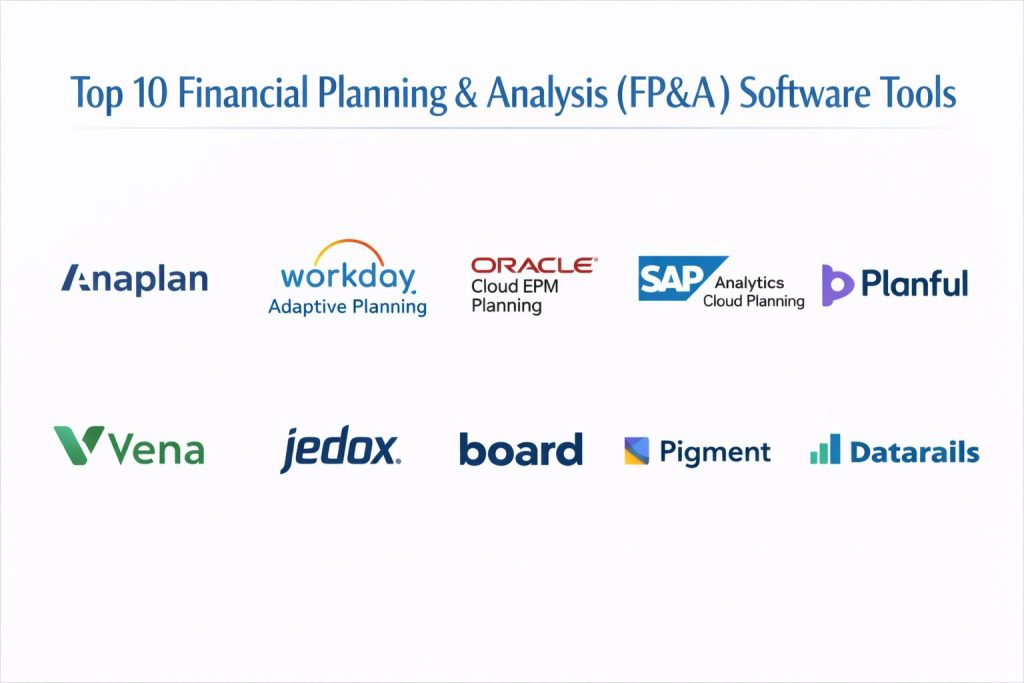
Top 10 Financial Planning & Analysis (FP&A) Software Tools
1) Anaplan
A widely used planning platform for connected planning across finance, sales, and operations. Strong fit for teams that need scalable models, cross-functional planning, and structured workflows.
Key Features
- Driver-based planning models for multi-department use
- Strong workflow controls for approvals and submissions
- Scenario planning for rapid what-if analysis
- Multi-entity and multi-dimensional modeling capabilities
- Centralized planning with role-based access patterns
- Reporting and dashboards for executive consumption
- Scalable performance for large planning datasets (varies by model design)
Pros
- Strong for enterprise scale and cross-functional planning alignment
- Fast scenario analysis once models are structured well
Cons
- Implementation can be complex without experienced modeling support
- Costs can be higher for smaller teams
Platforms / Deployment
- Web
- Cloud
Security & Compliance
- SSO/SAML, MFA, encryption, audit logs, RBAC: Not publicly stated
- SOC 2, ISO 27001, GDPR, HIPAA: Not publicly stated
Integrations & Ecosystem
Commonly connects to ERP, CRM, HR systems, and data platforms to support end-to-end planning and reporting.
- ERP integrations: Varies / N/A
- CRM integrations: Varies / N/A
- HR and payroll integrations: Varies / N/A
- APIs and connectors: Varies / Not publicly stated
- Partner ecosystem for implementation and templates: Varies / N/A
Support & Community
Strong enterprise support options and a broad partner ecosystem; community strength varies by region and user base.
2) Workday Adaptive Planning
A planning platform designed for budgeting, forecasting, reporting, and workforce planning. Popular with mid-market and enterprise teams that want structured planning without heavy spreadsheet dependency.
Key Features
- Budgeting and forecasting with structured templates
- Workforce planning for headcount, compensation, and hiring scenarios
- Reporting tools for management packs and board-ready outputs
- Scenario planning with driver-based modeling patterns
- Workflow approvals and audit trails for governance
- Integrations with ERP and HR systems (setup dependent)
- Department-level collaboration and controlled data entry
Pros
- Strong balance of usability and structured governance
- Good fit for finance teams scaling beyond spreadsheets
Cons
- Complex models can require skilled setup and ongoing administration
- Integration projects may need specialized support
Platforms / Deployment
- Web
- Cloud
Security & Compliance
- SSO/SAML, MFA, encryption, audit logs, RBAC: Not publicly stated
- SOC 2, ISO 27001, GDPR, HIPAA: Not publicly stated
Integrations & Ecosystem
Commonly used with ERP, HR, and BI systems to unify planning and reporting.
- ERP and GL connections: Varies / N/A
- HR system integrations: Varies / N/A
- Data import automation options: Varies / Not publicly stated
- Partner and template ecosystem: Varies / N/A
Support & Community
Strong vendor support and partner ecosystem; documentation is generally solid, while community depth varies by user segment.
3) Oracle Cloud EPM Planning
An enterprise planning solution within a broader EPM suite. Best for large organizations that need strong governance, multi-entity planning, and standardized financial processes.
Key Features
- Enterprise-grade budgeting and forecasting workflows
- Multi-entity consolidation-friendly planning patterns
- Strong governance controls for approvals and auditability
- Scenario planning and driver-based models (setup dependent)
- Integration patterns with enterprise finance systems (setup dependent)
- Reporting and narrative-style management reporting options (varies)
- Structured templates for departments and business units
Pros
- Strong enterprise governance and scale for complex organizations
- Good fit when you already use Oracle enterprise finance tools
Cons
- Implementation and administration can be heavy
- Less ideal for small teams needing fast setup
Platforms / Deployment
- Web
- Cloud
Security & Compliance
- SSO/SAML, MFA, encryption, audit logs, RBAC: Not publicly stated
- SOC 2, ISO 27001, GDPR, HIPAA: Not publicly stated
Integrations & Ecosystem
Often integrated into large enterprise stacks with structured connectors and partner-led deployments.
- ERP and data integrations: Varies / N/A
- APIs and automation: Varies / Not publicly stated
- Partner ecosystem for implementation: Varies / N/A
- Reporting ecosystem: Varies / N/A
Support & Community
Strong enterprise support and global partner network; community help exists but is often supplemented by partners.
4) SAP Analytics Cloud Planning
A planning and analytics platform that combines reporting with planning workflows. Good for organizations that want planning tightly linked to analytics and dashboards.
Key Features
- Integrated planning and analytics experiences
- Driver-based planning models (setup dependent)
- Workflow approvals and collaboration for departments
- Visual dashboards for executives and business partners
- Scenario analysis for planning changes and impacts
- Integration patterns with SAP and non-SAP sources (varies)
- Role-based access for governed planning participation
Pros
- Strong combination of planning and analytics in one place
- Works well when teams want planning connected to dashboards
Cons
- Modeling complexity can rise with advanced requirements
- Setup effort varies significantly based on data landscape
Platforms / Deployment
- Web
- Cloud
Security & Compliance
- SSO/SAML, MFA, encryption, audit logs, RBAC: Not publicly stated
- SOC 2, ISO 27001, GDPR, HIPAA: Not publicly stated
Integrations & Ecosystem
Supports analytics-to-planning linkage and commonly integrates with enterprise data sources.
- ERP connections: Varies / N/A
- Data warehouse integrations: Varies / N/A
- APIs and automation: Varies / Not publicly stated
- Ecosystem and partners: Varies / N/A
Support & Community
Enterprise support and training are available; community varies by region and how widely the product is deployed.
5) Planful
An FP&A platform focused on budgeting, forecasting, reporting, and financial close-related planning workflows. Often chosen by finance teams that want structured planning and faster reporting cycles.
Key Features
- Budgeting and forecasting with controlled templates
- Scenario analysis for revenue, expense, and margin planning
- Reporting packs for leadership and board consumption
- Workflow approvals and audit trails for governance
- Drivers and allocations for more realistic modeling
- Integrations with ERP and GL systems (setup dependent)
- Planning collaboration for departmental stakeholders
Pros
- Finance-friendly workflows aimed at practical FP&A execution
- Good for teams wanting stronger reporting plus planning structure
Cons
- Advanced modeling may require careful design and administration
- Integration quality depends on source systems and setup
Platforms / Deployment
- Web
- Cloud
Security & Compliance
- SSO/SAML, MFA, encryption, audit logs, RBAC: Not publicly stated
- SOC 2, ISO 27001, GDPR, HIPAA: Not publicly stated
Integrations & Ecosystem
Commonly integrated with GL and data sources to support consistent reporting and planning cycles.
- ERP and GL connections: Varies / N/A
- Data import automation: Varies / Not publicly stated
- Partner support for setup: Varies / N/A
- Reporting and BI handoff: Varies / N/A
Support & Community
Vendor support is generally strong; community size is moderate compared to the largest enterprise platforms.
6) Vena
A spreadsheet-friendly FP&A platform that builds governance and workflow around familiar spreadsheet modeling. Best for finance teams that want structure without losing spreadsheet flexibility.
Key Features
- Spreadsheet-based planning with controlled governance
- Workflow approvals, audit trails, and controlled input forms
- Budgeting and forecasting built around finance-friendly models
- Scenario planning using driver and assumption layers
- Reporting packs generated from centralized data
- Integration patterns for GL and operational systems (setup dependent)
- Collaboration across departments while maintaining control
Pros
- Easier adoption for teams that prefer spreadsheet modeling
- Improves governance without forcing a complete workflow rebuild
Cons
- Complex models can still become hard to maintain if not standardized
- Performance depends on model design and data volumes
Platforms / Deployment
- Web / Windows (workflow dependent)
- Cloud
Security & Compliance
- SSO/SAML, MFA, encryption, audit logs, RBAC: Not publicly stated
- SOC 2, ISO 27001, GDPR, HIPAA: Not publicly stated
Integrations & Ecosystem
Often integrates with ERPs and data sources while keeping spreadsheet modeling as the front end.
- GL and ERP connectors: Varies / N/A
- Data refresh automation: Varies / Not publicly stated
- Template libraries and partner ecosystem: Varies / N/A
Support & Community
Support is oriented toward finance users; documentation is typically clear, and partner help varies by region.
7) Jedox
A planning and performance management platform that supports budgeting, forecasting, and reporting with flexible modeling. Often used by teams that want configurable planning with a balance of structure and flexibility.
Key Features
- Configurable planning models for finance and operations
- Budgeting and forecasting workflows with approvals
- Reporting and dashboard outputs for leadership
- Driver-based planning and scenario analysis (setup dependent)
- Data integration options for ERP and other sources (varies)
- Role-based access patterns for governance
- Supports a range of planning use cases beyond finance
Pros
- Flexible modeling for teams with varied planning needs
- Can serve finance and operational planning together
Cons
- Best outcomes require careful model design and governance
- Implementation quality varies depending on expertise
Platforms / Deployment
- Web / Windows (varies)
- Cloud / Self-hosted / Hybrid (varies)
Security & Compliance
- SSO/SAML, MFA, encryption, audit logs, RBAC: Not publicly stated
- SOC 2, ISO 27001, GDPR, HIPAA: Not publicly stated
Integrations & Ecosystem
Jedox commonly connects to ERPs, databases, and BI layers through configurable connectors.
- ERP connectors: Varies / N/A
- Data warehouse connections: Varies / N/A
- APIs and automation: Varies / Not publicly stated
- Partner ecosystem: Varies / N/A
Support & Community
Support and onboarding vary by plan and region; community is present but not as large as the biggest vendors.
8) Board
A platform combining planning, analytics, and performance management for finance and business teams. Often used when organizations want unified reporting and planning with governance.
Key Features
- Unified planning and analytics environment
- Scenario analysis and driver-based planning (setup dependent)
- Workflow controls for departmental planning submissions
- Dashboards and reporting for executive visibility
- Multi-entity and multi-department planning patterns
- Integrations with enterprise systems (setup dependent)
- Role-based access and audit trails for governed planning
Pros
- Strong for organizations wanting planning closely linked to analytics
- Useful for cross-functional planning with structured governance
Cons
- Can require skilled implementation for best performance
- Complexity can increase as models expand
Platforms / Deployment
- Web
- Cloud / Hybrid (varies)
Security & Compliance
- SSO/SAML, MFA, encryption, audit logs, RBAC: Not publicly stated
- SOC 2, ISO 27001, GDPR, HIPAA: Not publicly stated
Integrations & Ecosystem
Board is typically deployed with enterprise data sources and structured dashboards for business users.
- ERP and data integrations: Varies / N/A
- APIs and automation: Varies / Not publicly stated
- Partner implementation ecosystem: Varies / N/A
- BI and reporting extensions: Varies / N/A
Support & Community
Support levels vary by plan; community and partner ecosystem exist but vary by region and industry.
9) Pigment
A modern planning platform designed for faster modeling, collaboration, and scenario planning. Often chosen by teams wanting a more intuitive planning experience and quicker iteration cycles.
Key Features
- Collaborative planning workflows across departments
- Fast scenario modeling and driver-based planning patterns
- Reporting views and dashboards for business stakeholders
- Structured approvals and audit trails (setup dependent)
- Integration options for common business systems (varies)
- Scalable model design for multiple planning domains
- Finance-friendly templates and planning experiences (varies)
Pros
- Strong usability for collaborative planning and reforecasting
- Quick scenario iteration for decision-making discussions
Cons
- Enterprise-specific requirements may need careful validation
- Integration and data modeling still require planning discipline
Platforms / Deployment
- Web
- Cloud
Security & Compliance
- SSO/SAML, MFA, encryption, audit logs, RBAC: Not publicly stated
- SOC 2, ISO 27001, GDPR, HIPAA: Not publicly stated
Integrations & Ecosystem
Pigment commonly connects to finance and operational data sources to unify planning inputs and reporting.
- ERP and finance integrations: Varies / N/A
- CRM and pipeline connections: Varies / N/A
- APIs and automation: Varies / Not publicly stated
- Partner and template ecosystem: Varies / N/A
Support & Community
Support is generally structured around onboarding and enablement; community is growing and varies by market.
10) Datarails
A finance planning and reporting platform designed around spreadsheet workflows with added governance and automation. Best for teams that want spreadsheet flexibility with better control and reporting.
Key Features
- Spreadsheet-centered modeling with governed data handling
- Budgeting and forecasting with department inputs and approvals
- Automated reporting packs and management dashboards
- Version control patterns for models and assumptions
- Scenario analysis for key business drivers
- Data consolidation across departments and source systems (setup dependent)
- Workflow controls that reduce manual spreadsheet chaos
Pros
- Familiar spreadsheet workflow with stronger governance
- Useful for teams transitioning from ad-hoc spreadsheets to structured FP&A
Cons
- Complex enterprises may outgrow spreadsheet-centered approaches
- Performance and maintainability depend on model discipline
Platforms / Deployment
- Web / Windows (workflow dependent)
- Cloud
Security & Compliance
- SSO/SAML, MFA, encryption, audit logs, RBAC: Not publicly stated
- SOC 2, ISO 27001, GDPR, HIPAA: Not publicly stated
Integrations & Ecosystem
Datarails typically integrates with accounting and finance systems to refresh data and generate reporting outputs.
- GL and ERP connections: Varies / N/A
- Data refresh automation: Varies / Not publicly stated
- Export to BI and reporting layers: Varies / N/A
- Templates and finance workflows: Varies / N/A
Support & Community
Support is finance-focused, and onboarding is typically guided; community scale varies compared to larger enterprise suites.
Comparison Table (Top 10)
| Tool Name | Best For | Platform(s) Supported | Deployment (Cloud/Self-hosted/Hybrid) | Standout Feature | Public Rating |
|---|---|---|---|---|---|
| Anaplan | Connected planning across departments | Web | Cloud | Scalable driver-based modeling | N/A |
| Workday Adaptive Planning | Budgeting, forecasting, workforce planning | Web | Cloud | Finance-friendly planning templates | N/A |
| Oracle Cloud EPM Planning | Enterprise governance and complex planning | Web | Cloud | Strong enterprise controls | N/A |
| SAP Analytics Cloud Planning | Planning linked to dashboards and analytics | Web | Cloud | Integrated analytics plus planning | N/A |
| Planful | FP&A workflows with reporting focus | Web | Cloud | Planning plus reporting packs | N/A |
| Vena | Spreadsheet-driven planning with governance | Web, Windows (varies) | Cloud | Spreadsheet familiarity with controls | N/A |
| Jedox | Configurable planning and performance management | Web, Windows (varies) | Cloud, Self-hosted, Hybrid (varies) | Flexible modeling options | N/A |
| Board | Unified planning and analytics | Web | Cloud, Hybrid (varies) | Analytics-driven planning | N/A |
| Pigment | Collaborative modern planning | Web | Cloud | Fast scenario iteration | N/A |
| Datarails | Spreadsheet-centric FP&A automation | Web, Windows (varies) | Cloud | Governance over spreadsheet models | N/A |
Evaluation & Scoring of FP&A Software
Weights: Core features 25%, Ease 15%, Integrations 15%, Security 10%, Performance 10%, Support 10%, Value 15%.
| Tool Name | Core (25%) | Ease (15%) | Integrations (15%) | Security (10%) | Performance (10%) | Support (10%) | Value (15%) | Weighted Total (0–10) |
|---|---|---|---|---|---|---|---|---|
| Anaplan | 9.0 | 7.5 | 8.5 | 6.5 | 8.5 | 8.0 | 6.5 | 7.97 |
| Workday Adaptive Planning | 8.5 | 8.5 | 8.0 | 6.5 | 8.0 | 8.0 | 7.0 | 8.02 |
| Oracle Cloud EPM Planning | 9.0 | 6.5 | 8.5 | 6.5 | 8.5 | 8.0 | 6.0 | 7.72 |
| SAP Analytics Cloud Planning | 8.0 | 7.5 | 8.0 | 6.5 | 8.0 | 7.5 | 6.5 | 7.47 |
| Planful | 8.0 | 8.0 | 7.5 | 6.0 | 7.5 | 7.5 | 7.0 | 7.60 |
| Vena | 7.5 | 8.5 | 7.5 | 6.0 | 7.5 | 7.5 | 7.5 | 7.62 |
| Jedox | 7.5 | 7.5 | 7.5 | 6.0 | 7.5 | 7.0 | 7.0 | 7.28 |
| Board | 8.0 | 7.0 | 7.5 | 6.0 | 7.5 | 7.0 | 6.5 | 7.18 |
| Pigment | 8.0 | 8.5 | 7.5 | 6.0 | 8.0 | 7.5 | 7.0 | 7.75 |
| Datarails | 7.0 | 8.0 | 7.0 | 5.5 | 7.0 | 7.0 | 7.5 | 7.03 |
How to interpret the scores:
- Scores compare tools within this list and reflect typical FP&A requirements.
- A higher total suggests broader strength, not a universal best choice for every team.
- Ease and value may matter more for SMB teams moving off spreadsheets.
- Core and performance may matter more for complex enterprise modeling and scale.
- Treat security as “needs validation” when details are not publicly stated.
Which FP&A Software Tool Is Right for You?
Solo / Freelancer
If you are a consultant or a very small finance team supporting a small business, prioritize fast setup, familiar workflow, and reasonable cost. Spreadsheet-centered platforms like Vena and Datarails can help you add governance and automation without forcing a full rebuild of how you model.
SMB
SMBs often need a structured budgeting process, department inputs, and reliable reporting packs. Workday Adaptive Planning, Planful, Pigment, Vena, and Datarails can fit well depending on whether you want a more structured model or a spreadsheet-first experience.
Mid-Market
Mid-market teams usually need cross-department collaboration, faster reforecasting, and reliable integrations. Pigment and Workday Adaptive Planning often fit collaborative planning needs, while Planful can work well for teams focused on planning plus reporting packs. Anaplan can be strong if you expect planning complexity and scale to keep increasing.
Enterprise
Enterprises typically require governance, multi-entity planning, controlled workflows, and predictable performance. Oracle Cloud EPM Planning, SAP Analytics Cloud Planning, and Anaplan are commonly evaluated when scale, standardization, and strong process controls are priorities.
Budget vs Premium
If budget is tight, prioritize adoption and time saved over perfect features. Spreadsheet-oriented tools often deliver faster value. If premium investment is acceptable, prioritize governance, integrations, scalability, and cross-functional planning alignment.
Feature Depth vs Ease of Use
Teams that need advanced modeling depth may prefer enterprise suites, while teams that need speed and easier adoption may choose tools designed for usability and collaboration. The best fit depends on who will build models, who will maintain them, and how frequently forecasts change.
Integrations & Scalability
If your data comes from many systems, integrations become critical. Validate how the tool handles ERP actuals, CRM revenue drivers, payroll headcount, and data warehouse reporting. Also test refresh frequency, error handling, and auditability before finalizing.
Security & Compliance Needs
If you handle sensitive financial and payroll data, focus on access controls, audit trails, and governance. Where compliance details are not publicly stated, treat them as needing procurement validation and internal security review.
Frequently Asked Questions (FAQs)
1) What is the main difference between FP&A software and spreadsheets?
FP&A software adds workflow approvals, audit trails, standardized models, and automated data refresh. Spreadsheets can work, but they often break at scale when many departments contribute.
2) How long does implementation usually take?
It depends on model complexity, number of entities, and integration needs. A simple rollout can be faster, while enterprise rollouts can take longer due to governance and data work.
3) Do FP&A tools replace the ERP system?
No. ERP systems store accounting transactions and actuals. FP&A tools sit on top to plan, forecast, model drivers, and explain variances.
4) What integrations should I prioritize first?
Start with GL and actuals from the ERP, then headcount from HR or payroll, then revenue drivers from CRM if sales forecasting is important. Add other sources only after the base is stable.
5) What are common mistakes when building forecasts?
Using too many assumptions without drivers, not documenting changes, mixing versions, and skipping variance explanations. Good forecasting needs clear drivers, ownership, and review discipline.
6) How do I ensure departments actually use the tool?
Keep input forms simple, define clear deadlines, use workflow approvals, and provide training. Adoption improves when business owners see dashboards that reflect their decisions.
7) Are these tools good for workforce planning?
Many are, especially those built with workforce planning templates. Validate compensation modeling, hiring scenarios, and how changes flow into cost forecasts.
8) Can FP&A tools support scenario planning and stress tests?
Yes, but quality depends on driver modeling and data structure. Test a few scenarios like revenue drop, hiring freeze, cost increase, and pricing changes before committing.
9) How do I handle version control and auditability?
Choose tools with clear audit trails, role-based access, and workflow approvals. Also standardize model ownership, naming conventions, and review checkpoints.
10) What is a safe way to shortlist tools?
Pick two or three based on your team size and complexity, run a pilot with real data, test integrations and workflows, and review outputs with leadership before final purchase.
Conclusion
FP&A software is most valuable when it reduces planning chaos, improves forecasting accuracy, and makes finance a faster decision partner to the business. The right tool depends on how complex your models are, how many departments contribute, how frequently you reforecast, and how strong your integration needs are. Enterprise teams often prioritize governance, multi-entity structures, and performance, while SMB and mid-market teams usually prioritize quick adoption, collaboration, and value. A practical next step is to shortlist two or three tools, run a pilot using your real ERP actuals and headcount drivers, validate workflows and approvals with department owners, and confirm that reporting outputs match how leadership makes decisions.