Introduction
Billing and invoicing software helps businesses create invoices, send payment reminders, track receivables, manage taxes, and record payments in a clean and consistent way. In simple terms, it replaces messy spreadsheets and manual follow-ups with a structured process that saves time and reduces errors. It matters now because customers expect faster billing, multiple payment options, clear tax handling, and accurate records for audits and reporting. Even small teams need automation to avoid cash flow delays and missed payments.
Common use cases include invoicing for freelancers and agencies, recurring billing for subscription businesses, quote-to-invoice flows for services, multi-tax invoices for cross-region sales, and invoice approval workflows for finance teams. When choosing a tool, evaluate invoice customization, tax support, recurring billing, payment collection, automation rules, multi-currency handling, reporting, integrations with accounting and CRM, user permissions, and total cost.
Best for: freelancers, startups, SMB finance teams, agencies, consultants, and growing businesses that want predictable billing and faster collections.
Not ideal for: businesses that need only basic receipts once in a while, or enterprises needing full ERP billing modules with deep custom compliance.
Key Trends in Billing and Invoicing Software
- More businesses are moving to recurring billing and subscription-style invoicing models.
- Payment links, multiple payment methods, and faster online collections are becoming default expectations.
- AI-assisted reminders and invoice follow-up automation are reducing manual finance work.
- Deeper tax handling and multi-currency support are becoming important for cross-border selling.
- Stronger approval workflows and role-based access are needed as finance teams grow.
- Integration-first buying is rising, especially for accounting, CRM, and payroll connectivity.
- Self-serve customer portals are becoming common for invoice history, payments, and receipts.
- Usage-based billing and flexible pricing logic are growing beyond SaaS into services and platforms.
How We Selected These Tools (Methodology)
- Selected tools with strong adoption across freelancers, SMBs, and enterprise finance teams.
- Prioritized core invoicing reliability, recurring billing options, and payment collection features.
- Considered usability for day-to-day finance work, not just feature checklists.
- Included both accounting-led invoicing tools and billing-led platforms for subscriptions.
- Evaluated ecosystem strength for integrations and workflow automation.
- Considered scalability for growth: approvals, permissions, multi-entity, and reporting.
- Avoided guessing certifications and public ratings when not clearly known.
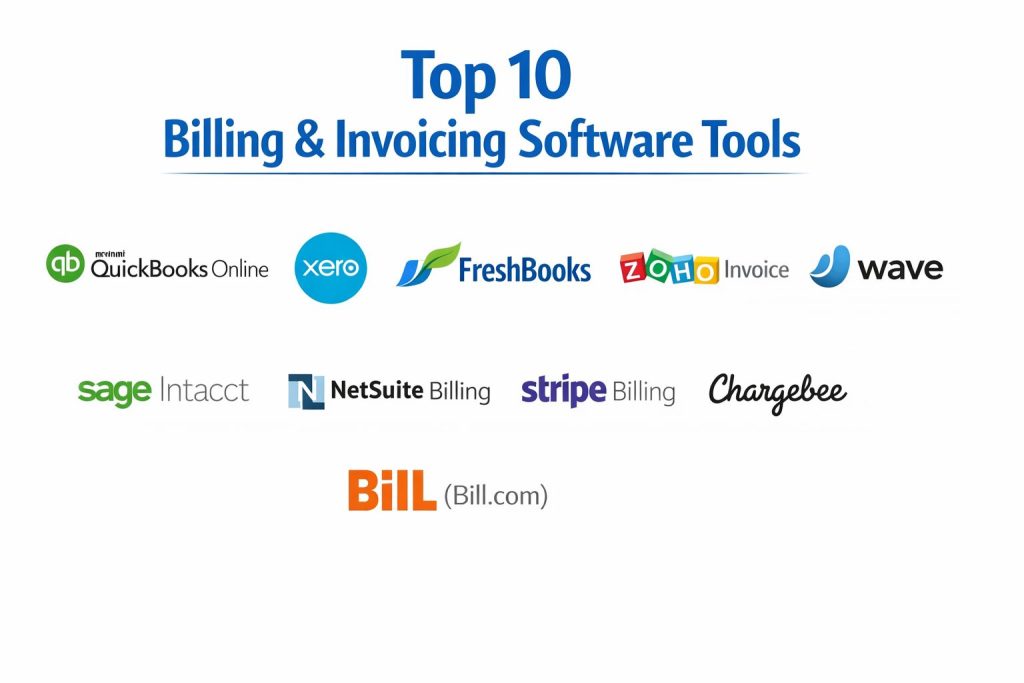
Top 10 Billing and Invoicing Software Tools
1 — QuickBooks Online
A widely used accounting platform with strong invoicing, payment collection, and small-business bookkeeping workflows, best for teams that want billing tightly connected to accounting.
Key Features
- Professional invoice creation with customization
- Online payment collection options
- Automated reminders and recurring invoices
- Sales tax tracking and reporting support
- Basic approval and user access controls
Pros
- Strong all-in-one fit for invoicing plus accounting
- Familiar workflow for many small finance teams
Cons
- Advanced billing logic may require add-ons or workarounds
- Pricing can increase as features and users grow
Platforms / Deployment
Web, Cloud
Security and Compliance
Not publicly stated
Integrations and Ecosystem
QuickBooks Online typically integrates with payment services, CRM tools, payroll systems, and reporting add-ons through common app ecosystems.
- Accounting and bookkeeping workflows
- Payment processing integrations
- Reporting and automation add-ons
Support and Community
Large user base and training content; support tiers vary by plan.
2 — Xero
A popular cloud accounting platform with clean invoicing workflows, strong reporting, and practical features for SMBs that want a modern finance experience.
Key Features
- Invoice templates and branding controls
- Recurring invoices and automated reminders
- Payment tracking and reconciliation support
- Tax handling workflows for common business needs
- Reporting dashboards for cash flow visibility
Pros
- Clean interface and user-friendly finance workflows
- Strong ecosystem for SMB apps and integrations
Cons
- Deep subscription billing logic is limited compared to billing-first tools
- Some advanced approvals may need process design or add-ons
Platforms / Deployment
Web, Cloud
Security and Compliance
Not publicly stated
Integrations and Ecosystem
Xero typically connects with payment tools, CRM systems, payroll providers, and inventory apps through a broad marketplace.
- Payments and reconciliation helpers
- CRM and sales workflow connectors
- Finance reporting extensions
Support and Community
Strong community and learning resources; support experience varies by plan.
3 — FreshBooks
A billing and invoicing tool designed for freelancers and service businesses, known for simple workflows, time tracking links, and client-friendly invoices.
Key Features
- Fast invoice creation and client-ready templates
- Recurring billing and automatic reminders
- Time tracking to invoice workflows
- Expense tracking and basic reporting
- Online payment options depending on setup
Pros
- Excellent for freelancers and agencies needing speed
- Simple interface that reduces billing friction
Cons
- Not built for complex enterprise billing scenarios
- Advanced tax and multi-entity workflows can be limited
Platforms / Deployment
Web, Cloud
Security and Compliance
Not publicly stated
Integrations and Ecosystem
FreshBooks often fits service workflows and connects with common tools for time tracking, payments, and productivity.
- Payment tools and client portals
- Time tracking and project workflows
- Basic automation integrations
Support and Community
Good onboarding for small businesses; support tiers vary.
4 — Zoho Invoice
A lightweight invoicing tool that fits well for small businesses, especially those already using a broader Zoho stack for CRM and operations.
Key Features
- Invoice customization, estimates, and recurring invoices
- Automated payment reminders
- Multi-currency support for many use cases
- Client portal features for invoice visibility
- Reporting for invoice status and collections
Pros
- Strong value for small teams
- Good fit when paired with Zoho business apps
Cons
- Deep subscription billing may require other Zoho modules or a billing-first tool
- Some advanced accounting needs may require a different platform
Platforms / Deployment
Web, Cloud
Security and Compliance
Not publicly stated
Integrations and Ecosystem
Zoho Invoice typically works best when connected to Zoho CRM and other Zoho operational tools, plus common finance connectors.
- CRM and customer workflow alignment
- Email and automation within a suite
- App ecosystem connections
Support and Community
Good documentation; support quality varies by plan and region.
5 — Wave
A popular invoicing option for freelancers and micro-businesses that want simple invoicing with low setup effort, often chosen for cost-sensitive needs.
Key Features
- Invoice creation and template customization
- Payment tracking and basic collections workflow
- Simple recurring invoice support for many use cases
- Basic reporting for cash flow visibility
- Client communication tools for invoices
Pros
- Accessible for very small businesses and freelancers
- Simple workflows that are easy to start with
Cons
- Advanced permissions, approvals, and enterprise controls are limited
- Complex subscription billing is not a core strength
Platforms / Deployment
Web, Cloud
Security and Compliance
Not publicly stated
Integrations and Ecosystem
Wave typically supports basic workflow needs and connects best in simpler setups rather than large toolchains.
- Payment collection connections depending on region
- Basic export and reporting workflows
- Simple business operations support
Support and Community
Community resources exist; support options vary.
6 — Sage Intacct
A finance platform designed for scaling organizations, offering stronger controls, reporting, and finance workflows that can support more complex invoicing needs.
Key Features
- Advanced invoicing and revenue workflows for finance teams
- Role-based access patterns for growing organizations
- Strong reporting and financial visibility
- Multi-entity support patterns for complex orgs
- Approval workflows and audit-friendly controls
Pros
- Strong fit for finance teams needing scale and control
- Good reporting depth for decision-making
Cons
- More setup effort than SMB-first tools
- Cost and implementation overhead may be high for small teams
Platforms / Deployment
Web, Cloud
Security and Compliance
Not publicly stated
Integrations and Ecosystem
Sage Intacct often fits into mid-market finance stacks with integration needs for CRM, payroll, and reporting.
- Finance and accounting ecosystem integrations
- Workflow automation via connectors
- Reporting and analytics extensions
Support and Community
Enterprise-style support options; implementation quality varies.
7 — NetSuite Billing
A billing component within a broader ERP ecosystem, suited for businesses that need billing tightly linked with orders, finance, and enterprise operations.
Key Features
- Billing workflows aligned with ERP processes
- Multi-entity and complex finance structure support
- Invoicing tied to order and fulfillment workflows
- Reporting and audit support for finance teams
- Strong permissions and internal control patterns
Pros
- Strong for organizations already using ERP workflows
- Centralizes billing with broader finance operations
Cons
- Implementation effort can be significant
- Overkill for small teams with simple billing needs
Platforms / Deployment
Web, Cloud
Security and Compliance
Not publicly stated
Integrations and Ecosystem
NetSuite Billing typically works within an ERP-driven environment and connects to other enterprise systems through structured integrations.
- ERP workflow alignment
- Finance and operations integrations
- Reporting and analytics integrations
Support and Community
Enterprise support and partner ecosystem; onboarding depends on implementation approach.
8 — Stripe Billing
A billing platform designed for recurring payments and subscription workflows, commonly used by product-led businesses that want flexible billing logic and strong payment infrastructure.
Key Features
- Subscription and recurring billing workflows
- Flexible pricing models for common billing needs
- Payment retries and dunning support patterns
- Hosted invoices and customer payment experiences
- APIs for customization and integration
Pros
- Strong for recurring billing and modern payment flows
- Good fit for developer-driven organizations
Cons
- Non-technical teams may need support for setup and customization
- Accounting-first workflows may require pairing with another system
Platforms / Deployment
Web, Cloud
Security and Compliance
Not publicly stated
Integrations and Ecosystem
Stripe Billing commonly integrates through APIs and connectors into accounting, CRM, analytics, and support workflows.
- API-driven customization and automation
- Connections to accounting and reporting tools
- Payment and subscription workflow extensions
Support and Community
Strong documentation; support tiers vary by plan.
9 — Chargebee
A subscription billing platform focused on recurring revenue, plan management, pricing flexibility, and subscription operations for scaling businesses.
Key Features
- Subscription lifecycle management workflows
- Flexible pricing models including upgrades and downgrades
- Invoicing automation for recurring revenue operations
- Dunning workflows and revenue process support
- Reporting for subscription health and billing operations
Pros
- Strong for subscription and recurring revenue businesses
- Helps reduce manual work across billing operations
Cons
- May be more than needed for simple invoice-only businesses
- Some workflows require careful configuration
Platforms / Deployment
Web, Cloud
Security and Compliance
Not publicly stated
Integrations and Ecosystem
Chargebee typically connects to payment providers, accounting platforms, CRM tools, and analytics systems to support subscription operations.
- Subscription workflow integrations
- Accounting and finance stack connectors
- Automation and analytics ecosystem support
Support and Community
Good documentation and onboarding content; support tiers vary.
10 — BILL (Bill.com)
A finance workflow platform often used for payable and receivable processes, useful for organizations that want tighter controls on invoice workflows and approvals.
Key Features
- Invoice workflow management and approvals
- Payment and collections support patterns depending on setup
- Controls for user roles and permissions
- Reporting and tracking for finance operations
- Integrations with common accounting systems
Pros
- Strong workflow controls for finance teams
- Helps standardize invoice handling processes
Cons
- May require pairing with accounting tools for full finance coverage
- Pricing and features can vary by region and plan
Platforms / Deployment
Web, Cloud
Security and Compliance
Not publicly stated
Integrations and Ecosystem
BILL often fits into finance operations stacks where invoice workflows and approvals need structure and visibility.
- Accounting platform integrations
- Approval and workflow automation options
- Finance operations connectors
Support and Community
Support tiers vary; adoption is strong in teams needing approvals and controls.
Comparison Table
| Tool Name | Best For | Platform(s) Supported | Deployment | Standout Feature | Public Rating |
|---|---|---|---|---|---|
| QuickBooks Online | SMB invoicing connected to accounting | Web | Cloud | Invoicing plus accounting in one workflow | N/A |
| Xero | Modern SMB invoicing and finance workflows | Web | Cloud | Clean invoicing with strong ecosystem | N/A |
| FreshBooks | Freelancers and service teams | Web | Cloud | Time-to-invoice speed and simplicity | N/A |
| Zoho Invoice | Small businesses using Zoho apps | Web | Cloud | Strong value with suite alignment | N/A |
| Wave | Micro-business and freelancer invoicing | Web | Cloud | Simple invoicing with low friction | N/A |
| Sage Intacct | Finance teams needing scale and control | Web | Cloud | Strong reporting and finance controls | N/A |
| NetSuite Billing | ERP-driven billing needs | Web | Cloud | Billing tied to enterprise operations | N/A |
| Stripe Billing | Subscription billing with payment depth | Web | Cloud | Flexible recurring billing workflows | N/A |
| Chargebee | Subscription revenue operations | Web | Cloud | Subscription lifecycle management | N/A |
| BILL (Bill.com) | Invoice workflow controls and approvals | Web | Cloud | Approval-driven invoice workflows | N/A |
Evaluation and Scoring of Billing and Invoicing Software
Weights
Core features 25 percent
Ease of use 15 percent
Integrations and ecosystem 15 percent
Security and compliance 10 percent
Performance and reliability 10 percent
Support and community 10 percent
Price and value 15 percent
| Tool Name | Core | Ease | Integrations | Security | Performance | Support | Value | Weighted Total |
|---|---|---|---|---|---|---|---|---|
| QuickBooks Online | 8.5 | 8.0 | 8.5 | 6.5 | 8.0 | 8.0 | 7.5 | 8.00 |
| Xero | 8.0 | 8.5 | 8.5 | 6.5 | 8.0 | 7.5 | 7.5 | 7.93 |
| FreshBooks | 7.5 | 9.0 | 7.5 | 6.0 | 7.5 | 7.5 | 8.0 | 7.73 |
| Zoho Invoice | 7.5 | 8.5 | 8.0 | 6.0 | 7.5 | 7.0 | 8.5 | 7.70 |
| Wave | 6.5 | 8.5 | 6.5 | 5.5 | 7.0 | 6.5 | 9.0 | 7.15 |
| Sage Intacct | 8.5 | 7.0 | 8.5 | 6.5 | 8.5 | 8.0 | 6.5 | 7.83 |
| NetSuite Billing | 8.5 | 6.5 | 8.5 | 6.5 | 8.5 | 7.5 | 6.0 | 7.63 |
| Stripe Billing | 8.5 | 7.0 | 9.0 | 6.5 | 8.5 | 8.0 | 7.0 | 8.00 |
| Chargebee | 8.0 | 7.5 | 8.5 | 6.5 | 8.0 | 7.5 | 7.0 | 7.70 |
| BILL (Bill.com) | 7.5 | 7.5 | 8.0 | 6.5 | 8.0 | 7.5 | 6.5 | 7.43 |
How to interpret the scores
These scores are comparative and designed to help you shortlist options based on common buyer priorities. A tool with a slightly lower total can still be the best fit if it matches your billing model and workflows. Core features and integrations often decide long-term fit, while ease of use impacts adoption speed. Value can change based on team size, plan selection, and how much of the platform you use. Use the scores to narrow to two or three tools, then validate with a pilot using your real invoices and processes.
Which Billing and Invoicing Software Tool Is Right for You
Solo or Freelancer
If you want quick setup and client-friendly invoices, FreshBooks is a strong pick for service work. Wave is a practical option when budget sensitivity is high. Zoho Invoice can work well if you want a structured invoicing tool and may later expand into a broader suite.
SMB
QuickBooks Online is often chosen when invoicing needs to connect cleanly to accounting and reporting. Xero is a strong alternative for modern workflows and ecosystem flexibility. Zoho Invoice can be a good fit when you already use related business tools.
Mid-Market
Sage Intacct becomes useful when you need better controls, reporting, and multi-entity workflows. Stripe Billing can work well when recurring billing and payment reliability are essential and your team can handle configuration. Chargebee is a strong pick for subscription operations that need plan management and billing automation.
Enterprise
NetSuite Billing fits best when billing must be deeply tied to ERP, orders, and enterprise finance operations. Sage Intacct can also support controlled finance operations depending on your internal structure. Many enterprises combine a billing platform with a finance system to meet both operational and accounting needs.
Budget vs Premium
Budget-focused teams often choose Wave, Zoho Invoice, or a basic plan of an accounting-led tool. Premium choices typically appear when you need better controls, deeper reporting, or subscription billing complexity, where Stripe Billing or Chargebee can justify the investment.
Feature Depth vs Ease of Use
If you need broad coverage with a familiar finance workflow, QuickBooks Online often balances both. If ease and speed matter most for services, FreshBooks is strong. If you need subscription billing depth, Stripe Billing and Chargebee provide more control but may require more setup.
Integrations and Scalability
Choose tools that match your stack: accounting-led invoicing tools fit finance reporting needs, while billing-first platforms integrate deeply into product and payment flows. If you expect growth, prioritize integrations with accounting, CRM, and reporting, along with permissions and workflow controls.
Security and Compliance Needs
If you need strong internal controls, prioritize role-based access, approval workflows, audit-friendly tracking, and clean separation of duties. When public compliance details are unclear, treat them as not publicly stated and validate them directly during procurement.
Frequently Asked Questions
1. What is the difference between billing and invoicing software
Invoicing usually focuses on creating and sending invoices, while billing can include recurring charges, plan changes, and payment collection logic. Some tools do both, but subscription businesses often need billing-first platforms.
2. Can these tools handle recurring invoices
Many tools support recurring invoices, but depth varies. If you need upgrades, downgrades, and complex recurring logic, billing-first platforms usually fit better.
3. Do I need an accounting tool as well
If you only need invoices and basic tracking, you may not. But for proper books, reporting, and tax workflows, an accounting system is usually important.
4. What are common mistakes businesses make in invoicing
Common mistakes include inconsistent invoice formats, missing payment terms, not following up on overdue invoices, and not standardizing tax handling. Automation and templates help reduce these issues.
5. How do I speed up invoice payment collection
Use clear payment terms, include payment links, send reminders automatically, and keep invoices simple. Faster collection often comes from clarity and consistent follow-up.
6. Can I switch tools later without losing history
Usually yes, but plan it carefully. Export invoice history, ensure customer and tax data are consistent, and run parallel reporting for a short period to confirm accuracy.
7. What integrations should I prioritize
Prioritize accounting integrations, payment integrations, CRM if sales drives invoicing, and reporting tools if leadership needs visibility. Integrations matter more as your volume grows.
8. Are these tools suitable for multi-currency invoicing
Many tools support multi-currency, but the experience differs. If you invoice globally, test exchange handling, tax rules, and reporting accuracy during a pilot.
9. How do approval workflows help finance teams
Approvals reduce errors, prevent unauthorized changes, and improve audit readiness. They also ensure consistent customer terms and reduce disputes.
10. What is the best way to choose the right tool
Shortlist two or three tools, test them using your real invoice templates and workflows, validate integrations, and measure how quickly your team can complete common tasks. A short pilot is the safest way to decide.
Conclusion
Billing and invoicing software is a practical investment that improves cash flow, reduces errors, and makes finance operations more predictable. The best choice depends on your billing model and how your business runs day to day. If you want invoicing closely tied to accounting, QuickBooks Online or Xero can be a strong fit. If you are a service-based freelancer or agency and want speed, FreshBooks often feels simpler. If you run subscriptions or recurring revenue operations, Stripe Billing and Chargebee usually offer deeper control. For larger finance teams needing governance and reporting, Sage Intacct or NetSuite Billing can be more suitable. The next step is simple: shortlist two or three tools, run a pilot with real invoices, verify integrations, and confirm workflows before committing.