Introduction
Production scheduling tools help manufacturing and operations teams plan, sequence, and monitor work orders so production runs on time, with fewer delays, less waste, and better use of machines, labor, and materials. In simple terms, these tools decide what to make, when to make it, and on which line or machine—while reacting to real-life changes like urgent orders, machine breakdowns, material shortages, and labor constraints. They matter because customers expect faster delivery, plants face rising cost pressure, and even small scheduling mistakes can cause missed shipments and overtime spikes.
Typical use cases include daily and weekly schedule planning, finite capacity scheduling, constraint-based sequencing, bottleneck control, short-interval rescheduling, multi-site planning, and on-time delivery improvement. When choosing a tool, evaluate scheduling depth, constraint handling, ease of rescheduling, ERP integration, shop-floor visibility, changeover optimization, scenario planning, reporting, user adoption, and total cost over time.
Best for: manufacturers, job shops, process industries, discrete manufacturing plants, supply chain teams, planners, and operations leaders who need predictable output and fewer surprises.
Not ideal for: teams with very low production complexity, very stable demand, or those needing only basic Gantt planning where simple planning tools may be enough.
Key Trends in Production Scheduling Tools
- Faster rescheduling is becoming essential due to frequent disruptions and rush orders.
- Finite capacity planning is replacing “infinite plan then fix” approaches.
- Scenario planning is moving from monthly cycles to weekly and daily decision-making.
- Better integration with MES and shop-floor data is improving schedule accuracy.
- Constraint-based scheduling is gaining adoption to reduce bottlenecks and WIP.
- AI-assisted recommendations are helping planners choose better sequences faster.
- Multi-site and multi-plant coordination is becoming a standard requirement.
- Planners want simpler interfaces with strong exception management and alerts.
How We Selected These Tools (Methodology)
- Picked tools with strong adoption across manufacturing and planning teams.
- Included both enterprise suites and specialist APS tools for balanced coverage.
- Focused on scheduling depth, constraint handling, and real rescheduling speed.
- Considered integration readiness with ERP, MES, and inventory systems.
- Looked for scalability across plants, product lines, and complex constraints.
- Included tools that work for different segments: job shop, discrete, and process.
- Prioritized tools with strong ecosystem support and implementation partners.
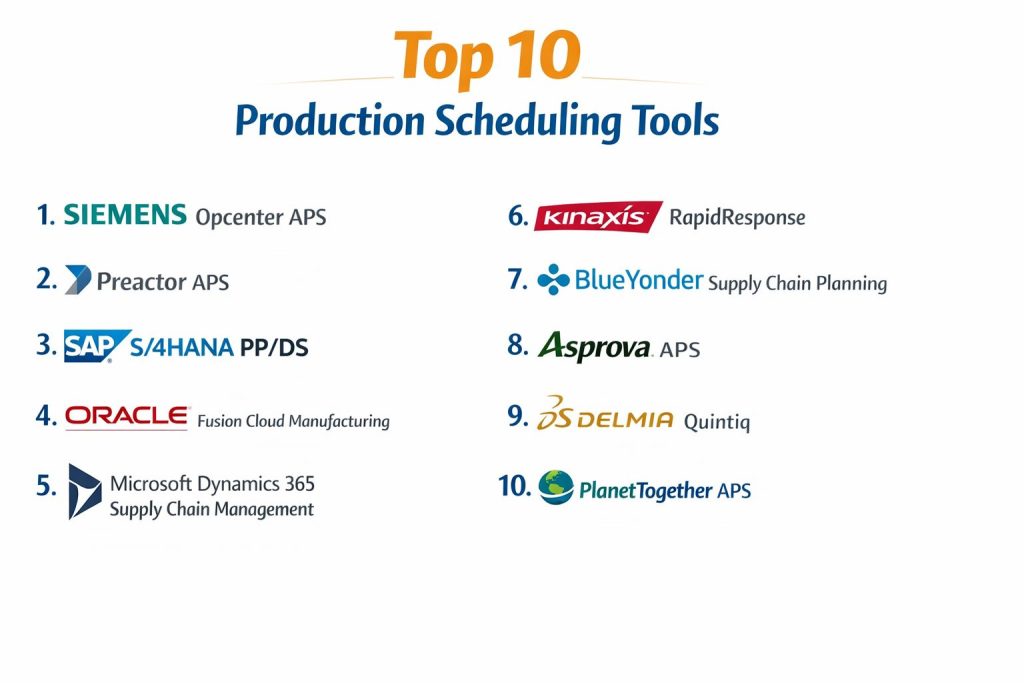
Top 10 Production Scheduling Tools
1 — Siemens Opcenter APS
A production scheduling and planning solution designed for detailed scheduling, finite capacity planning, and shop-floor aligned execution, often used in complex manufacturing environments.
Key Features
- Finite capacity scheduling with constraint handling
- Detailed sequencing with changeover and setup considerations
- Schedule simulation for what-if analysis
- Dispatching and schedule publishing for operations
- Bottleneck identification and schedule optimization
Pros
- Strong depth for complex scheduling and constraint management
- Good fit for plants needing realistic, executable schedules
Cons
- Implementation can be heavy in complex environments
- Best value typically requires disciplined master data and process maturity
Platforms / Deployment
Varies / N/A
Security and Compliance
Not publicly stated
Integrations and Ecosystem
Commonly used alongside ERP and manufacturing execution environments to improve schedule reliability and execution alignment.
- Integration patterns with enterprise planning systems
- Data exchange for work orders, resources, and constraints
- Partner ecosystem for implementation and industry templates
Support and Community
Support tiers vary; implementation partner capability often impacts success.
2 — Preactor APS
A specialized scheduling tool widely known for finite capacity scheduling, sequencing, and planner-driven control, especially for factories needing flexible modeling.
Key Features
- Finite scheduling with configurable constraints
- Sequencing and rules-based dispatching
- Planner controls for manual overrides and exceptions
- Visual schedules for fast decision-making
- Scenario comparison for schedule alternatives
Pros
- Flexible for many factory styles and constraint types
- Strong planner usability for day-to-day rescheduling
Cons
- Value depends on strong modeling and clean data inputs
- Advanced optimization may require deeper configuration
Platforms / Deployment
Varies / N/A
Security and Compliance
Not publicly stated
Integrations and Ecosystem
Often integrated with ERP systems to pull demand, routings, and resource calendars, then push schedules back to execution teams.
- Integration with ERP work orders and routing data
- Scheduling rules configuration and extensibility
- Ecosystem support through partners and consultants
Support and Community
Documentation is typically solid; support depends on vendor and partner model.
3 — SAP S/4HANA PP/DS
A production planning and detailed scheduling capability commonly used in SAP-centric environments to connect planning, capacity, and execution needs.
Key Features
- Detailed scheduling with capacity considerations
- Heuristics and planning strategies for sequencing
- Integration with broader SAP manufacturing processes
- Production order planning and dispatch alignment
- Planning visibility through SAP analytics options
Pros
- Strong fit for organizations standardized on SAP
- Tight process integration across planning and manufacturing
Cons
- Can feel complex for teams wanting a lightweight APS
- Requires strong SAP skills and clean master data
Platforms / Deployment
Varies / N/A
Security and Compliance
Not publicly stated
Integrations and Ecosystem
Works best in SAP ecosystems where master data, orders, and inventory are managed consistently.
- Strong internal integration within SAP processes
- Partner ecosystem for rollout and industry configuration
- Planning-to-execution alignment when data is governed well
Support and Community
Large enterprise community; support depends on subscription and partner.
4 — Oracle Fusion Cloud Manufacturing
A manufacturing suite that supports planning and scheduling needs through integrated manufacturing operations, often suited to organizations adopting cloud ERP strategies.
Key Features
- Integrated work order and resource planning workflows
- Visibility into production progress and exceptions
- Scheduling support aligned to cloud manufacturing processes
- Reporting and planning views for operations teams
- Standardized workflows for multi-site environments
Pros
- Good fit for cloud-first ERP manufacturing adoption
- Unified workflows reduce handoffs between systems
Cons
- Scheduling depth may vary by configuration and modules
- Complex plants may still need specialist APS tools
Platforms / Deployment
Varies / N/A
Security and Compliance
Not publicly stated
Integrations and Ecosystem
Often used with broader Oracle cloud planning and supply chain modules, plus partner-driven integration support.
- ERP-aligned production data flow
- Connectivity patterns across supply chain modules
- Ecosystem support through implementation partners
Support and Community
Support tiers vary; community and partner availability can be strong.
5 — Microsoft Dynamics 365 Supply Chain Management
A supply chain and manufacturing platform that supports production planning workflows, capacity awareness, and execution visibility within an integrated suite.
Key Features
- Production order planning and scheduling workflows
- Resource and capacity modeling for manufacturing
- Shop-floor execution visibility and status tracking
- Exception handling and operational reporting
- Integration options across Microsoft ecosystem tools
Pros
- Strong fit for organizations using Microsoft business systems
- Good usability and reporting patterns for operations teams
Cons
- Scheduling depth may be limited for very complex constraint environments
- Advanced sequencing may require specialist APS add-ons
Platforms / Deployment
Varies / N/A
Security and Compliance
Not publicly stated
Integrations and Ecosystem
Often integrated with Microsoft reporting and analytics patterns and connected to broader business processes.
- Strong integration potential with business workflows
- Reporting and analytics ecosystem strength
- Partner-driven extensions for advanced manufacturing needs
Support and Community
Strong partner ecosystem; support depends on plan and partner model.
6 — Kinaxis RapidResponse
A concurrent planning platform known for fast scenario planning and cross-functional decision-making, often used for supply chain and production planning at scale.
Key Features
- Rapid what-if analysis for production and supply decisions
- Constraint awareness across materials and capacities
- Exception-based planning and alerts
- Cross-functional visibility for planning alignment
- Strong scenario comparison and decision support
Pros
- Excellent for fast scenario planning and disruption response
- Strong fit for complex multi-node planning environments
Cons
- More of an enterprise planning platform than a shop-floor scheduler
- Requires maturity in planning processes and governance
Platforms / Deployment
Varies / N/A
Security and Compliance
Not publicly stated
Integrations and Ecosystem
Typically connects to ERP and planning data sources to provide unified planning views and decision workflows.
- Integration with ERP demand and supply data
- Scenario planning and workflow collaboration patterns
- Partner ecosystem for deployments and extensions
Support and Community
Strong enterprise support posture; community is more professional than open.
7 — Blue Yonder Supply Chain Planning
A planning suite used for supply and production planning, often selected for advanced planning and coordination across supply network constraints.
Key Features
- Constraint-aware planning across supply and production
- Planning optimization for inventory and service goals
- Scenario planning for alternate production choices
- Exception management and planning workflows
- Enterprise-scale planning for complex networks
Pros
- Strong for network-level planning and coordination
- Useful for aligning production with supply constraints
Cons
- May need complementary tools for detailed shop-floor sequencing
- Implementation complexity can be significant
Platforms / Deployment
Varies / N/A
Security and Compliance
Not publicly stated
Integrations and Ecosystem
Often deployed as part of broader planning transformation programs with ERP integration and partner support.
- ERP integration for demand, supply, and inventory signals
- Planning workflows across functions and sites
- Partner ecosystem for industry rollout patterns
Support and Community
Enterprise support model; outcomes depend on implementation quality.
8 — Asprova APS
A specialist APS tool known for detailed scheduling, fast calculation, and strong support for complex sequencing in manufacturing plants.
Key Features
- Detailed finite scheduling for complex constraints
- Fast schedule calculation for frequent rescheduling
- Sequencing rules for setup and changeover reduction
- Visual scheduling for planner clarity
- Multi-resource and calendar-based planning
Pros
- Strong scheduling depth for plants with complex constraints
- Good for environments that require frequent schedule updates
Cons
- Requires careful modeling and configuration
- Integration quality depends on upstream data readiness
Platforms / Deployment
Varies / N/A
Security and Compliance
Not publicly stated
Integrations and Ecosystem
Asprova is often used as a specialist scheduling layer connected to ERP and execution data flows.
- Integration with work orders and routing data
- Scheduler rule modeling and exception handling
- Partner ecosystem for deployment and industry templates
Support and Community
Support depends on region and partners; community is more specialized.
9 — Dassault DELMIA Quintiq
A planning and scheduling platform used for complex, constraint-heavy optimization problems, often chosen for advanced scheduling and operational planning.
Key Features
- Constraint-based scheduling and optimization modeling
- Scenario planning for complex operational trade-offs
- Scheduling across multiple plants and resources
- Optimization for service levels, cost, and throughput
- Customizable planning models for unique industries
Pros
- Very strong for complex, custom scheduling challenges
- Good for multi-site optimization and constraint depth
Cons
- Can be complex to implement and maintain
- Requires advanced planning expertise to maximize value
Platforms / Deployment
Varies / N/A
Security and Compliance
Not publicly stated
Integrations and Ecosystem
Often deployed with enterprise integration work and model customization for industry-specific requirements.
- Integration with ERP and operational data
- Model customization via planning logic configuration
- Partner ecosystem for complex deployments
Support and Community
Enterprise support posture; expertise requirements are higher than average.
10 — PlanetTogether APS
A production scheduling solution focused on finite scheduling, planner usability, and practical integration patterns for many manufacturing settings.
Key Features
- Finite capacity scheduling for realistic schedules
- Sequencing rules to reduce changeovers and delays
- Visual scheduling boards for planner control
- Scenario planning for alternate schedules
- Integration options for ERP-connected workflows
Pros
- Strong planner usability and scheduling clarity
- Good fit for many mid-sized manufacturing environments
Cons
- Deep optimization needs may require advanced configuration
- Scheduling outcomes depend on master data accuracy
Platforms / Deployment
Varies / N/A
Security and Compliance
Not publicly stated
Integrations and Ecosystem
Often used as a scheduling layer connected to ERP work orders and shop-floor signals, enabling planners to react faster.
- Integration patterns for orders, routings, and calendars
- Scheduling rule configuration for plant constraints
- Partner-driven implementation and support options
Support and Community
Support tiers vary; implementation partners are often important.
Comparison Table
| Tool Name | Best For | Platform(s) Supported | Deployment | Standout Feature | Public Rating |
|---|---|---|---|---|---|
| Siemens Opcenter APS | Complex factory scheduling | Varies / N/A | Varies / N/A | Finite scheduling with constraint depth | N/A |
| Preactor APS | Flexible finite scheduling | Varies / N/A | Varies / N/A | Planner-driven sequencing flexibility | N/A |
| SAP S/4HANA PP/DS | SAP-centered manufacturing planning | Varies / N/A | Varies / N/A | Tight suite integration for planning | N/A |
| Oracle Fusion Cloud Manufacturing | Cloud ERP manufacturing planning | Varies / N/A | Varies / N/A | Unified cloud manufacturing workflows | N/A |
| Microsoft Dynamics 365 Supply Chain Management | Microsoft-based manufacturing operations | Varies / N/A | Varies / N/A | Business ecosystem integration strength | N/A |
| Kinaxis RapidResponse | Rapid scenario planning | Varies / N/A | Varies / N/A | Fast what-if planning at scale | N/A |
| Blue Yonder Supply Chain Planning | Network-level planning coordination | Varies / N/A | Varies / N/A | Constraint-aware planning suite | N/A |
| Asprova APS | High-speed detailed scheduling | Varies / N/A | Varies / N/A | Fast recalculation for rescheduling | N/A |
| Dassault DELMIA Quintiq | Advanced constraint optimization | Varies / N/A | Varies / N/A | Deep optimization modeling | N/A |
| PlanetTogether APS | Practical finite scheduling | Varies / N/A | Varies / N/A | Visual scheduling for planners | N/A |
Evaluation and Scoring of Production Scheduling Tools
Weights
Core features 25 percent
Ease of use 15 percent
Integrations and ecosystem 15 percent
Security and compliance 10 percent
Performance and reliability 10 percent
Support and community 10 percent
Price and value 15 percent
| Tool Name | Core | Ease | Integrations | Security | Performance | Support | Value | Weighted Total |
|---|---|---|---|---|---|---|---|---|
| Siemens Opcenter APS | 9.0 | 7.0 | 8.0 | 6.0 | 8.0 | 7.5 | 6.5 | 7.73 |
| Preactor APS | 8.5 | 7.5 | 7.5 | 6.0 | 7.5 | 7.0 | 7.0 | 7.53 |
| SAP S/4HANA PP/DS | 8.5 | 6.5 | 8.5 | 6.5 | 7.5 | 7.5 | 6.0 | 7.35 |
| Oracle Fusion Cloud Manufacturing | 7.5 | 7.0 | 8.0 | 6.5 | 7.0 | 7.0 | 6.5 | 7.10 |
| Microsoft Dynamics 365 Supply Chain Management | 7.5 | 7.5 | 8.0 | 6.5 | 7.0 | 7.5 | 7.0 | 7.36 |
| Kinaxis RapidResponse | 8.5 | 6.5 | 8.5 | 6.5 | 8.0 | 7.5 | 6.5 | 7.63 |
| Blue Yonder Supply Chain Planning | 8.0 | 6.5 | 8.0 | 6.5 | 7.5 | 7.0 | 6.0 | 7.20 |
| Asprova APS | 8.5 | 7.0 | 7.5 | 6.0 | 8.5 | 7.0 | 7.0 | 7.58 |
| Dassault DELMIA Quintiq | 9.0 | 6.0 | 8.0 | 6.5 | 8.0 | 7.0 | 6.0 | 7.45 |
| PlanetTogether APS | 8.0 | 7.5 | 7.5 | 6.0 | 7.5 | 7.0 | 7.5 | 7.50 |
How to interpret the scores
These scores are comparative and meant for shortlisting. A tool with a slightly lower total may still be the best fit if it matches your production style and constraints. Core and integrations usually drive long-term success, while ease affects planner adoption. Security scores often depend on deployment and enterprise controls, so validate in procurement. Use this table to narrow choices, then test with real routings, calendars, and constraints.
Which Production Scheduling Tool Is Right for You
Solo or Freelancer
Production scheduling is rarely a solo need, but consultants and small planning teams often benefit from a tool that can model constraints without heavy IT overhead. PlanetTogether APS or Preactor APS can be practical when you need finite scheduling with planner control and clear visuals.
SMB
SMBs usually need finite scheduling, fast rescheduling, and simple integration with their ERP. PlanetTogether APS and Preactor APS are often chosen for usability and scheduling clarity. If your plant changes frequently and recalculation speed is critical, Asprova APS can also be a strong candidate.
Mid-Market
Mid-market manufacturers often manage more SKUs, more constraints, and more frequent disruptions. Siemens Opcenter APS and Asprova APS can help handle complex constraints and reschedule faster. If you are running an SAP environment, SAP S/4HANA PP/DS may be attractive for suite alignment.
Enterprise
Enterprises typically need multi-site coordination, scenario planning, and strong integration. Siemens Opcenter APS, SAP S/4HANA PP/DS, and Dassault DELMIA Quintiq can support deeper constraint and optimization requirements. If you need rapid scenario planning across supply and production decisions, Kinaxis RapidResponse can be a strong planning backbone.
Budget vs Premium
If budget is tight, focus on tools that deliver clear scheduling value without heavy customization. PlanetTogether APS and Preactor APS may offer a practical balance. Premium solutions like Dassault DELMIA Quintiq often deliver value when you truly need complex optimization and have the capability to maintain it.
Feature Depth vs Ease of Use
Tools like Dassault DELMIA Quintiq and Siemens Opcenter APS can deliver deep constraint handling but may require more expertise. PlanetTogether APS and Preactor APS may offer faster adoption for planners. The best choice depends on whether planner speed or optimization depth is the bigger pain point.
Integrations and Scalability
If integration is the biggest requirement, suite-based options like SAP S/4HANA PP/DS, Oracle Fusion Cloud Manufacturing, and Microsoft Dynamics 365 Supply Chain Management can be practical. For scalable planning and cross-functional scenario work, Kinaxis RapidResponse and Blue Yonder Supply Chain Planning are often considered.
Security and Compliance Needs
Security expectations depend heavily on deployment and your enterprise governance. If security requirements are strict, validate identity controls, access levels, auditability, and data handling during procurement. If details are not clearly available, treat them as not publicly stated and confirm directly with the vendor.
Frequently Asked Questions
1. What does a production scheduling tool actually do
It sequences work orders across machines and labor based on constraints like capacity, materials, and changeovers. It helps ensure the schedule is realistic and executable on the shop floor.
2. What is finite capacity scheduling and why does it matter
Finite scheduling plans only what your resources can actually handle in available time. It reduces impossible plans that cause firefighting, overtime, and missed deliveries.
3. How long does implementation usually take
It varies based on data readiness and complexity. Tools typically need clean routings, calendars, and accurate lead times to produce reliable schedules.
4. What are the most common reasons scheduling projects fail
Poor master data, unclear ownership, and weak change management are common causes. Another reason is trying to optimize too much before planners trust the basics.
5. Can these tools handle last-minute rush orders
Many can, but success depends on rescheduling speed and clear rules for prioritization. The best tools support quick scenario comparisons and controlled overrides.
6. Do I need a separate MES if I have an APS scheduler
Often yes, because scheduling decides the plan, while execution systems track real-time progress on the shop floor. Some environments can work without MES, but visibility can suffer.
7. How do I know if I need a specialist APS tool or an ERP module
If your plant has complex constraints, frequent changeovers, and constant rescheduling, specialist APS tools usually provide more depth. If your needs are simpler, an ERP module may be enough.
8. What data must be accurate for good scheduling results
Routings, run rates, setup times, resource calendars, material availability, and order priorities must be reliable. Weak data leads to a “beautiful schedule” that fails in reality.
9. Can these tools support multi-plant scheduling
Many enterprise tools can support multi-plant coordination, but it depends on how constraints and data are modeled. Multi-plant success often requires strong governance and shared standards.
10. What is the best next step before buying
Shortlist two or three tools and run a pilot using real work orders, real calendars, and real constraints. Compare schedule stability, planner usability, and delivery performance impact.
Conclusion
Production scheduling tools are most valuable when they turn planning into something your factory can actually execute. The right tool depends on your constraint complexity, the frequency of disruptions, your ERP environment, and how quickly your planners need to respond. Specialist APS tools like Siemens Opcenter APS, Preactor APS, Asprova APS, and PlanetTogether APS can deliver strong finite scheduling and rescheduling speed when your plant is constraint-heavy. Suite options like SAP S/4HANA PP/DS, Oracle Fusion Cloud Manufacturing, and Microsoft Dynamics 365 Supply Chain Management can simplify integration and governance. For enterprise scenario planning and cross-functional alignment, Kinaxis RapidResponse and Blue Yonder Supply Chain Planning can add major value. Shortlist two or three tools, pilot with real data, validate integrations, and measure schedule stability before committing.