Introduction
PLC programming tools are software platforms used to configure, program, test, and maintain Programmable Logic Controllers that run machines and industrial processes. They matter because factories need faster commissioning, safer change control, better diagnostics, and smoother integration with SCADA, MES, and Industrial IoT systems. Real-world use cases include packaging lines, water treatment control, automotive assembly, building automation, energy systems, and process manufacturing. When selecting a PLC programming tool, evaluate controller compatibility, language support (ladder, structured text, function blocks), debugging depth, simulation quality, version control readiness, offline/online workflow reliability, library management, safety features, collaboration support, and long-term vendor support.
Best for: automation engineers, controls engineers, system integrators, maintenance teams, OEM machine builders, and industrial engineering managers across discrete and process industries.
Not ideal for: teams that do not run PLC-based systems or only need basic monitoring; in such cases, lightweight HMI tools or SCADA viewers may be enough without full programming suites.
Key Trends in PLC Programming Tools
- More simulation and virtual commissioning to reduce plant downtime
- Better diagnostics, trace tools, and event logging for faster troubleshooting
- Growing demand for structured text adoption alongside ladder logic
- Library-driven development to standardize logic across machines
- Closer integration with SCADA, MES, historians, and edge gateways
- Increased focus on safety workflows, interlocks, and validation support
- More collaboration-friendly practices, including change tracking and approvals
- Rising expectations for cybersecurity hygiene in engineering workflows
- Greater interoperability with open standards (where supported)
- Faster device integration via vendor libraries and hardware catalogs
How We Selected These Tools (Methodology)
- Chose tools with strong adoption across industrial automation markets
- Prioritized broad PLC ecosystem coverage and mature engineering workflows
- Evaluated programming language support and debugging productivity
- Considered simulation, testing, and commissioning capabilities
- Looked at reliability signals from long-term use in production plants
- Considered integration patterns with drives, IO, HMI, and SCADA stacks
- Included tools used by OEMs, integrators, and enterprise plants
- Balanced vendor ecosystems so the list covers common PLC families
- Scored tools comparatively based on practical engineering outcomes
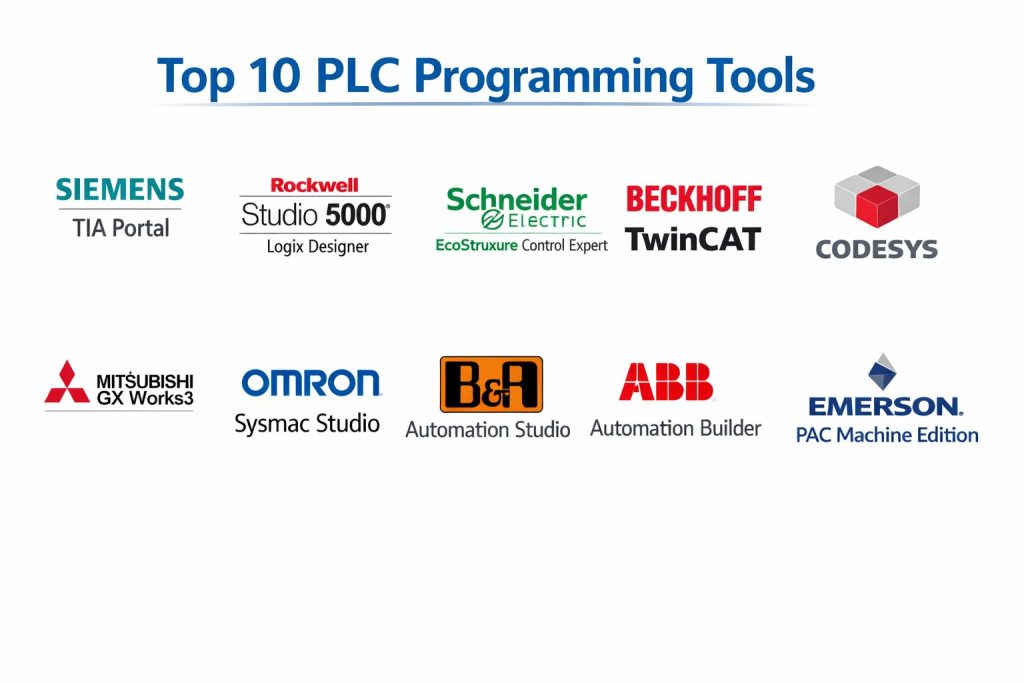
Top 10 PLC Programming Tools
1) Siemens TIA Portal
An integrated engineering environment for Siemens automation systems, commonly used for PLC programming, hardware configuration, and commissioning. Best for teams standardizing on Siemens controllers and integrated automation stacks.
Key Features
- Integrated workflow for PLC programming and device configuration
- Strong ladder, structured text, and function block style workflows (varies by project setup)
- Online diagnostics and watch tables for troubleshooting
- Hardware catalog integration for consistent configuration
- Library and reusable blocks approach for standardized logic
- Commissioning tools and device-level integration patterns
- Large ecosystem for Siemens automation components
Pros
- Strong integration across Siemens automation stack
- Mature tooling for commissioning and diagnostics
Cons
- Best value mainly when standardizing on Siemens ecosystem
- Licensing and configuration complexity can be high
Platforms / Deployment
- Windows
- Self-hosted
Security & Compliance
- SSO/SAML, MFA, encryption, audit logs, RBAC: Not publicly stated
- SOC 2, ISO 27001, GDPR, HIPAA: Not publicly stated
Integrations & Ecosystem
TIA Portal works tightly with Siemens PLCs, drives, and related components, enabling consistent configuration and commissioning workflows.
- Device and hardware catalog integration
- Libraries for reusable blocks and standards
- Integration with HMI workflows in Siemens stack: Varies / N/A
- OPC and industrial connectivity patterns: Varies / N/A
Support & Community
Strong vendor support ecosystem, extensive documentation, and a large global community of integrators and engineers.
2) Rockwell Studio 5000 Logix Designer
A widely used PLC programming environment for Allen-Bradley Logix controllers, common in many manufacturing plants. Best for organizations standardizing on Logix PLCs and Rockwell automation systems.
Key Features
- Strong ladder and tag-based programming workflows
- Online editing and monitoring for production troubleshooting
- Well-known structure for large projects with modular design
- Extensive device integration via vendor ecosystem (varies)
- Diagnostics and trending patterns depending on setup
- Libraries and reusable objects (workflow dependent)
- Common usage in OEM and plant standard environments
Pros
- Widely adopted in industrial manufacturing environments
- Strong online workflow for changes and diagnostics
Cons
- Controller ecosystem is largely vendor-centric
- Licensing and add-on modules can add cost
Platforms / Deployment
- Windows
- Self-hosted
Security & Compliance
- SSO/SAML, MFA, encryption, audit logs, RBAC: Not publicly stated
- SOC 2, ISO 27001, GDPR, HIPAA: Not publicly stated
Integrations & Ecosystem
Studio 5000 integrates well within Rockwell ecosystems and is commonly paired with plant networks, HMIs, and SCADA stacks.
- Broad Rockwell device ecosystem integration
- Common interoperability via industrial protocols: Varies / N/A
- Integration with version control: Varies / N/A
- Third-party tools and add-ons: Varies / N/A
Support & Community
Large professional community and strong vendor support; documentation and training are widely available.
3) Schneider Electric EcoStruxure Control Expert
A PLC programming and engineering environment used for Schneider Electric PLC families, especially in process and hybrid industries. Best for teams working within Schneider’s automation ecosystem.
Key Features
- PLC programming and hardware configuration in one environment
- Support for common PLC programming approaches (project dependent)
- Diagnostics and monitoring during commissioning and maintenance
- Library management for reusable control components
- Industrial communication support (setup dependent)
- Designed for scaling across plant projects in Schneider ecosystems
- Works well with Schneider automation and integration patterns
Pros
- Strong fit for Schneider-based plants and integrators
- Supports structured engineering workflows and reusable logic
Cons
- Best for specific controller ecosystems rather than multi-vendor fleets
- Setup and lifecycle management can be complex for new teams
Platforms / Deployment
- Windows
- Self-hosted
Security & Compliance
- SSO/SAML, MFA, encryption, audit logs, RBAC: Not publicly stated
- SOC 2, ISO 27001, GDPR, HIPAA: Not publicly stated
Integrations & Ecosystem
Control Expert integrates with Schneider automation devices and industrial communication stacks.
- Device integration via Schneider ecosystem
- Industrial communication patterns: Varies / N/A
- Engineering libraries for reuse and standards
- Integration with other plant tools: Varies / N/A
Support & Community
Strong vendor support options, with community strength varying by region and industry.
4) Beckhoff TwinCAT
An automation platform closely tied to PC-based control, known for strong structured text workflows and integration with industrial Ethernet. Best for machine builders and integrators using Beckhoff ecosystems and PC-based automation.
Key Features
- Strong structured text and modern programming workflows (project dependent)
- Tight integration with PC-based control and industrial Ethernet
- Real-time runtime patterns suitable for high-performance control
- Debugging and monitoring tools for online troubleshooting
- Modular libraries and reusable components for scale
- Device integration via Beckhoff IO and motion ecosystems
- Good fit for advanced machine automation use cases
Pros
- Strong for advanced automation with PC-based control patterns
- Good performance and extensibility for complex machines
Cons
- Learning curve for teams new to PC-based control
- Best fit mainly inside Beckhoff ecosystems
Platforms / Deployment
- Windows
- Self-hosted
Security & Compliance
- SSO/SAML, MFA, encryption, audit logs, RBAC: Not publicly stated
- SOC 2, ISO 27001, GDPR, HIPAA: Not publicly stated
Integrations & Ecosystem
TwinCAT integrates with Beckhoff motion, IO, and industrial networking ecosystems.
- Integration with EtherCAT ecosystems
- Modular libraries and engineering reuse patterns
- Industrial protocol connectivity: Varies / N/A
- Integration with higher-level systems: Varies / N/A
Support & Community
Strong technical community among machine builders and good vendor documentation; support depends on contract.
5) CODESYS
A widely used IEC-style PLC development environment often adopted by multiple device vendors. Best for teams working across compatible controllers and wanting a more standardized programming experience.
Key Features
- IEC programming workflow across supported controller platforms
- Structured text, ladder, and function block styles (controller dependent)
- Simulation and testing options (varies by vendor/runtime)
- Reusable libraries and modular engineering patterns
- Device integration through vendor packages (varies)
- Extensible environment for custom components and workflows
- Good fit for multi-vendor strategies where supported
Pros
- Broad vendor ecosystem compared to single-vendor suites
- Standardized workflow across compatible PLC targets
Cons
- Feature depth can vary by hardware vendor implementation
- Ecosystem consistency depends on runtime and device support
Platforms / Deployment
- Windows
- Self-hosted
Security & Compliance
- SSO/SAML, MFA, encryption, audit logs, RBAC: Not publicly stated
- SOC 2, ISO 27001, GDPR, HIPAA: Not publicly stated
Integrations & Ecosystem
CODESYS relies on device packages and runtimes provided by vendors, and it can support standardized engineering patterns.
- Vendor device packages and libraries
- Industrial protocol support: Varies / N/A
- Integration with HMI and visualization: Varies / N/A
- Engineering reuse through libraries and templates
Support & Community
Active community and documentation; support depends on vendor and the specific PLC platform.
6) Mitsubishi GX Works3
A PLC engineering tool used for Mitsubishi Electric controllers, common in manufacturing environments. Best for teams standardizing on Mitsubishi PLCs with integrated hardware workflows.
Key Features
- PLC programming and device configuration in a unified workflow
- Support for common PLC programming approaches (project dependent)
- Monitoring and debugging tools for commissioning and maintenance
- Library-based reuse and standardized engineering workflows
- Hardware configuration support within Mitsubishi ecosystems
- Stable workflows for plant lifecycle engineering
- Device integration patterns via Mitsubishi automation components
Pros
- Strong fit for Mitsubishi-based plants and OEMs
- Mature commissioning and troubleshooting workflow
Cons
- Vendor-centric ecosystem
- Licensing and project setup can be complex for new teams
Platforms / Deployment
- Windows
- Self-hosted
Security & Compliance
- SSO/SAML, MFA, encryption, audit logs, RBAC: Not publicly stated
- SOC 2, ISO 27001, GDPR, HIPAA: Not publicly stated
Integrations & Ecosystem
GX Works3 integrates with Mitsubishi automation hardware and engineering workflows.
- Hardware catalog and device integration
- Industrial communication patterns: Varies / N/A
- Library reuse support
- Integration with plant tools: Varies / N/A
Support & Community
Good vendor documentation and regional community strength; support varies by region and agreement.
7) Omron Sysmac Studio
A PLC and motion programming environment for Omron controllers, known for integrated machine automation workflows. Best for teams needing PLC, motion, and machine integration in Omron ecosystems.
Key Features
- Integrated PLC and motion programming workflows
- Structured programming and debugging tools (project dependent)
- Online diagnostics and monitoring for maintenance teams
- Device configuration aligned with Omron machine components
- Library-based reuse and standardized function blocks
- Suitable for machine builders needing integrated control and motion
- Common usage in packaging and machine automation environments
Pros
- Strong integrated motion and machine automation workflow
- Good for standardized machine projects within Omron ecosystems
Cons
- Best fit is tied to Omron controller choices
- Learning curve for teams switching from other vendor tools
Platforms / Deployment
- Windows
- Self-hosted
Security & Compliance
- SSO/SAML, MFA, encryption, audit logs, RBAC: Not publicly stated
- SOC 2, ISO 27001, GDPR, HIPAA: Not publicly stated
Integrations & Ecosystem
Sysmac Studio integrates closely with Omron PLC and motion systems, supporting cohesive machine engineering.
- Device integration via Omron automation components
- Motion workflows and related libraries
- Industrial protocol connectivity: Varies / N/A
- Integration with higher-level plant systems: Varies / N/A
Support & Community
Solid vendor support and training; community presence varies by region and industry.
8) B&R Automation Studio
An engineering suite for B&R automation systems, often used in advanced machine automation contexts. Best for OEMs and integrators using B&R ecosystems for scalable machine control.
Key Features
- Integrated programming and hardware configuration workflows
- Modular engineering and reusable components for large projects
- Debugging tools for online commissioning and maintenance
- Device ecosystem integration for machine control components
- Suitable for scalable machine automation architectures
- Supports structured development patterns for OEM standards
- Strong fit for complex machines with integrated subsystems
Pros
- Strong for OEM standardization and modular machine projects
- Good integration within B&R automation ecosystems
Cons
- Vendor ecosystem focus may limit multi-vendor flexibility
- Requires discipline and training to fully benefit from modular patterns
Platforms / Deployment
- Windows
- Self-hosted
Security & Compliance
- SSO/SAML, MFA, encryption, audit logs, RBAC: Not publicly stated
- SOC 2, ISO 27001, GDPR, HIPAA: Not publicly stated
Integrations & Ecosystem
Automation Studio integrates with B&R control, IO, and motion ecosystems and supports scalable machine architectures.
- Device ecosystem integration
- Modular libraries and reusable code patterns
- Industrial communication patterns: Varies / N/A
- Integration with plant-level systems: Varies / N/A
Support & Community
Strong vendor support in relevant regions and industries; community strength varies.
9) ABB Automation Builder
A programming and configuration environment used for ABB PLC offerings in many industrial contexts. Best for teams using ABB automation ecosystems and looking for stable PLC engineering workflows.
Key Features
- PLC programming and configuration workflow aligned with ABB ecosystems
- Support for standard PLC programming approaches (project dependent)
- Monitoring and debugging for commissioning and maintenance
- Device integration patterns for ABB automation components
- Library-based reuse for standard logic and templates
- Industrial protocol support depending on project setup
- Suitable for plant lifecycle engineering and maintenance operations
Pros
- Strong fit for ABB-based automation environments
- Stable workflows for commissioning and lifecycle maintenance
Cons
- Ecosystem focus can reduce flexibility for mixed PLC fleets
- Feature breadth can vary by controller family and setup
Platforms / Deployment
- Windows
- Self-hosted
Security & Compliance
- SSO/SAML, MFA, encryption, audit logs, RBAC: Not publicly stated
- SOC 2, ISO 27001, GDPR, HIPAA: Not publicly stated
Integrations & Ecosystem
Automation Builder integrates with ABB automation devices and typical industrial communication stacks.
- Device ecosystem integration
- Library reuse and templates
- Industrial connectivity: Varies / N/A
- Integration with SCADA and plant tools: Varies / N/A
Support & Community
Vendor support is generally strong; community size varies by region and industry segment.
10) Emerson PAC Machine Edition
A PLC and PAC programming environment commonly used for Emerson PAC systems, often in industrial and process-adjacent applications. Best for teams working with Emerson controllers and their broader automation stack.
Key Features
- Programming workflow for Emerson PAC and PLC environments
- Support for standard programming approaches (project dependent)
- Diagnostics and monitoring for commissioning and troubleshooting
- Hardware configuration and device integration patterns
- Library-driven development for standardized machine logic
- Suitable for scalable industrial control projects
- Integration patterns depend on controller families and stack choices
Pros
- Strong fit for Emerson PAC ecosystems and industrial projects
- Supports structured reuse and consistent project standards
Cons
- Vendor ecosystem focus for best results
- Feature depth depends on controller family and modules used
Platforms / Deployment
- Windows
- Self-hosted
Security & Compliance
- SSO/SAML, MFA, encryption, audit logs, RBAC: Not publicly stated
- SOC 2, ISO 27001, GDPR, HIPAA: Not publicly stated
Integrations & Ecosystem
PAC Machine Edition integrates with Emerson controller ecosystems and typical plant connectivity patterns.
- Device integration via Emerson stacks
- Industrial protocol support: Varies / N/A
- Integration with SCADA and higher-level tools: Varies / N/A
- Library and template reuse patterns
Support & Community
Support options vary by agreement; community presence depends on region and industry.
Comparison Table (Top 10)
| Tool Name | Best For | Platform(s) Supported | Deployment (Cloud/Self-hosted/Hybrid) | Standout Feature | Public Rating |
|---|---|---|---|---|---|
| Siemens TIA Portal | Siemens PLC engineering and commissioning | Windows | Self-hosted | Integrated engineering environment | N/A |
| Rockwell Studio 5000 Logix Designer | Logix PLC programming in manufacturing | Windows | Self-hosted | Tag-based engineering and online workflows | N/A |
| Schneider Electric EcoStruxure Control Expert | Schneider PLC projects and lifecycle engineering | Windows | Self-hosted | Integrated PLC engineering workflow | N/A |
| Beckhoff TwinCAT | PC-based control and high-performance machines | Windows | Self-hosted | PC-based automation integration | N/A |
| CODESYS | IEC programming across supported vendors | Windows | Self-hosted | Multi-vendor compatible workflow | N/A |
| Mitsubishi GX Works3 | Mitsubishi PLC programming and configuration | Windows | Self-hosted | Device-aligned engineering workflow | N/A |
| Omron Sysmac Studio | Integrated PLC and motion programming | Windows | Self-hosted | PLC plus motion integration | N/A |
| B&R Automation Studio | Modular OEM machine automation projects | Windows | Self-hosted | Modular engineering and reuse | N/A |
| ABB Automation Builder | ABB PLC programming and maintenance workflows | Windows | Self-hosted | ABB ecosystem engineering alignment | N/A |
| Emerson PAC Machine Edition | Emerson PAC and PLC programming projects | Windows | Self-hosted | PAC-focused engineering workflow | N/A |
Evaluation & Scoring of PLC Programming Tools
Weights: Core features 25%, Ease 15%, Integrations 15%, Security 10%, Performance 10%, Support 10%, Value 15%.
| Tool Name | Core (25%) | Ease (15%) | Integrations (15%) | Security (10%) | Performance (10%) | Support (10%) | Value (15%) | Weighted Total (0–10) |
|---|---|---|---|---|---|---|---|---|
| Siemens TIA Portal | 9.0 | 7.5 | 8.5 | 6.0 | 8.5 | 8.0 | 6.5 | 7.92 |
| Rockwell Studio 5000 Logix Designer | 9.0 | 7.5 | 8.5 | 6.0 | 8.5 | 8.0 | 6.5 | 7.92 |
| Schneider Electric EcoStruxure Control Expert | 8.5 | 7.5 | 8.0 | 6.0 | 8.0 | 7.5 | 6.5 | 7.62 |
| Beckhoff TwinCAT | 8.5 | 7.0 | 8.0 | 6.0 | 8.5 | 7.5 | 7.0 | 7.68 |
| CODESYS | 8.0 | 7.5 | 8.0 | 5.5 | 7.5 | 7.5 | 8.0 | 7.63 |
| Mitsubishi GX Works3 | 8.0 | 7.5 | 7.5 | 5.5 | 8.0 | 7.5 | 6.5 | 7.35 |
| Omron Sysmac Studio | 8.0 | 7.0 | 7.5 | 5.5 | 8.0 | 7.0 | 6.5 | 7.18 |
| B&R Automation Studio | 8.0 | 6.5 | 7.5 | 5.5 | 8.0 | 7.0 | 6.5 | 7.03 |
| ABB Automation Builder | 7.5 | 7.0 | 7.5 | 5.5 | 7.5 | 7.0 | 6.5 | 7.00 |
| Emerson PAC Machine Edition | 7.5 | 7.0 | 7.0 | 5.5 | 7.5 | 6.5 | 6.5 | 6.83 |
How to interpret the scores:
- Scores compare tools against each other in this list, not the entire market.
- Weighted totals reward balanced capability across engineering, integration, and lifecycle needs.
- Ease and value may matter more for small teams than maximum feature depth.
- Security scoring is limited because public disclosures differ and many tools are desktop-first.
- Run a pilot with your real IO, network, and commissioning workflow to validate fit.
Which PLC Programming Tool Is Right for You?
Solo / Freelancer
If you work as an independent integrator, the best tool is usually the one that matches your customer’s PLC brand and installed base. Multi-vendor-friendly environments can help in mixed fleets, but you still need reliable device support.
SMB
SMBs should standardize on the PLC brand used across most machines to reduce training and spare-part complexity. Prioritize easy diagnostics, stable online editing, and library reuse so maintenance is predictable.
Mid-Market
Mid-market manufacturers benefit from strong standards: reusable libraries, naming conventions, and consistent commissioning procedures. Choose a tool that supports scalable project structure and stable versioning practices.
Enterprise
Enterprises should prioritize governance: consistent engineering standards, traceability of changes, reliable backup and restore, and predictable vendor support. Integration with plant networks and higher-level systems becomes critical.
Budget vs Premium
Budget decisions are often driven by installed PLC hardware rather than software preference. Premium value comes from faster commissioning, fewer outages, better diagnostics, and standard libraries that reduce rework.
Feature Depth vs Ease of Use
If you have complex machines and advanced motion or timing needs, deeper tools can pay off. If you have many maintenance users, ease of use and safe online workflows become more important.
Integrations & Scalability
Choose tools that integrate smoothly with drives, IO, HMIs, and plant connectivity. Scalability comes from libraries, templates, and consistent project structures more than flashy features.
Security & Compliance Needs
Most engineering environments rely on your surrounding governance practices. Focus on access control to project files, controlled change approval, backups, and secure network segmentation for engineering workstations.
Frequently Asked Questions (FAQs)
1. What is a PLC programming tool used for?
It is used to configure PLC hardware, write control logic, test behavior, download programs to the controller, and troubleshoot problems during maintenance.
2. Which PLC language should beginners start with?
Many start with ladder logic because it maps well to relay-style control. Structured text can be faster for complex logic once you are comfortable with fundamentals.
3. Do these tools support simulation?
Many support some form of simulation or testing, but the depth varies by vendor and controller. Always validate simulation coverage for your exact PLC model.
4. Can I use one tool for every PLC brand?
Usually not. Some environments work across multiple compatible vendors, but many tools are designed for a specific PLC ecosystem.
5. What should I check before choosing a tool for a new plant?
Confirm controller compatibility, language support, diagnostics quality, library reuse, stable online workflows, and availability of local support and training.
6. How do I reduce commissioning time with PLC tools?
Use standardized templates, reusable libraries, consistent naming, and simulation where possible. Good diagnostics and trace tools also reduce debugging time.
7. What is the biggest maintenance risk in PLC programming?
Uncontrolled changes. Without backups and change discipline, small edits can cause downtime. Standard procedures and versioning habits reduce this risk.
8. Are PLC programming tools safe for online edits in production?
Many support online edits, but safe use depends on process criticality, testing discipline, and approval practices. Always follow plant change control rules.
9. How do PLC tools integrate with SCADA and plant systems?
Integration typically uses industrial communication protocols and data mapping practices. The ease of integration depends on your PLC family and plant architecture.
10. When should I consider migrating to a different PLC ecosystem?
Consider migration when support is limited, spare parts are difficult, or integration needs change significantly. A phased plan and pilot testing are essential.
Conclusion
PLC programming tools are not just coding editors; they shape how quickly you can commission machines, how safely you can change logic, and how fast you can troubleshoot downtime. The right choice depends heavily on your installed PLC hardware and the type of plant you run. Vendor-centric environments like Siemens TIA Portal, Rockwell Studio 5000 Logix Designer, and Schneider Electric EcoStruxure Control Expert often deliver the smoothest experience when you standardize on that ecosystem. Multi-vendor-friendly options can help in mixed fleets where compatible. A smart next step is to shortlist two or three tools that match your PLC families, build a small pilot project, test online workflows, diagnostics, and library reuse, and then standardize your engineering rules for long-term stability.