Introduction
AI Agent Platforms help teams build assistants that can plan tasks, use tools, fetch knowledge from company data, and take actions across apps. Instead of a single chat response, an agent can follow steps: understand intent, pick the right tool, call an API, verify results, and complete a workflow. This matters now because organizations want automation that is measurable, governable, and safe enough for real business processes. Typical use cases include customer support resolution, IT and HR self-service, sales research and CRM updates, internal knowledge assistants, DevOps incident support, and finance ops approvals. When evaluating a platform, focus on tool calling reliability, orchestration controls, retrieval quality, guardrails, admin governance, auditability, integration breadth, latency and scalability, human-in-the-loop controls, and the ability to observe and improve agent behavior over time.
Best for: product teams, IT teams, operations leaders, data teams, and engineering groups building assistants for support, sales, internal workflows, and automation across business apps.
Not ideal for: teams that only need a simple chatbot with static FAQs, or teams without clear workflows to automate; in those cases, a lighter chat interface or basic help-center search may be better.
Key Trends in AI Agent Platforms
- More structured orchestration with explicit planning, steps, and tool execution controls
- Stronger focus on grounding and retrieval quality to reduce hallucinations in business settings
- Expansion of “agent observability” with traces, tool-call logs, and quality evaluation loops
- Multi-agent patterns for division of labor (research agent, action agent, reviewer agent)
- Policy-driven guardrails: role-based access, data boundaries, and action approvals
- Deeper integration into enterprise suites (CRM, ITSM, productivity, commerce)
- Rise of low-code agent builders for non-developers, alongside pro-code frameworks
- Standardization on connectors, functions, and reusable skills libraries
- More emphasis on cost control with caching, routing, and smaller models for routine tasks
- Safer action execution through confirmations, constraints, and sandboxed tools
How We Selected These Tools (Methodology)
- Chosen for broad credibility and real-world adoption across enterprise and developer ecosystems
- Prioritized platforms that support tool use, retrieval grounding, and workflow execution
- Included a balanced mix of enterprise suites and developer-first frameworks
- Considered integration breadth across common business systems and APIs
- Evaluated governance features: access control patterns, logging, and admin controls
- Looked at scalability signals: production usage patterns and deployment flexibility
- Weighed ecosystem strength: community, extensions, templates, and partner networks
- Focused on practical fit across solo builders, SMB teams, and large organizations
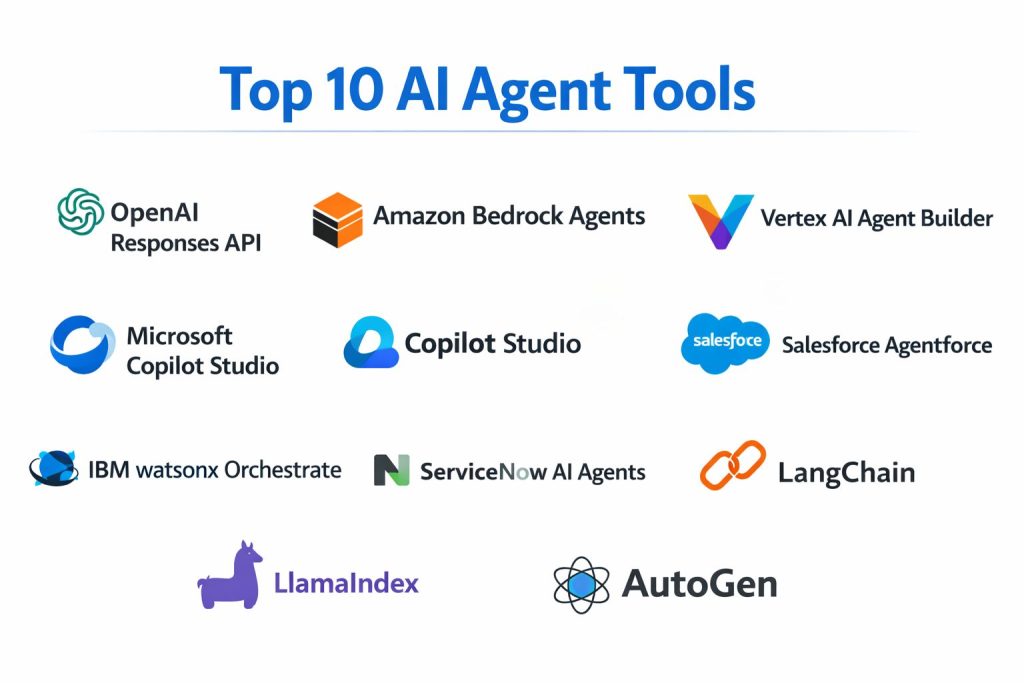
Top 10 AI Agent Platforms
1) OpenAI Responses API
A developer-focused platform surface for building agents that can call tools, use retrieval, and drive structured interactions inside applications. Best for teams that want strong model capability with flexible orchestration patterns in their own product stack.
Key Features
- Tool calling and function execution patterns for real workflows
- Retrieval-style grounding flows (implementation varies by architecture)
- Flexible response structuring for app UI and downstream automation
- Multi-step agent design patterns using external orchestration
- Strong support for building custom skills through functions
- Helpful for product teams embedding assistants into SaaS products
- Works well with custom observability and evaluation pipelines
Pros
- Flexible for product-grade integrations and custom workflows
- Strong capability for complex reasoning when paired with good orchestration
Cons
- Requires engineering discipline to make behavior reliable and safe
- Governance depends heavily on your surrounding stack and controls
Platforms / Deployment
- Web / Cloud (API-based)
- Cloud
Security & Compliance
- SSO/SAML, MFA, encryption, audit logs, RBAC: Not publicly stated
- SOC 2, ISO 27001, GDPR, HIPAA: Not publicly stated
Integrations & Ecosystem
Most integrations are implemented through your own function endpoints and connectors, which gives high flexibility but also requires build effort.
- Custom tool connectors via functions
- Integration with internal services through APIs
- Common patterns for CRM, ticketing, databases, and messaging
- Observability through external logging and tracing stacks
- Agent evaluation pipelines: Varies / N/A
Support & Community
Strong developer community and broad ecosystem support. Enterprise support tiers vary by agreement.
2) Amazon Bedrock Agents
A managed agent capability inside a major cloud ecosystem, designed for building agents that can orchestrate tools, connect to knowledge sources, and operate with enterprise controls. Best for teams already standardizing on that cloud stack.
Key Features
- Managed agent orchestration for tool use and workflow execution
- Knowledge grounding patterns using managed knowledge capabilities (varies)
- Strong fit for building agents that call internal APIs securely
- Integration patterns with serverless functions and managed services
- Controls for permissions and action execution boundaries (varies)
- Operational scalability patterns aligned with cloud-native deployment
- Good option for regulated orgs that want centralized governance
Pros
- Strong alignment with cloud-native security and deployment practices
- Easier operational scaling for teams already using the ecosystem
Cons
- Can increase platform dependency for teams wanting portability
- Requires careful design to keep retrieval and tool behavior consistent
Platforms / Deployment
- Web / Cloud
- Cloud
Security & Compliance
- SSO/SAML, MFA, encryption, audit logs, RBAC: Not publicly stated
- SOC 2, ISO 27001, GDPR, HIPAA: Not publicly stated
Integrations & Ecosystem
Integrations often leverage cloud services, managed connectors, and serverless actions.
- API actions via serverless and managed workflows
- Integration with storage, search, and data services
- Logging and monitoring via cloud observability tools
- Identity and access patterns through cloud IAM
- Partner and marketplace integrations: Varies / N/A
Support & Community
Strong documentation and enterprise support options, plus a broad cloud developer community.
3) Vertex AI Agent Builder
An enterprise-oriented platform for building, scaling, and governing agents with grounding on enterprise data. Best for organizations already using a major cloud AI stack and wanting structured governance.
Key Features
- Agent building toolkit with governance and lifecycle support
- Grounding patterns for enterprise data and knowledge sources
- Controls for deployment, monitoring, and scaling (varies)
- Developer choice with frameworks and integration approaches (varies)
- Enterprise-grade operational posture and admin tooling
- Helps standardize agent creation across multiple internal teams
- Works well for internal assistants across docs, apps, and workflows
Pros
- Strong enterprise focus on scale and governance
- Good fit for teams building multiple agents across departments
Cons
- Best outcomes require clean enterprise data and access design
- Platform complexity can be high for small teams
Platforms / Deployment
- Web / Cloud
- Cloud
Security & Compliance
- SSO/SAML, MFA, encryption, audit logs, RBAC: Not publicly stated
- SOC 2, ISO 27001, GDPR, HIPAA: Not publicly stated
Integrations & Ecosystem
Often integrates through cloud services, connectors, and enterprise data systems.
- Enterprise connectors and data grounding patterns: Varies / N/A
- Integration with APIs and workflows through cloud services
- Monitoring and logging via cloud operations tooling
- Identity integration patterns: Varies / N/A
- Extensions via developer frameworks: Varies / N/A
Support & Community
Strong enterprise documentation and support channels; broad developer ecosystem around the cloud.
4) Microsoft Copilot Studio
A low-code platform for creating business copilots and agents that connect to enterprise apps and workflows. Best for organizations that want rapid agent creation with strong alignment to productivity and business suites.
Key Features
- Low-code agent design with workflow and connector patterns
- Integration with enterprise apps through standard connectors
- Built-in governance patterns aligned with admin controls (varies)
- Supports task automation and action execution with approvals (varies)
- Good fit for HR, IT helpdesk, finance ops, and internal support
- Faster rollout for business teams with limited engineering capacity
- Can standardize agent experiences across departments
Pros
- Faster build cycle for common business automation scenarios
- Strong connector ecosystem for typical enterprise applications
Cons
- Complex custom logic can still require engineering support
- Advanced orchestration control may be less flexible than pro-code stacks
Platforms / Deployment
- Web / Cloud
- Cloud
Security & Compliance
- SSO/SAML, MFA, encryption, audit logs, RBAC: Not publicly stated
- SOC 2, ISO 27001, GDPR, HIPAA: Not publicly stated
Integrations & Ecosystem
Strong focus on connectors and workflow automation across business apps.
- Connectors for productivity, CRM, ticketing, and databases (varies)
- Workflow automation integrations: Varies / N/A
- APIs and extensibility: Varies / N/A
- Governance through admin tooling: Varies / N/A
- Templates and reusable components: Varies / N/A
Support & Community
Large enterprise community, strong training content, and support tiers that vary by plan.
5) Salesforce Agentforce
An agent platform designed to embed autonomous agents across CRM-driven workflows such as service, sales, and commerce. Best for organizations deeply invested in a CRM ecosystem and looking for tight workflow execution inside it.
Key Features
- Agent creation aligned to CRM objects, workflows, and business context
- Strong fit for service automation and case resolution workflows
- Integration patterns across sales, marketing, and commerce operations
- Knowledge grounding tied to customer and business data (varies)
- Permission-aware actions based on user roles and policies (varies)
- Admin tooling for managing agent scope and behavior (varies)
- Good for organizations standardizing customer-facing automation
Pros
- Excellent alignment with CRM workflows and customer context
- Strong value when most customer operations already live in the ecosystem
Cons
- Less ideal if your organization is not CRM-centered
- Cross-system automation may require careful integration work
Platforms / Deployment
- Web / Cloud
- Cloud
Security & Compliance
- SSO/SAML, MFA, encryption, audit logs, RBAC: Not publicly stated
- SOC 2, ISO 27001, GDPR, HIPAA: Not publicly stated
Integrations & Ecosystem
Deep ecosystem integrations tend to be strongest inside CRM and adjacent business suites.
- Native CRM workflows and actions
- Connectors and APIs to external apps: Varies / N/A
- Knowledge and data grounding patterns: Varies / N/A
- Extensions via platform tooling: Varies / N/A
- Partner ecosystem: Varies / N/A
Support & Community
Strong enterprise customer support presence and a large admin/developer community.
6) IBM watsonx Orchestrate
A business automation and orchestration platform aimed at helping teams create assistants that complete tasks across enterprise systems. Best for organizations wanting structured automation with enterprise integration patterns.
Key Features
- Orchestration focus for multi-step enterprise workflows
- Integration patterns for business apps and internal systems (varies)
- Governance and admin controls aimed at enterprise rollout (varies)
- Supports reusable skills and task libraries (varies)
- Designed for operational teams that need consistency and controls
- Useful for HR, procurement, and shared services automation
- Can centralize workflow automation behind an assistant interface
Pros
- Strong fit for workflow execution and operational automation
- Enterprise-oriented governance patterns for large rollouts
Cons
- Best results require clear process design and integration planning
- Customization depth can vary depending on environment and connectors
Platforms / Deployment
- Web / Cloud (deployment options vary)
- Cloud / Hybrid (Varies / N/A)
Security & Compliance
- SSO/SAML, MFA, encryption, audit logs, RBAC: Not publicly stated
- SOC 2, ISO 27001, GDPR, HIPAA: Not publicly stated
Integrations & Ecosystem
Emphasis on enterprise integrations and reusable task skills.
- Enterprise app connections: Varies / N/A
- APIs and workflow tooling: Varies / N/A
- Skill libraries and reusable task components: Varies / N/A
- Observability and admin tooling: Varies / N/A
- Partner ecosystem: Varies / N/A
Support & Community
Enterprise support and services are commonly available; community strength varies by region and customer base.
7) ServiceNow AI Agents
Agent capabilities designed for IT service management and enterprise workflow automation, often centered around tickets, requests, and knowledge. Best for organizations using an ITSM workflow platform as a backbone for operations.
Key Features
- Strong alignment to IT workflows: incidents, requests, and approvals
- Knowledge grounding for self-service and deflection use cases (varies)
- Tool execution aligned to workflow actions and automation rules
- Good fit for HR service delivery and shared service workflows (varies)
- Admin controls for safe action execution and scope limiting (varies)
- Operational logging and workflow traceability patterns (varies)
- Scales well when the platform is already the system of record for ops
Pros
- Very strong fit for IT and operations automation where tickets drive work
- Clear value when integrated deeply into workflow-based service processes
Cons
- Less useful if your workflows are not built around the platform
- Complex integrations still require careful design and governance
Platforms / Deployment
- Web / Cloud
- Cloud
Security & Compliance
- SSO/SAML, MFA, encryption, audit logs, RBAC: Not publicly stated
- SOC 2, ISO 27001, GDPR, HIPAA: Not publicly stated
Integrations & Ecosystem
Most value comes from integrating agent actions with workflow automation and enterprise systems.
- Native workflow actions and orchestration patterns
- Connectors to enterprise apps: Varies / N/A
- Knowledge and ticket data grounding: Varies / N/A
- Integration via APIs: Varies / N/A
- Monitoring and operational tooling: Varies / N/A
Support & Community
Strong enterprise support footprint and a large admin community; implementation quality depends on process maturity.
8) LangChain
A developer framework widely used to build agentic applications with tool calling, retrieval, and structured orchestration patterns. Best for engineering teams that want control, portability, and a large ecosystem.
Key Features
- Agent orchestration patterns with tools, memory patterns, and routing
- Retrieval and grounding components with flexible data connectors (varies)
- Supports structured outputs and tool execution flows
- Ecosystem of integrations for vector stores, databases, and APIs
- Works well for building custom internal agents and product features
- Flexible design for multi-agent and planner patterns (implementation varies)
- Strong compatibility with evaluation and monitoring tooling (varies)
Pros
- High flexibility and strong integration ecosystem for developers
- Portable design that can work across different model providers
Cons
- Requires engineering effort to harden behavior for production
- Governance and admin controls must be built around it
Platforms / Deployment
- Windows / macOS / Linux
- Self-hosted / Cloud / Hybrid (depends on your deployment)
Security & Compliance
- SSO/SAML, MFA, encryption, audit logs, RBAC: Varies / N/A
- SOC 2, ISO 27001, GDPR, HIPAA: Not publicly stated
Integrations & Ecosystem
Strong ecosystem of connectors and patterns for agent tooling.
- Vector stores and retrieval backends: Varies / N/A
- API tool connectors through function wrappers
- Observability integrations via external stacks: Varies / N/A
- Templates and starter kits: Varies / N/A
- Extensions through community packages
Support & Community
Very active developer community with frequent updates; support depends on your chosen hosting approach and any enterprise arrangements.
9) LlamaIndex
A developer framework focused on data grounding, retrieval, and building knowledge-centric agents. Best for teams where the core value is connecting agents to proprietary content and producing reliable, sourced responses.
Key Features
- Strong retrieval and indexing patterns for enterprise data sources
- Agent building blocks designed around grounded responses
- Flexible connectors for document stores and databases (varies)
- Helpful abstractions for retrieval pipelines and query routing
- Works well for internal knowledge assistants and research agents
- Can be paired with other orchestration stacks for tool actions
- Useful evaluation patterns for grounding quality (varies)
Pros
- Excellent focus on grounded knowledge workflows
- Practical for teams that need dependable answers from internal content
Cons
- Action execution often needs pairing with orchestration tooling
- Production hardening depends on your surrounding stack
Platforms / Deployment
- Windows / macOS / Linux
- Self-hosted / Cloud / Hybrid (depends on your deployment)
Security & Compliance
- SSO/SAML, MFA, encryption, audit logs, RBAC: Varies / N/A
- SOC 2, ISO 27001, GDPR, HIPAA: Not publicly stated
Integrations & Ecosystem
Integrates mainly through data connectors and retrieval backends.
- Document and storage connectors: Varies / N/A
- Vector and search backends: Varies / N/A
- Tool calling through external orchestration: Varies / N/A
- Monitoring through external logs and traces: Varies / N/A
- Extensible pipeline components
Support & Community
Strong developer community and documentation. Enterprise support options vary by arrangement.
10) AutoGen
A developer framework designed for multi-agent collaboration patterns, where agents can coordinate roles like planner, executor, and reviewer. Best for teams experimenting with agent teamwork and structured conversational workflows.
Key Features
- Multi-agent design patterns for division of labor
- Role-based agent collaboration and messaging flows
- Tool execution patterns for task completion (implementation varies)
- Helpful for research-to-action pipelines with reviewer checks
- Flexible integration into custom applications and services
- Supports structured conversation loops and control logic
- Useful for prototyping complex automation flows
Pros
- Strong for multi-agent teamwork patterns and iterative workflows
- Good for prototyping complex orchestration with control logic
Cons
- Production governance depends on your own controls and testing
- Requires careful design to avoid runaway loops and inconsistent behavior
Platforms / Deployment
- Windows / macOS / Linux
- Self-hosted / Cloud / Hybrid (depends on your deployment)
Security & Compliance
- SSO/SAML, MFA, encryption, audit logs, RBAC: Varies / N/A
- SOC 2, ISO 27001, GDPR, HIPAA: Not publicly stated
Integrations & Ecosystem
Integrations are typically implemented through your tools, APIs, and connectors.
- Tool wrappers for internal APIs
- Integration with retrieval stacks: Varies / N/A
- Observability through external tracing and logs
- Pairing with evaluation harnesses: Varies / N/A
- Extensible role templates and agent patterns
Support & Community
Community-driven support with strong interest among developers; enterprise-grade support varies depending on how it is adopted.
Comparison Table
| Tool Name | Best For | Platform(s) Supported | Deployment | Standout Feature | Public Rating |
|---|---|---|---|---|---|
| OpenAI Responses API | Product teams embedding agents into apps | Web | Cloud | Flexible tool calling via API | N/A |
| Amazon Bedrock Agents | Cloud-native enterprise agent workflows | Web | Cloud | Managed orchestration with cloud IAM patterns | N/A |
| Vertex AI Agent Builder | Governed enterprise agent rollout | Web | Cloud | Build, scale, and govern agents on enterprise data | N/A |
| Microsoft Copilot Studio | Low-code business agents | Web | Cloud | Fast creation with connectors and workflows | N/A |
| Salesforce Agentforce | CRM-centric autonomous agents | Web | Cloud | Deep alignment to CRM processes and context | N/A |
| IBM watsonx Orchestrate | Enterprise task orchestration | Web | Cloud / Hybrid (Varies / N/A) | Skill-based workflow execution | N/A |
| ServiceNow AI Agents | IT and workflow automation agents | Web | Cloud | Ticket and workflow-native action automation | N/A |
| LangChain | Pro-code agent application building | Windows, macOS, Linux | Self-hosted / Cloud / Hybrid | Large integration ecosystem for tools and retrieval | N/A |
| LlamaIndex | Knowledge-grounded agent experiences | Windows, macOS, Linux | Self-hosted / Cloud / Hybrid | Retrieval and indexing depth for enterprise data | N/A |
| AutoGen | Multi-agent collaboration workflows | Windows, macOS, Linux | Self-hosted / Cloud / Hybrid | Role-based multi-agent coordination patterns | N/A |
Evaluation & Scoring
Weights: Core features 25%, Ease 15%, Integrations 15%, Security 10%, Performance 10%, Support 10%, Value 15%.
| Tool Name | Core (25%) | Ease (15%) | Integrations (15%) | Security (10%) | Performance (10%) | Support (10%) | Value (15%) | Weighted Total |
|---|---|---|---|---|---|---|---|---|
| OpenAI Responses API | 9.0 | 7.5 | 8.5 | 6.5 | 8.5 | 8.0 | 7.5 | 8.10 |
| Amazon Bedrock Agents | 8.5 | 7.5 | 8.0 | 8.0 | 8.0 | 8.0 | 7.0 | 7.85 |
| Vertex AI Agent Builder | 8.5 | 7.0 | 8.0 | 8.0 | 8.0 | 7.5 | 7.0 | 7.72 |
| Microsoft Copilot Studio | 8.0 | 8.5 | 8.5 | 7.5 | 7.5 | 8.0 | 7.5 | 8.02 |
| Salesforce Agentforce | 8.5 | 8.0 | 8.5 | 7.5 | 7.5 | 8.0 | 7.0 | 7.98 |
| IBM watsonx Orchestrate | 8.0 | 7.5 | 7.5 | 7.5 | 7.5 | 7.5 | 7.0 | 7.55 |
| ServiceNow AI Agents | 8.0 | 8.0 | 8.0 | 7.5 | 7.5 | 8.0 | 7.0 | 7.75 |
| LangChain | 8.5 | 7.0 | 9.0 | 6.0 | 7.5 | 8.0 | 9.0 | 8.12 |
| LlamaIndex | 8.0 | 7.0 | 8.5 | 6.0 | 7.5 | 7.5 | 8.5 | 7.75 |
| AutoGen | 7.5 | 6.5 | 7.5 | 6.0 | 7.0 | 7.0 | 8.5 | 7.22 |
How to interpret the scores:
- Scores are comparative within this list, not absolute grades.
- A higher total means the tool is strong across more categories, not that it is best for every team.
- Enterprise suites often score higher on governance fit, while frameworks score higher on flexibility and value.
- Always validate with a short pilot using your real workflows, tools, and data boundaries.
Which AI Agent Platform Is Right for You?
Solo / Freelancer
If you are building a prototype or a small internal helper, start with LangChain or LlamaIndex for fast iteration and control. Pair it with a strong model provider and add strict tool limits, confirmations, and logging. If you want the simplest path, use a managed API approach and keep the tool set tiny until you prove reliability.
SMB
SMBs often benefit from a blended approach: a low-code platform for common workflows plus a developer framework for custom needs. Microsoft Copilot Studio can be strong if you already live in productivity suites and want quick wins. LangChain plus a lightweight retrieval setup is a good fit if engineering wants control and portability.
Mid-Market
Mid-market teams should prioritize integrations and observability. ServiceNow AI Agents can be excellent when ops workflows run through ITSM and approvals. Salesforce Agentforce is strong when customer ops run through CRM. If your data lives heavily in one cloud, using that cloud’s managed agent approach can simplify security and operations.
Enterprise
Enterprises should optimize for governance, access controls, and repeatable rollout across departments. Vertex AI Agent Builder and Amazon Bedrock Agents can work well when cloud governance is already standardized. Salesforce Agentforce and ServiceNow AI Agents are compelling when the system of record is already established. For custom agent products, OpenAI Responses API can be strong, but you must invest in policy enforcement, auditability, and evaluation.
Budget vs Premium
Framework-led stacks usually win on cost flexibility and portability, but they require engineering and governance work. Suite-led stacks cost more but reduce integration and admin overhead when you already operate in that ecosystem.
Feature Depth vs Ease of Use
Low-code platforms improve speed for business teams and reduce delivery time for common tasks. Pro-code frameworks provide deeper control for complex workflows, multi-agent designs, and custom tool integration, but require disciplined testing and monitoring.
Integrations & Scalability
If you need many connectors and fast rollout, choose a platform with strong built-in connectors. If you need custom tools and unique workflows, choose a framework and standardize an internal tool registry, strong error handling, and consistent logging.
Security & Compliance Needs
Treat agents as privileged automation. Enforce least privilege, isolate tool permissions, log every tool call, require confirmations for sensitive actions, and implement approval gates for write operations. When compliance details are not publicly stated, validate through vendor documentation and procurement checks, and build compensating controls in your environment.
Frequently Asked Questions
1) What is an AI agent platform, in simple terms?
It is a toolkit that helps you build an assistant that can take steps, use tools, and complete tasks, not just chat. It usually includes orchestration, connectors, and governance features.
2) How do these platforms connect to company data?
Most use retrieval patterns that index documents or query systems, then ground responses on that content. The quality depends on data cleanliness, access rules, and retrieval configuration.
3) What is the biggest risk when deploying agents?
Uncontrolled actions. If an agent can write to systems, you need permissions, confirmations, and audit logs. Treat it like automation with a user interface.
4) How long does implementation usually take?
Simple internal helpers can be done quickly, but reliable business automation takes longer because you must test tools, permissions, failure handling, and quality evaluation.
5) Do I need low-code or pro-code?
Low-code is best for common workflows and fast rollout. Pro-code is best for custom logic, deep integrations, and building agent features into products.
6) How do I keep an agent from doing the wrong thing?
Use strict tool allowlists, role-based permissions, confirmations for sensitive steps, and clear boundaries on what the agent is allowed to change.
7) How do I measure agent quality?
Track task success rate, tool call failures, time-to-resolution, escalation rate, and user satisfaction. Also review traces to find repeated failure patterns.
8) Can I run multiple agents together?
Yes, multi-agent patterns can improve quality by splitting roles, but they also increase complexity. Add a reviewer or verifier step for high-impact workflows.
9) What should I pilot before choosing a platform?
Pick two workflows, connect two real tools, add grounding to one data source, and measure reliability. Confirm you can log, review, and improve behavior over time.
10) What is a practical first step for beginners?
Start with one narrow workflow, a tiny tool set, and a small knowledge base. Add guardrails, logging, and a simple evaluation loop before expanding scope.
Conclusion
AI Agent Platforms are most successful when they are treated like operational automation, not just conversational UI. The right choice depends on where your workflows live and how much control you need. Suite-led options can deliver fast wins when your organization already runs on those systems, because connectors, permissions, and admin patterns are already in place. Developer frameworks provide portability and deep customization, but demand strong engineering discipline to ensure safe tool execution, reliable grounding, and consistent monitoring. A sensible next step is to shortlist two or three tools from the list, run a small pilot with one real workflow and two real tool actions, add strict permissions and confirmations, then evaluate reliability before scaling across departments.